This guide explains how to update a service user’s marital status.
Takes 3 minutes
For: Care Staff
Updated: 26th May 2026
Introduction
The Personal Details section allows you to review and update key information for a service user. You can open the service user’s profile, edit further details, update their marital status, and save the changes.
In this guide you'll learn how to:
Open Personal Details
Select a service user
Edit further details
Update marital status
Save the updated personal details
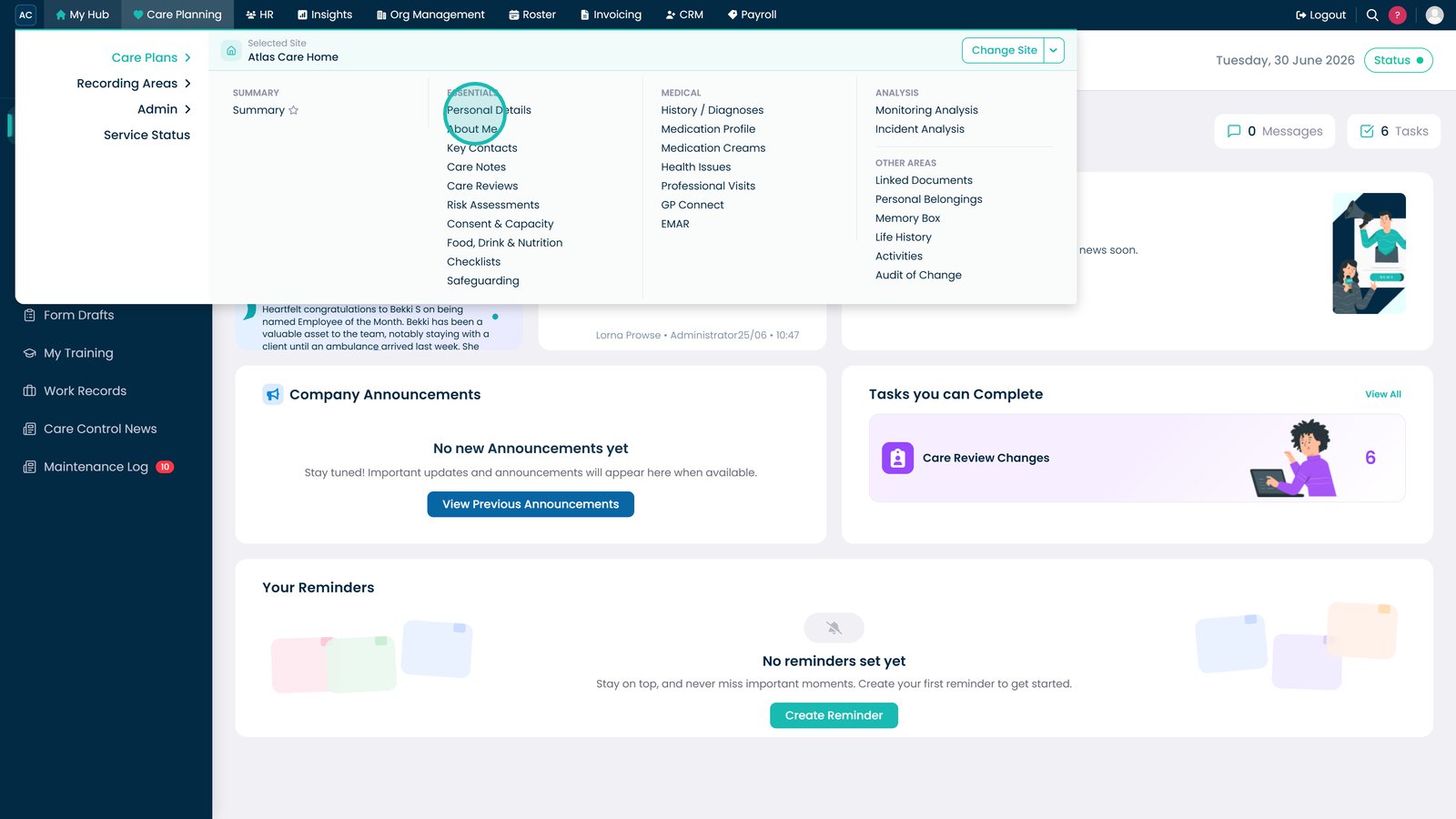
Open the Personal Details section under Care Planning.
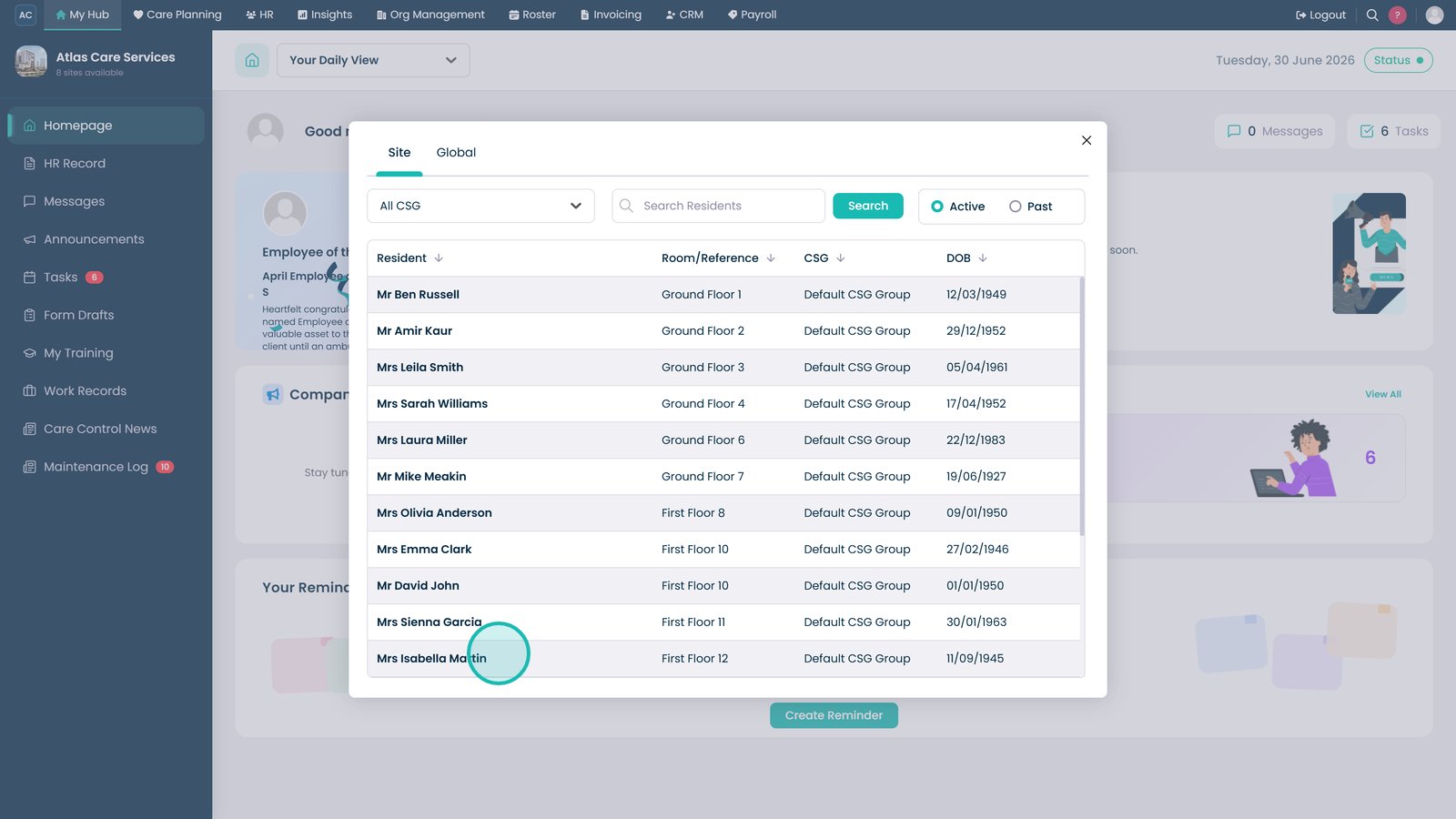
Select the service user whose details you want to update.
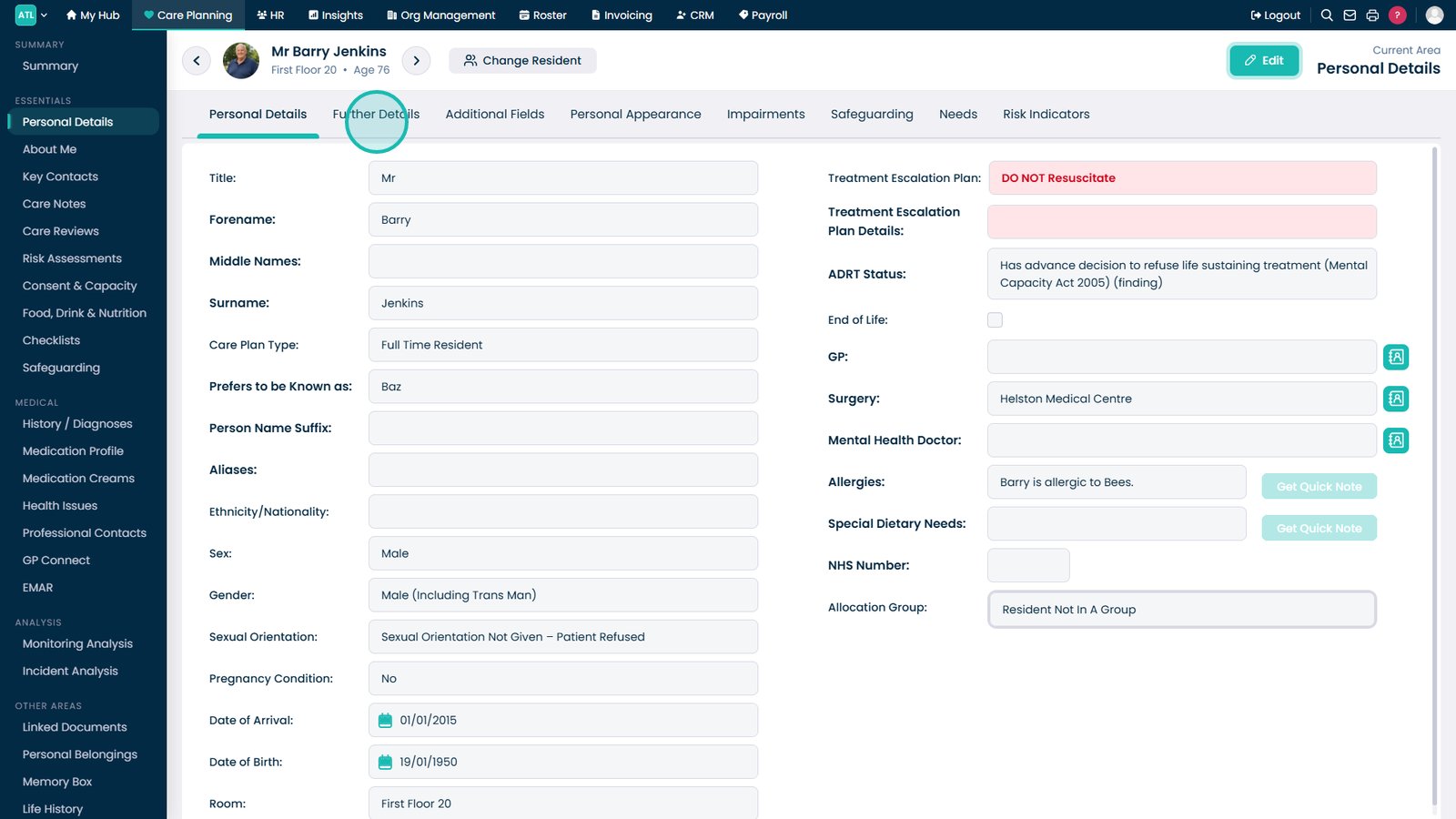
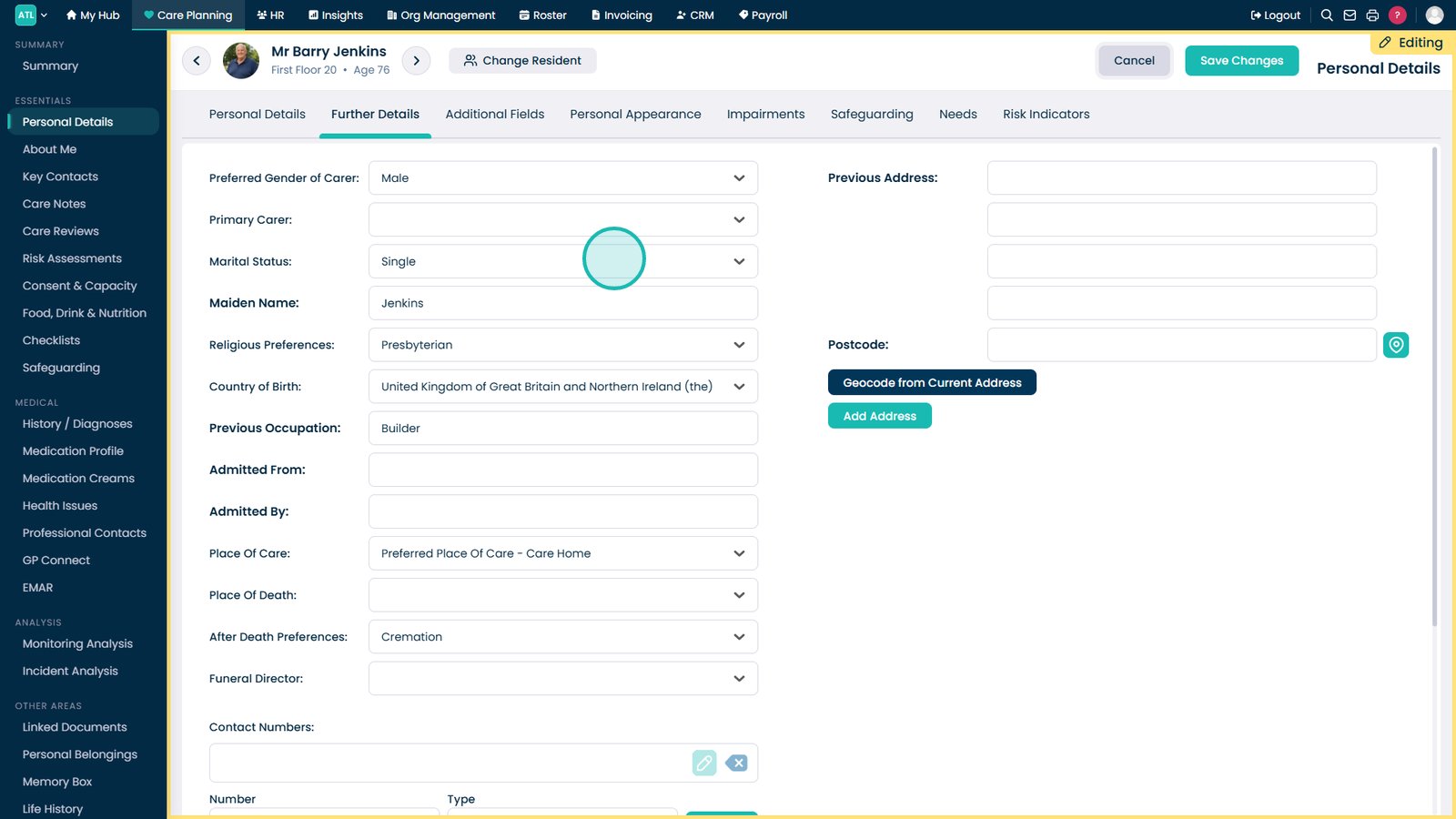
Open the Further Details area.
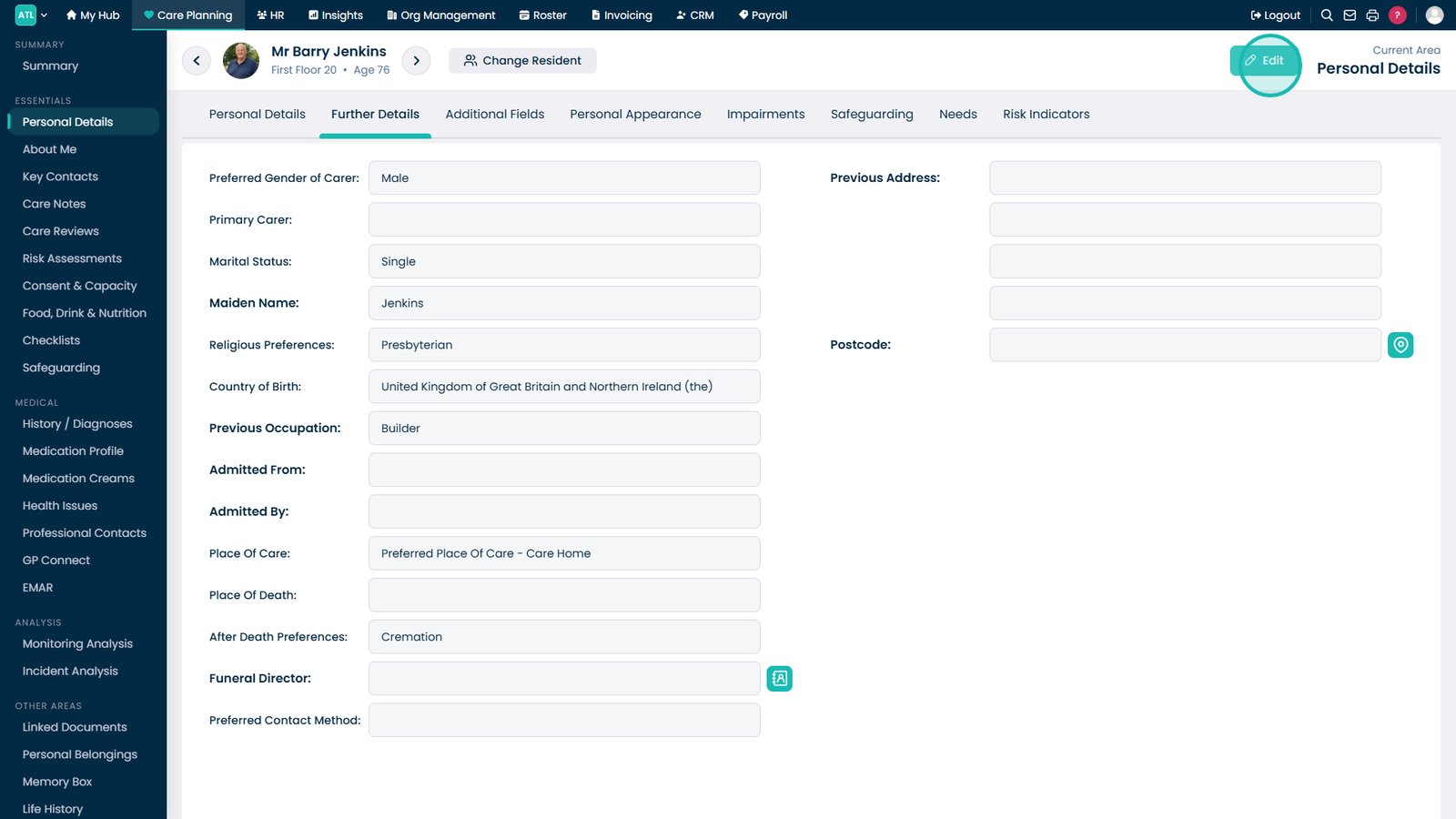
Select Edit to begin updating the service user’s information.
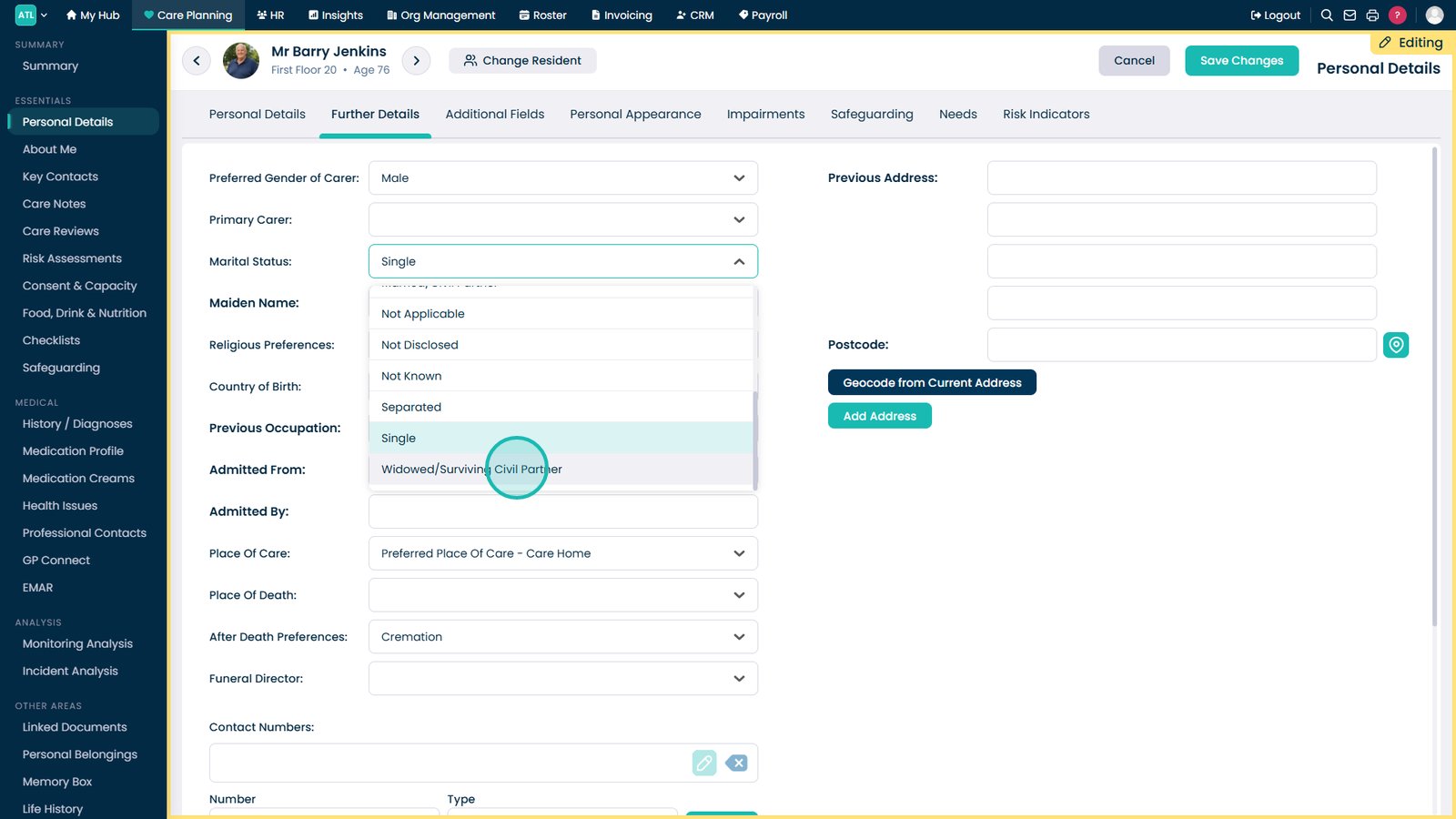
Open the Marital Status drop-down to review or change the service user’s current marital status.
Choose the most accurate marital status from the available options.
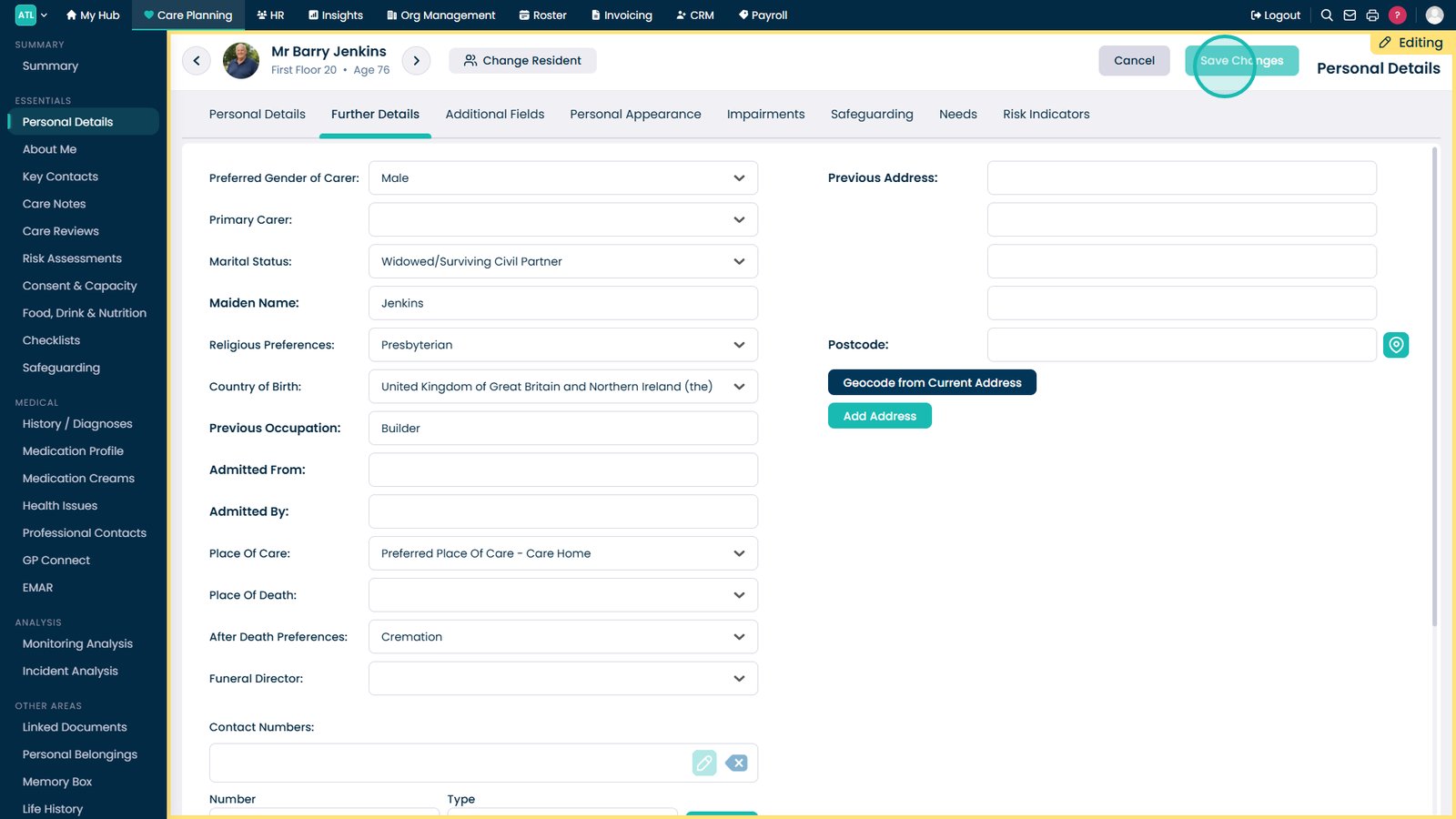
Select Save Changes to apply the updates to the service user’s profile.
Top tip
Check that you have selected the correct service user before editing and saving any personal details.