How to Record a PEEPs Assessment
This guide explains how to complete a PEEPs (Personal Emergency Evacuation Plan) Assessment, helping ensure residents can be evacuated safely and effectively during an emergency.
Takes 5 minutes
For: Everyone
Updated: 26th May 2026
Introduction
The PEEPs Assessment records the support, equipment and procedures required to safely evacuate a resident during an emergency. Keeping this information up to date helps staff respond quickly and ensures individual evacuation needs are clearly documented.
In this guide you'll learn how to:
- Complete a PEEPs Assessment
- Record evacuation support requirements
- Document emergency procedures
- Save and maintain evacuation plans
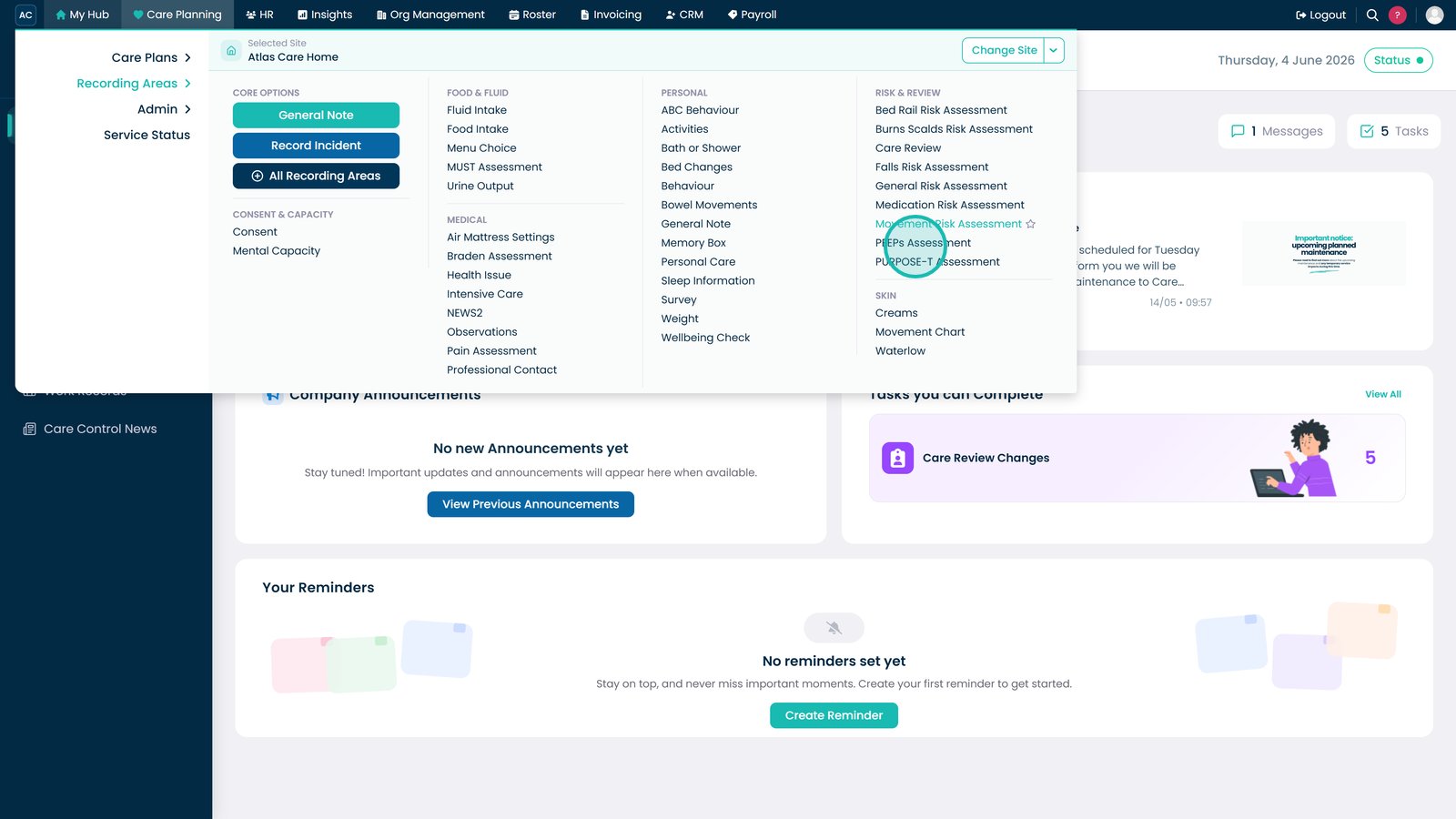
Open PEEPs Assessment from the Risk & Review section.

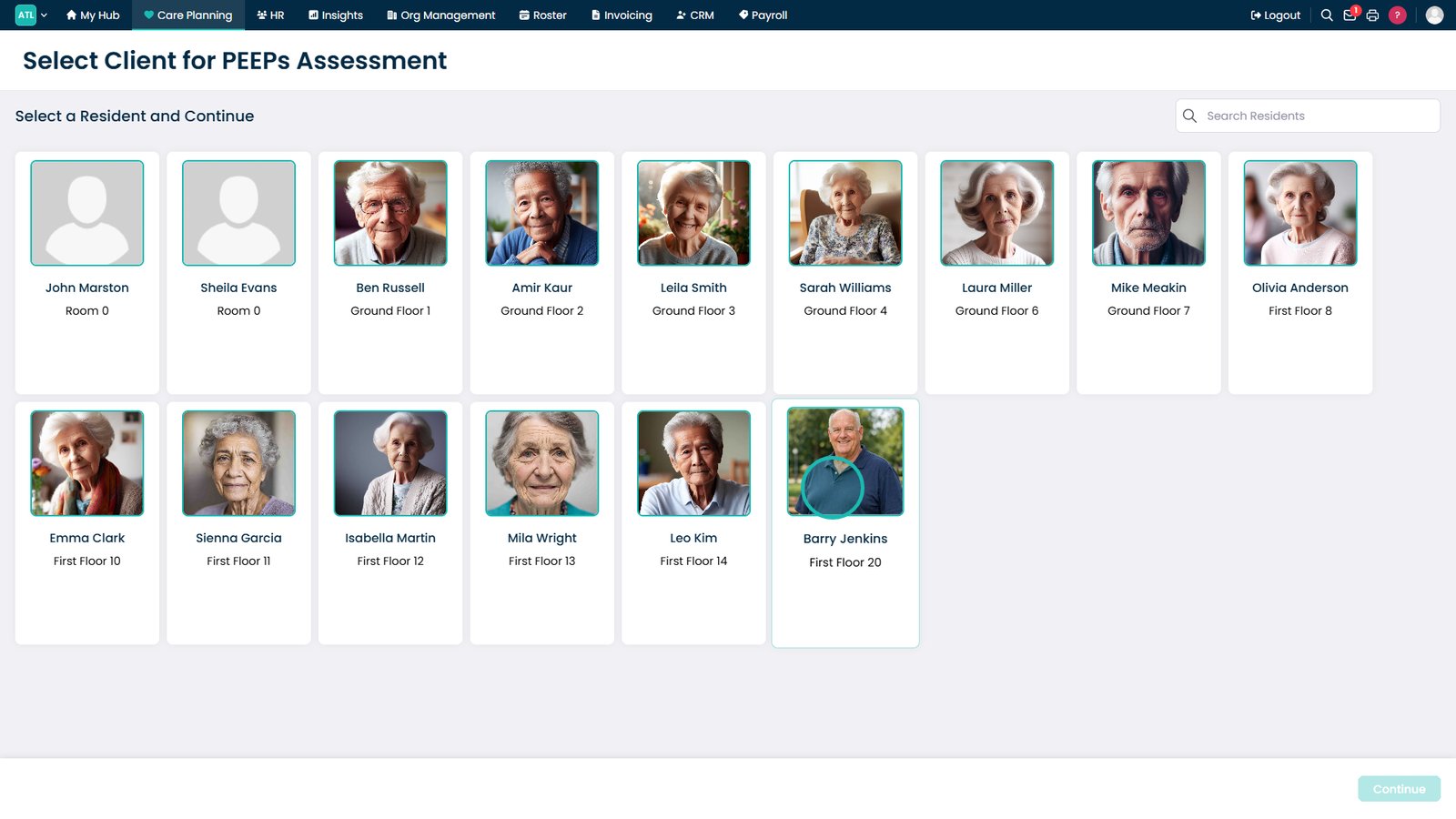
Select the resident whose evacuation plan you want to review or update.

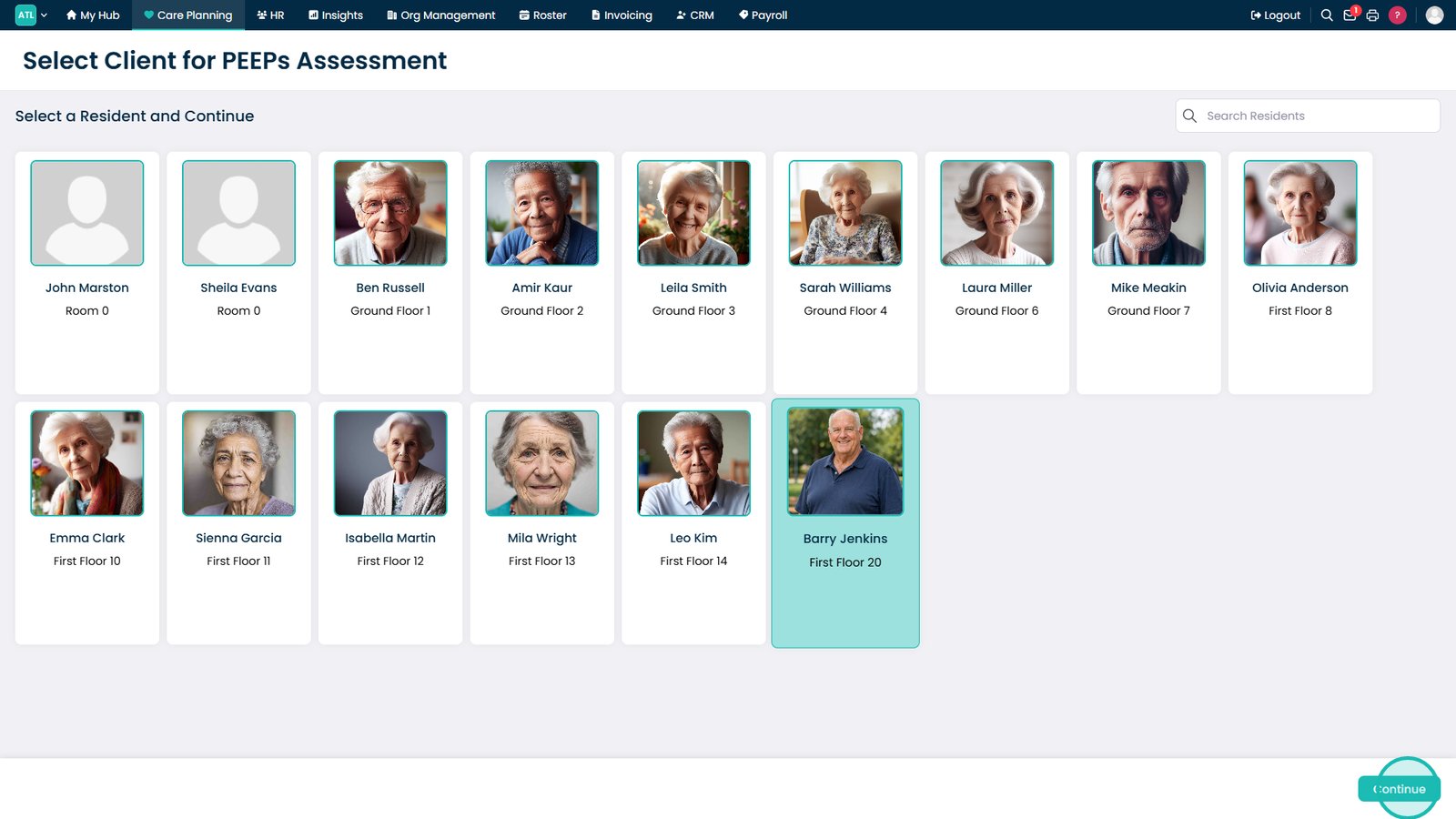
Click Continue to open the resident's assessment.

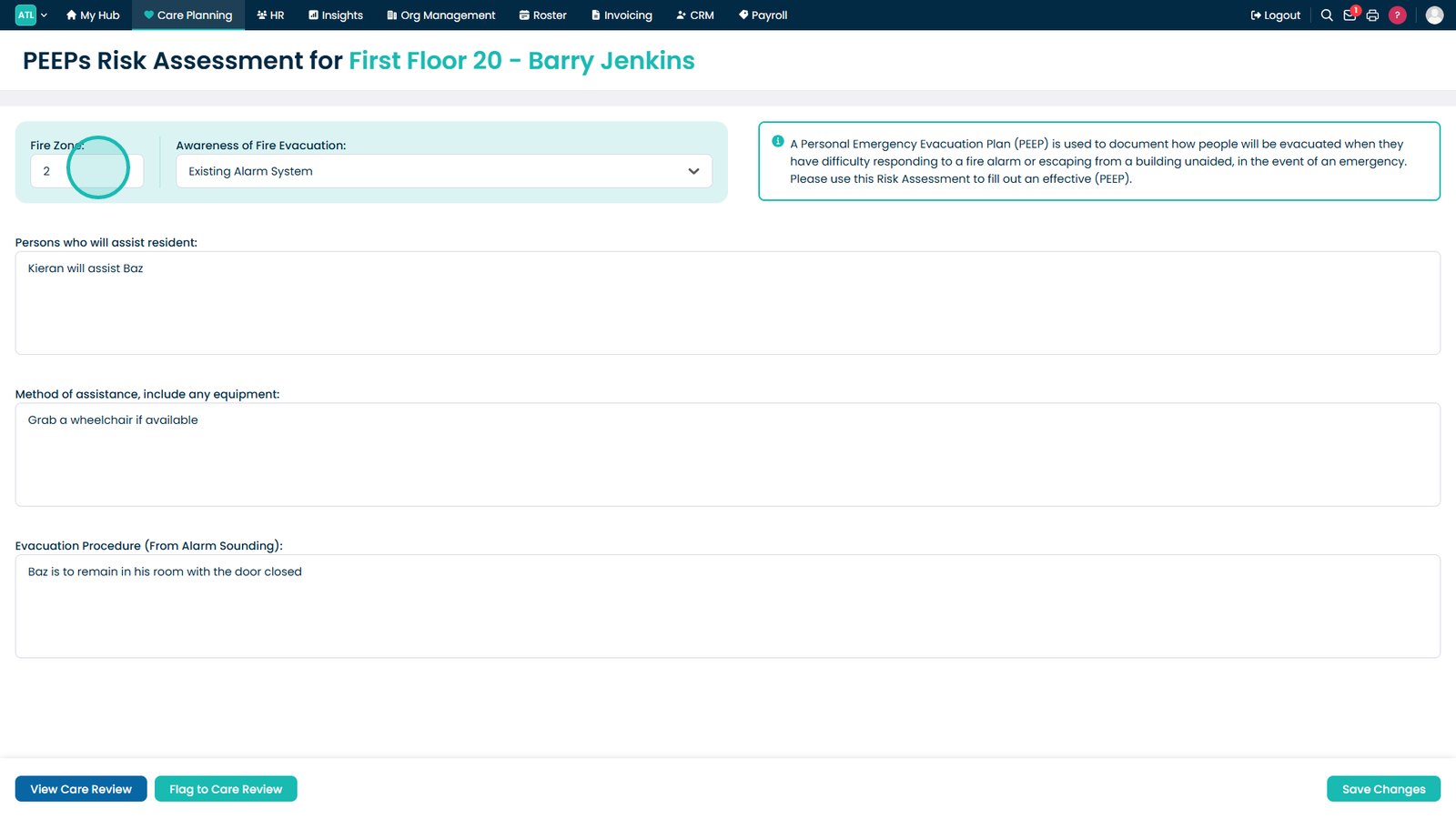
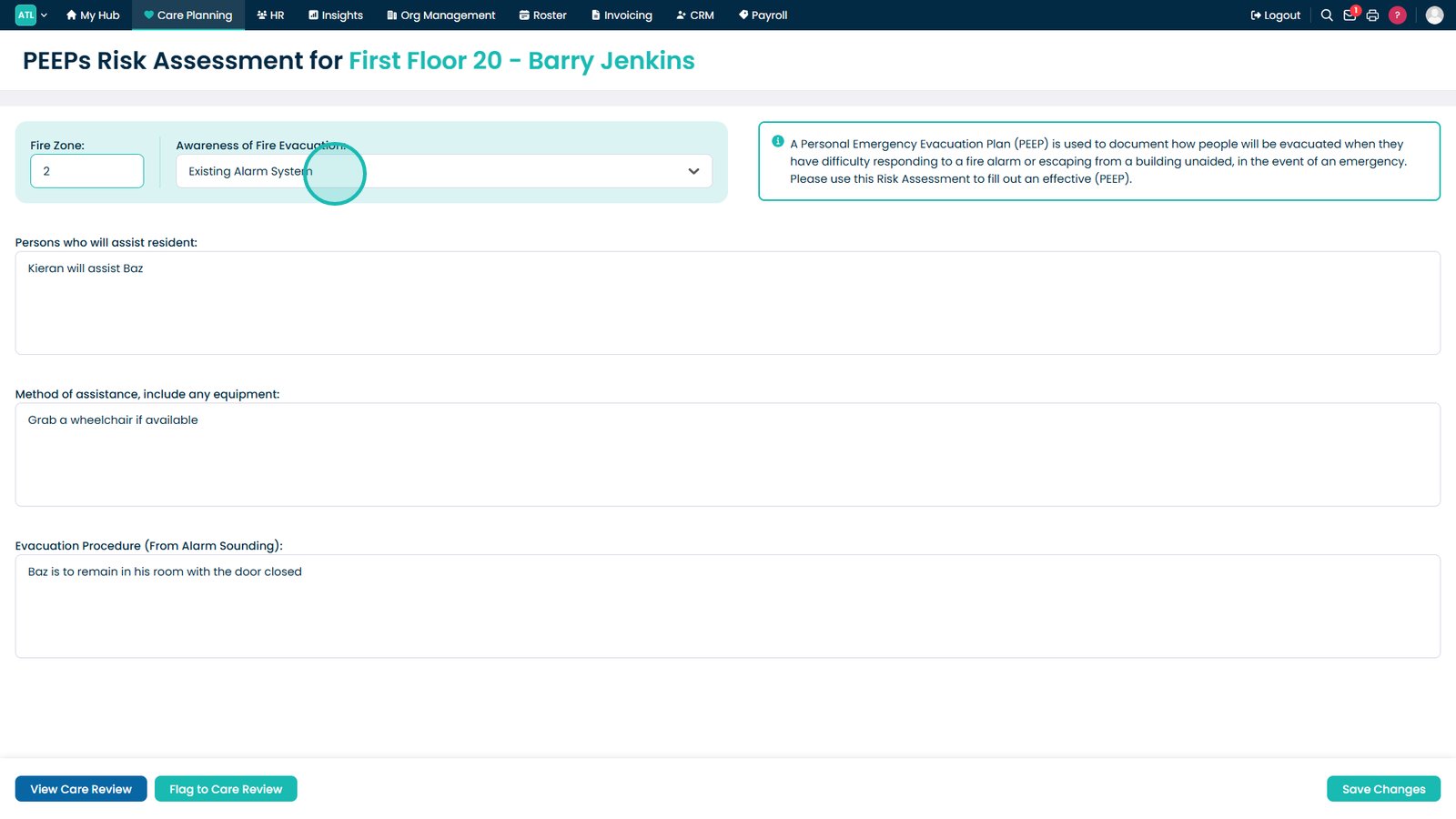
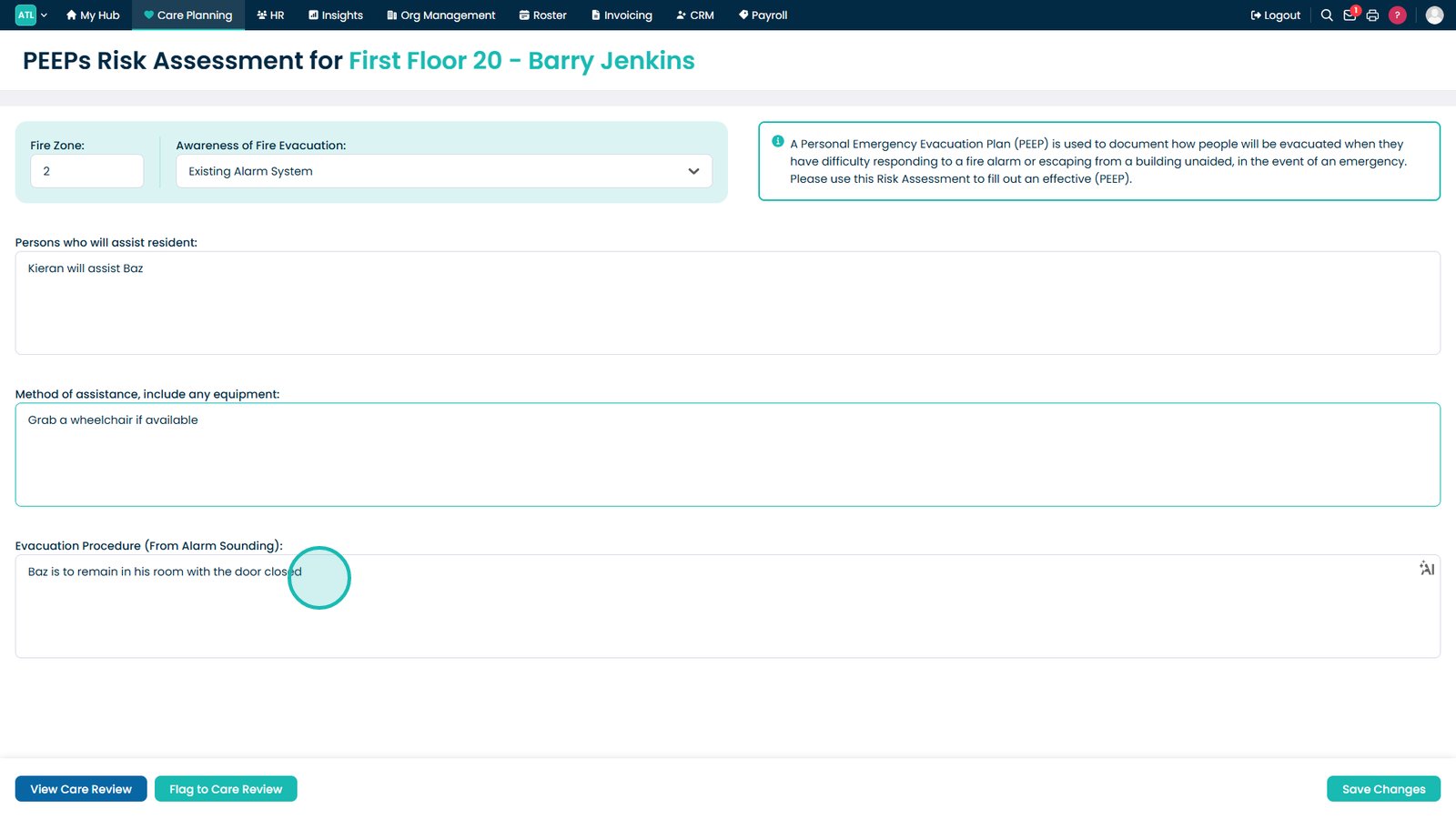
Select the resident's current fire zone or location within the building.

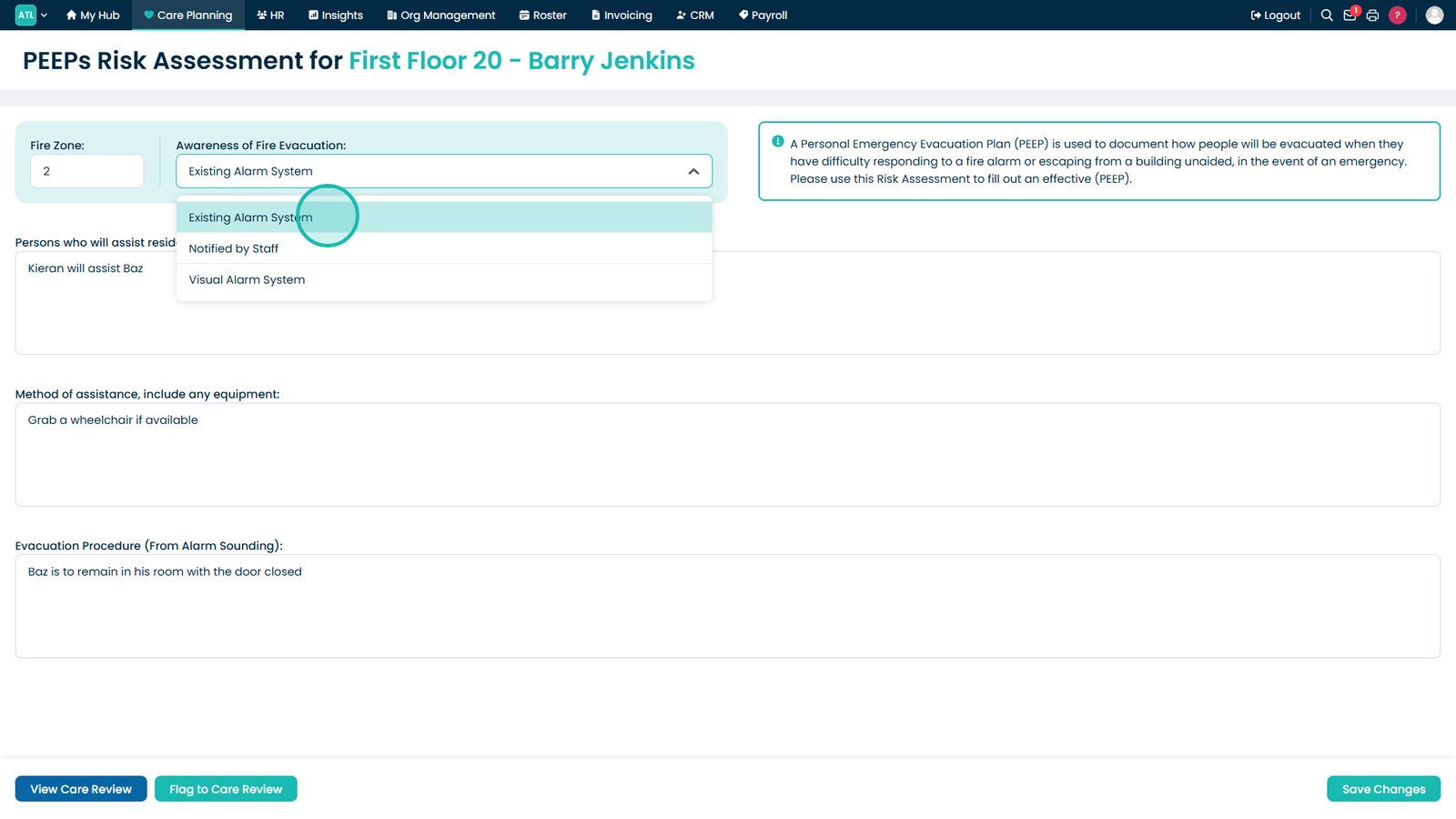
Choose how the resident will be made aware of an emergency.

Select the most appropriate awareness method from the list.

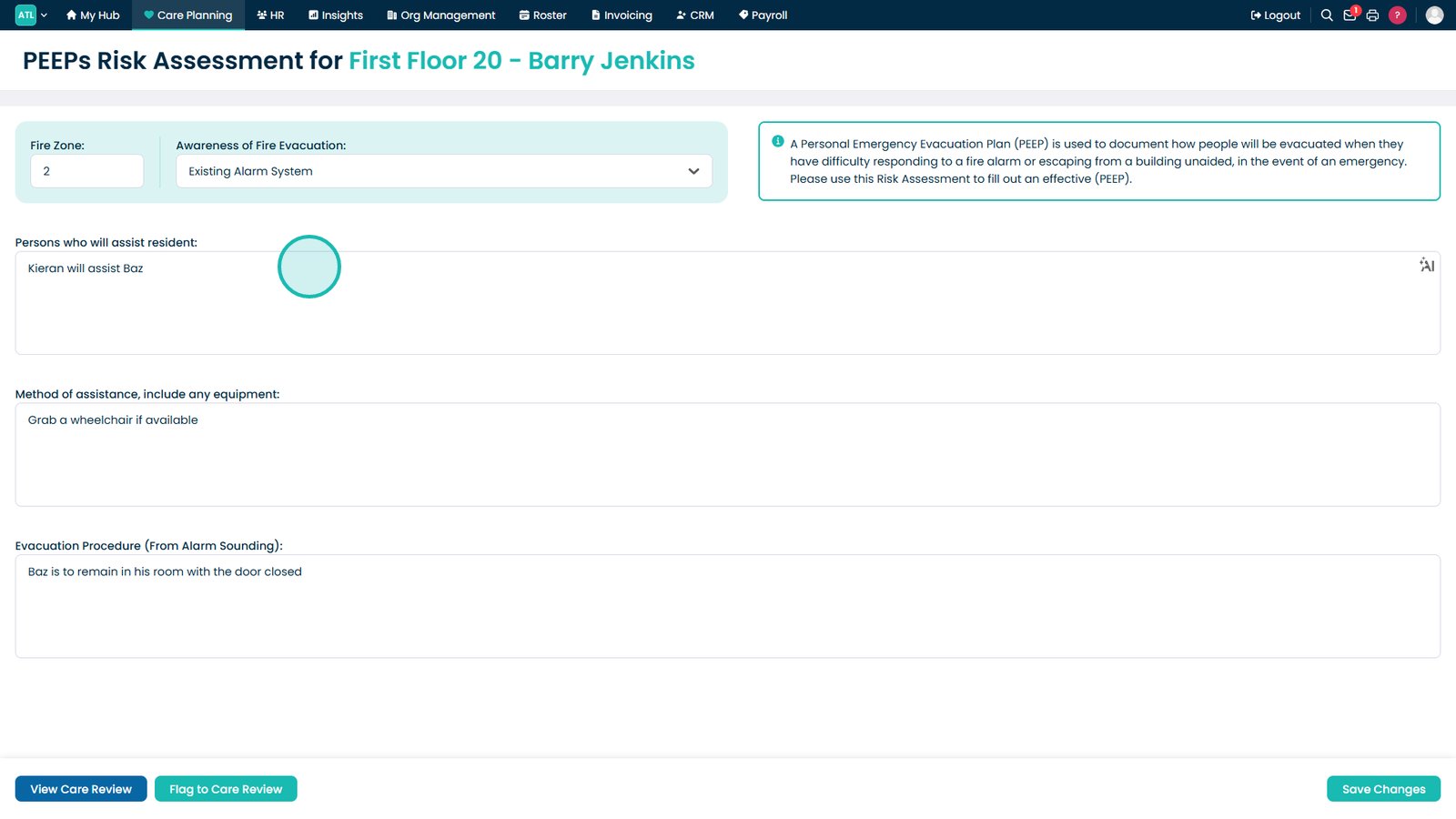
Record who will assist the resident during an evacuation.

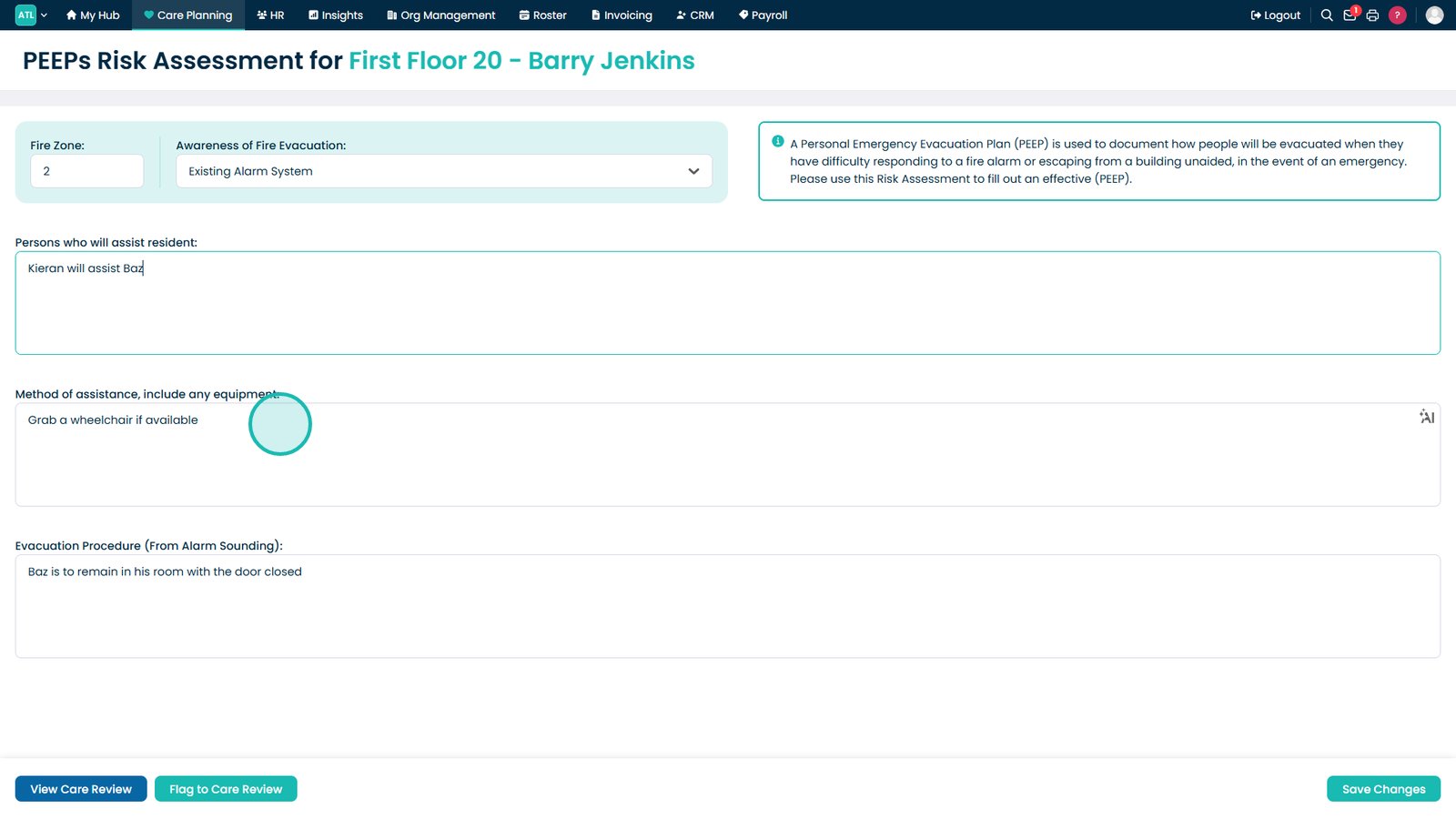
Enter any equipment, aids or support required to evacuate the resident safely.

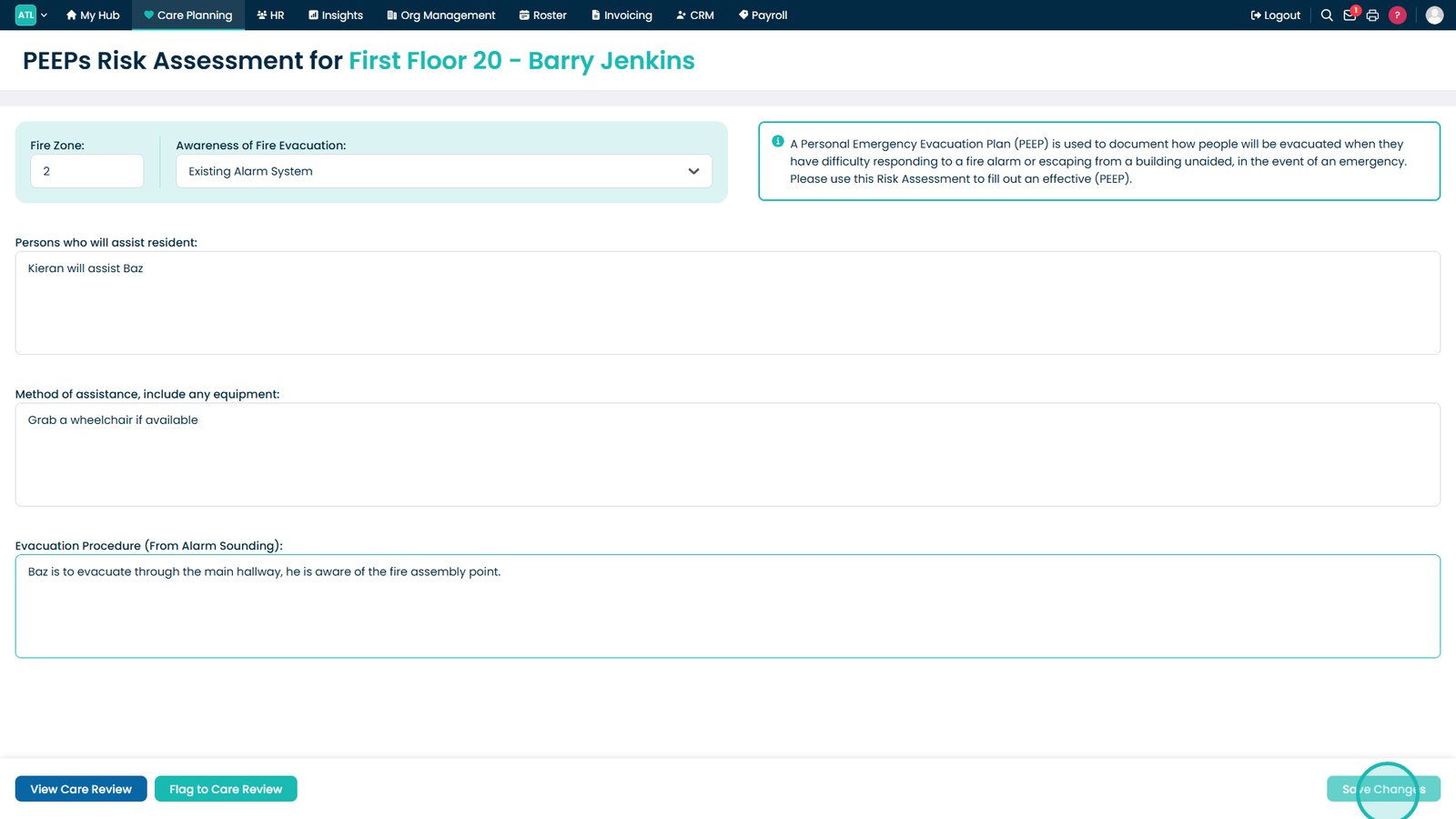
Document the evacuation procedure staff should follow during an emergency.

Click Save Changes to update the resident's PEEPs Assessment.

Top tip
Review PEEPs Assessments whenever a resident's mobility, health condition or room location changes to ensure evacuation information remains accurate.
Need more help?
Can't find what you're looking for? Our support team is here to help.
Contact SupportOr call us on