Bank Holiday Closure Notice: We will be closed on the 3rd April for the Easter bank holiday, so our customer service team will not be available on this day. If you need to get in touch, you can still use our customer contact form and we will get back to you as soon as possible. Even better, Margo will still be available on our phone lines to help with your queries whenever you need support. We hope you have a lovely Easter weekend 🐣
View Categories
Recording a Risk Assessment on Cloud
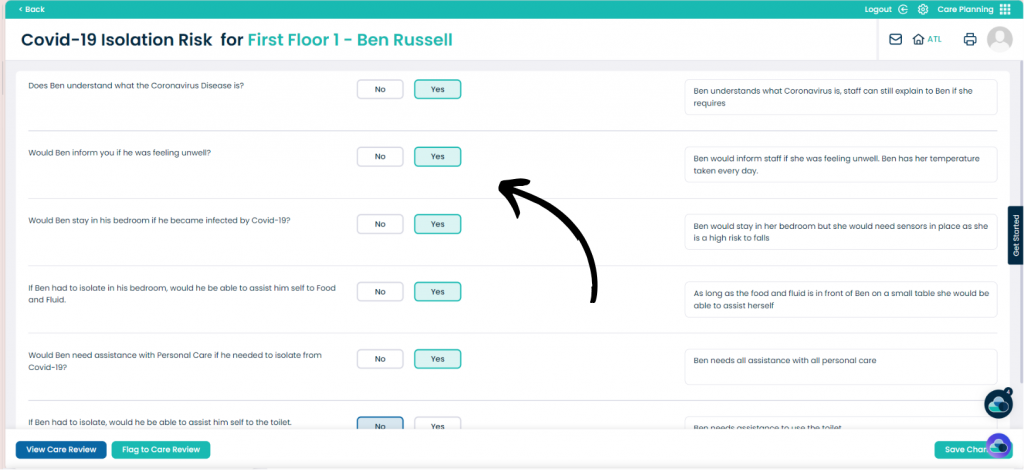
This guide will cover how to record a Risk Assessment on Cloud.
Step 1:
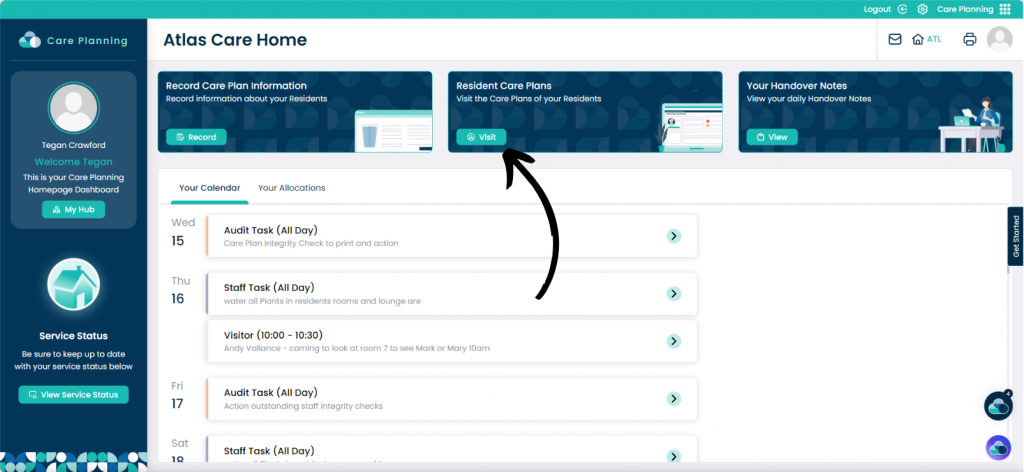
When on the Care Planning app, click on the visit button under Resident Care Plans.
Step 2:
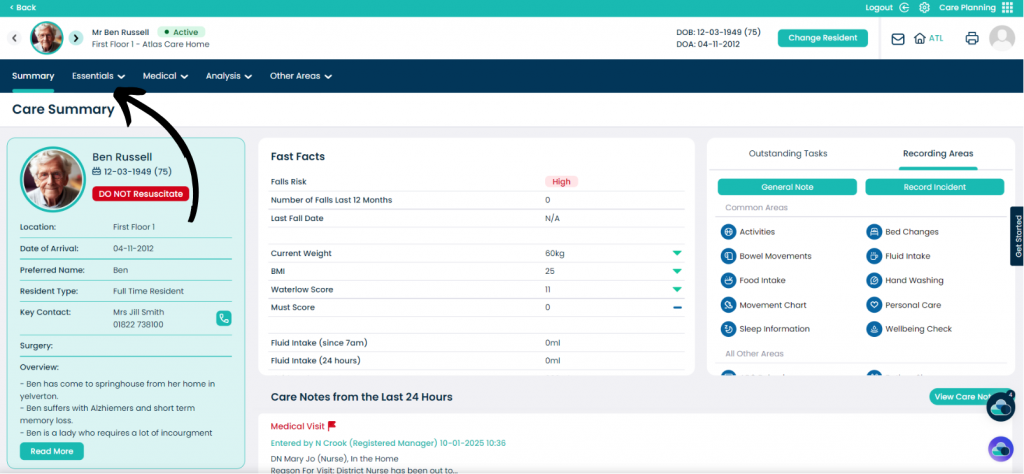
Then click on the Essentials drop down.
Step 3:
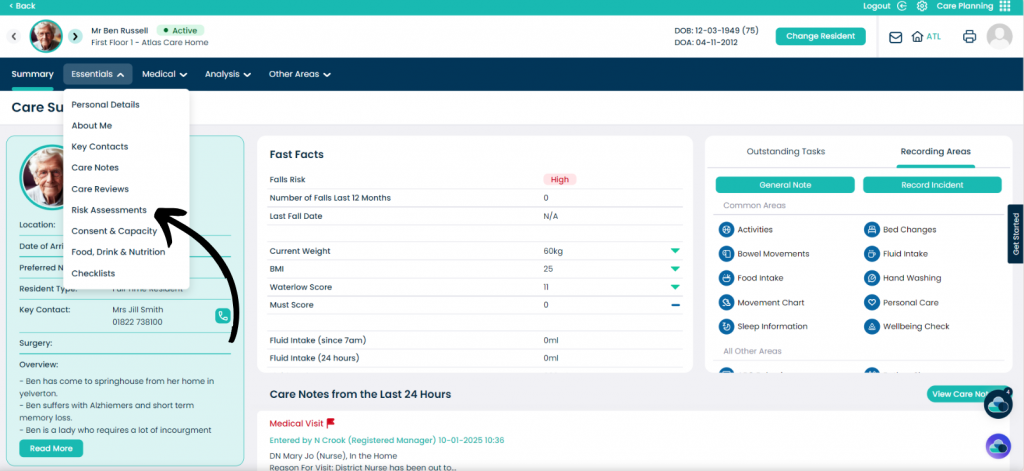
You will then click the Risk Assessments option.
Step 4:
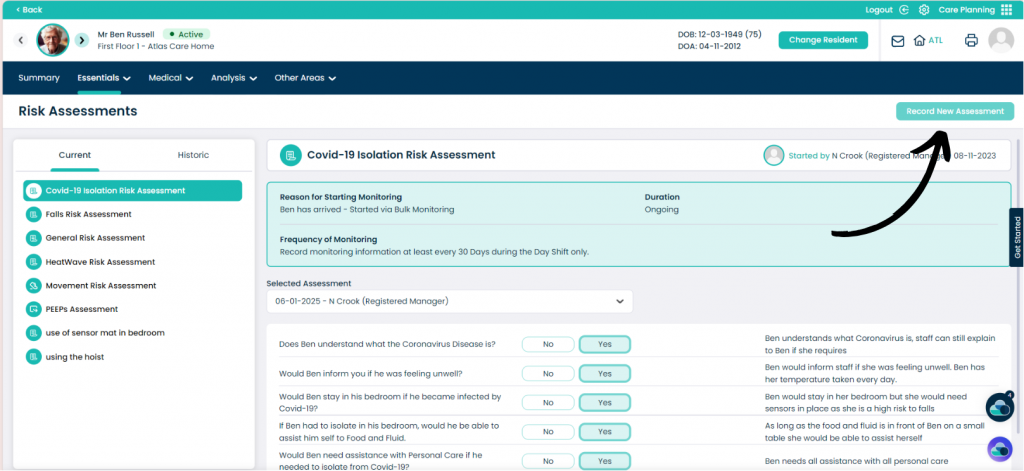
Select which template you would like to use on the Current tab on the left hand side of the screen.
When you have selected your risk assessment, click on the Record New Assessment Button.