If you experience any issues with the system, or require support from our Customer Service team, please let us know by submitting our Customer Contact Form and we’ll be happy to help. Click here to access the form.

View Categories

How to Record a Wellbeing Check

This guide will walk you through recording a Wellbeing Check for a resident within Care Control Cloud.

Takes 2 minutes
For: Care Staff
Updated: 3rd June 2026

Introduction

Wellbeing Checks provide a quick and consistent way to record observations about a resident's condition throughout the day. They help staff evidence resident welfare, identify concerns early, and maintain a clear record of routine observations and interactions.

In this guide you'll learn how to:

  • Select a resident
  • Use preset wellbeing comments
  • Build and customise observations
  • Add additional notes
  • Save a wellbeing check

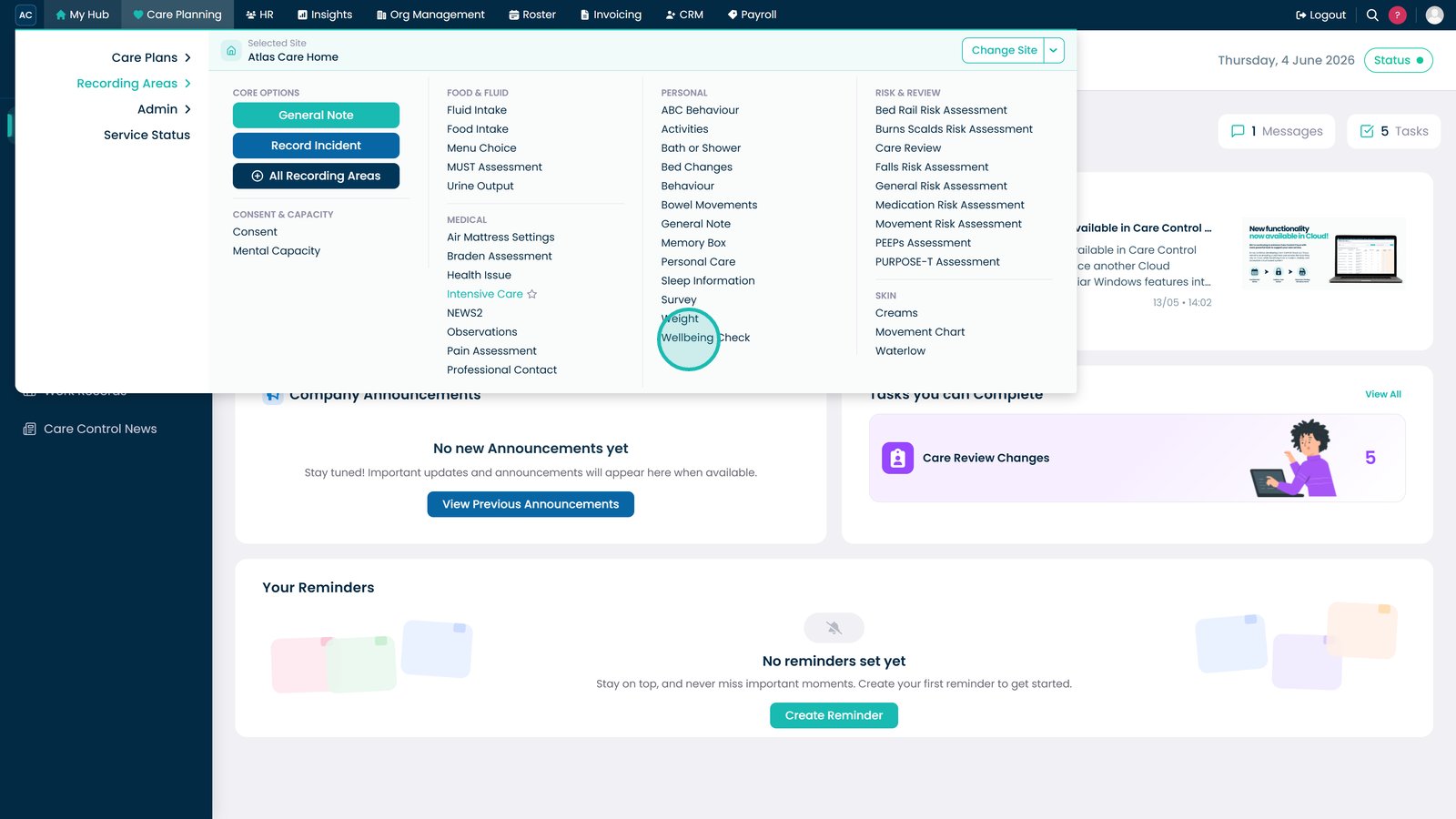
Open Wellbeing Check.

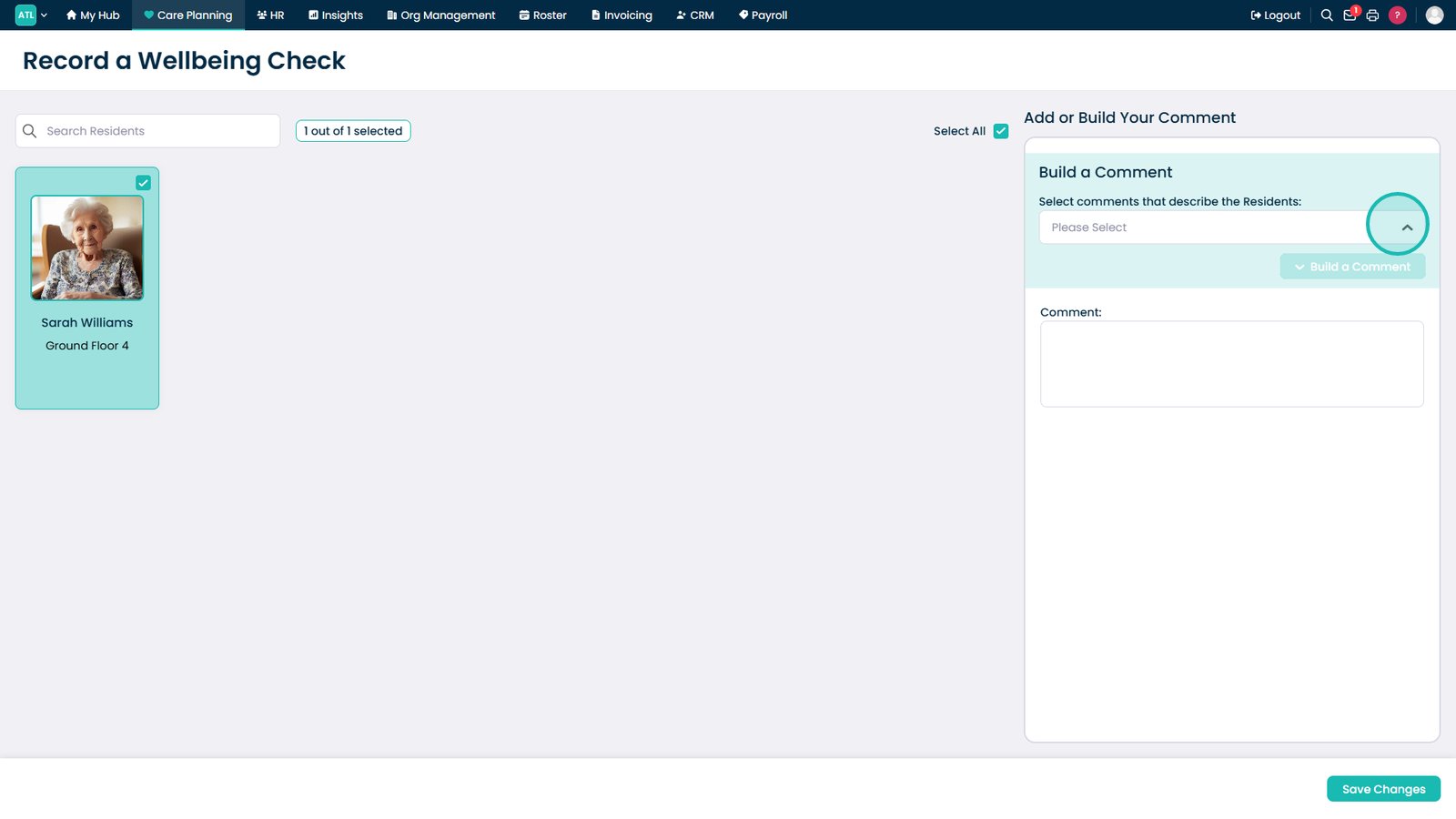
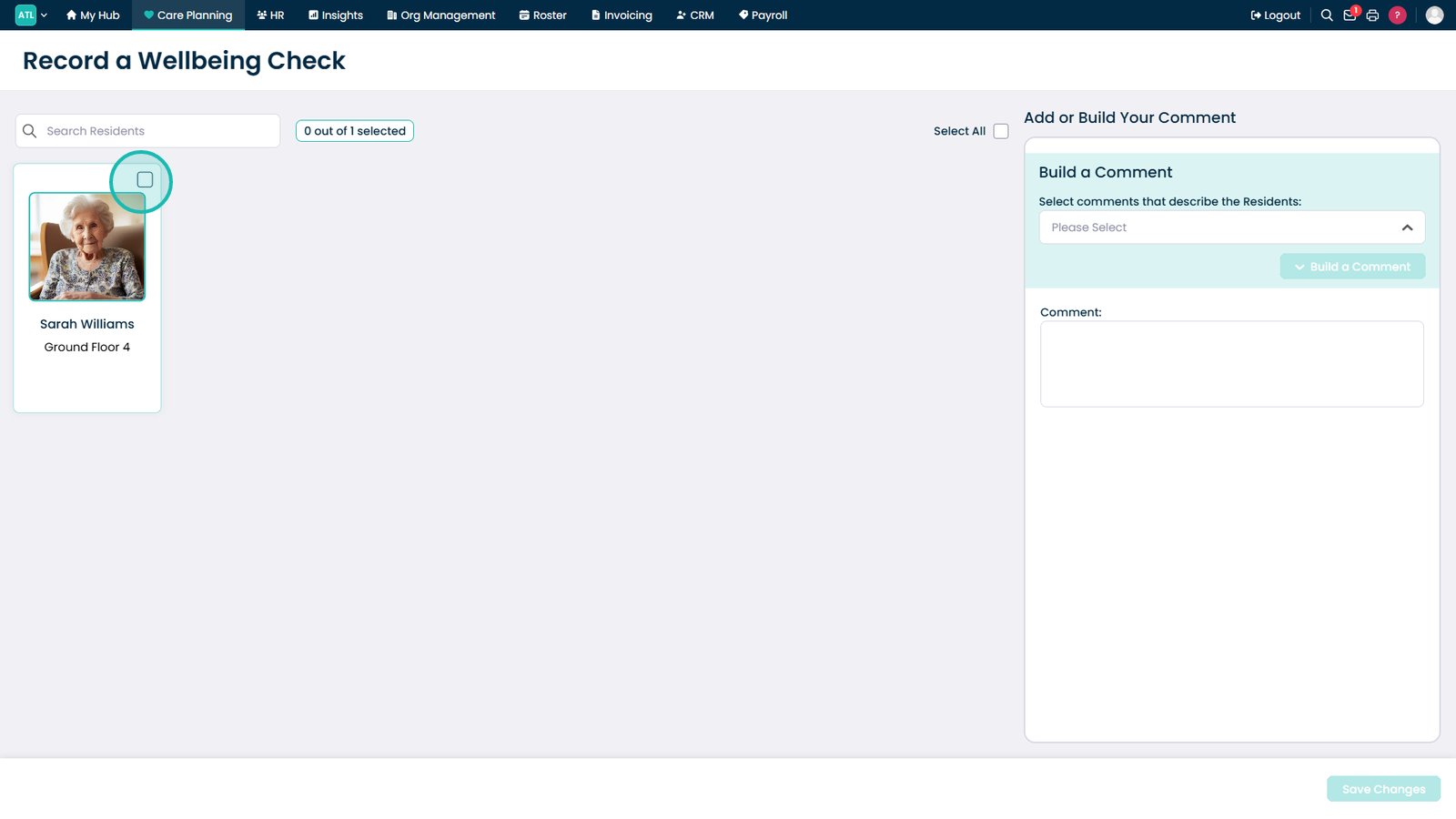
Select the resident.

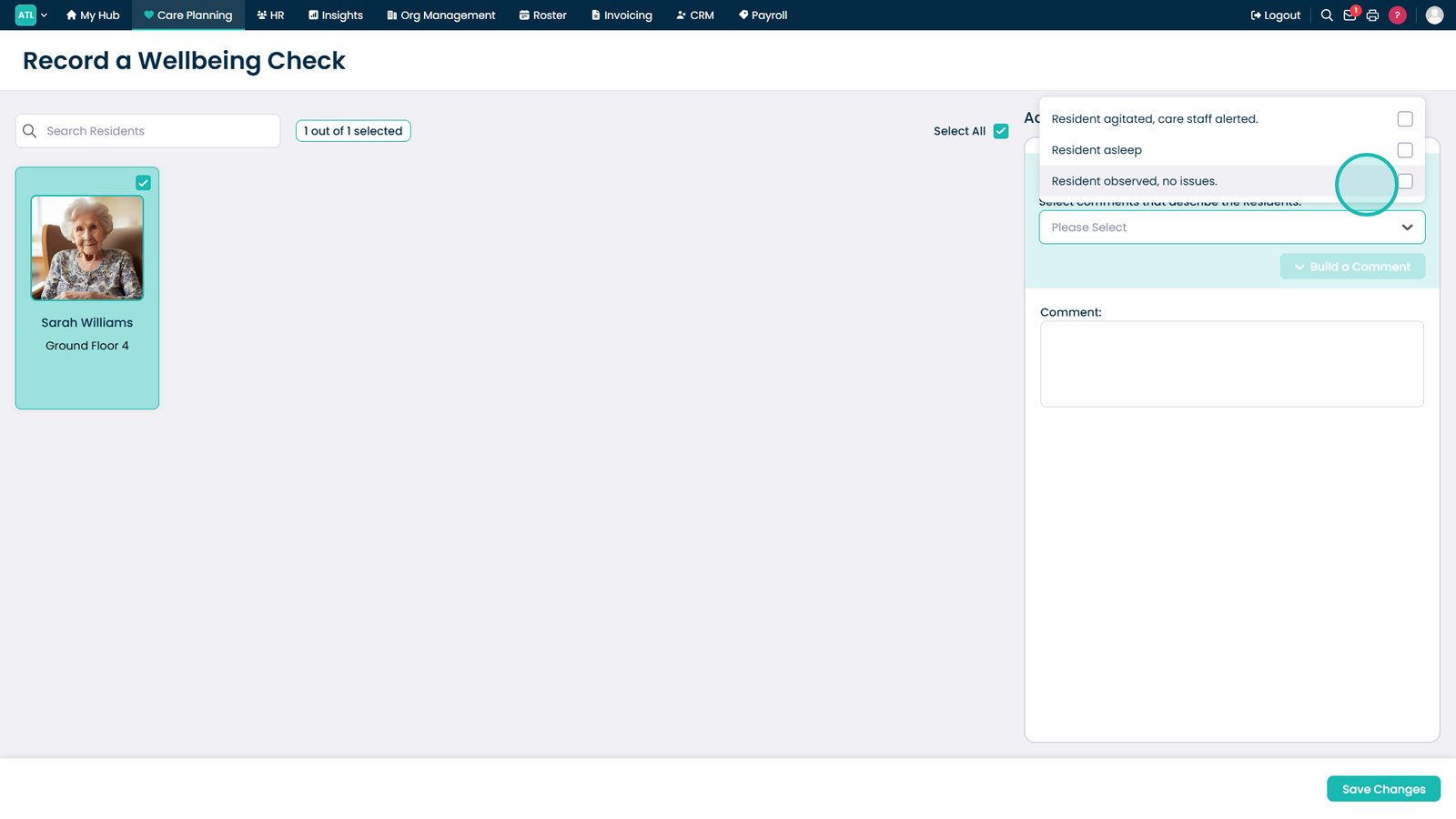
Open the preset comment list.

Select an observation.

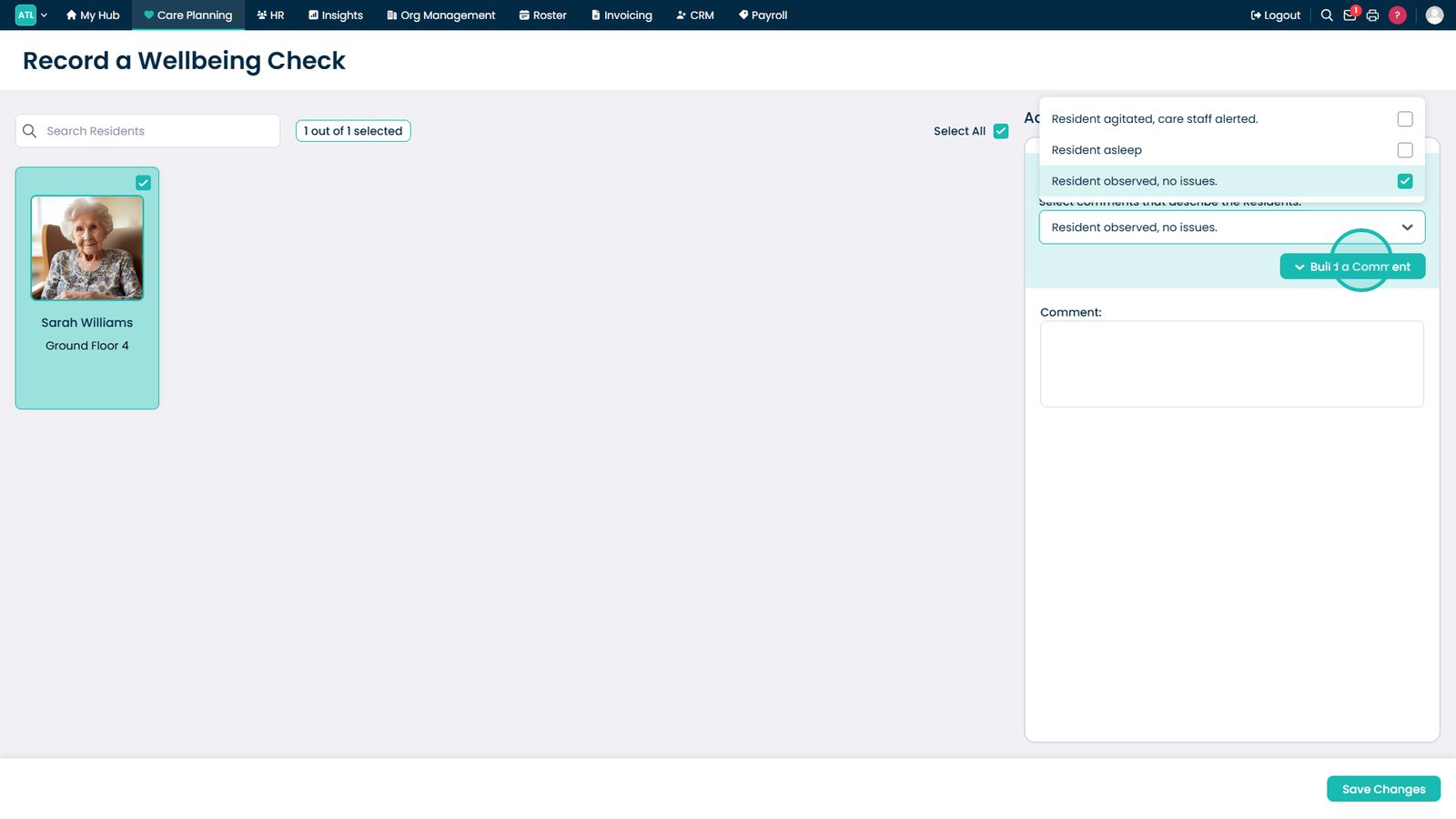
Select Build a Comment.

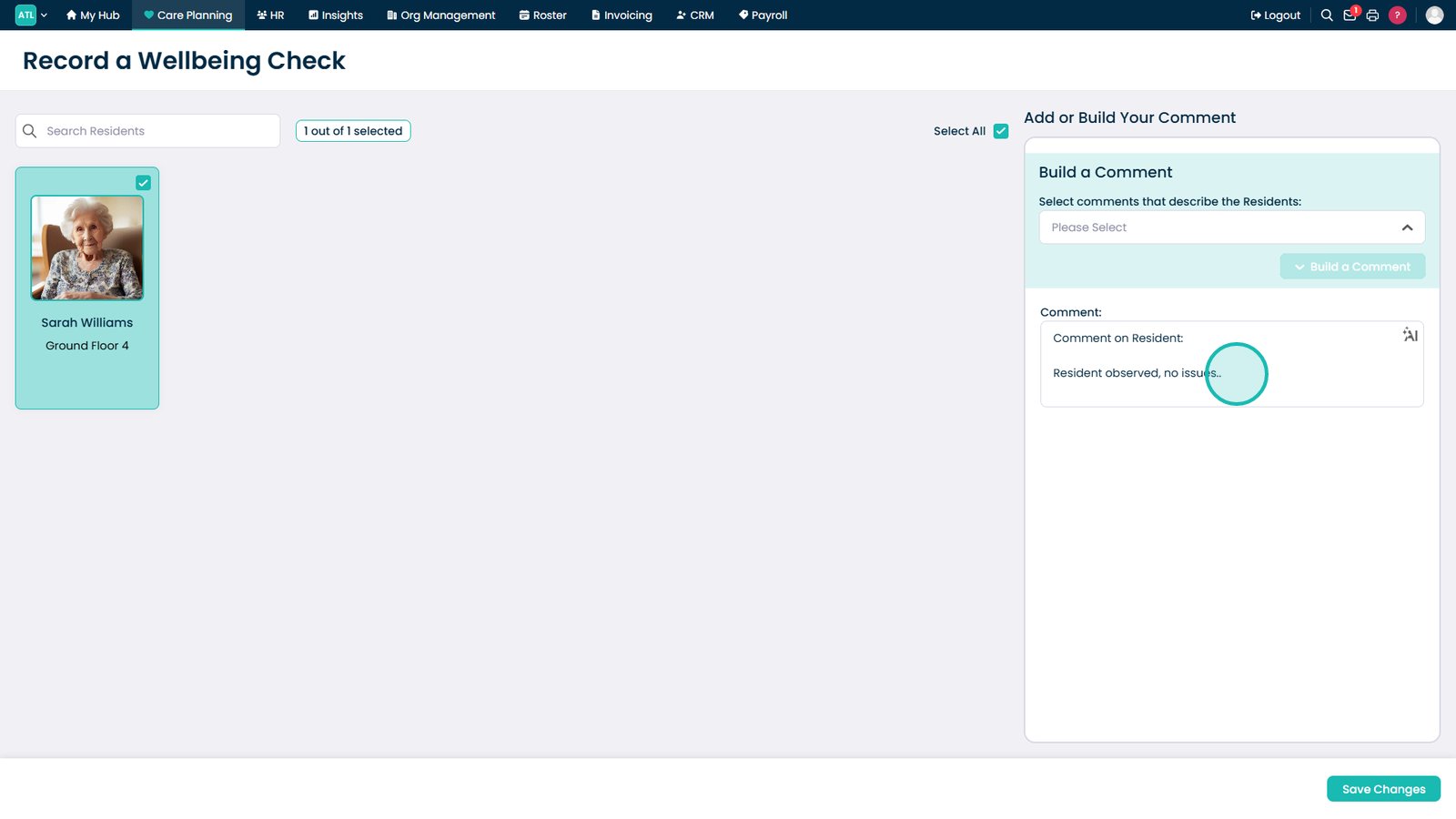
Add additional notes if required.

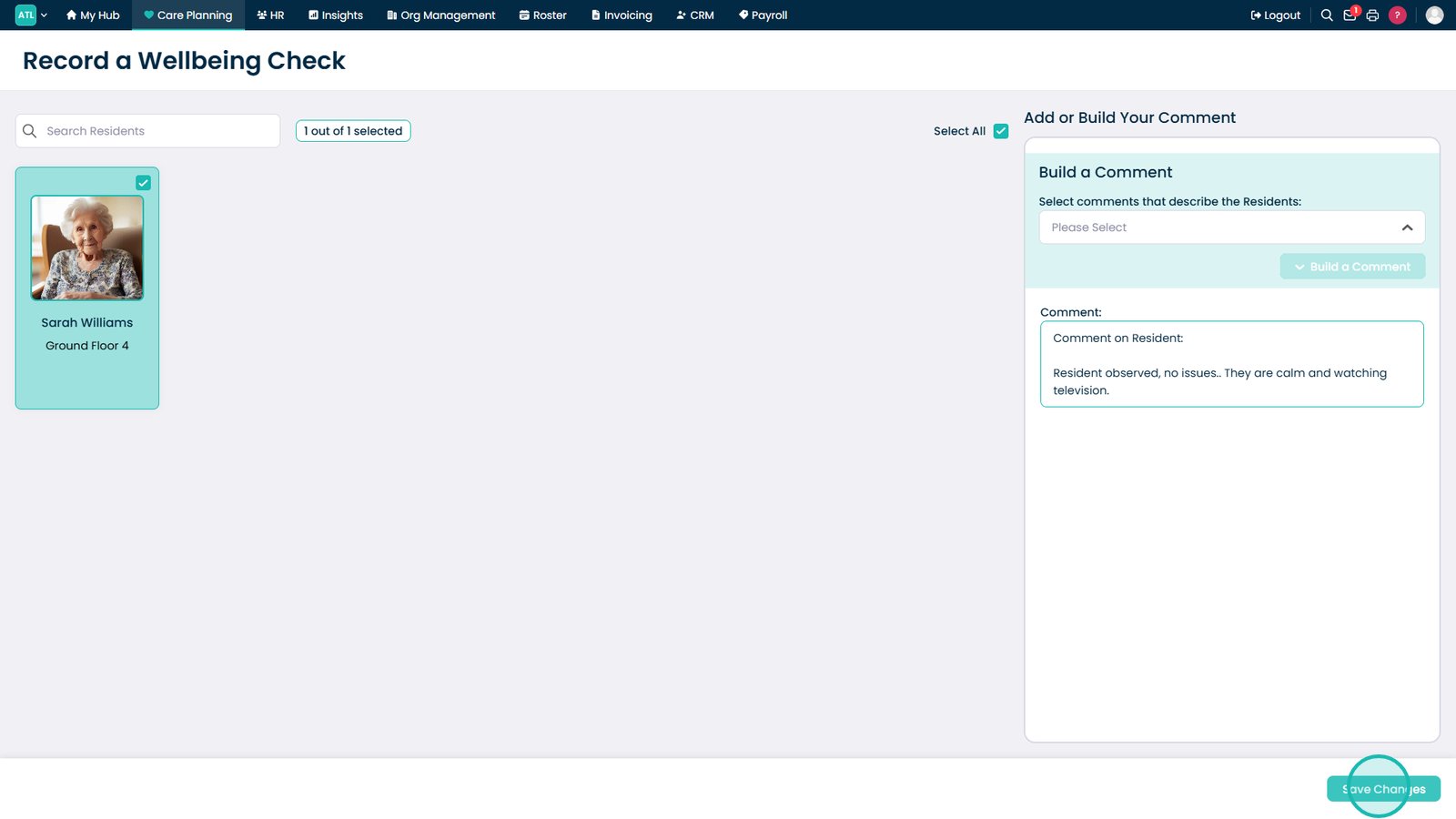
Select Save Changes.

Top tip

Use preset comments as a starting point, then add any relevant details to provide a fuller picture of the resident's wellbeing and presentation.

Was this guide helpful?

Need more help?

Can't find what you're looking for? Our support team is here to help.

Contact Support

Or call us on

On this page