If you experience any issues with the system, or require support from our Customer Service team, please let us know by submitting our Customer Contact Form and we’ll be happy to help. Click here to access the form.

View Categories

How to Require Staff to Read Messages When Signing In and Out

This guide explains how to configure unread message controls for your organisation.

Takes 2 minutes
For: Seniors
Updated: 25th June 2026

Introduction

The unread message controls allow administrators to ensure important communications are acknowledged by staff. By enabling these settings, you can require staff to read new messages when signing in, signing out, or both, helping improve compliance with organisational communications.

In this guide you'll learn how to:

  • Enable organisation-wide unread message controls
  • Access the sign-in and sign-out settings
  • Require staff to read new messages when signing in
  • Require staff to read new messages when signing out

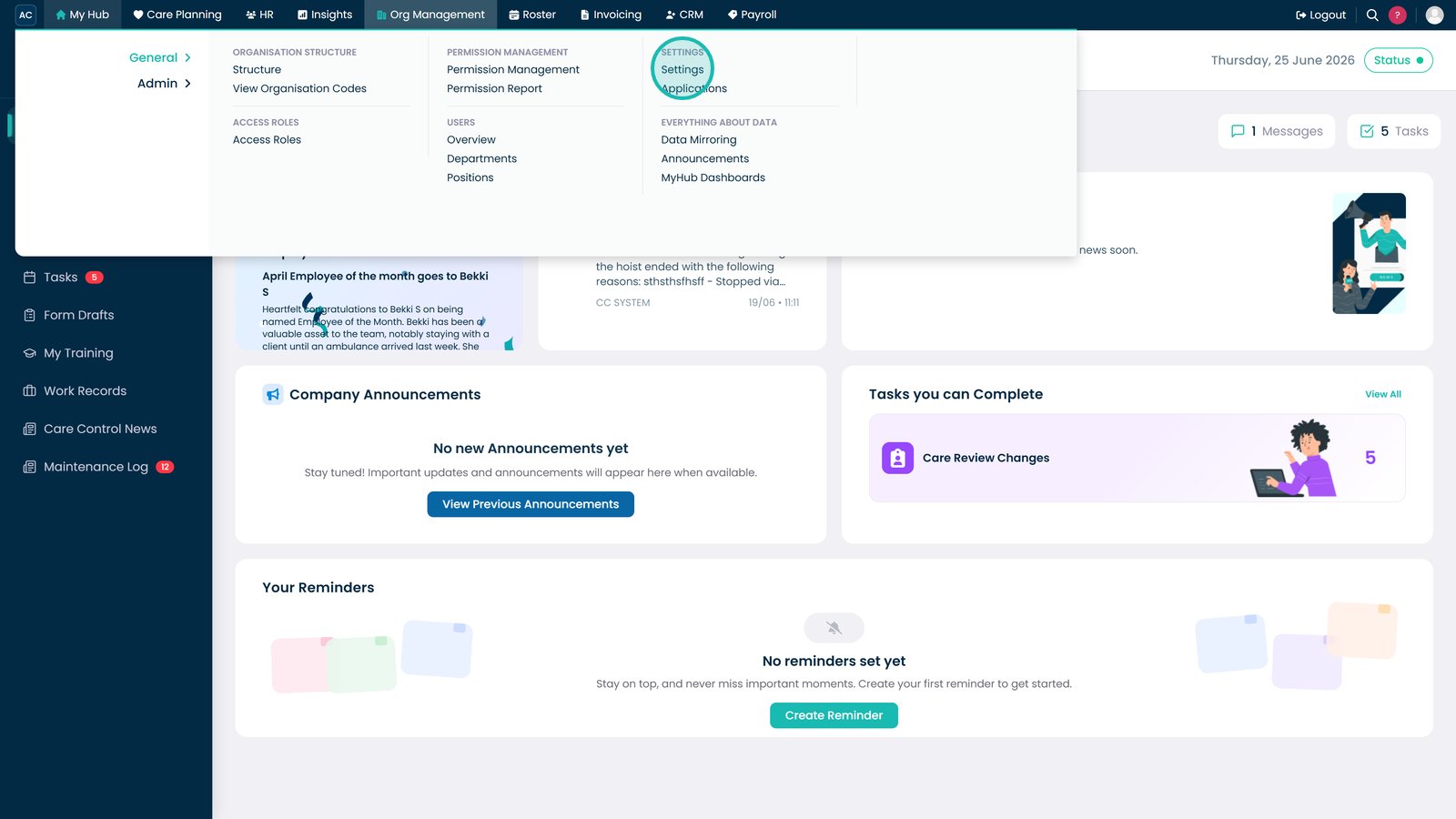
Open Settings from the Org Management menu.

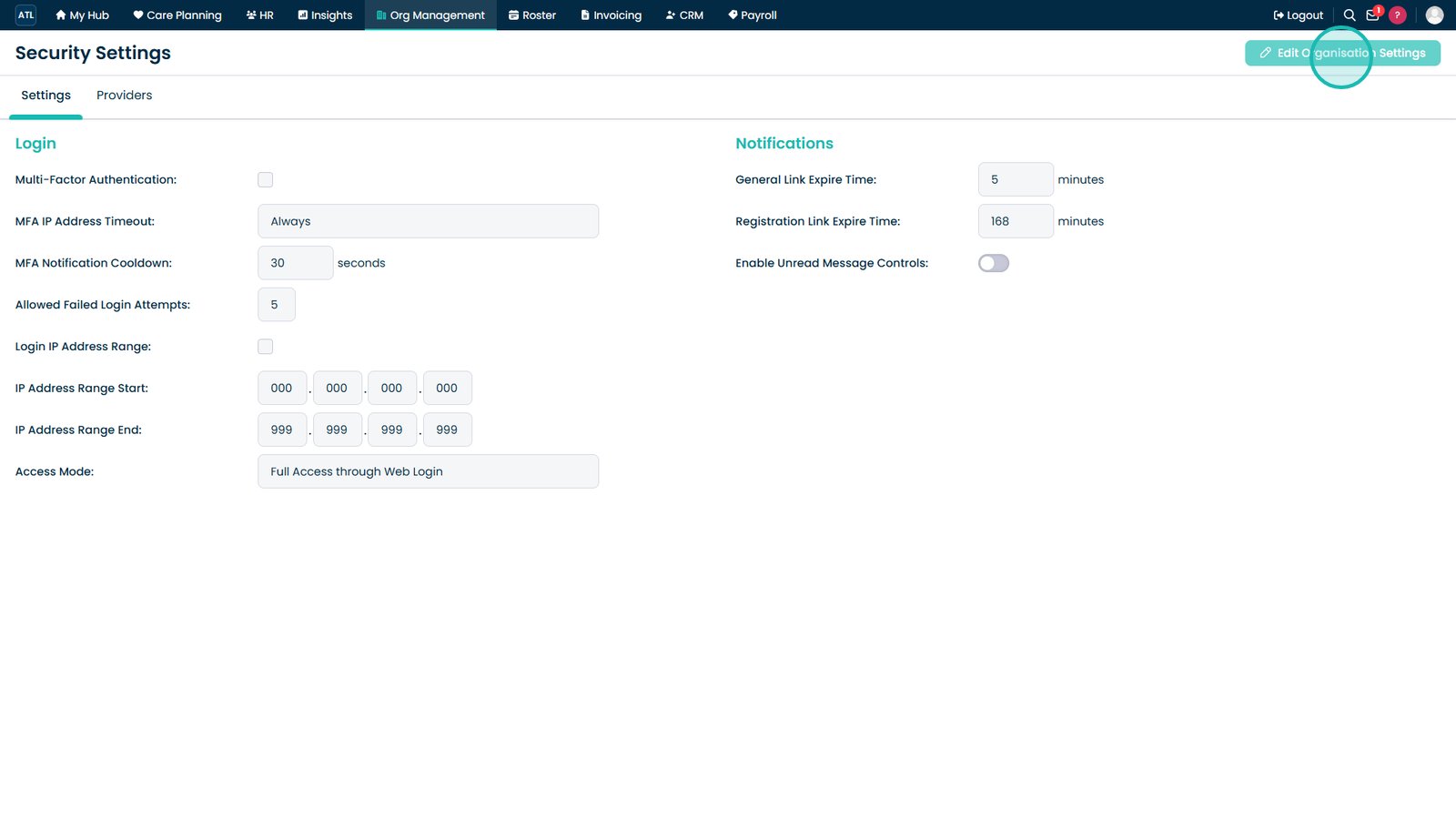
Select Edit Organisation Settings.

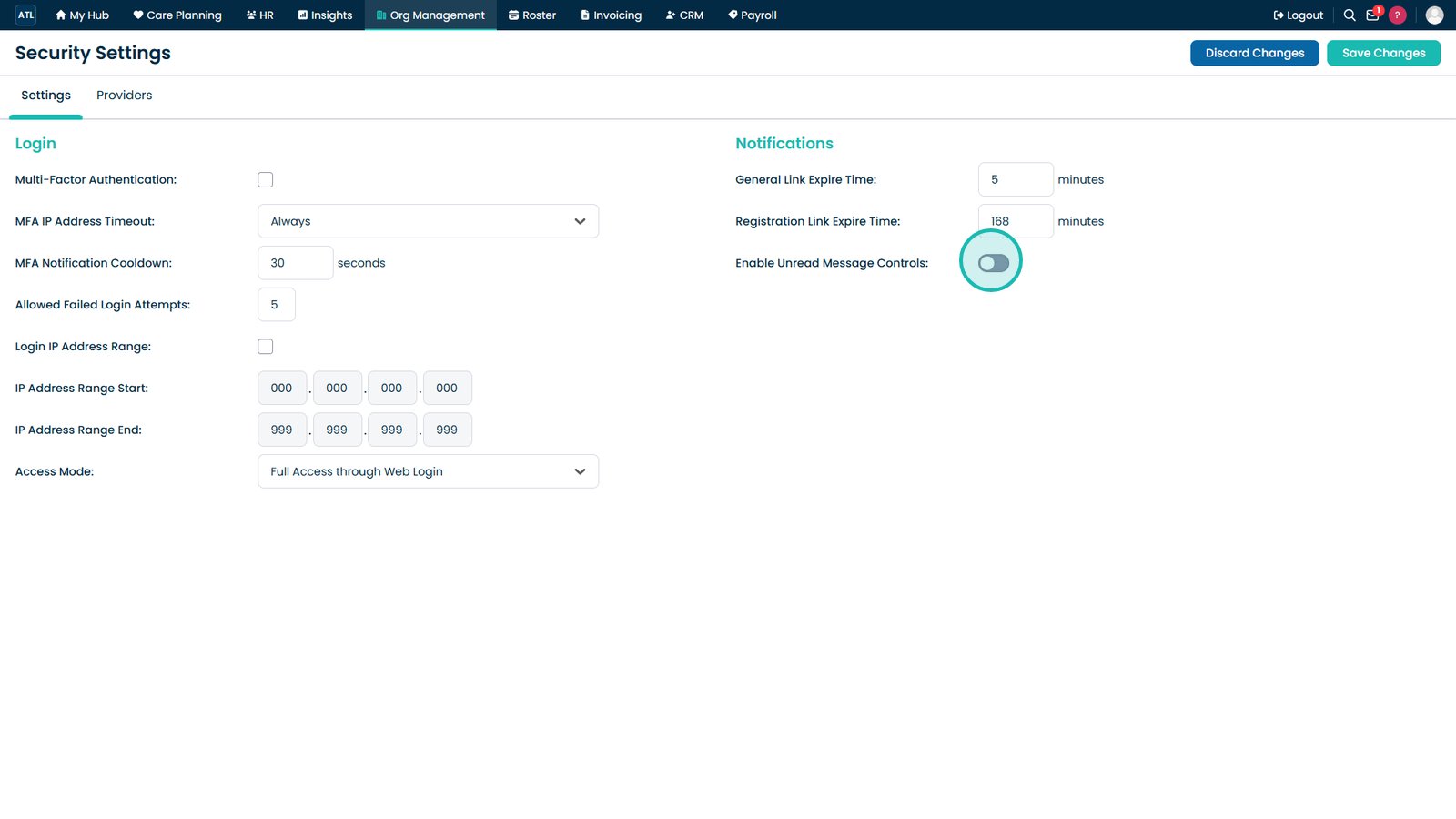
Enable the Unread Message Controls setting.

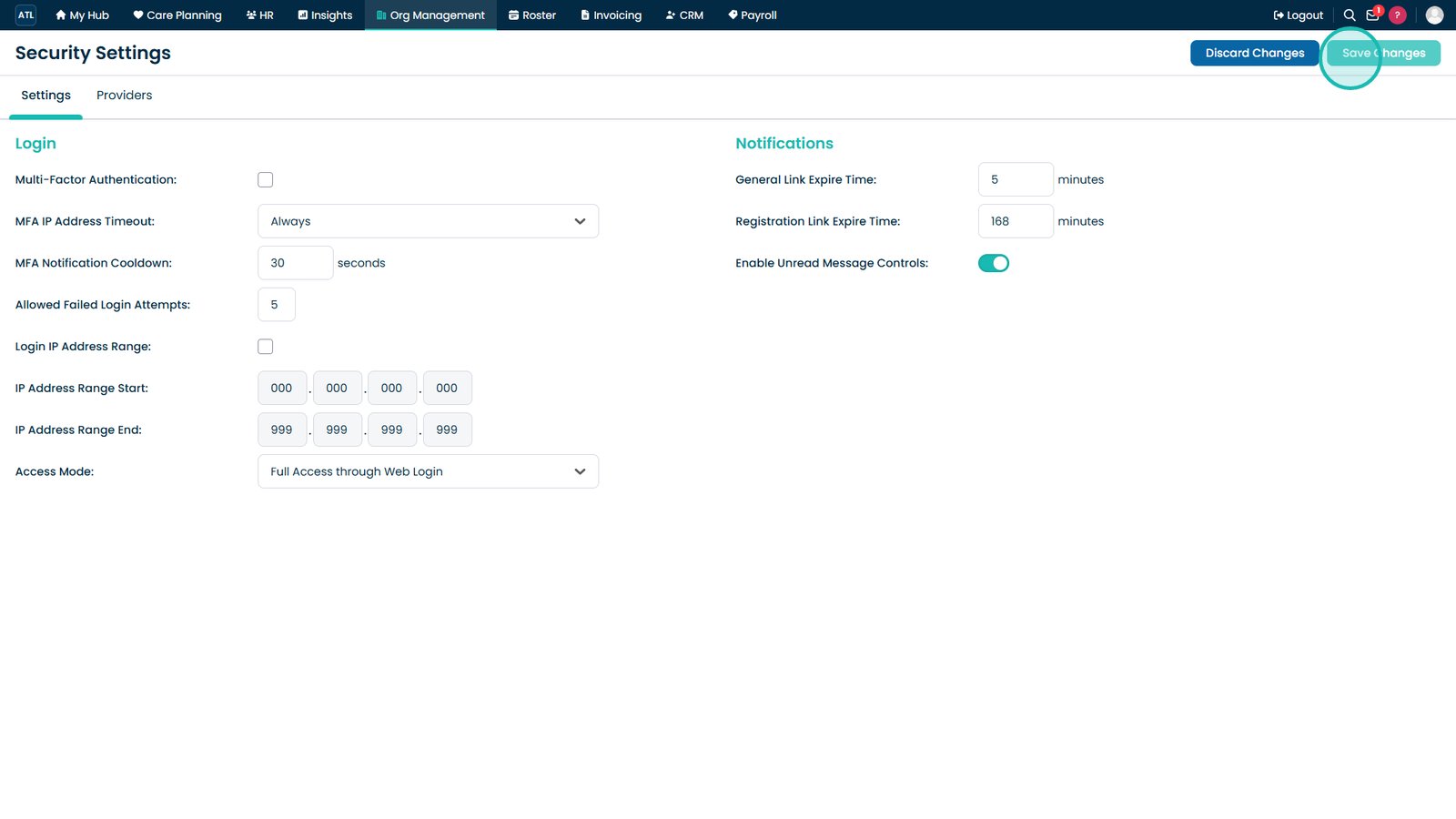
Select Save Changes to apply the organisation setting.

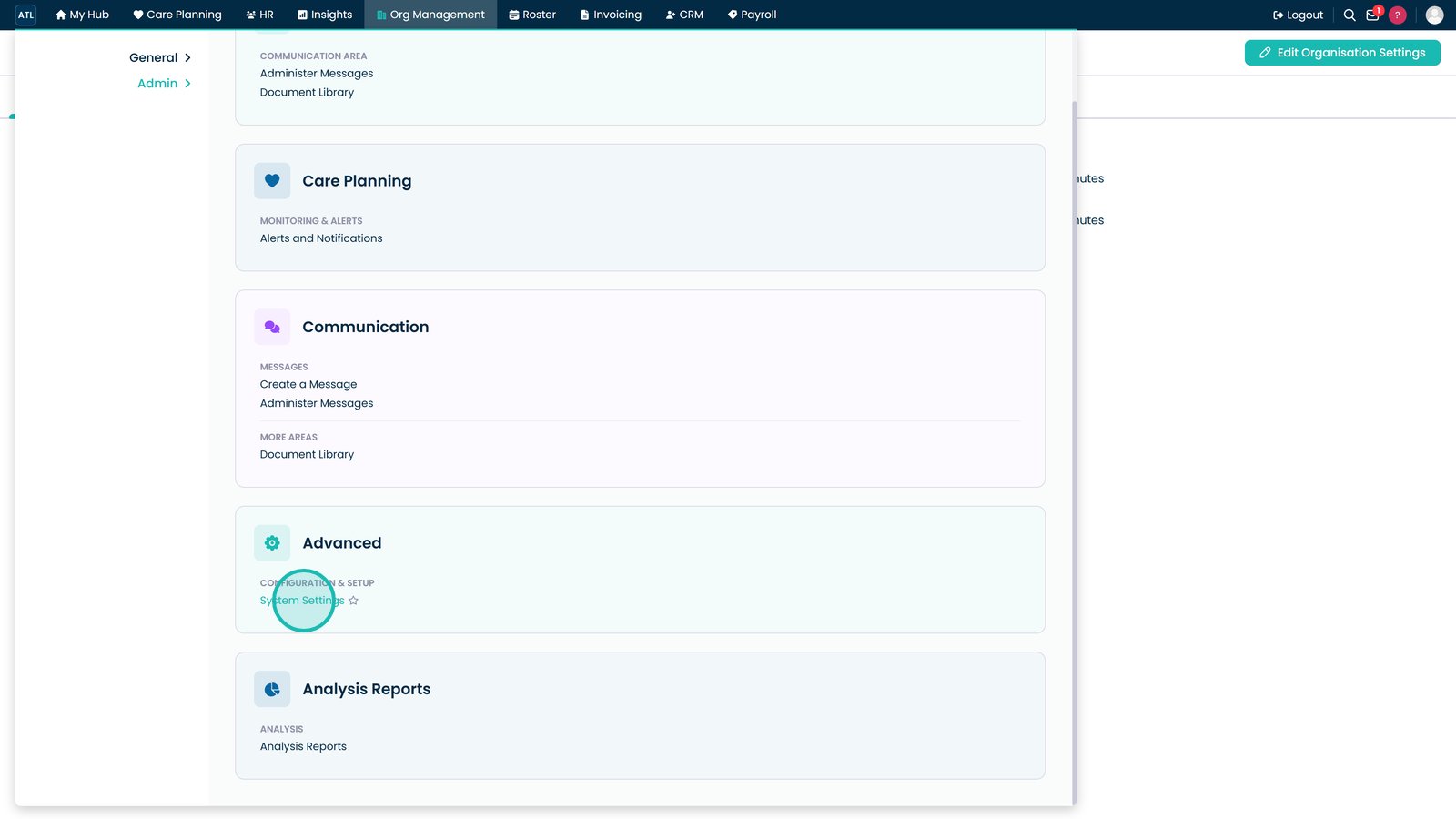
Open System Settings from the Org Management Admin menu.

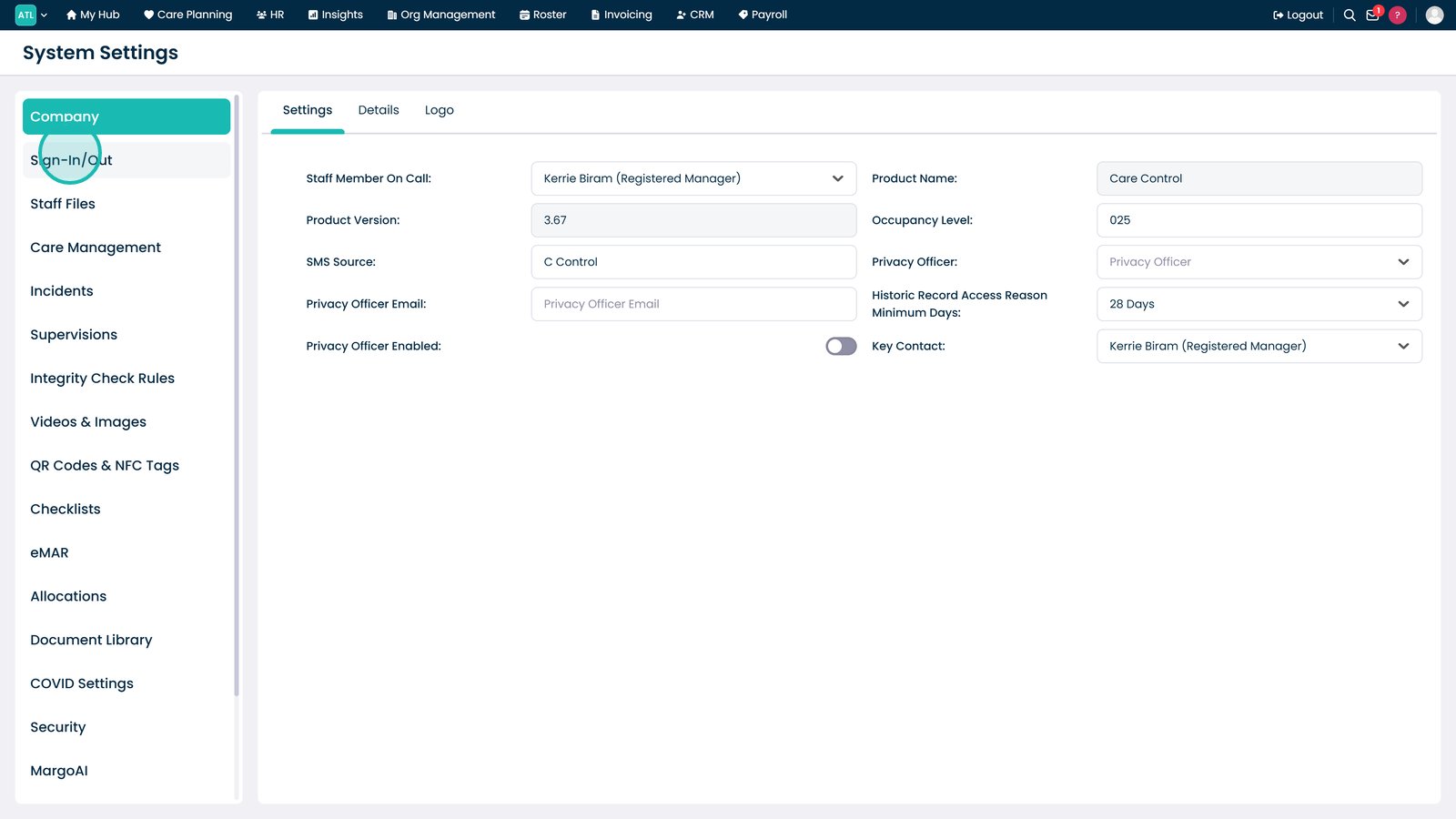
Navigate to the Sign-In/Out settings.

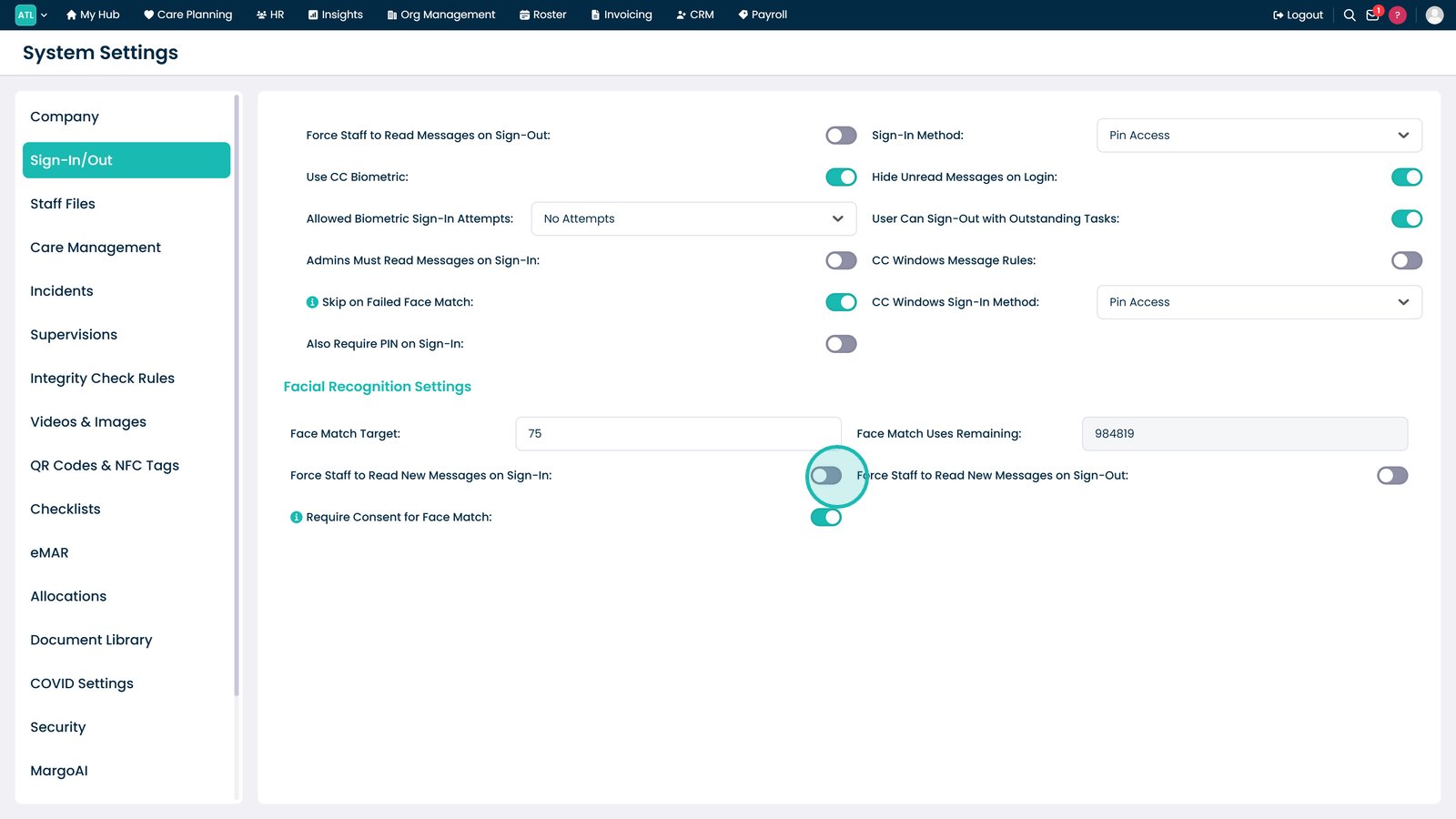
Enable the option to require staff to read new messages when signing in.

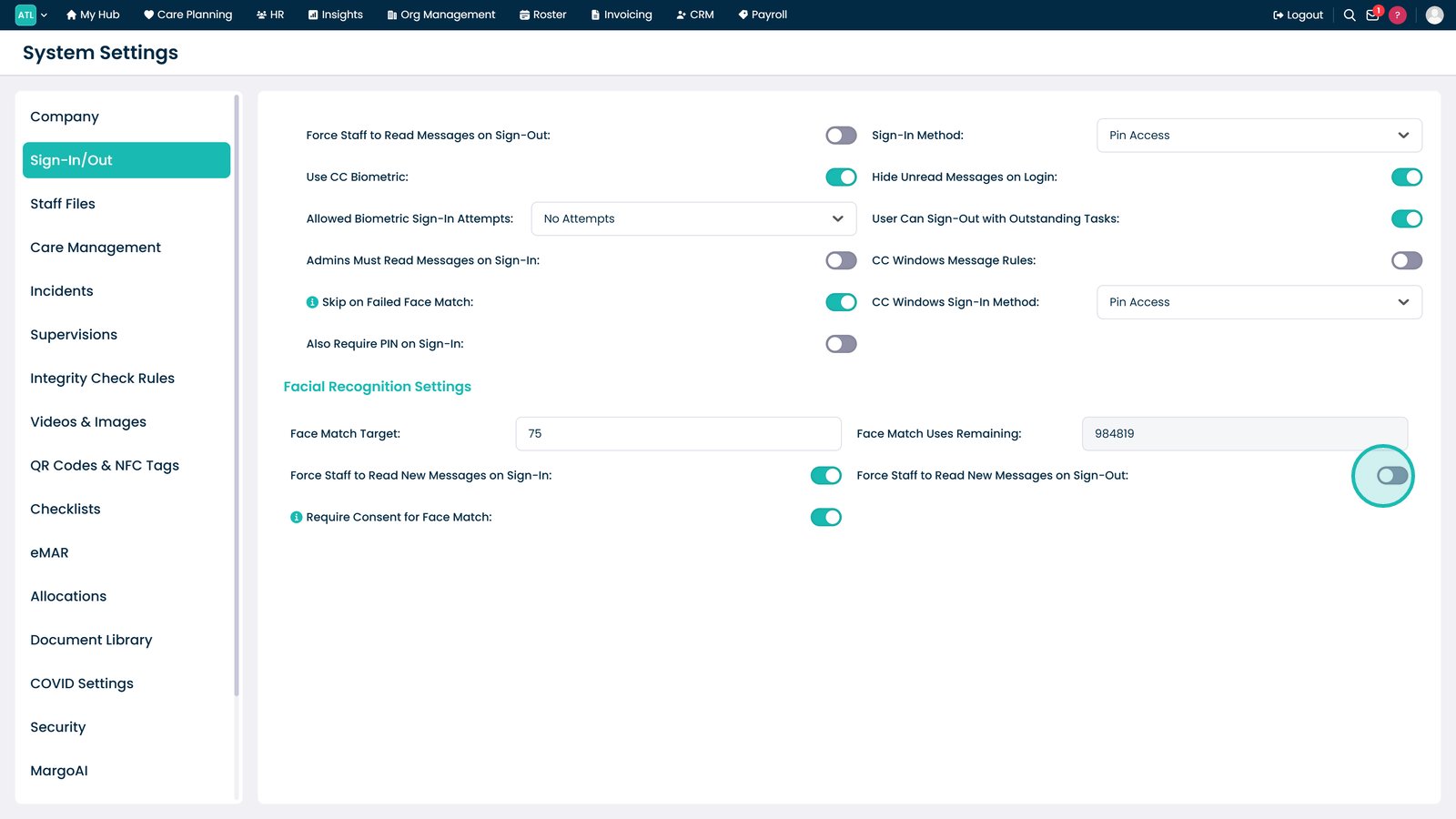
Enable the option to require staff to read new messages when signing out.

Top tip

Enable both sign-in and sign-out message requirements to maximise the likelihood that important staff communications are acknowledged.

Was this guide helpful?

Need more help?

Can't find what you're looking for? Our support team is here to help.

Contact Support

Or call us on

On this page