How to Set and Reset Supervision Passwords in Cloud
The Supervision Passwords section in the Care Control HR App allows managers and administrators to securely manage passwords for staff involved in the supervision process. From this screen, you can set new passwords, reset existing ones, and verify staff login details to ensure smooth access to supervision records. This feature is especially useful for maintaining system security, confidentiality, and controlled access to sensitive HR data. It also helps prevent login issues, ensuring that staff can access and complete their supervisions without disruption.
Interactive Guide
Text based guide
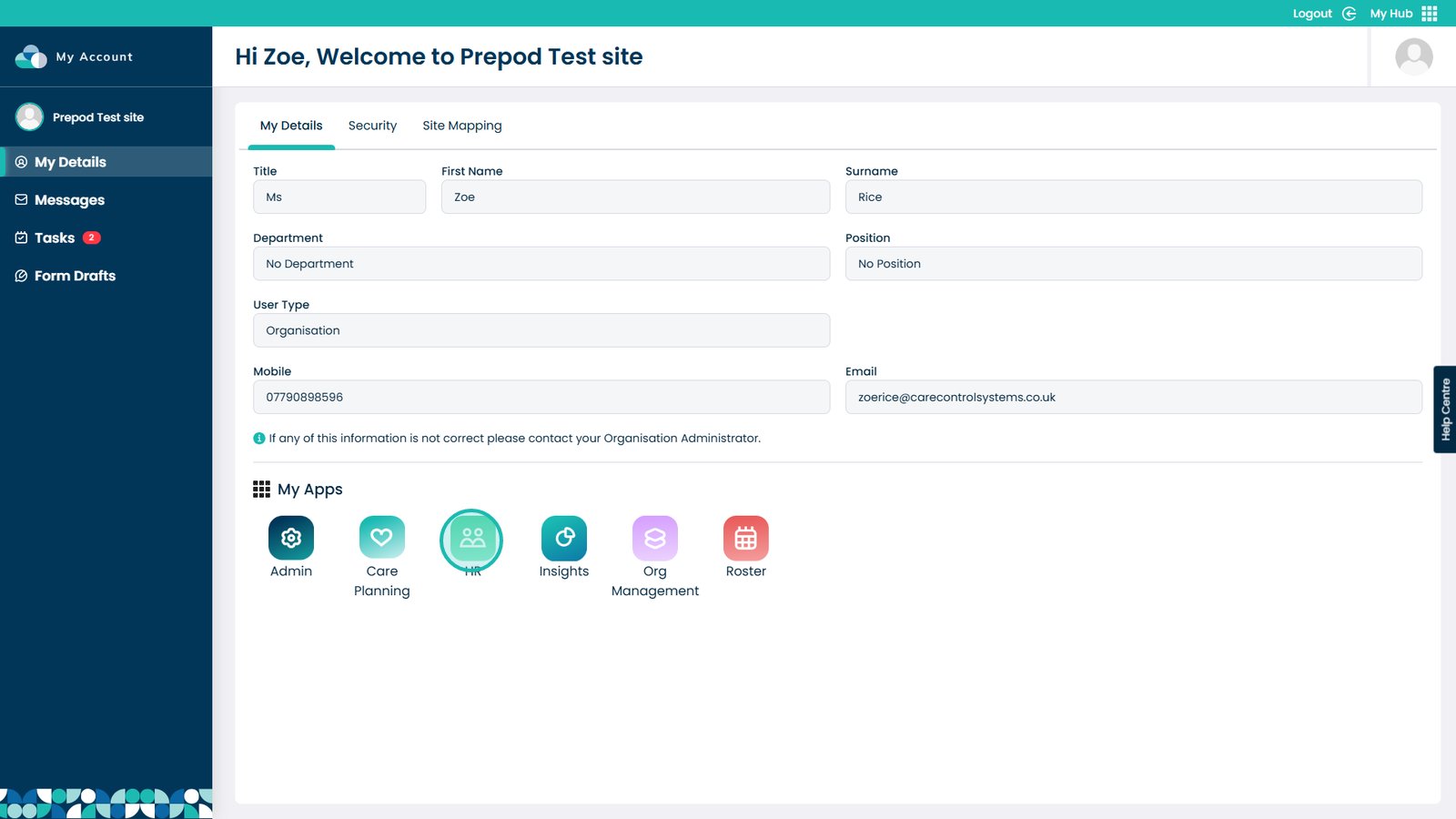
Enter the HR App

Â
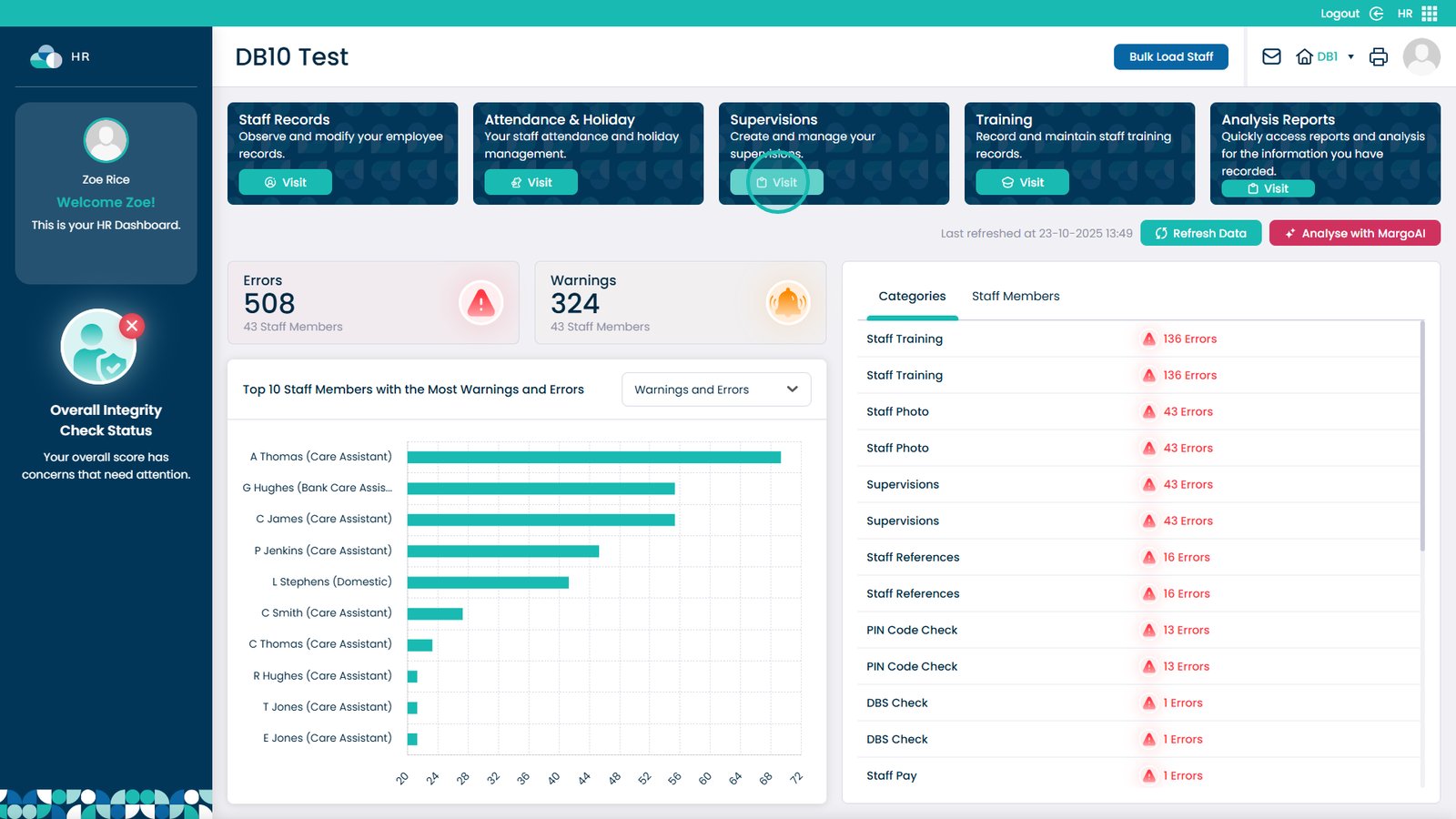
Pick Visit in the Supervisions box

Â
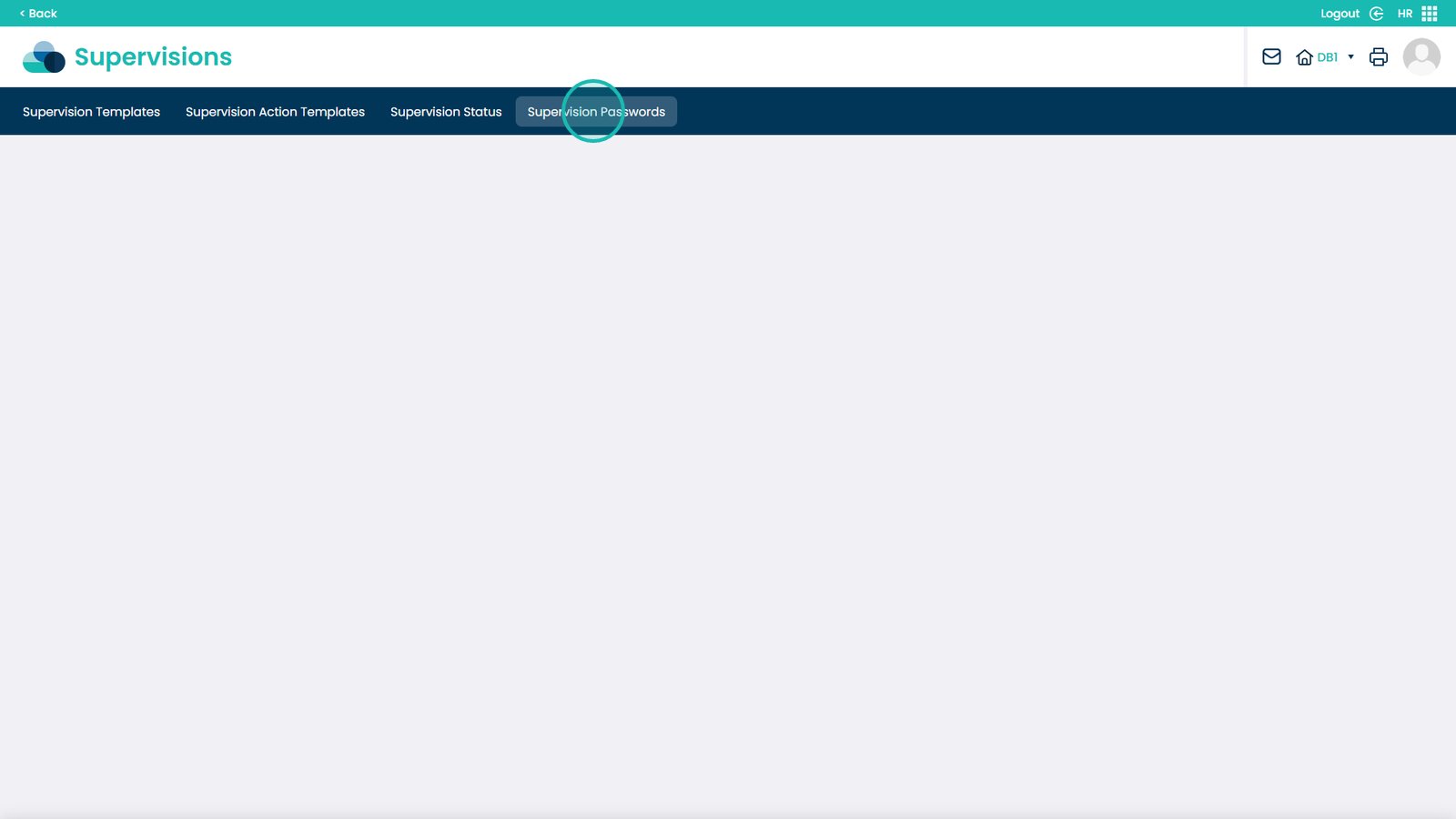
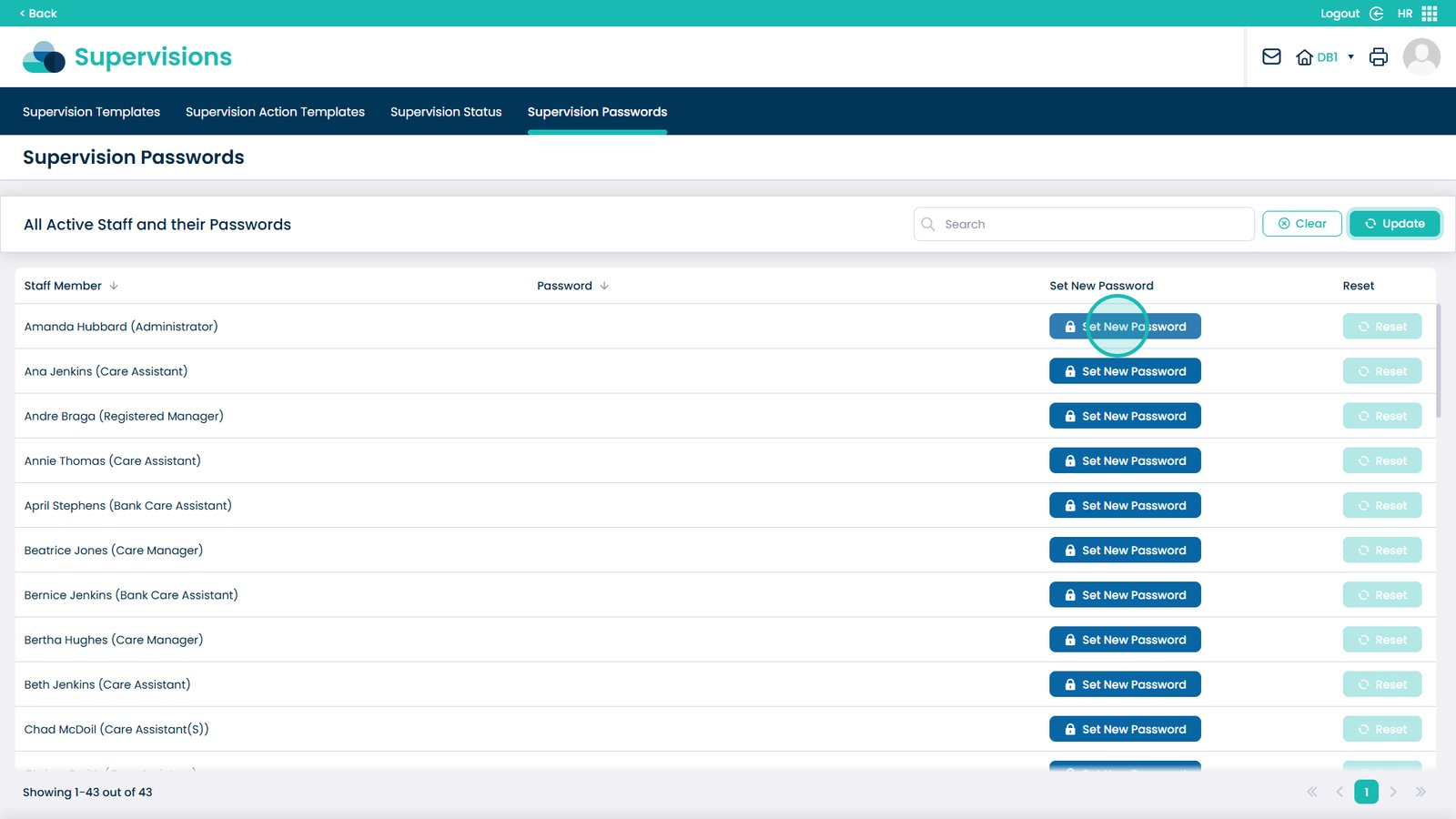
Choose Supervision Passwords from the menu

Â
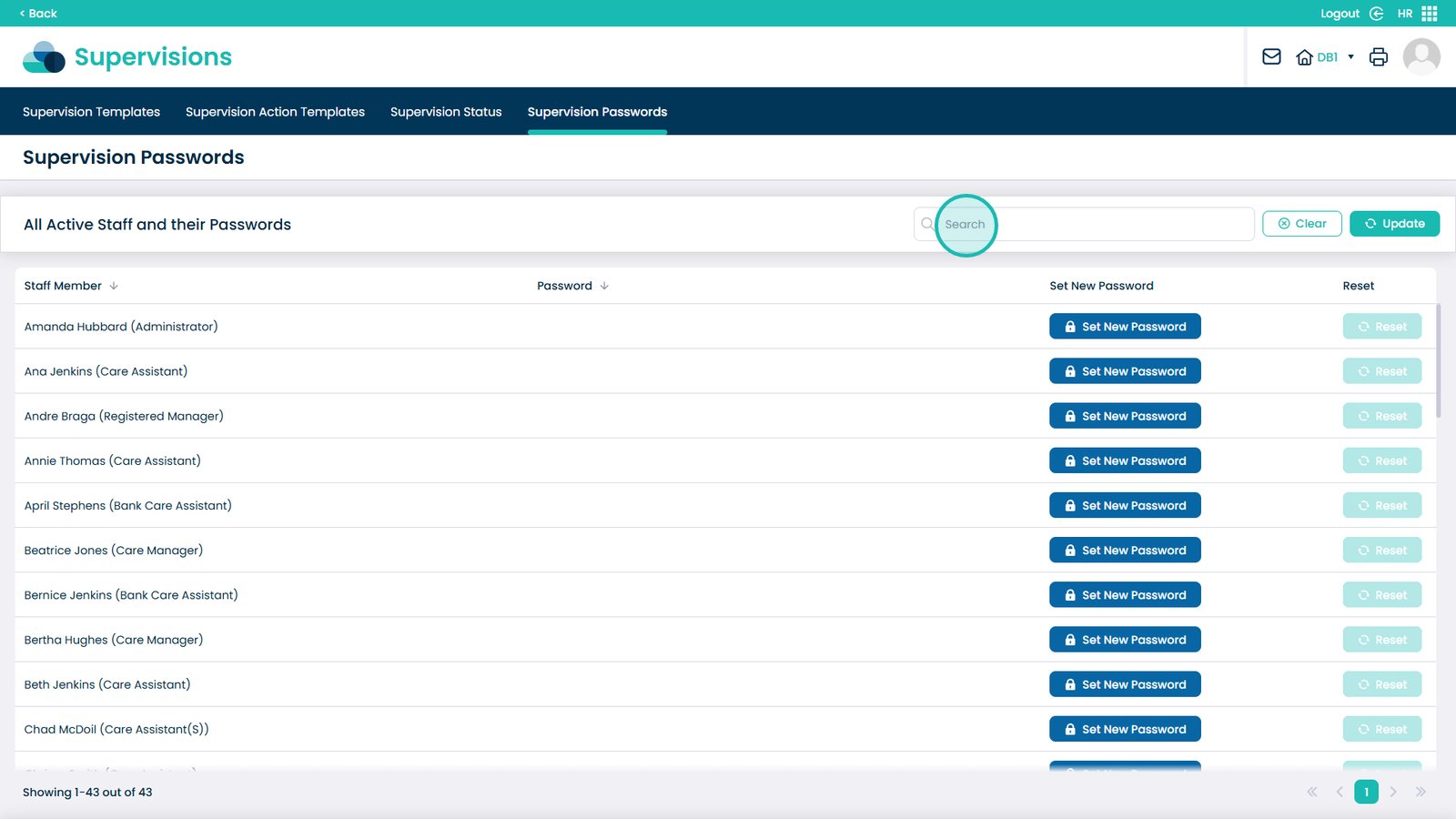
Search to find a specific staff member

Â
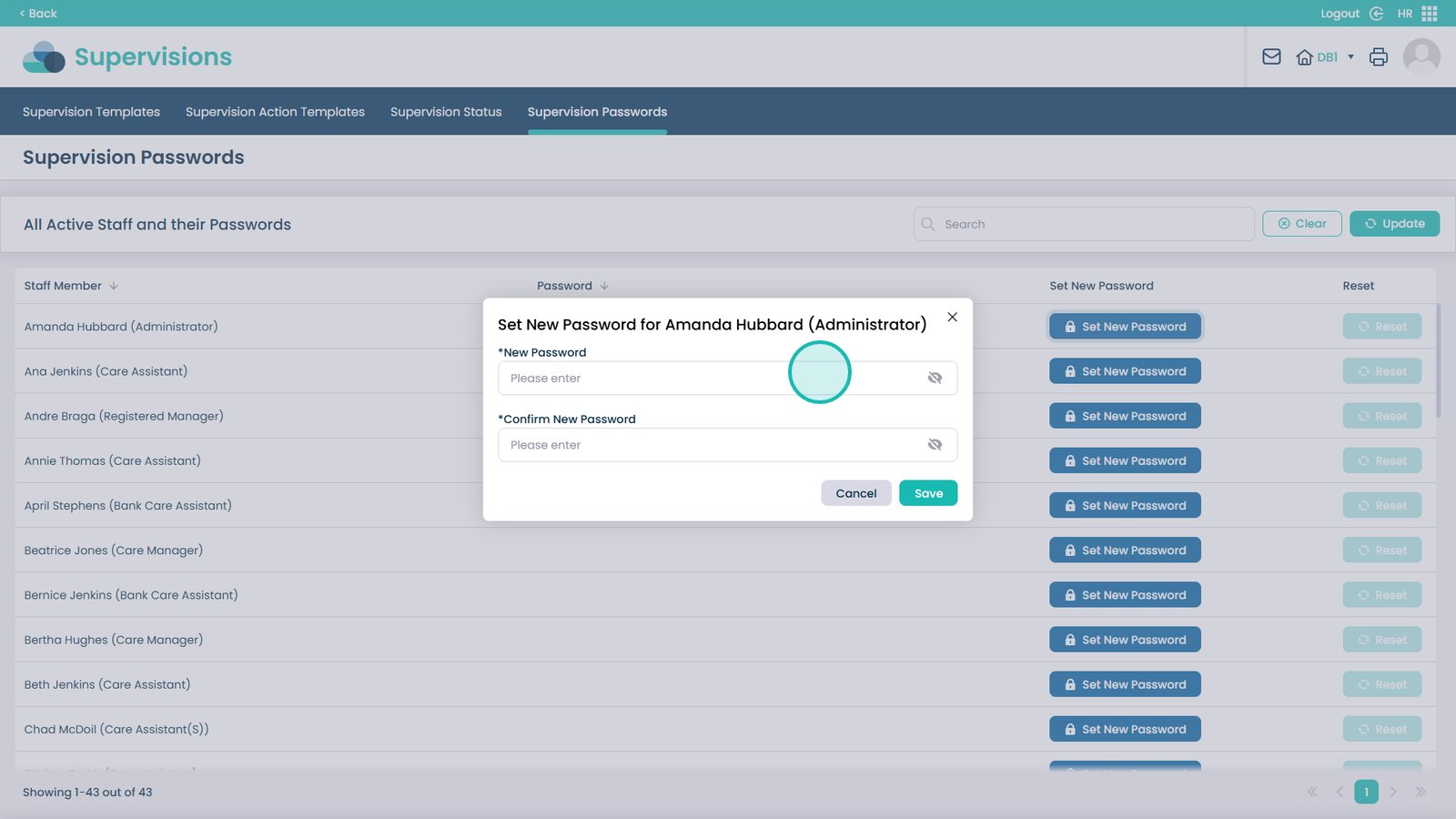
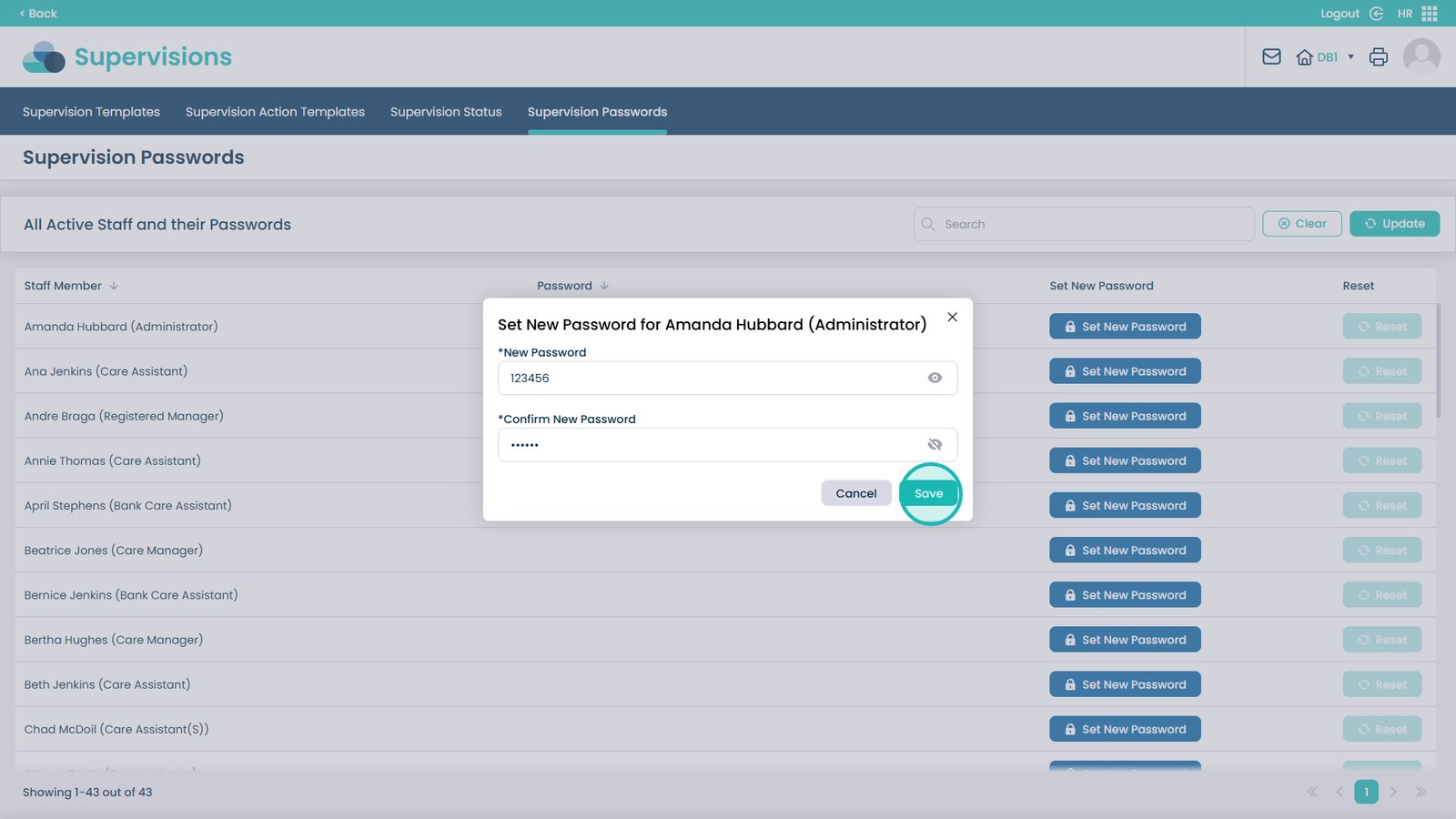
On the staff member, click Set New Password

Â
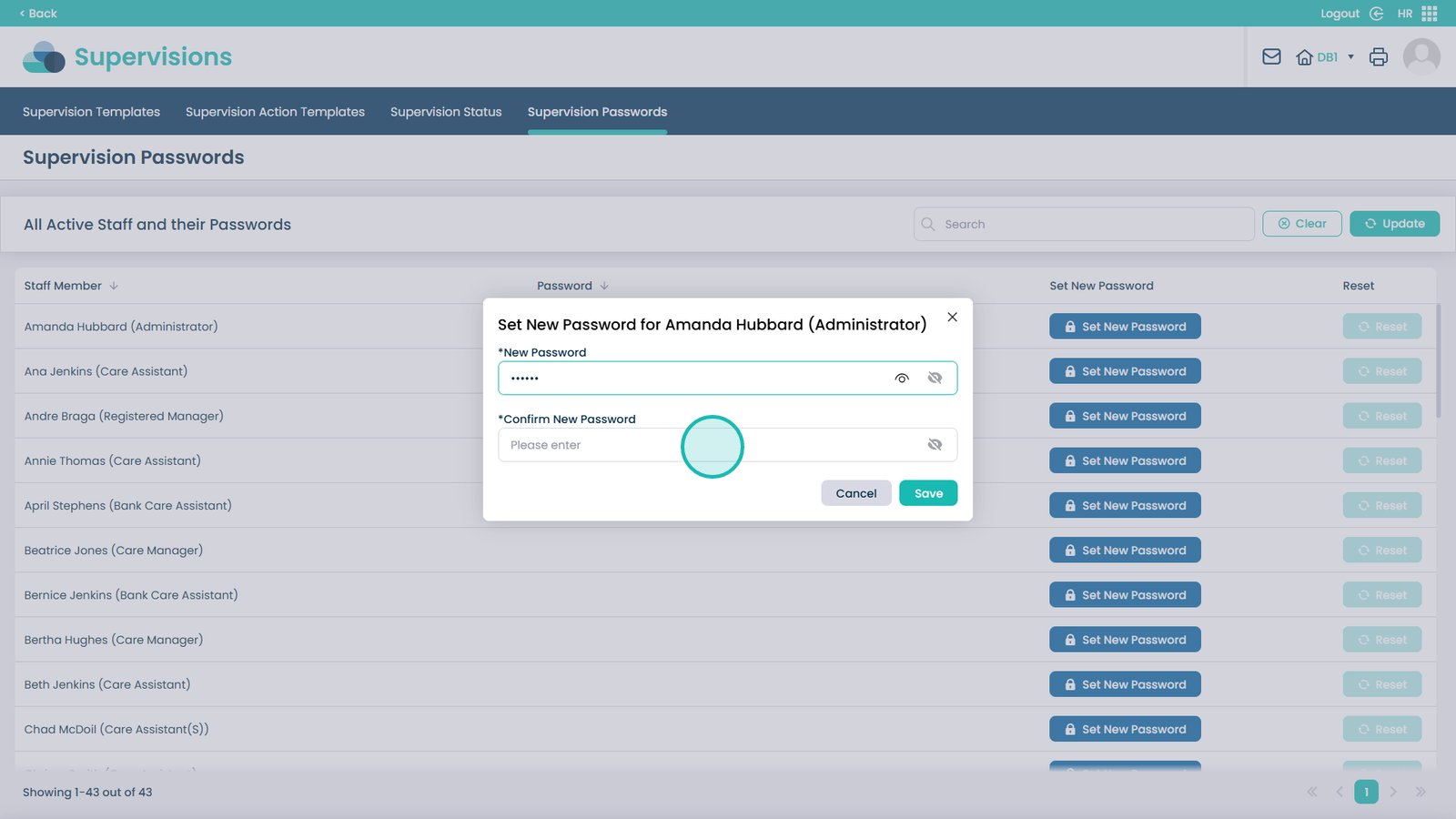
Enter the new password

Â
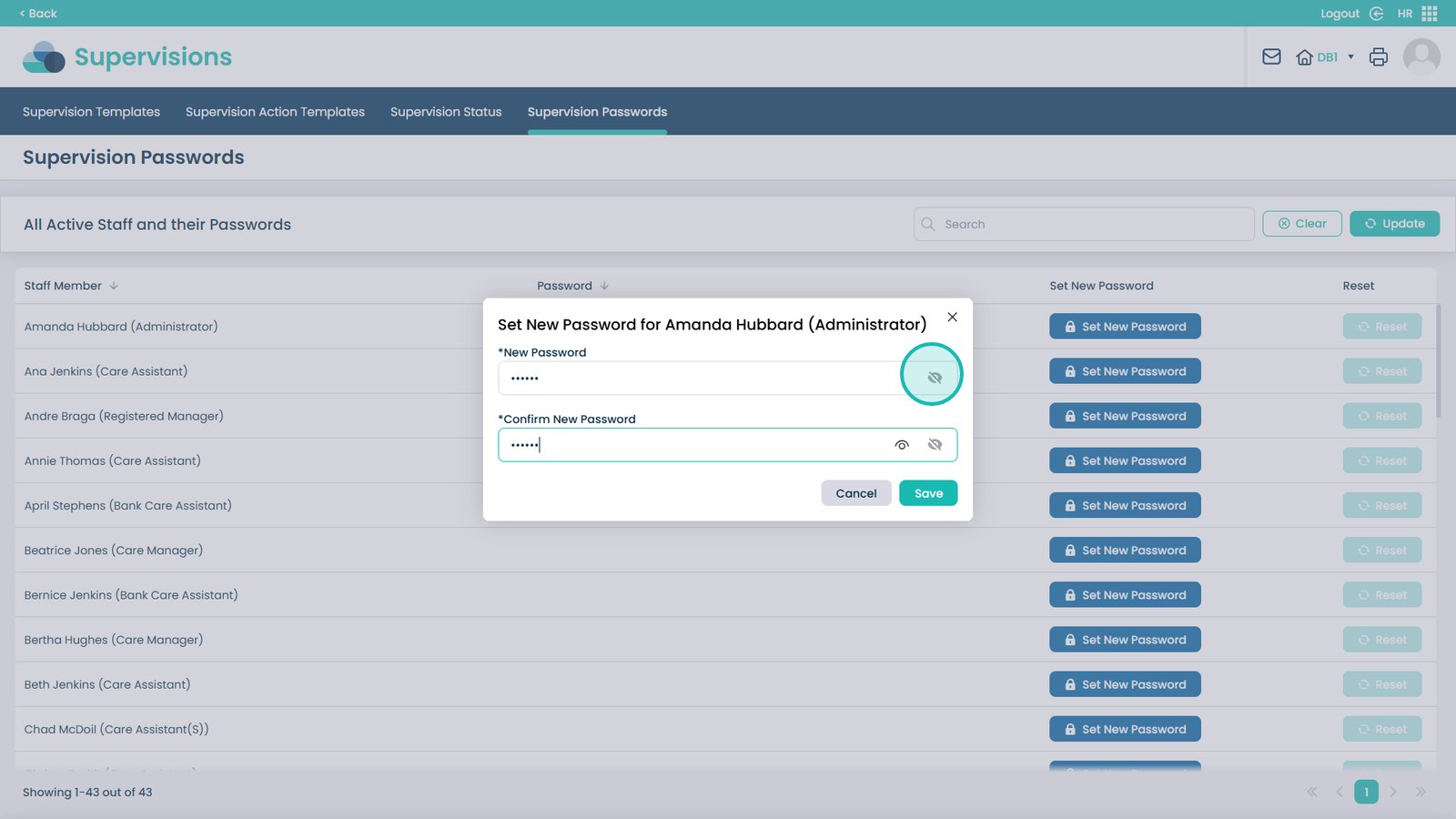
Confirm the password (at least 6 characters)

Â
Use the eye icon to preview the password

Â
Click Save

Â
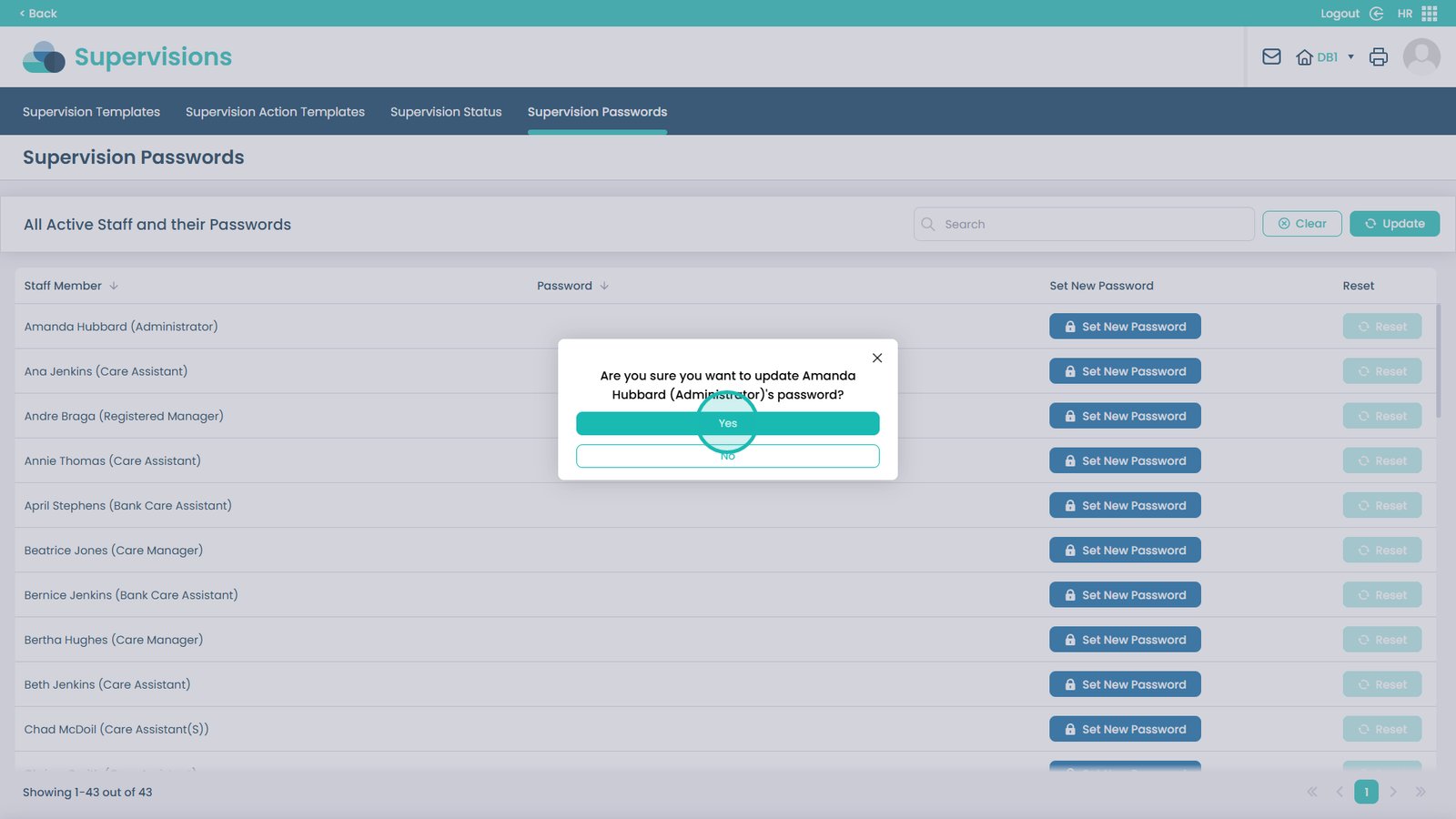
Confirm the change by selecting Yes

Â
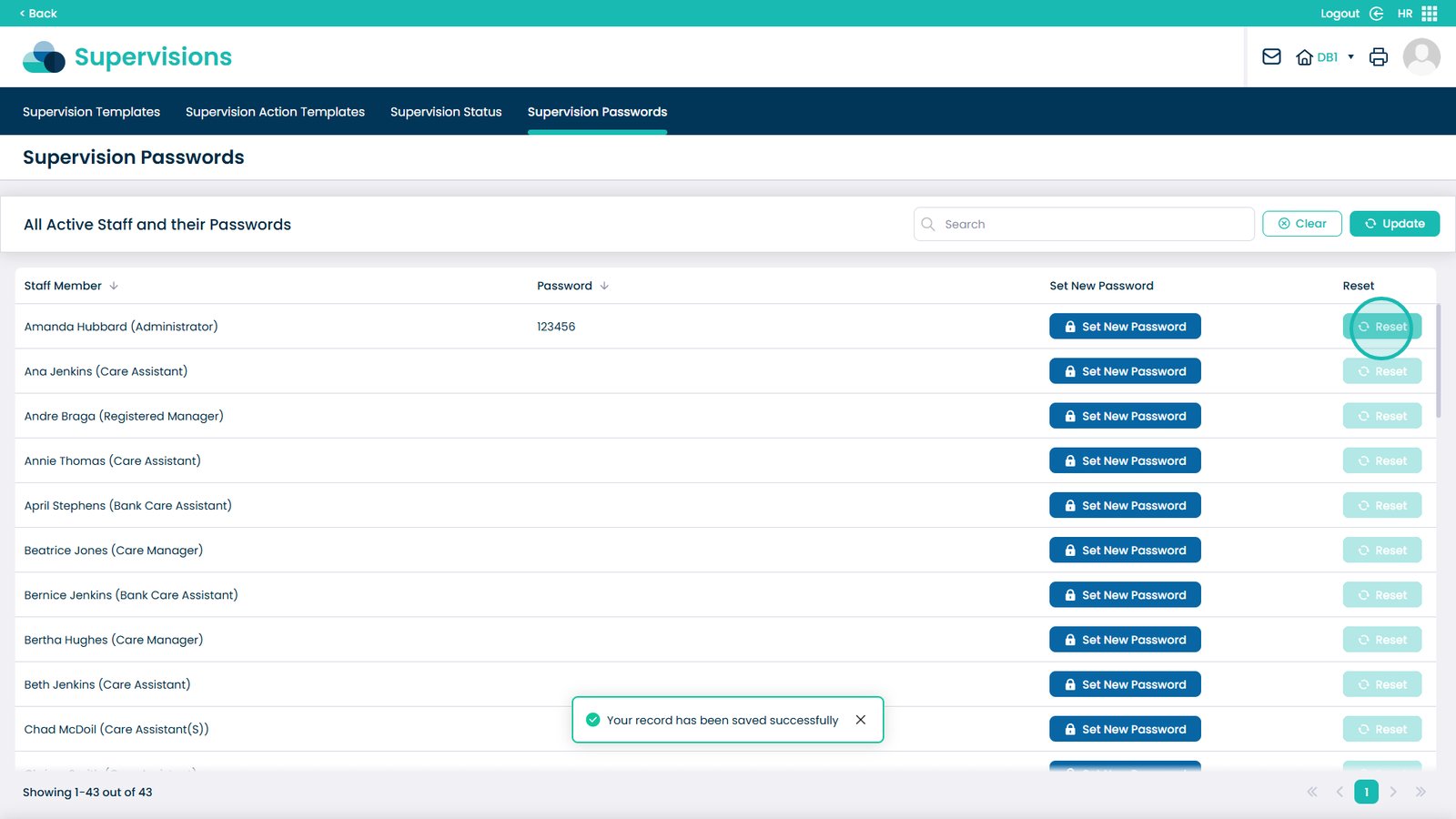
To reset a password, click Reset next to the staff member

Â
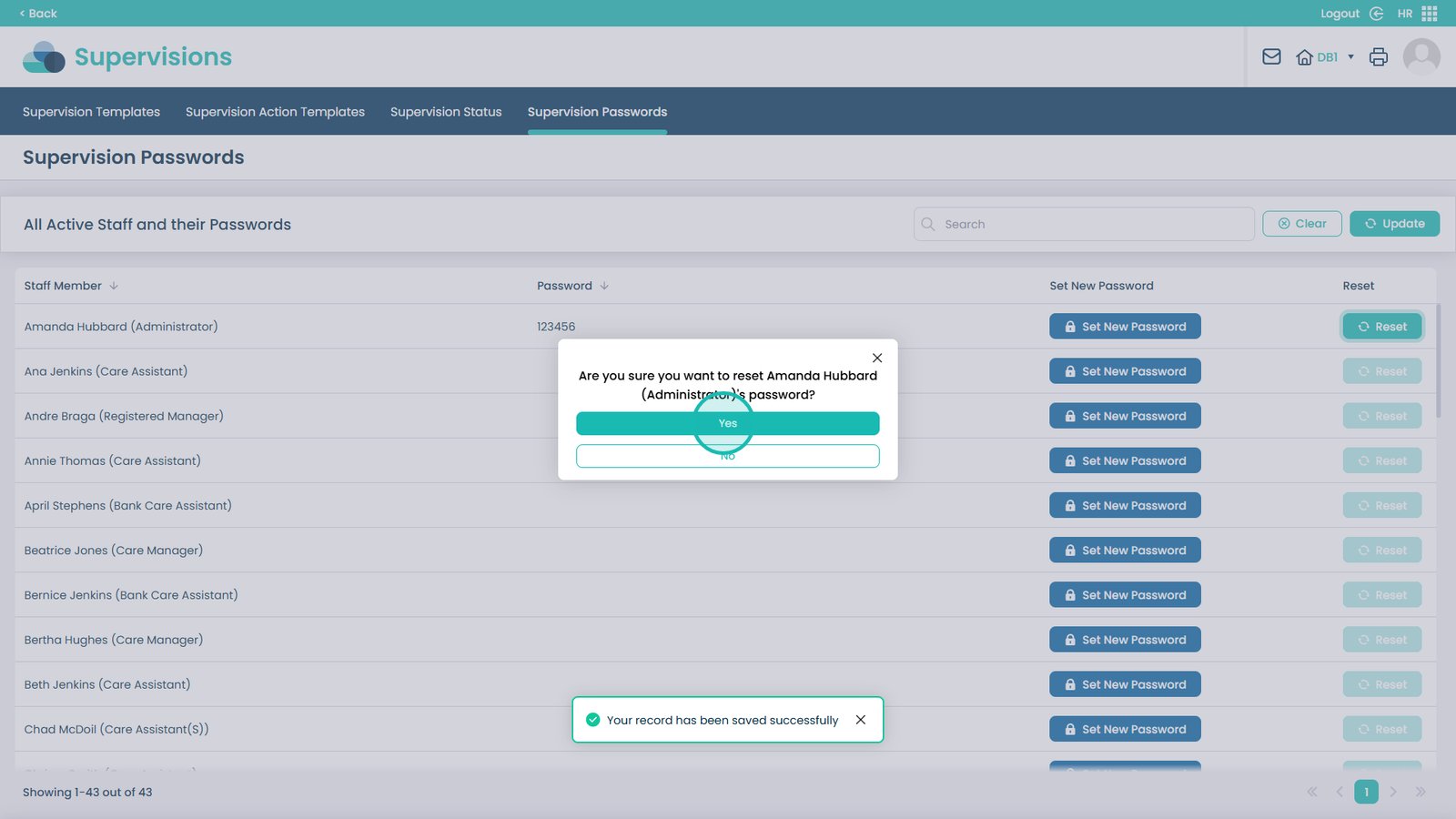
Confirm the reset by selecting Yes