View Categories

How to View and Amend Service Statuses

This guide explains how to use Service Status to review issues and overdue tasks across sites, complete outstanding activities, search for specific services, and analyse site health using Map View.

Takes 10 minutes
For: Managers
Updated: 27th July 2026

Introduction

Service Status provides an overview of outstanding tasks, issues, and health scores across your organisation's sites. You can sort and search the dashboard, investigate overdue activities, complete outstanding tasks, and use Map View to identify sites requiring attention.

In this guide you'll learn how to:

  • Open and navigate the Service Status dashboard
  • Review issues and overdue tasks for each site
  • Open and complete outstanding activities
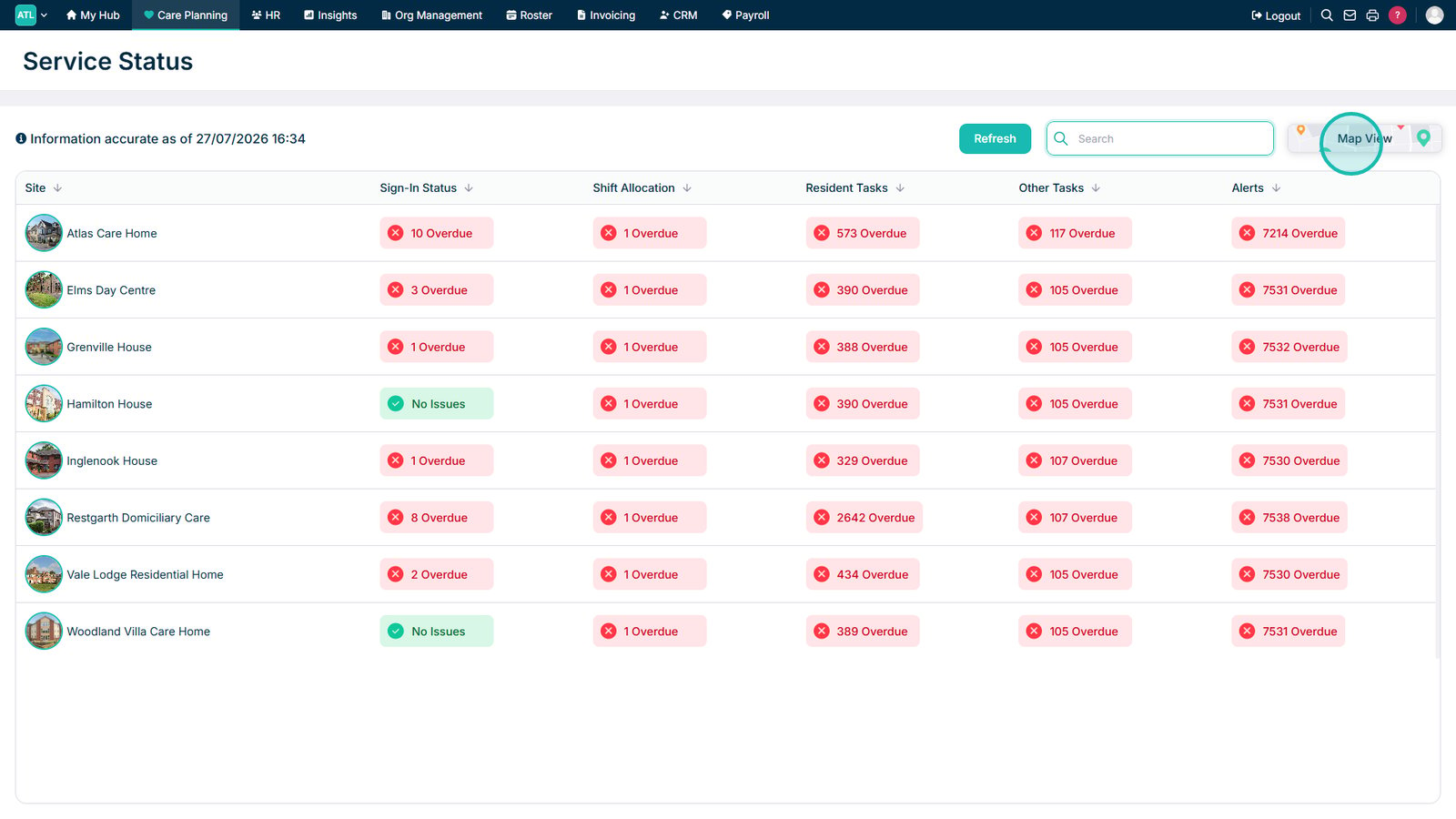
  • Search, sort, and refresh the dashboard
  • Use Map View and filters to review site health scores

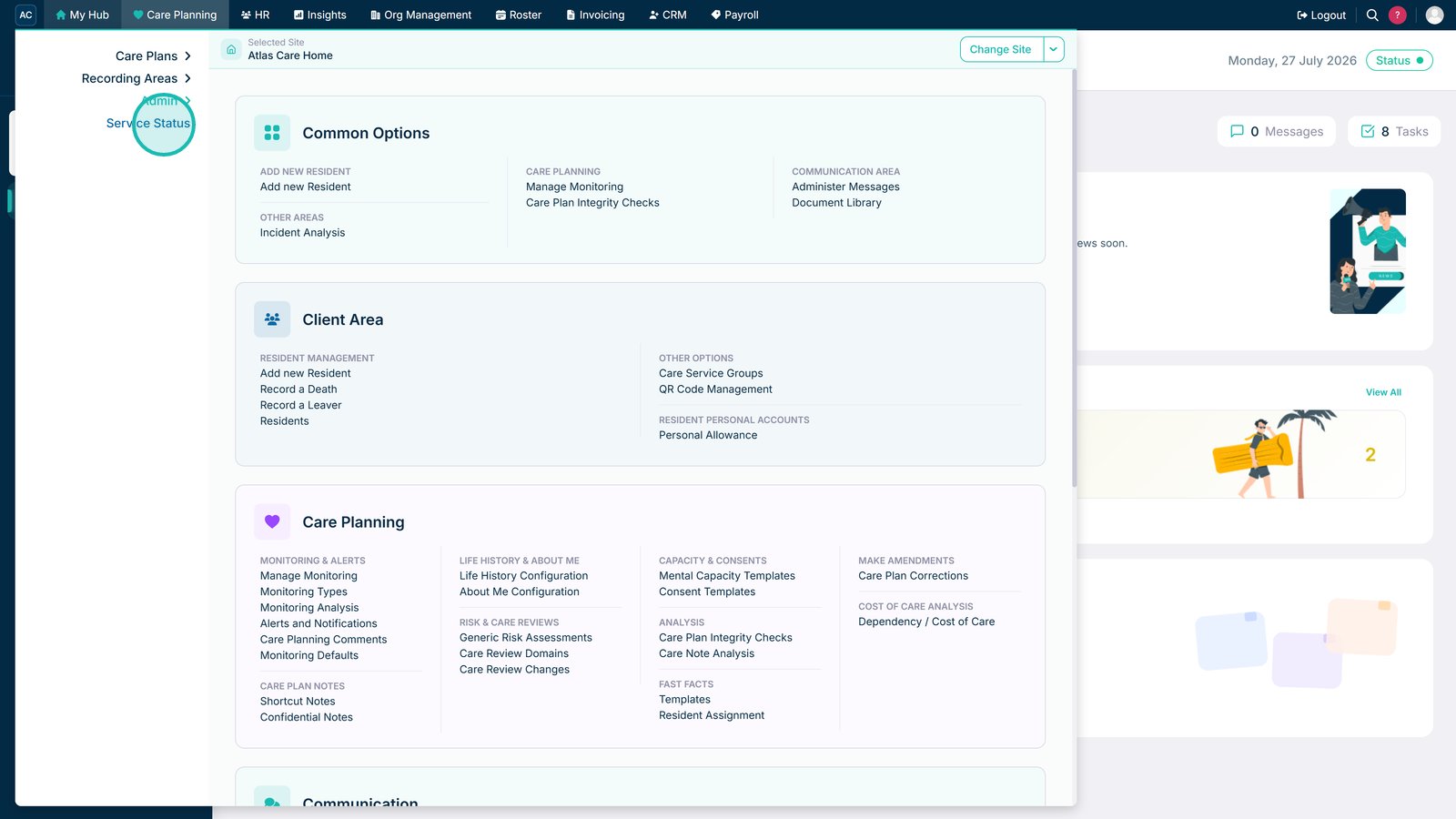
Open Service Status from the Admin menu.

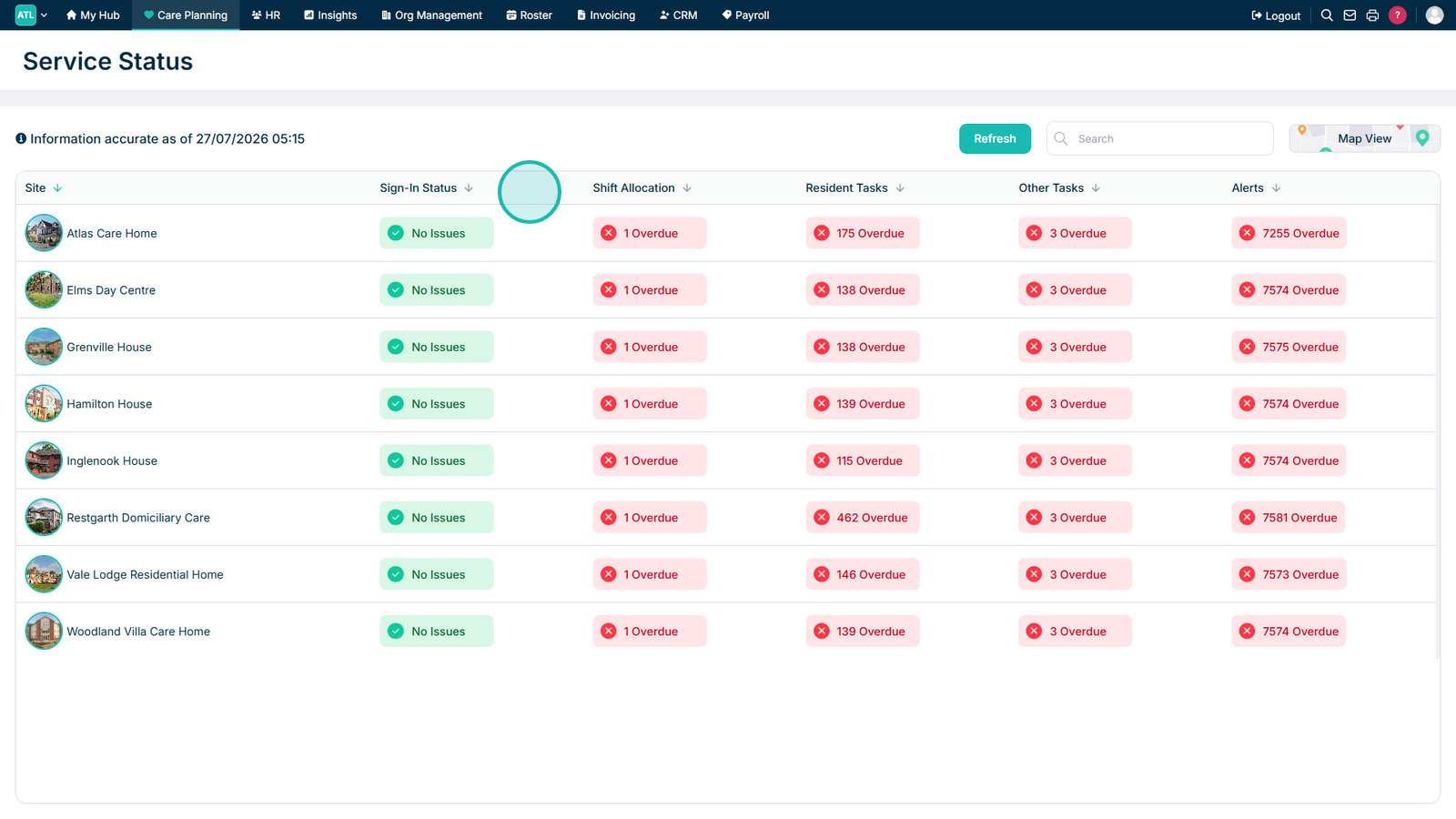
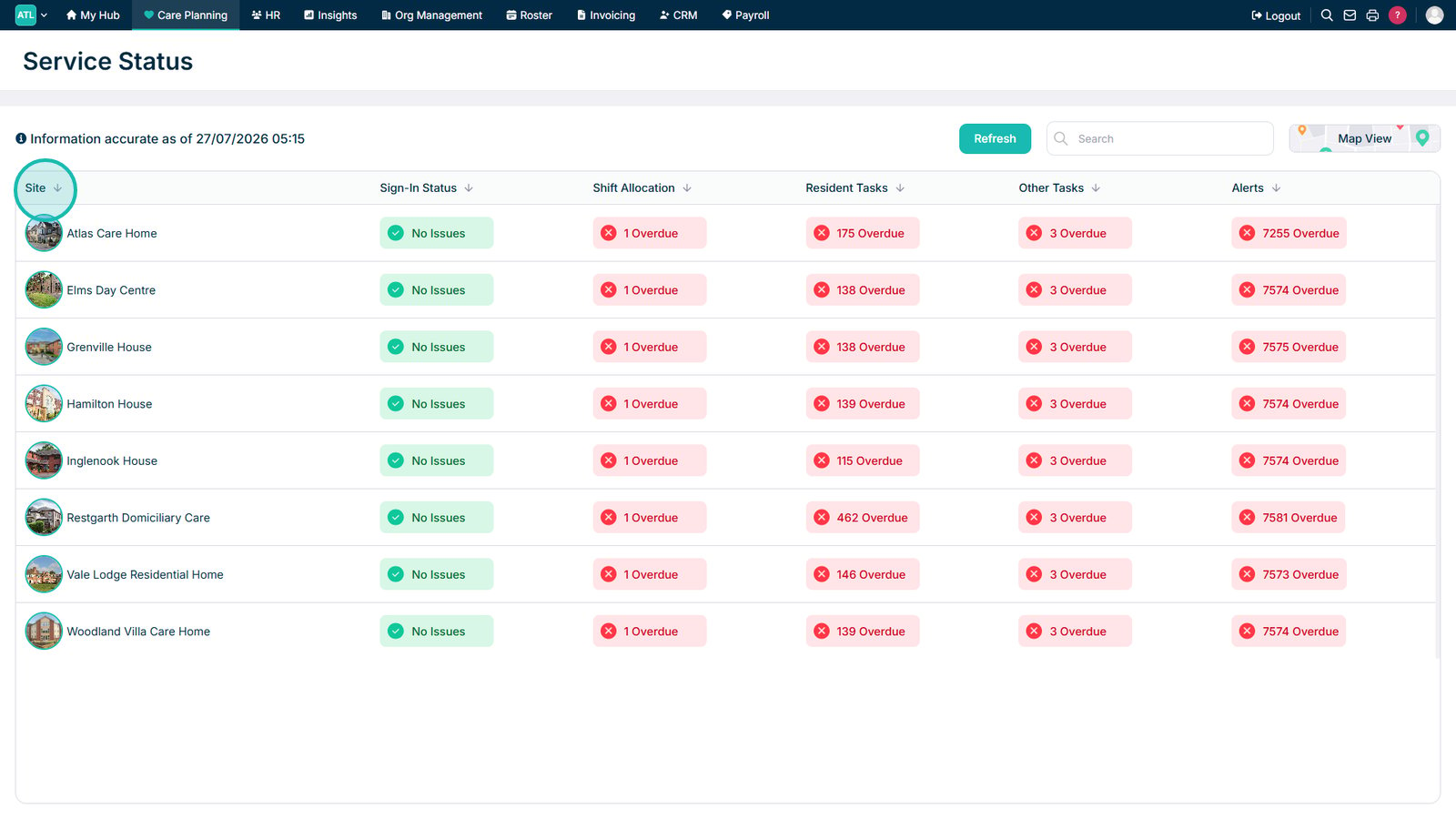
Select a column heading to sort the results.

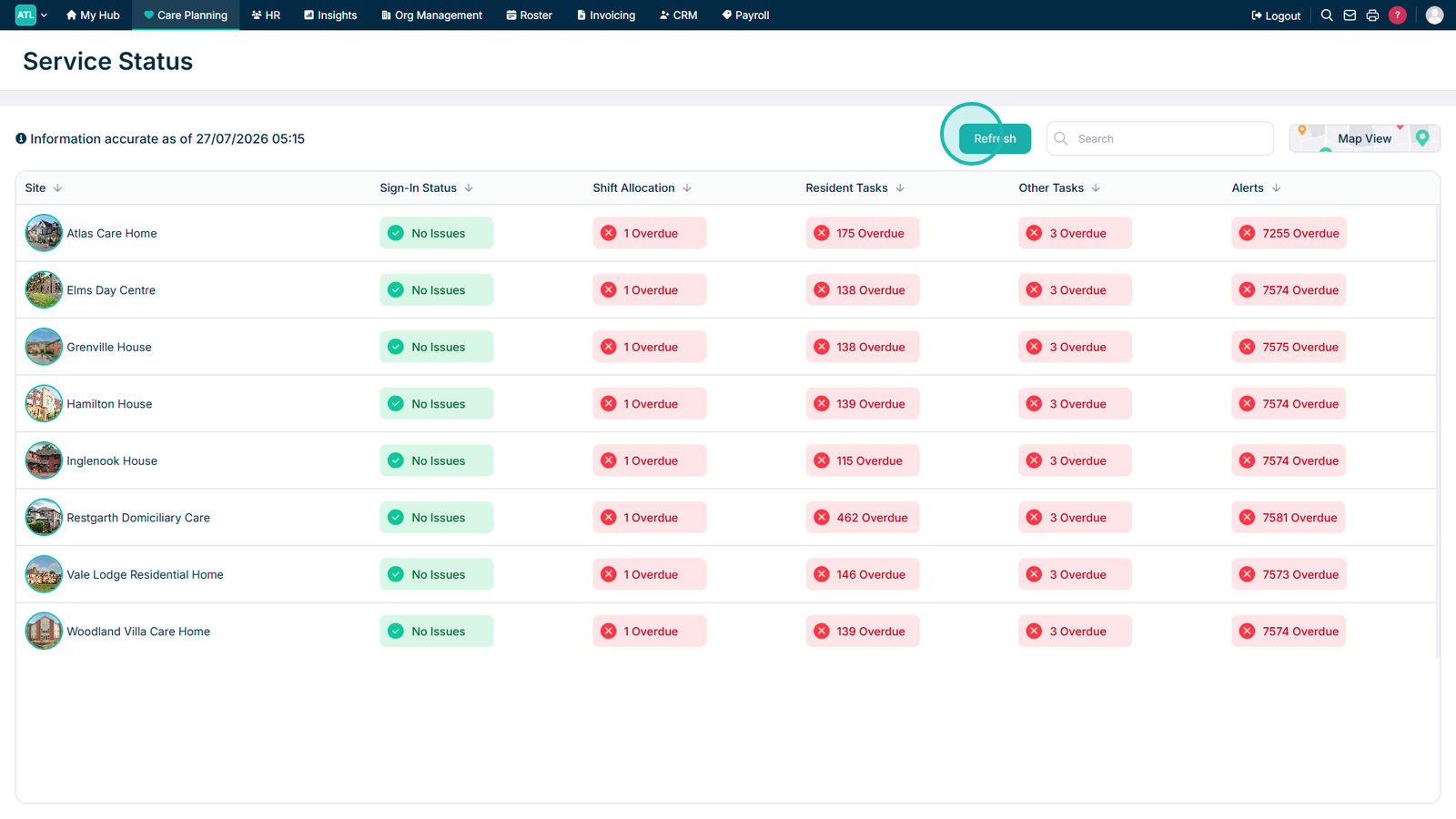
Review each section for areas with outstanding issues.

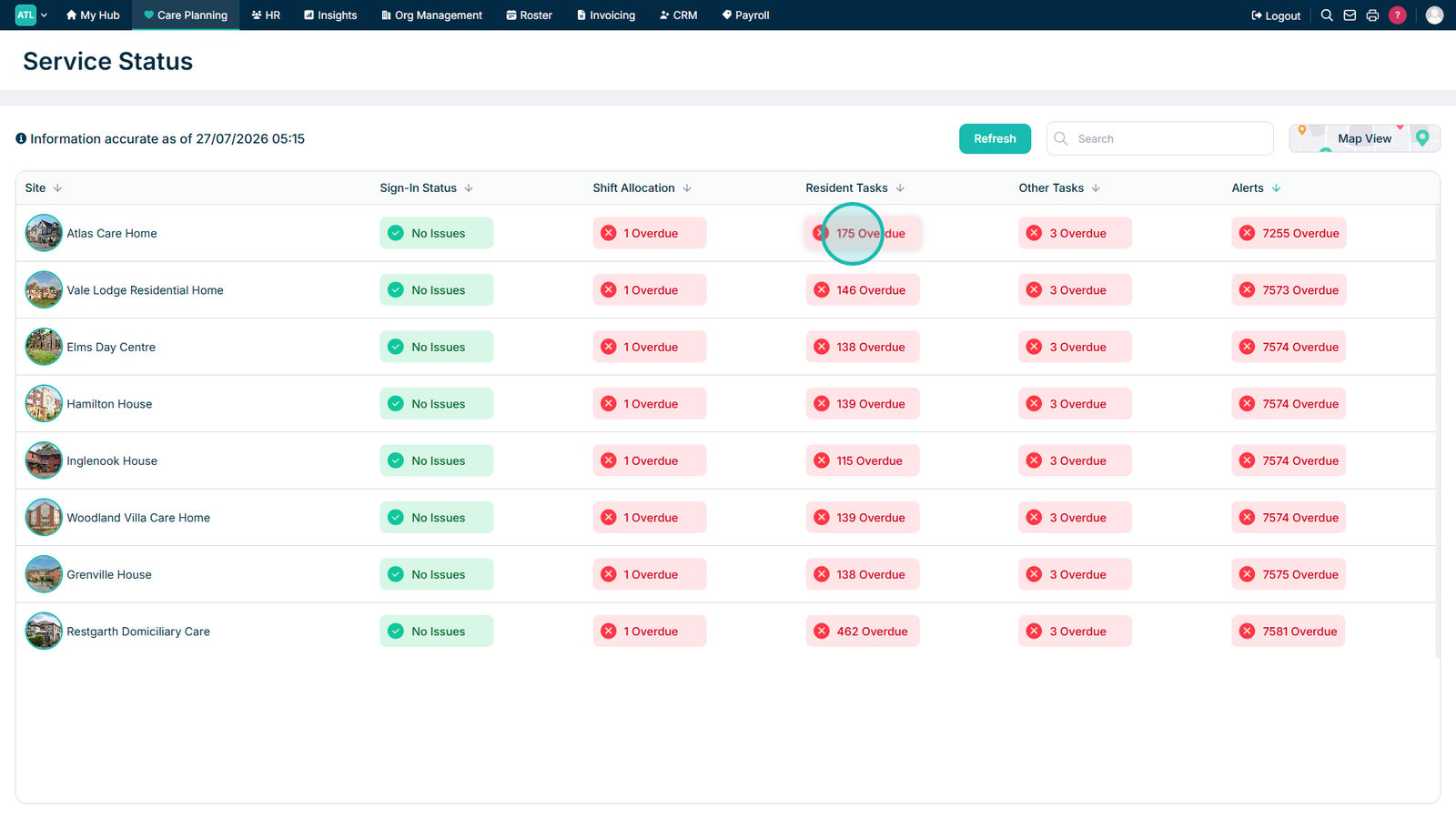
Select an overdue total to view the issues for that site.

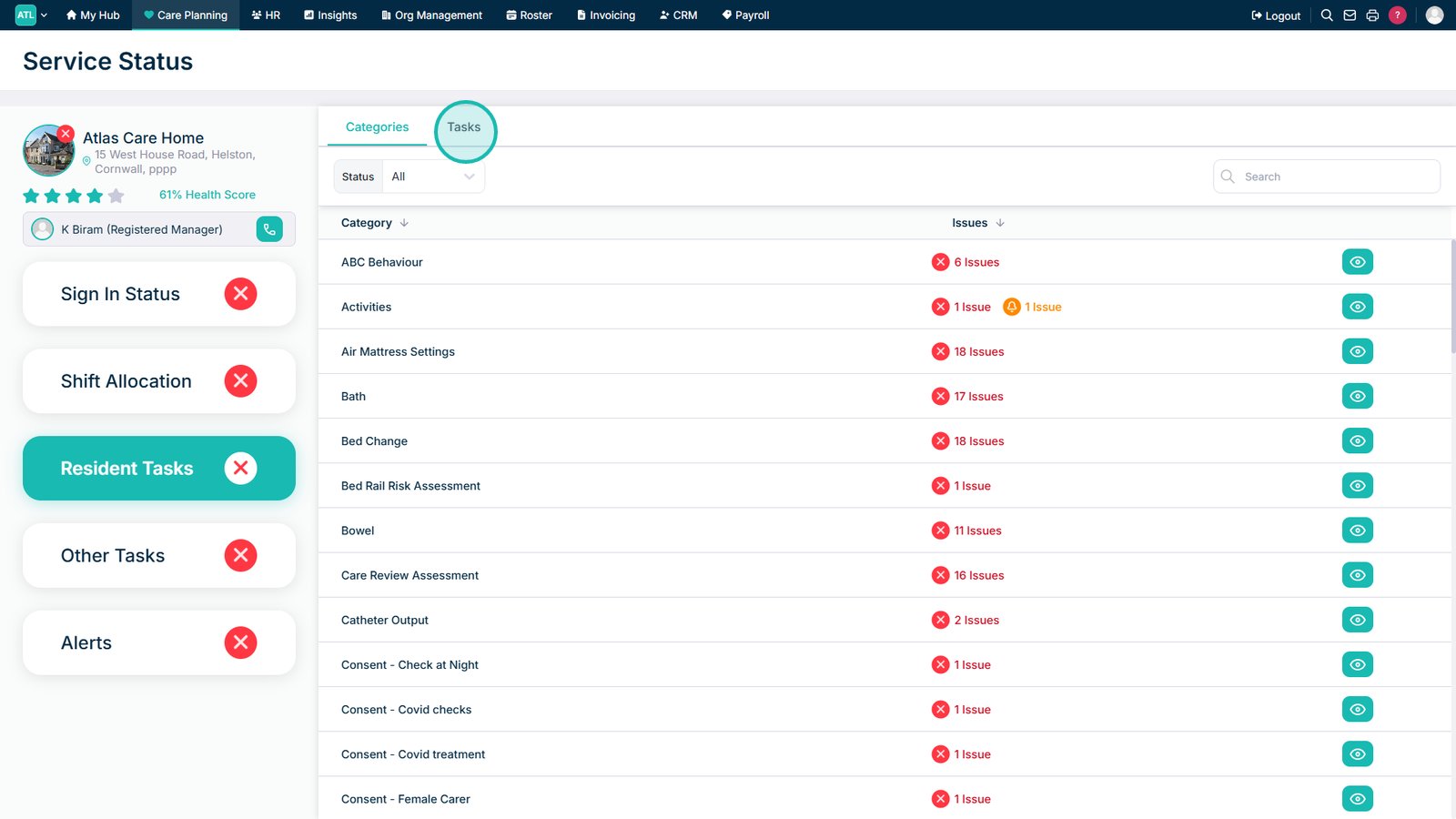
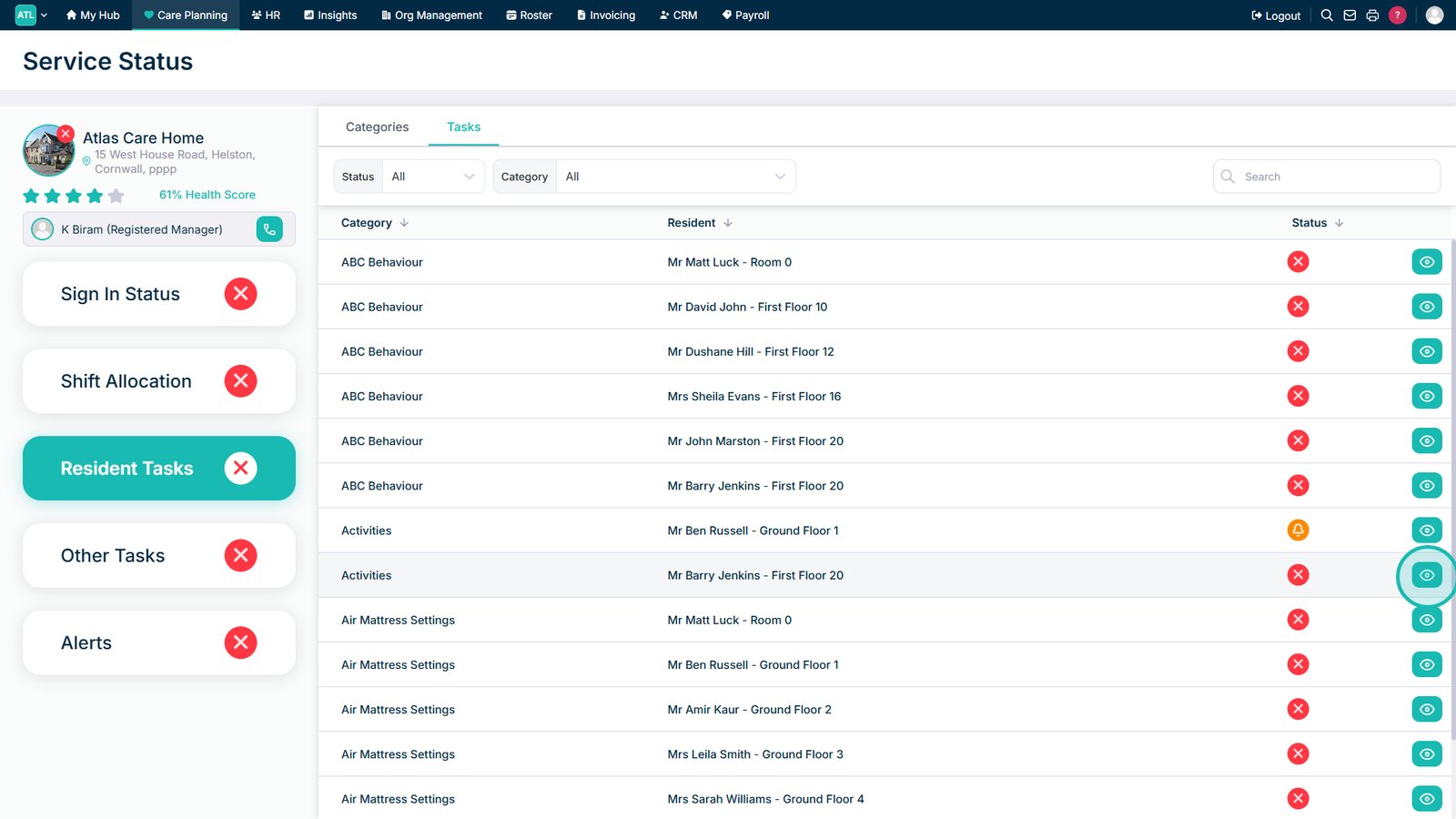
Select Tasks to view the individual outstanding activities.

Select the view icon to review a service user's task details.

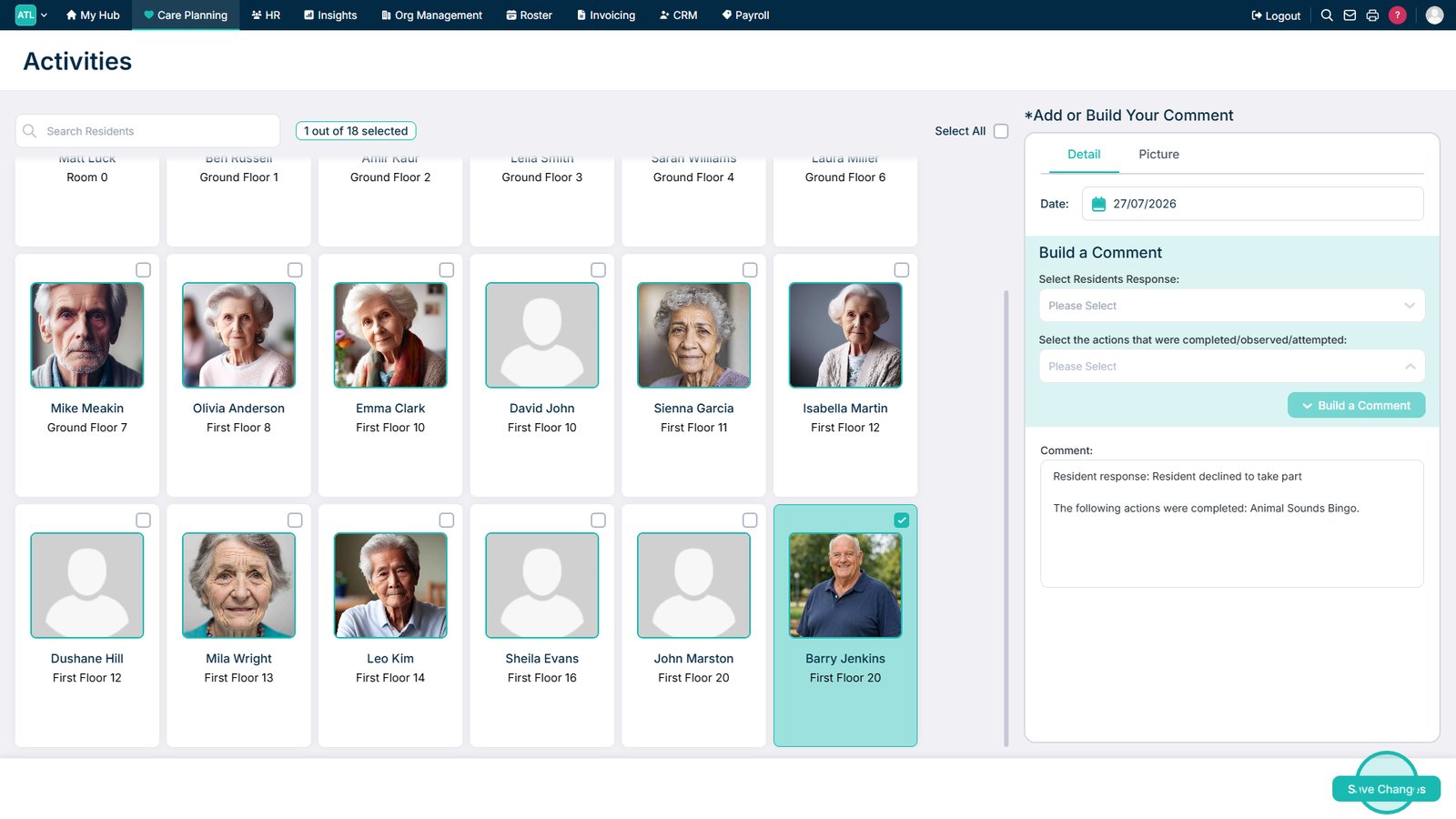
Complete the outstanding task and save your changes.

Refresh the dashboard to display the latest service status information.

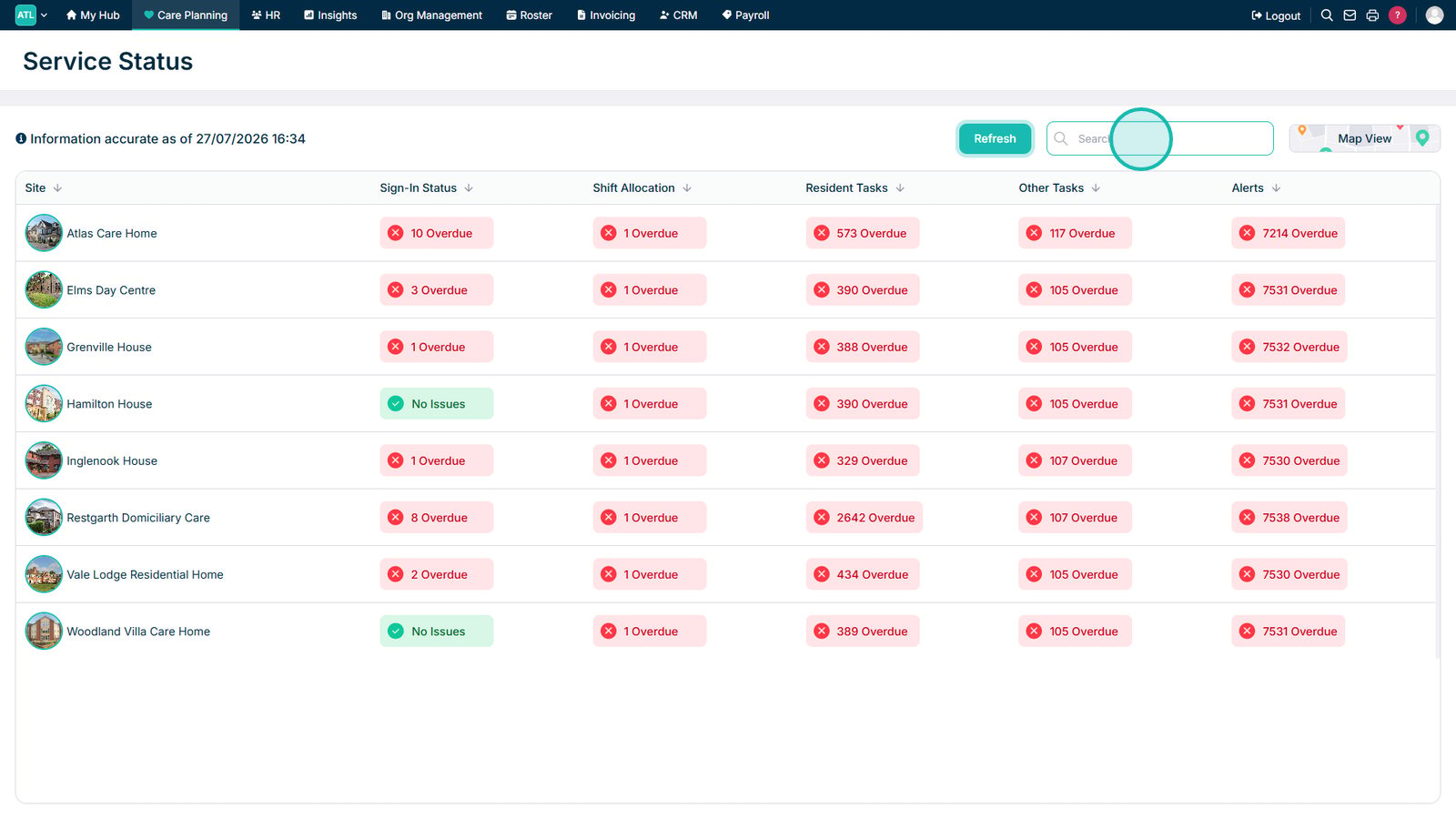
Use the search field to find a specific site or service status.

Open Map View to review service statuses by location.

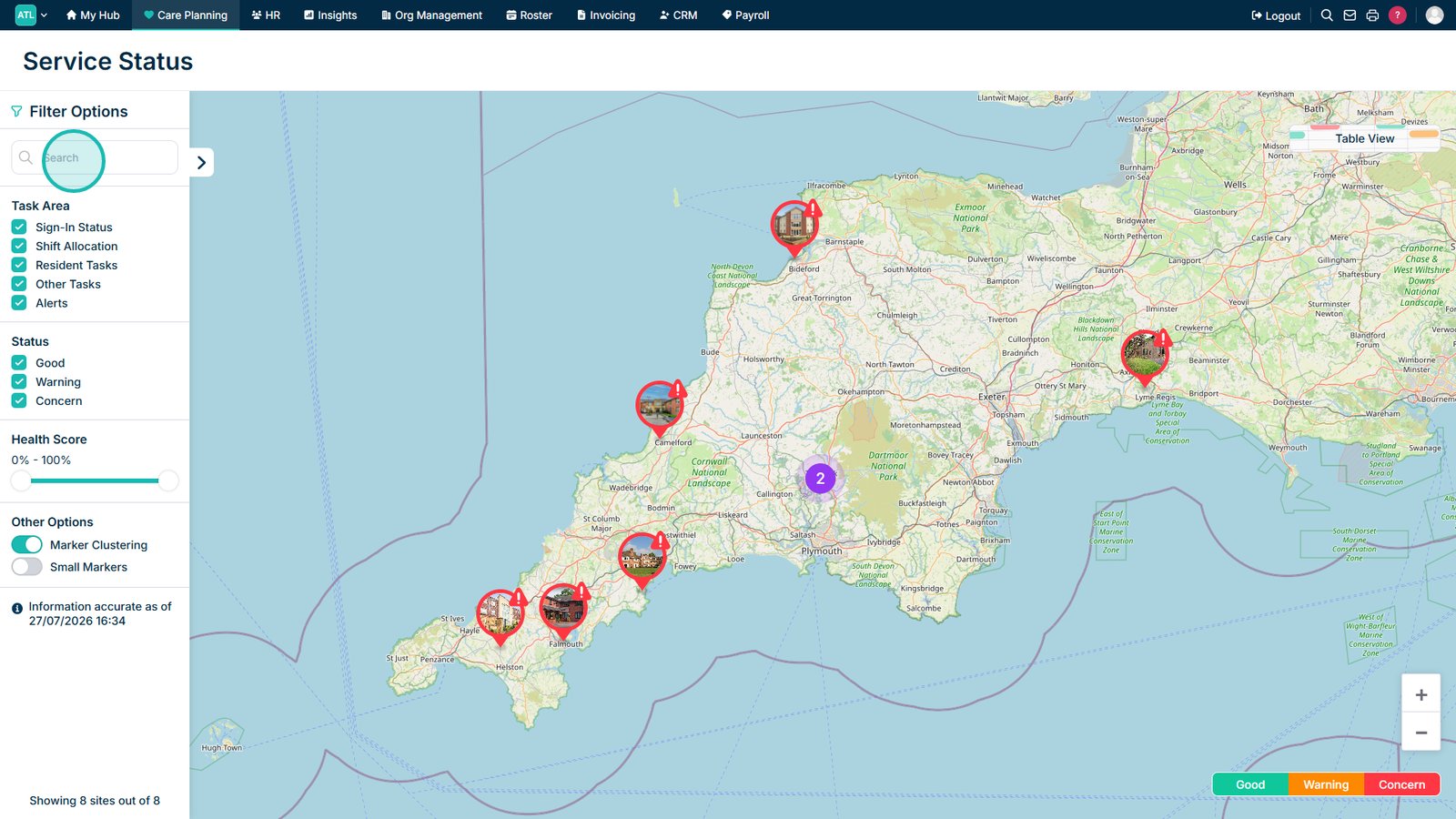
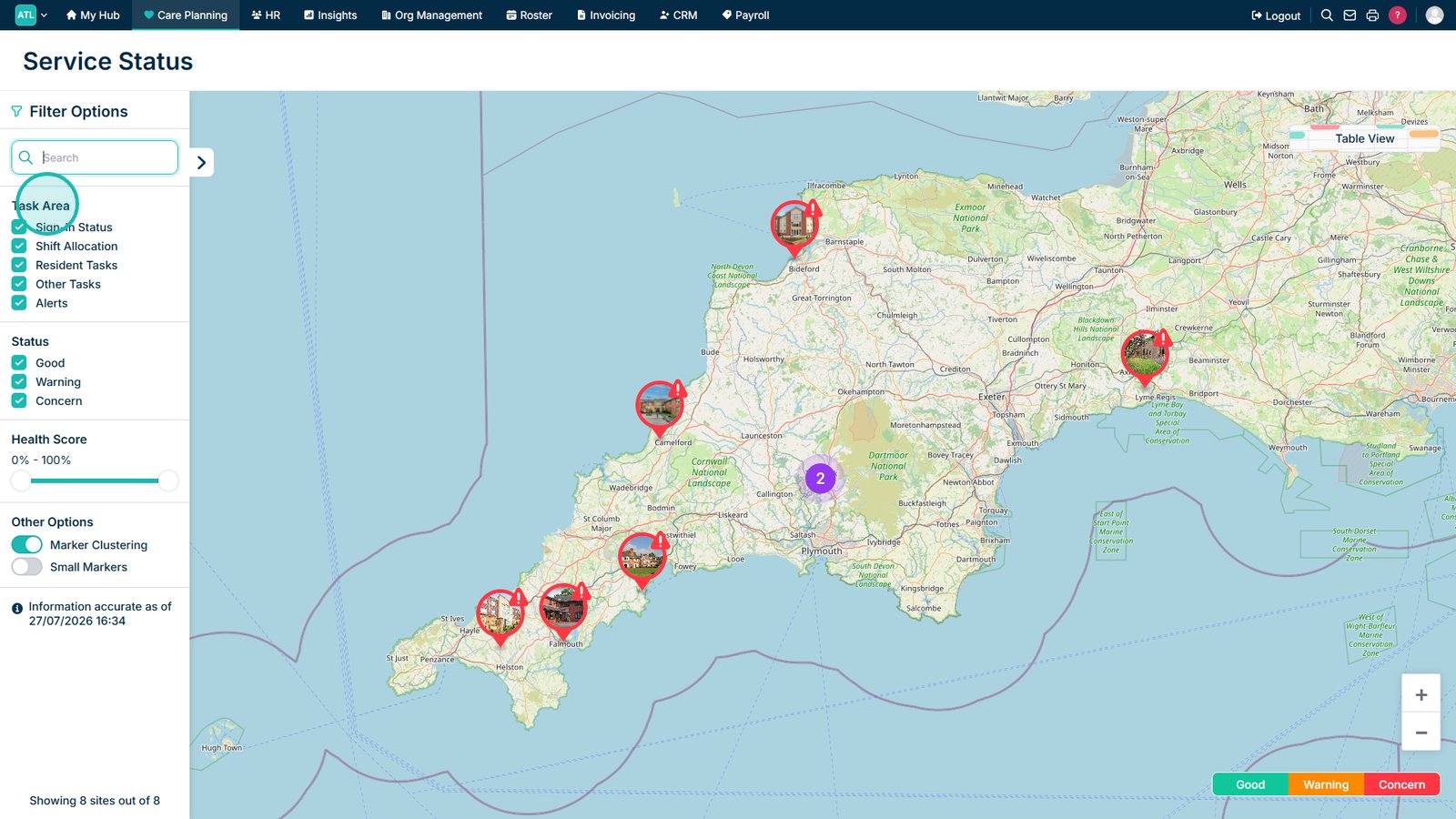
Enter a search term under Filter Options to narrow the map results.

Select a Task Area to filter the map by service area or responsibility.

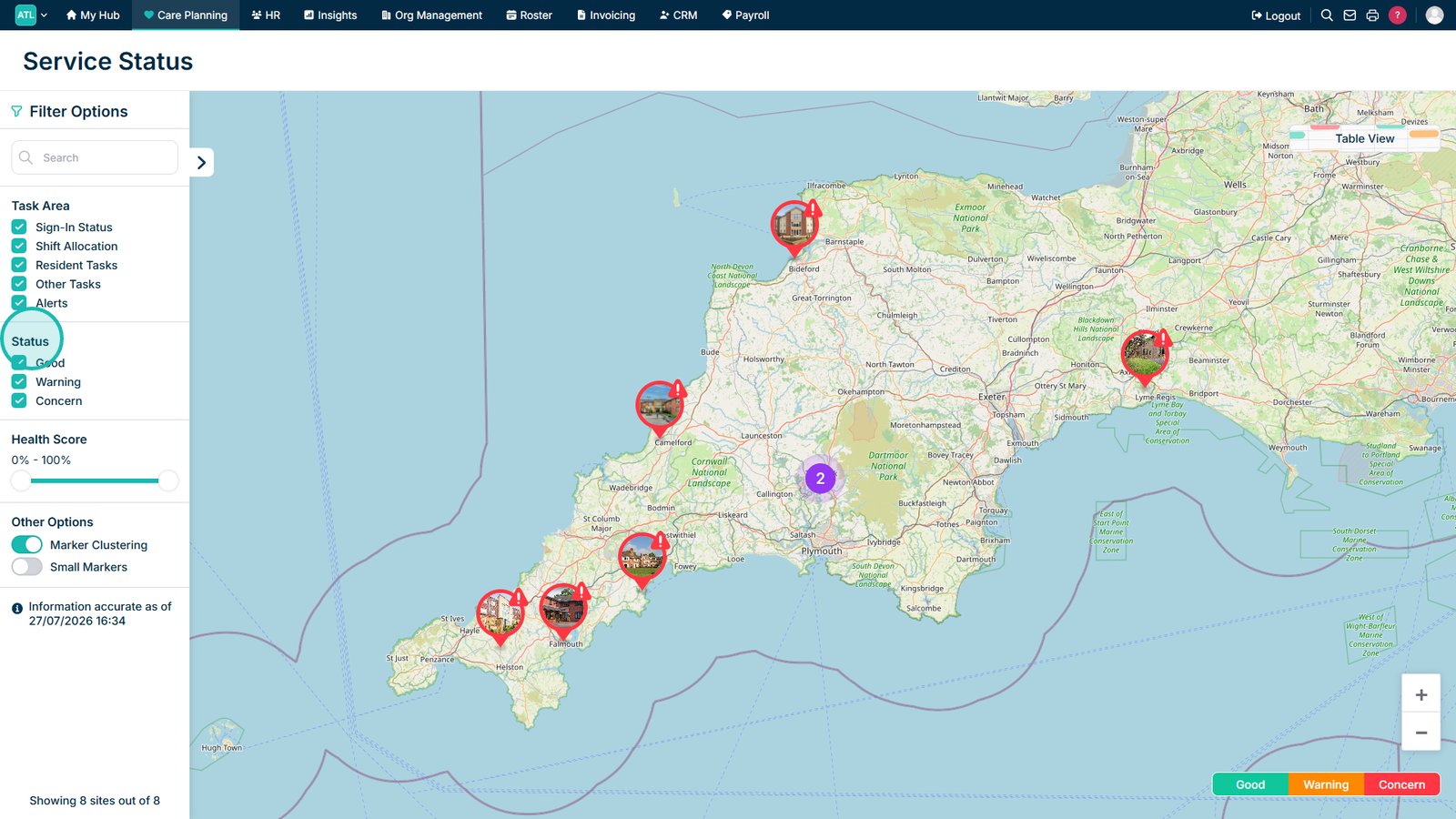
Select a Status to filter the sites shown on the map.

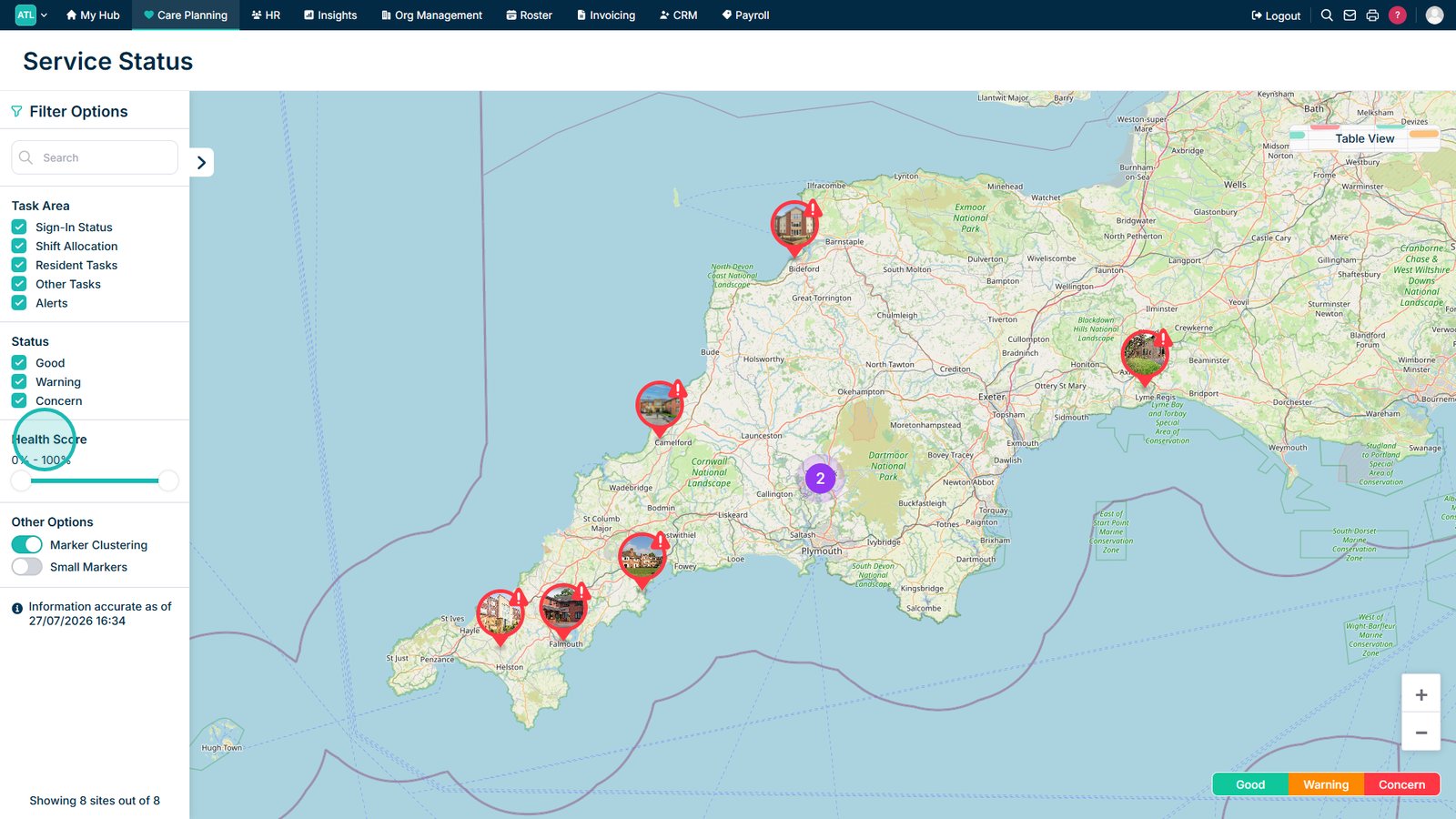
Adjust the health score slider to filter sites by their overall score.

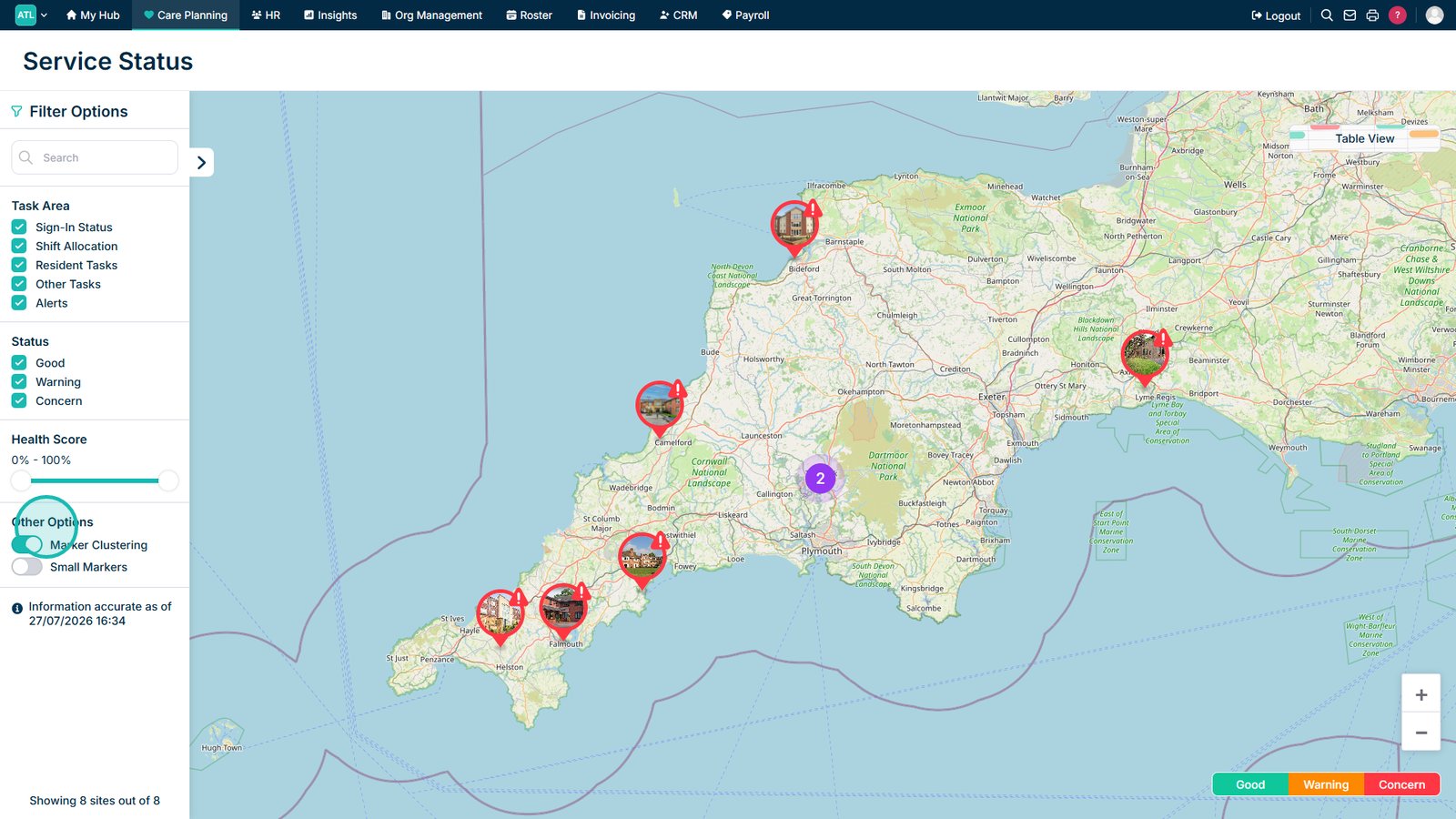
Open Other Options to access additional map settings.

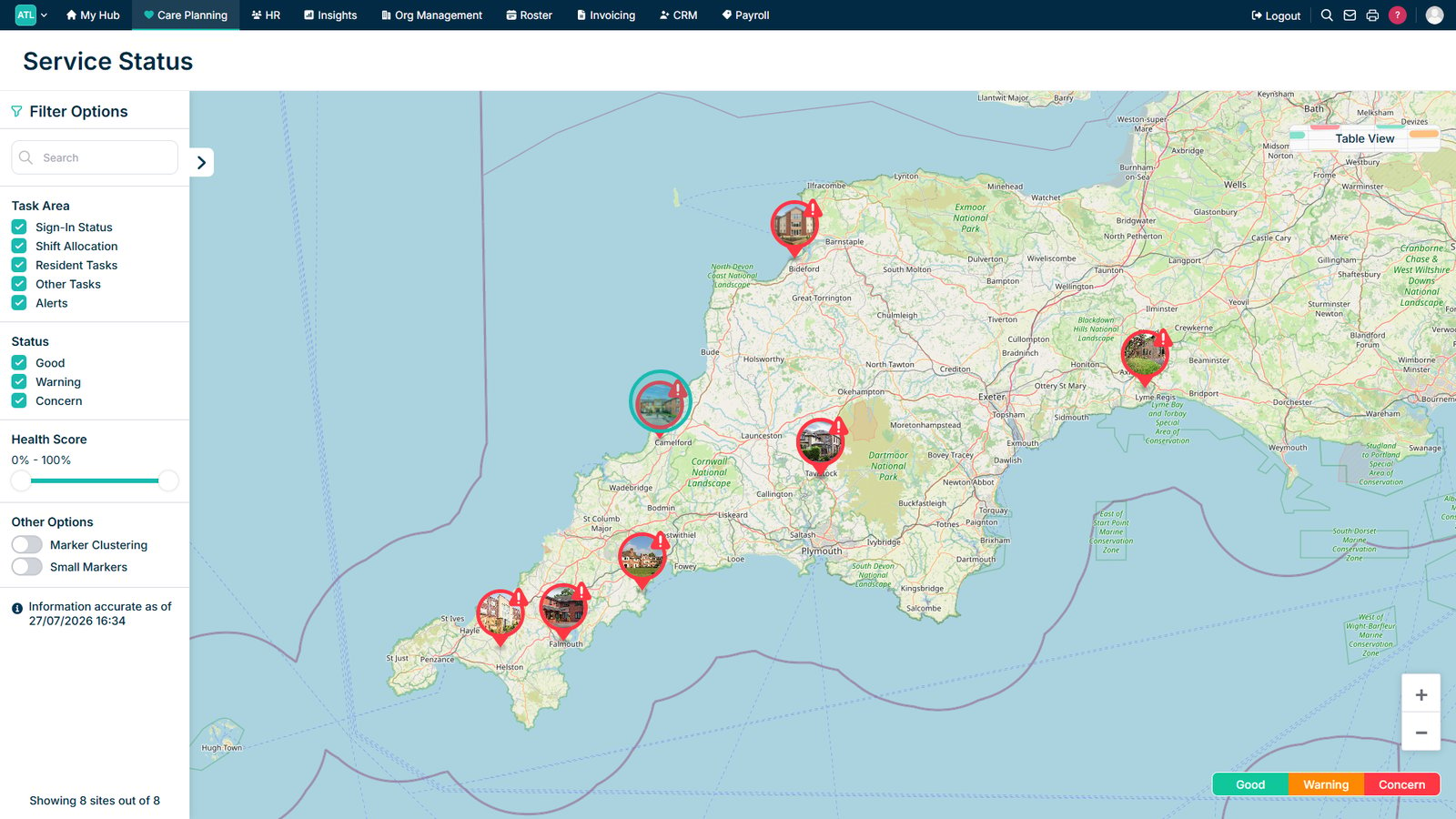
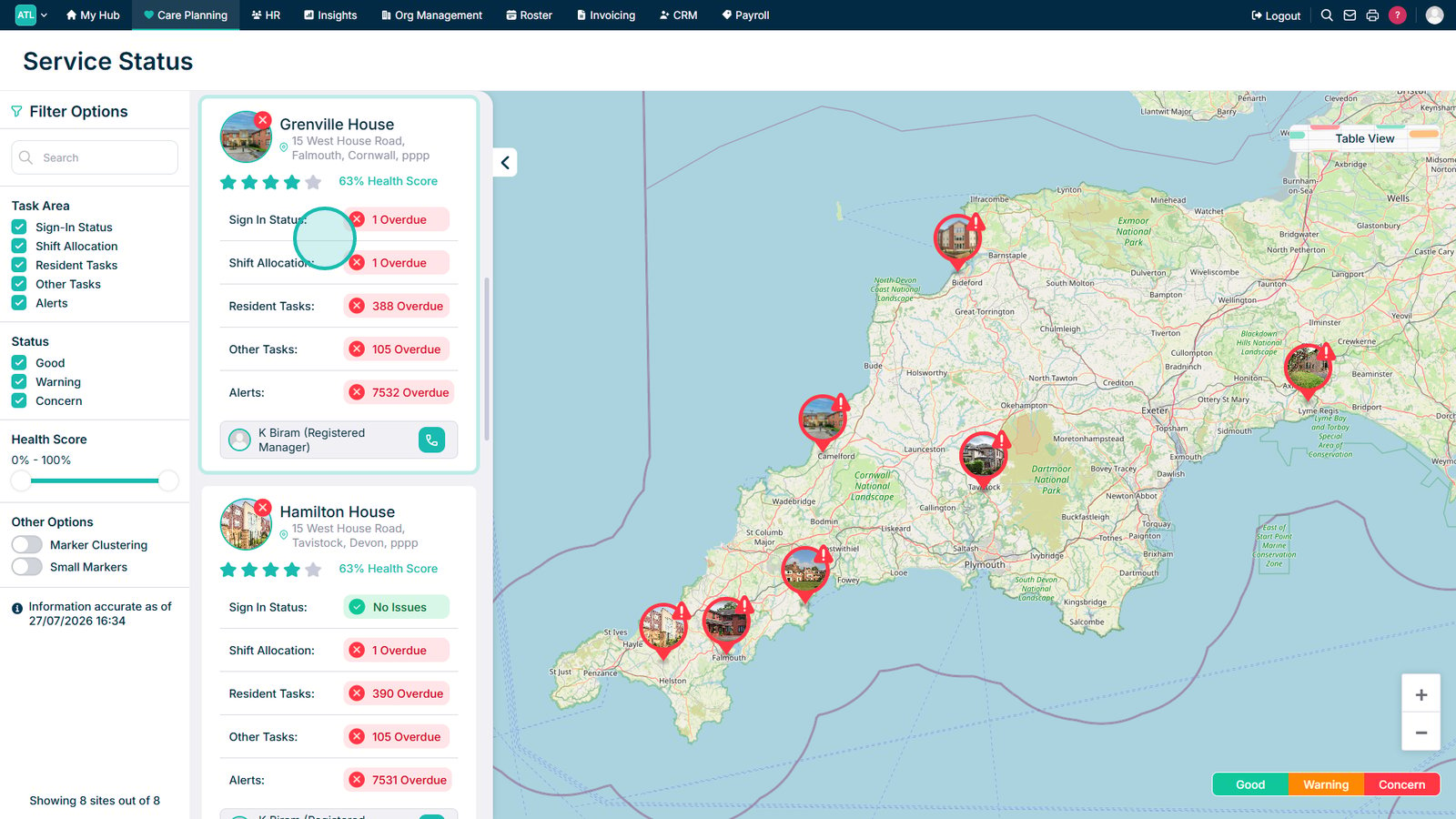
Select a site icon to view its outstanding issues.

Review the site's details and health score.

Top tip

Refresh the dashboard after completing an outstanding task to make sure the latest service status information is displayed.

Was this guide helpful?

Need more help?

Can't find what you're looking for? Our support team is here to help.

Contact Support

Or call us on

On this page