You could win a £250 Amazon gift card! All you need to do is spare us 3 minutes of your time. Click here to find out more!
This guide will cover how to access the Incident Analysis tool from within a service users Care Plan on Care Control Cloud.
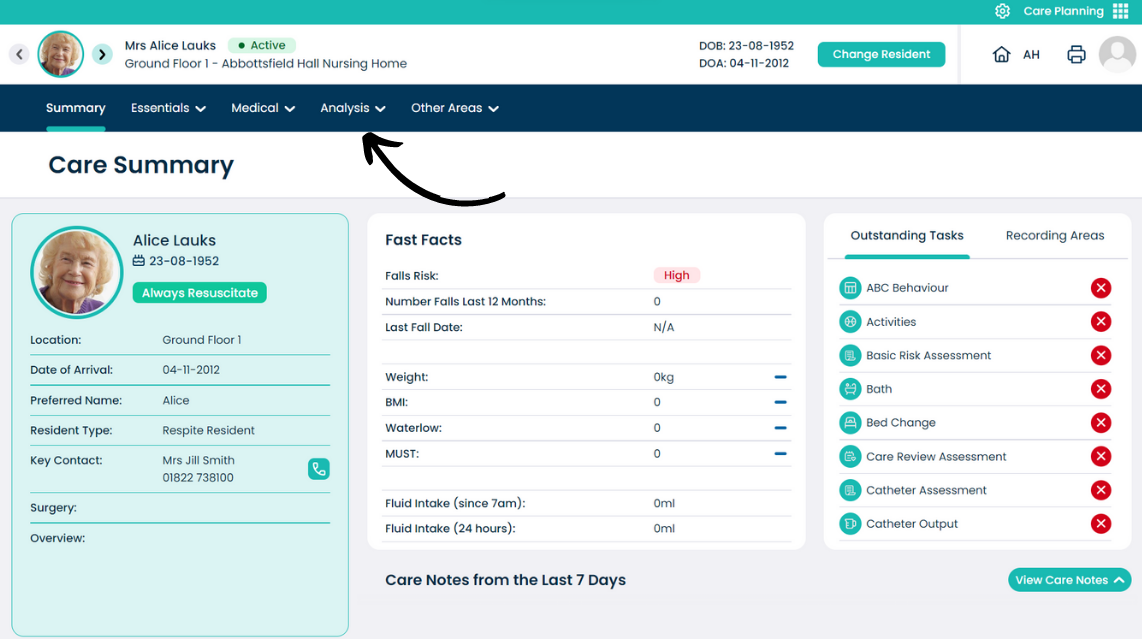
From the Care Plan Summary screen, open the Analysis menu.
Select Incident Analysis.
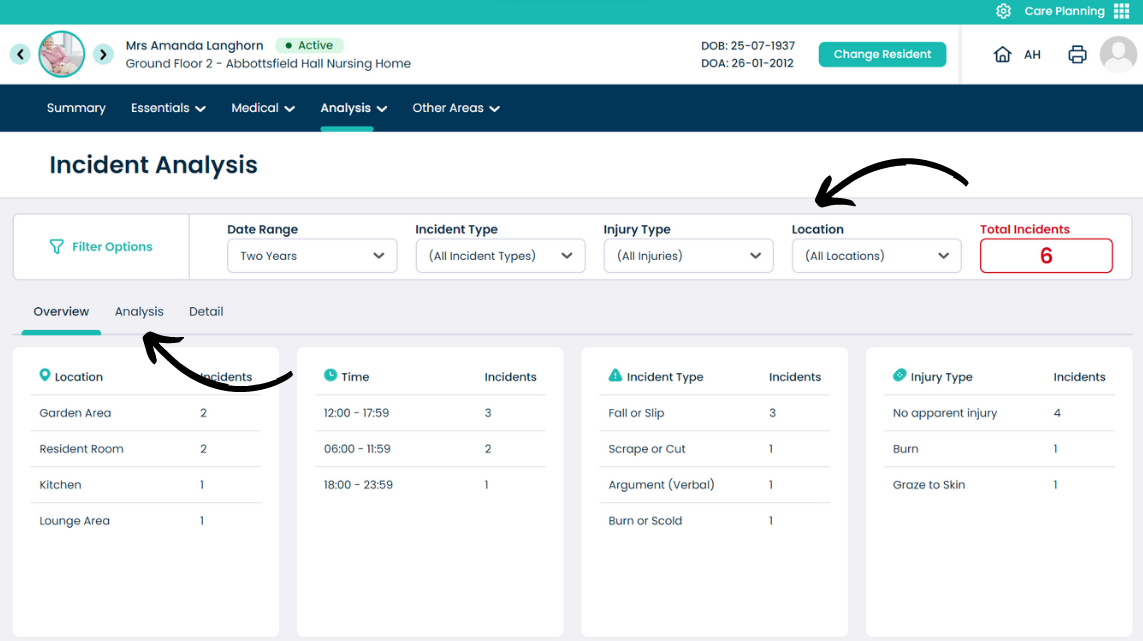
The top of the page is dedicated to filter options. You can narrow down results by Date Range, Incident Type, Injury Type and Location.
The Overview tab shown below gives a summary of the incidents for the selected service user.
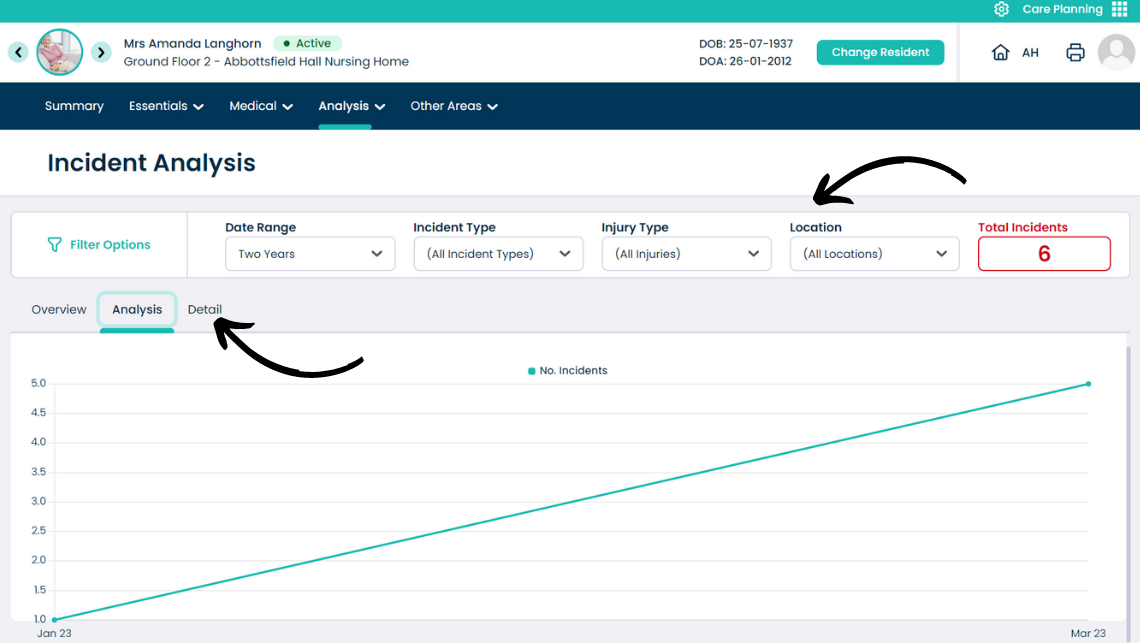
Open the Analysis tab.
This tab displays a graph showing the number of incidents against time.
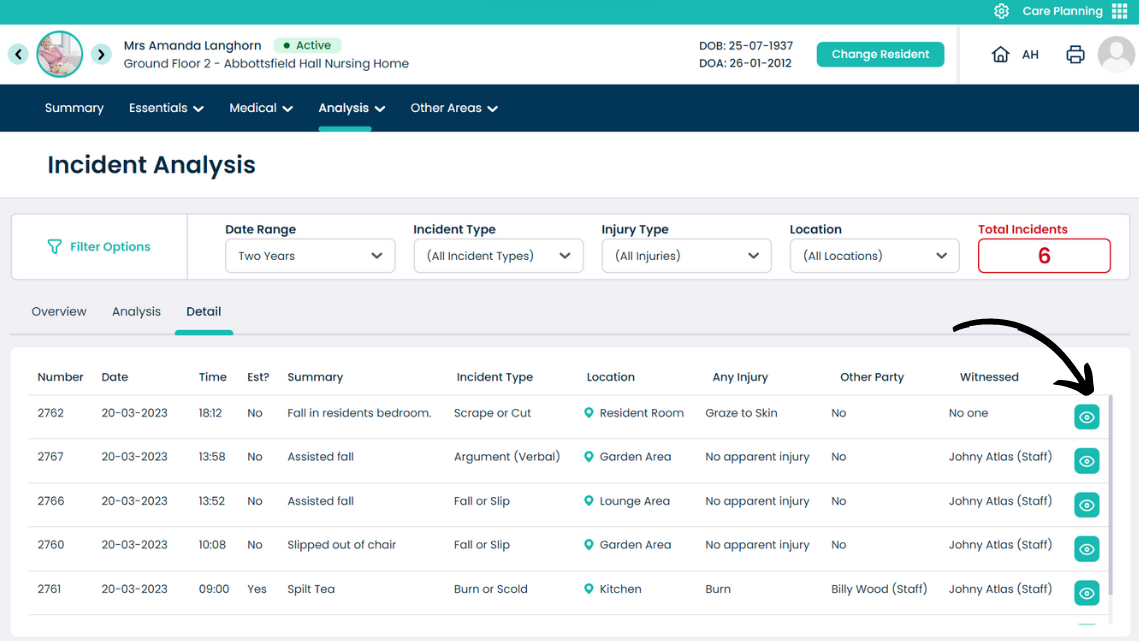
Open the Detail tab.
This tab displays all the incidents in a list format. To view more information about a specific incident, select the eye icon.
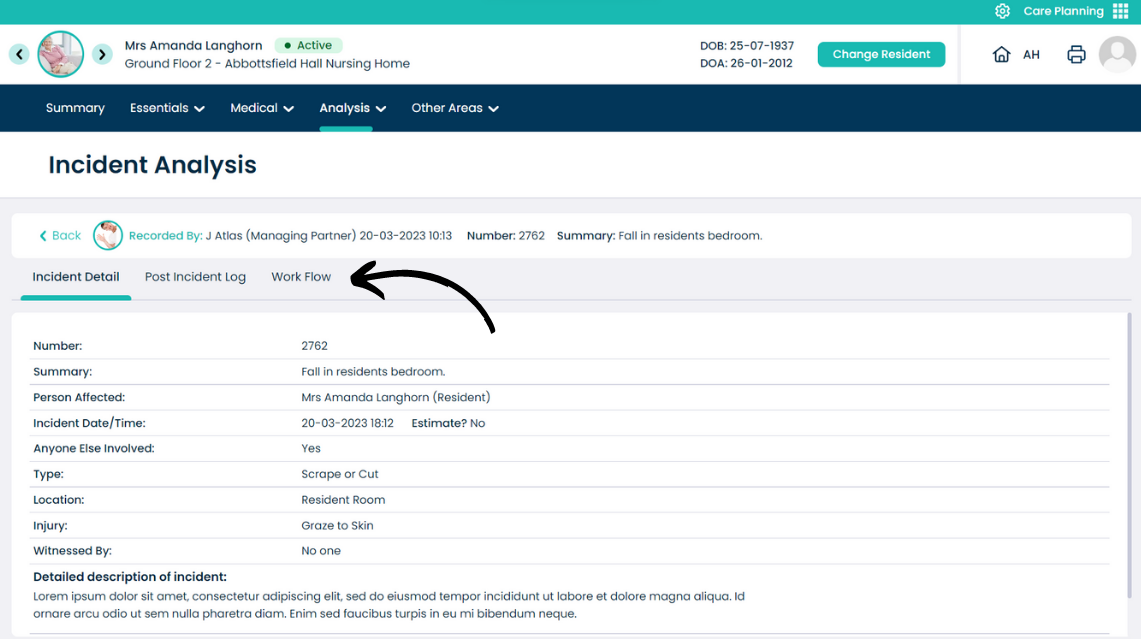
The incident form will open. Here, all the details of the incident can be seen, as well as the Post Incident Log and the Work Flow.