This guide will cover how to assign a manager on a Staff Record as well as viewing the Staff Records within your team.
1
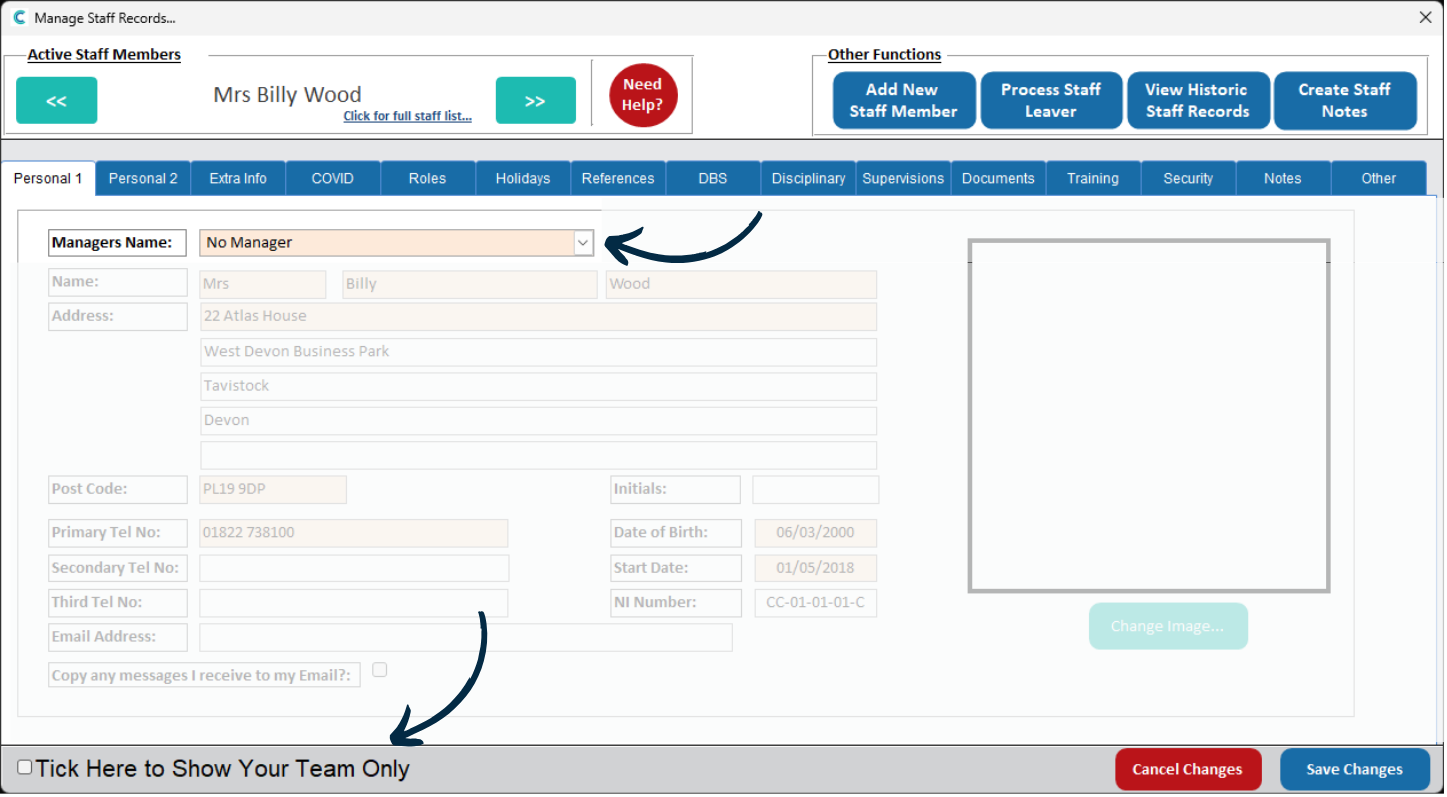
Within the staff records on Care Control Windows, a Manager can be assigned to a staff member. This is chosen from a drop-down list at the top of the Personal 1 tab.
Make sure to Save Changes after making any edits.
2
When someone is assigned as a manager, they can filter the staff records to show just their team via the tickbox in the bottom left of the window.
Make sure to untick this box to view all staff members in your organisation.