Bank Holiday Closure Notice: We will be closed on the 3rd April for the Easter bank holiday, so our customer service team will not be available on this day. If you need to get in touch, you can still use our customer contact form and we will get back to you as soon as possible. Even better, Margo will still be available on our phone lines to help with your queries whenever you need support. We hope you have a lovely Easter weekend 🐣
View Categories
Manager's Scratch Pad
This guide will cover how to use the Managers Scratch Pad on CC Windows. This tool acts as an area where admin staff can quickly record information for other admin staff members to read. This feature works well as a manager handover note facility.
1
In the Administration of Care Control Windows, navigate to the Managers Scratch Pad tool, which can be found under the Care Planning tab.
2
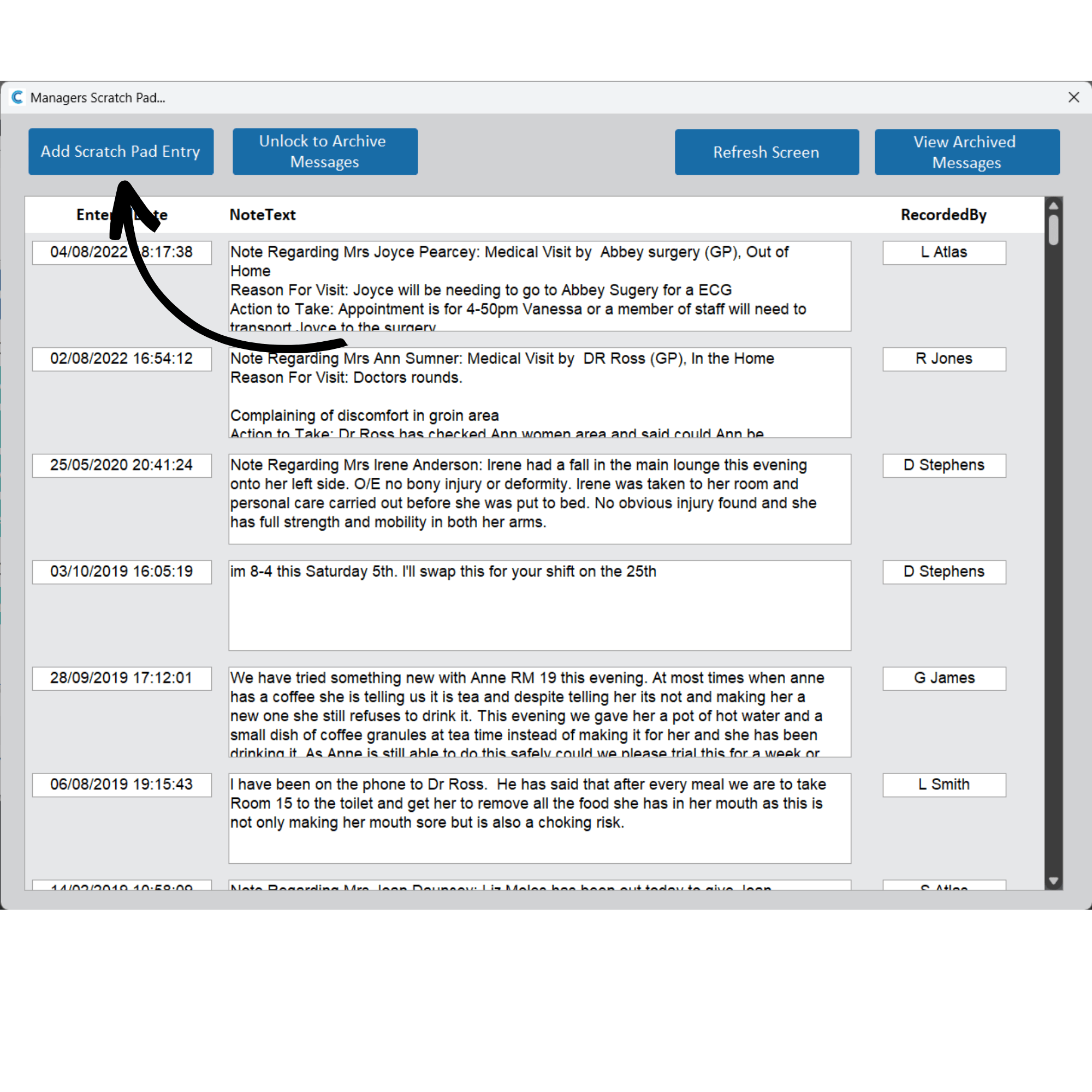
A new window will open. Here, you can view all the recently added notes. This window has 4 buttons:
-Add Scratch Pad Entry – creates a new note
-Unlock to Archive Messages – This allows users to archive specific notes on the scratch pad.
-Refresh Screen – refreshes the notes on the scratch pad
-View Archived Messages – open the historical notes and messages which have been archived.
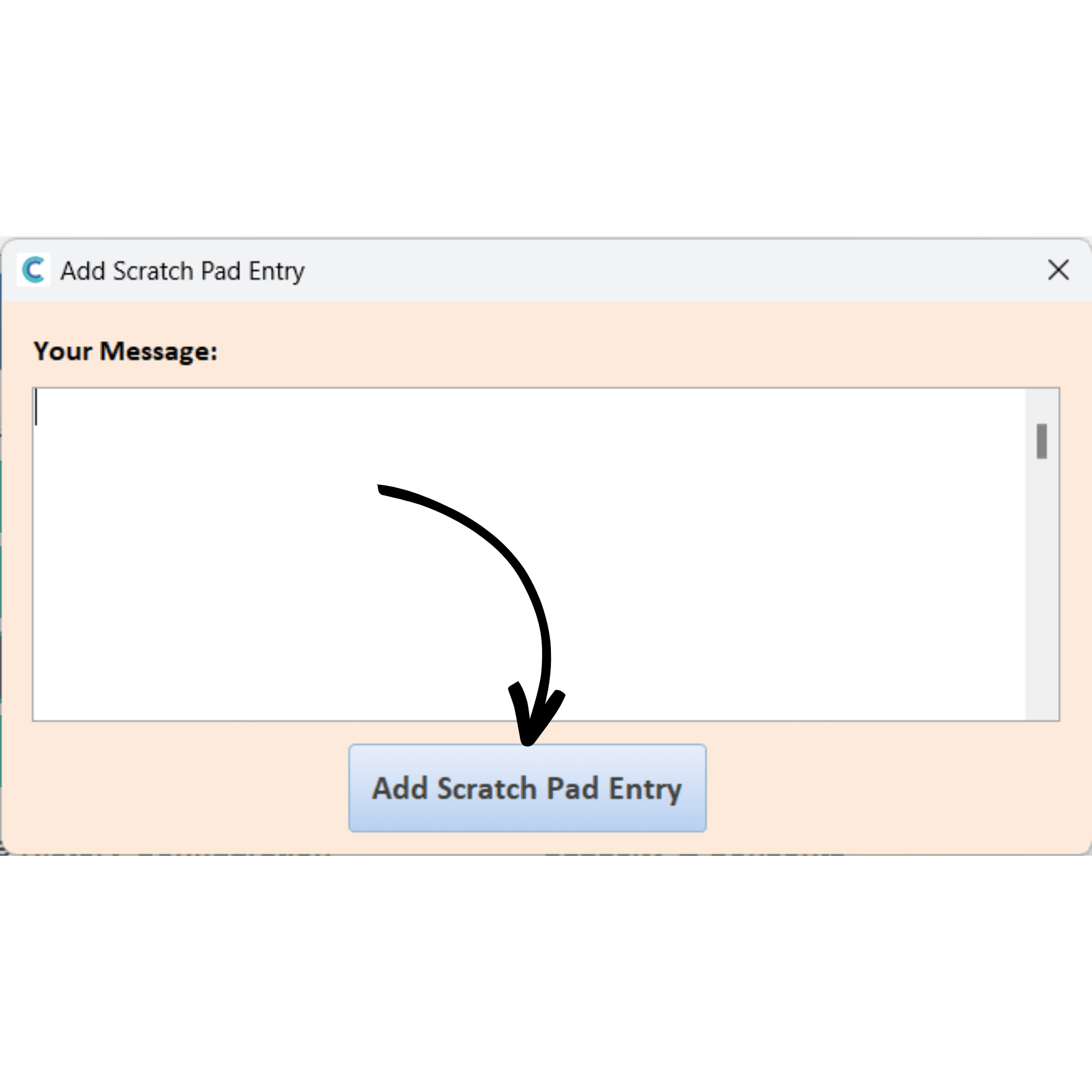
When selecting Add Scratch Pad Entry, a new window will open.
3
Here, you can enter the contents of the message and press AddScratch Pad Entry when done.
4
You can also link General Notes to the scratch pad. When recording a general note, simply tick the box titled Add a copy of note of the Managers Scratch Pad.