Bank Holiday Closure Notice: We will be closed on the 3rd April for the Easter bank holiday, so our customer service team will not be available on this day. If you need to get in touch, you can still use our customer contact form and we will get back to you as soon as possible. Even better, Margo will still be available on our phone lines to help with your queries whenever you need support. We hope you have a lovely Easter weekend 🐣
View Categories
Medical History & Diagnoses
This guide will cover how to access the History & Diagnoses module from the Care Plan in Care Control Cloud. Here, ongoing diagnoses and historic procedures can be recorded.
1
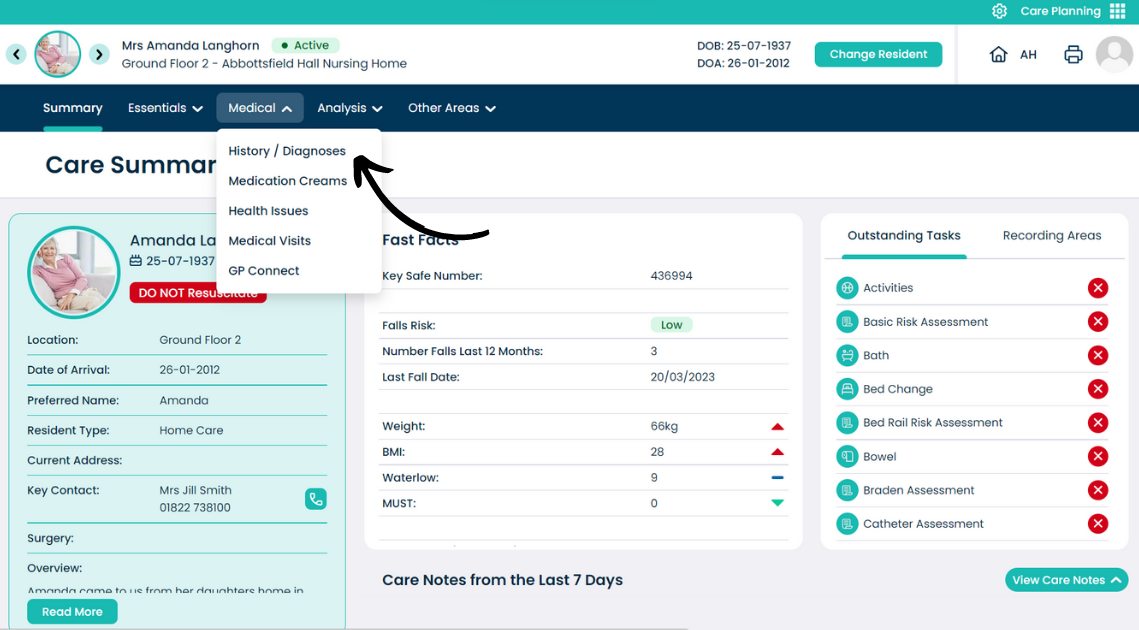
From the Care Plan Summary page, open the Medical menu.
2
Select History & Diagnoses.
3
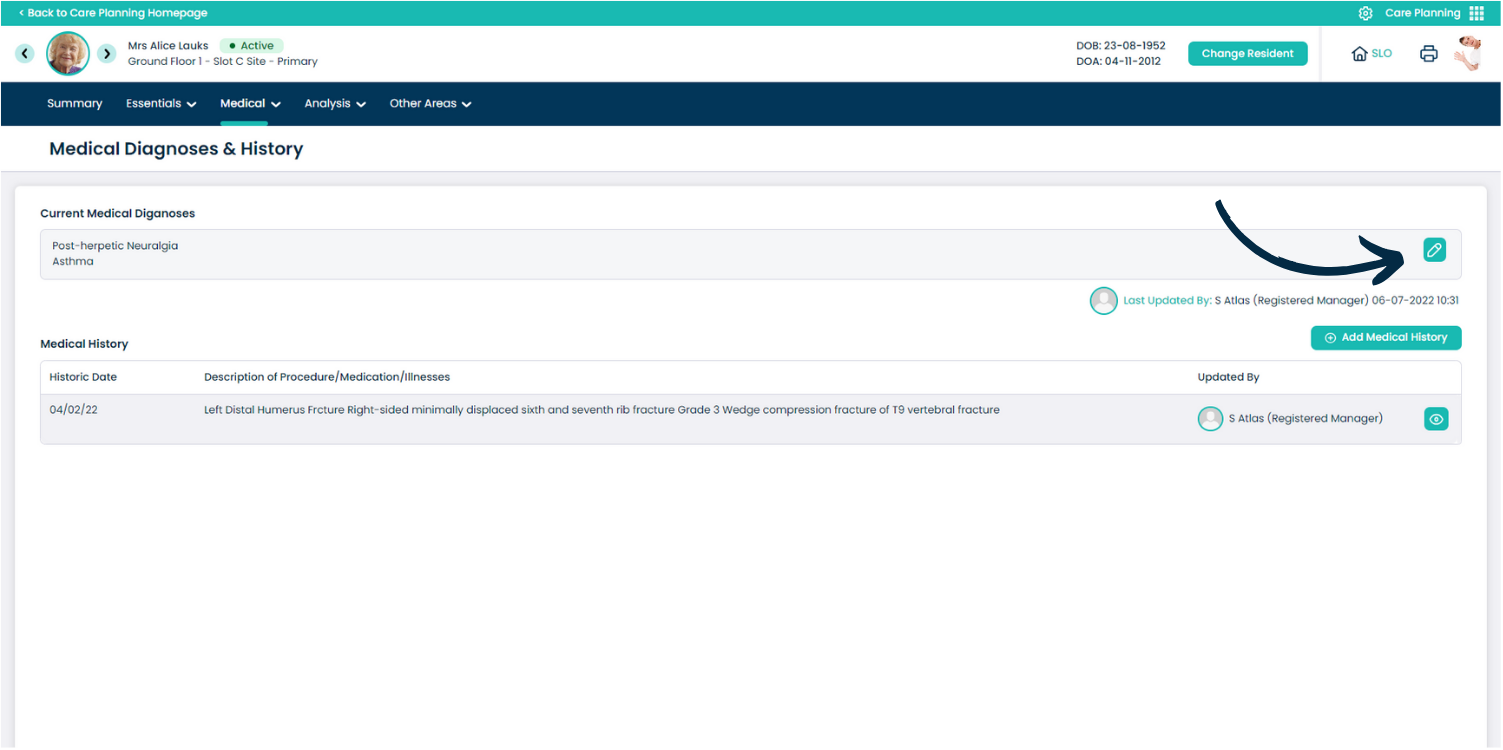
A new page will open. This section is split into two areas:
The Current Medical Diagnoses and Medical History.
You can amend the Current Medical Diagnoses by pressing the Edit Icon on the right hand side.
4
A new window will pop up. Here, you can amend and add to the text here.
Press Save Changes.
5
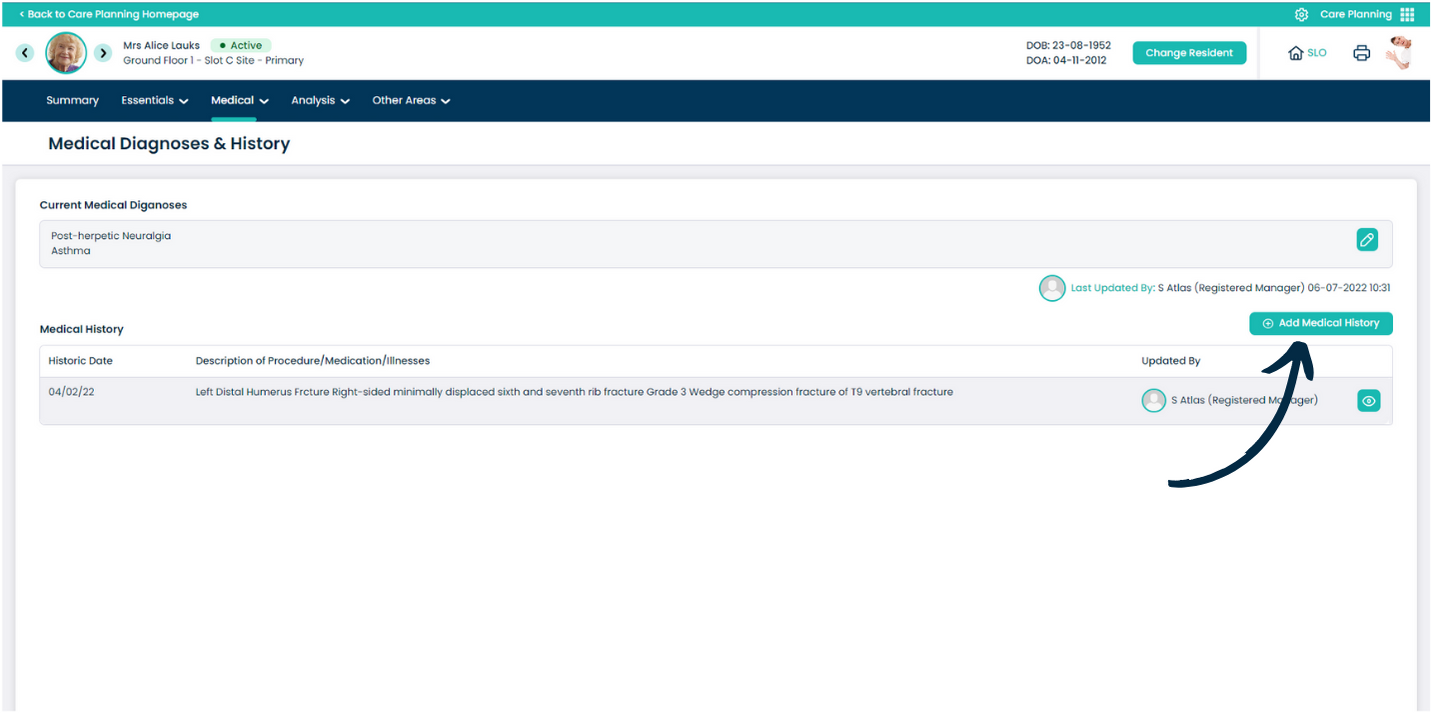
The Medical History is for any historic procedures, illnesses or medications.
Press Add Medical History to record one.
6
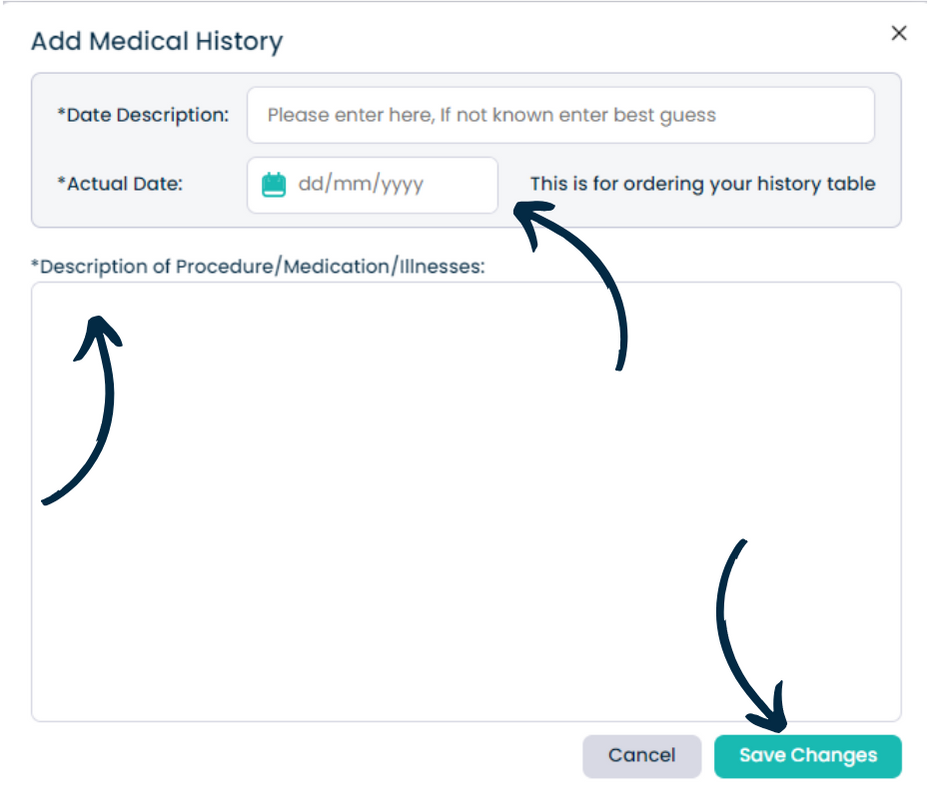
A new window will pop-up. Here, begin by adding a Date Description and Actual Date.
This could be ‘Roughly January 2017‘ as the description, then ‘01/01/2017′ for the actual date. The actual date is purely so the medical histories can be ordered in a table, the description can then state roughly or exactly when the record was.
Next, enter a written Description of the procedure / illness / medication.
Finally, press Save Changes to add it to the Care Plan.