This guide will cover how to use the Monitoring Analysis tool on CC Windows. This feature allows for analysis of key monitoring areas such as fluid intake, movement and sleep monitoring.
1
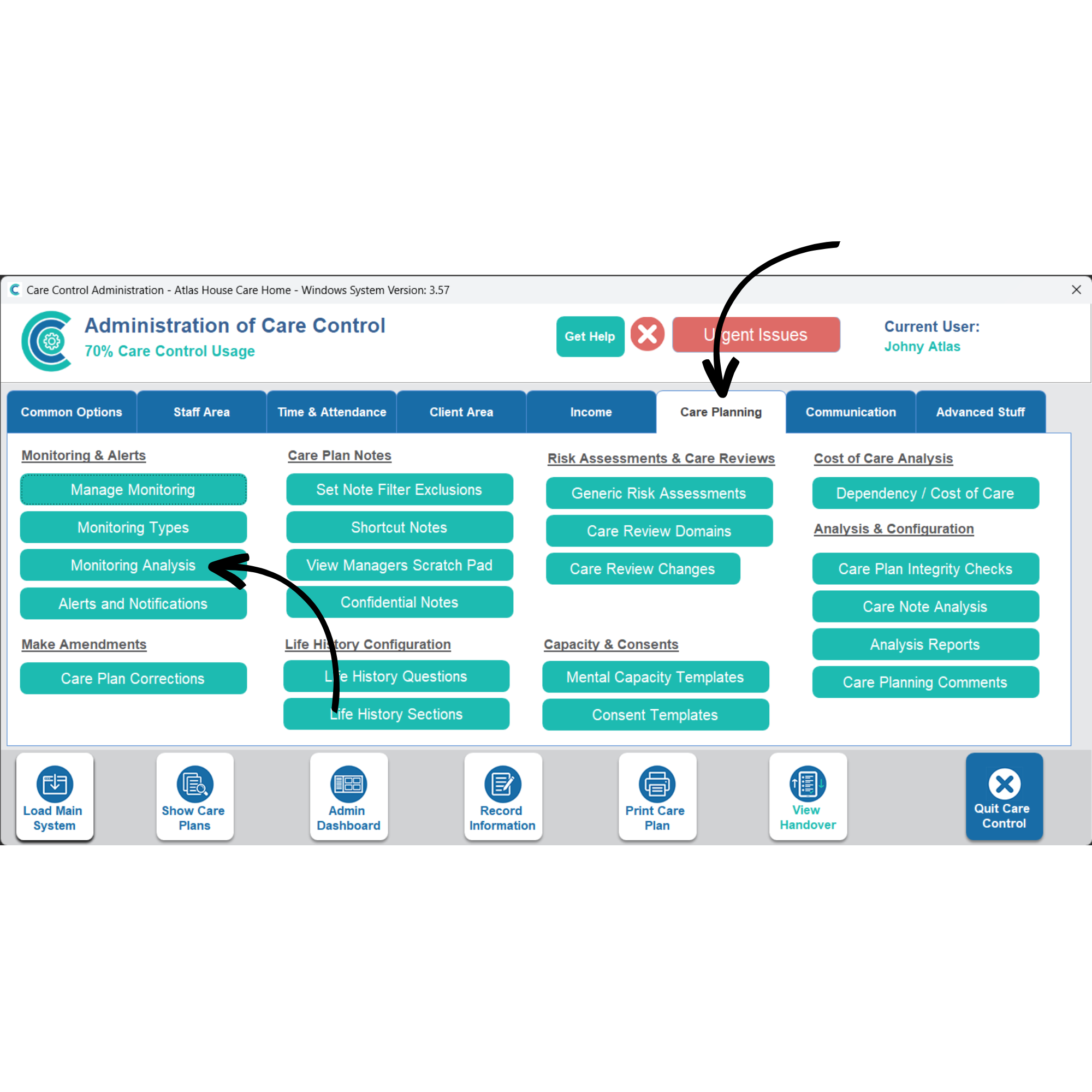
In the Administration of Care Control Windows, navigate to the Monitoring Analysis tool, which can be found under the Care Planning tab.
2
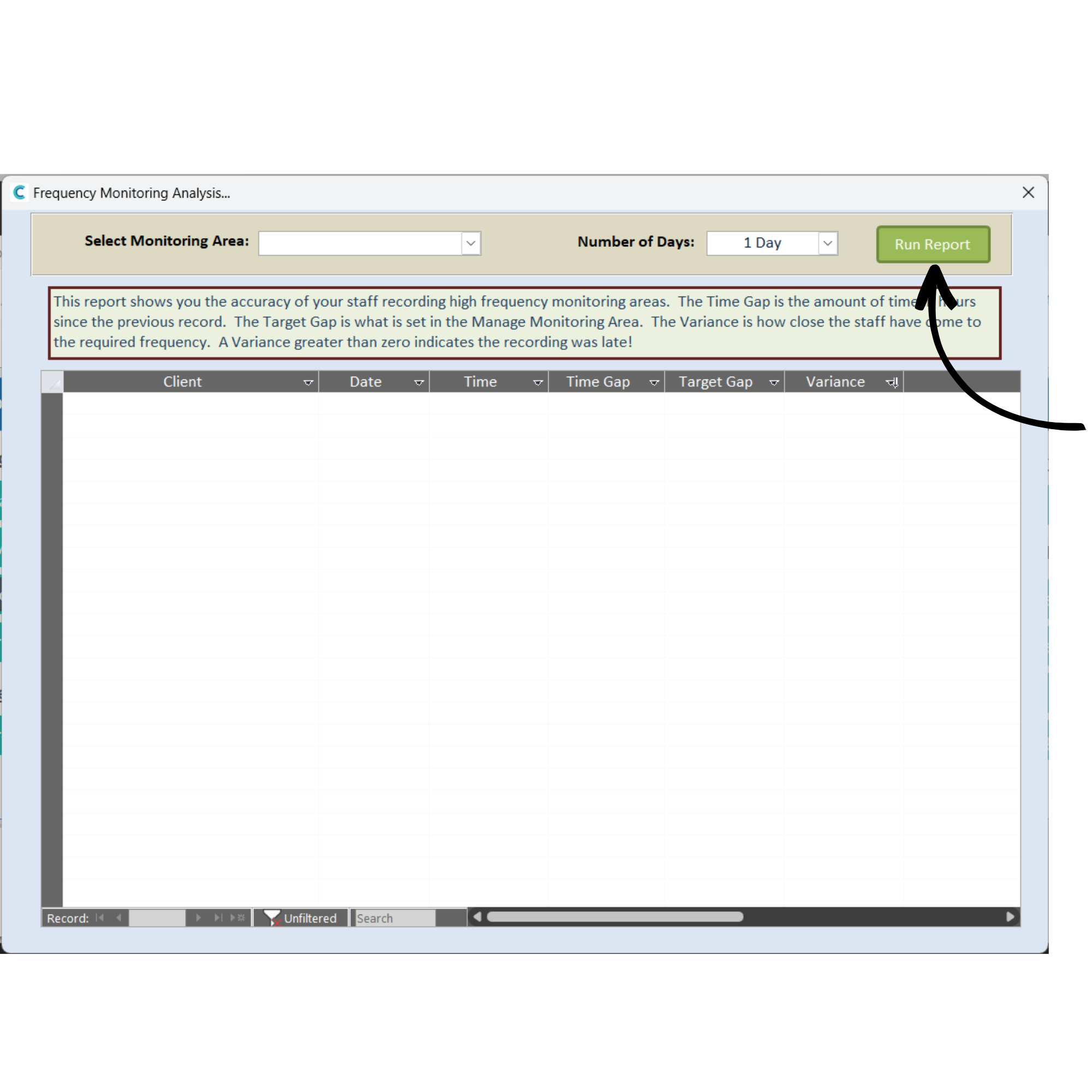
A new window will open. Here, select a Monitoring Area from the drop-down list, as well as the Number of Days of data for the report to load.
Press Run Report after choosing the parameters.
3
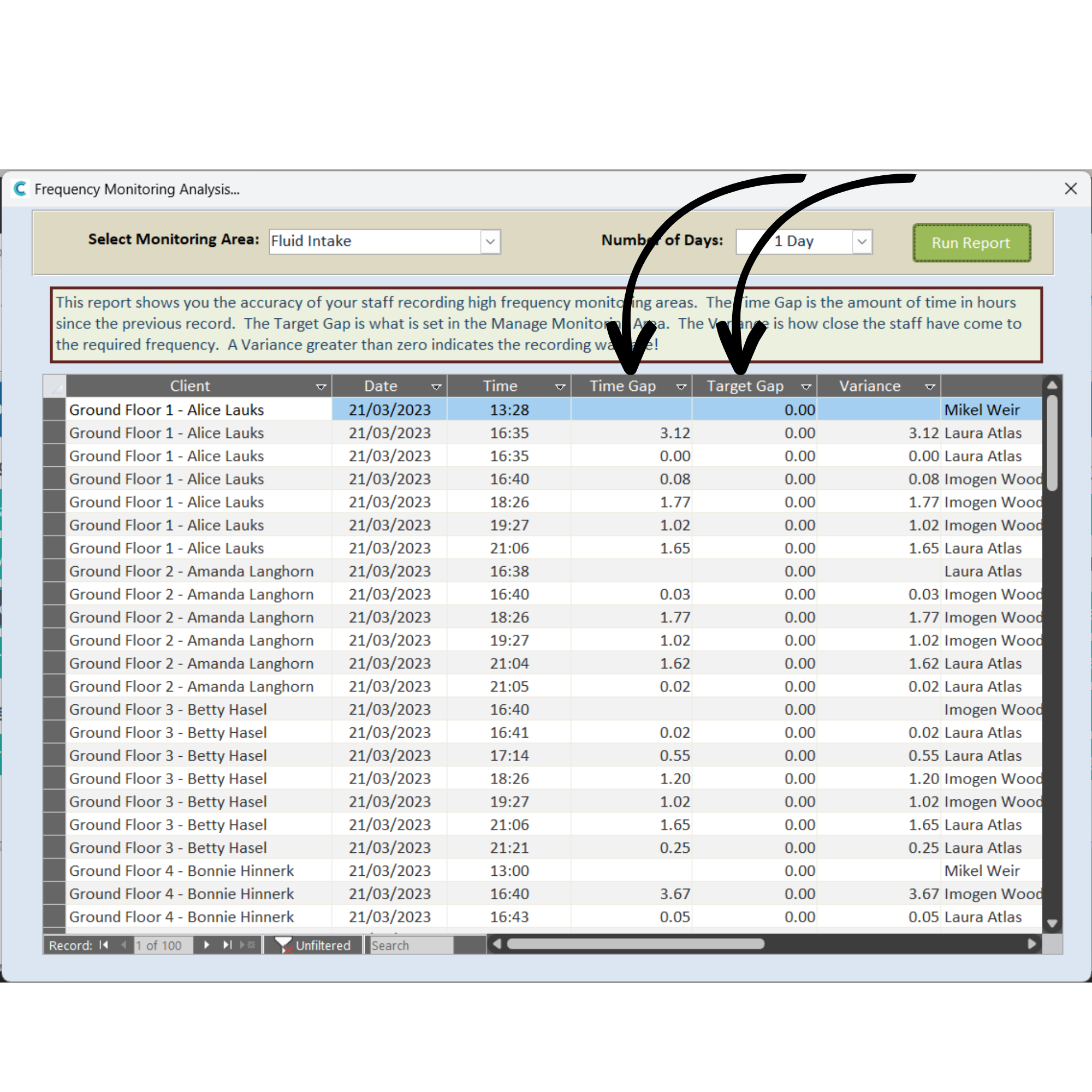
In this example, we are loading Fluid Intake data from the past day.
A list of fluid intake recordings will load for each of your service users, along with the date and time of recording.
The Time Gap is the amount of time (in hours) since the previous recording. The Target Gap is the pre-set time goal (in hours) between recordings. The Variance is how close the staff members have gotten to the desired frequency.
A positive variance number indicates the recording is late, a negative variance number indicates the recording is early.