This guide will cover how to access and amend the Monitoring Defaults for new service users on your system. This requires administrator access to Care Control Windows.
1
In the Administration of Care Control Windows, select Manage Monitoring, which can be found under the Common Options and Care Planning tabs.
2
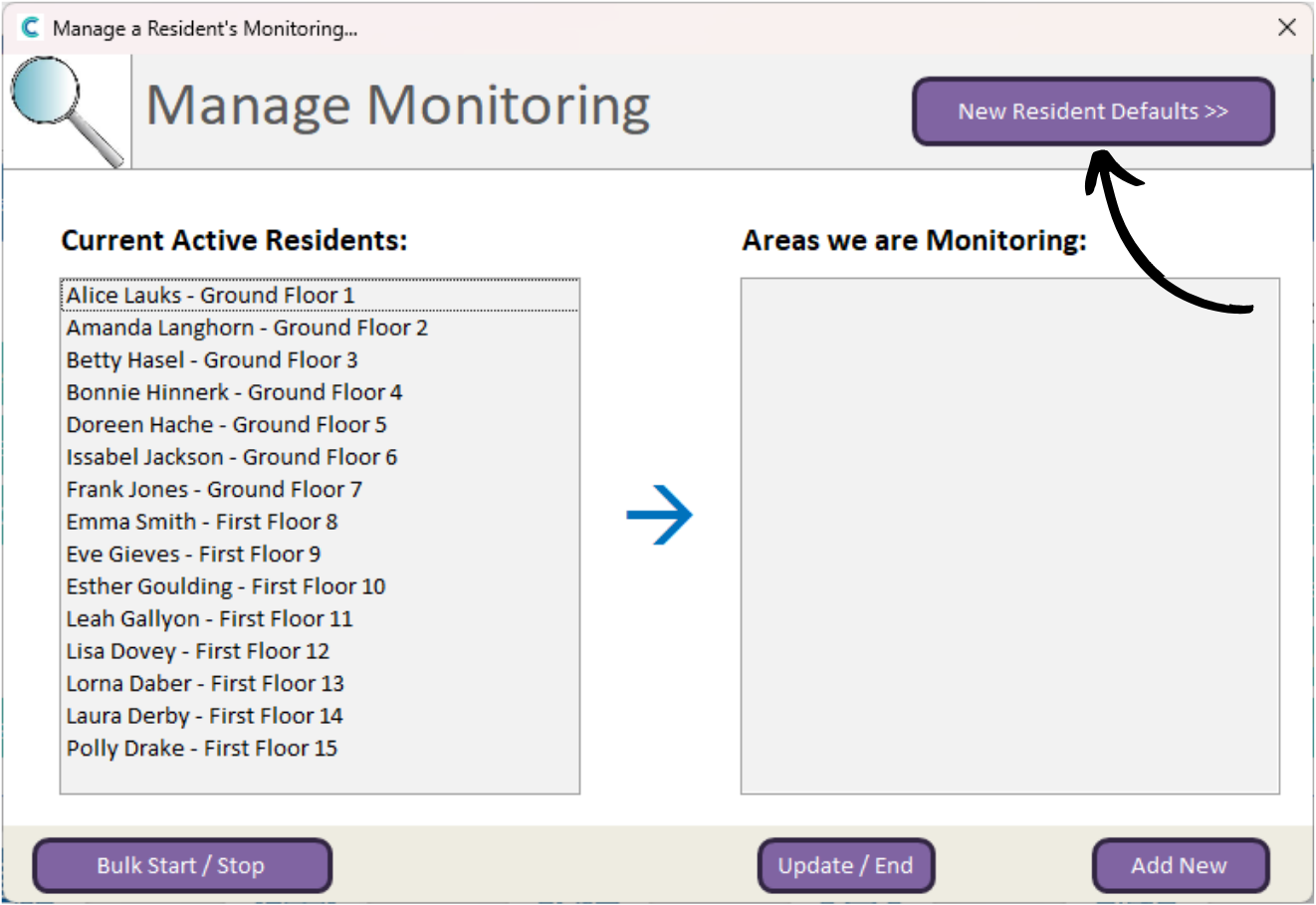
The Manage Monitoring window will open. Press the New Resident Defaults button at the top.
3
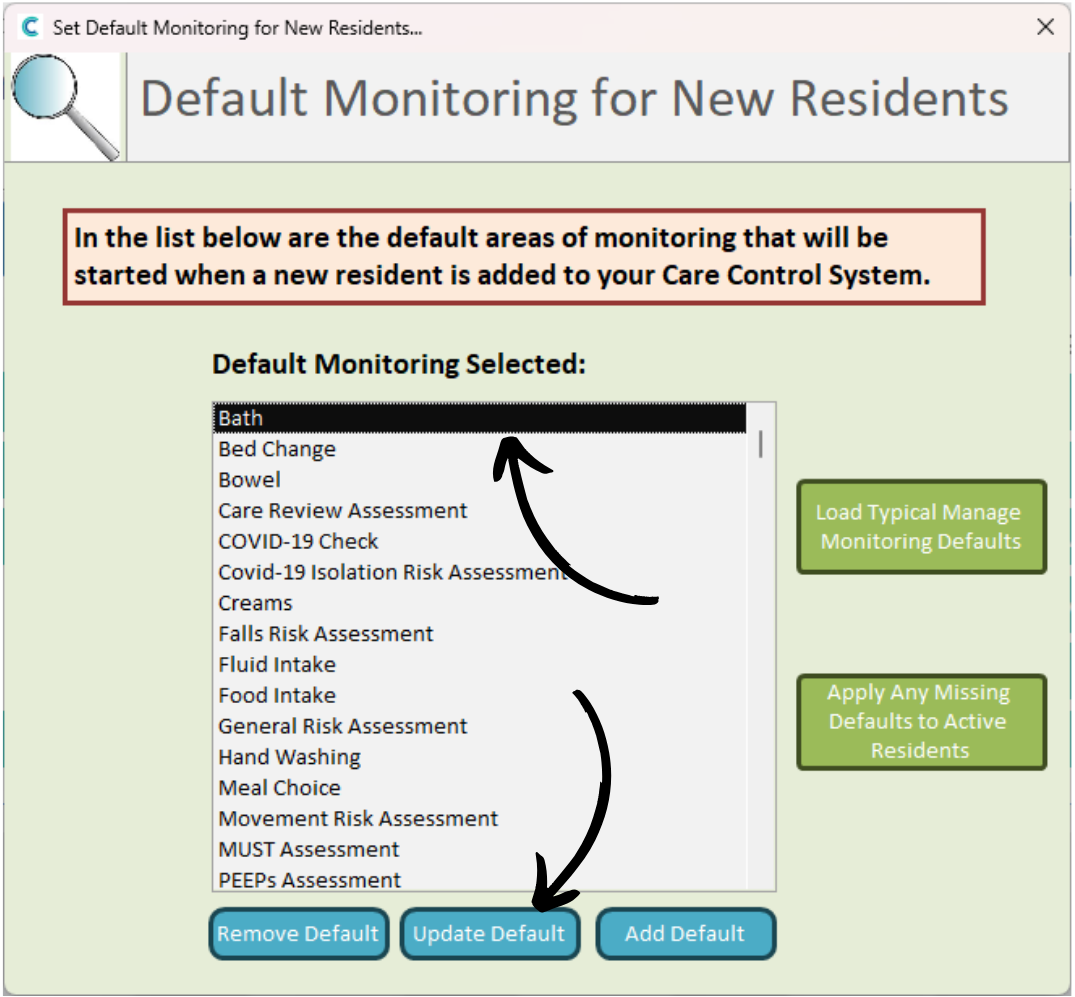
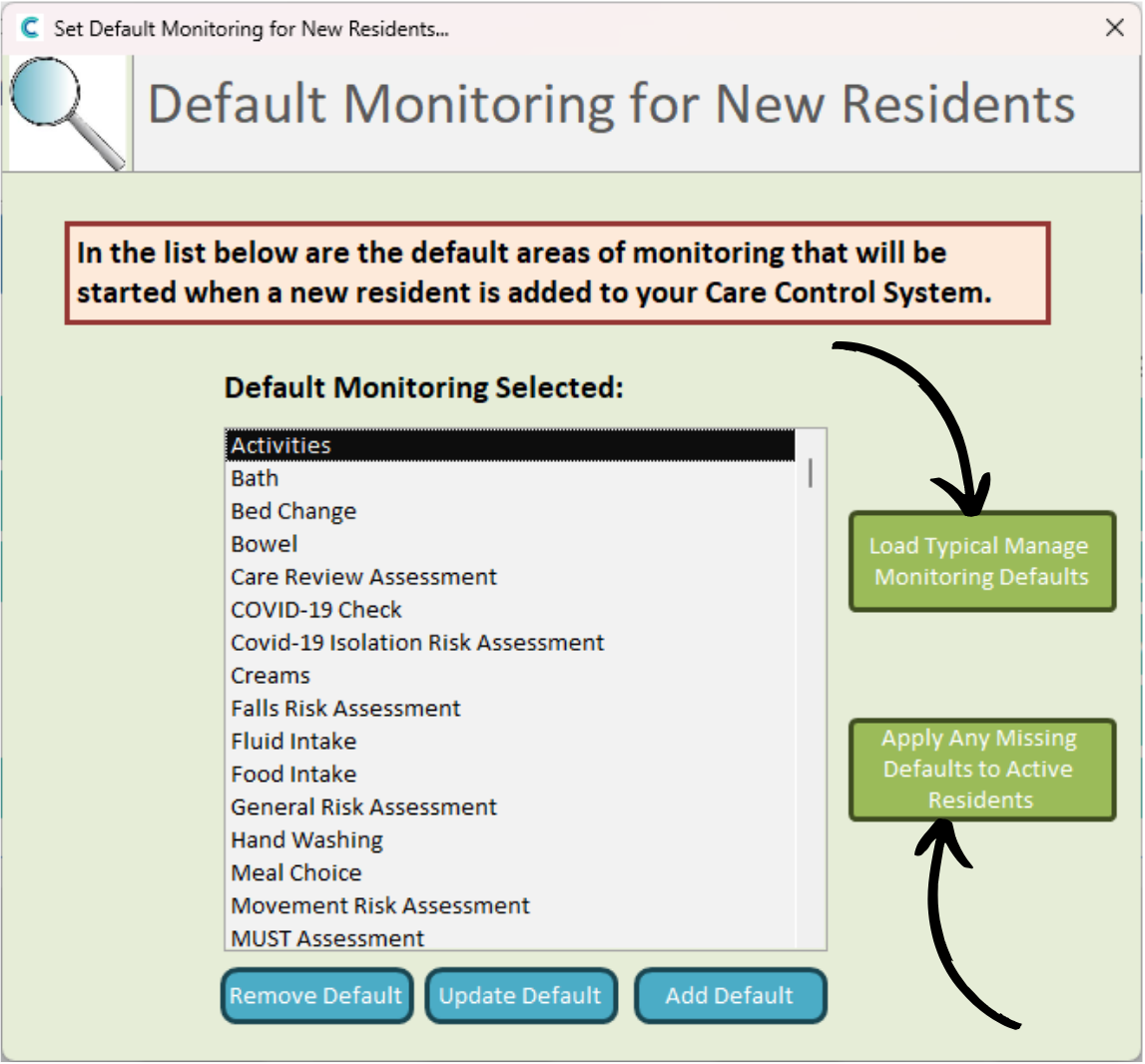
A list of the current monitoring defaults will be displayed. We will begin by removing an unwanted monitoring area.
4
Simply select the item on the list and press Remove Default.
5
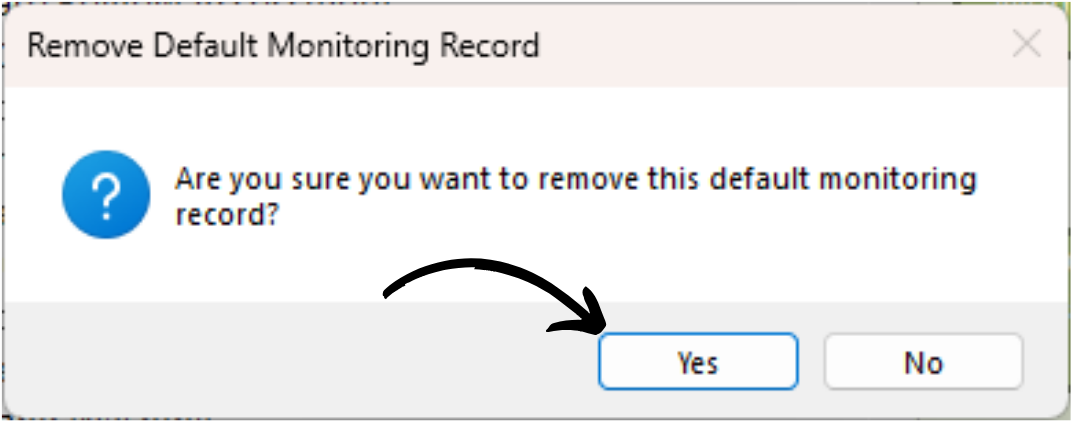
Press Yes to confirm the changes.
6
The item is no longer a default on your system.
We will now update a default monitoring. Again, select the item from the list but this time, press Update Default.
7
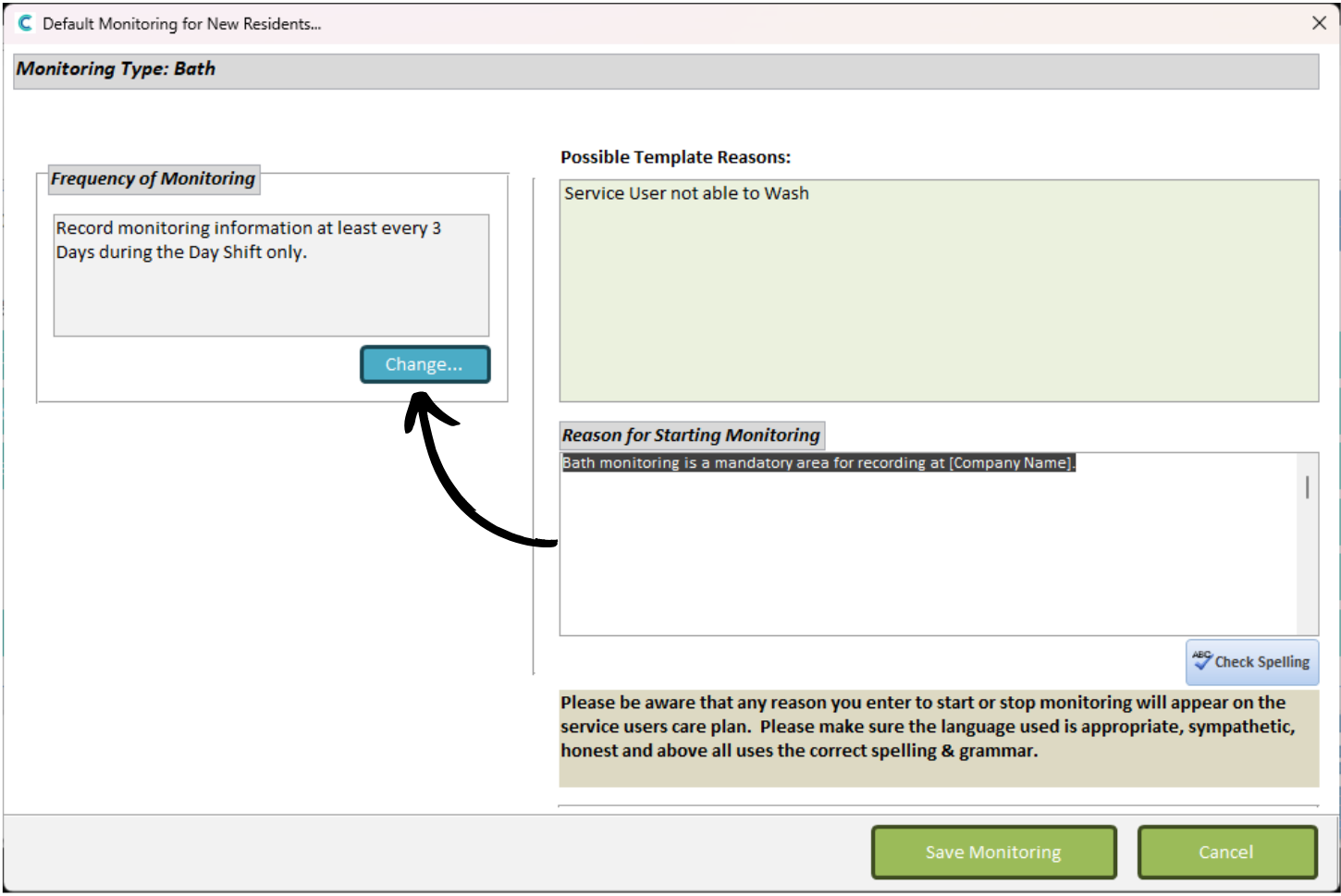
This will open the information associated with the selected monitoring area.
Here, we can change the Frequency of the monitoring as well as the Reason for it.
Press Change to update the frequency.
8
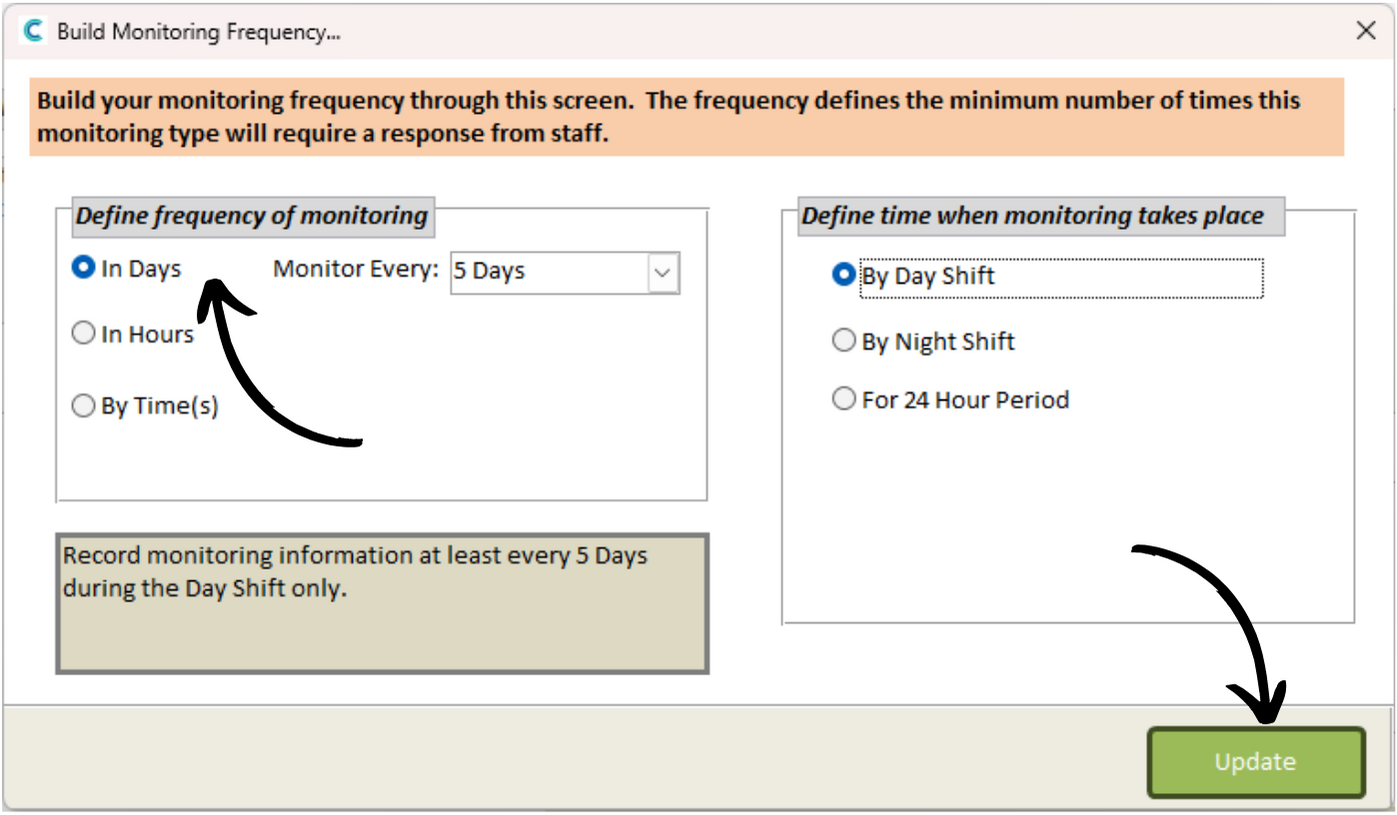
This is how often the monitoring area will be required to be recorded on the system. Think of this as a bare minimum. You will still be able to record the monitoring area if the bare minimum has already been met.
Choose Days, Hours or By Time and select a frequency that suits you. You can also set when the monitoring check takes place – by day shift, night shift or in a 24 hour period.
Press Update after making any changes.
9
We will now add a new default monitoring area.
Press Add Default to begin.
10
Select a monitoring area you wish to add from the drop-down list and press Continue.
11
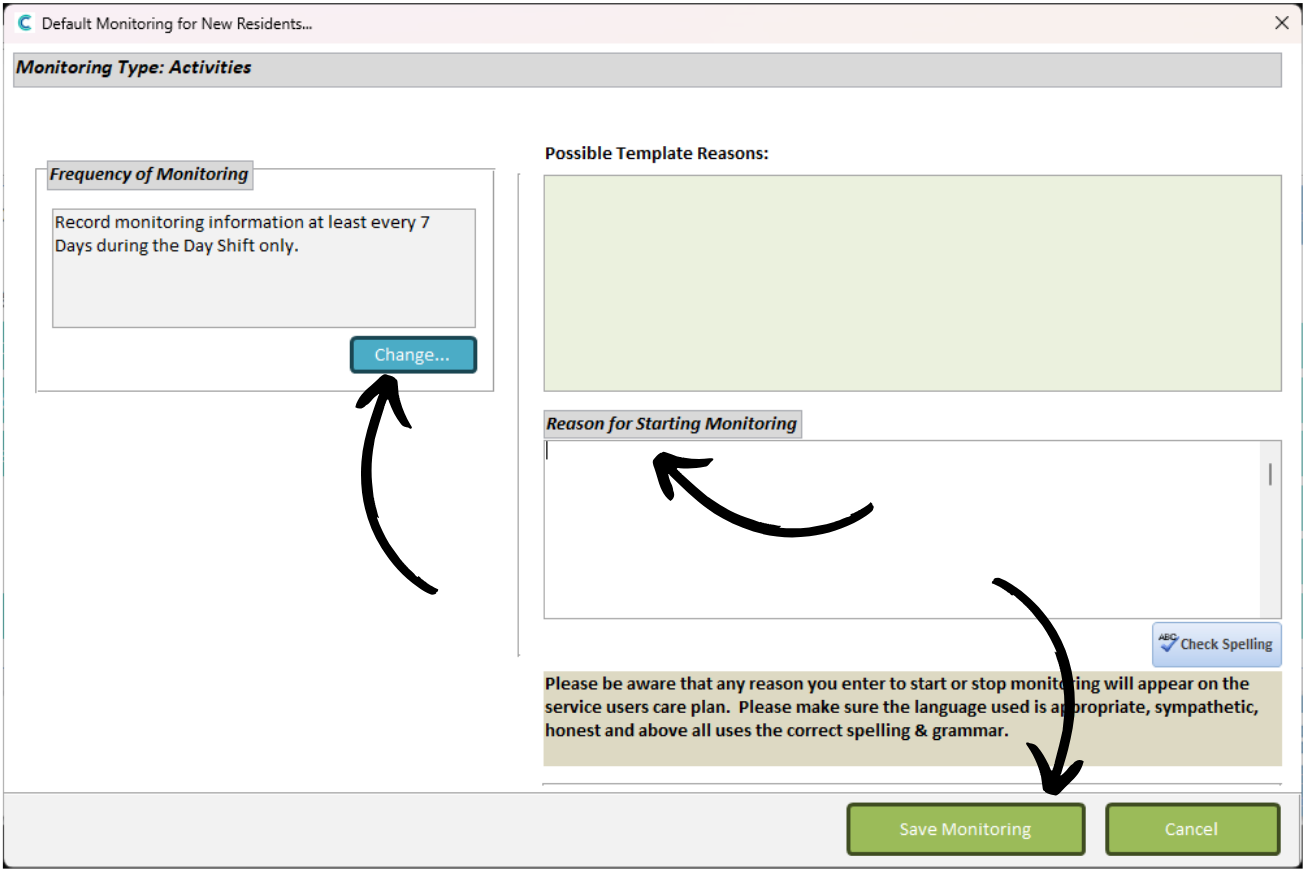
Similarly to Step 8, set the monitoring frequency and enter a reason for it.
Press Save Monitoring when you are happy with the information.
12
The new monitoring area will appear on the list.
You can reset all the defaults by pressing Load Typical Manage Monitoring Defaults.
You can also update the monitoring of active service users if you have added a new monitoring area to the defaults.
For example, if you add Activities as a new default, pressing ‘Apply Any Missing Defaults to Active Residents’ will assign existing service users activities monitoring.