Bank Holiday Closure Notice: We will be closed on the 3rd April for the Easter bank holiday, so our customer service team will not be available on this day. If you need to get in touch, you can still use our customer contact form and we will get back to you as soon as possible. Even better, Margo will still be available on our phone lines to help with your queries whenever you need support. We hope you have a lovely Easter weekend 🐣
View Categories
OM Bulk - Add User Records
This guide will cover how to bulk add staff records to Care Control Cloud via the Organisational Management tool on Care Control Windows.
1
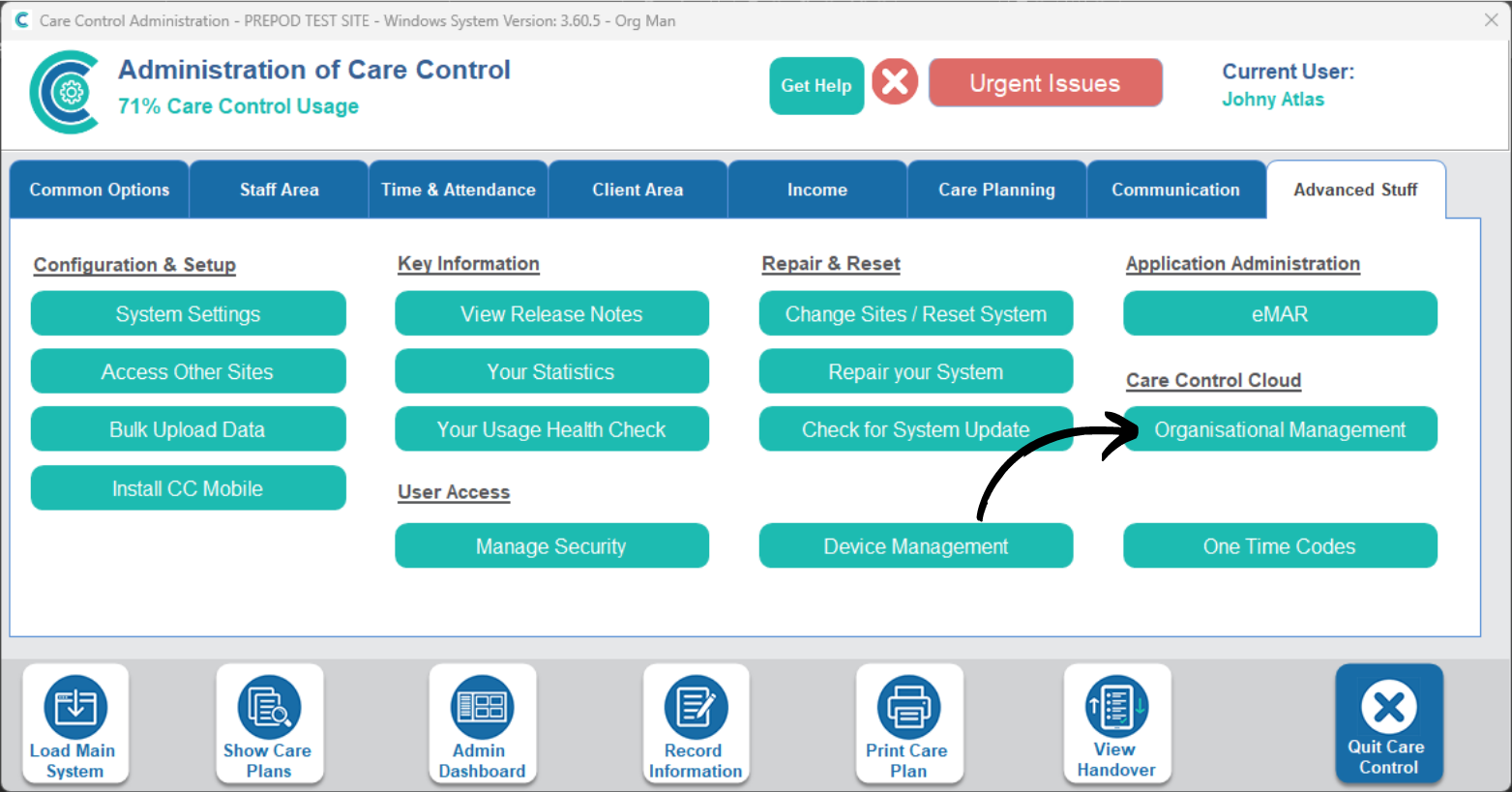
In the Administration of Care Control Windows, open the Organisational Management tool which can be found under the Advanced Stuff tab.
2
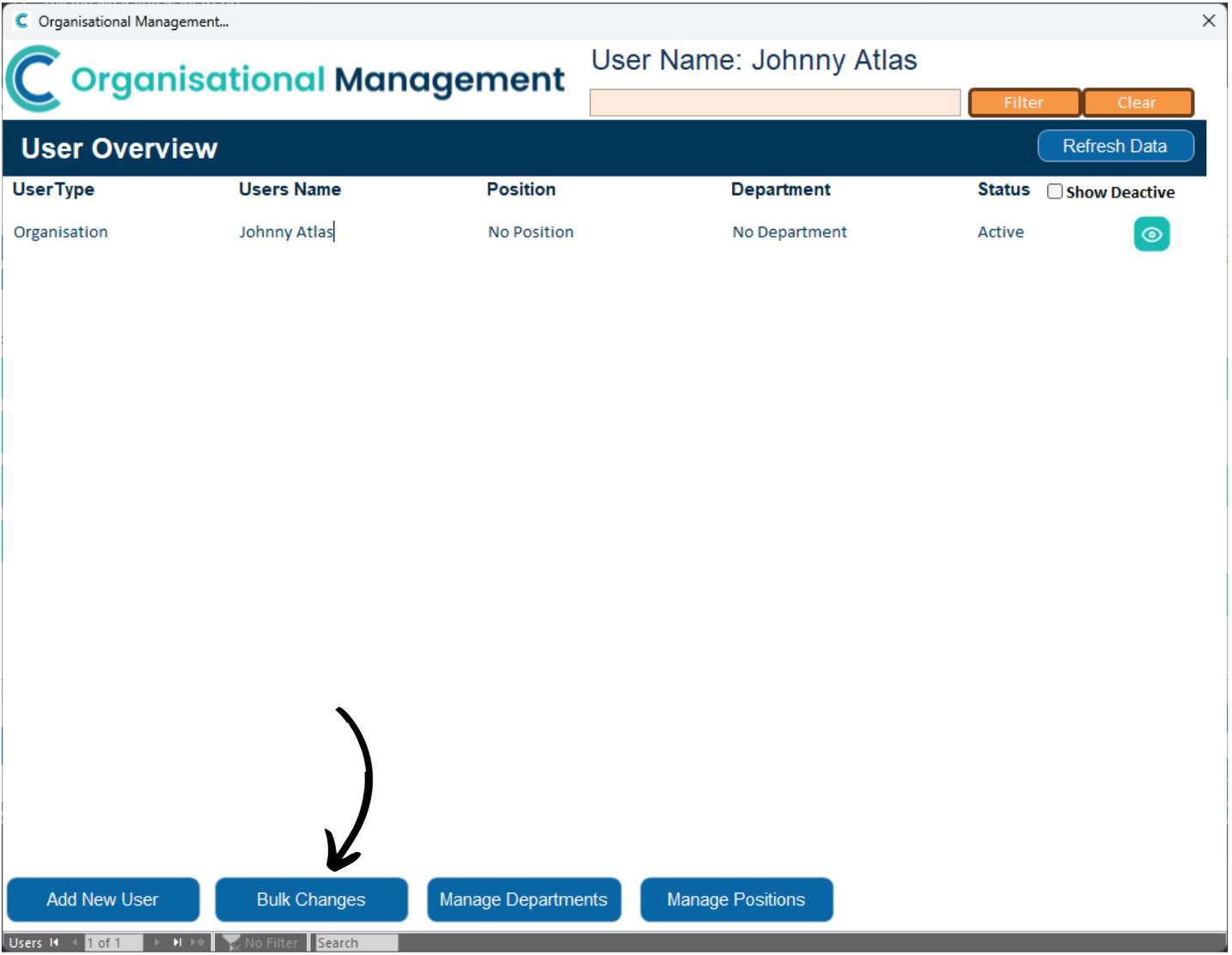
A new window will open. Here, select Manage Users.
3
A list of currently active users on CC Cloud will show.
To begin bulk addition, press Bulk Changes.
4
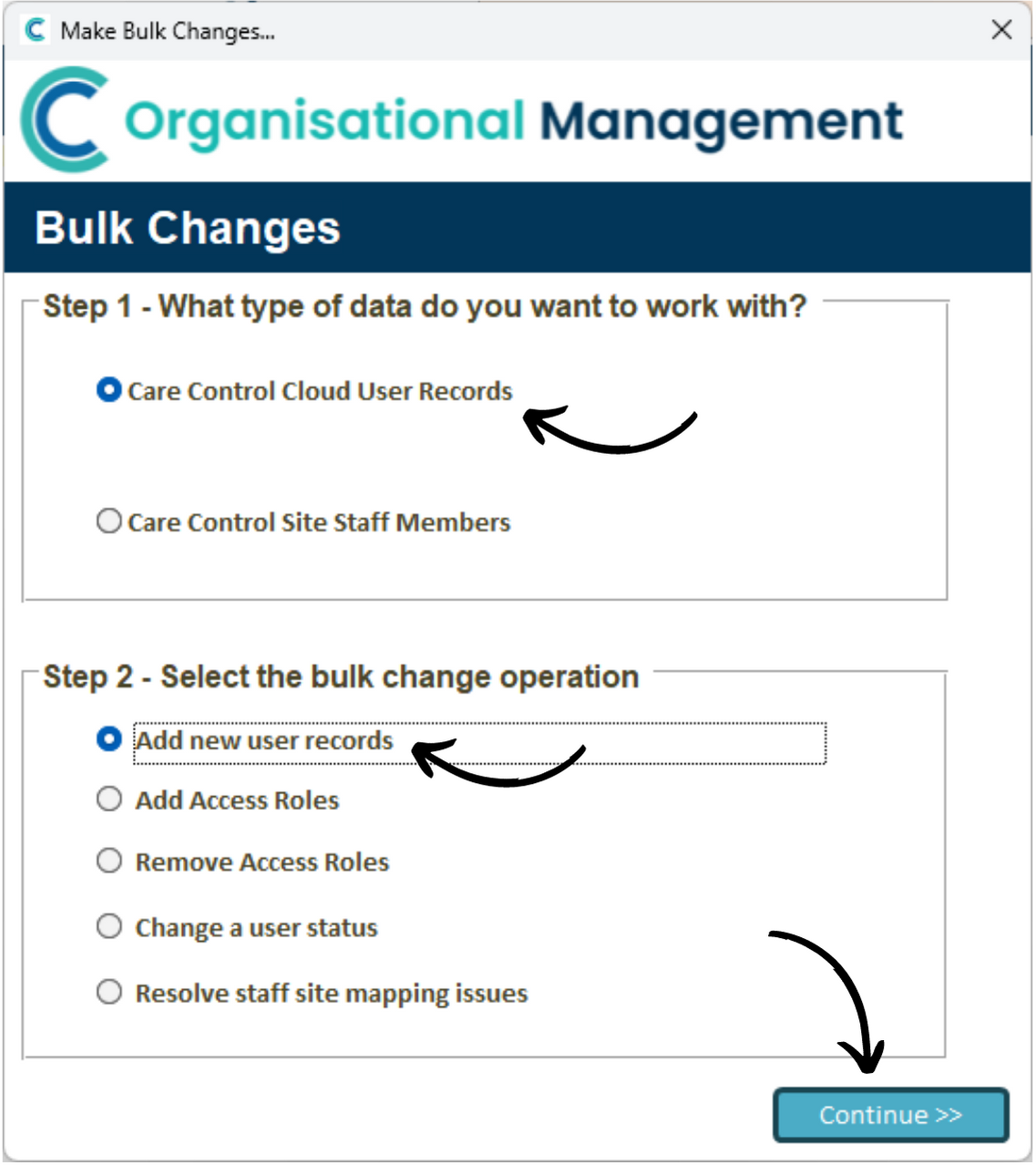
A configuration window will open. Here, Select Care Control Cloud User Records, then, Add New User Records.
Press Continue.
5
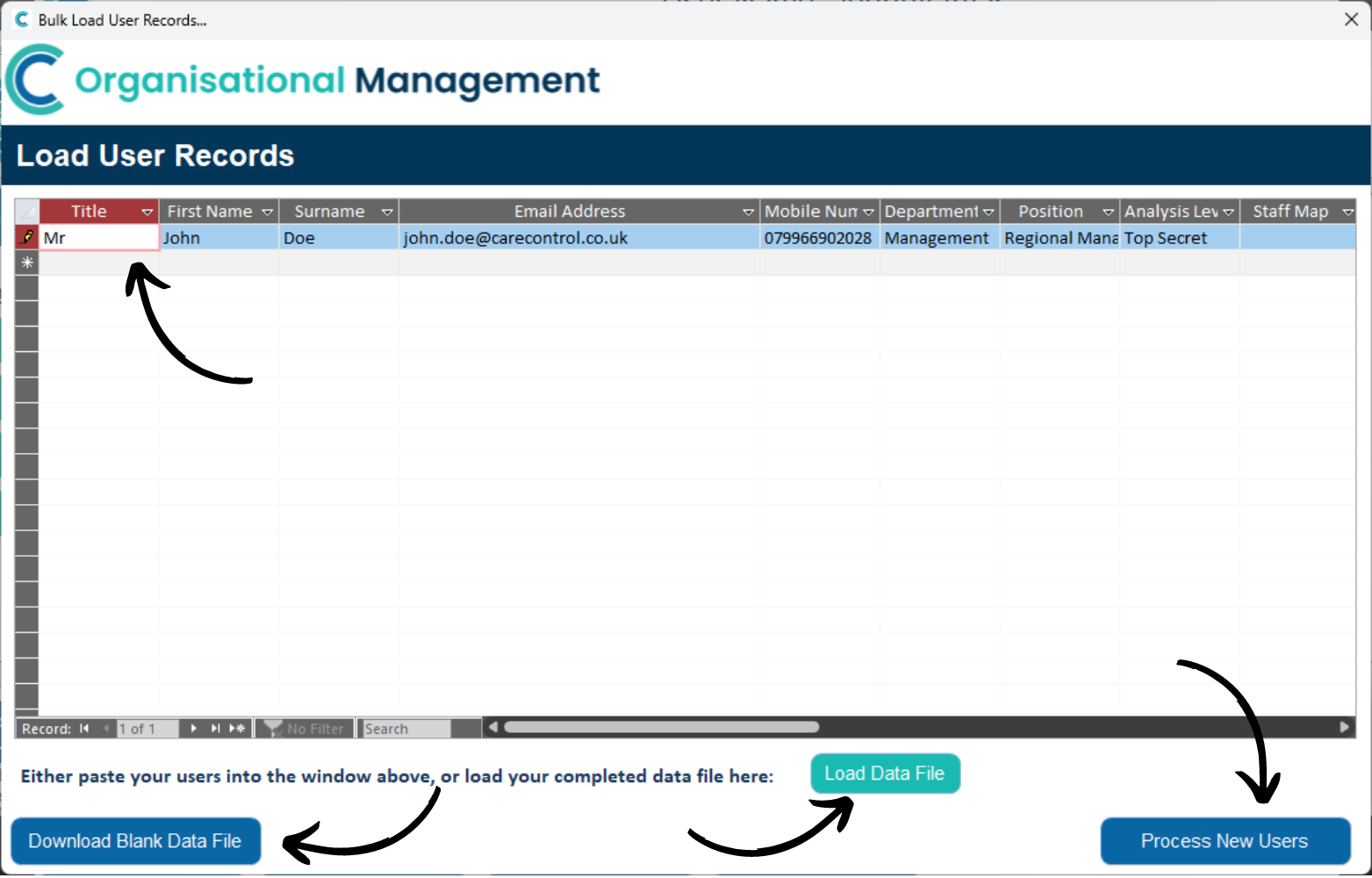
You will be presented with a blank data entry spreadsheet.
Begin entering the information labelled at the top of each column – each row corresponds to a different staff member.
You can also download a blank data file to work on in Excel. After doing so, you can then load the data file.
Finally, press Process New Users.
6
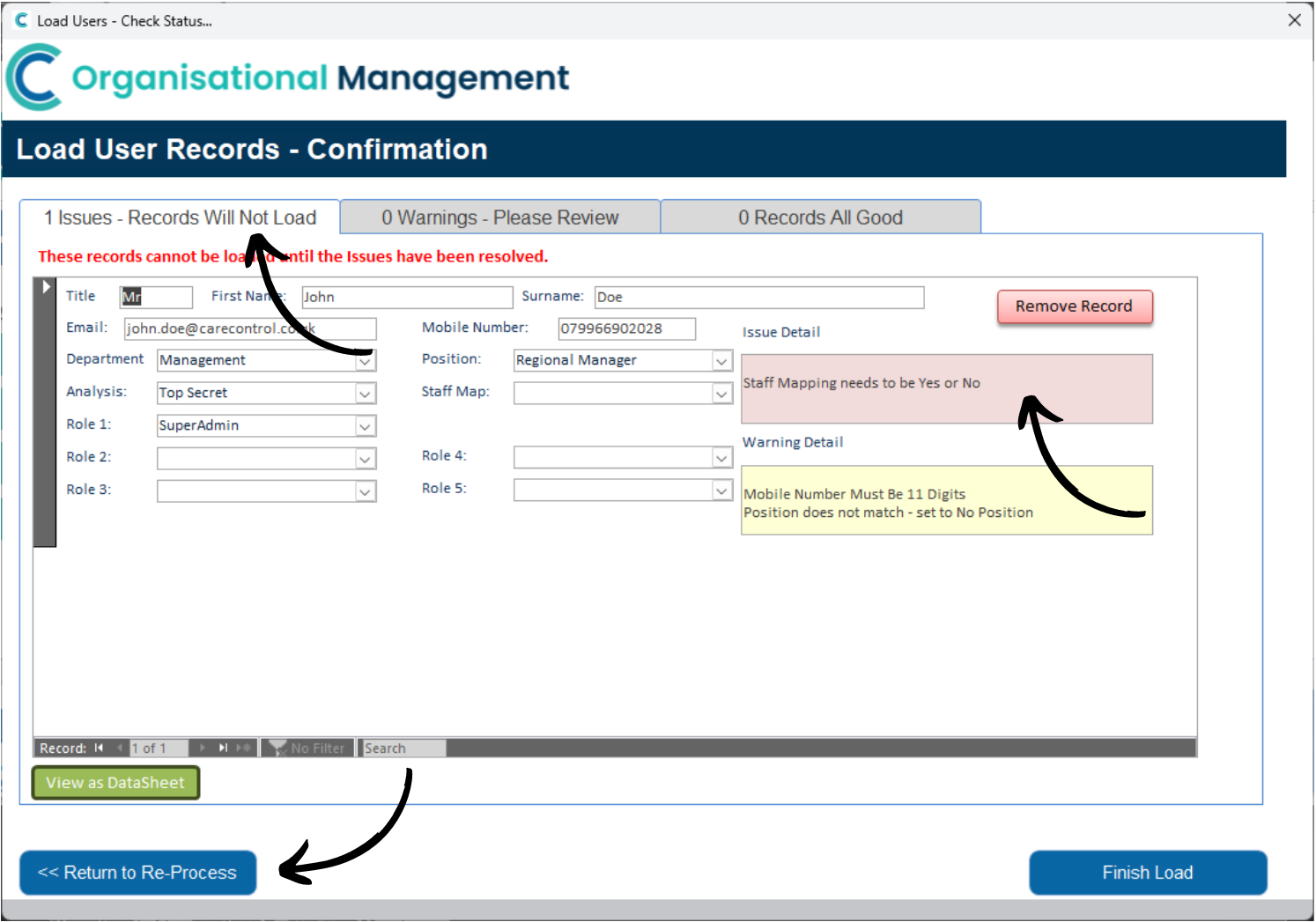
The next stage of the process helps identify issues with the data loading. In this example, 1 record will not load due to a issue.
The Issue Detail will display in the red box on the right hand side, with any other Warnings showing in the yellow box beneath.
Issues need to be dealt with before the record can load, warnings however do not (but we recommend they are).
You can amend the necessary details within this window, before pressing Return to Re-Process.
7
You will be taken back to the data-entry sheet. From there press Process once again to update the issue/warning screen.
Notice our record has now moved to the ‘All Good‘ tab. This means we can now press Finish Load.
8
Press Yes to confirm the processing.
9
Our new staff member(s) have now appeared on the User Overview list.