You could win a £250 Amazon gift card! All you need to do is spare us 3 minutes of your time. Click here to find out more!
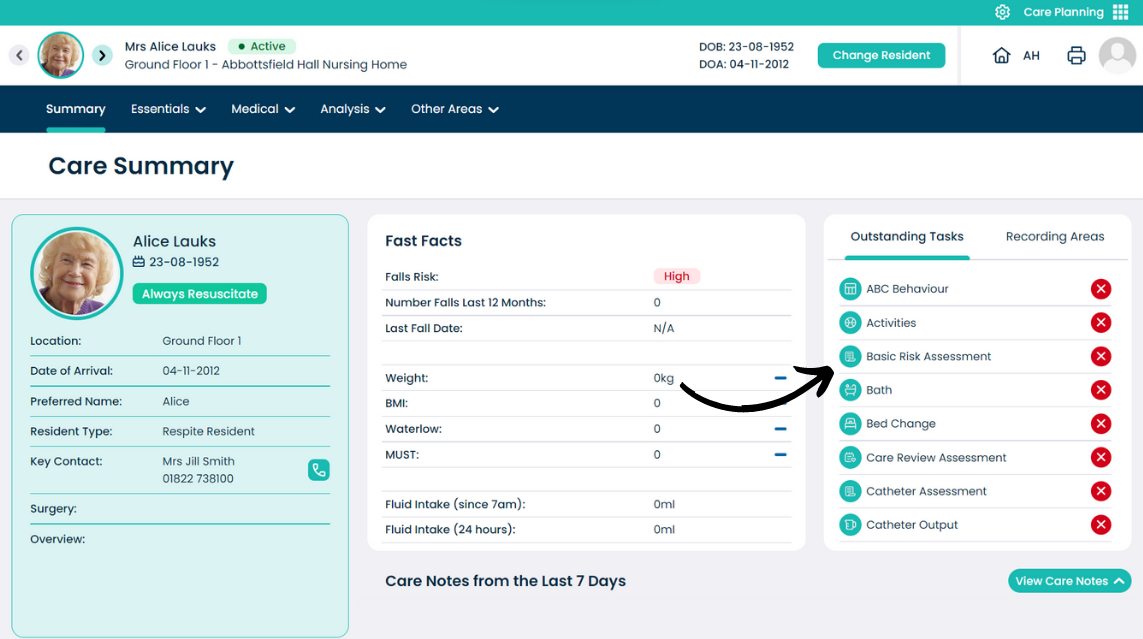
This guide will cover how to see Outstanding Tasks from the Care Plan Summary screen in the new Care Control Cloud platform.
In the Care Plan Summary screen, a list of Outstanding Tasks for the selected service user can be seen on the right-hand side.
This list displays tasks and monitoring alerts which are overdue (red icon) or upcoming (yellow icon).
Keeping this list clear of red crosses is important in order to meet care requirements for the service user.