This guide will introduce the new PainChek system and how it integrates with Care Control Windows.
1
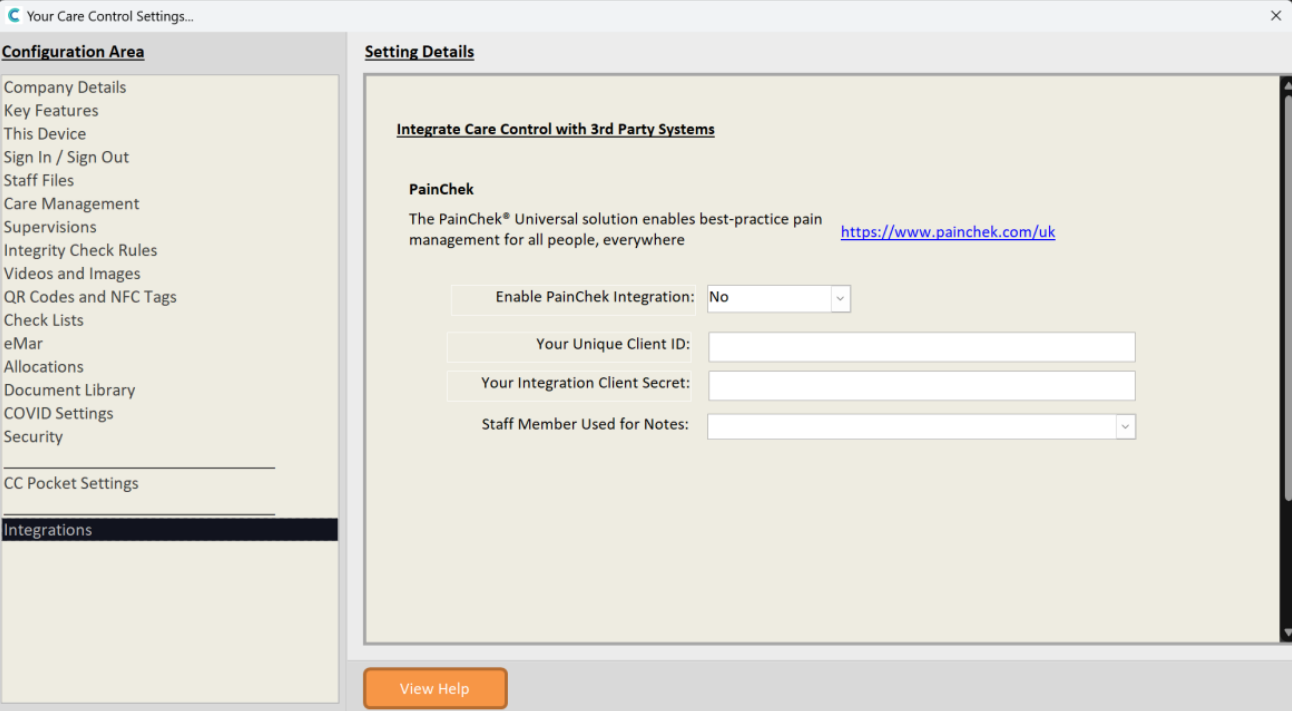
The PainChek Integration settings can be found within Advanced Stuff -> System Settings.
Enable PainChek Integration – This field needs to be switched to Yes
Your Unique Client ID – This will be the ClientID found from the PainChek Integration area.
Your Integration Client Secret – This will be the Client Secret found from the PainChek Integration area.
Staff Member Used for Notes – This is the Staff Member who will own the notes that come from PainChek, if you would like a central staff account for PainChek you could create a staff member for PainChek!
2
Once you have enabled PainChek you’re able to assign the PainChek monitoring via Manage Monitoring.
3
After starting the monitoring, we can see that the service user appears within PainChek.
4
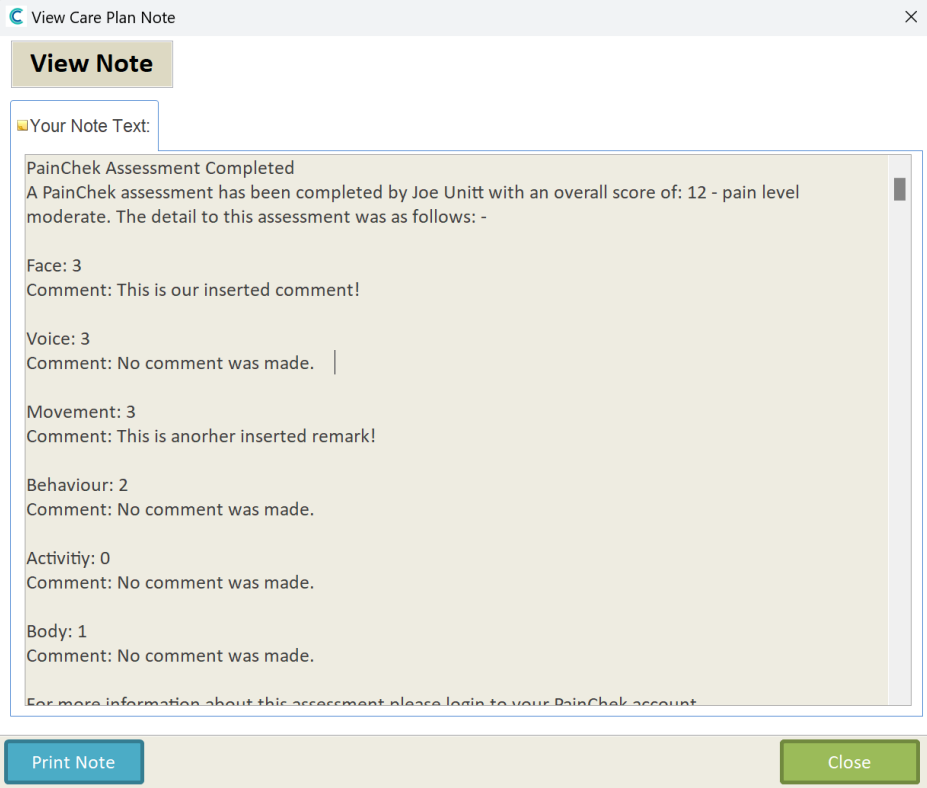
Once an assessment has been completed it’ll come through on Care Control as a note.