You could win a £250 Amazon gift card! All you need to do is spare us 3 minutes of your time. Click here to find out more!
This guide will cover how to create Payment Schedules for your service users on Care Control Windows.
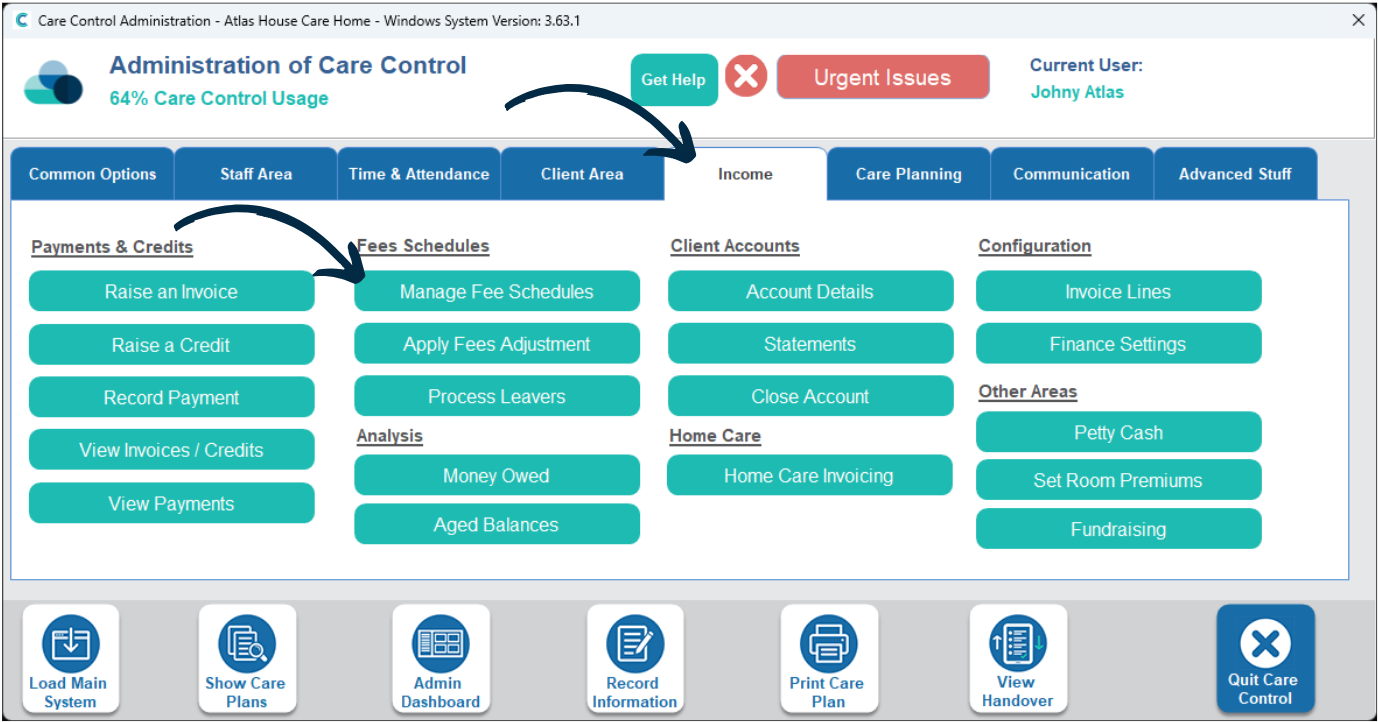
In the Administration of Care Control Windows, navigate to the Manage Fee Schedules tool, which can be found under the Income tab.
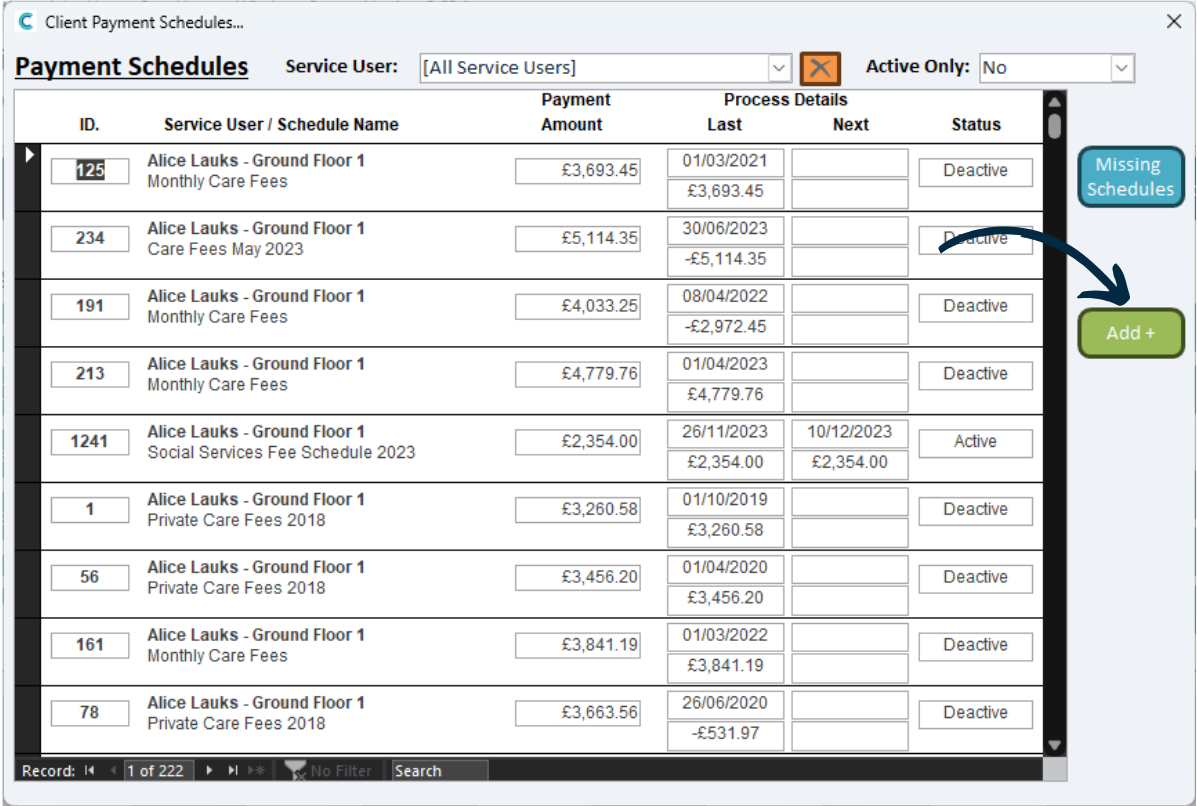
A new window will open and a list of your existing schedules will be displayed.
To create a new one, press Add.
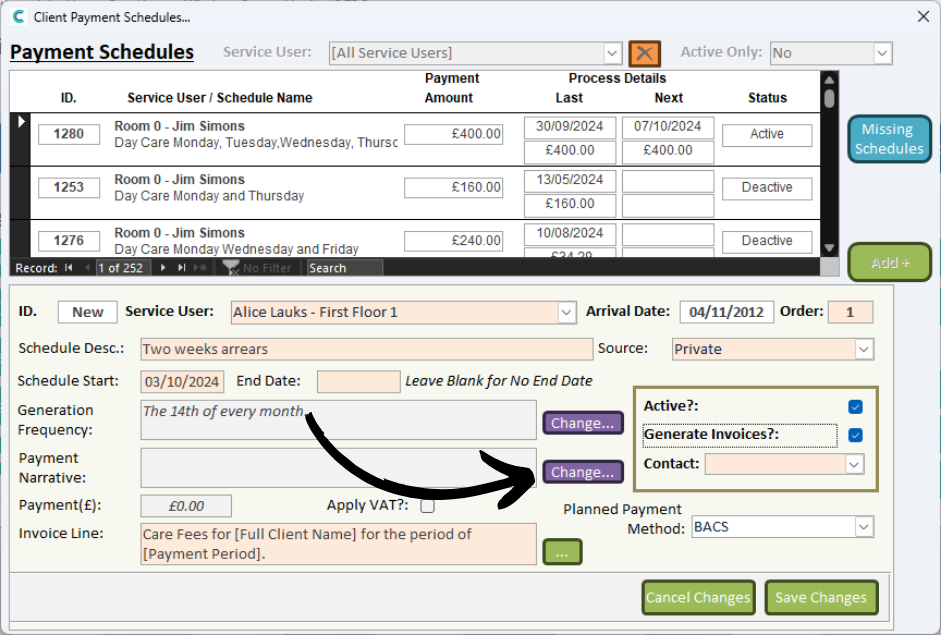
A blank form will open below.
Begin by choosing a Service User, Description, and Start / End date.
Next, configure the Generation Frequency and Payment Narrative via the Change buttons.
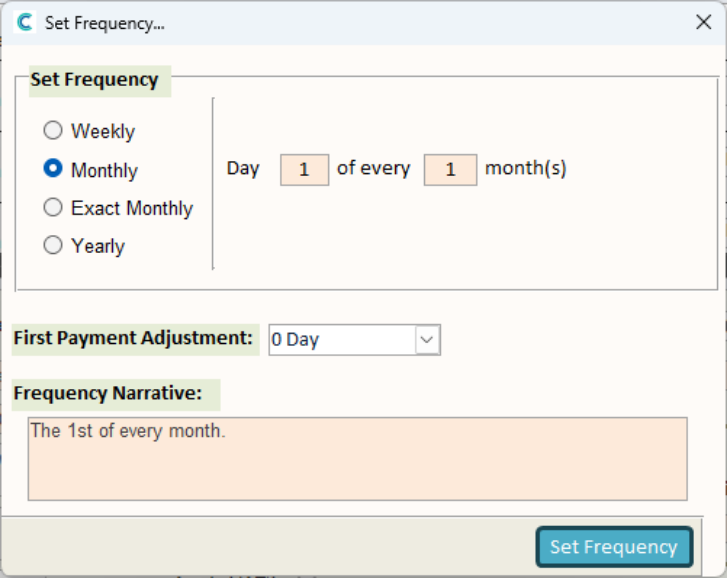
These will open new windows where you can complete the options to generate a Frequency and Payment Narrative.
After completing the form, press Set.
Here you can set Exact Monthly which will use exact dates of the end of the month e.g the frequency will end on the 29th of February.
Monthly will be 30.4 days on average per month.
Top Tip: If you are using Exact Monthly, setting the start date to the 1st will ensure that the entire month is covered.
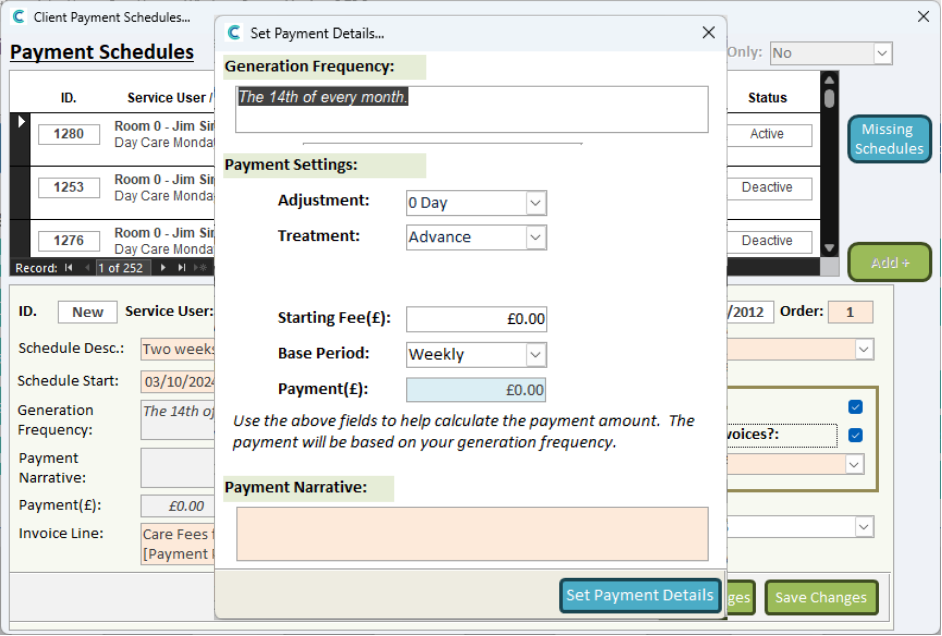
Click Change on the Payment Narrative.
Here you can set the Payment Settings to your chosen methods of payment to generate a Payment Narrative.
Once happy, click Set Payment Details.
When you are happy with the payment schedule, press Save Changes.
If you have marked the schedule as Active, you will receive a message confirming your choice that the schedule will begin.