This guide will cover how to process a staff member leaving on Care Control Windows. This can be be done up to 28 days in advance of the staff member leaving.
1
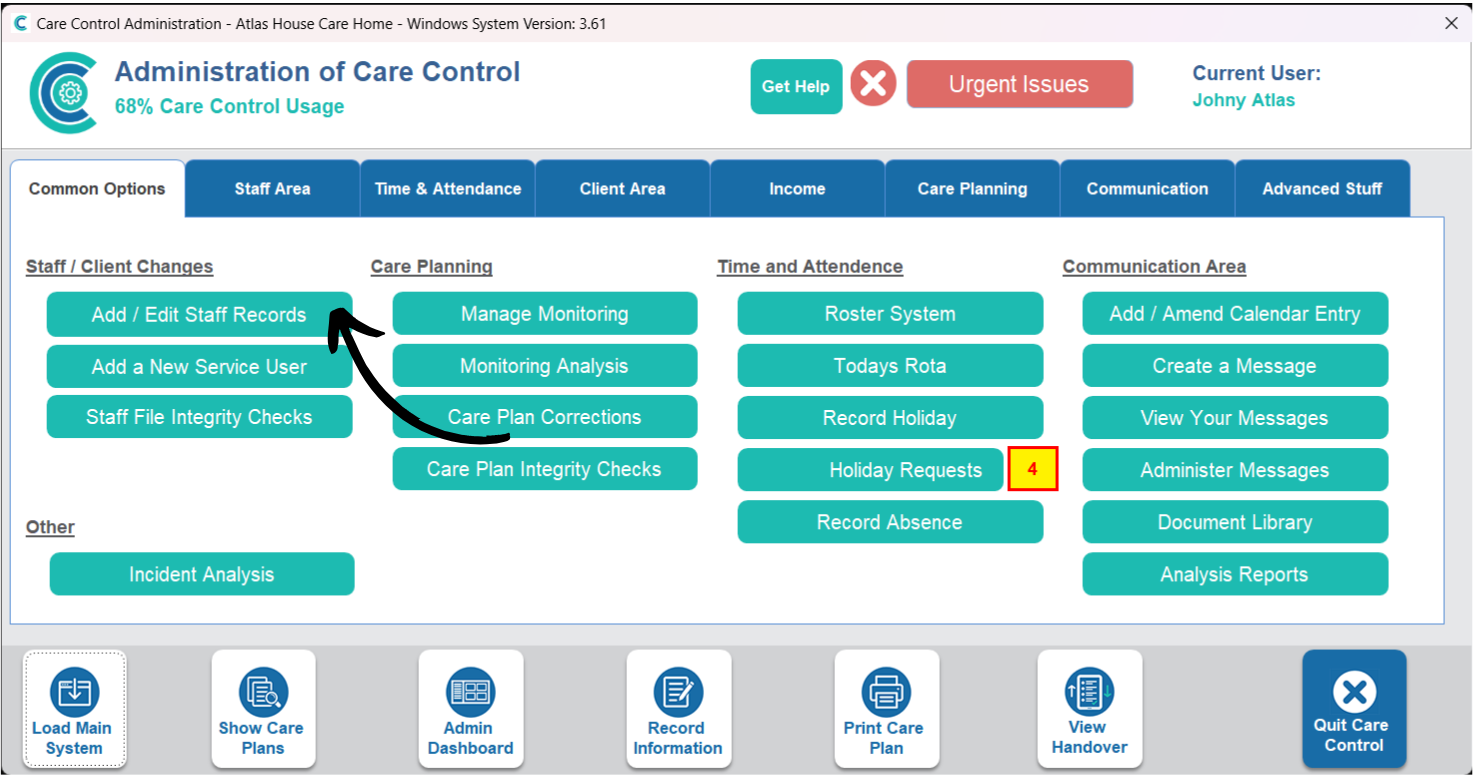
In the Administration of Care Control Windows, navigate to the Staff Records tool, which can be found under the Common Options and Staff Area tabs.
2
Here, navigate to the staff member who is leaving, and press Process Staff Leaver from the options in the top right of the window.
3
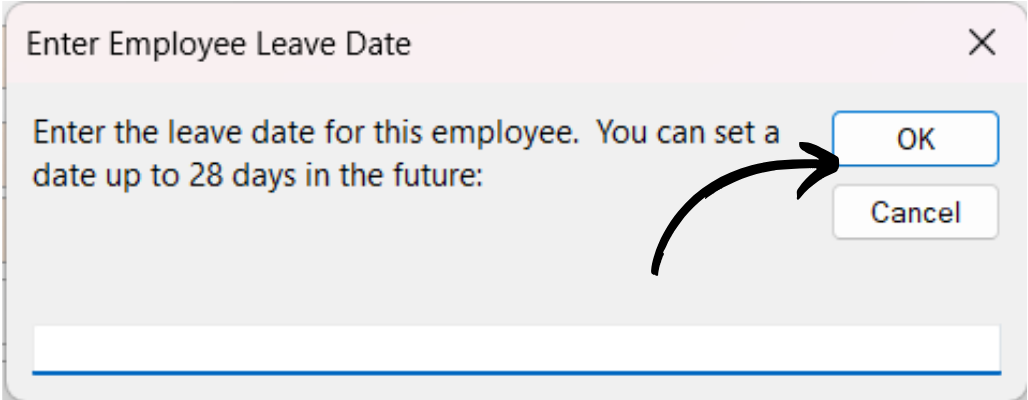
Enter the leaving date of the staff member in the format dd/mm/yyyy.
Press OK.
4
The Leave Date box will now contain the entered date.
Note: you can cancel the staff member leaving by pressing the orange Cancel Leaver button.
Make sure to Save Changes to complete the process.