Bank Holiday Closure Notice: We will be closed on the 3rd April for the Easter bank holiday, so our customer service team will not be available on this day. If you need to get in touch, you can still use our customer contact form and we will get back to you as soon as possible. Even better, Margo will still be available on our phone lines to help with your queries whenever you need support. We hope you have a lovely Easter weekend 🐣
View Categories
Recording a Covid Vaccination or Booster
This guide will cover how to record a COVID vaccination or booster for staff members in your organisation.
1
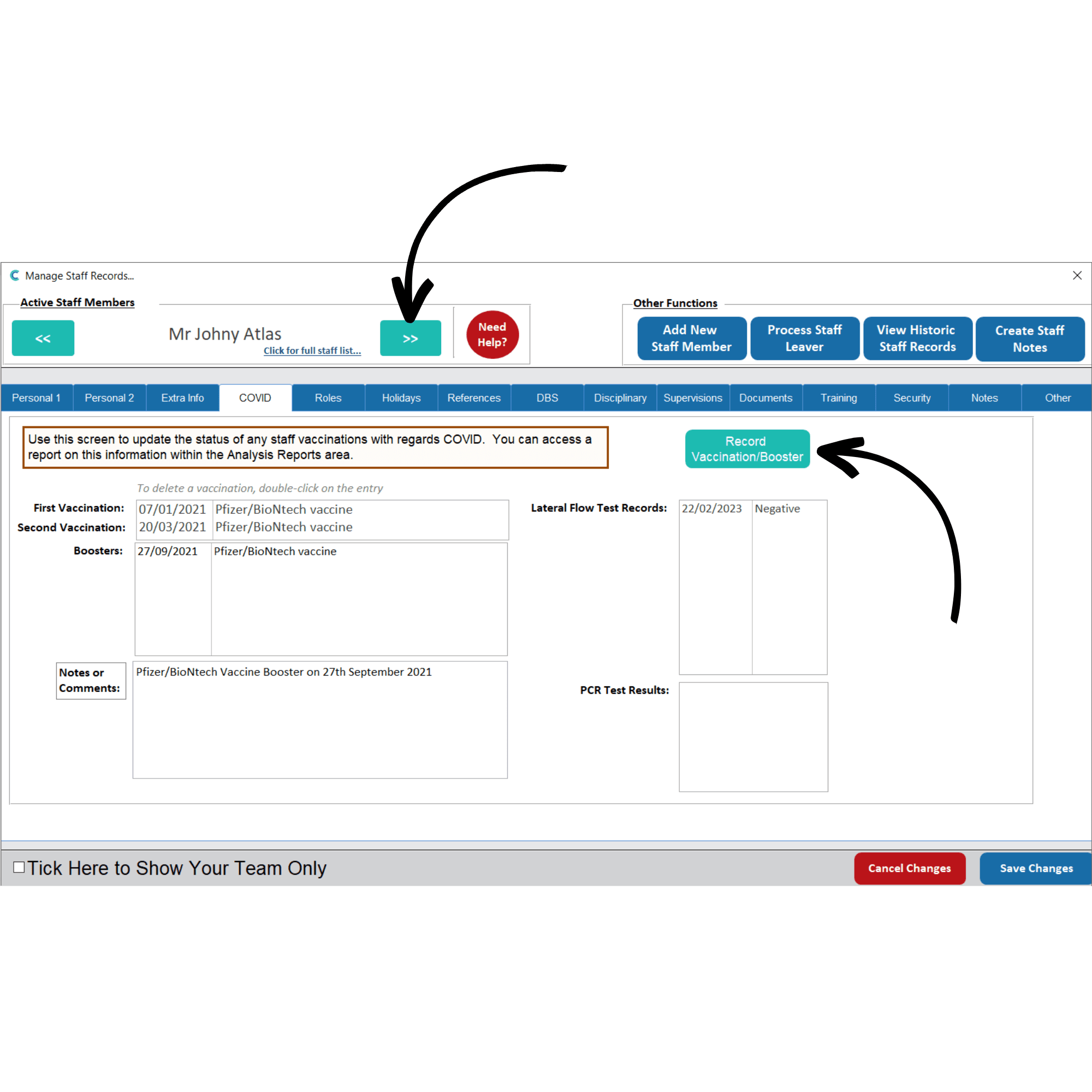
In the Administration of Care Control Windows, navigate to the Staff Records, which can be found under the Common Options and Staff Area tabs.
2
Here, navigate to the staff member you wish to record a vaccination for using the blue arrows, or by pressing Click For Full Staff List.
When on the profile, navigate to the COVID tab.
To record a vaccination, press Record Vaccination / Booster.
3
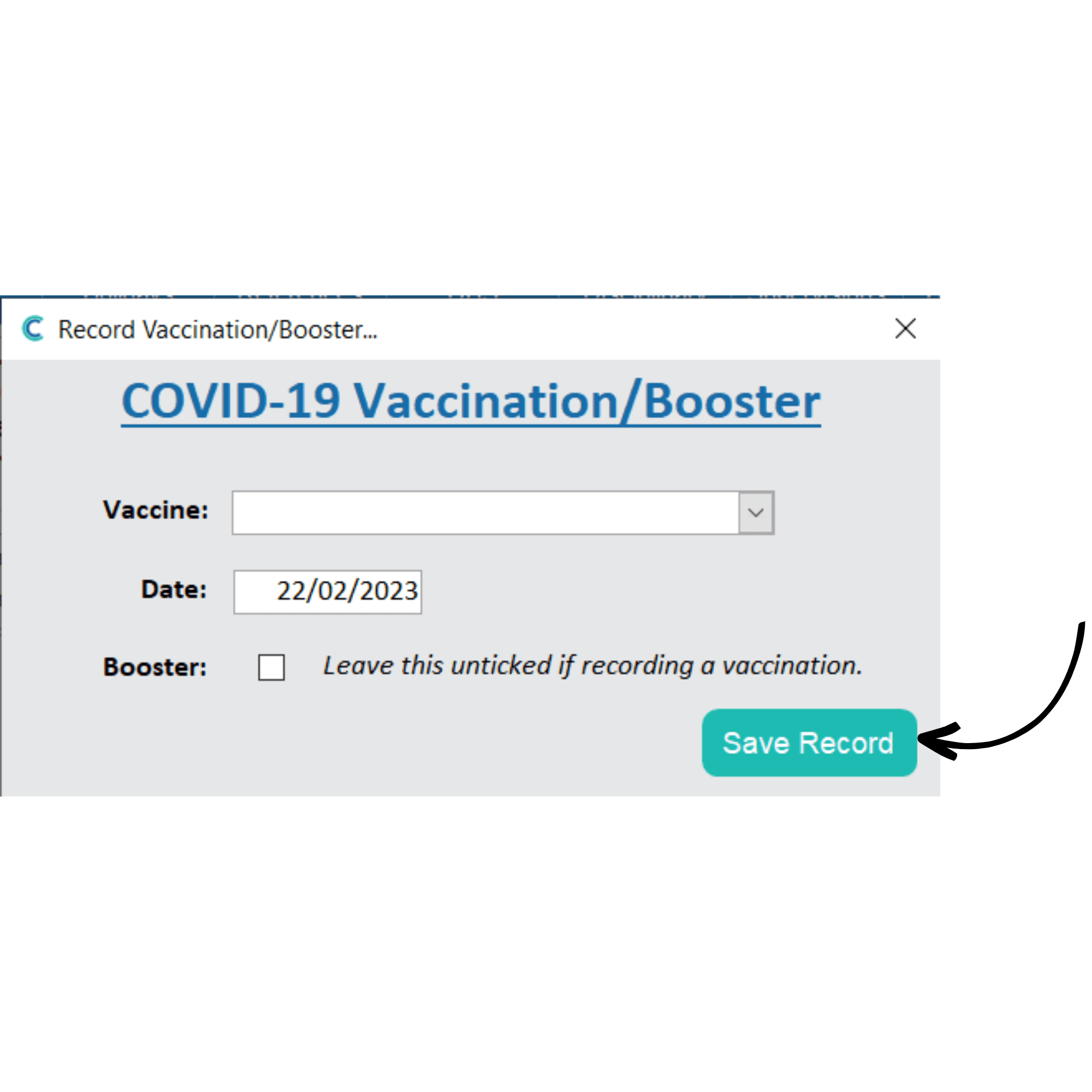
A new window will open. Here, enter the vaccine type and the date. You can also tick a checkbox to indicate that this was a booster.
Press Save Record to finish. Make sure to Save Changes on the staff record page as well.