Join our next webinar to learn how to use Care Planning in Cloud
This guide will cover how to record staff training via the Training Records tool on Care Control Cloud.
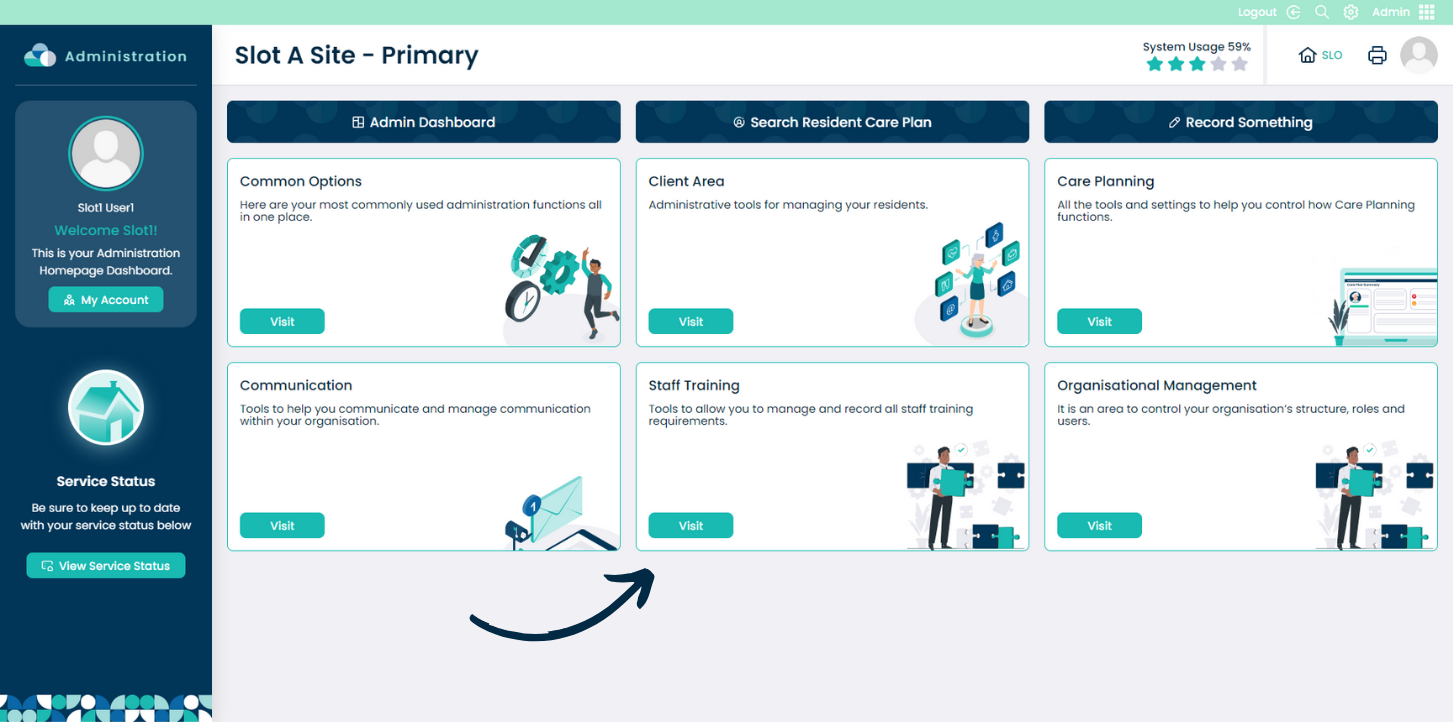
From within the Admin application on Care Control Cloud, navigate to the Staff Training area.
Please note: the Staff Training tool will be moving to our new HR application soon. For now, it is accessible in the Admin application.
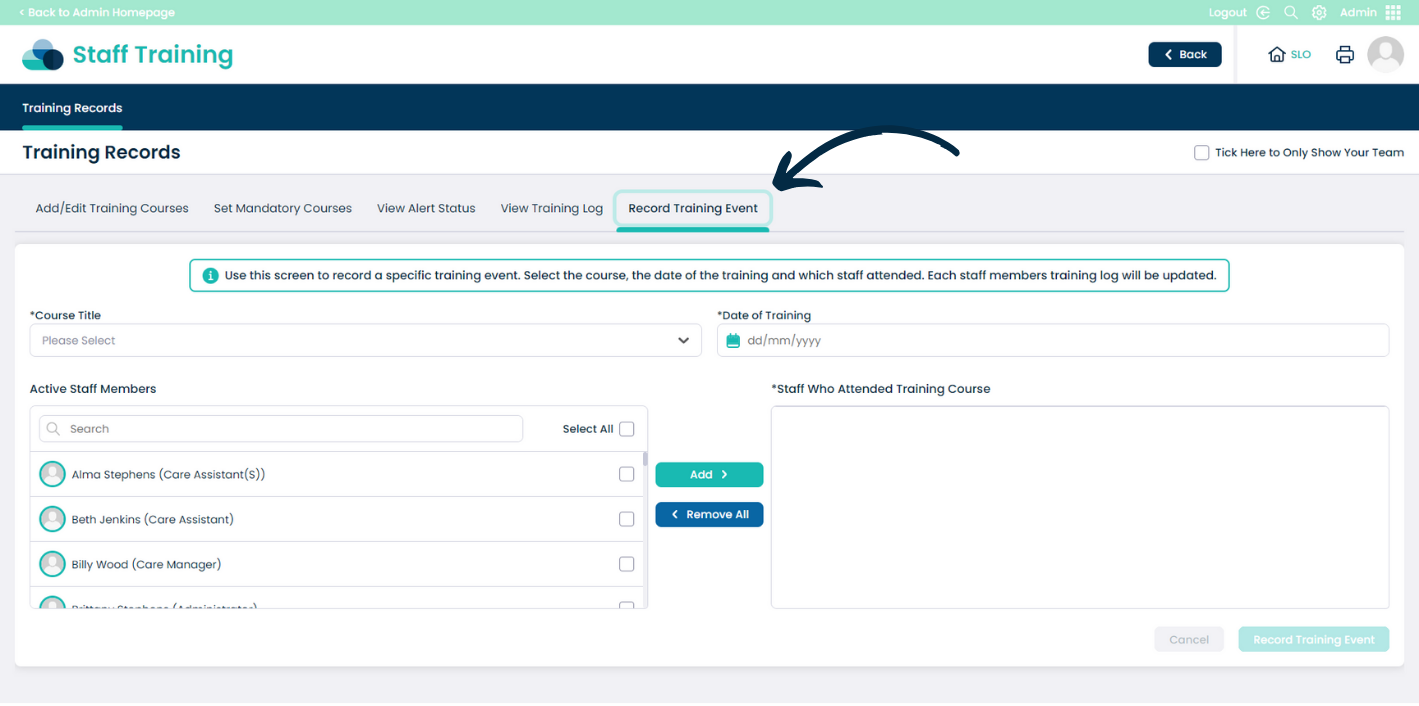
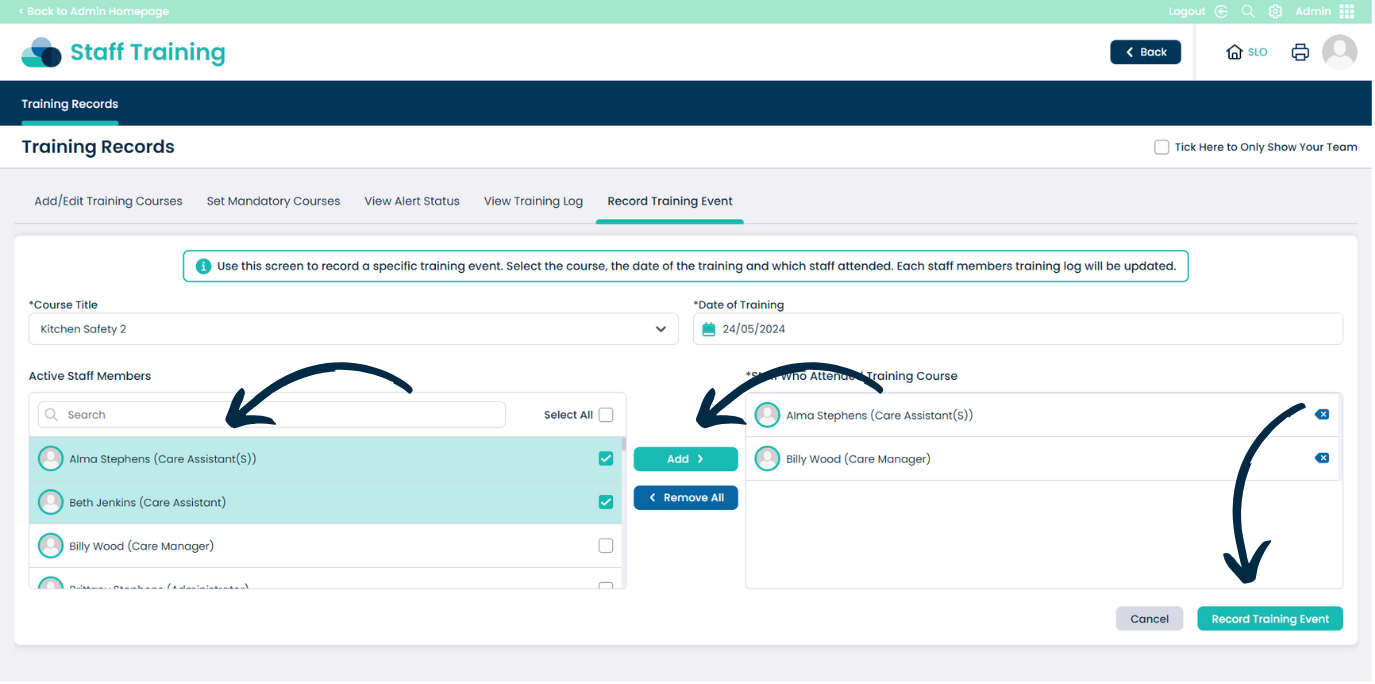
Select Record Training Event from the options along the top of the page.
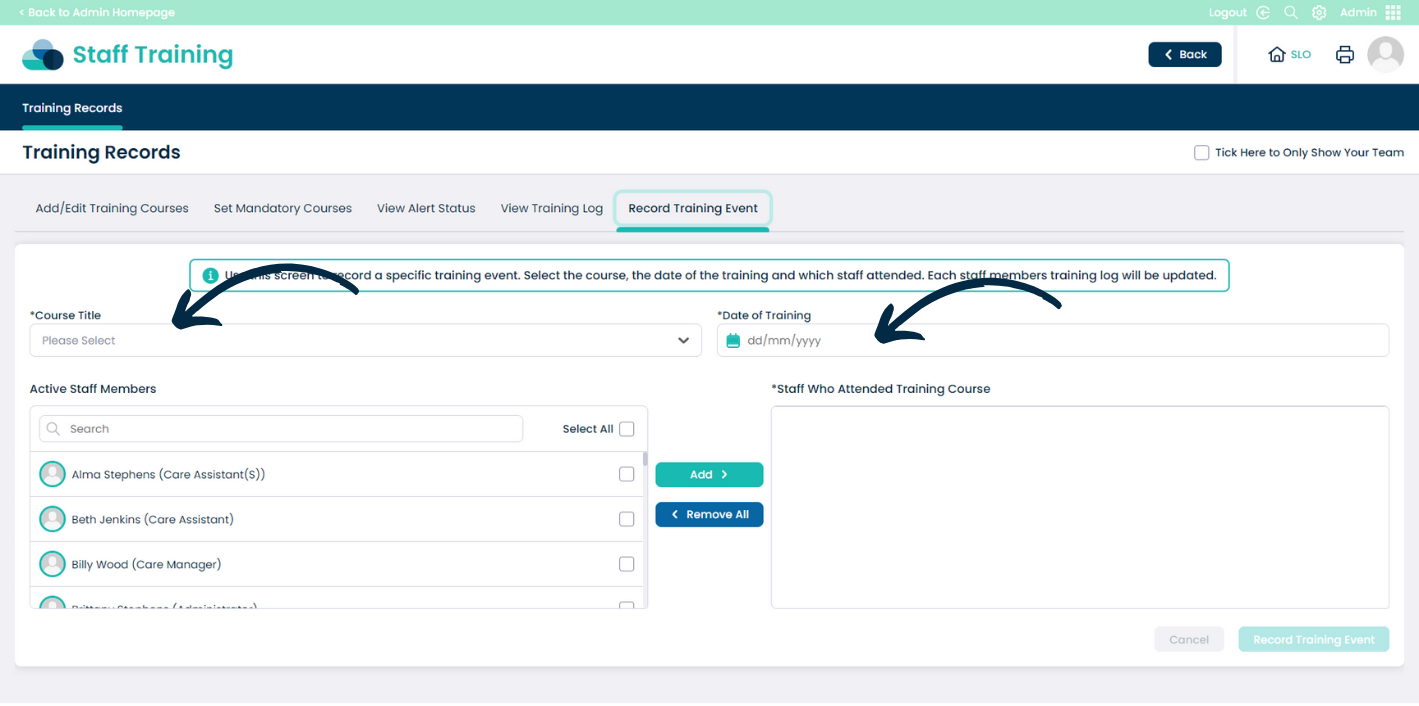
Begin by selecting a Course from the Course Title drop-down list, then, enter the Date of Training.
Next, select the staff members who attended from the list on the left hand side, then, press Add to move them to the right hand list.
After completing the form, press Record Training Event to save the record.