You could win a £250 Amazon gift card! All you need to do is spare us 3 minutes of your time. Click here to find out more!
This guide will cover how to record service user weight on Care Control Cloud.
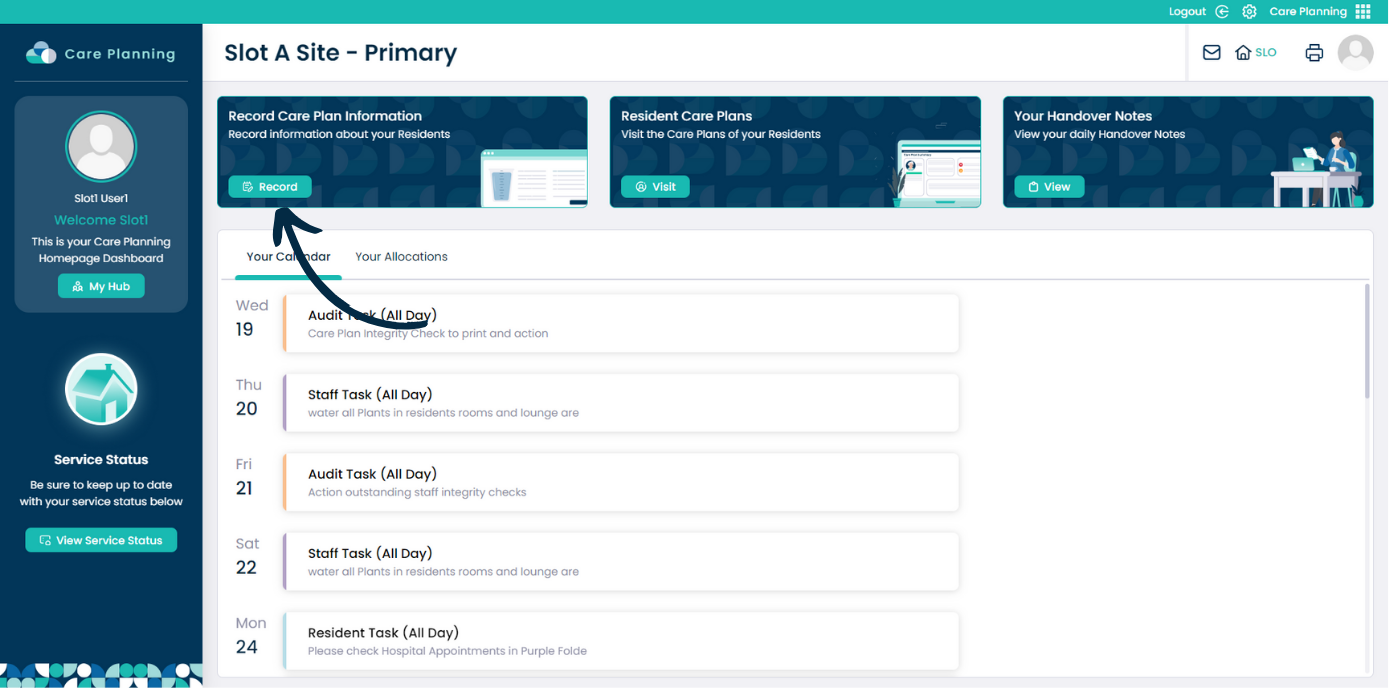
From within the Care Planning application on Care Control Cloud, navigate to the Record Care Plan Information tool.
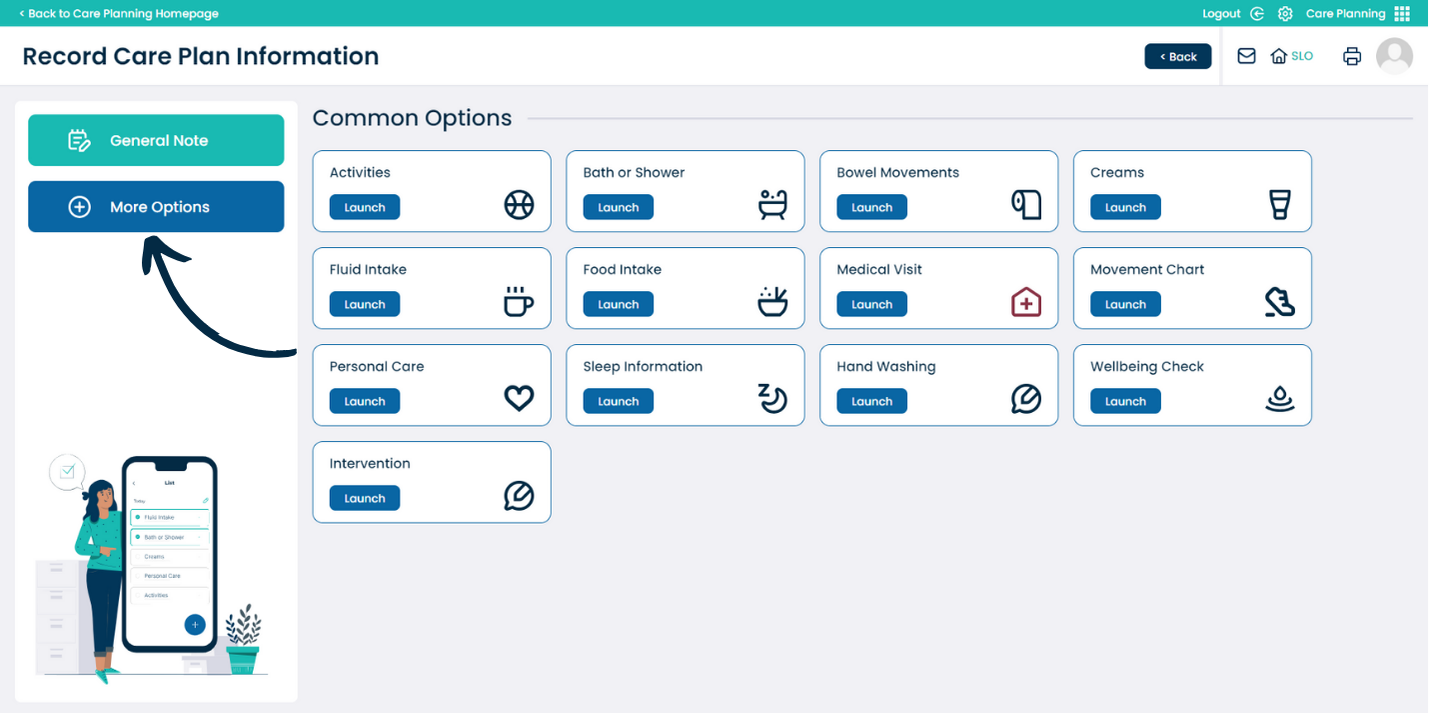
Here, select More Options to view all recording areas on your system.
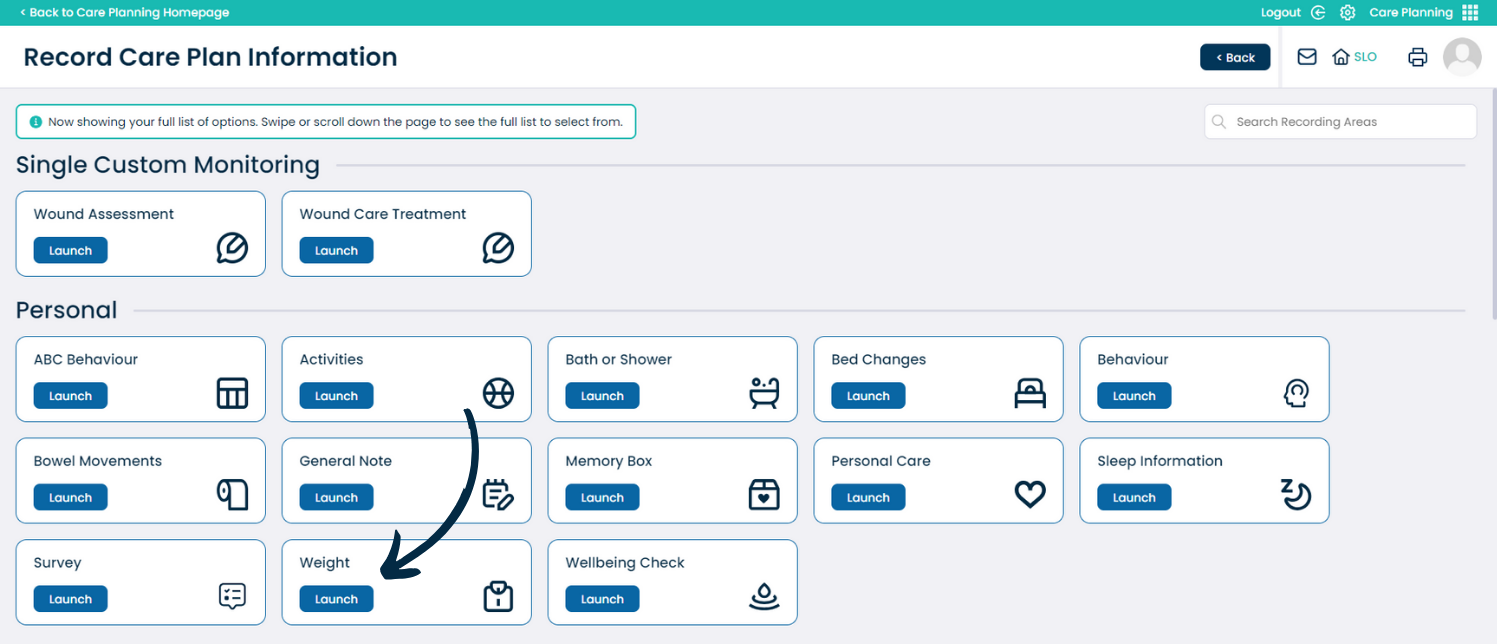
Scroll down to the Personal section and select Weight.
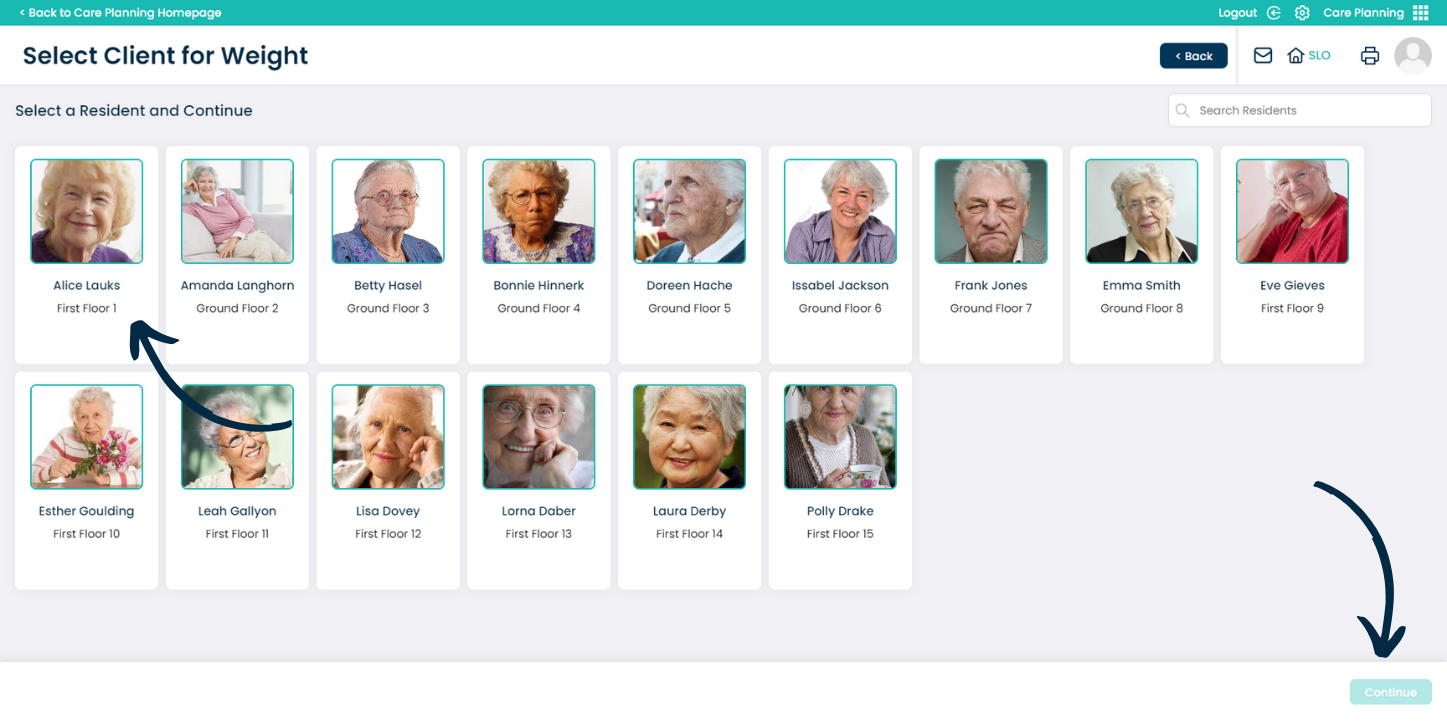
Choose the service user you wish to record for and press Continue.
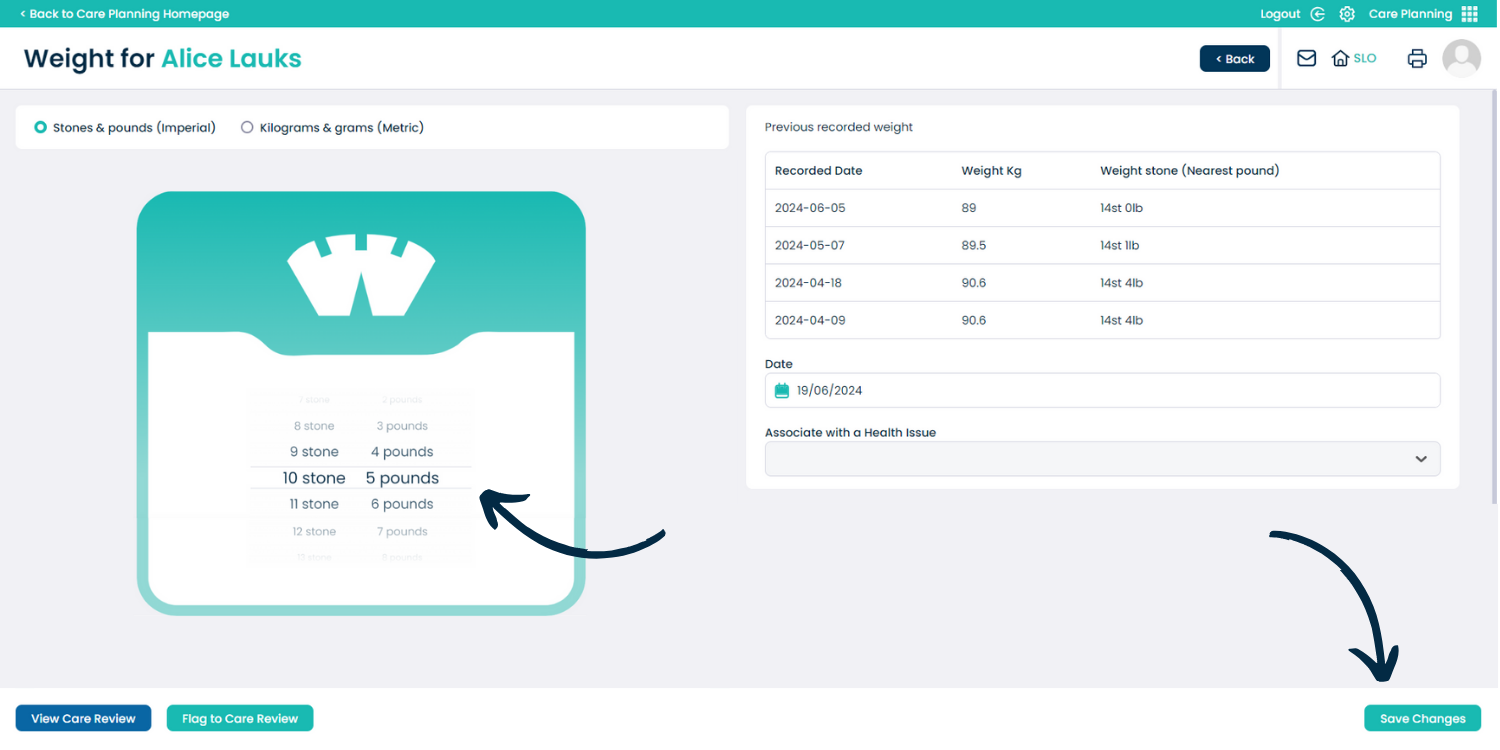
Use the scales on the left hand side and scroll to the service users recorded weight.
You can record this in both kilograms and stones/pounds. After completing the selection, press Save Changes.