This guide will cover how to create and manage interviews for applicants to your job adverts. This is completed within the Recruitment tool on Care Control Windows and makes up part of the employment workflow available.
1
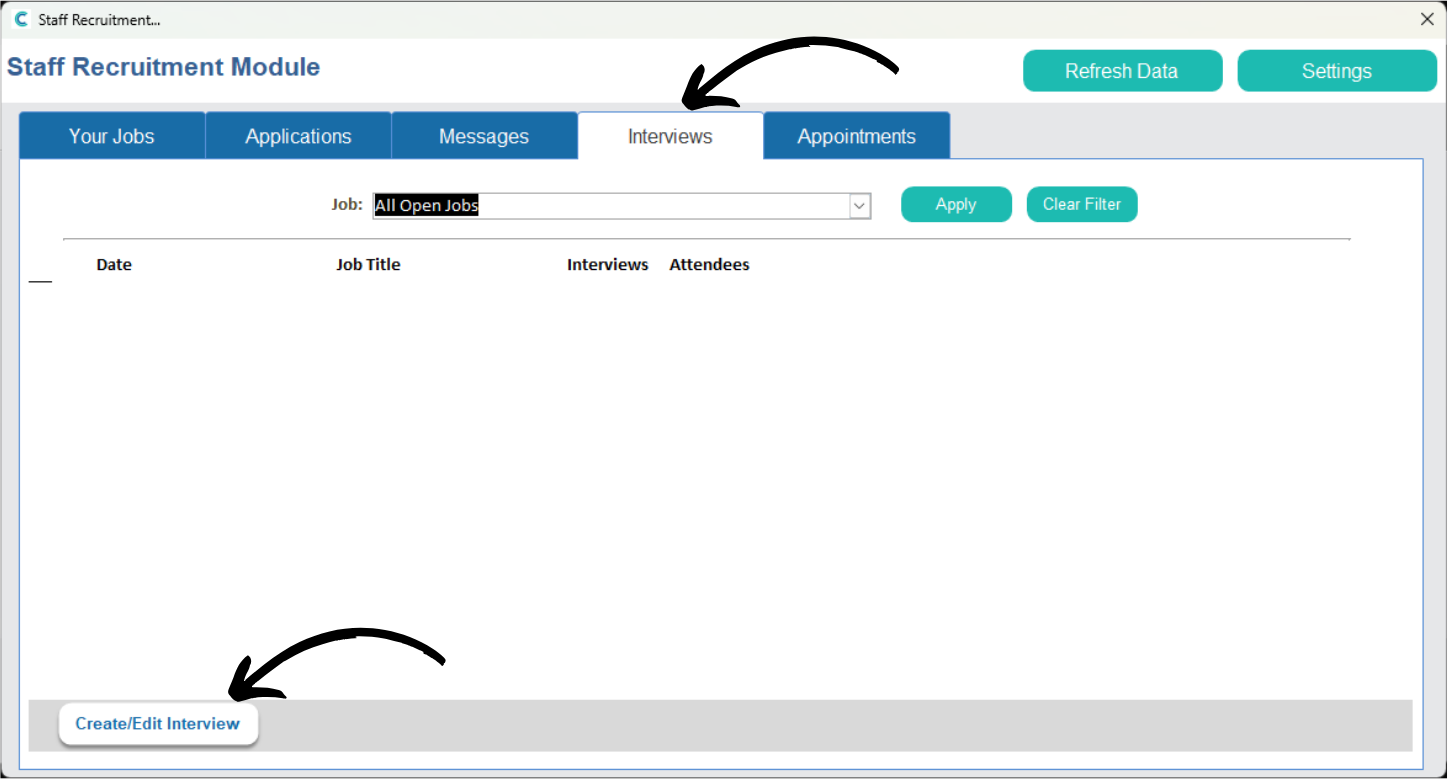
Within the Recruitment tool on Care Control Windows, navigate to the Interviews tab.
Here, a list of currently organised interviews will be displayed. To create a new one, press Create / Edit Interview.
2
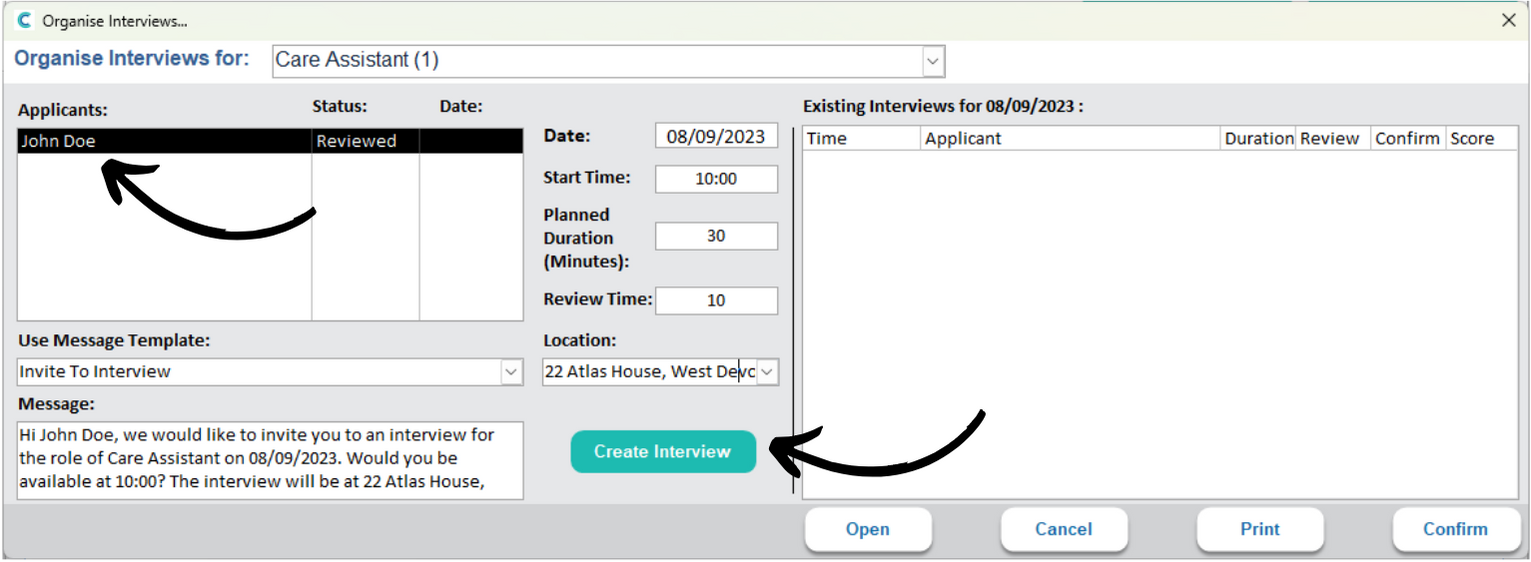
A new window will open. Begin by selecting the job title you wish to organise an interview for.
3
A list of current applicants will load in the box on the left. Select the applicant to amend the details for the interview.
First, write an invitation message in the Message Text Box. You can manually type one in the text box or choose a template from the drop-down list.
You can set the date, start time, duration (in minutes) and location of the interview in the dedicated area in the middle of the window.
Finally, press Create Interview.
4
A message via email will be sent to the applicant. The interview will also now appear in the right-hand list of existing interviews.
After confirming the time and date with the applicant, you can confirm the interview via the dedicated button.
5
The ‘Confirm‘ status column will update to ‘Yes‘.
When it is time to conduct the interview, you can also Open it from this window via the button at the bottom of the page.
6
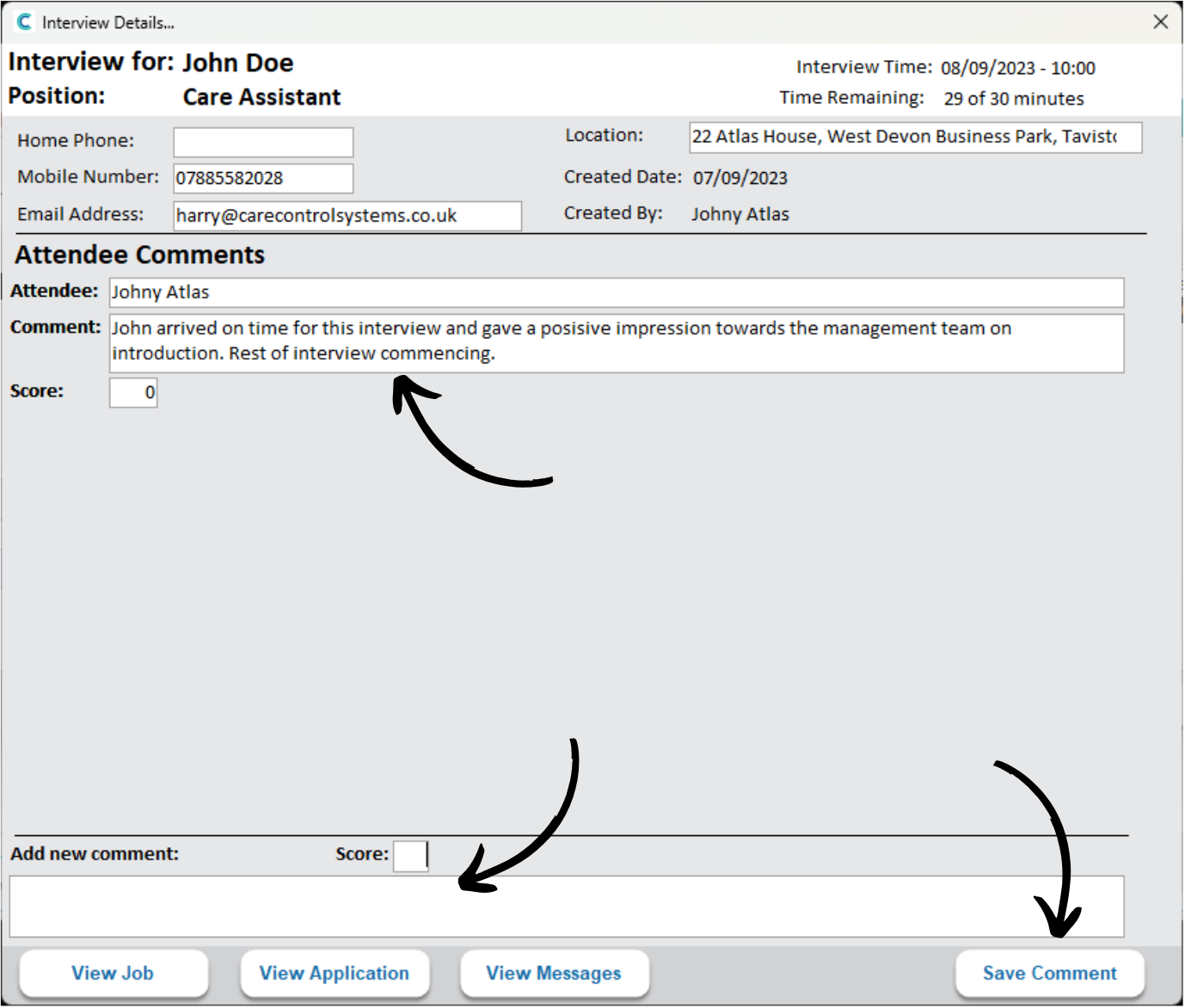
This will open an interview notes screen.
Here, you can add Comments regarding the progress of the interview and how the staff feel it went.
If applicable, you can assign scores to these comments. To do so, enter a message into the textbox, as well as a score, then press Save Comment.