This guide will cover how to view the status of staff training modules as well as renew the training module when required. Viewing the status requires administration access on Care Control Windows, however renewing the module can be done on Care Control Mobile.
1
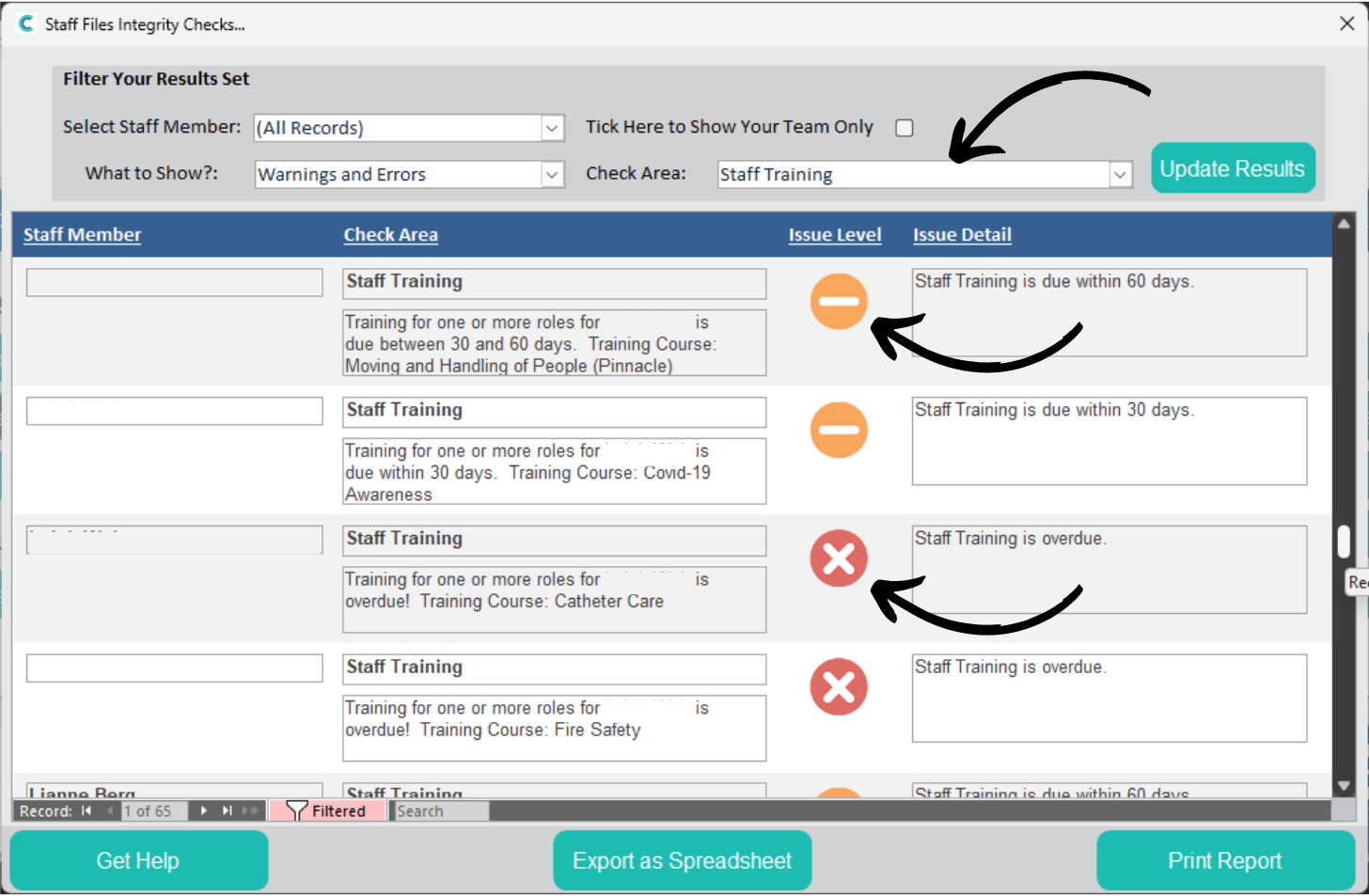
In the Administration of Care Control Windows, open the Staff Files Integrity Checks tool, which can be found under the Staff Area tab.
Here, filter the Check Area by Staff Training and press Update Results.
Staff members with expiring or expired training courses will show here. A red cross indicates that the training has expired and needs to be completed again. A yellow cross indicates that the training is due to expire in either <60 days or <30 days. The detail can be seen on the right hand side.
2
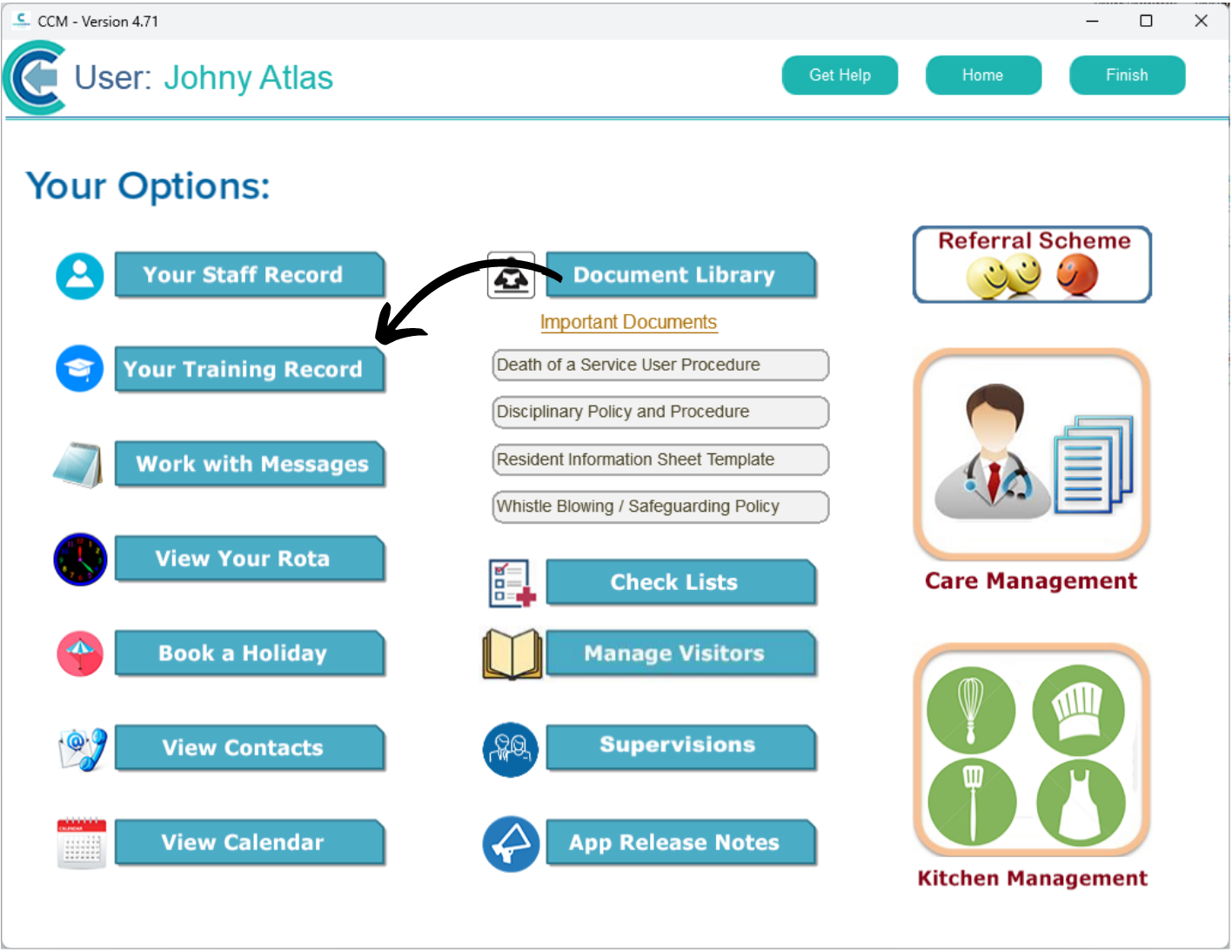
To renew a training module, open Care Control Mobile and navigate to the Staff Menu.
Here, select Your Training Record.
3
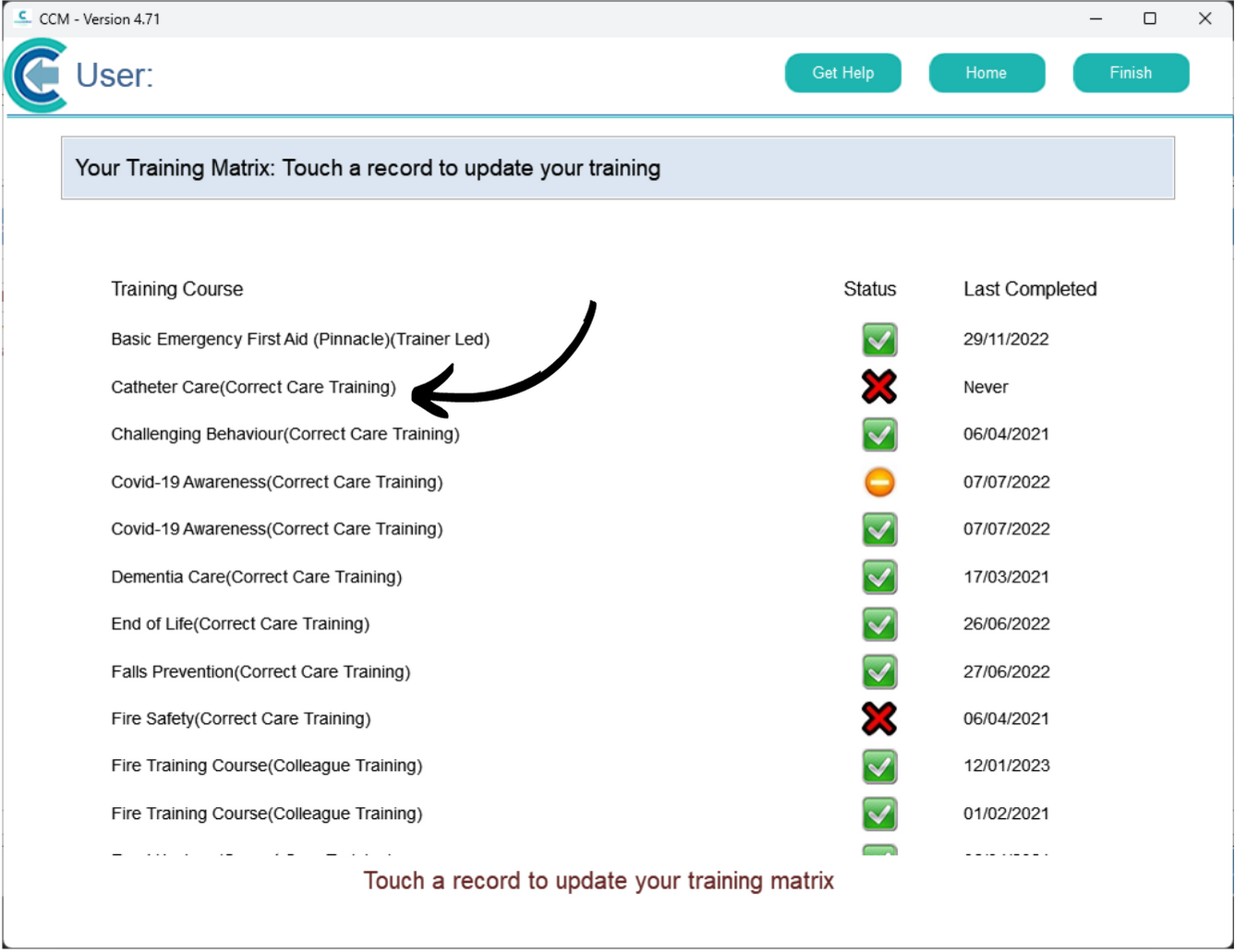
A list of completed, expiring and expired training courses will be displayed.
Simply click on one to update the status.
4
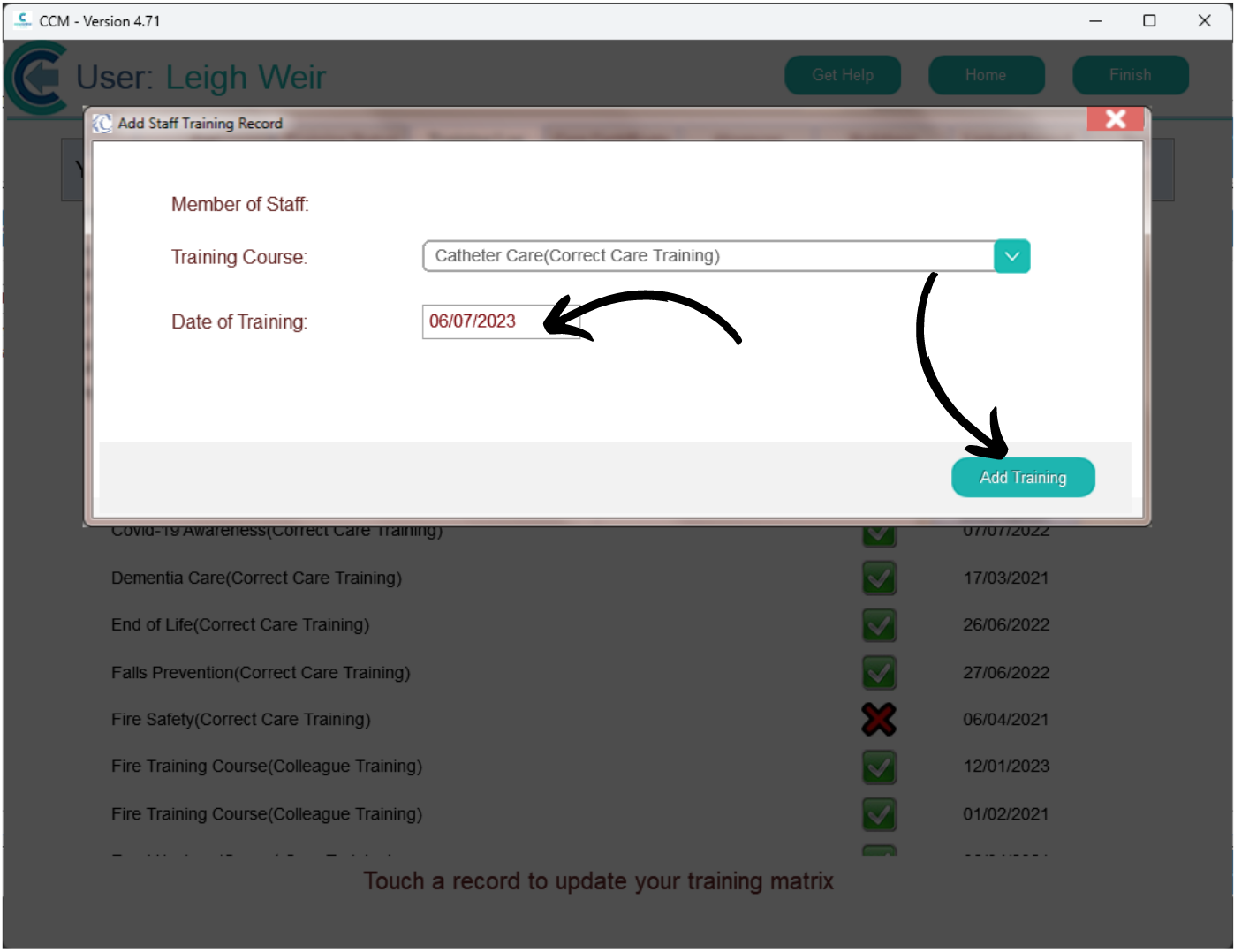
A new window will open.
The training course should show in the drop down list (you can change this here if necessary).
The date will auto fill with the current date, however this can be changed also.