This guide will cover how to resolve issues raised by the payroll checks on Care Control Windows. Please see the payroll settings guide for accessing and amending these checks.
1
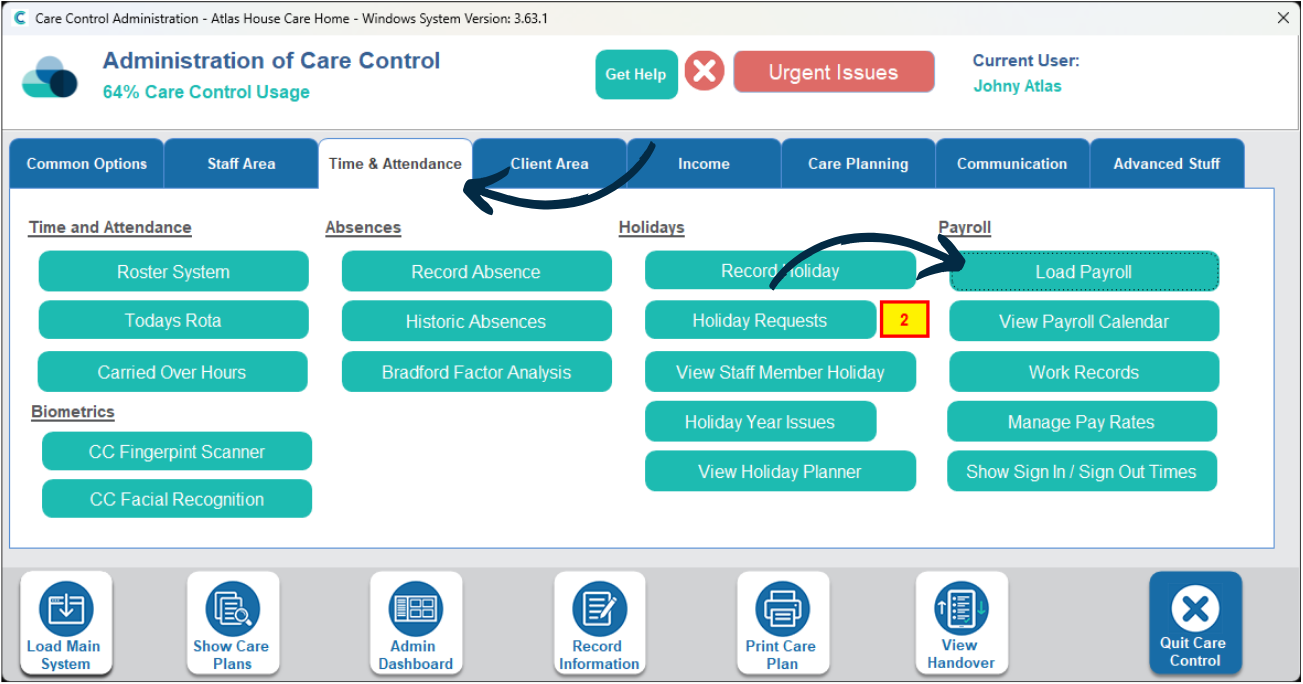
In the Administration of Care Control Windows, navigate to the Load Payroll tool, which can be found under the Time & Attendance tab.
2
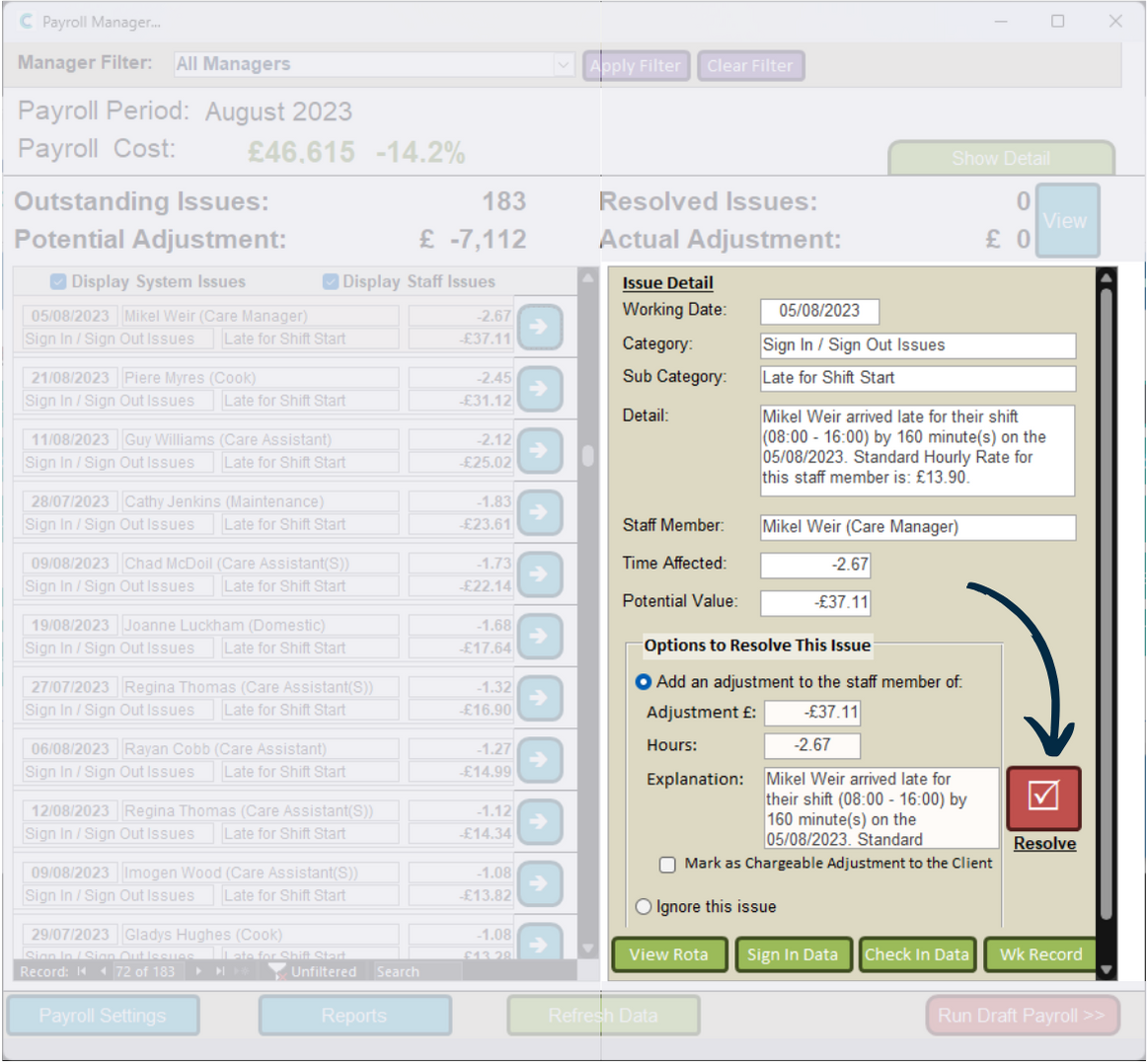
A new window will open. On the left hand side will be a list of identified issues with your current payroll period.
These generally relate to late sign ins to work or early sign outs. The same goes for check ins and outs for visits.
Simply press the blue arrow next to an issue to open it.
3
The issue detail will open on the right hand side.
The issue is broken down into a category, sub-category and detail. This will explain what and why the issue has been raised. You can also see the time affected and potential value of this.
In this example, the staff member was late for a shift start by 160 minutes. This equates to 2.67 hours and therefore £37.11. We can view the supporting data via the buttons at the bottom – View Rota, Sign In Data and Check In Data.
The bottom half of the section contains options to resolve the issue. If this issue has been raised as a mistake, you can choose to Ignore this Issue. Press the Resolve button to complete the process.
4
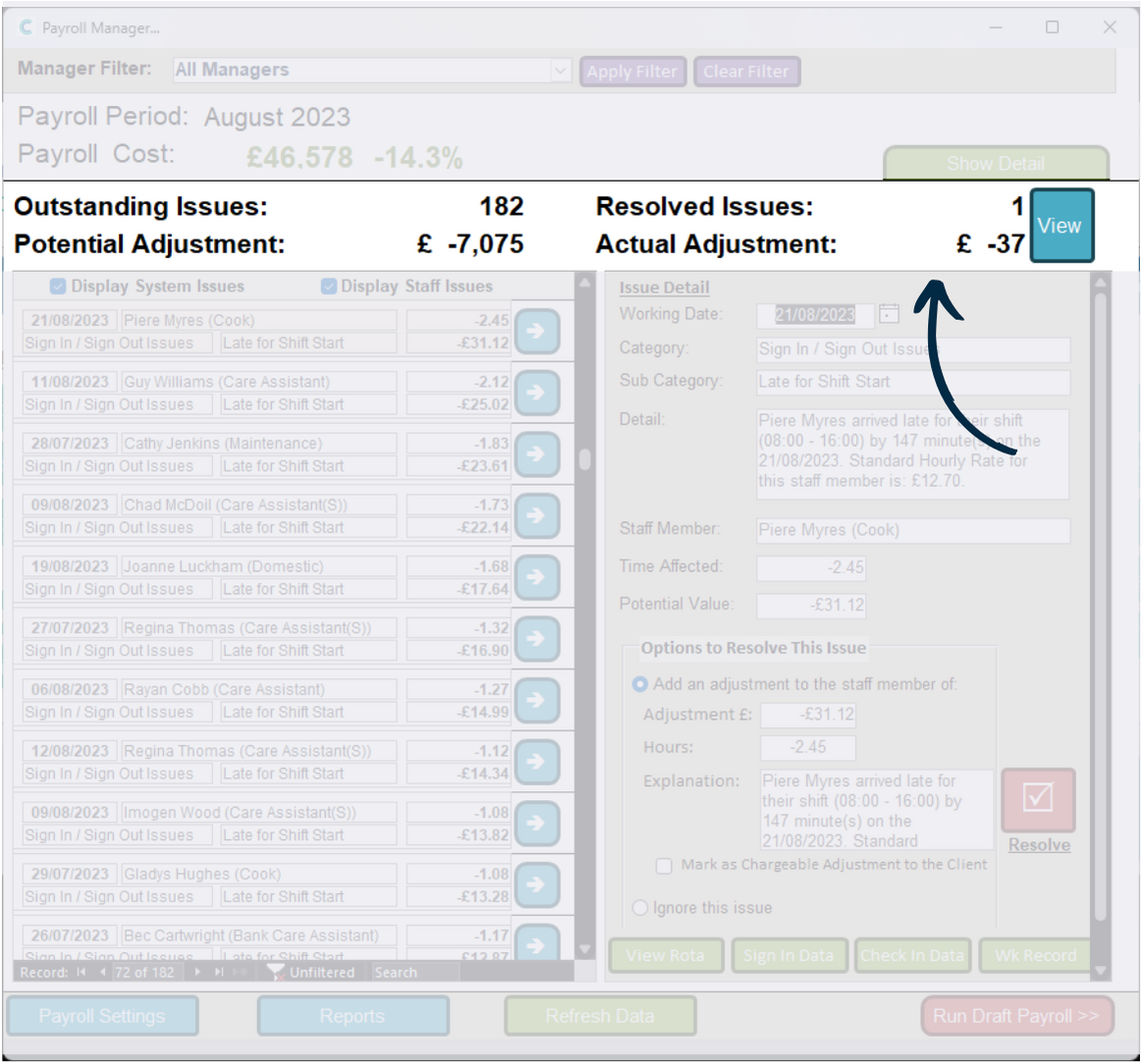
After resolving an issue, the stats at the top of the window will update, and the next issue in the list will open.
We can view resolved issues by pressing View.
5
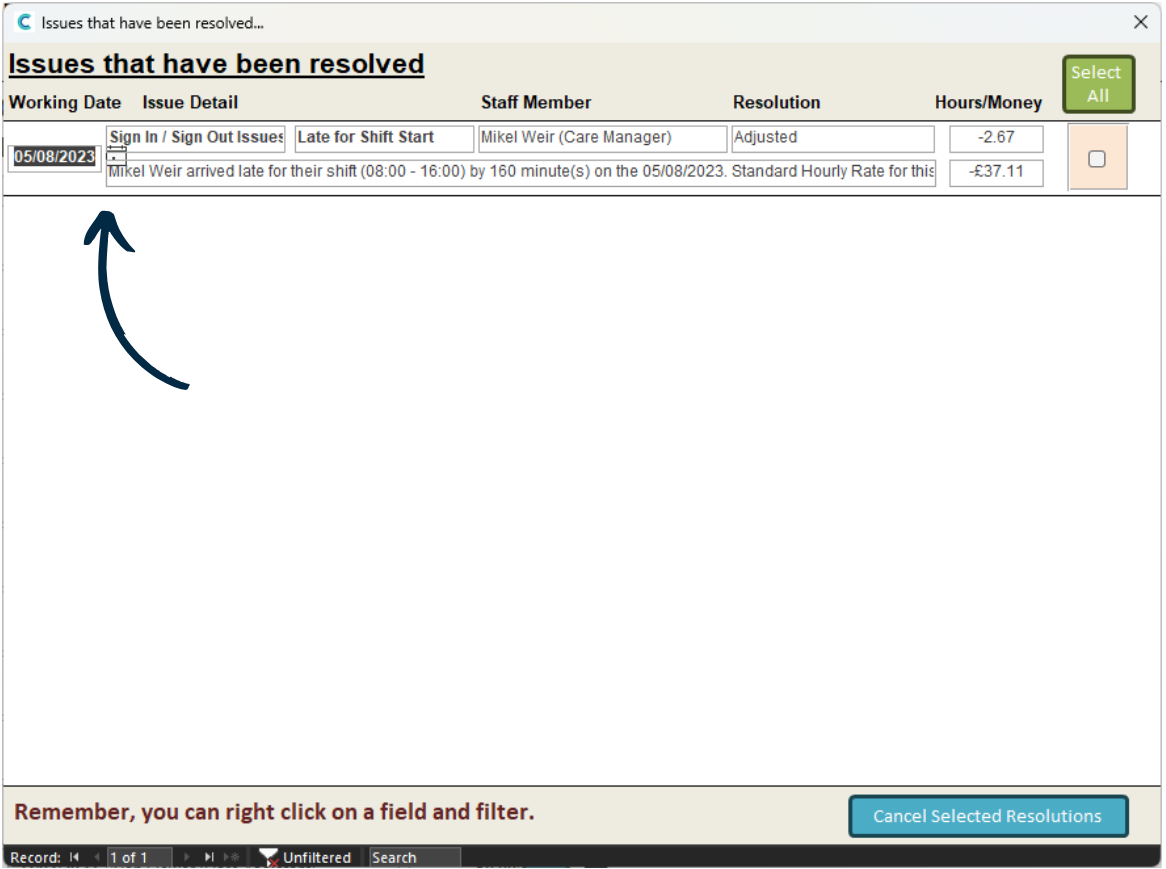
A new window will open containing a list of resolved issues.