You could win a £250 Amazon gift card! All you need to do is spare us 3 minutes of your time. Click here to find out more!
This guide will cover how to access and analyse MUST monitoring data via the Monitoring Analysis feature within a service users Care Plan.
In the Administration of Care Control Windows, select Show Care Plans from the options along the bottom of the window.
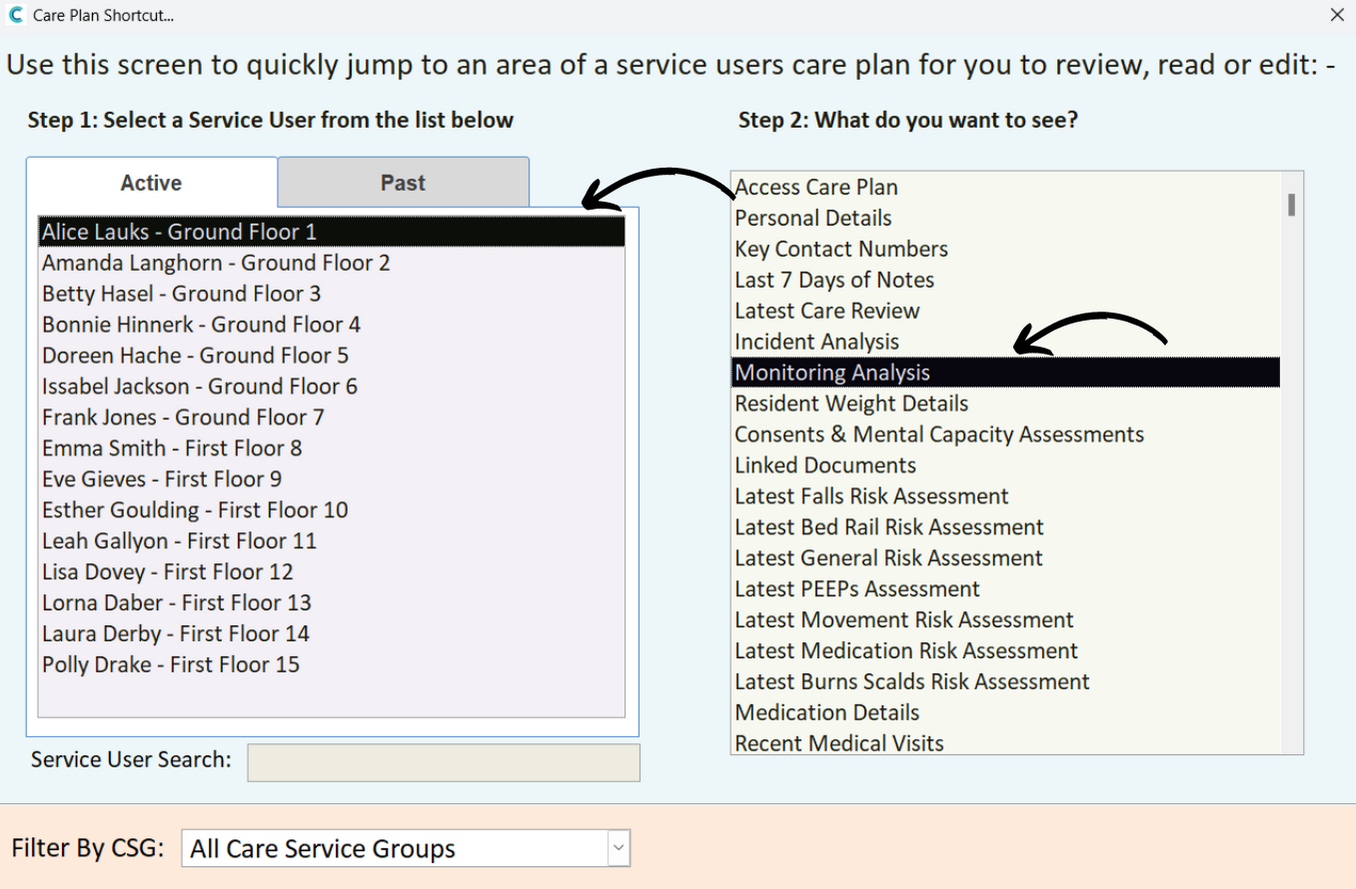
Select a Service User from the left hand list, then, select Monitoring Analysis from the Care Plan options.
Select MUST Assessment from the Current Monitoring options.
Some basic information about the monitoring will be displayed.
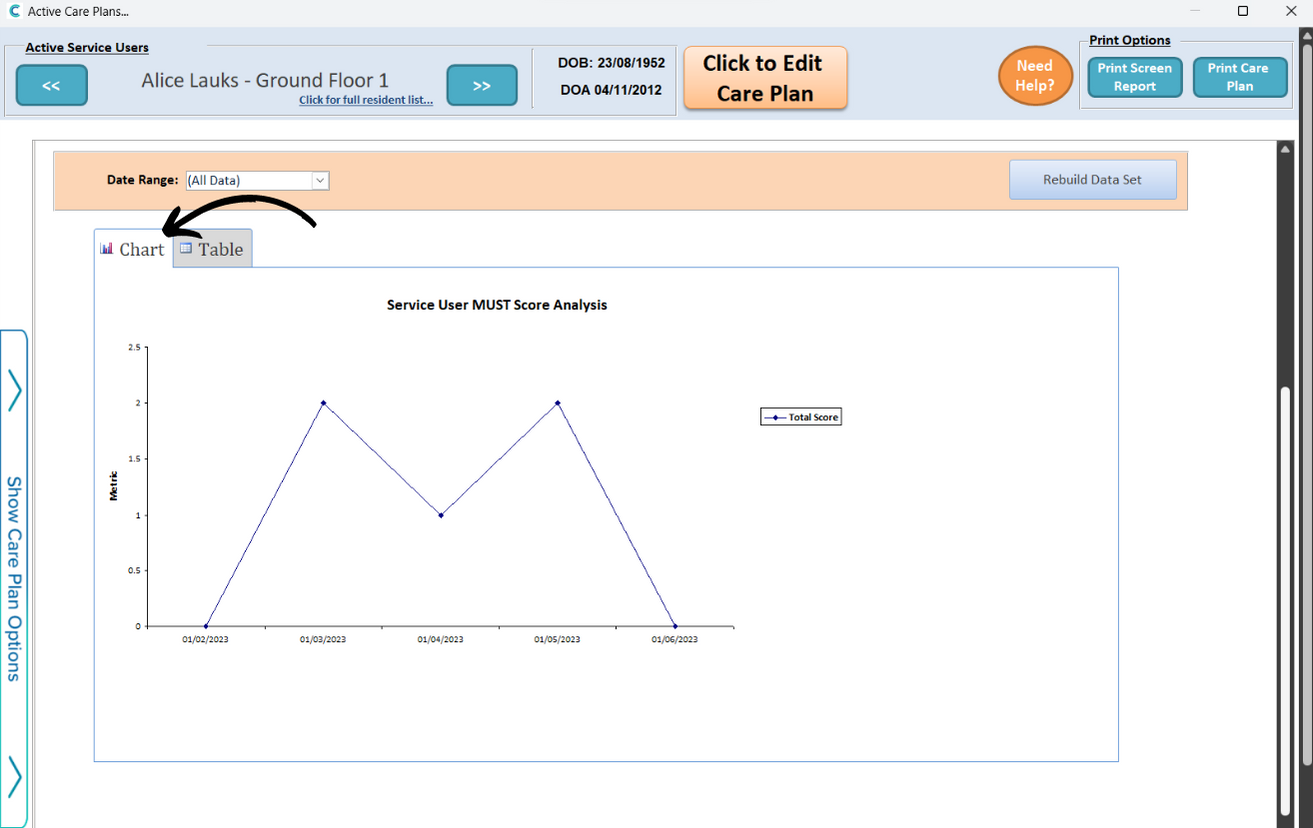
Scroll down to view a chart analysis for service user MUST score. You can filter this by a Date Range.
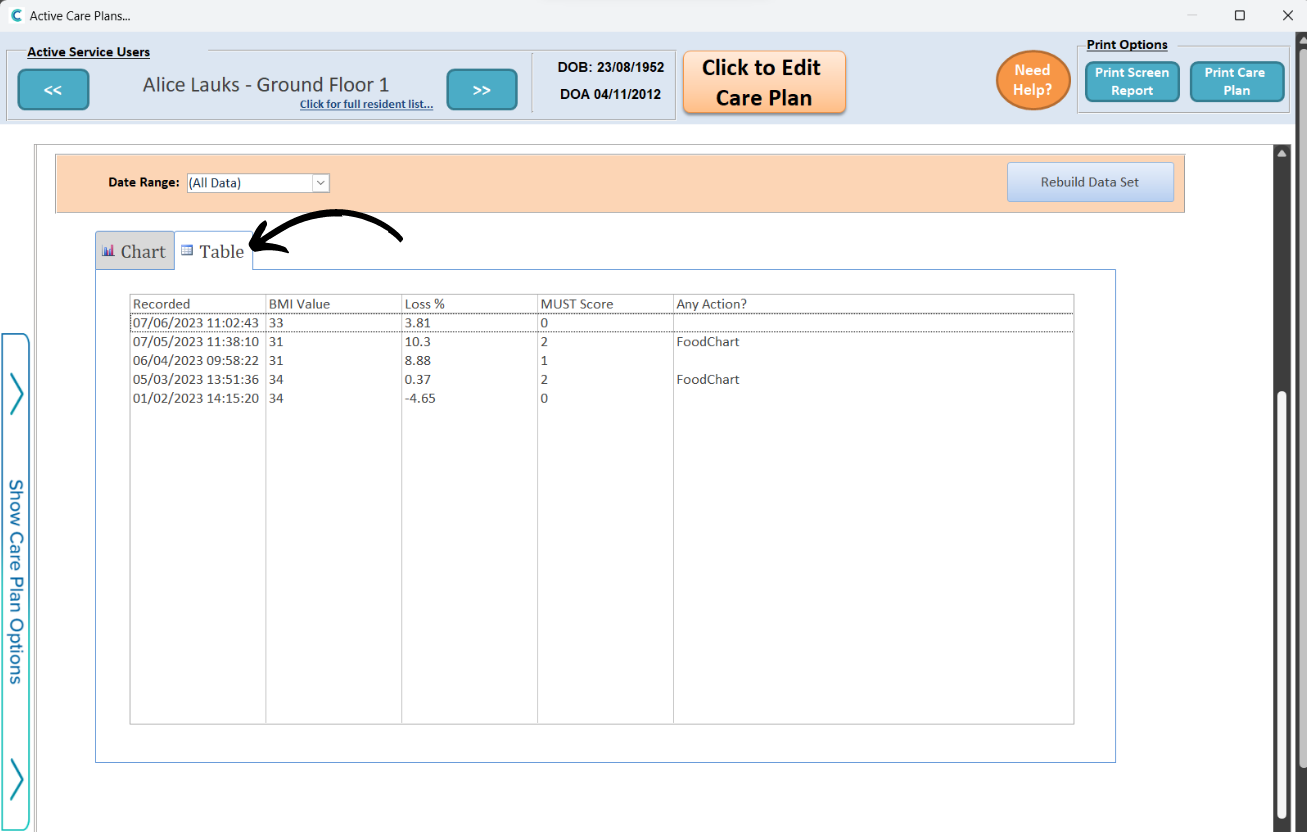
You can also view the data in a Table, where the results are displayed in a list format.