This guide will cover how to create a survey for Care Control V-Book. This survey will be prompted when visitors sign out and can collect valuable data about your organisation.
1
In the Administration of Care Control Windows, navigate to the Quality Survey tool, which can be found under the Communication tab.
2
A new window will open. Here, you can view an analysis of your surveys, as well as amend their settings and manage the active surveys in your organisation. To create a new survey, press New Survey.
3
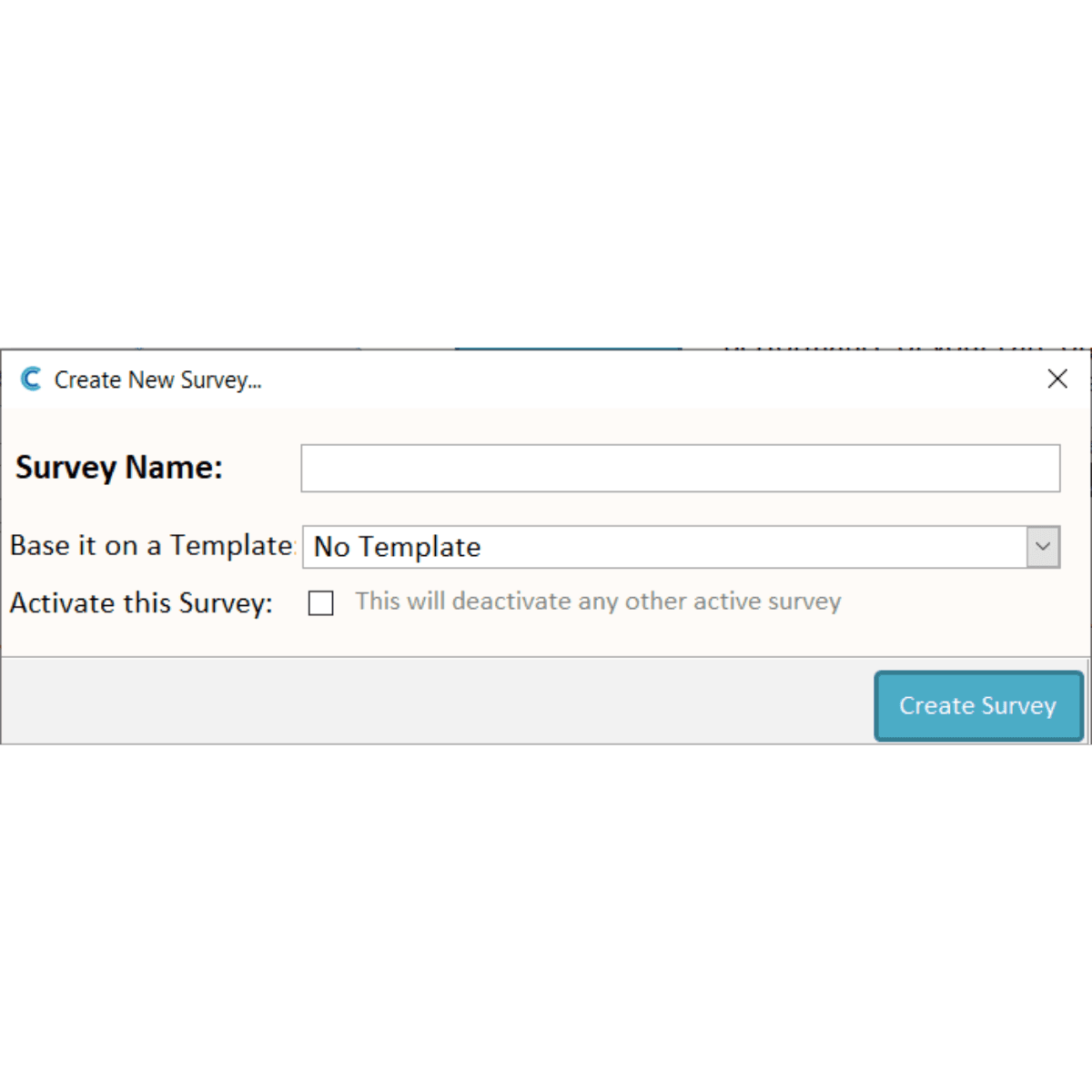
Enter a name for your new survey. You can also choose to base it on an existing survey.
For now, we will leave this survey as inactive.
4
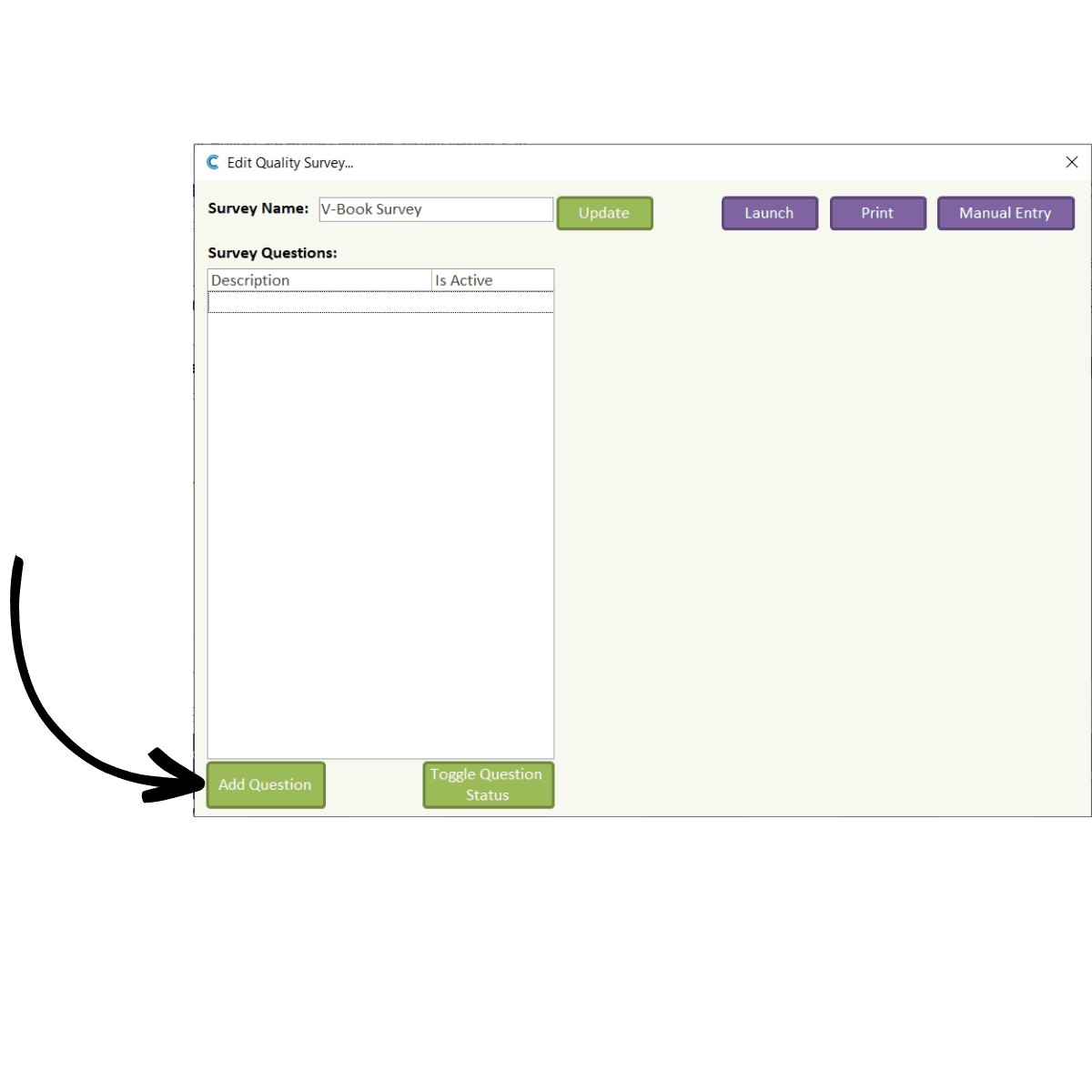
A new window will open. Here, you can begin building your survey. To add a new question to the survey, press Add Question.
5
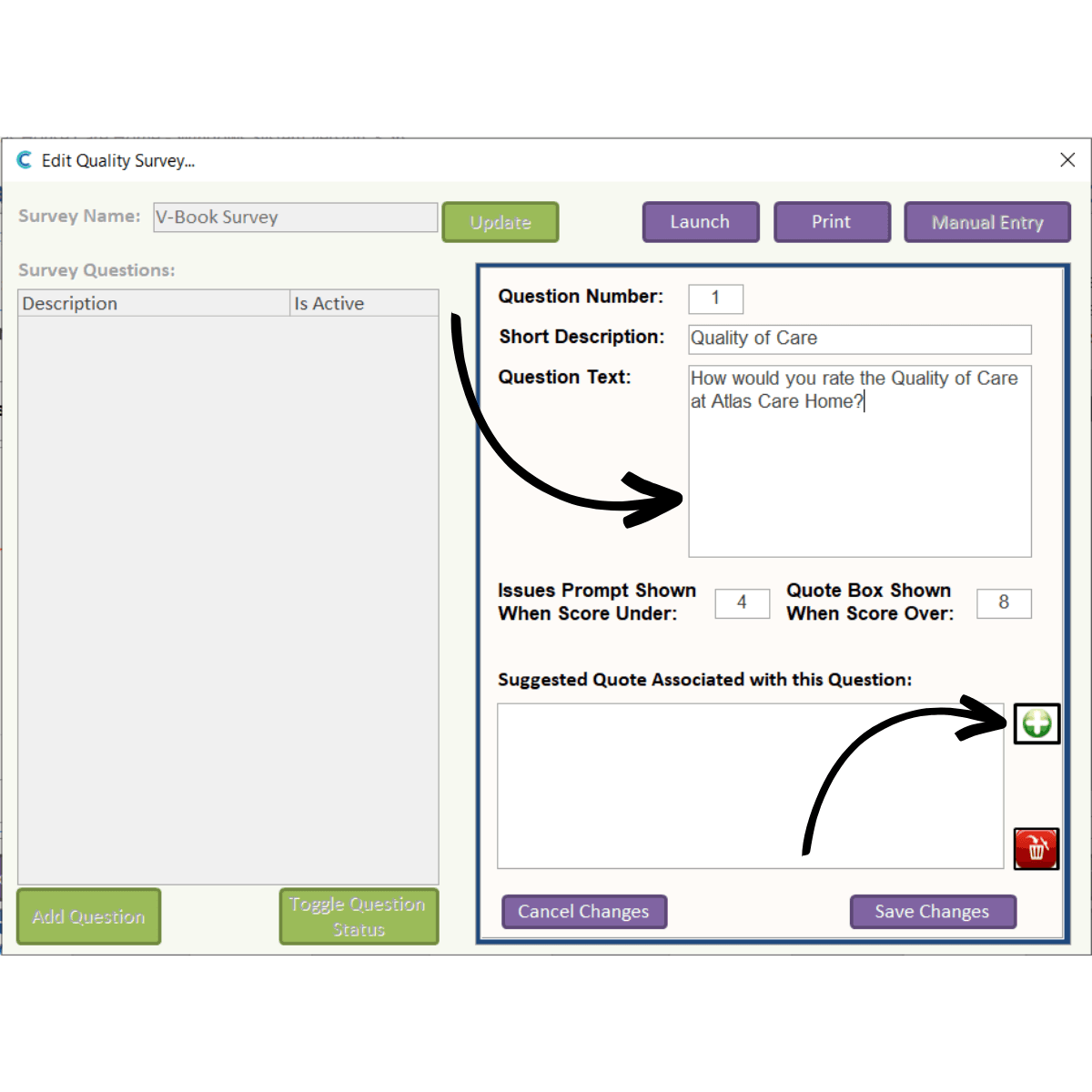
A form will open on the right-hand side of the window. Begin by entering a Short Description to categorise the question.
Next, enter the Question Text. This is the text which will be presented in the survey. Note: the questions are scored 1-10, so must be phrased in a way which allows this.
The next set of options determines pop-ups when low or high scores are given:
Issues Prompt Shown when Score Under – enter a number, under which, a prompt asking for written feedback will be shown.
Quote Box Shown when Score Over– enter a number, over which, a prompt asking for written feedback, or a pre-set message, will be shown.
The Suggested Quoteassociated with theseQuestions are the pre-set messages which will be available to select after a user scores the question above a set score. For example, if someone scores above 8, they will be able to choose ‘The Quality of Care at Atlas House is exceptional’ as a feedback response.
To add a pre-set feedback response, simply press the Green + symbol.
6
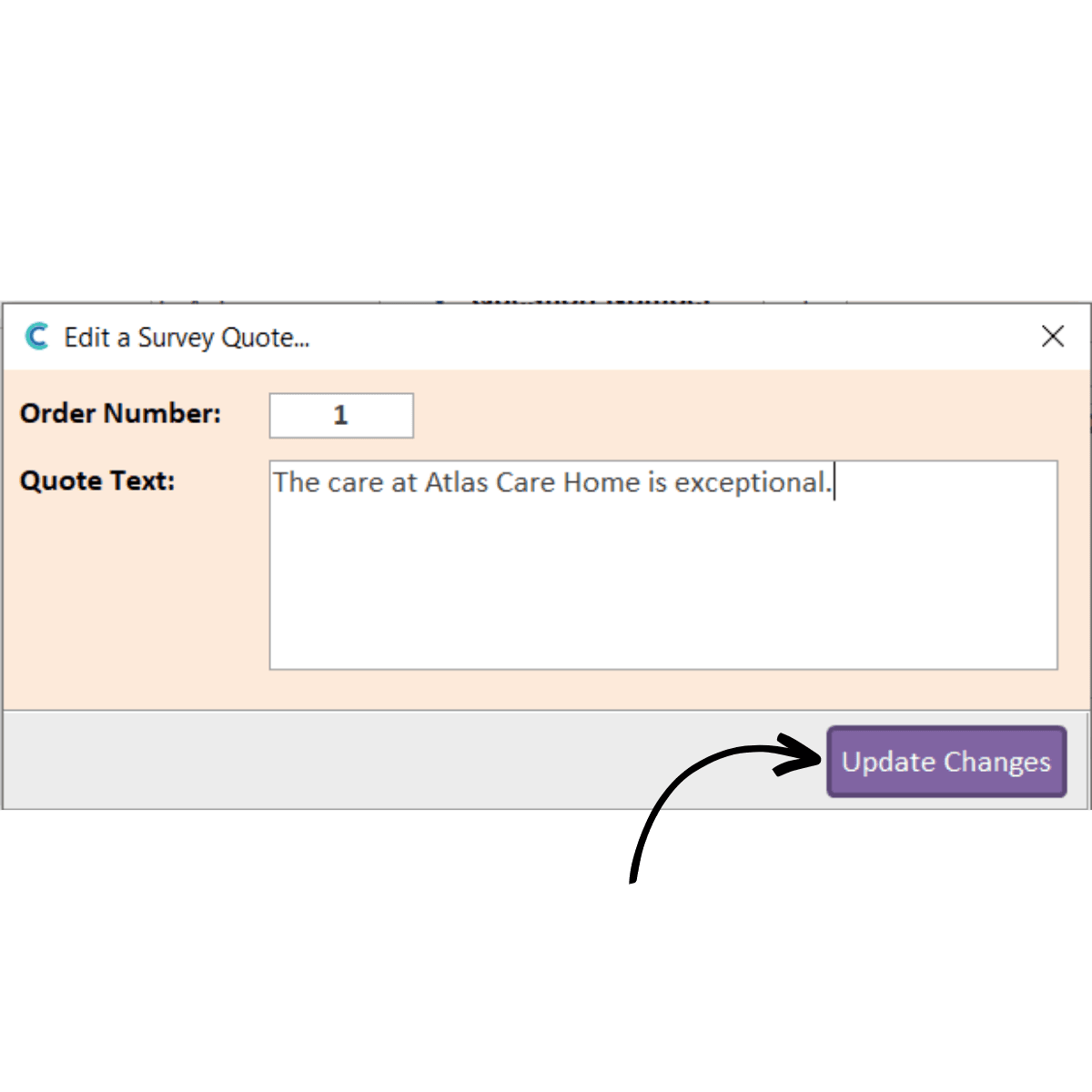
A new window will open. Here you can enter the pre-set feedback response. Press Update Changes to save it.
7
You have successfully added a question to your new survey! To test the survey, press Launch from the purple options at the top of the window.
Note: this requires CC Mobile to be installed on the laptop/computer. If prompted to update, please do so.
8
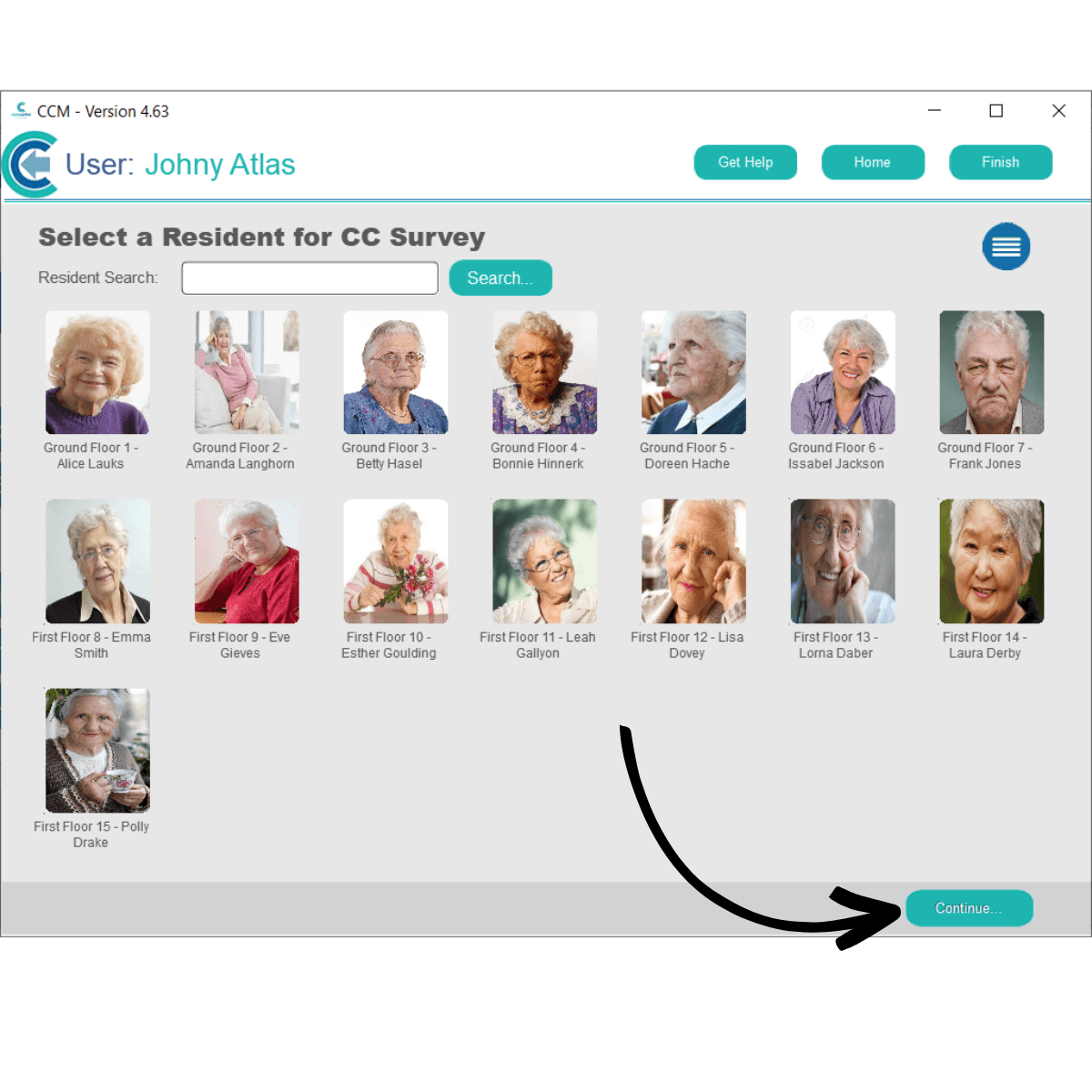
Care Control Mobile will open. Select a service user to test the survey on, then press Continue.
9
You will then be asked for permissions with regards to anonymity and use of results for marketing purposes. Press Continue to proceed.
10
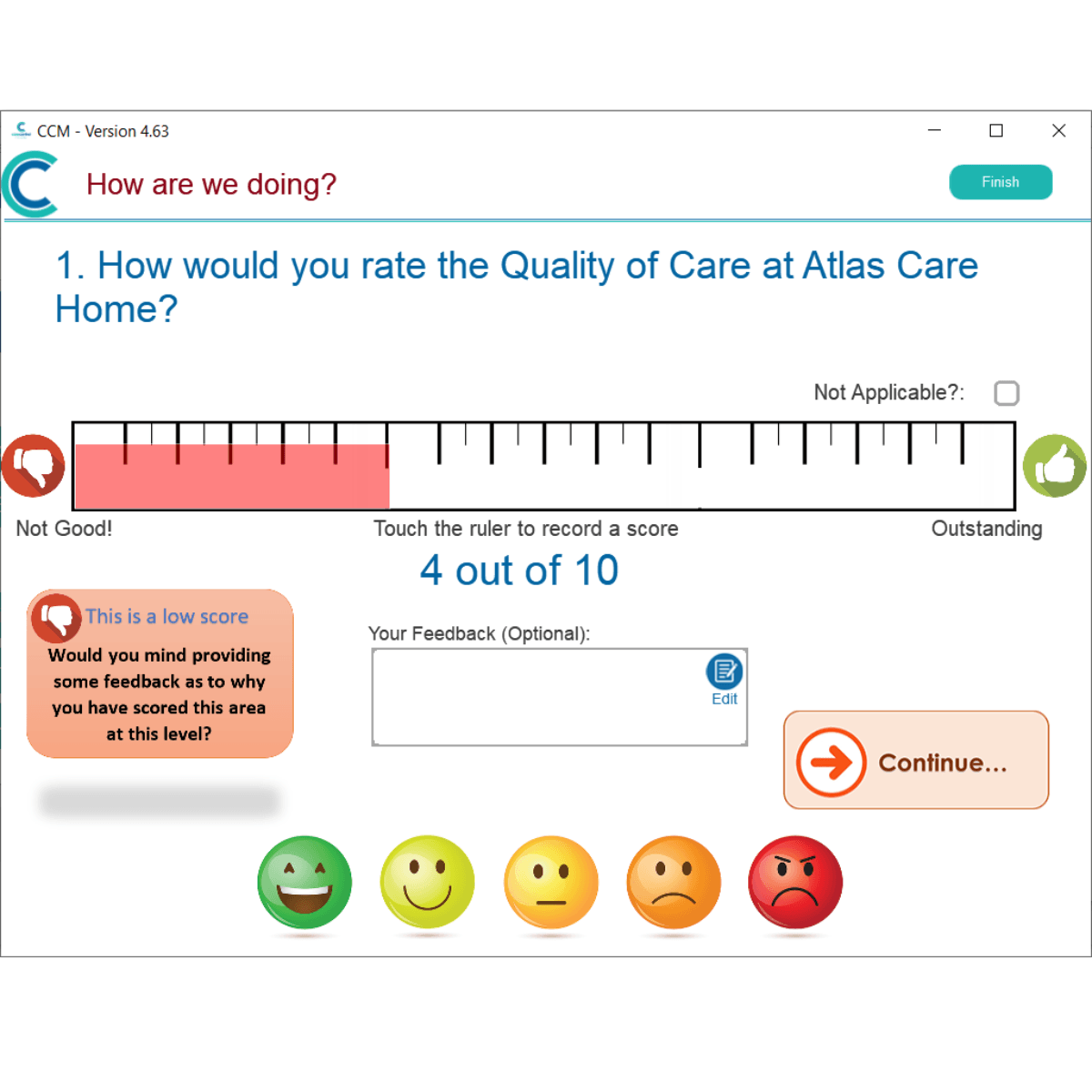
The survey question made earlier will be presented. You can give a score of 1-10 by tapping on the ruler.
As set up in the question settings, a score of 4 or below will prompt a feedback response.
11
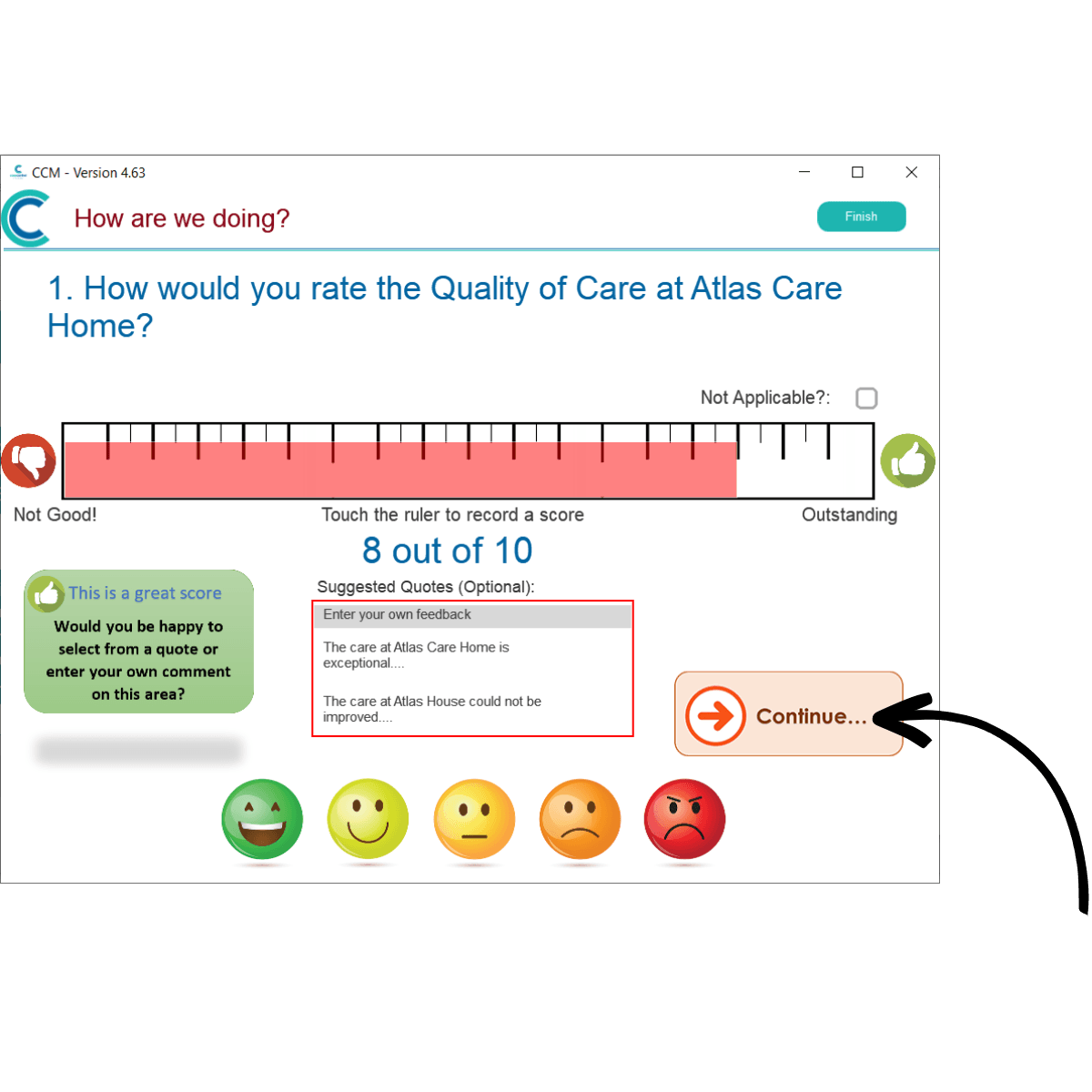
Similarly, a score of 8 or above will prompt a feedback response. There is an option to enter feedback or choose from the pre-set response list created in the question settings.