This guide will cover how to set up your Android Box and TV in order to use Care Control Screens.
1
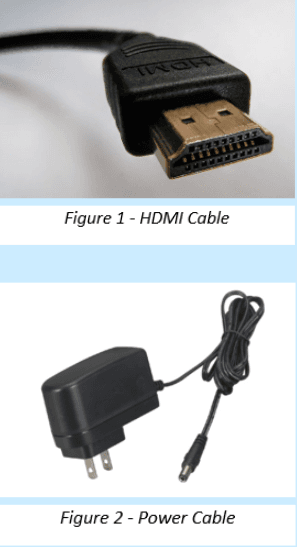
After your Care Control Screens package has arrived, unpackage the Android Box. Both cables needed for the set-up are included in the package:
1x HDMI Cable
1x Power Cable
Connect the TV and Android Box together using the HDMI Cable. Then, connect the Android Box to a plug socket using the Power Cable.
2
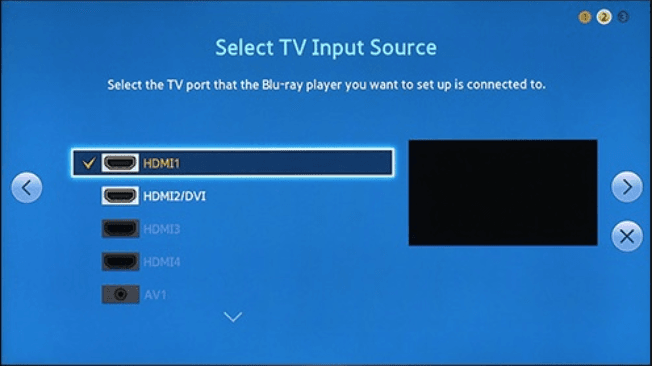
After plugging everything together, turn on the TV. You might need to change the input source for the TV, this can be done using the Input or Source button on the TV remote. After finding the menu, select HDMI 1.
3
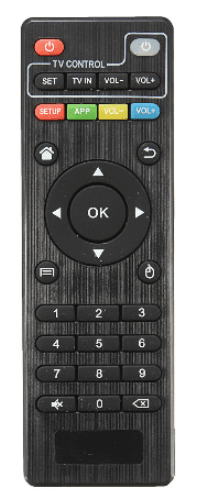
After selecting the input, turn on the Android Box. This can be done using the smaller remote supplied, or by simply turning the power plug on/off.
The box will start up and should display a Main Menu on the TV, showing options like Apps, Browser, Settings etc.
4
Now is a good chance to check the box is connected to your Wi-Fi network. Look for the Wi-Fi symbol at the bottom of the screen – this will be blue if connected to a network, and should auto-connect if the details provided to us have not changed.
If this is not the case, please see the following:
5
To connect to a Wi-Fi network, navigate to the home screen of the Android Box. This is the starting screen.
If Care Control Screens has already opened on your device, press the Home button on the small remote.
Next, open Settings and select Network. Here you will be able to see available networks. Choose the network you wish to connect to and enter the relevant credentials.
After connecting, press Home. Now, open Apps (applications) and open Care Control Screens.
6
Care Control Screens will now open, and might ask for a SIT Code and Device Name. Enter these if required.
You are now ready to set up what is shown on your screen using Care Control Screens Controller.