Bank Holiday Closure Notice: We will be closed on the 3rd April for the Easter bank holiday, so our customer service team will not be available on this day. If you need to get in touch, you can still use our customer contact form and we will get back to you as soon as possible. Even better, Margo will still be available on our phone lines to help with your queries whenever you need support. We hope you have a lovely Easter weekend 🐣
View Categories
Setting up Staff Pocket Access
This guide covers how to set up staff access to the Care Control Pocket application. This is completed on Care Control Windows.
1
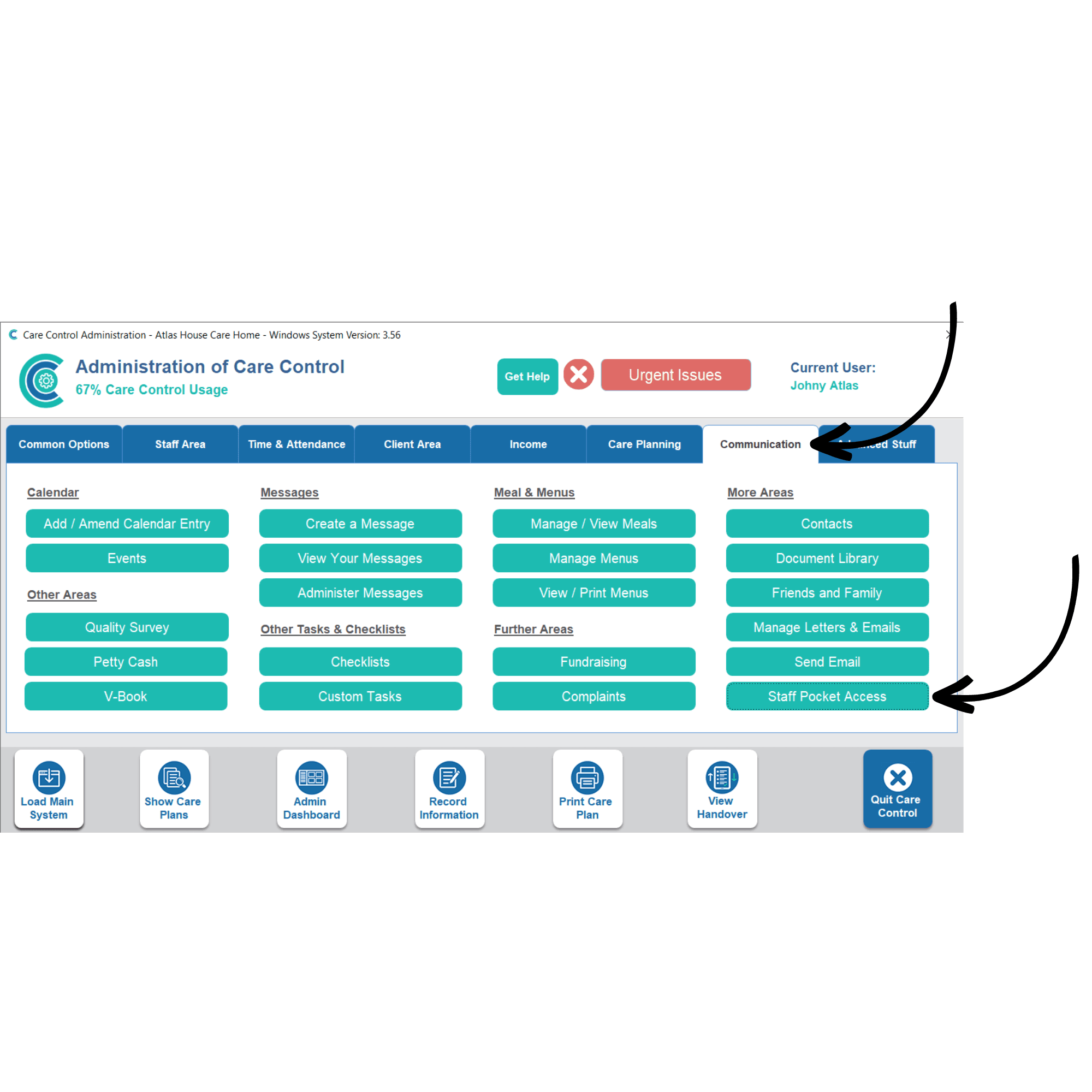
In the Administration of Care Control Windows, navigate to the Staff Pocket Access tool which can be found under the Communication tab.
2
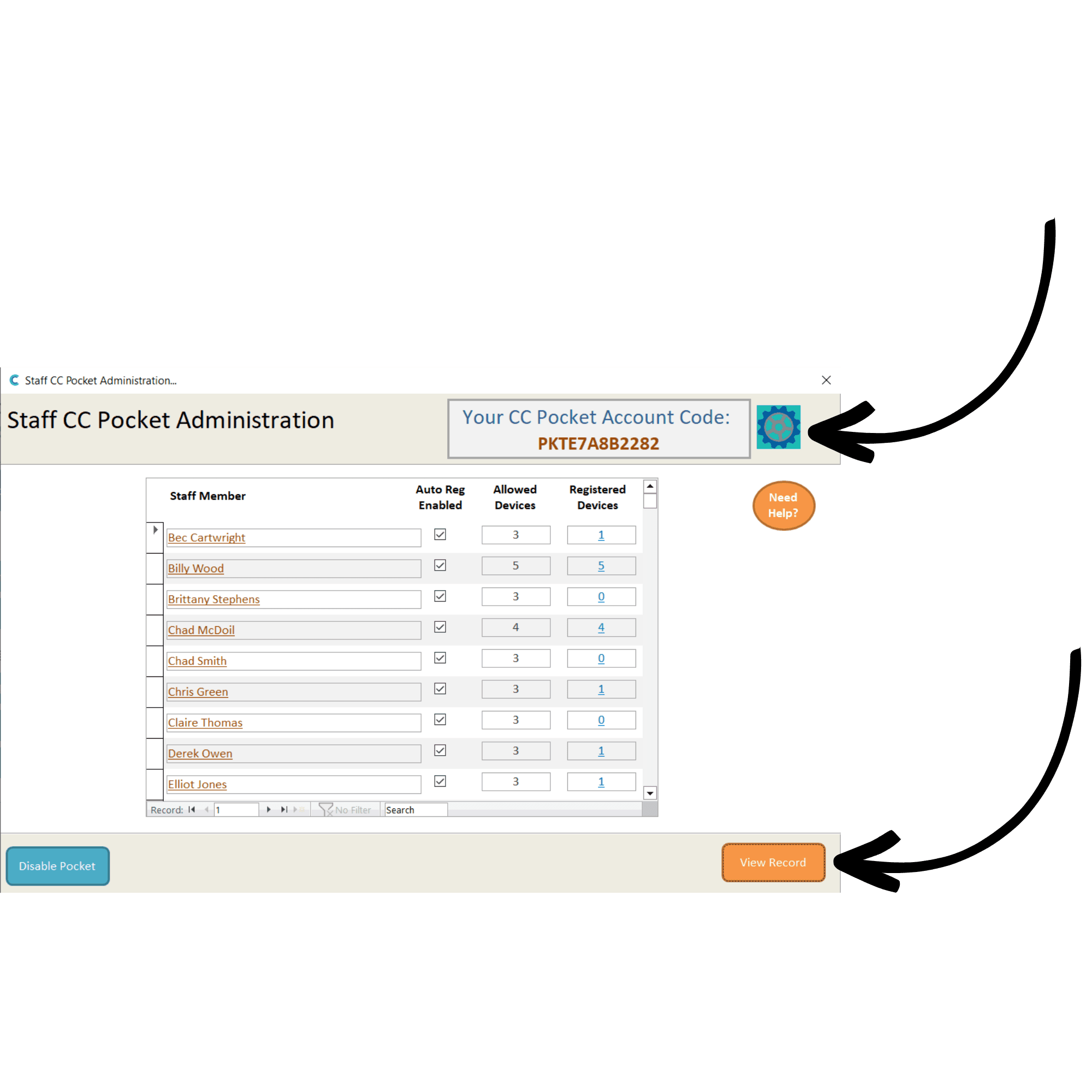
A new window will open. In the top right corner, your organisation’s Pocket Account Code will be displayed. This is the code you can give out to staff in order for them to configure Pocket on their devices.
This window also shows a list of staff members currently registered and the number of devices each staff member has set up already.
To change the default settings, press the settings cog in the top right.
To change individual settings for a staff member, select their name and press View Record.
3
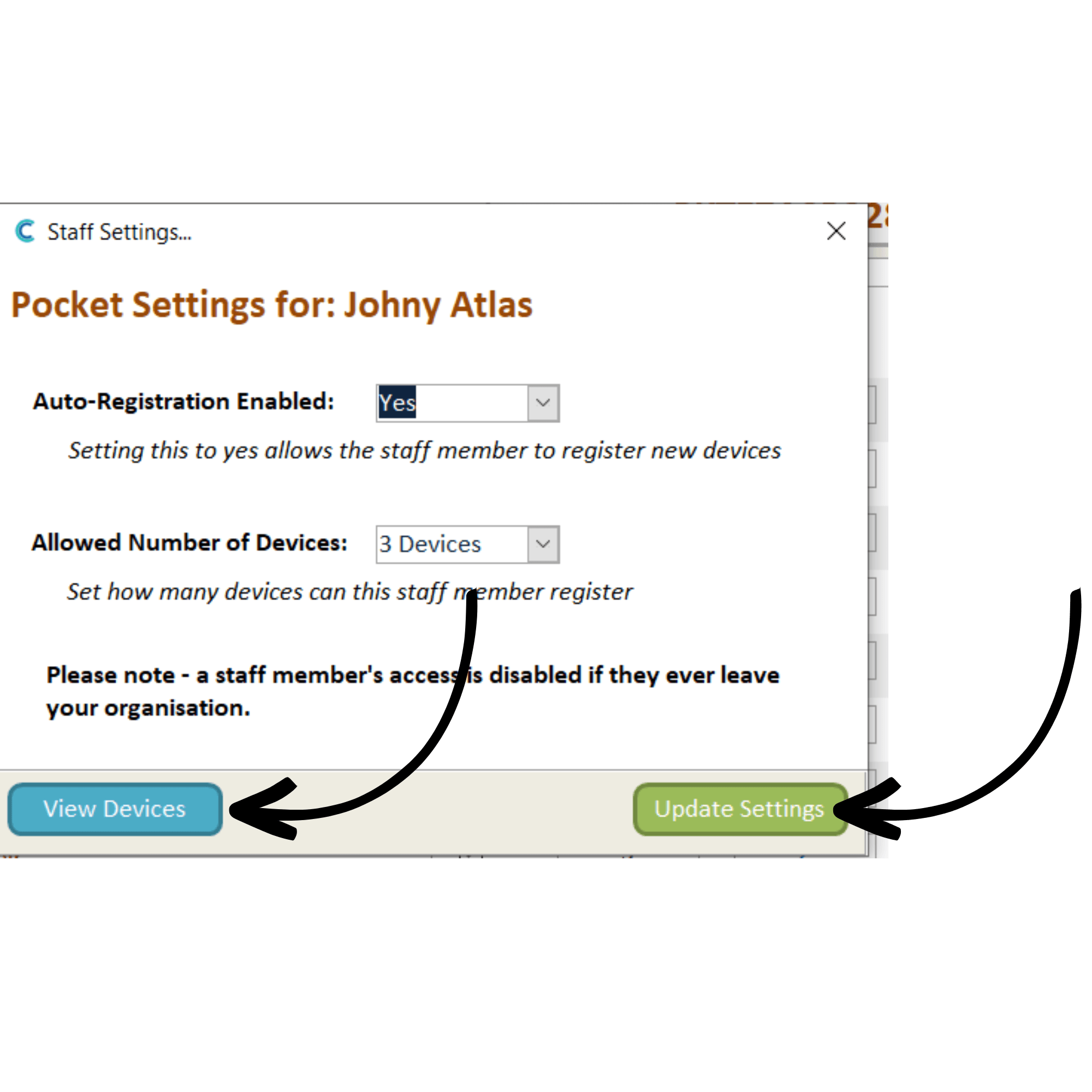
A new window will open. Here you can change whether the staff member can register new devices automatically, as well as the maximum number of devices they can be registered on.
You can view the staff member’s devices by pressing View Devices. Make sure to Update Settings to save any changes.