This guide will cover how to access and manage staff Pocket registrations on Care Control Cloud. This includes the Pocket code, device limits and removing access.
1
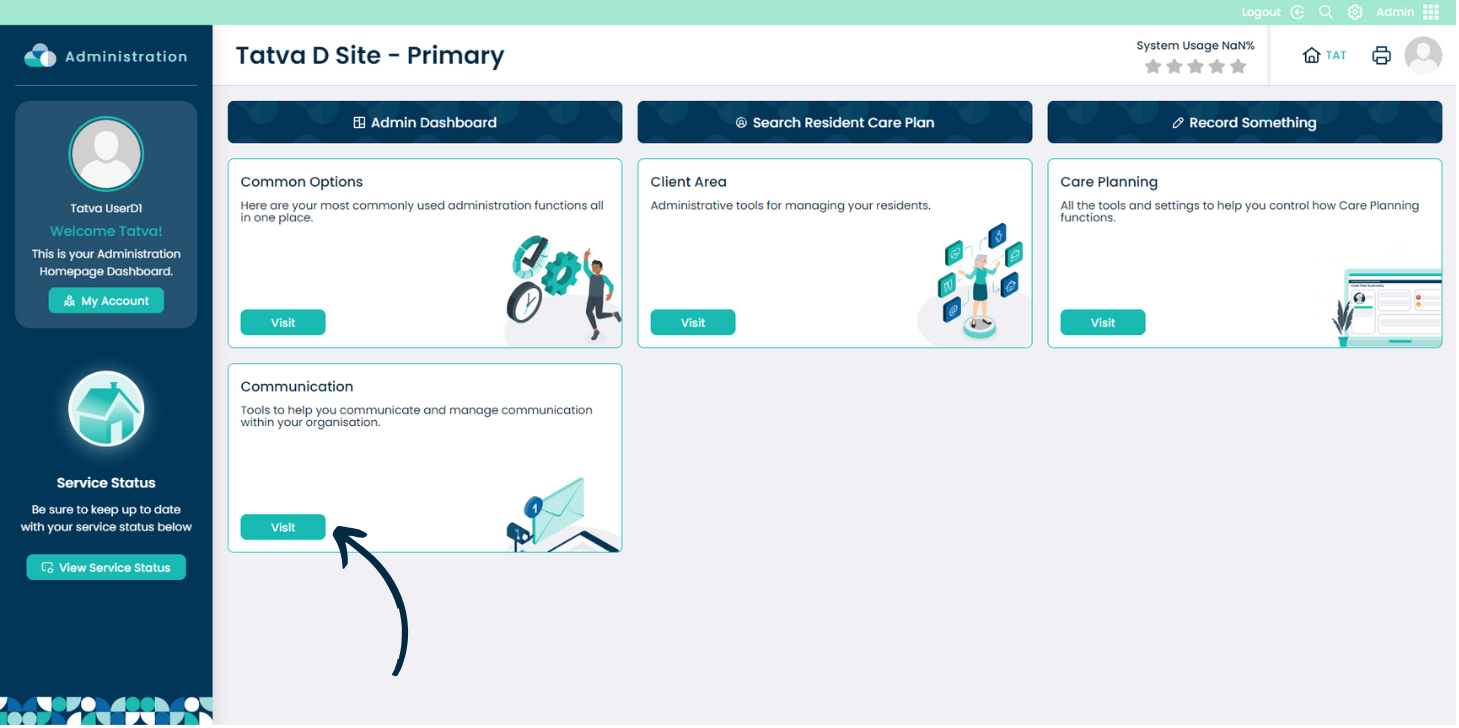
In the Admin application within Care Control Cloud, navigate to the Communication section.
2
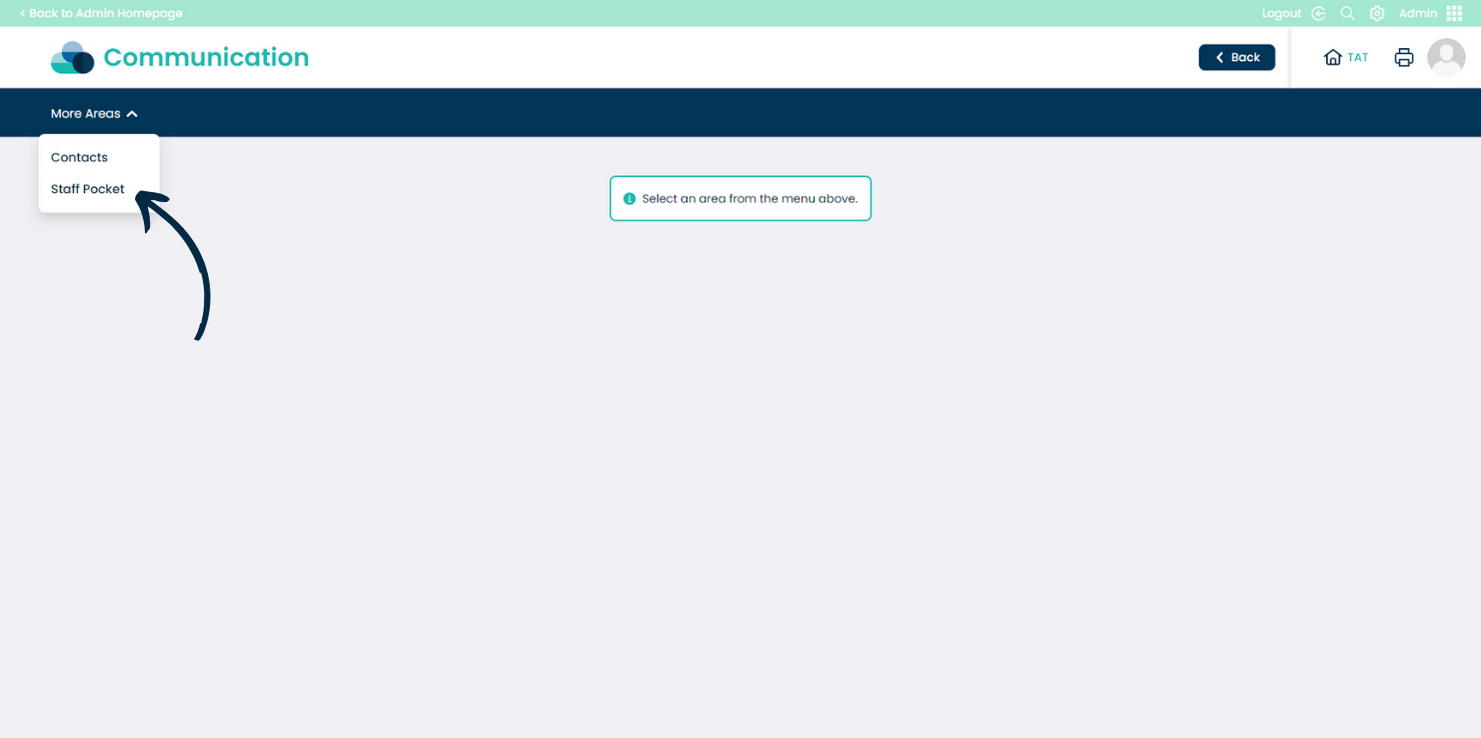
Here, select Staff Pocket from the drop-down list at the top of the page.
3
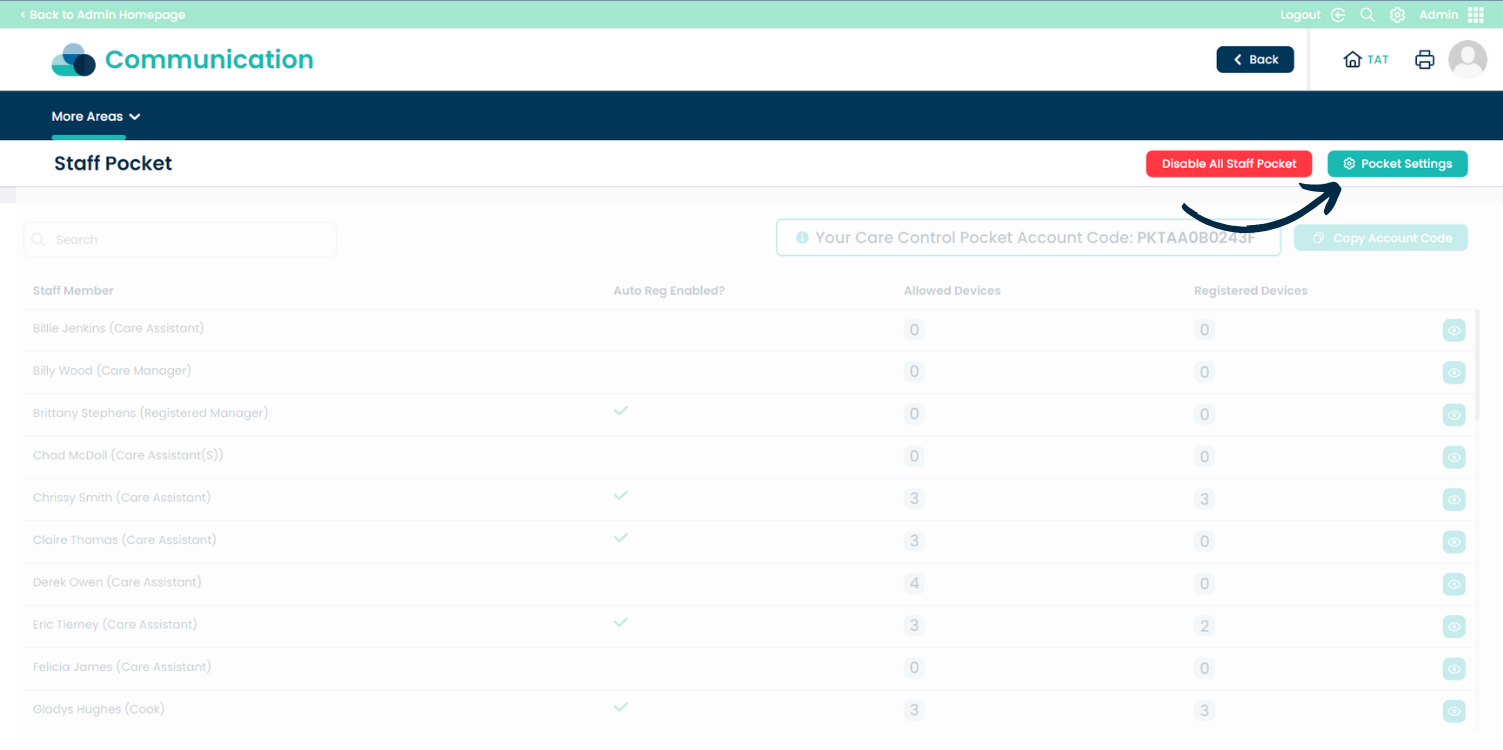
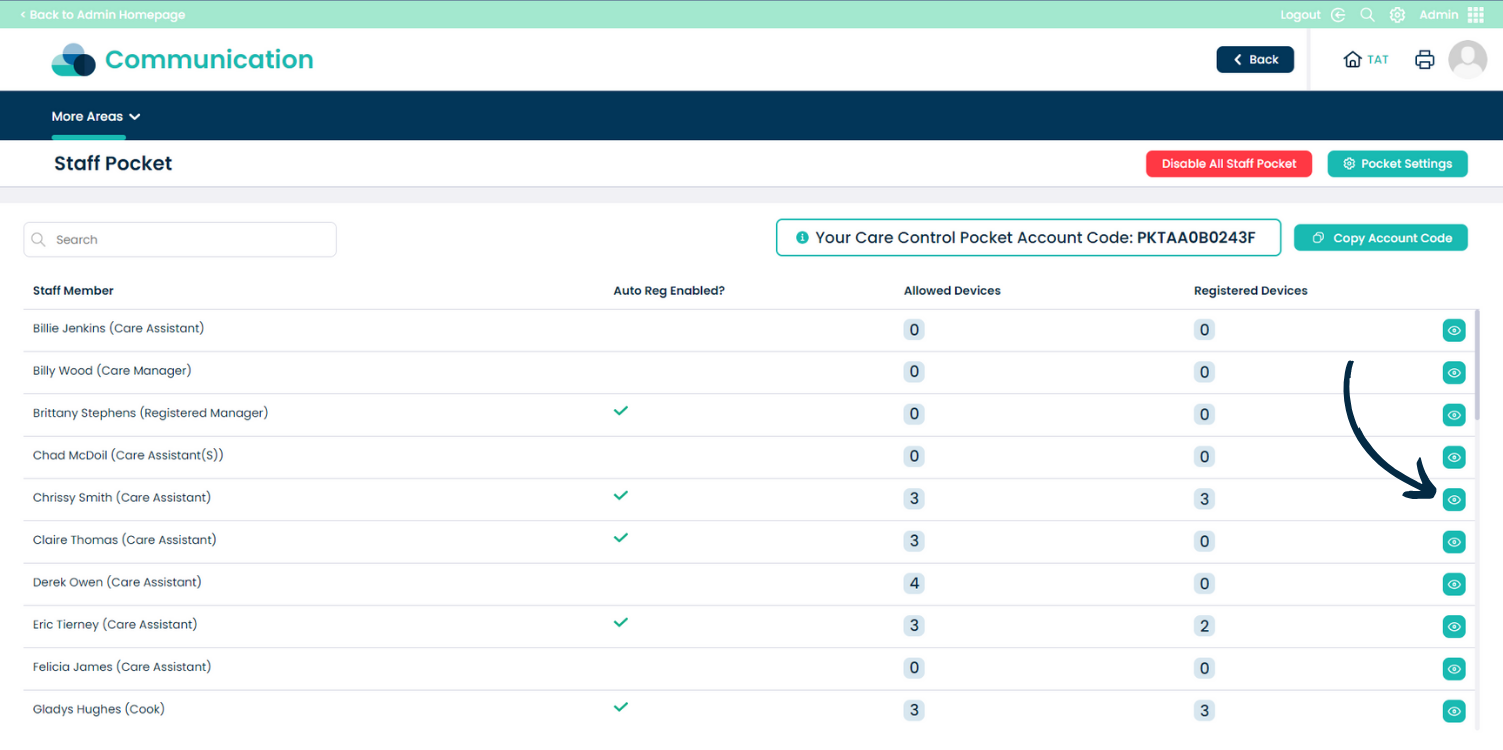
The Staff Pocket dashboard will open. At the top of the page are options to DisableStaff Pocket and to open the Pocket Settings.
Note: if you have not yet configured Staff Pocket, there will be an option here to enable the feature.
4
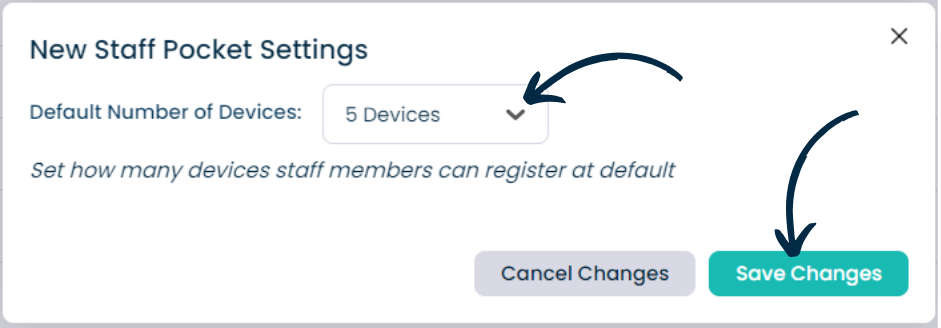
Opening the settings will display an option to set the default number of devices a staff member can have registered at once.
Press Save Changes after making any amendments.
5
Back to the dashboard – just below the previously mentioned buttons is the Pocket Code. This code can be distributed to staff members for them to register Pocket on their personal devices.
In this way, they will be able to see their rota, messages and book holiday – without being able to access the care related aspects on normal Pocket.
6
The dashboard also displays a list of all staff members within the site. Alongside their name is whether they can auto-register, the number of allowed devices, and, the number of registered devices.
Press the eye icon to view more information about each staff member.
7
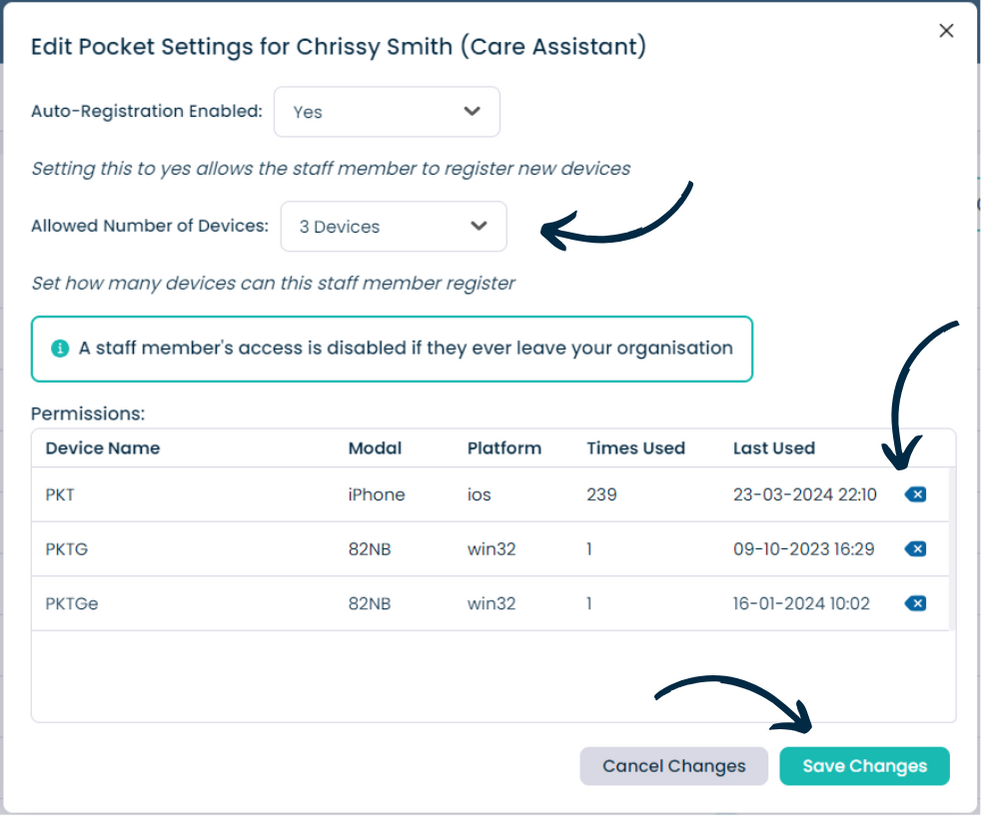
The staff members details will open. Here you can see whether auto-registration is enabled and the number of allowed devices.
The table beneath this will display the devices (if any) registered for the staff member.
Using the options at the bottom you can Disable Staff Pocket for this staff member and also Edit the Record.
8
Pressing Edit Record will allow changes to be made to the auto-registration options as well as the allowed devices.
When in edit mode, you can also remove devices from the table via the back icon. This can be useful to remove devices no longer used by the staff member.