You could win a £250 Amazon gift card! All you need to do is spare us 3 minutes of your time. Click here to find out more!
This guide will cover how to activate Voice typing on both Mobile and Pocket when using Android and Apple devices.
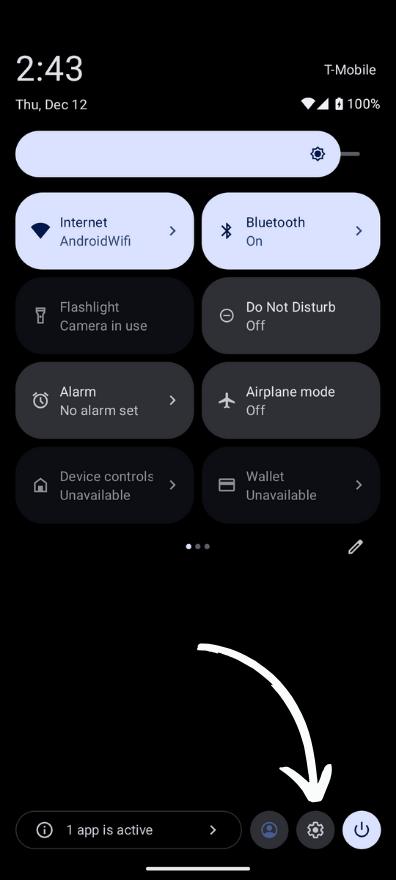
When on an Android device, scroll down from the top of the screen and select the Settings icon.
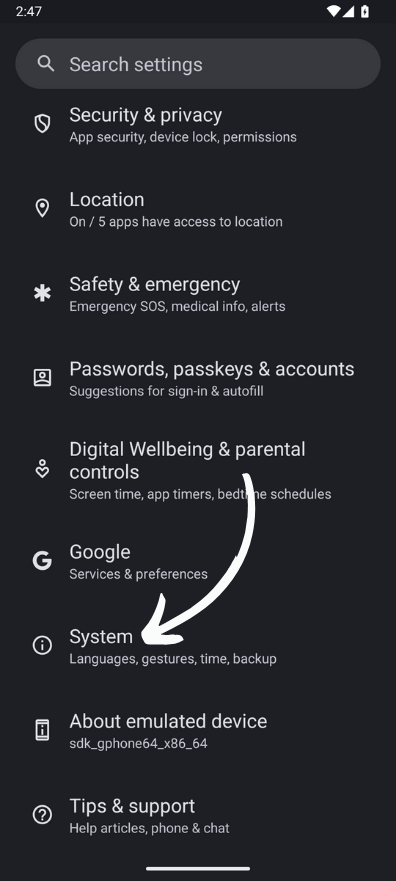
Scroll down until you see System and select it.
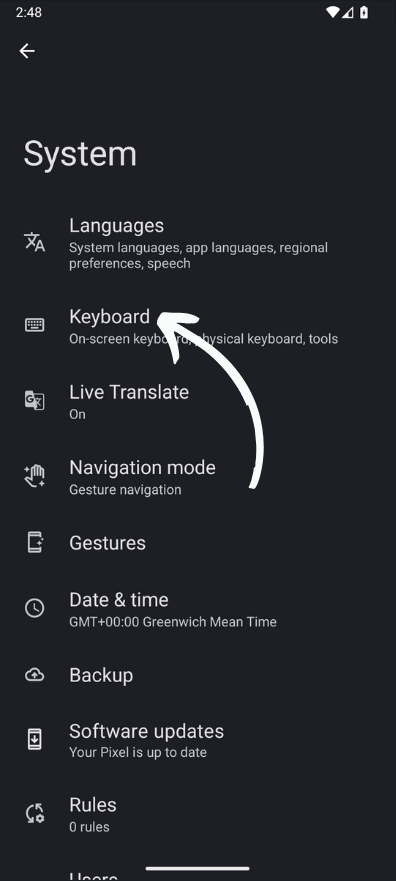
Select Keyboard.
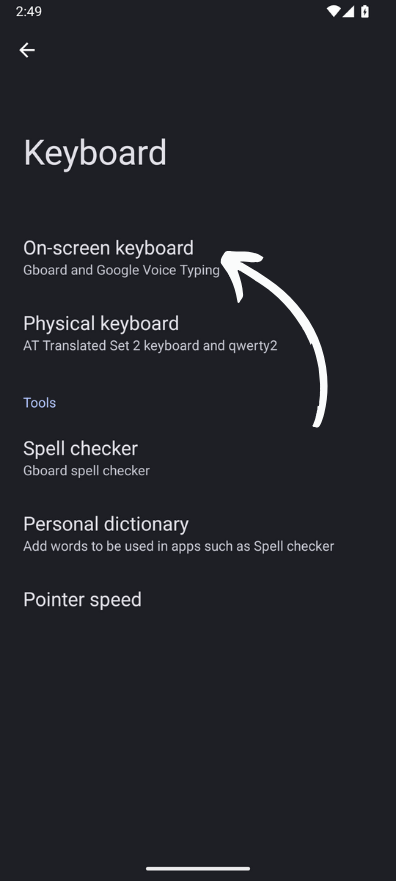
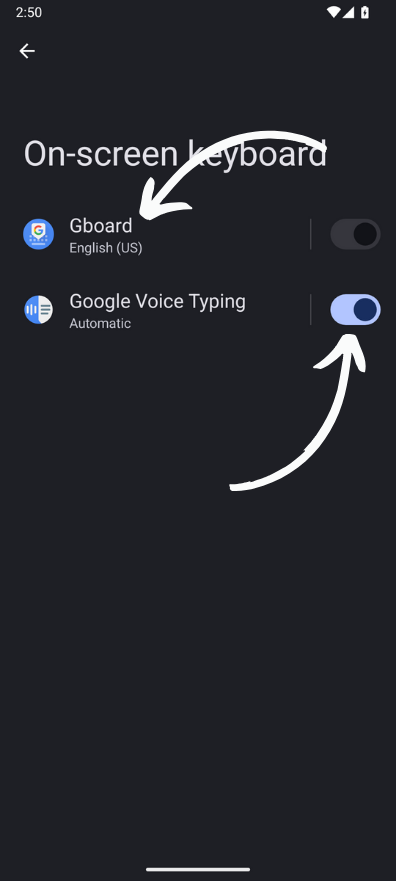
Select On-Screen keyboard.
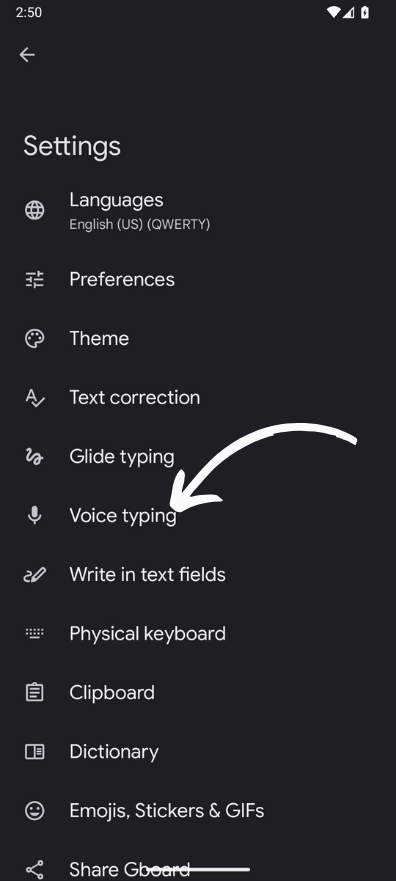
Toggle on Google Voice Typing and then select Gboard.
Now select Voice typing.
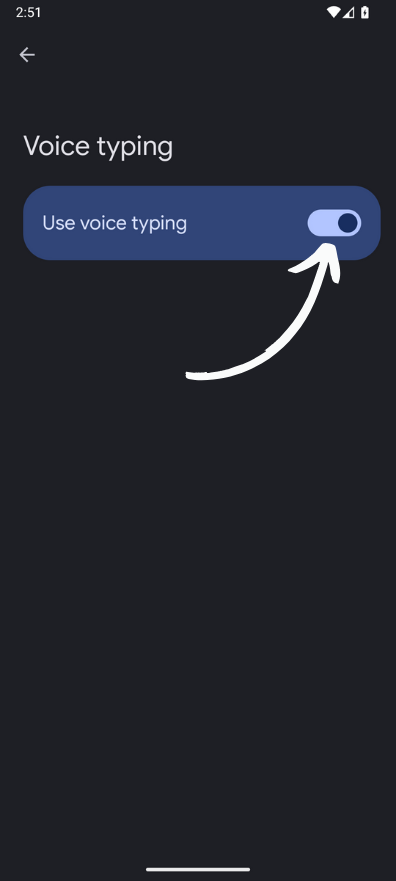
Toggle on Use voice typing.
You will now be able to use voice-to-text when using Care Control Pocket and Mobile.
Go to Settings.
Select the General option.
Now select Keyboard.
Turn on Enable Dictation.