This guide will cover recording Single Custom Forms across multiple devices allowing for seamless care coverage.
Step 1:
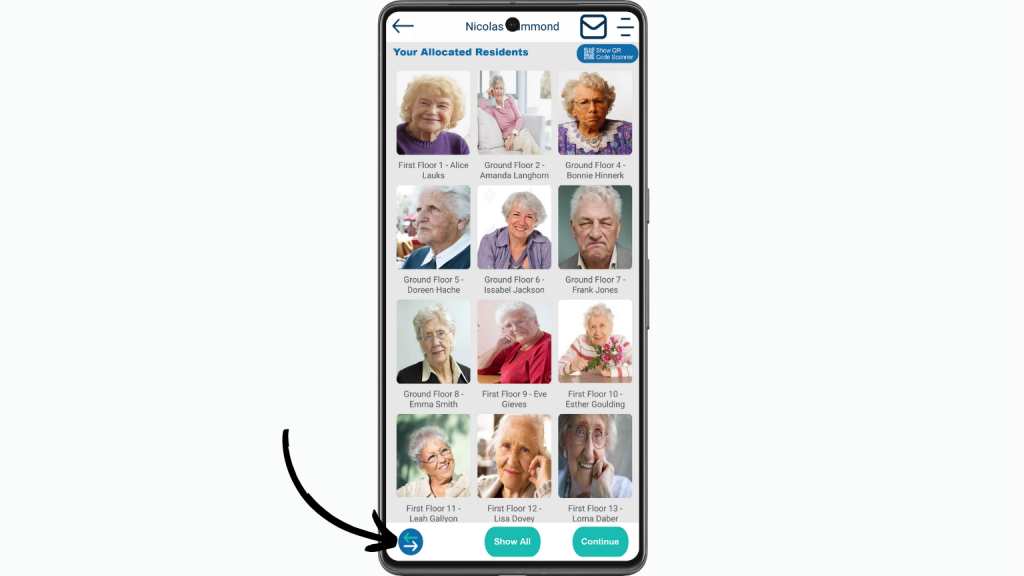
To start recording a Single Custom Form within pocket, tap the Arrow Icon in the bottom left of the screen.
Step 2:
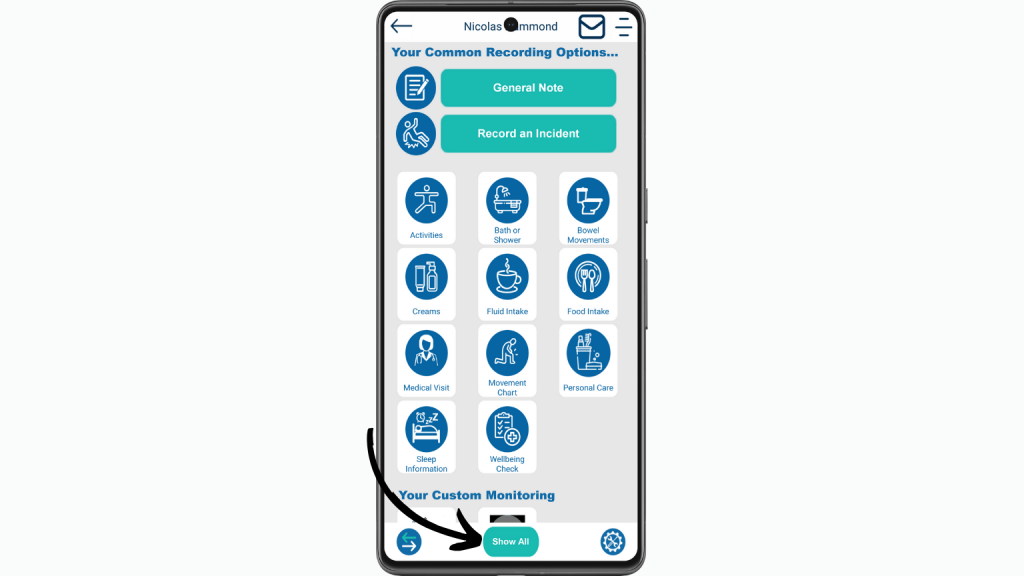
To view all of the recording options tap Show All.
Step 3:
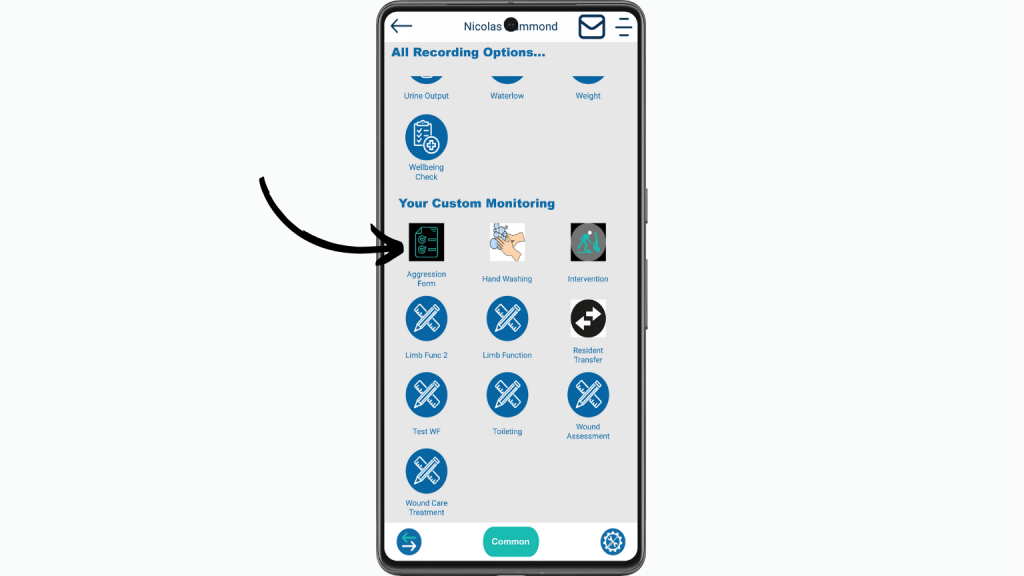
Scroll down until you see Your Custom Monitoring then select the form you wish to start.
Step 4:
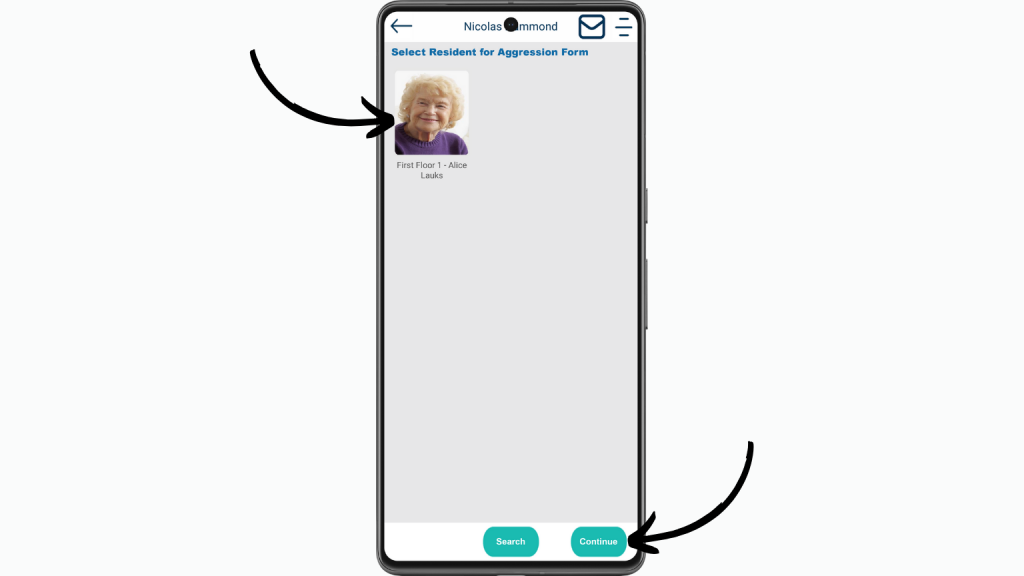
Select the Service User you wish to record for and then tap Continue.
Step 5:
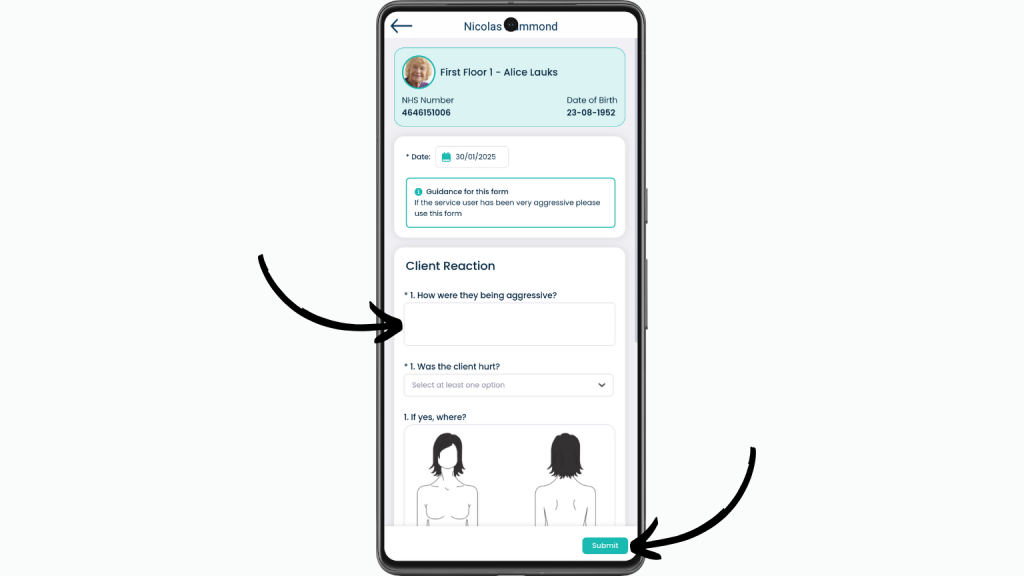
Work through the form as you usually would. Once you reach the manager section of the form, you can leave this blank in preparation for a manager to reply.
Step 6.1:
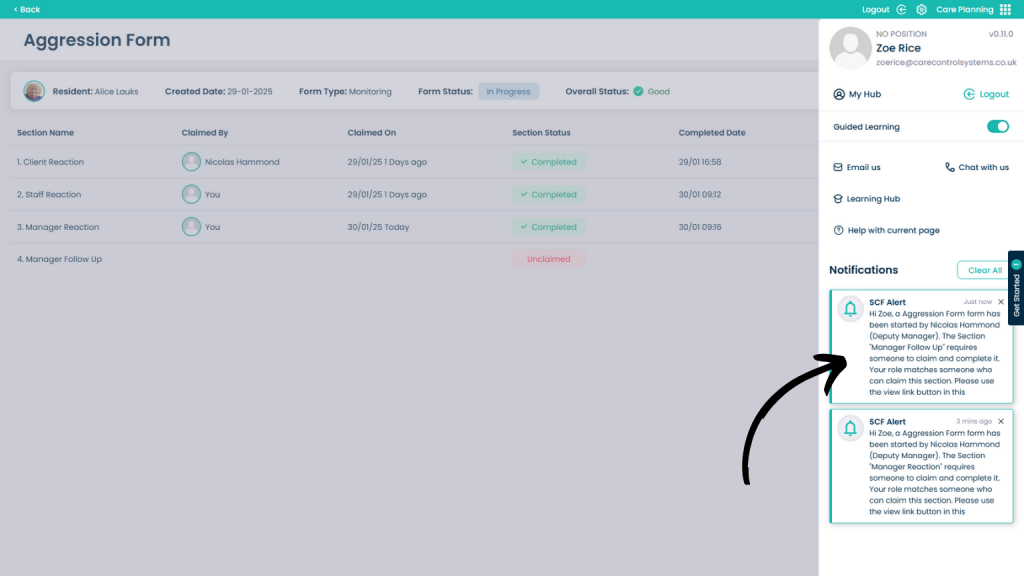
Now that a manager is within Care Control Cloud, they will receive a notification in to claim the form. By clicking the notification you will be taken to the form claim page.
Step 6.2:
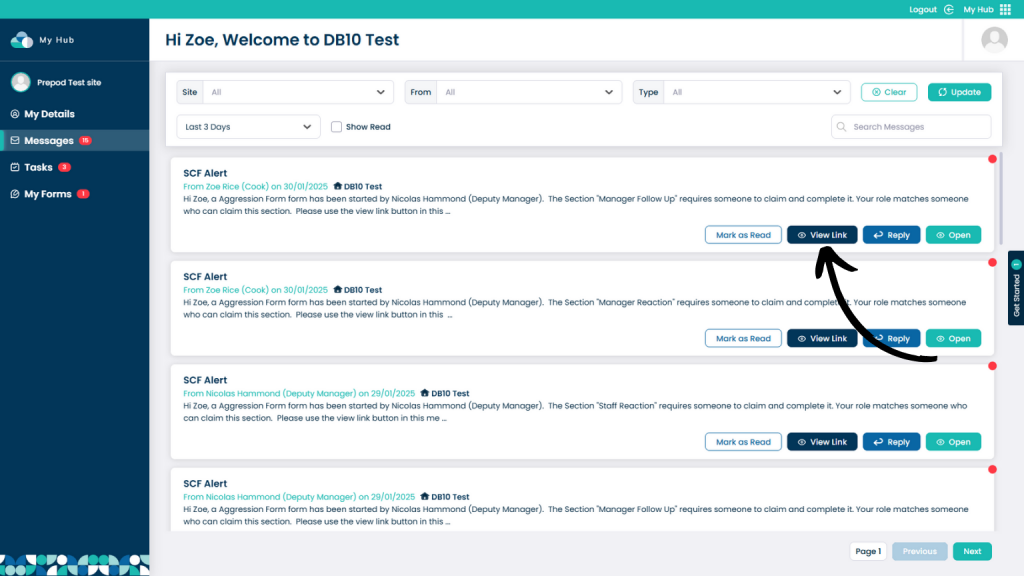
The manager will also receive an automatic message, this will take them to the form to claim it by selecting View Link.
Step 6.3:
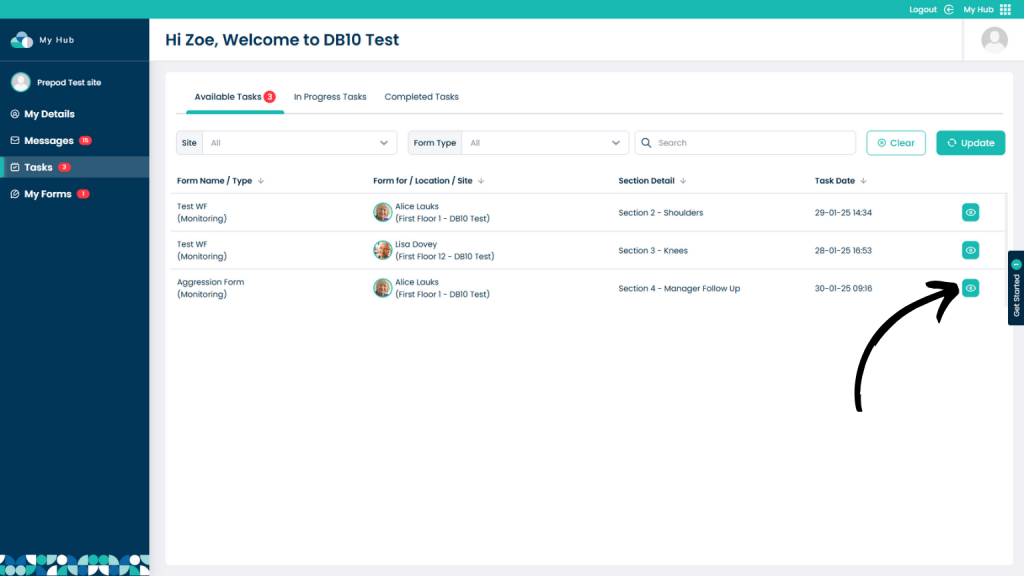
The form will also be available within the Tasks page on MyHub, this will be done in real-time allowing for seamless usage. You can click the EyeIcon under the Available Tasks header to claim the task.
Step 7:
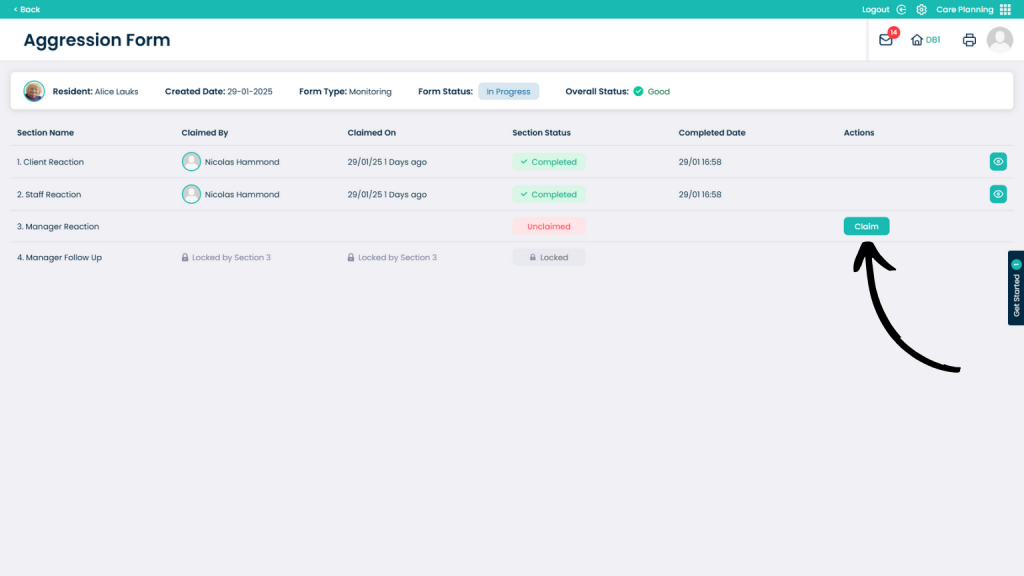
Once on the form page, the manager can select Claim to take control over the section of the form.
Step 8:
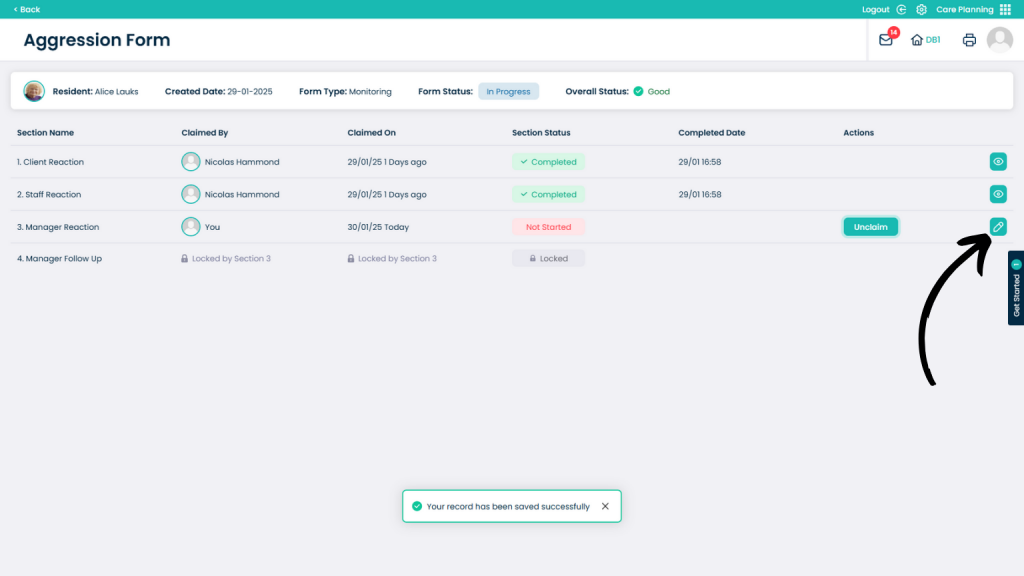
Once claimed, nobody else can now claim the form. This will be updated in real-time meaning that nobody else can claim the form.
To now edit the form, click the PencilIcon.
Step 9:
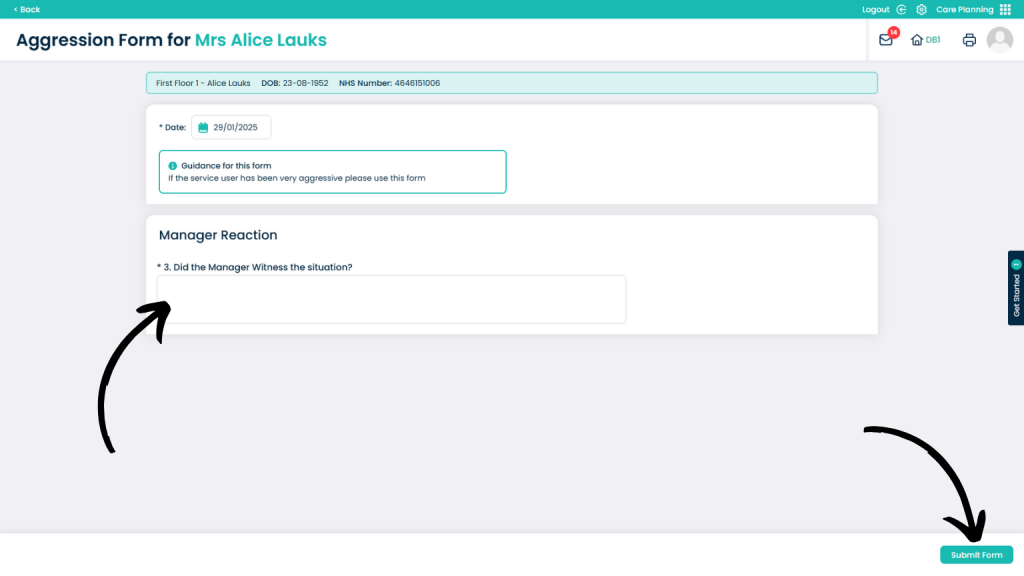
Now complete the form as you usually would. Once finished click Submit Form.
Using Single Custom Form Workflows
Real-Time Collaboration: Multiple staff members can work on form completion, ensuring that all necessary information is included and that the form meets the organisation’s standards.
Role-Based Access: Different team members can be assigned specific roles and permissions, allowing for upper management to sign off on specific forms.
Structured Sign-Off Process: The workflow incorporates tier-based sections that determine who needs to sign off on each form. This ensures that forms are reviewed and approved by the appropriate levels of management, enhancing accountability and oversight.
Automated Routing: Forms are automatically sent via notification, email and message within Care Control to designated users that are able to complete them.
Efficiency: The entire process, from incident reporting to managerial approval, is streamlined, ensuring that critical information is captured and acted upon promptly.
Collaboration: Staff members can collaborate effectively, knowing that the form will be reviewed and approved by the appropriate manager, even outside of regular working hours.