This guide will cover how to access and view your messages on Care Control Systems. From here, you can view the contents of the message and reply to the sender.
1
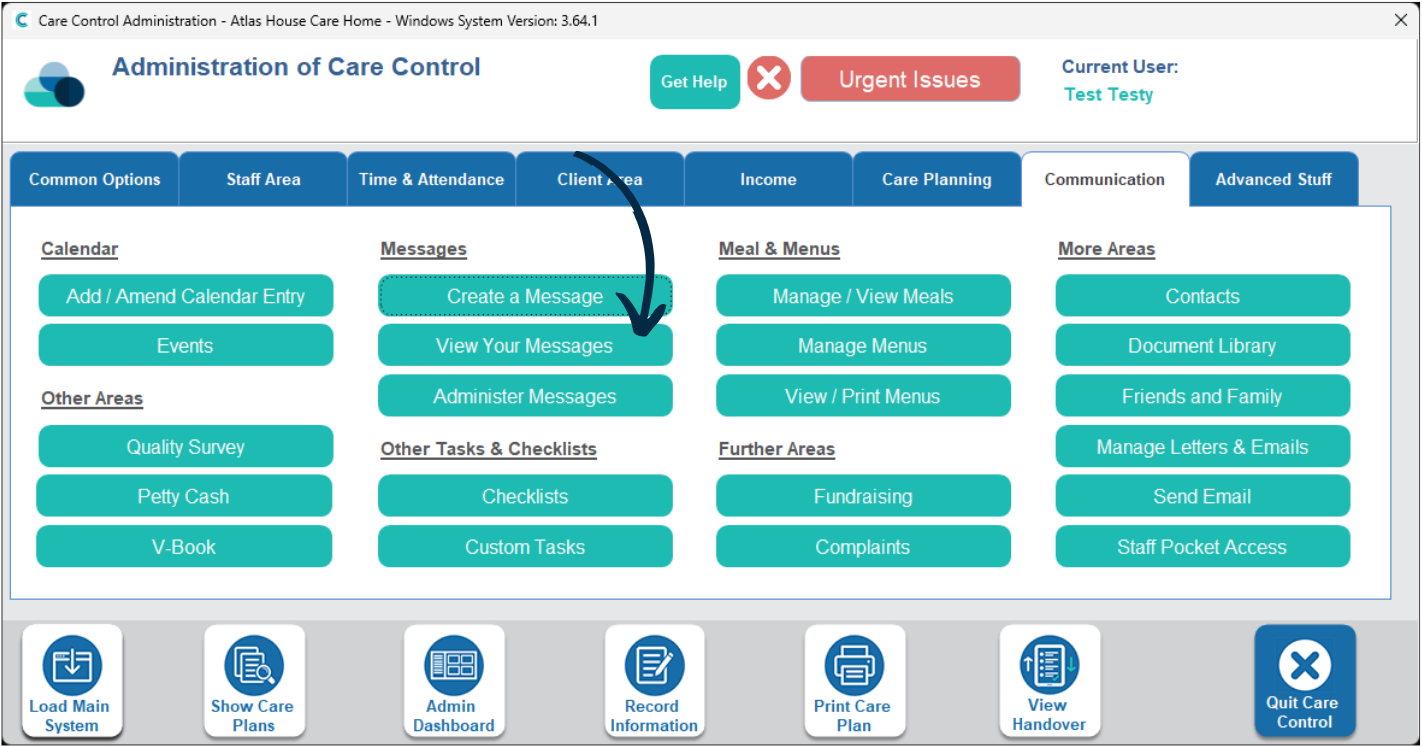
In the Administration of Care Control Windows, navigate to the ‘View Your Messages‘tool, which can be found under the Communication tab.
2
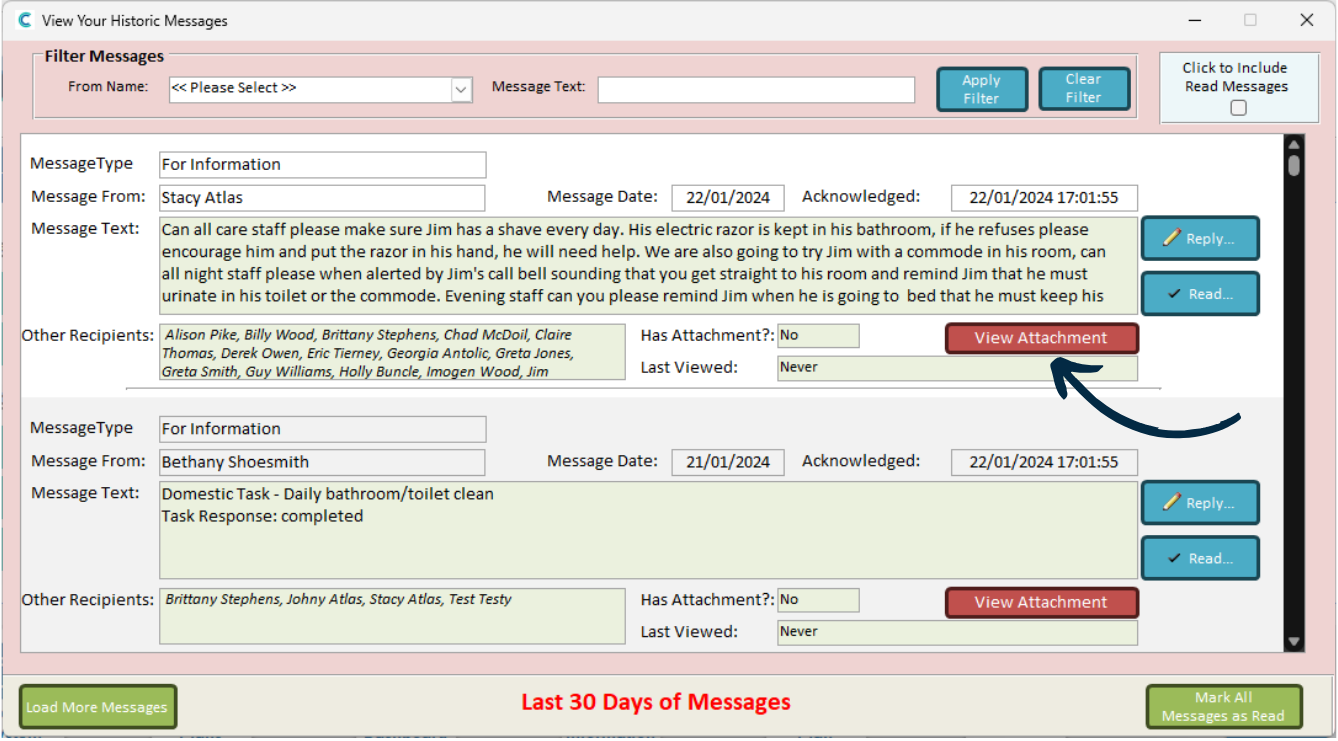
A new window will open. Here, a list of received messages will be displayed. You can filter the messages via the options at the top of the window.
Each row contains a different message and shows the Sender, Text, Recipients and any Attachments.
You can mark that you have seen a message by pressing ‘Read‘.
3
You can open an attachment on a message by pressing ‘View Attachment‘.
4
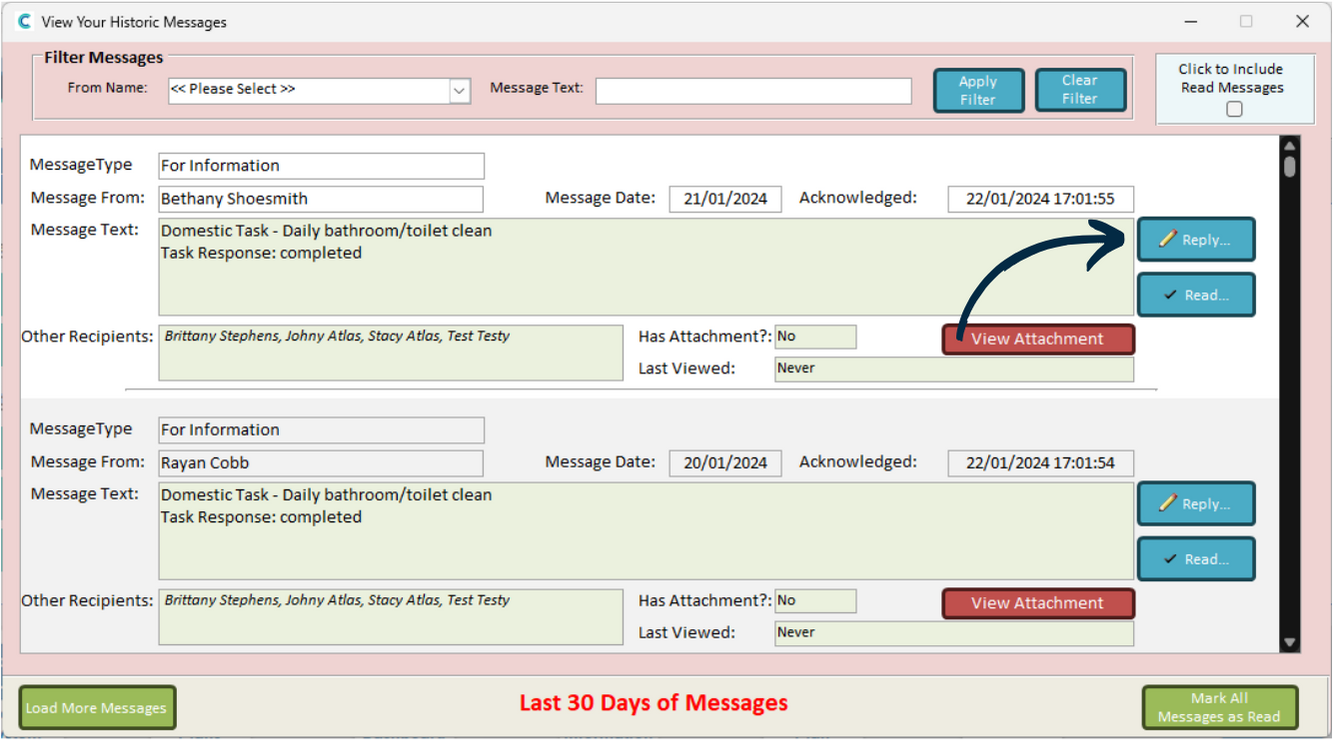
You can reply to the sender of a message by pressing ‘Reply‘.
5
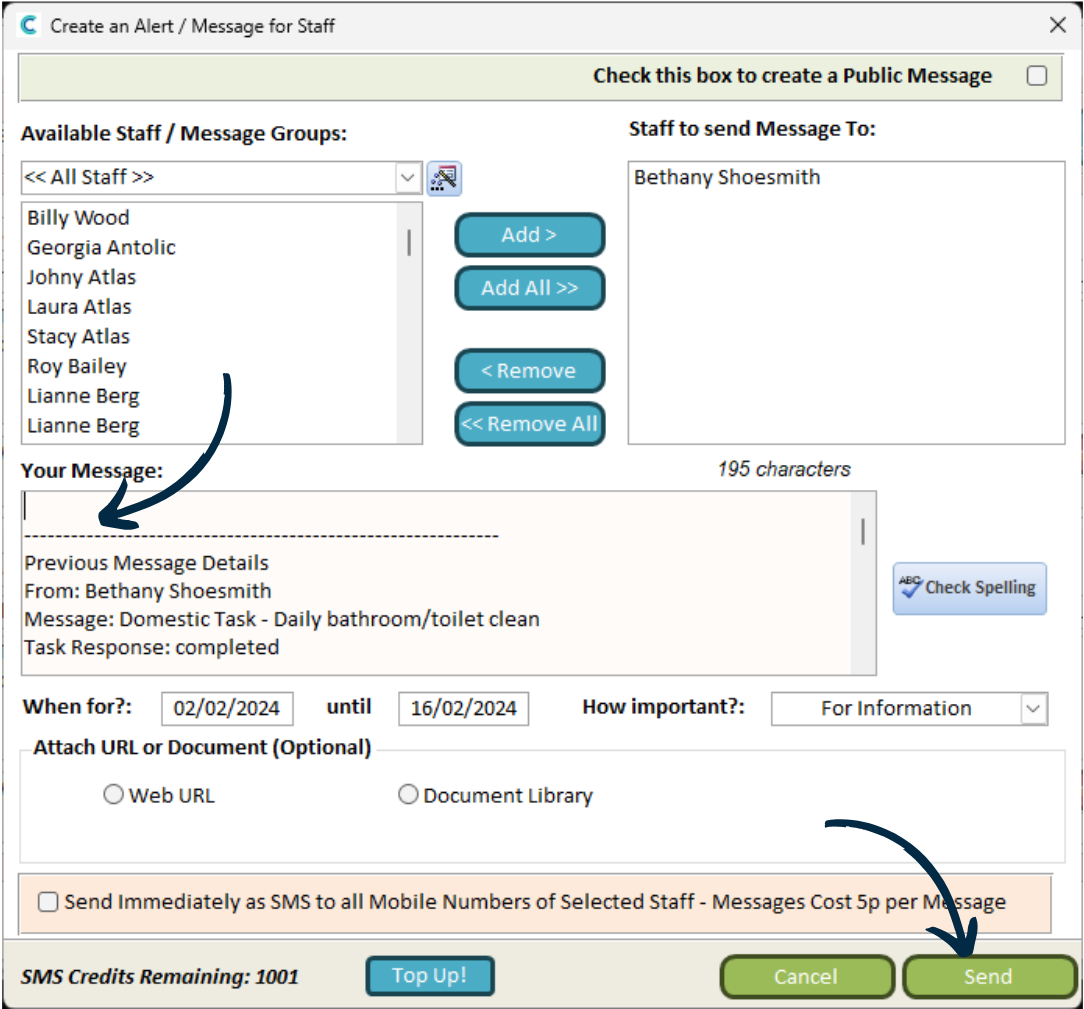
This will open a new window. Here, the sending details will auto-fill based on who you are replying to.
You can then enter text into the ‘Your Message‘ box.