This guide will cover how to access the Bradford Factor Analysis.
Step 1:
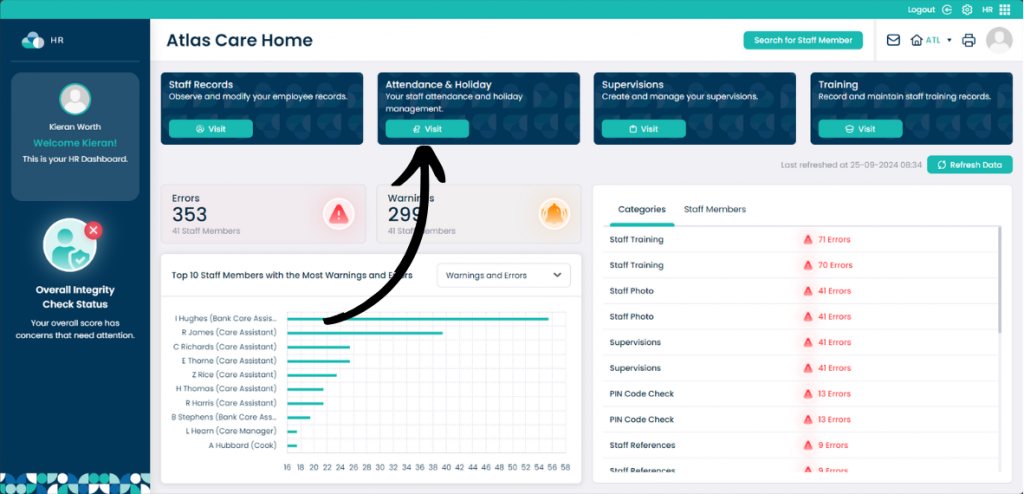
When you are within the HR application on Cloud, select Attendance & Holiday.
Step 2:
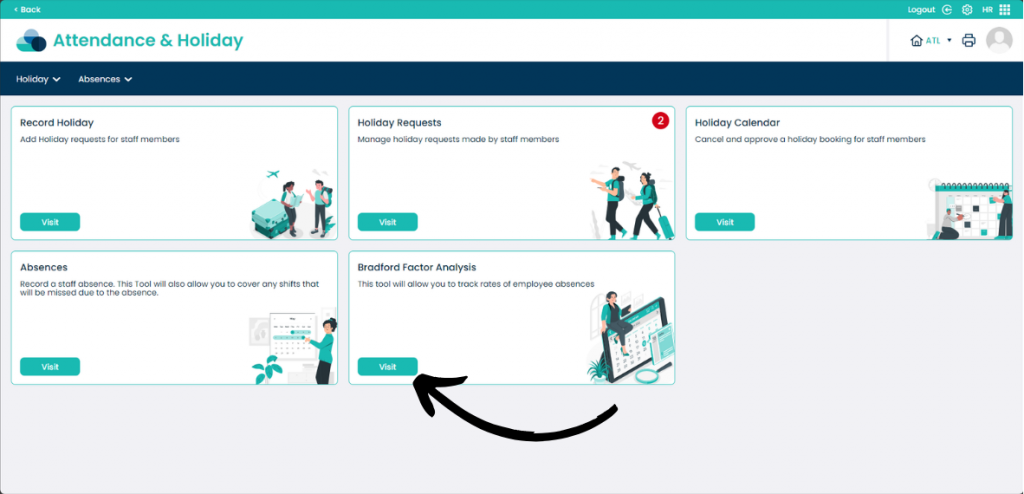
When on this page click Visit underneath Bradford Factor Analysis.
Step 3:
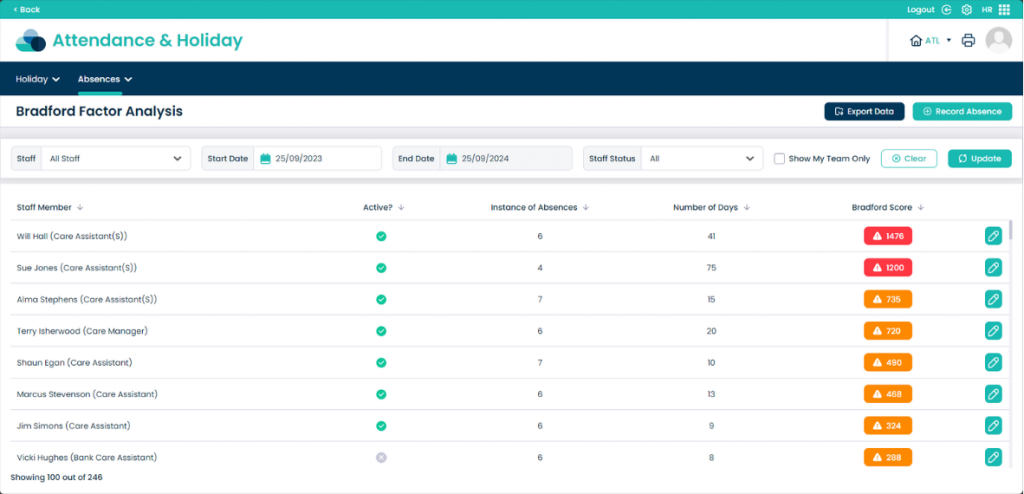
You can now see the Bradford Score of each staff member. On this page you can filter through Staff, Start Date, End Date, Staff Status and Show My Team Only.
You can also Export Data into a CSV file. From this page you can also Record Absence from within this page.
This analysis will help to determine the impact of employee absenteeism on your organisation.