Bring your payroll up to date, join our Cloud Payroll webinar
This guide will cover how to set the Pocket homepage to the staff rota.
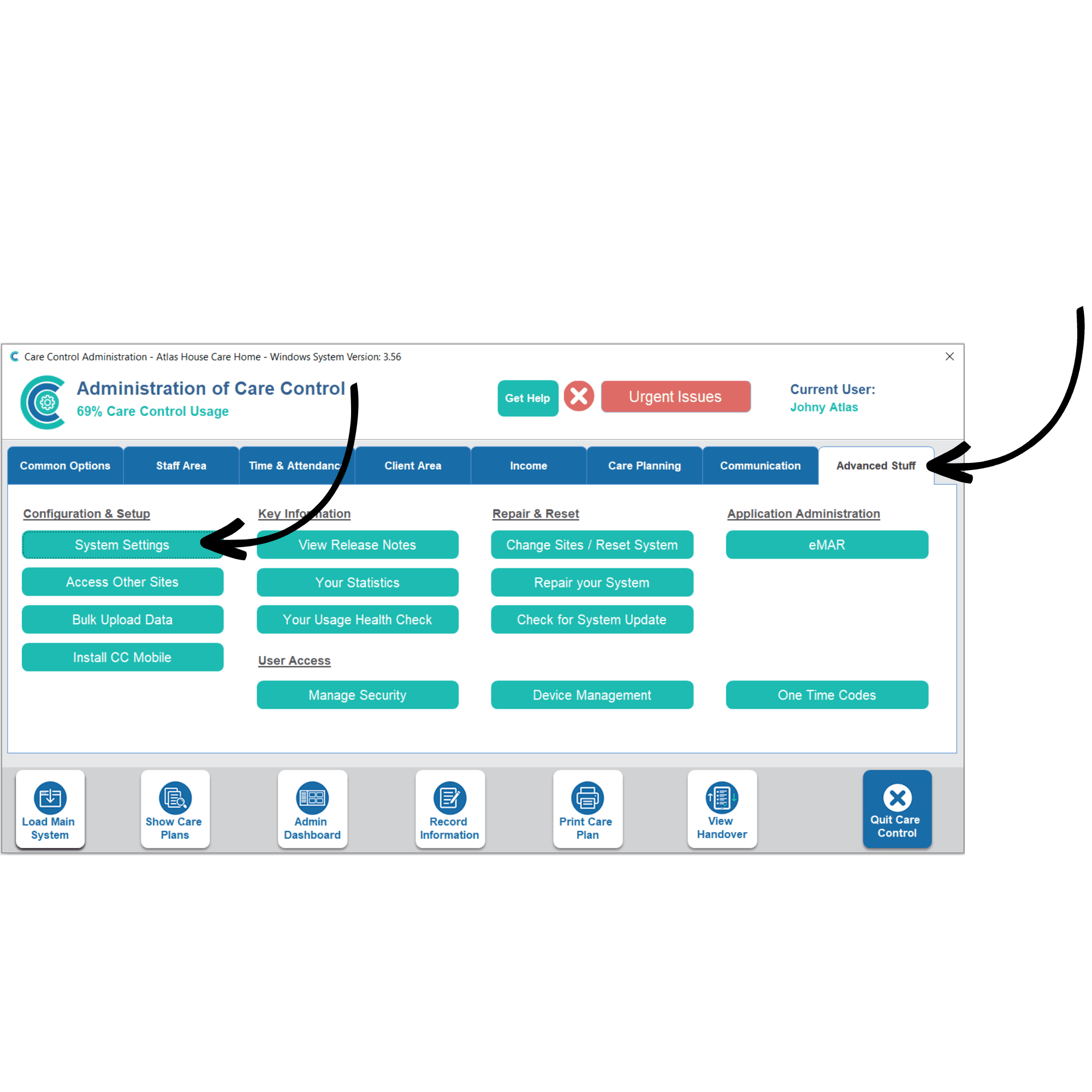
In the Administration of Care Control Windows, navigate to the System Settings which can be found under the Advanced Stuff tab.
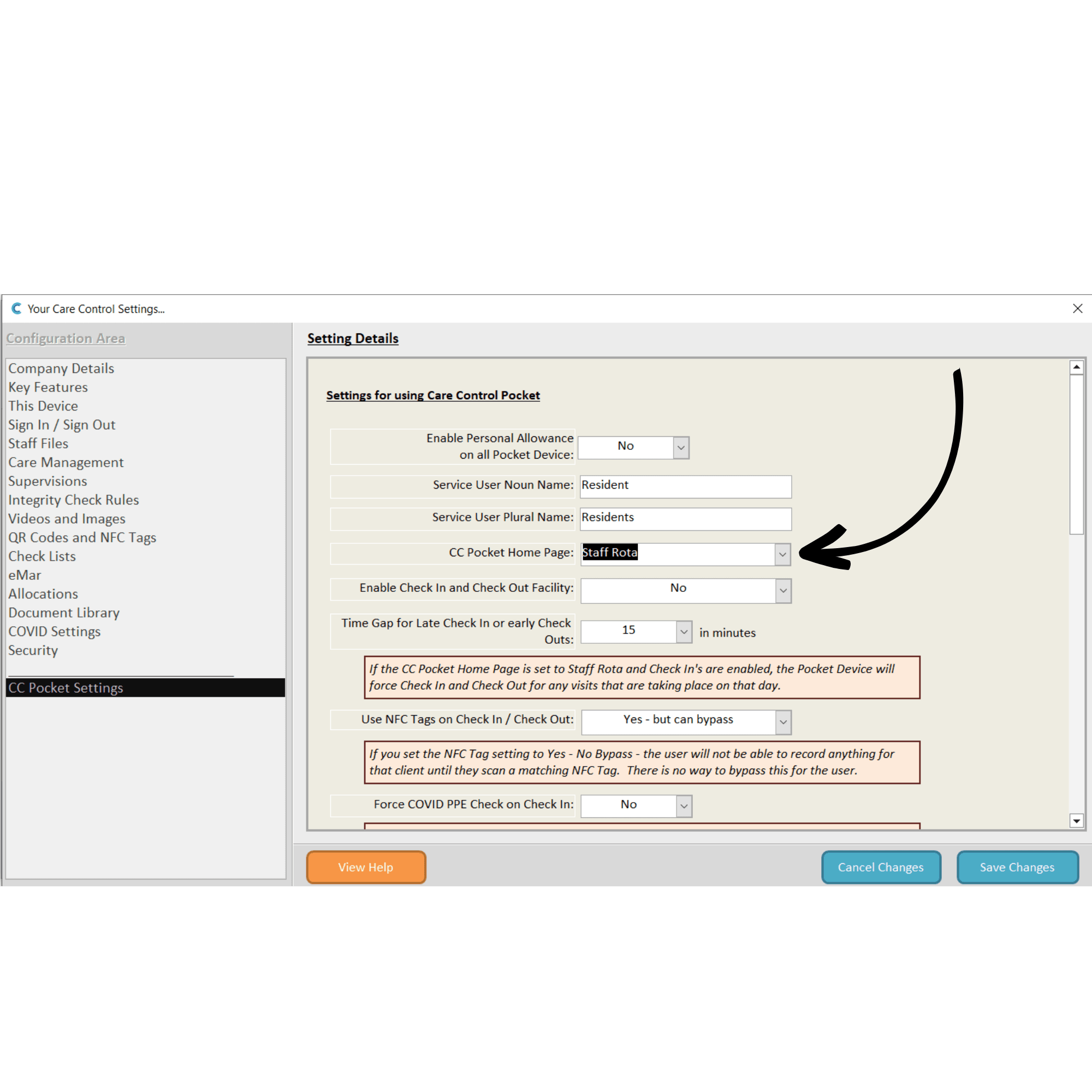
In the system settings, open the CC Pocket Settings from the left-hand options.
Here, change the CC Pocket Home Page setting by choosing an option from the drop-down list, in this case, select Staff Rota.
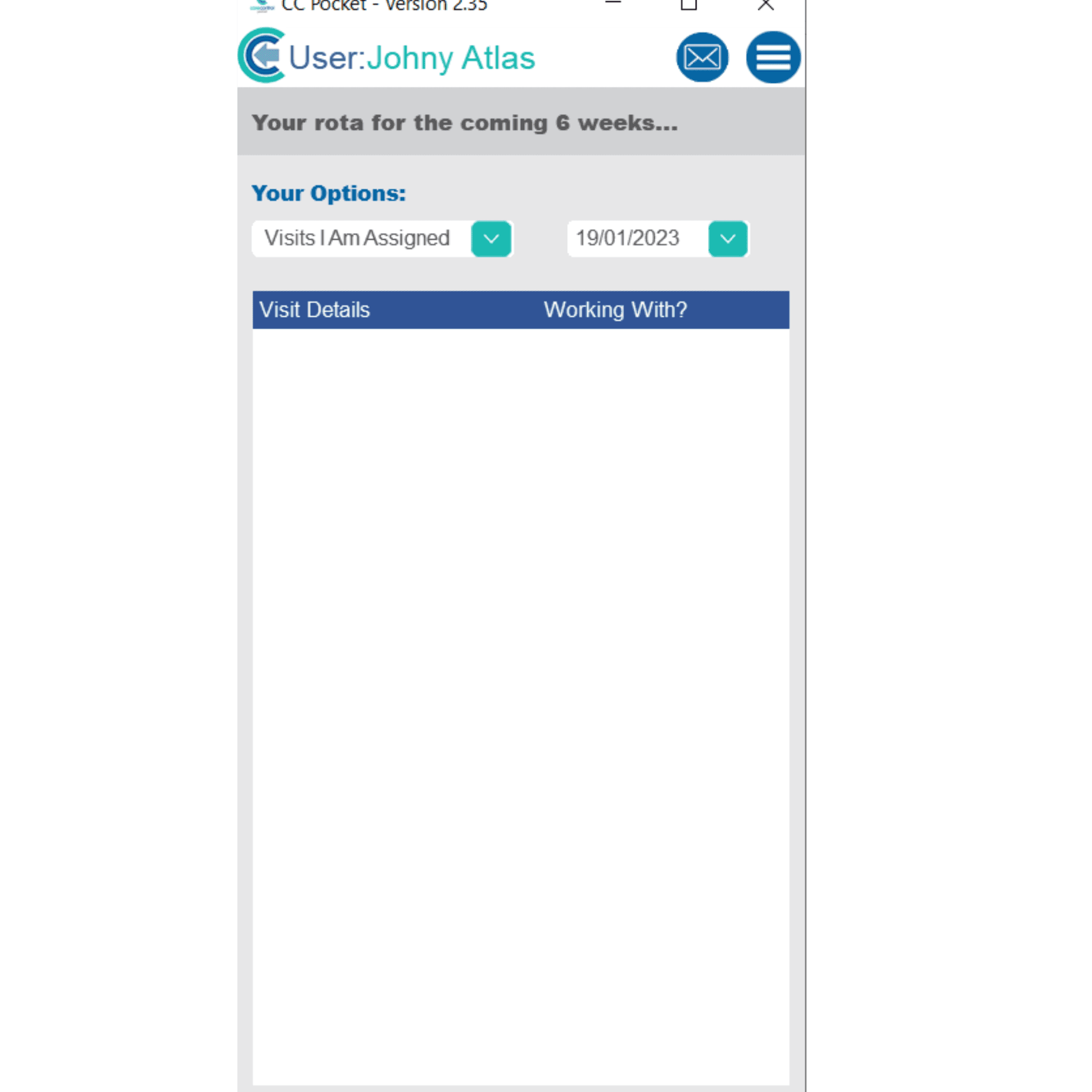
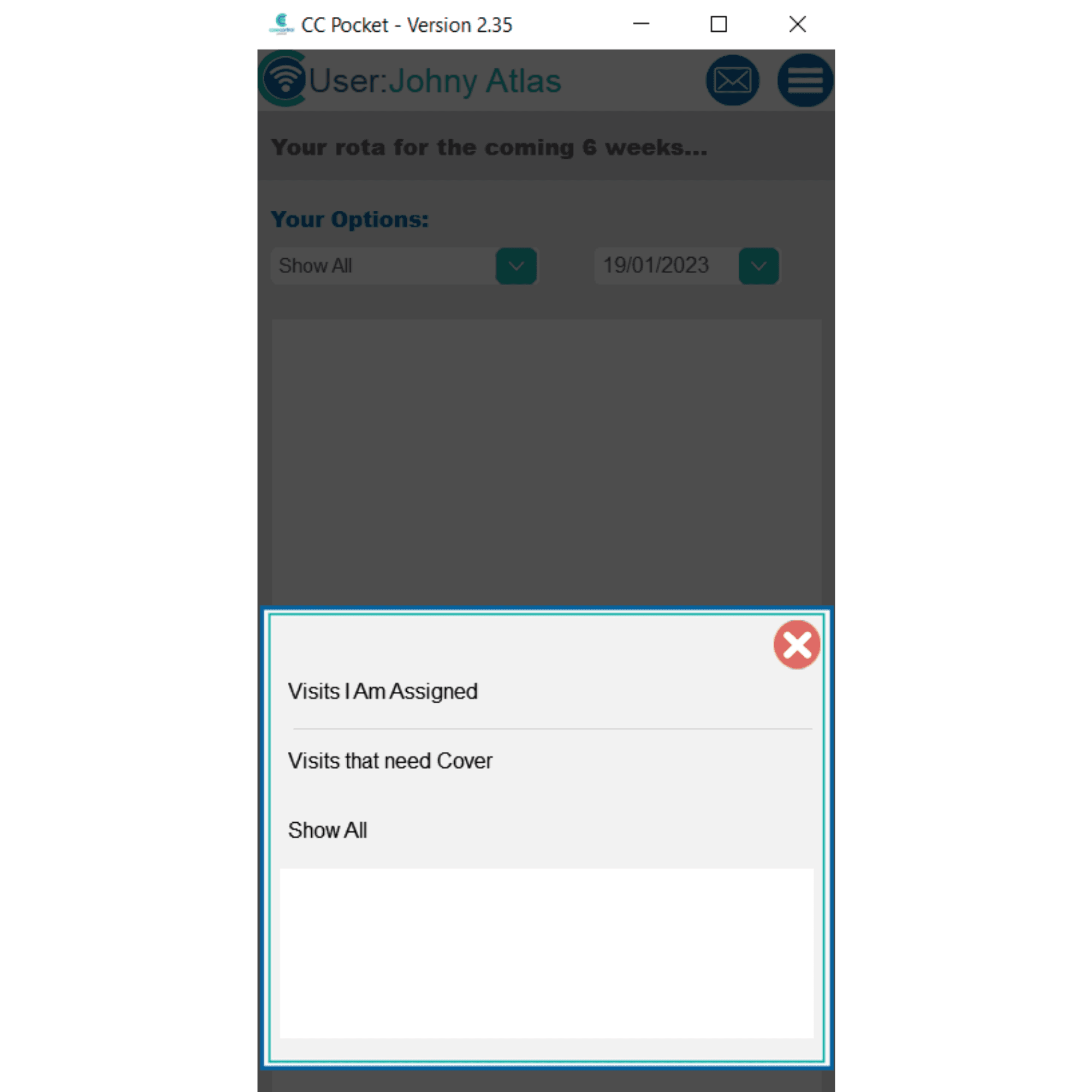
Now, after signing into Pocket, the homepage will open on the rota for the staff member.
You can filter the rota view using the drop-down lists at the top (by cover status and dates).