How to Record and View Activities
This guide will walk you through recording and reviewing resident participation in activities within Care Control Cloud.
Takes 5 minutes
For: Care Staff
Updated: 3rd June 2026
Introduction
Activity records help care teams track resident engagement, wellbeing, and participation in meaningful activities. Recording involvement provides evidence of person-centred care, supports activity planning, and helps demonstrate outcomes during reviews and inspections.
In this guide you'll learn how to:
- Record activity participation
- Assign activities to residents
- Build activity comments
- Upload activity photos
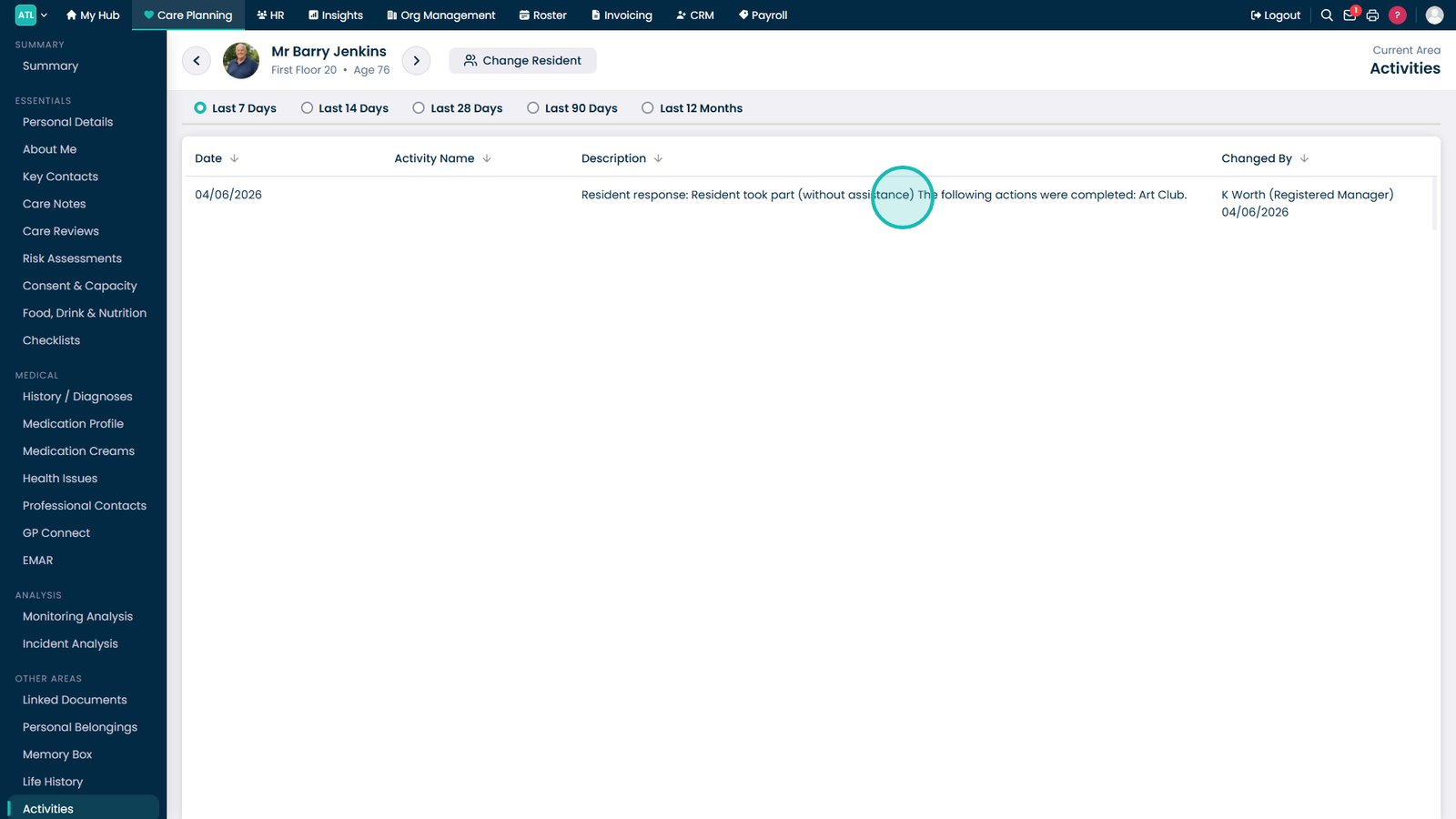
- Review completed activity records
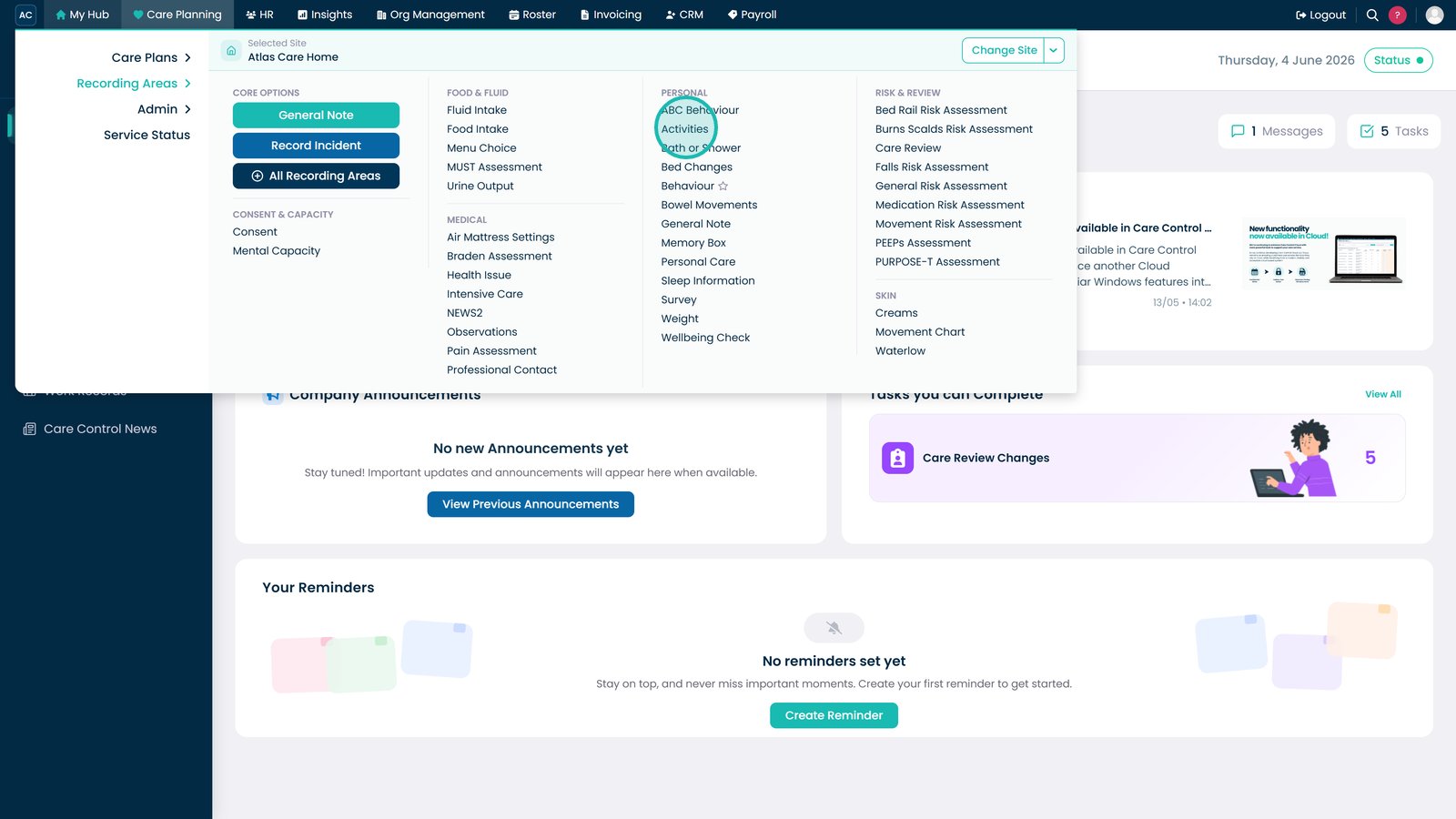
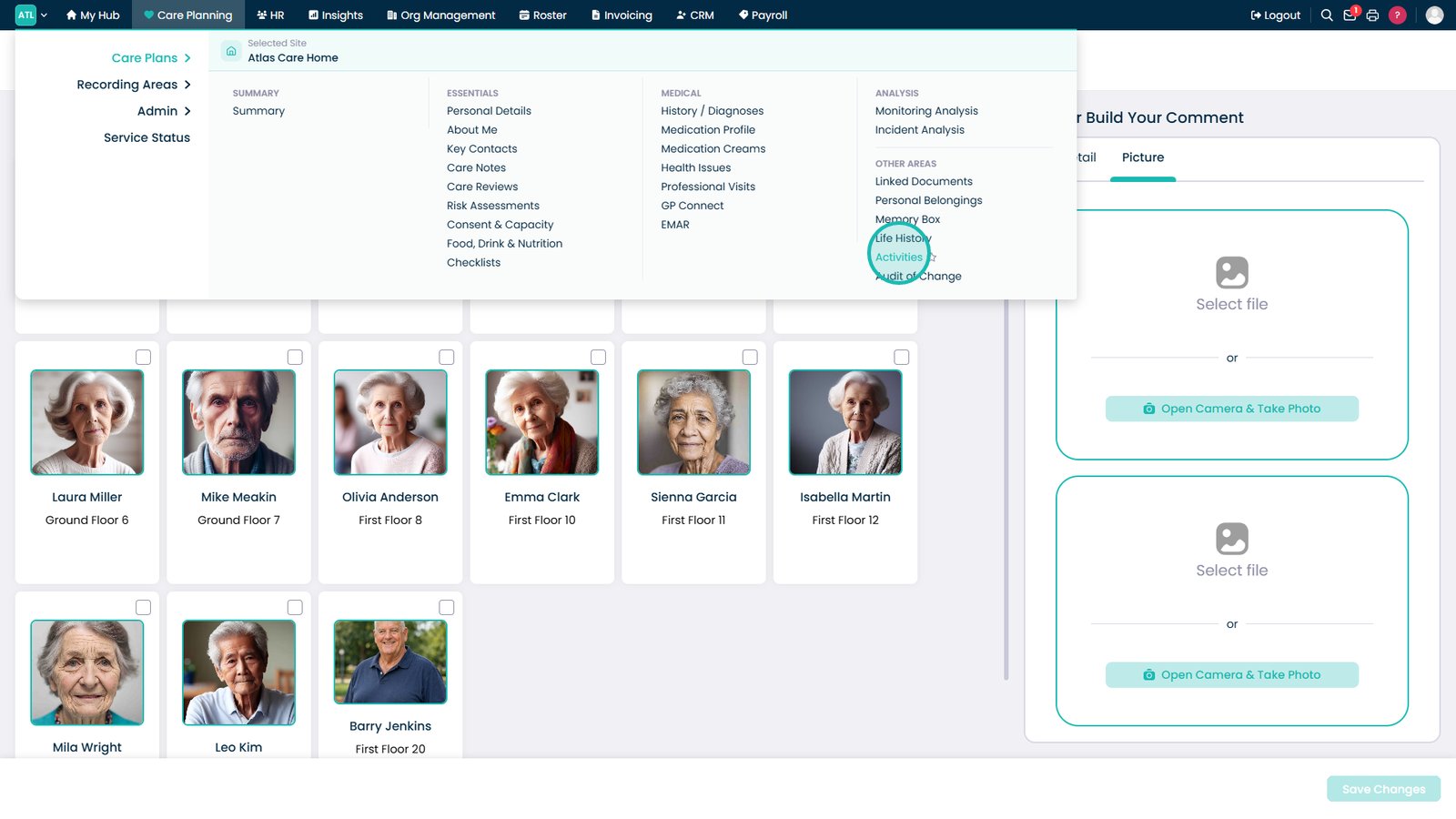
Open Activities from the Recording Areas menu.

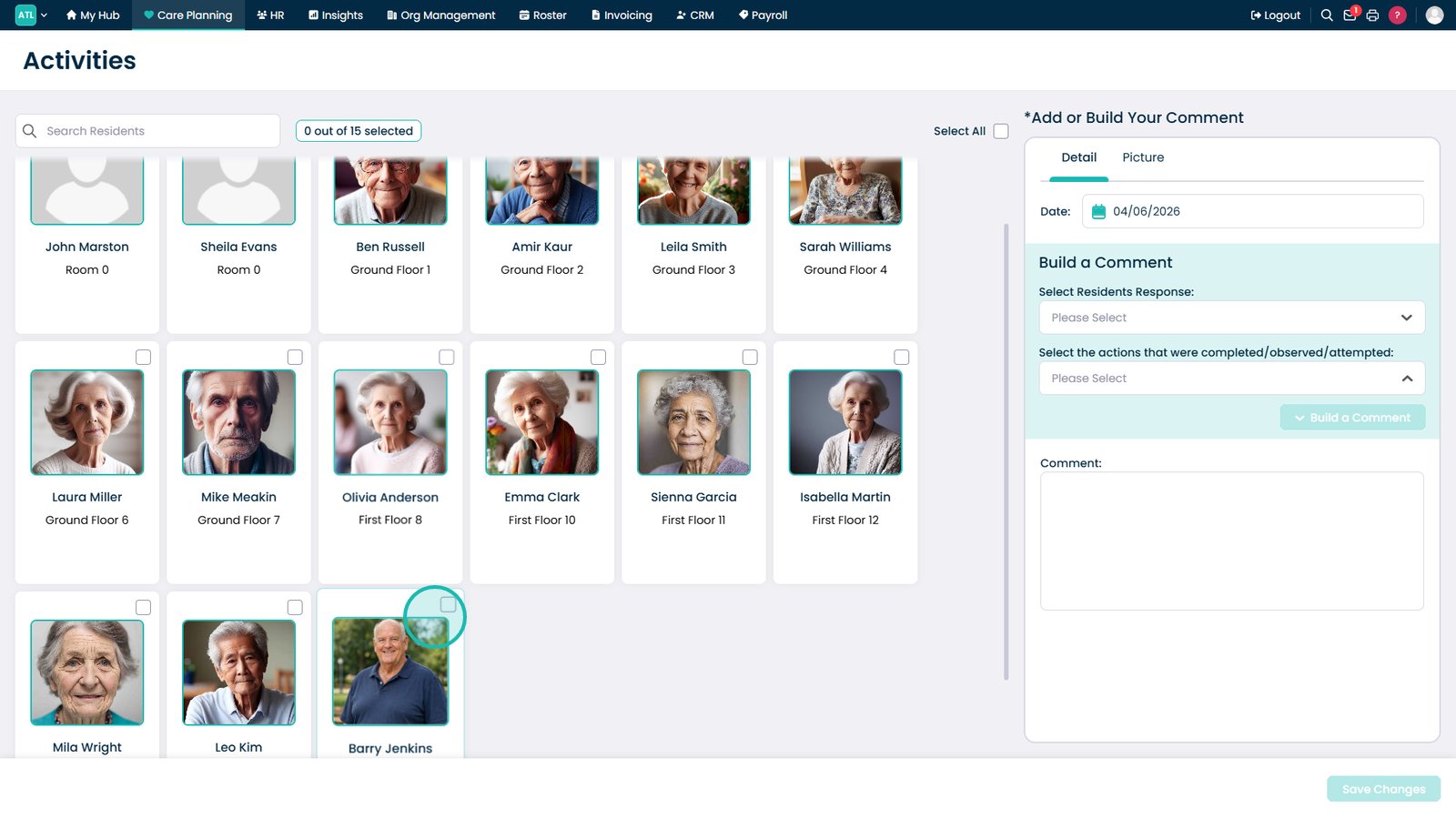
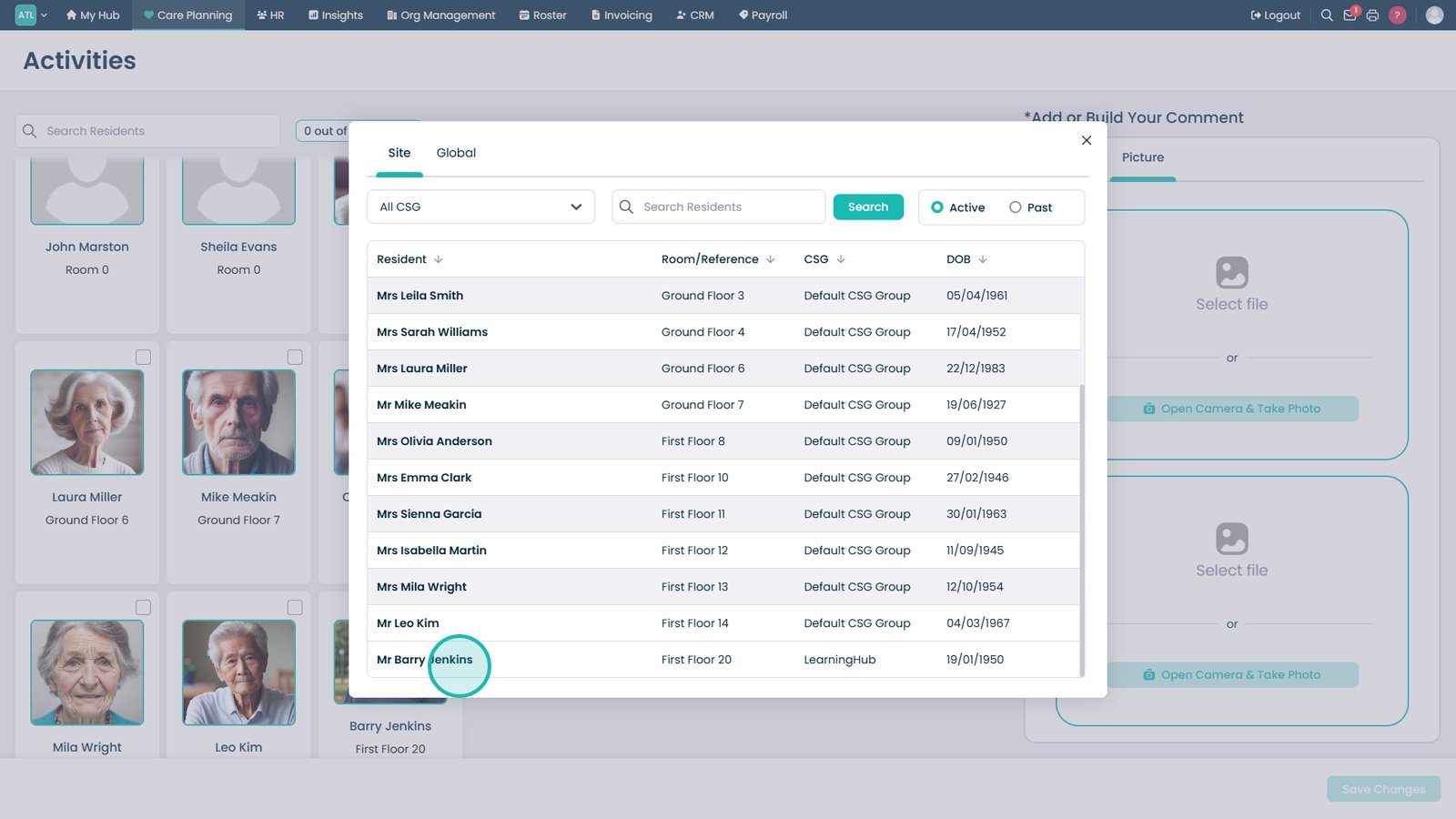
Select the residents who participated in the activity.

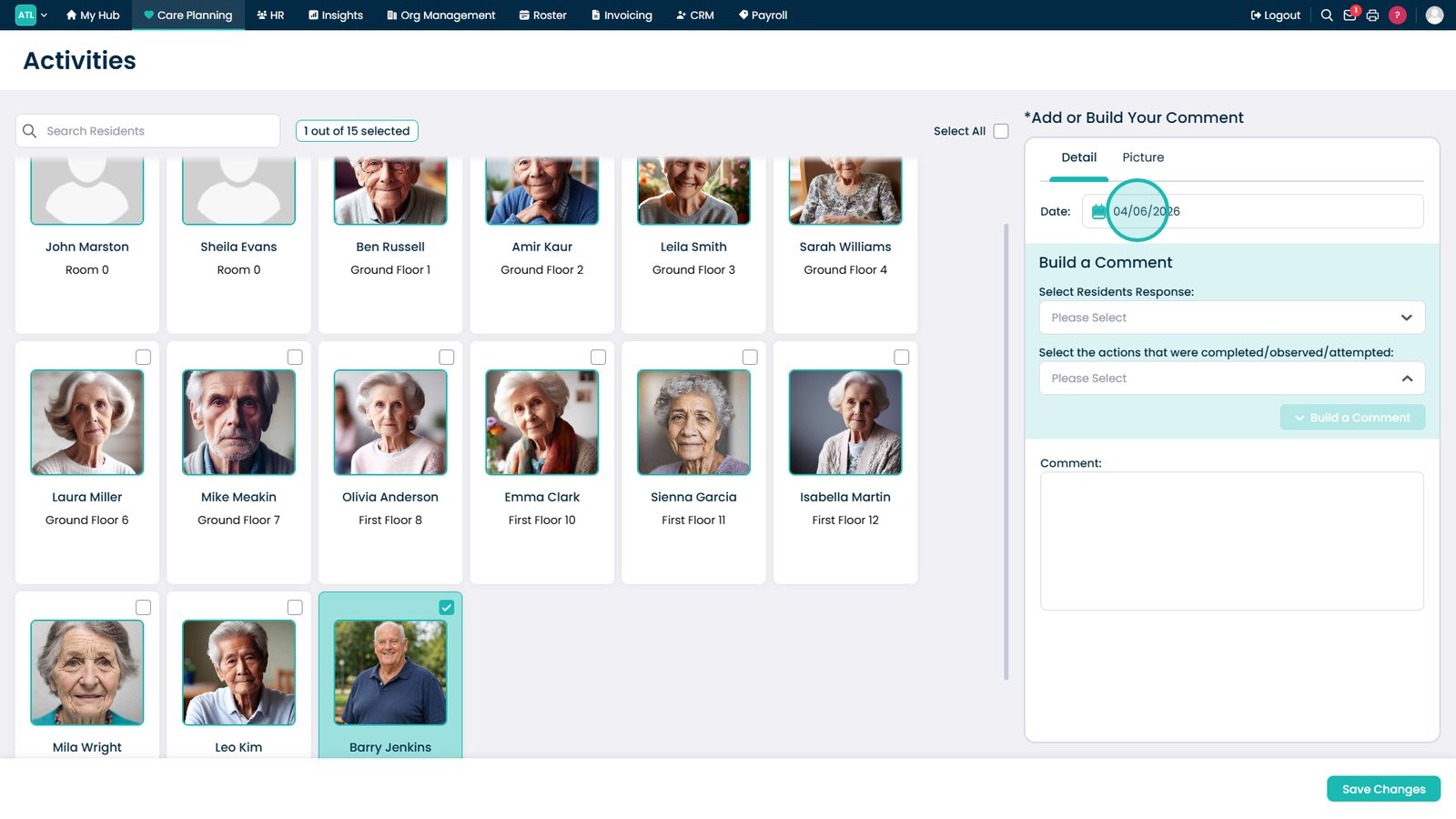
Set the date the activity took place.

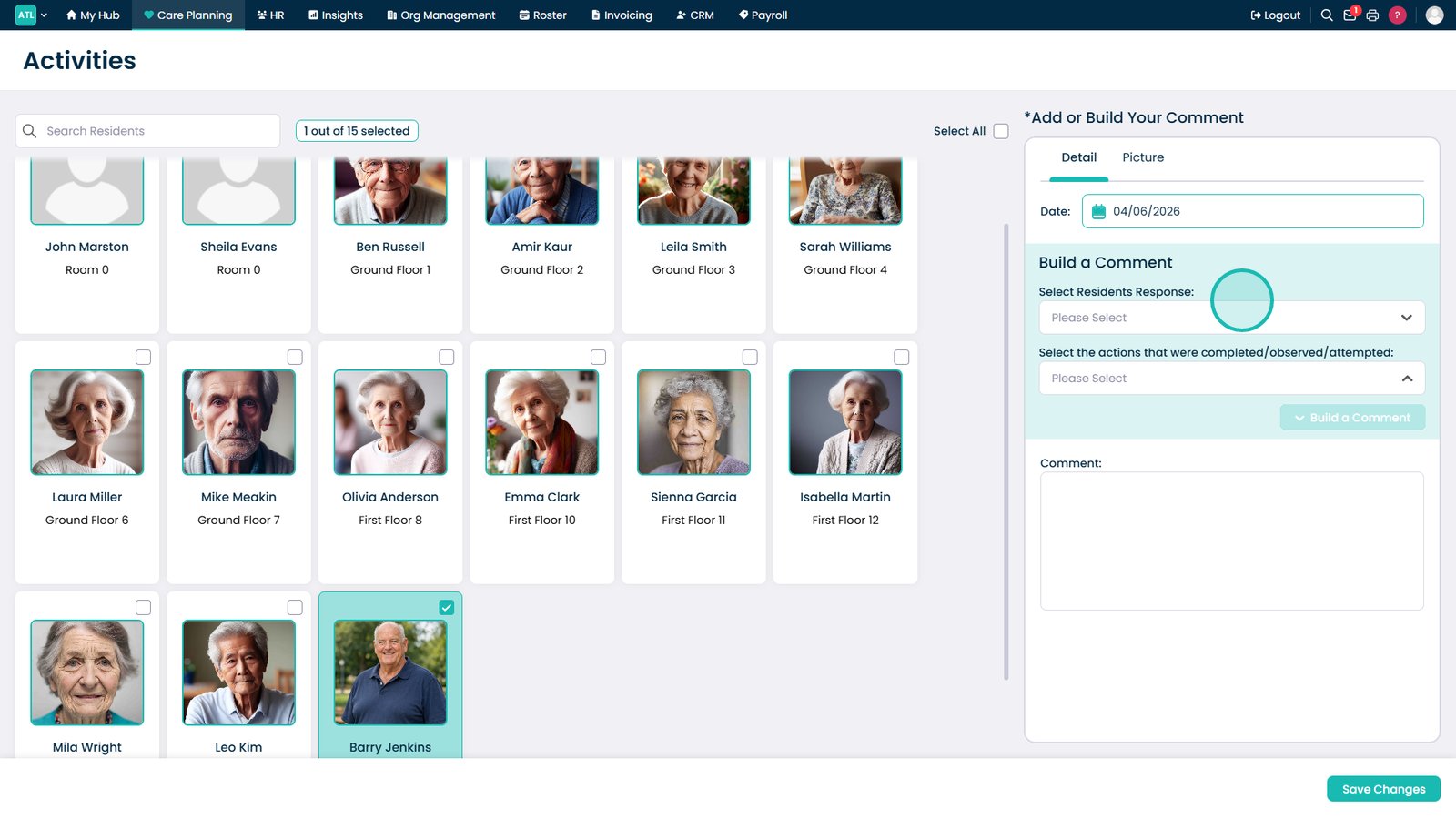
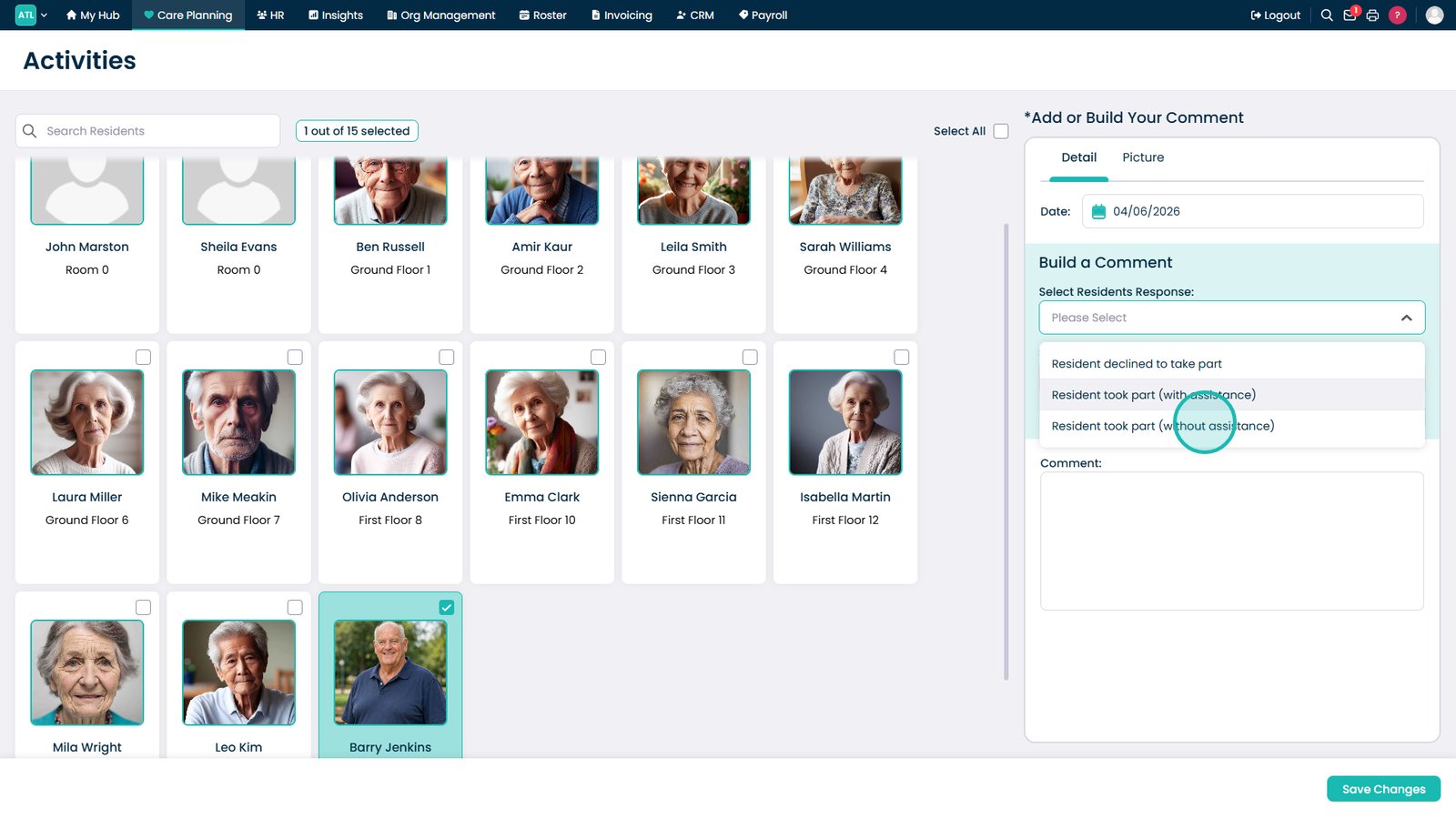
Select how the resident responded to the activity.

Choose the participation outcome from the available options.

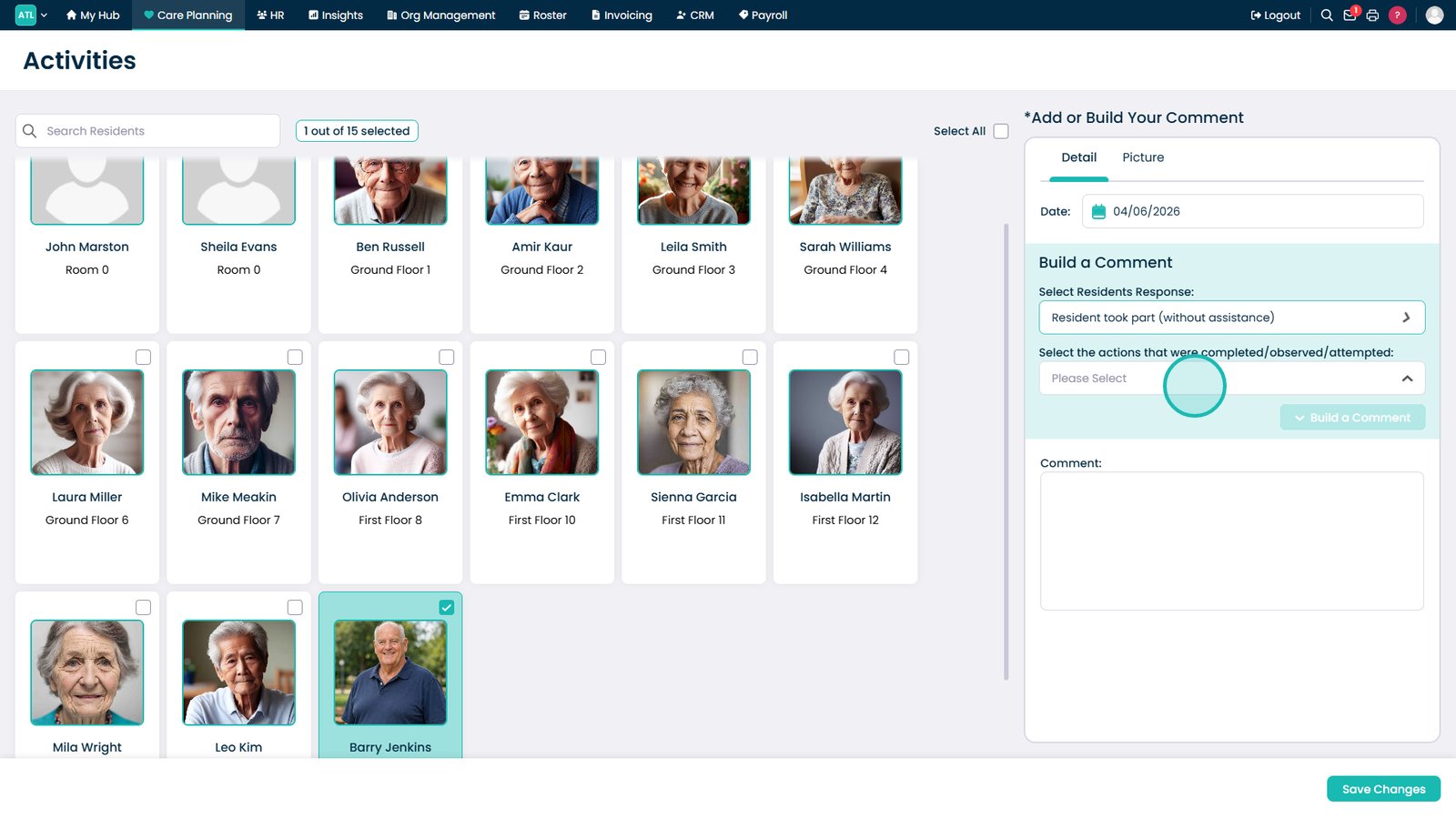
Select any actions completed or observed during the activity.

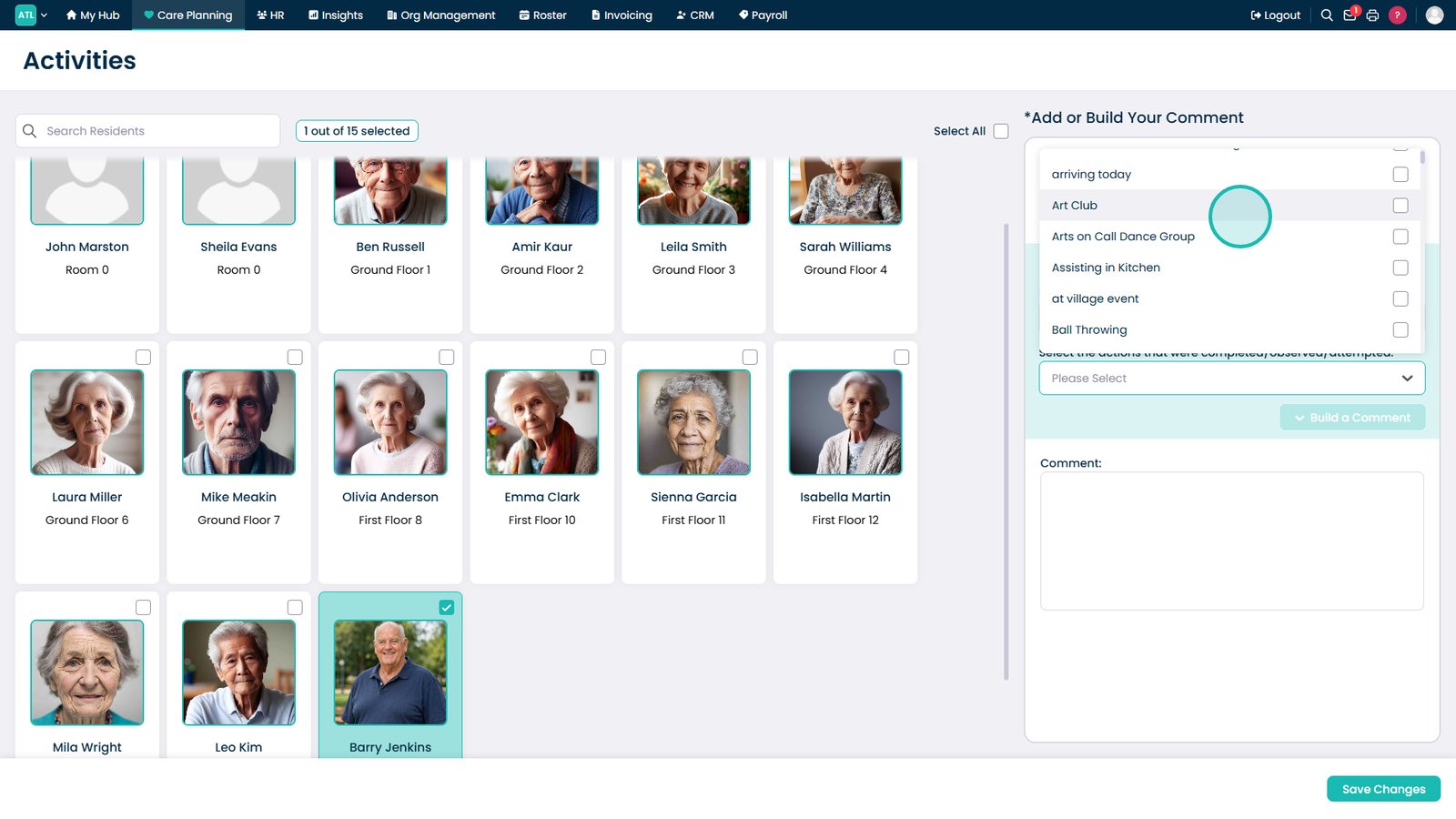
Select the activity the resident participated in.

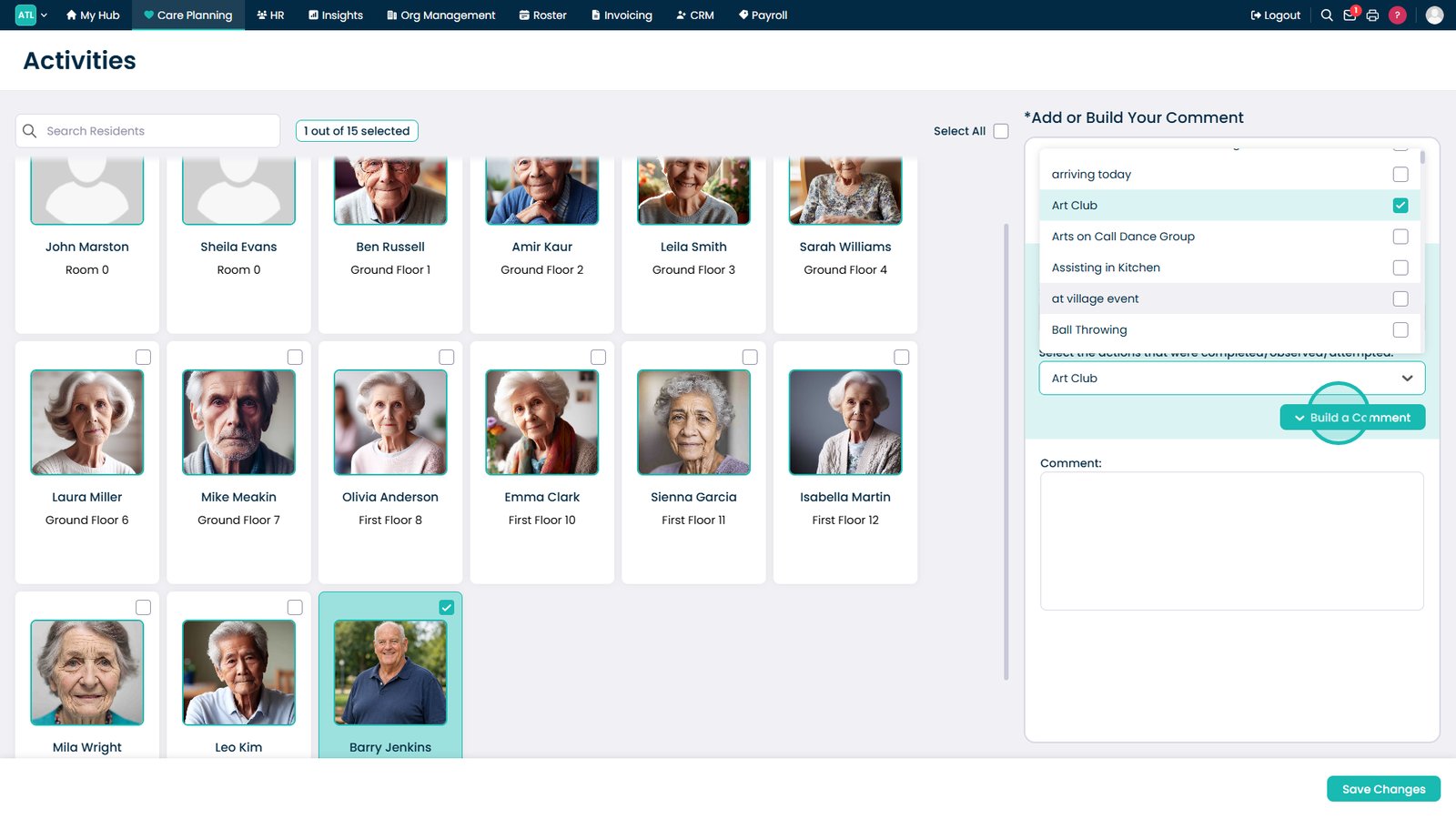
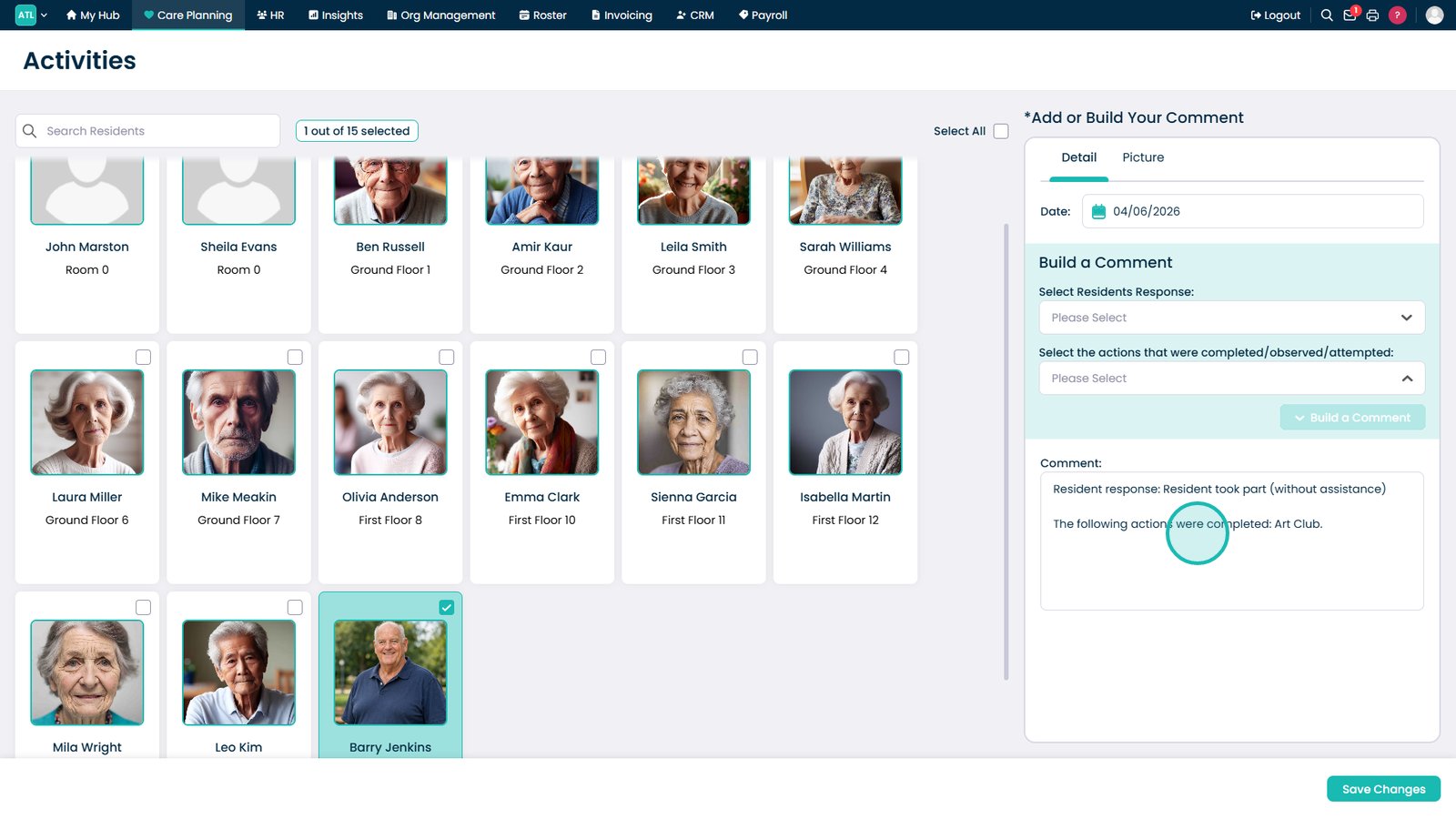
Build a comment to summarise the resident's participation.

Add any additional details about the resident's involvement.

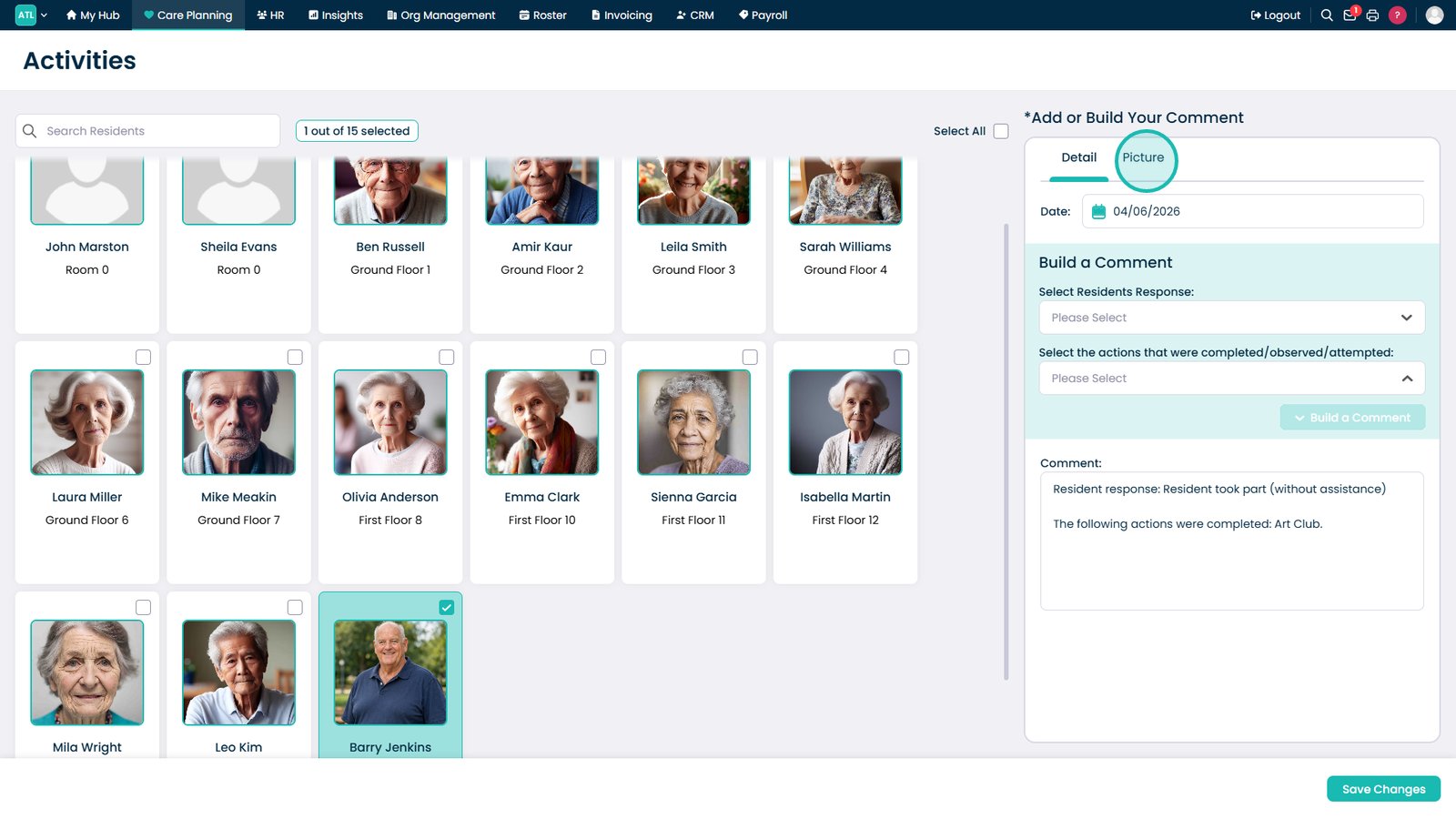
Open the Picture tab to add supporting photos.

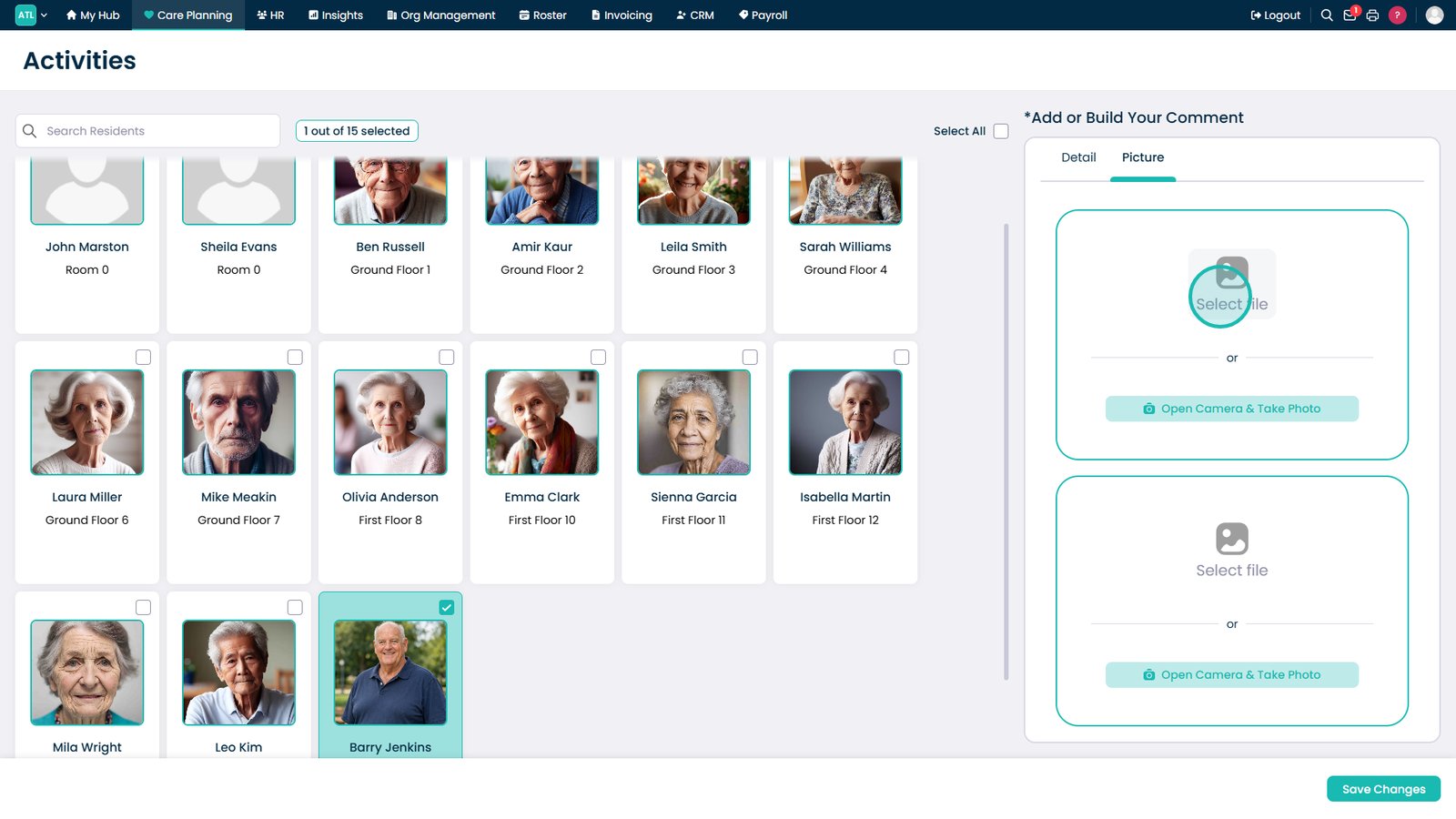
Upload a photo to evidence participation in the activity.

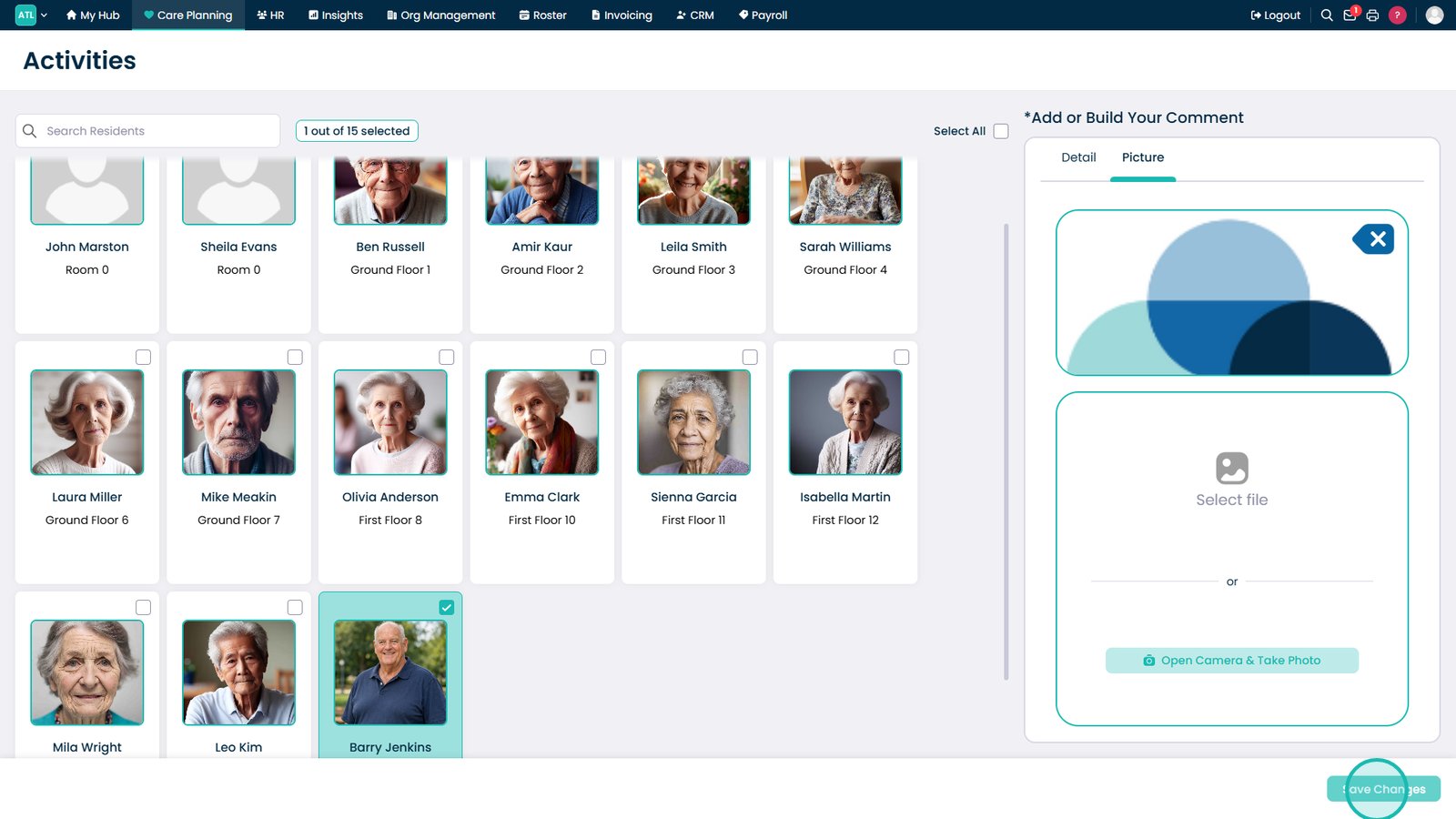
Save the activity record and any uploaded photos.

Open Activities within Care Plans to review records.

Select the resident whose activity records you want to view.

Review the resident's recorded activity participation.

Top tip
Adding photos and detailed comments can help demonstrate resident engagement and provide valuable evidence of meaningful activity participation.
Need more help?
Can't find what you're looking for? Our support team is here to help.
Contact SupportOr call us on