Bring your payroll up to date, join our Cloud Payroll webinar
This guide will cover how to reactivate a service users care plan, for if and when they come back into your care, on Care Control Cloud.
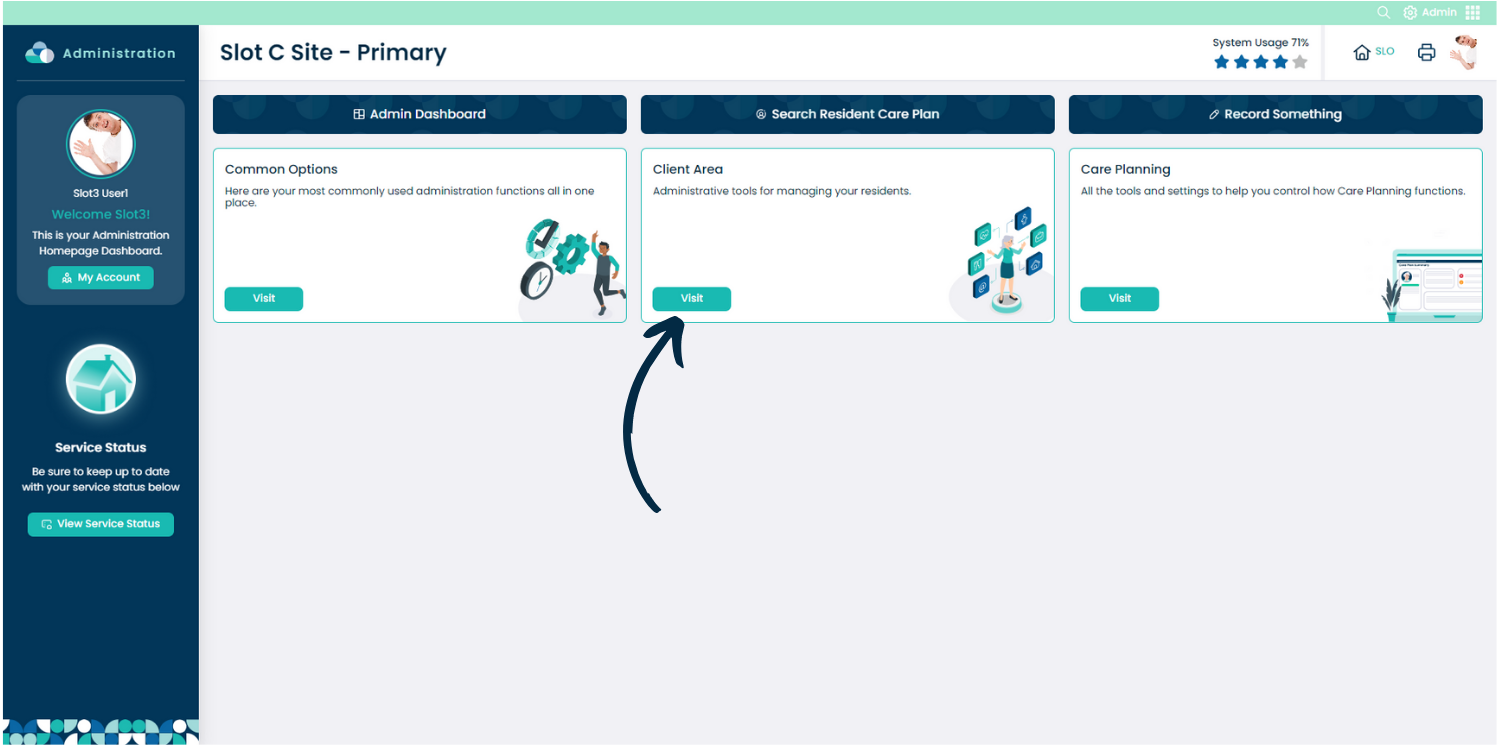
From the Admin app on Care Control Cloud, navigate to the ‘Client Area‘.
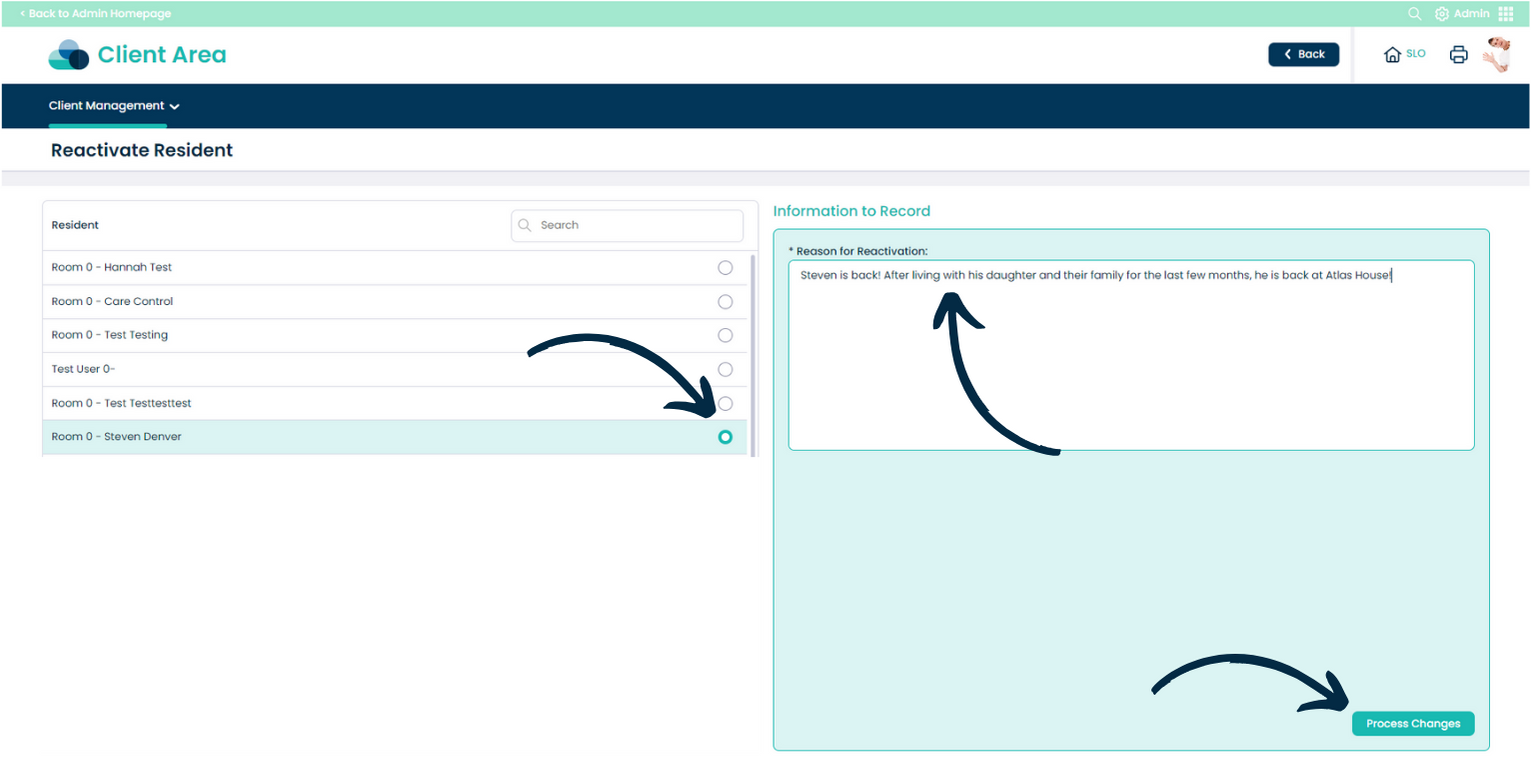
Here, choose ‘Reactivate Client‘ from the ‘Client Management‘ drop-down list.
Begin by selecting the service user you wish to reactivate from the historic list on the left hand side.
Then, enter a ‘Reason‘ for reactivation and press ‘Process Changes‘.