This guide will cover how to view a staff members training log, including their completed courses, via the Training Records tool on Care Control Cloud.
1
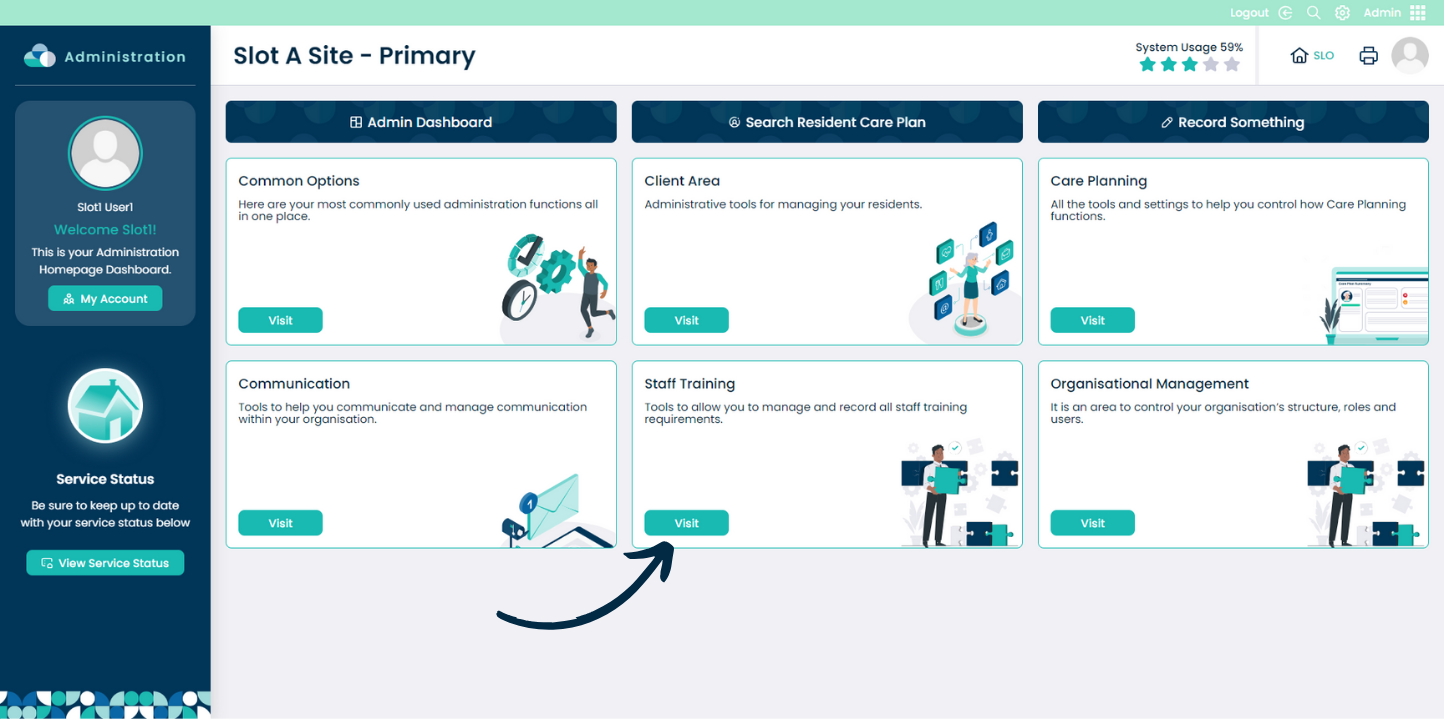
From within the Admin application on Care Control Cloud, navigate to the Staff Training area.
Please note: the Staff Training tool will be moving to our new HR application soon. For now, it can be accessed in the Admin application.
2
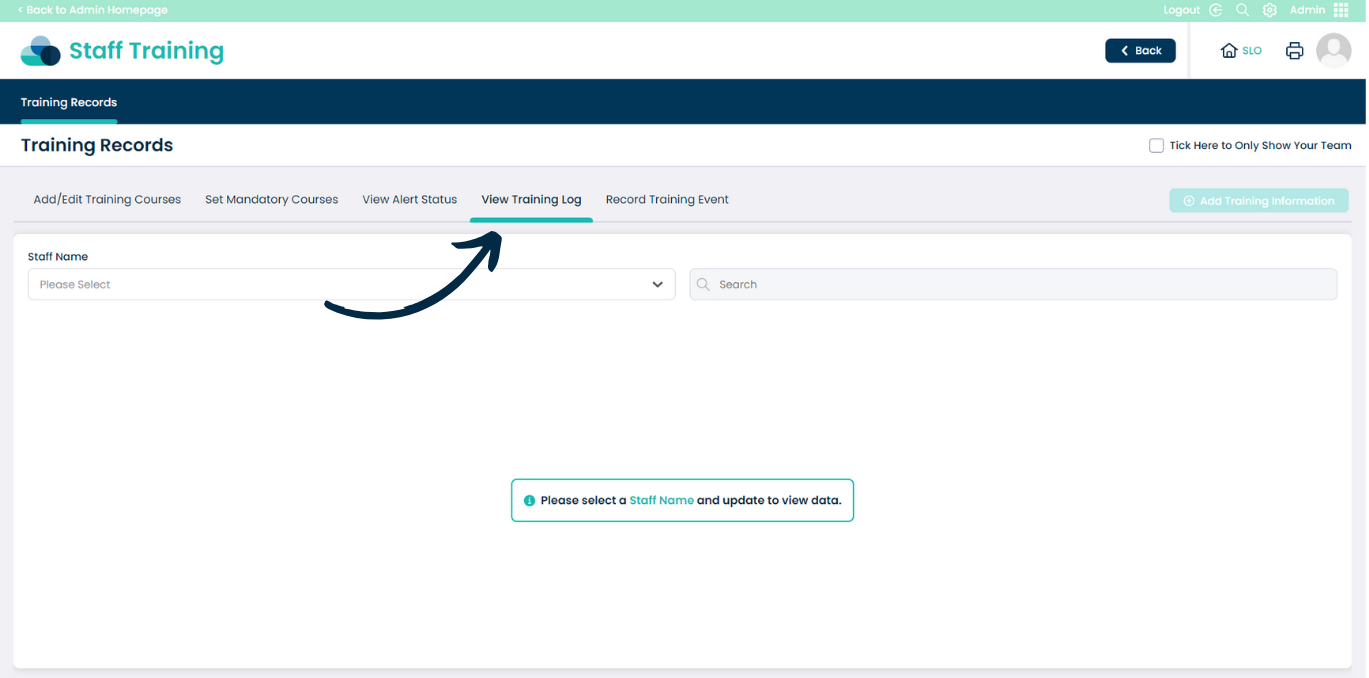
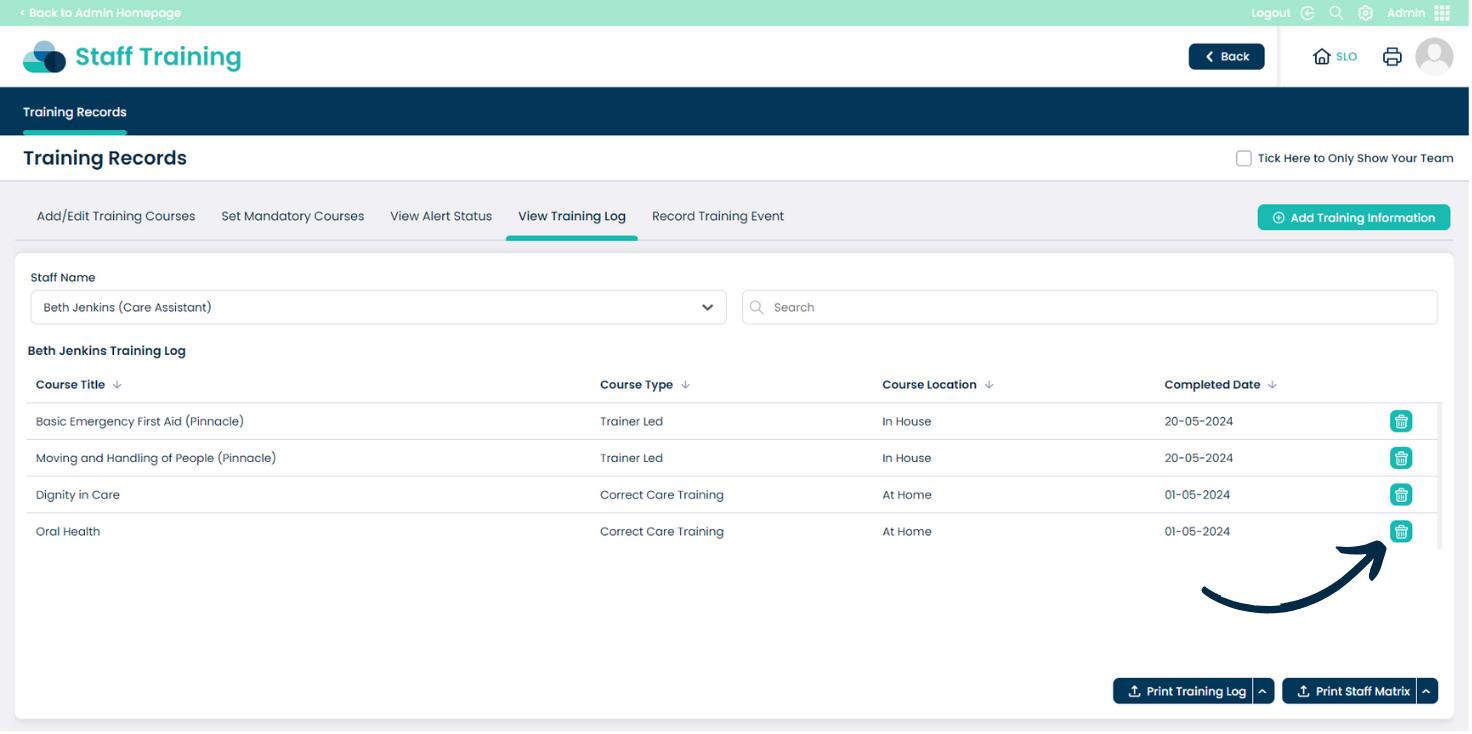
Here, select View Training Log from the options along the top of the page.
3
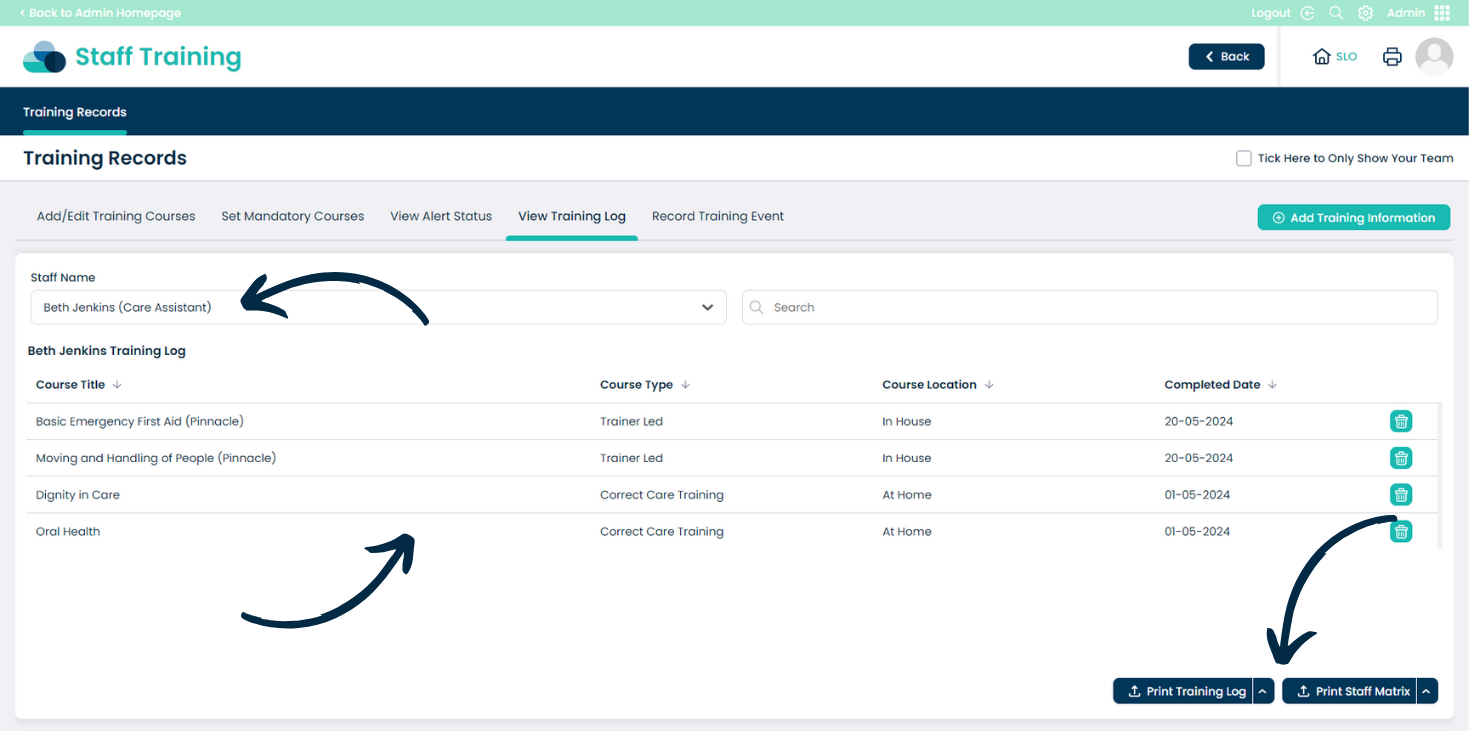
Select a Staff Member from the drop down list to see their training log.
A list of courses they have completed will be displayed. You can print the Training Log and Staff Matrix via the options in the bottom right corner.
4
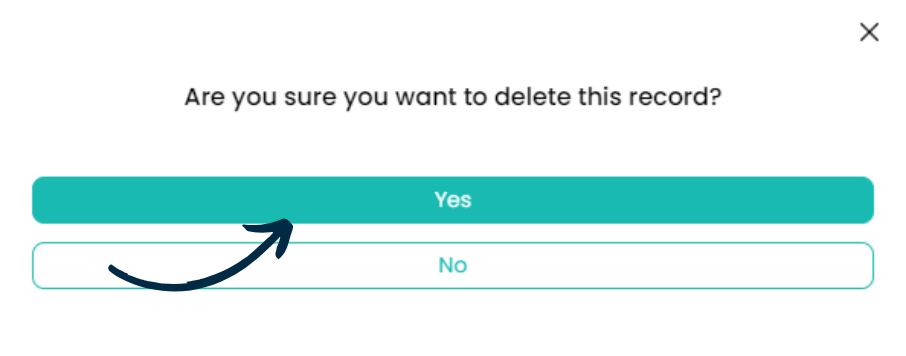
You can also remove a record from the training log via the binicon on the right hand side.