View Categories

How to Add a Staff Training Course

This guide explains how to create a new training course within the Training Area of Care Control’s HR app. Building courses directly in the system allows you to keep all staff training organised and trackable in one place. You can define the course title, type, and location, set whether it is mandatory, and configure automatic assignment rules so the right staff members are enrolled without any manual effort. This step-by-step guide walks you through the full setup process, from entering the basic course details through to saving your completed course.

Interactive Guide

Text based guide

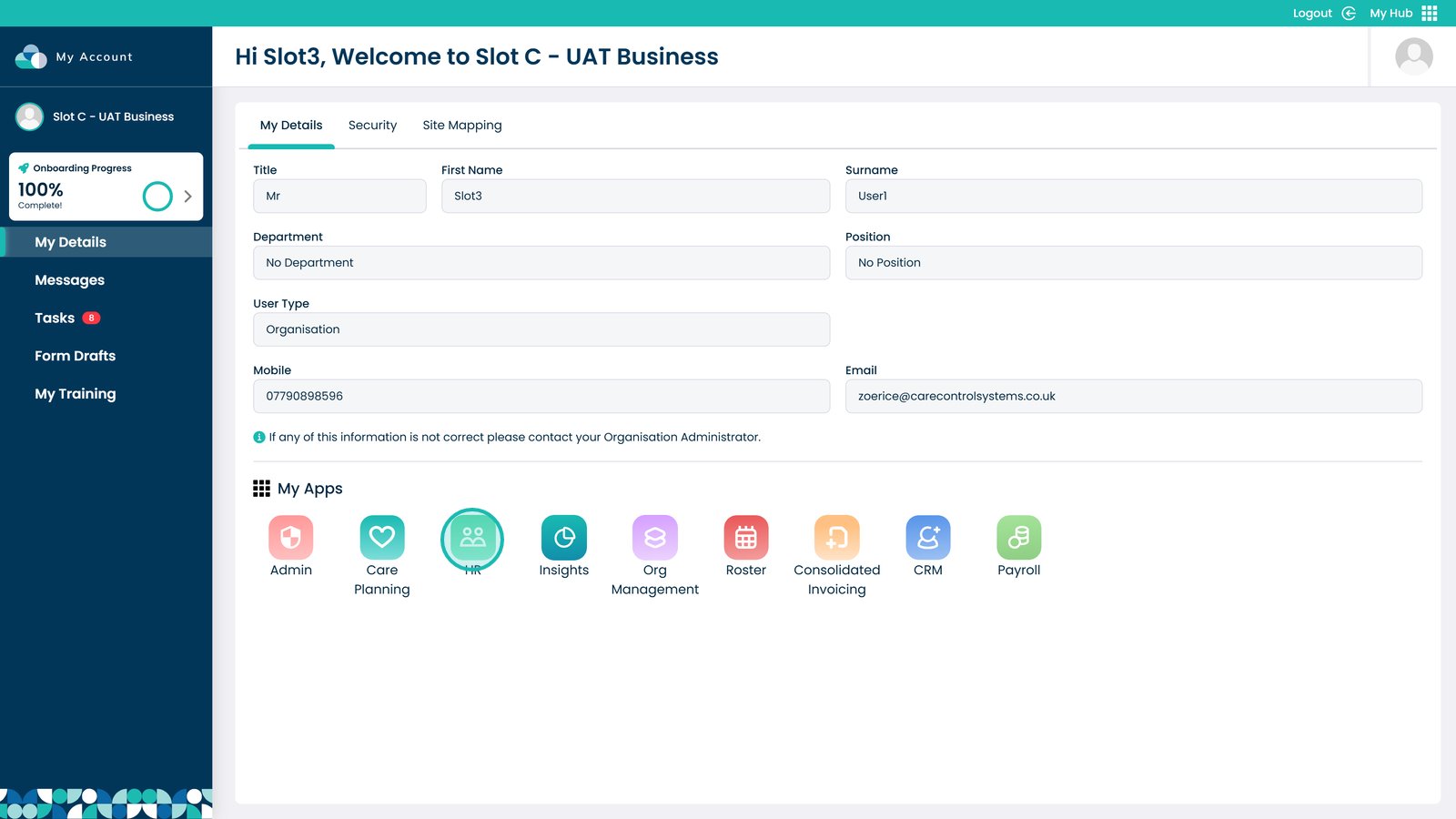
Enter the HR App


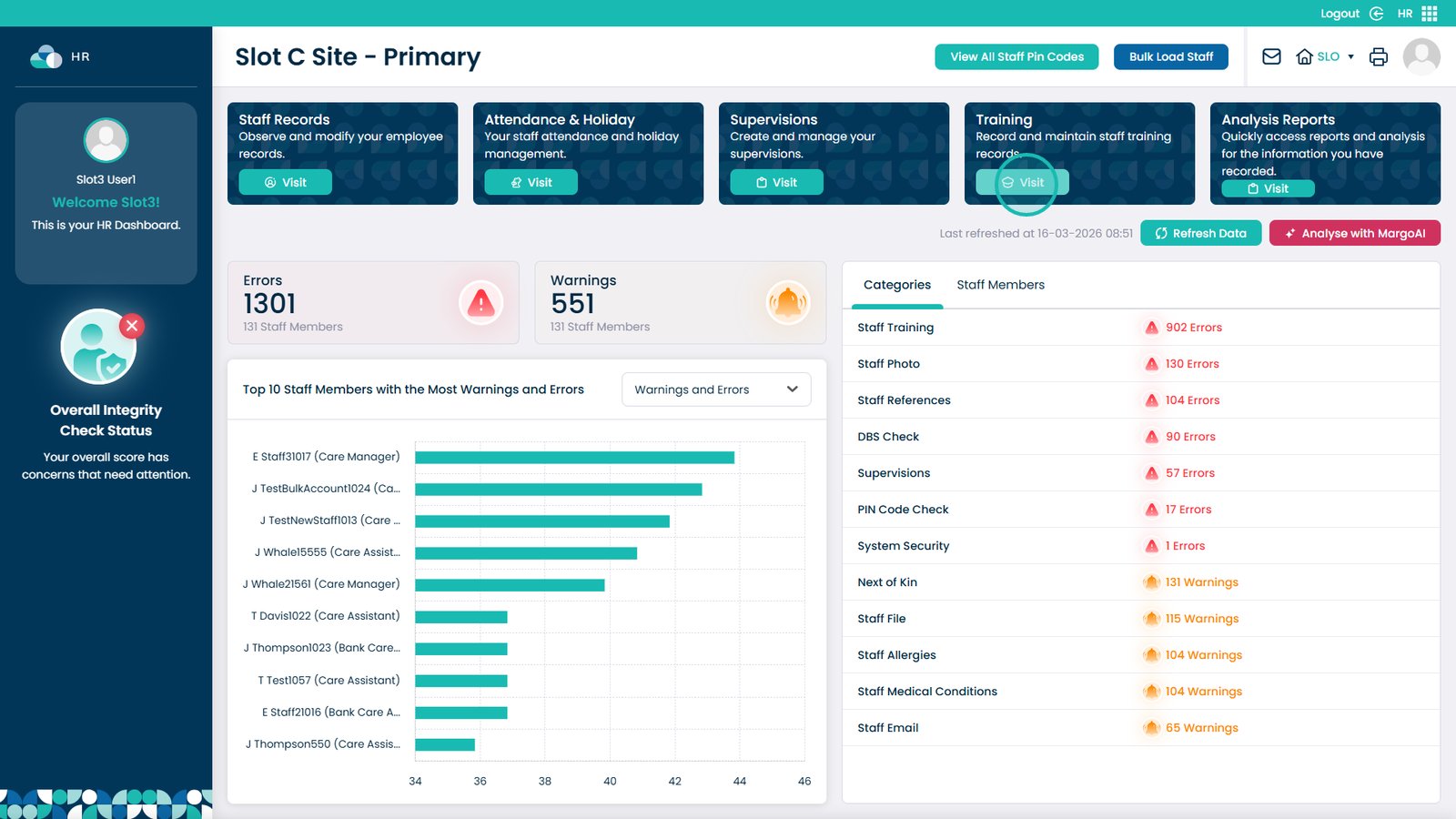
Click Visit on the Training Area


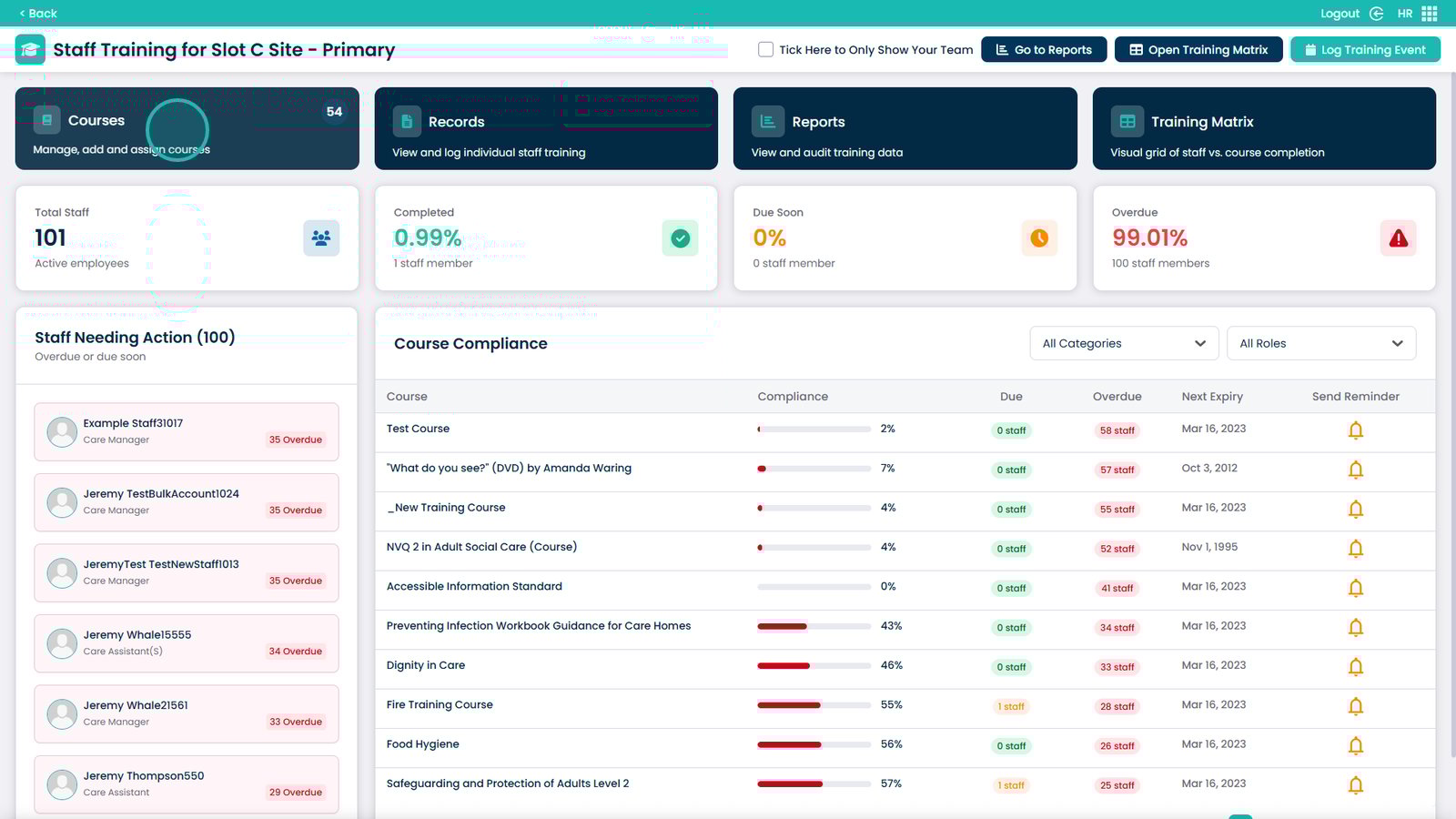
Choose the Courses box


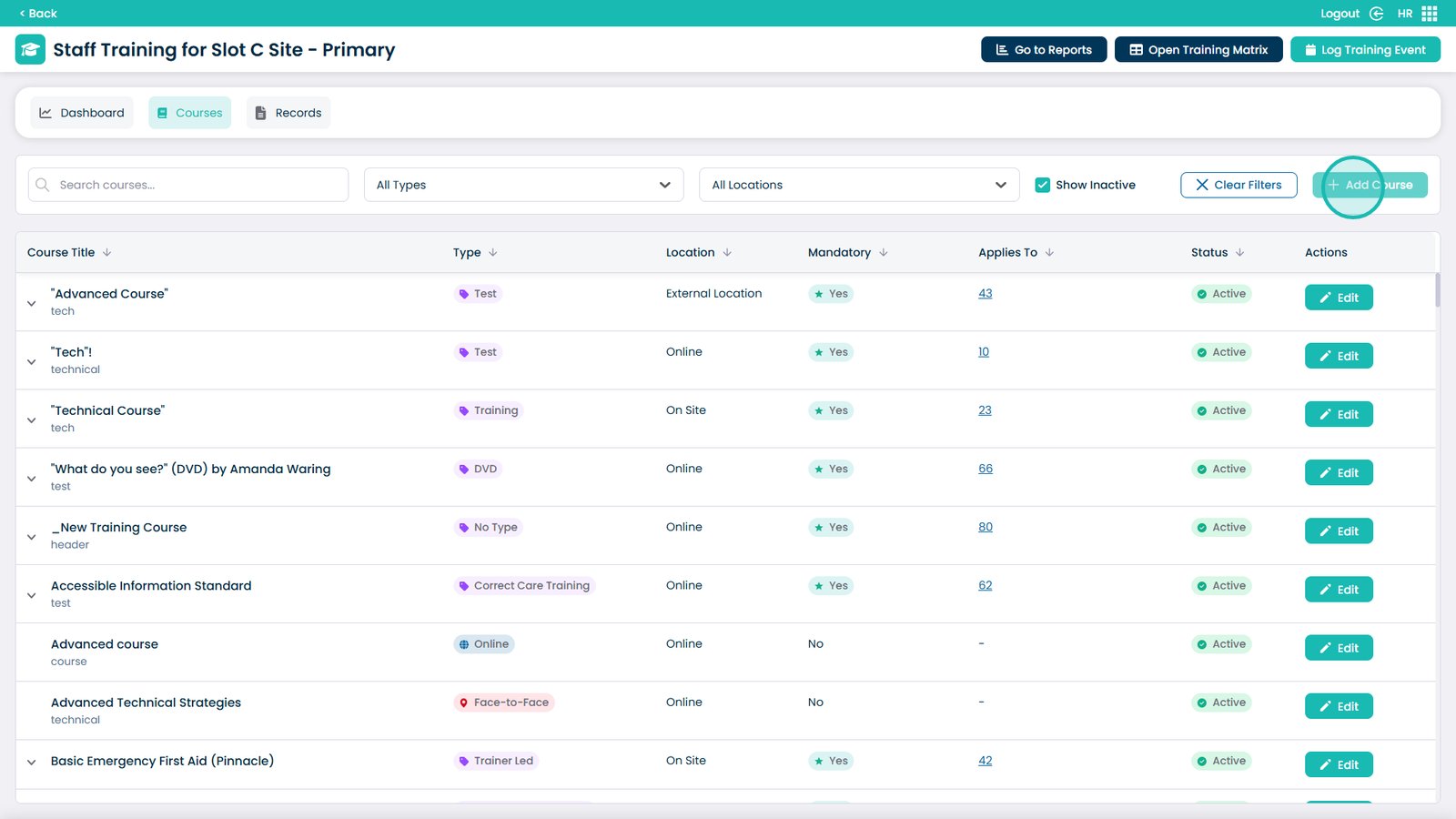
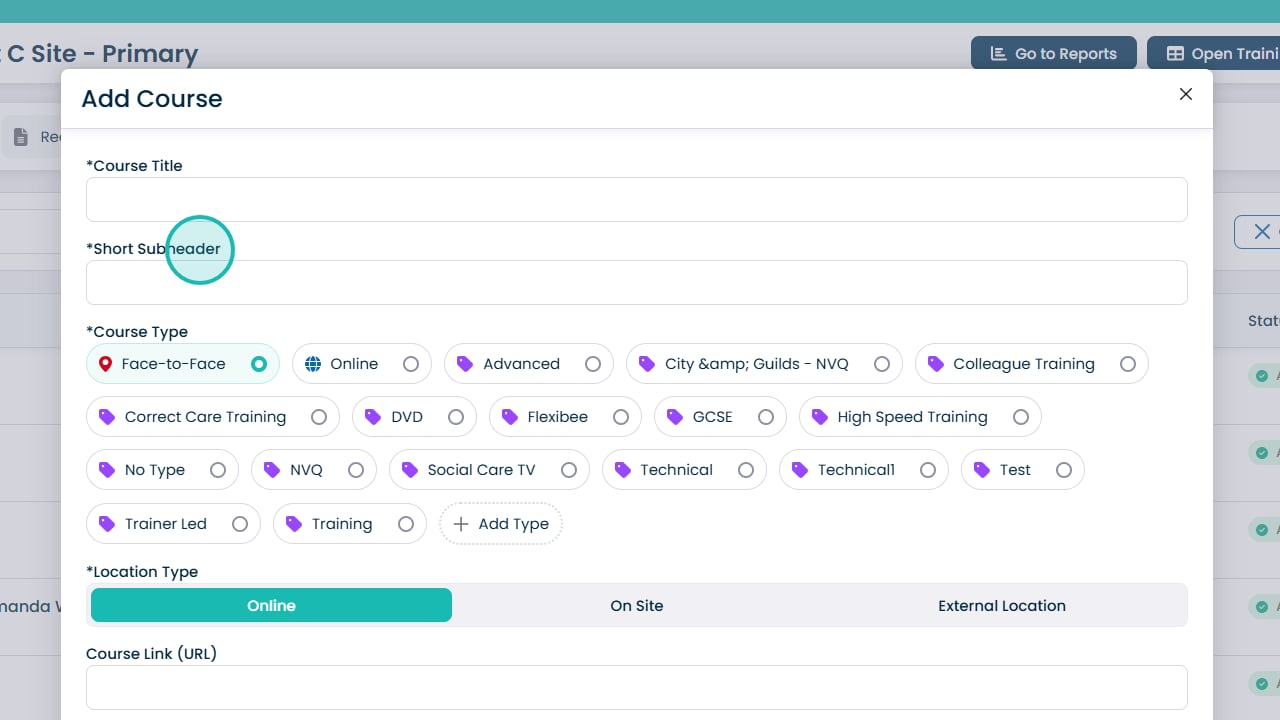
Select Add Course


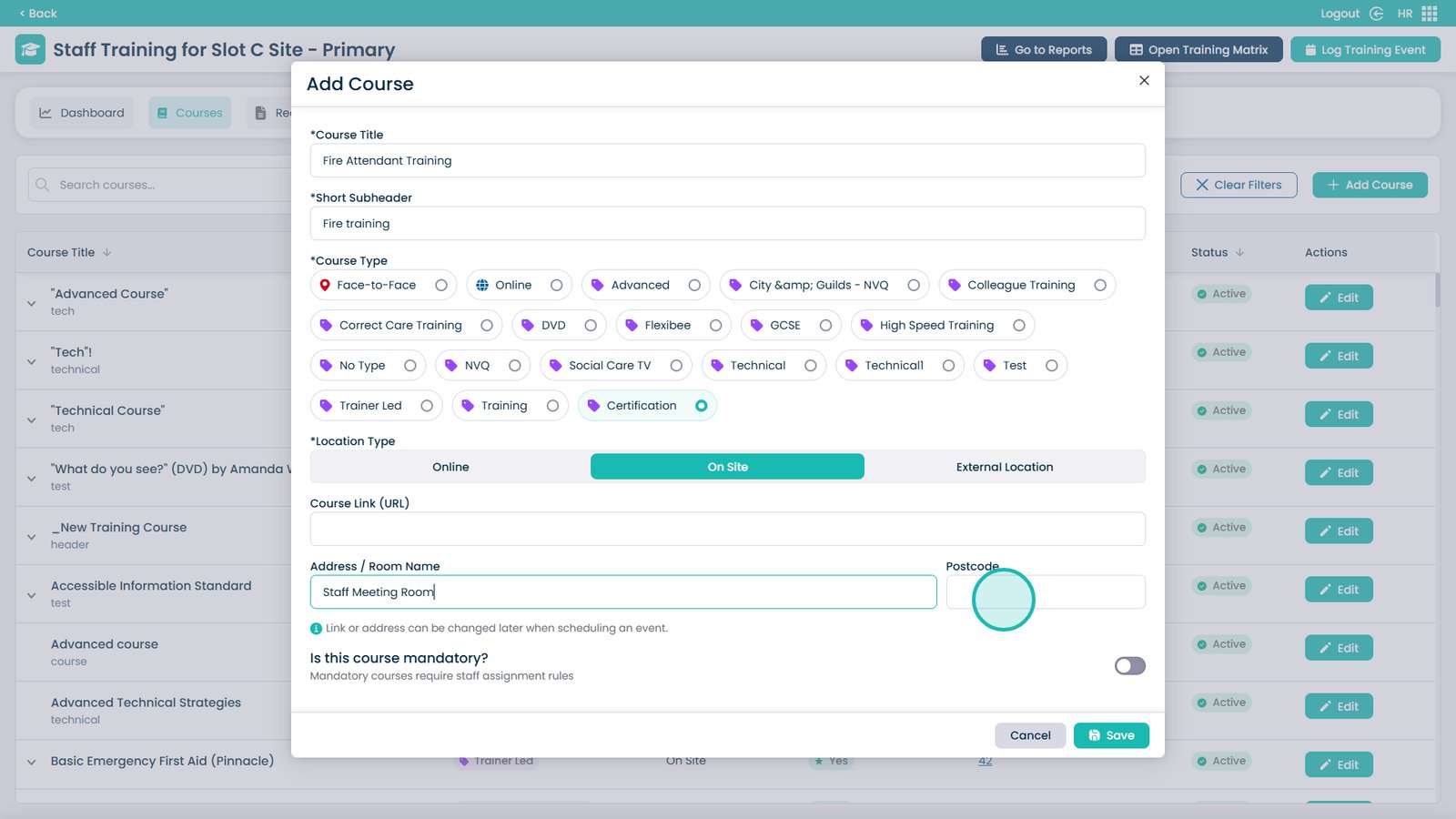
Enter the Course Title in this box


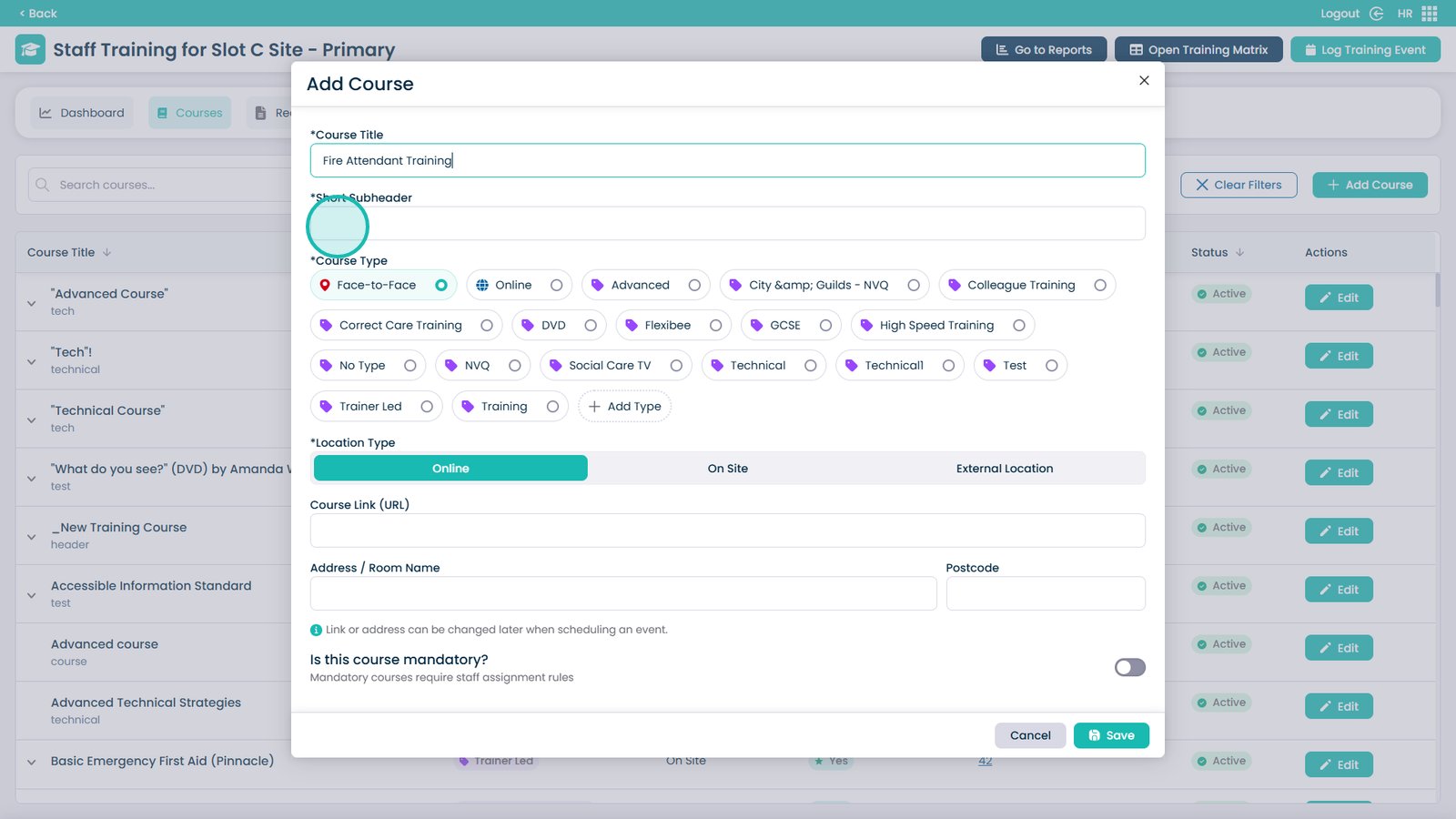
Enter a short subheader description


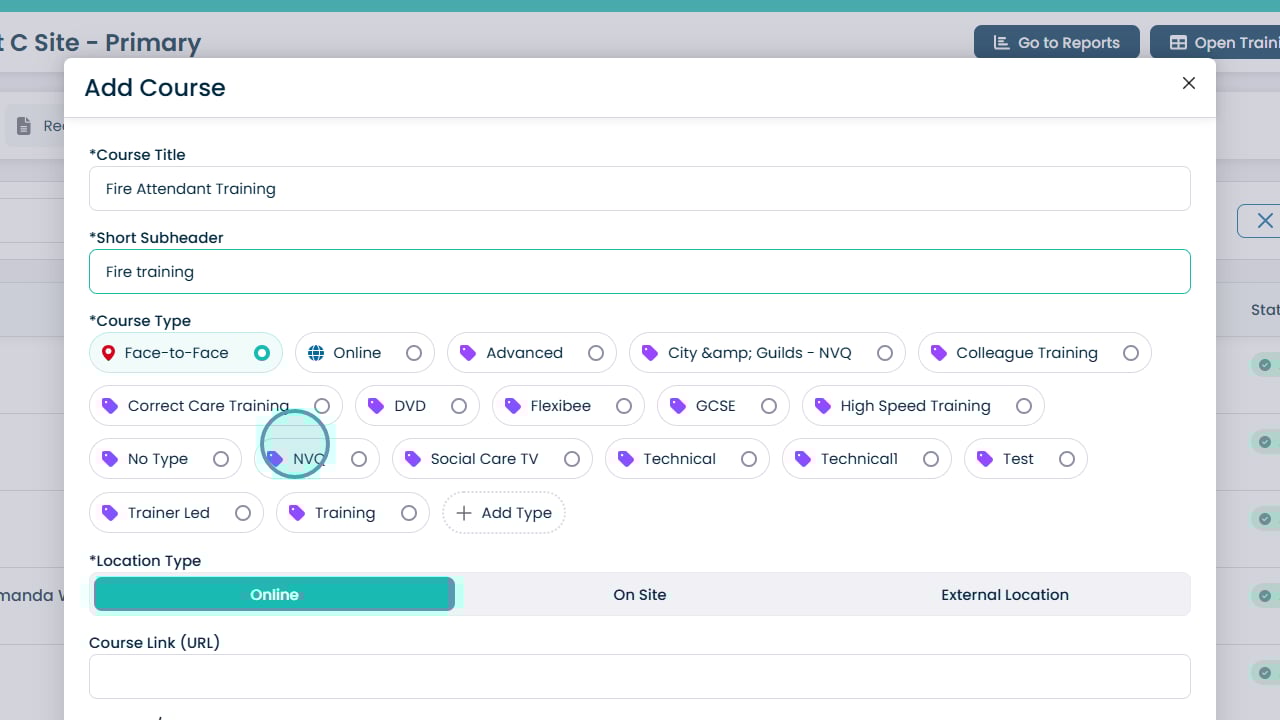
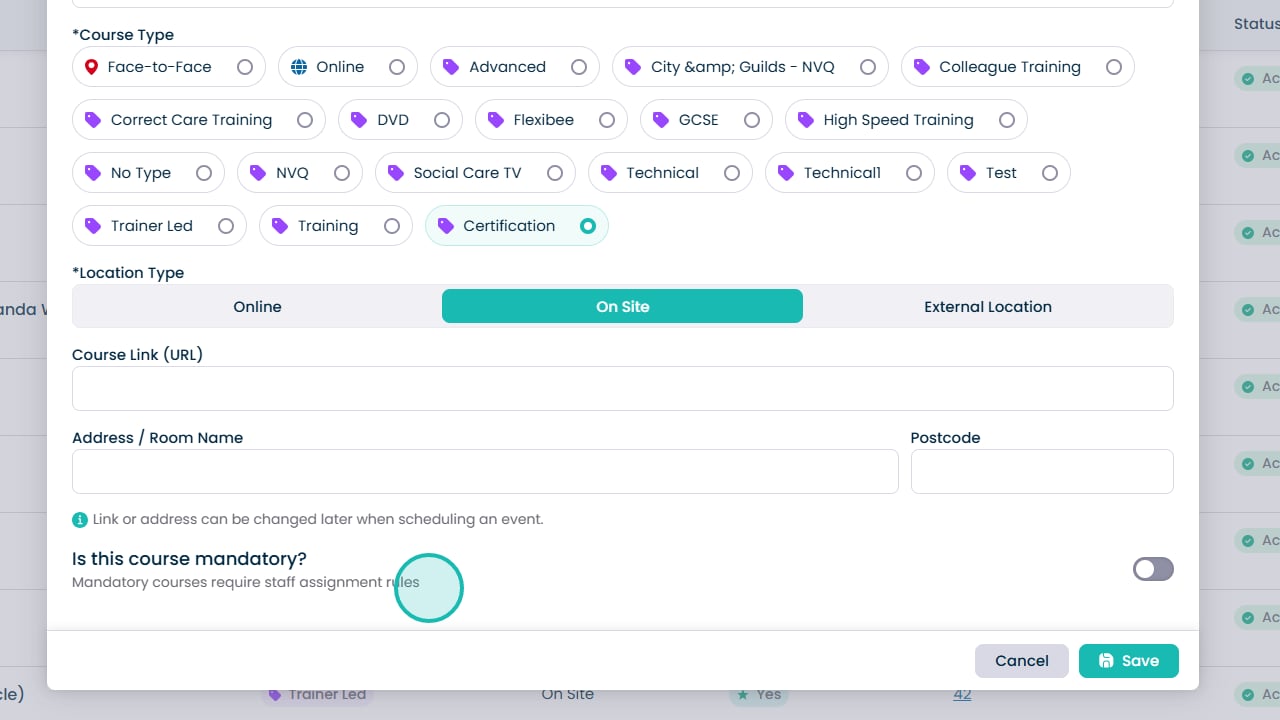
Select a course type from the list


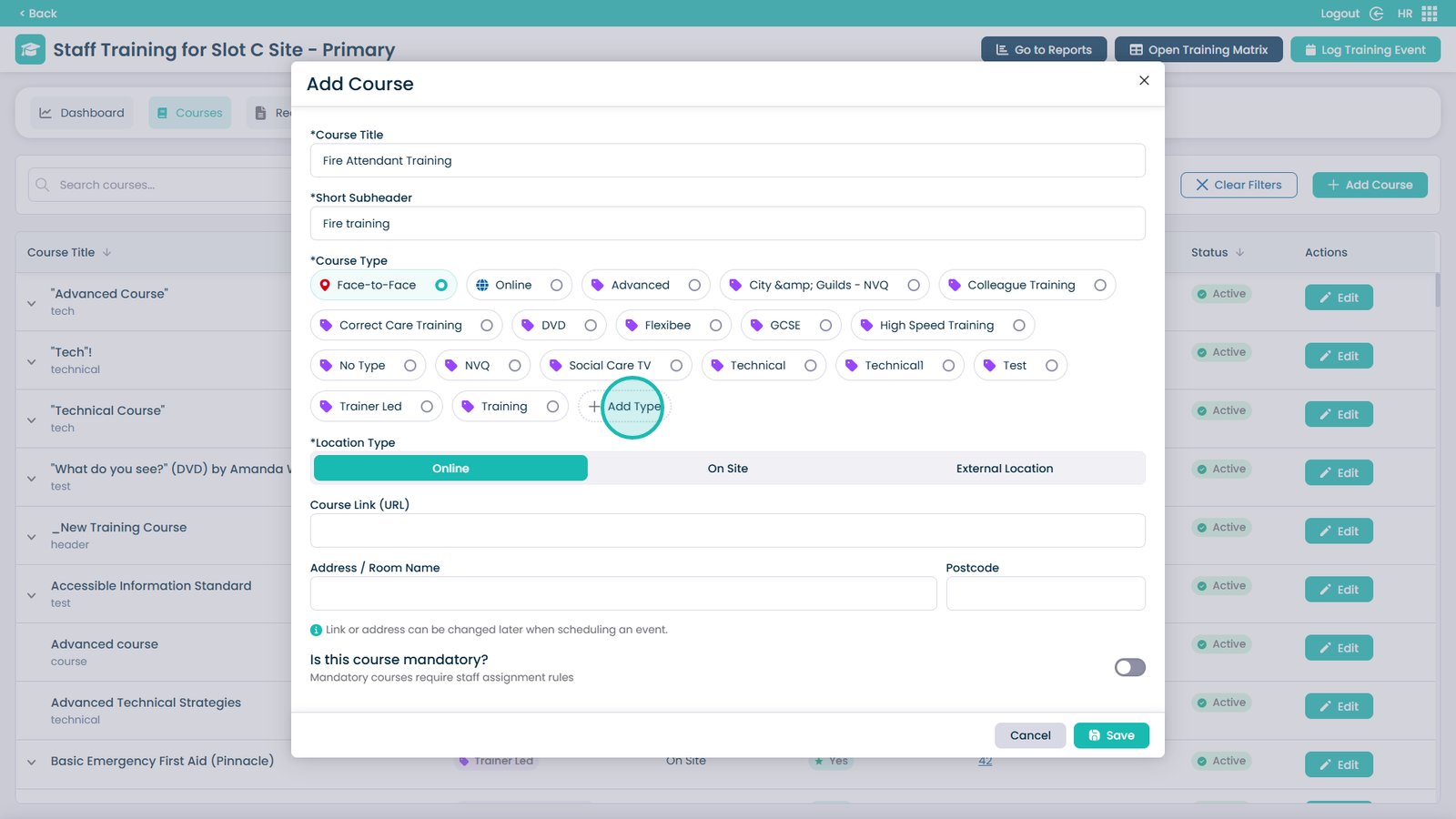
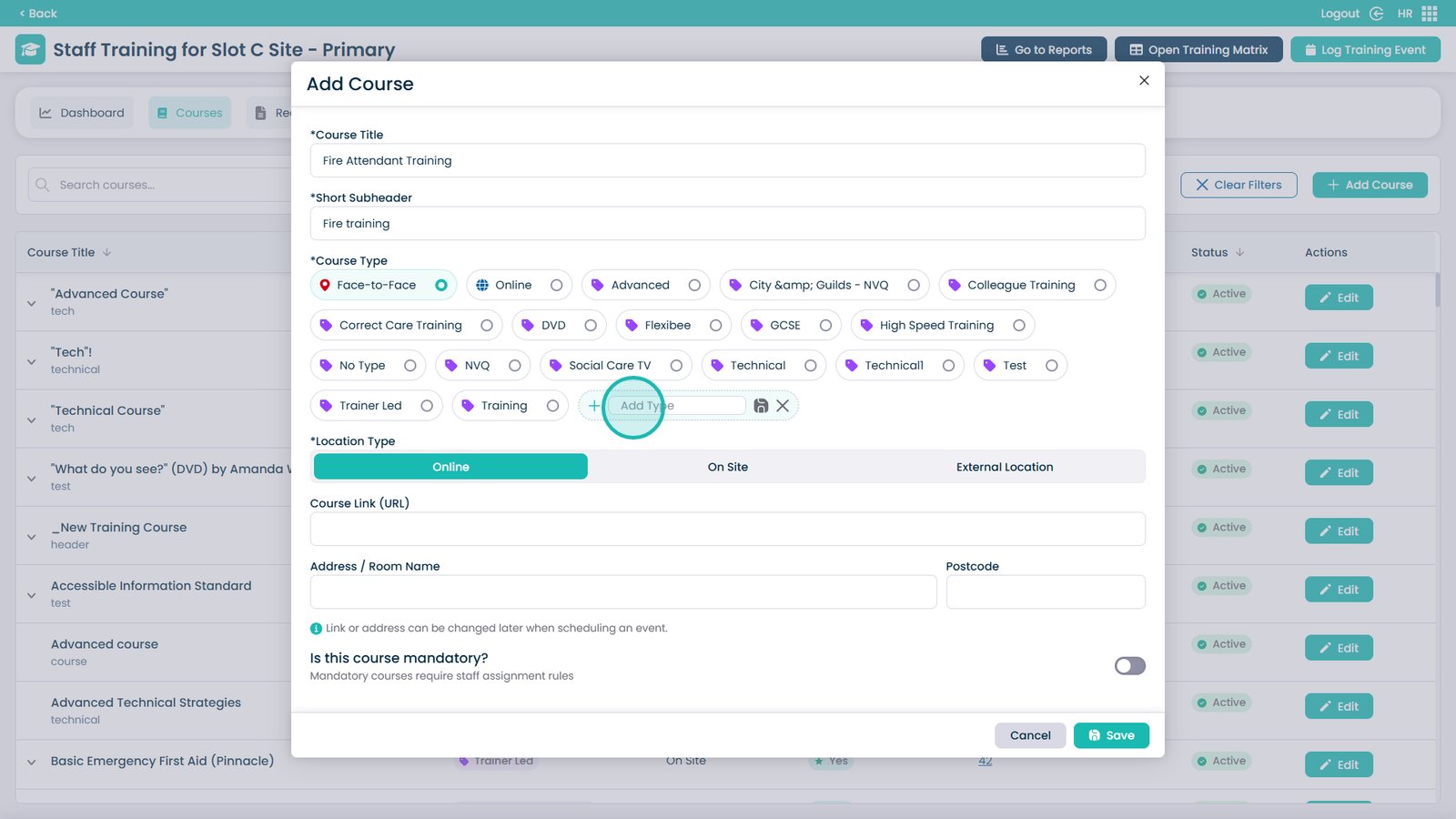
You can also add a new type by clicking Add Type


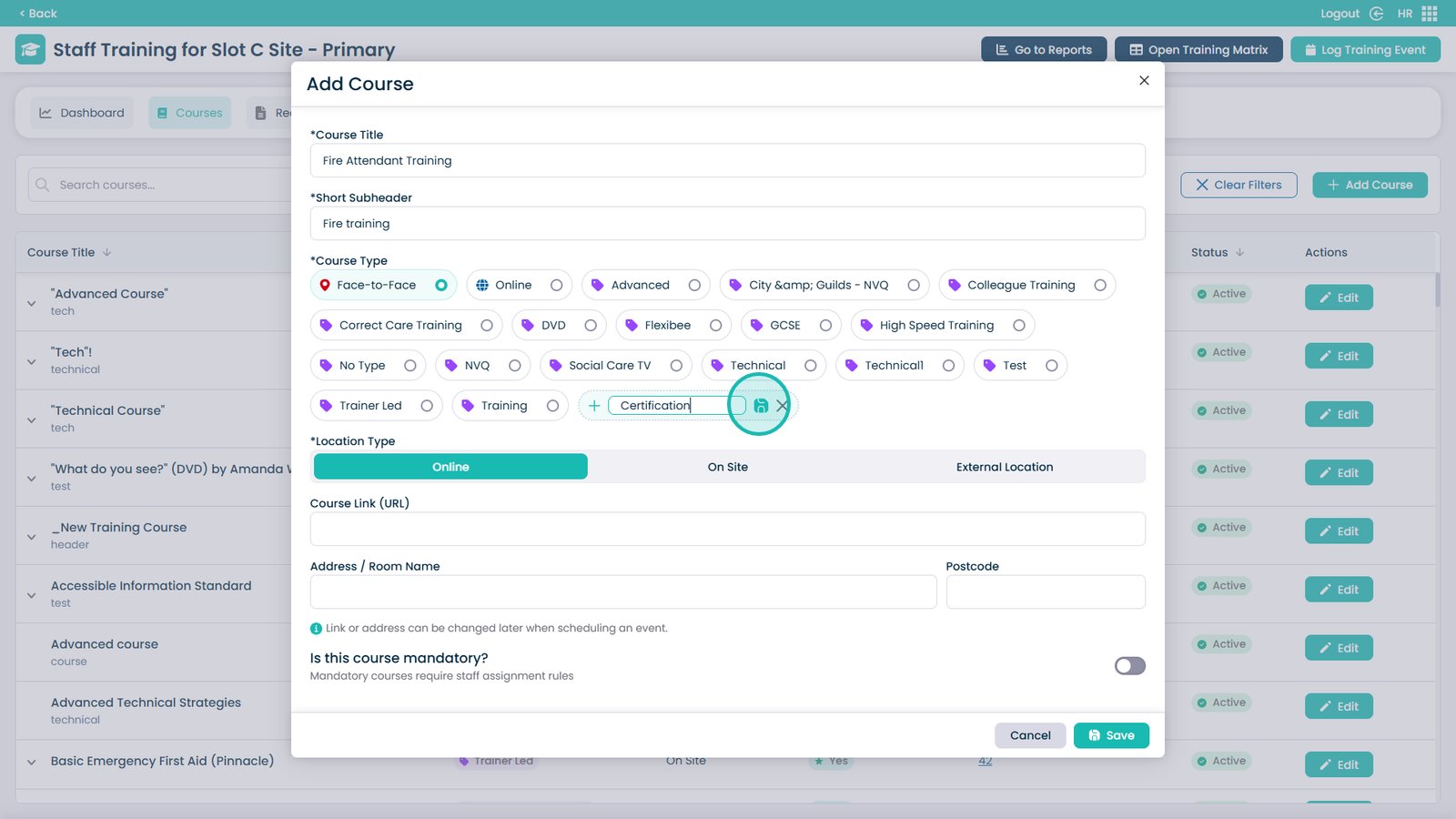
Enter the name of the type into this box


Click Save to add the new type


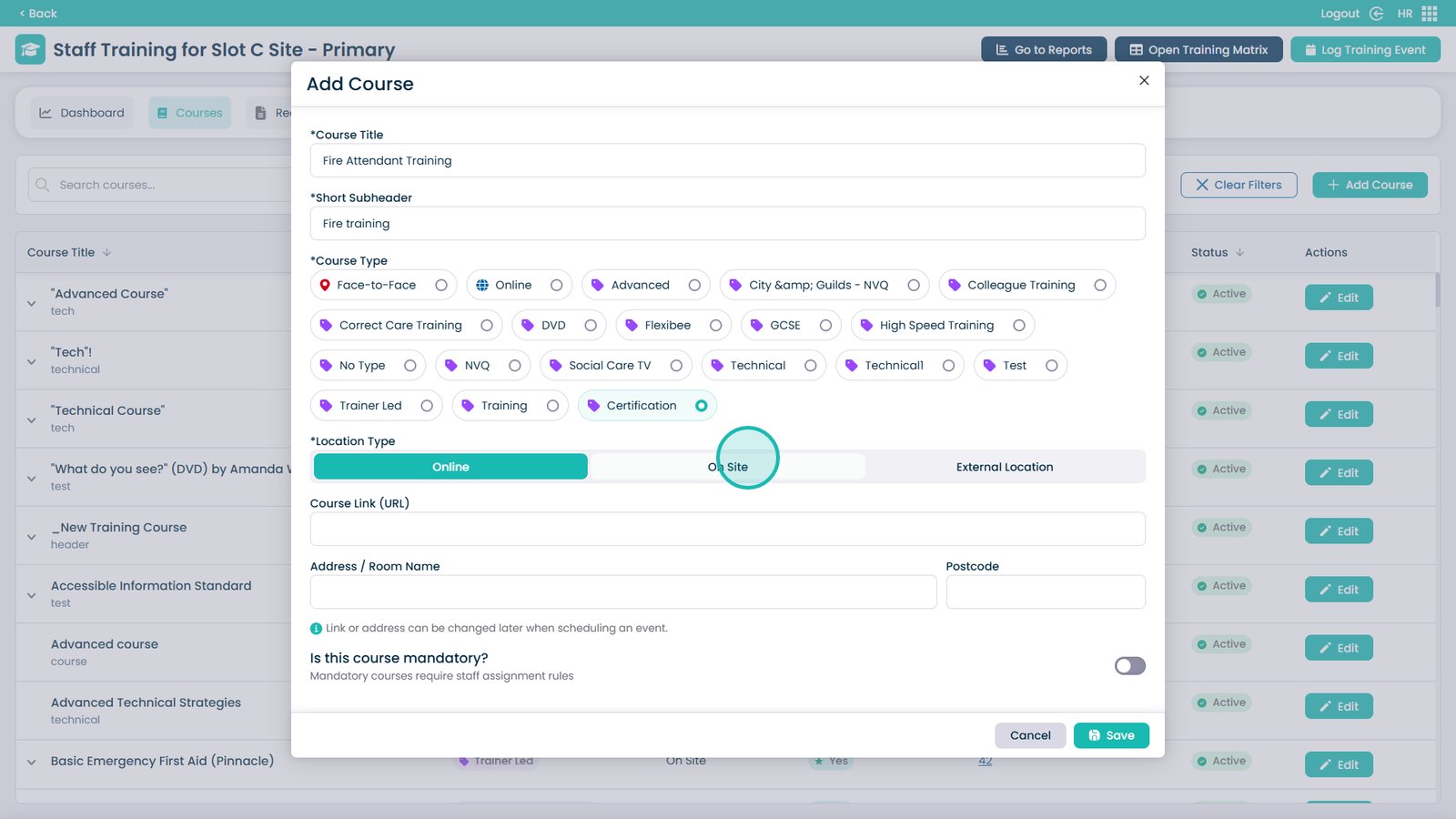
Choose the Location Type from the three options


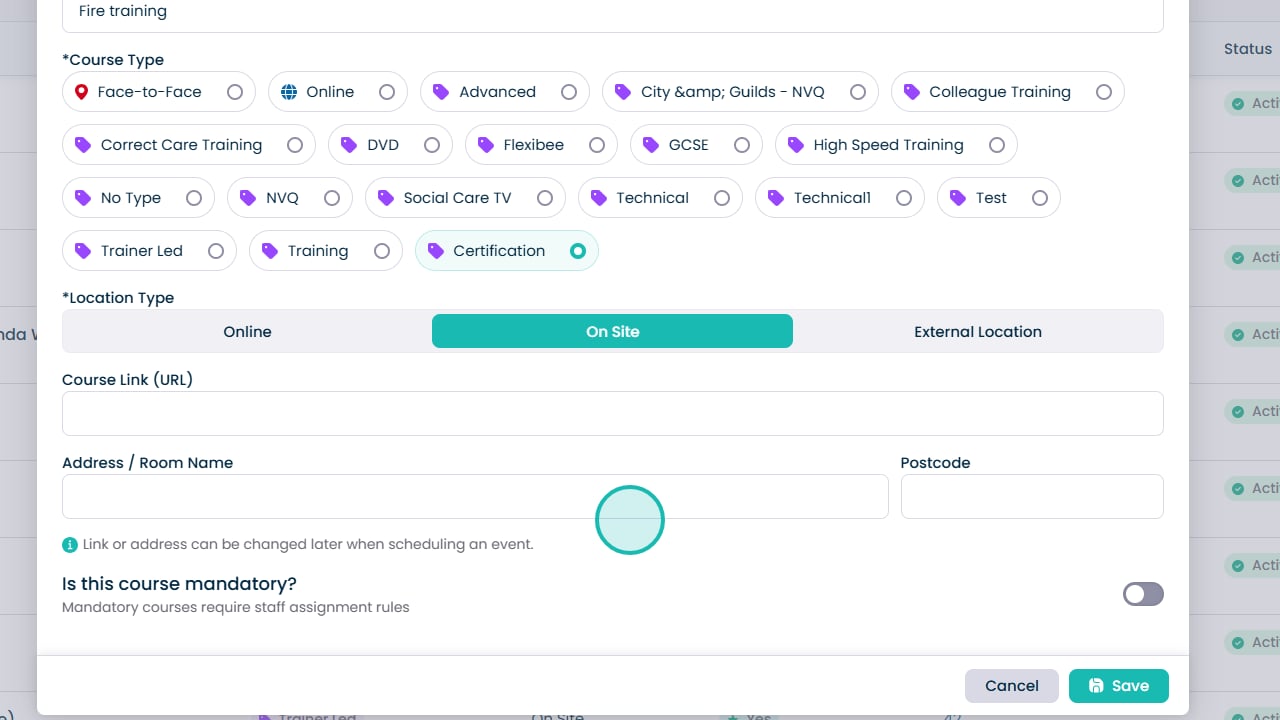
If required, you can add a Course Link that staff members can access


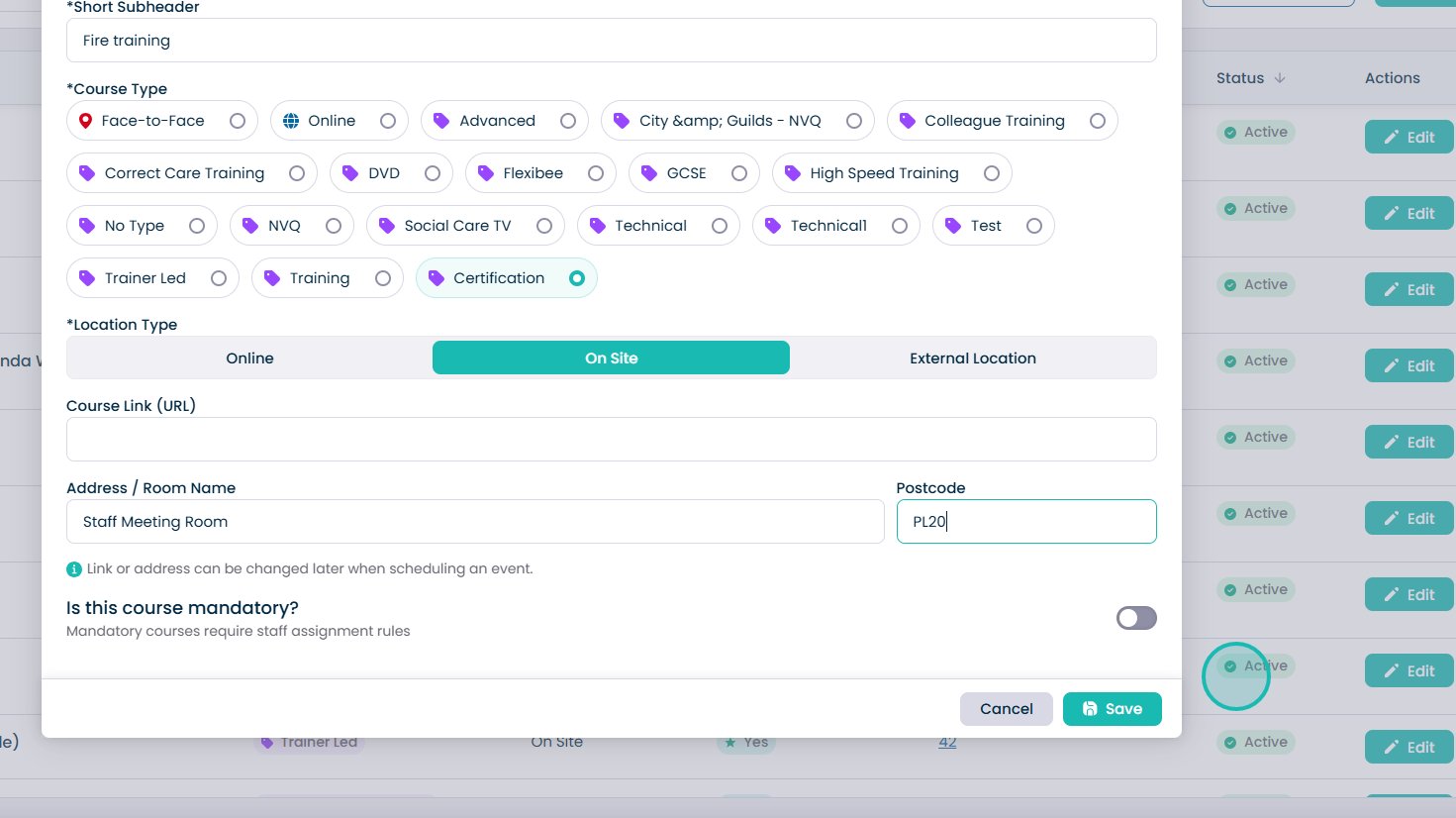
Enter the room name or address into this box


Enter the Postcode into this box


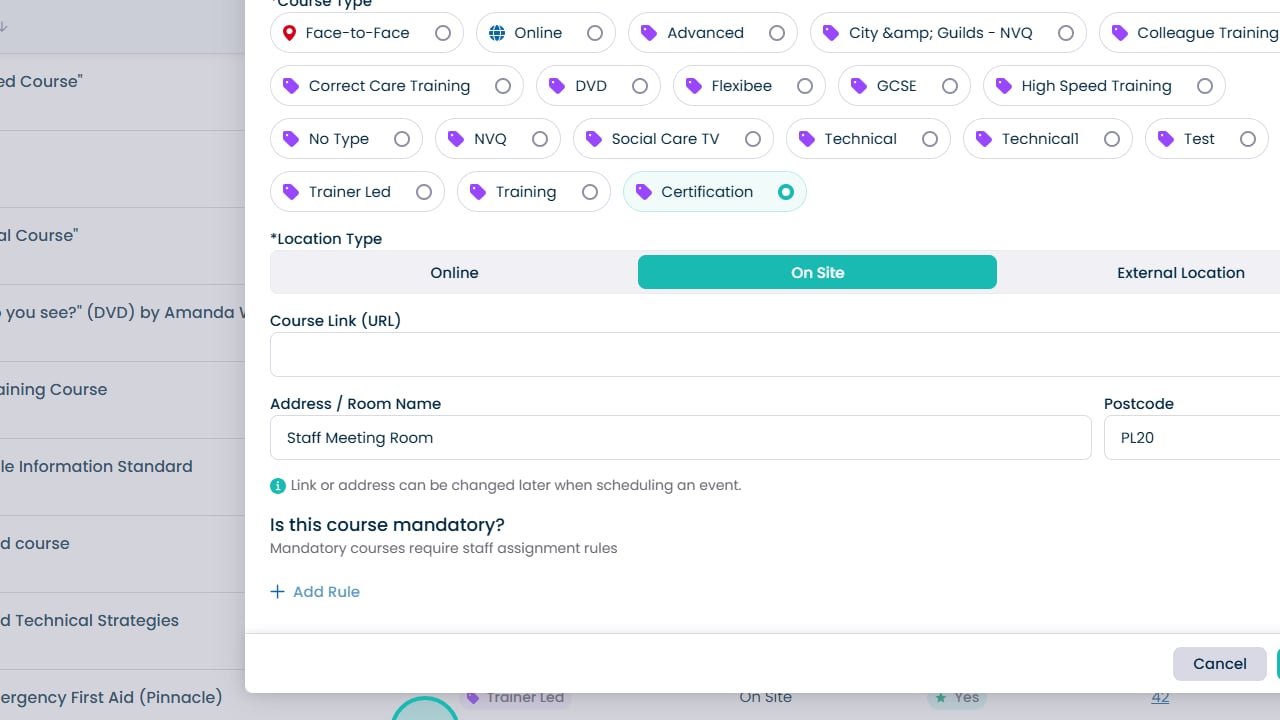
Use this toggle to choose if the course is mandatory or not


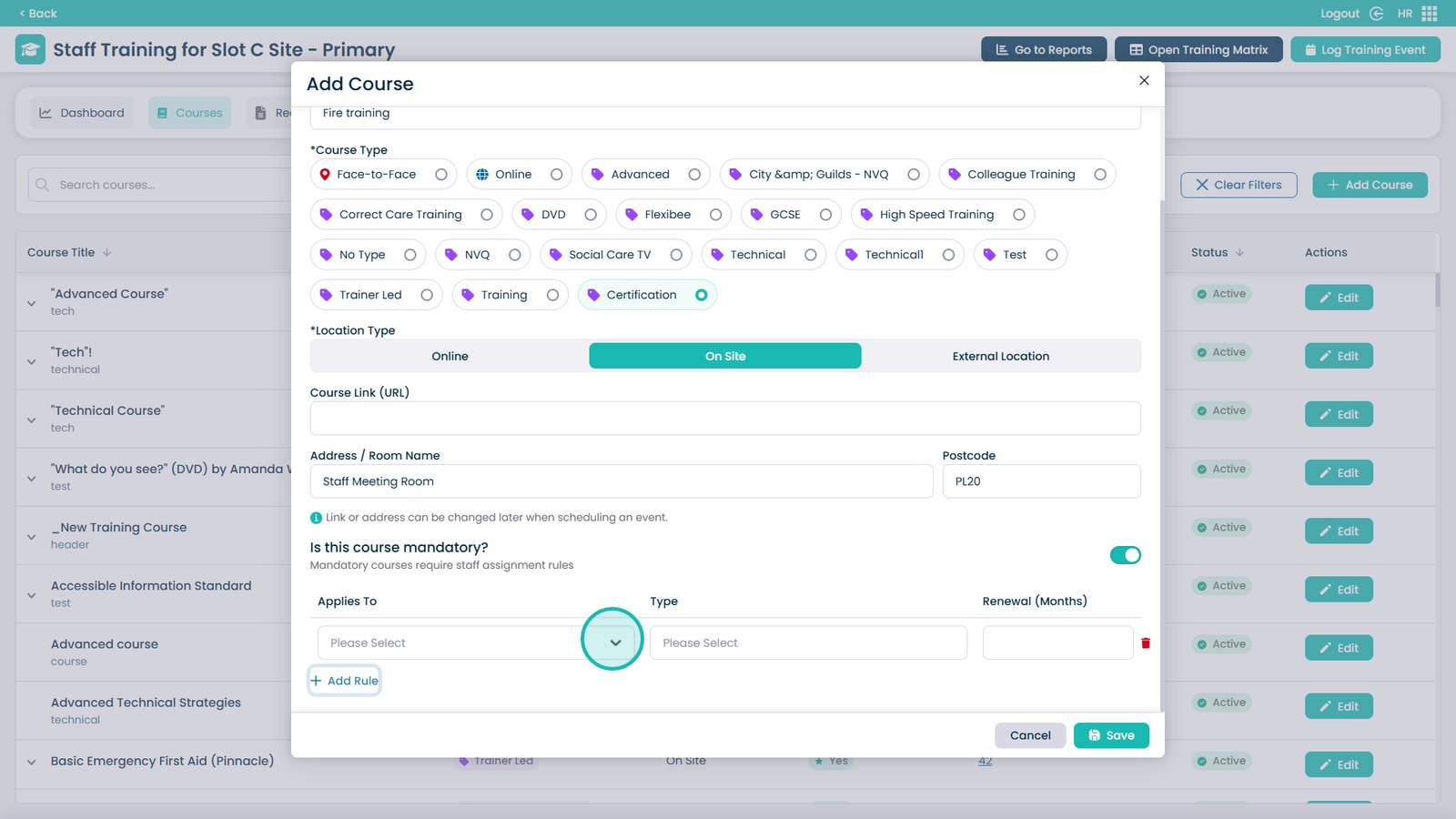
If the course is mandatory, you can add assignment rules to automatically assign the course to staff members


Open the dropdown menu


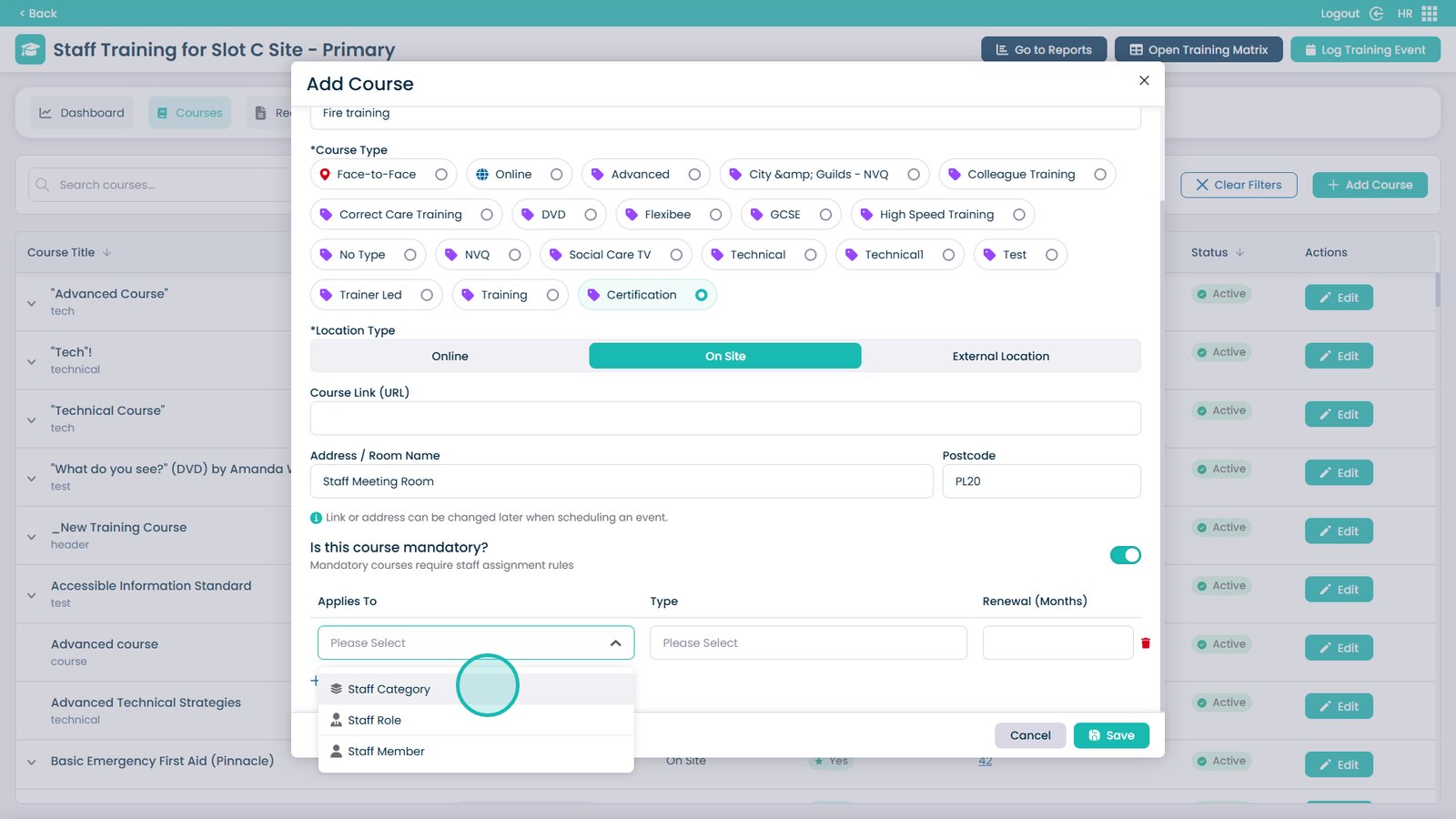
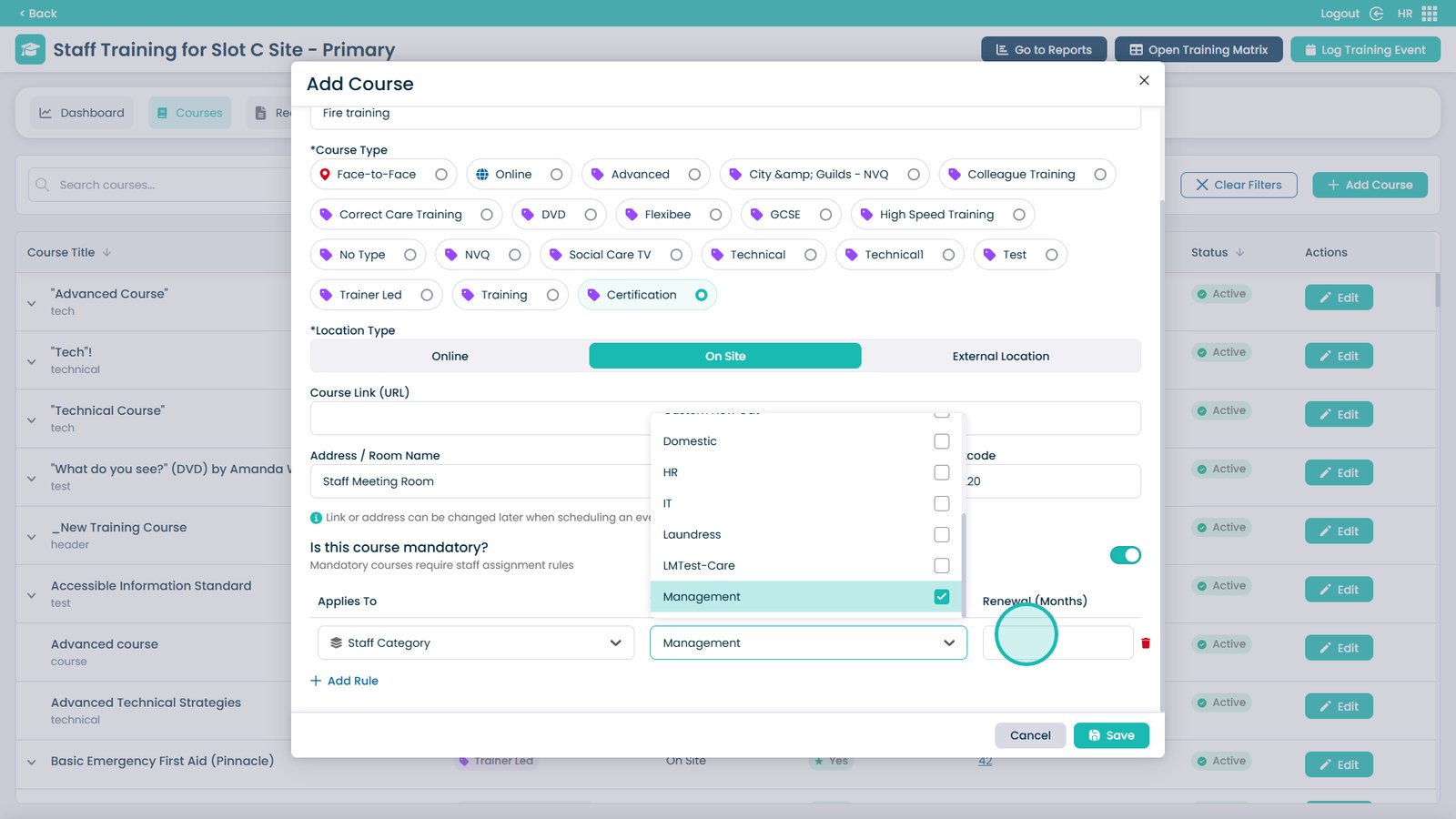
Choose how you want to assign the staff members — by category, role, or individual members of staff


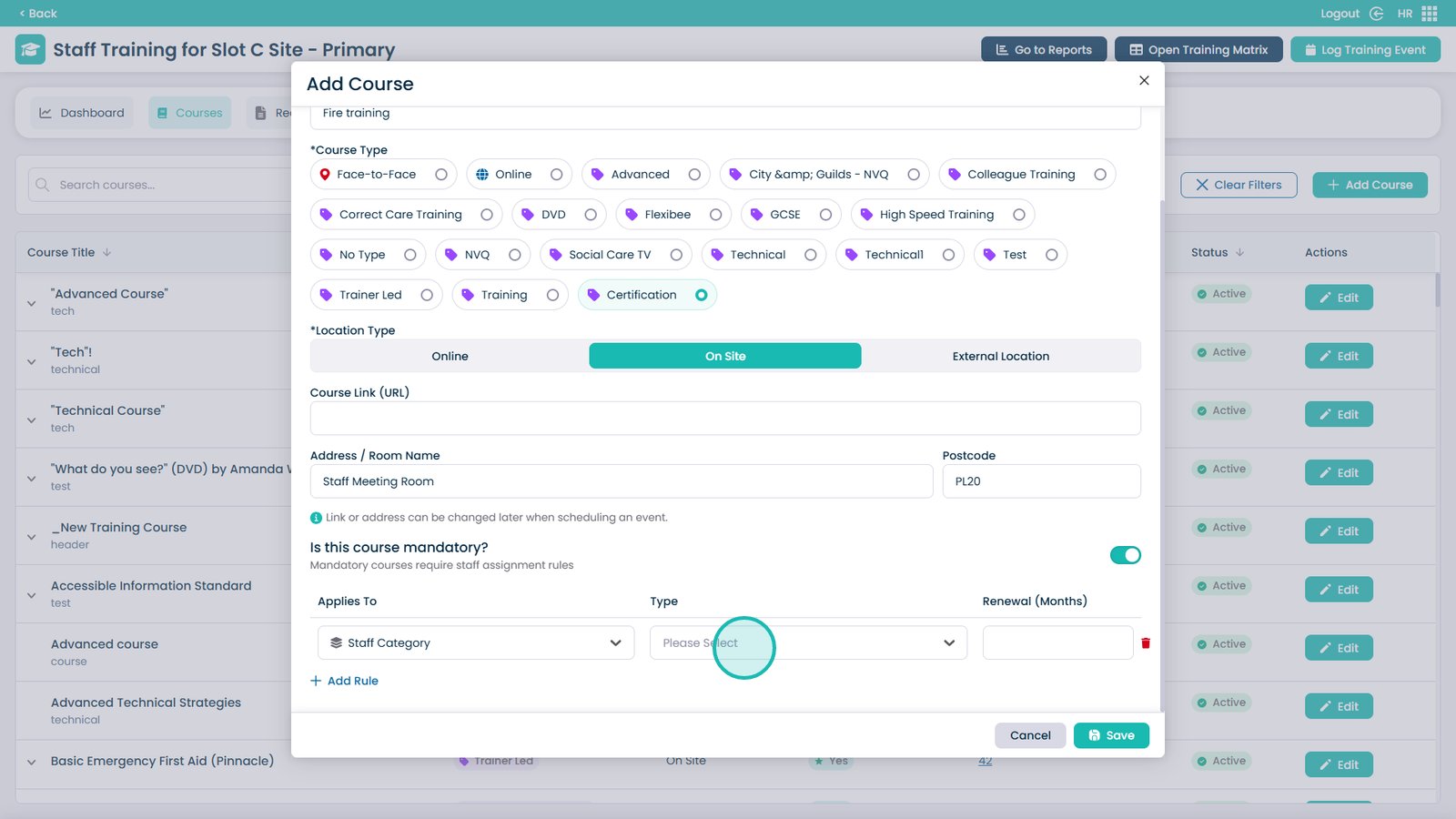
Open the type dropdown


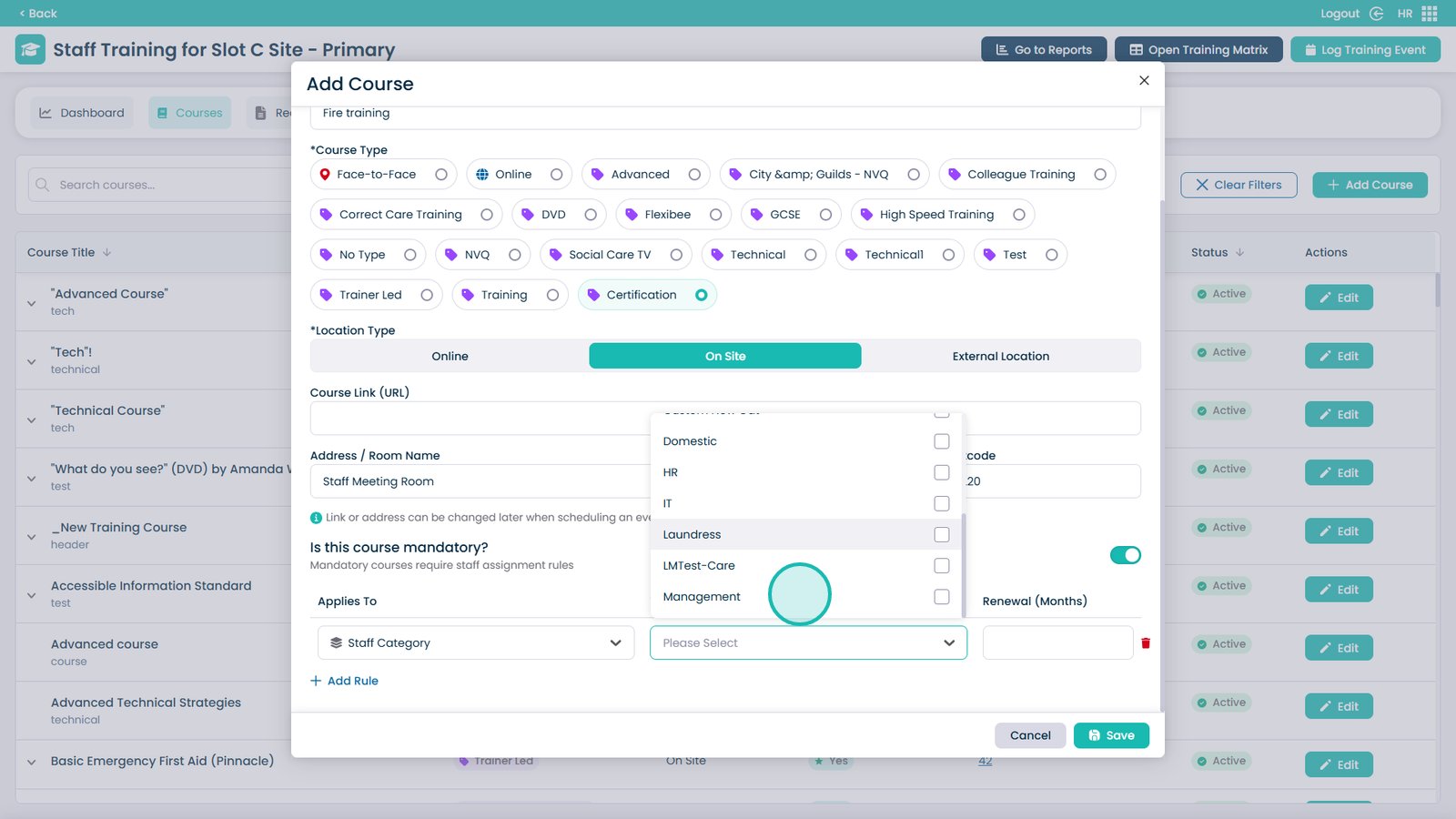
Choose which type of staff will be required to do the course — multiple selections are allowed


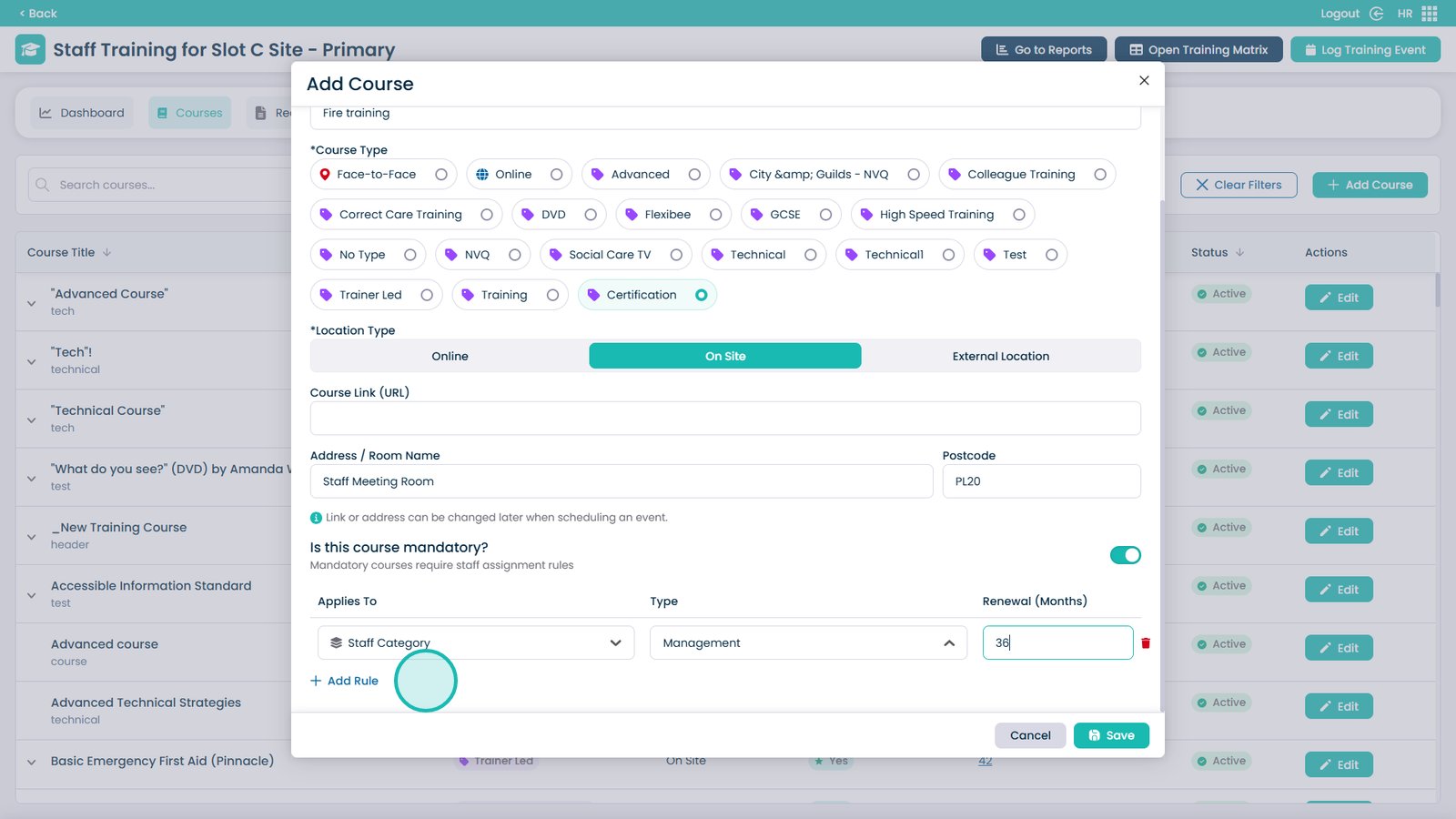
Enter the renewal date for the course


If required, you can add further rules


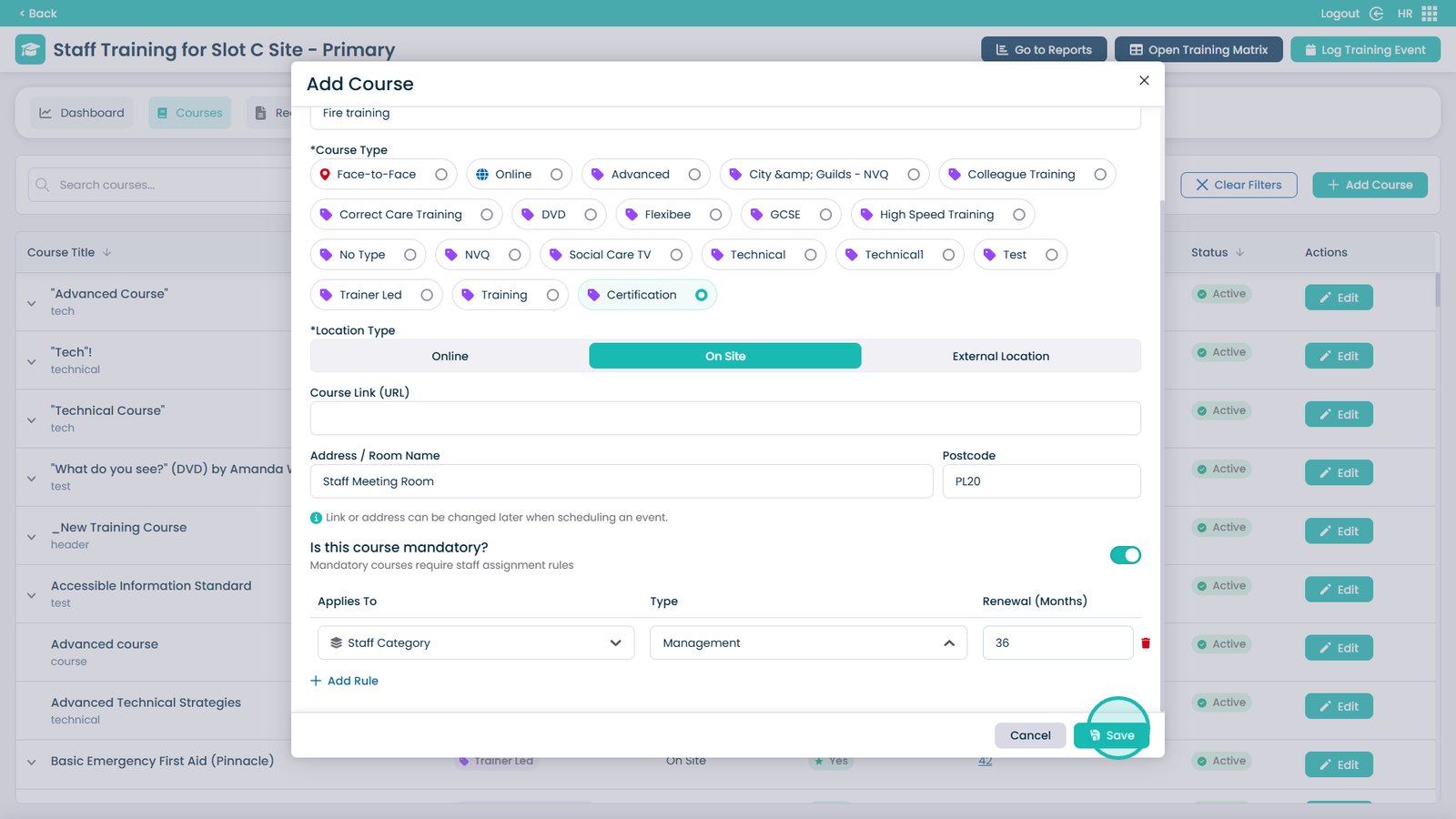
Click Save when finished to create the training course

Was it helpful ?
Table of Contents
↑ Top