Bank Holiday Closure Notice: We will be closed on the 3rd April for the Easter bank holiday, so our customer service team will not be available on this day. If you need to get in touch, you can still use our customer contact form and we will get back to you as soon as possible. Even better, Margo will still be available on our phone lines to help with your queries whenever you need support. We hope you have a lovely Easter weekend 🐣
View Categories
Access Denied Message
This guide will cover how to upgrade a staff members access level. This is a common issue when a staff member receives an ‘Access Denied’ message when signing in to Care Control Windows.
1
If a staff member is trying to access CC Windows, and receives this message after entering their PIN, then they do not have the correct security access level set in their staff profile.
2
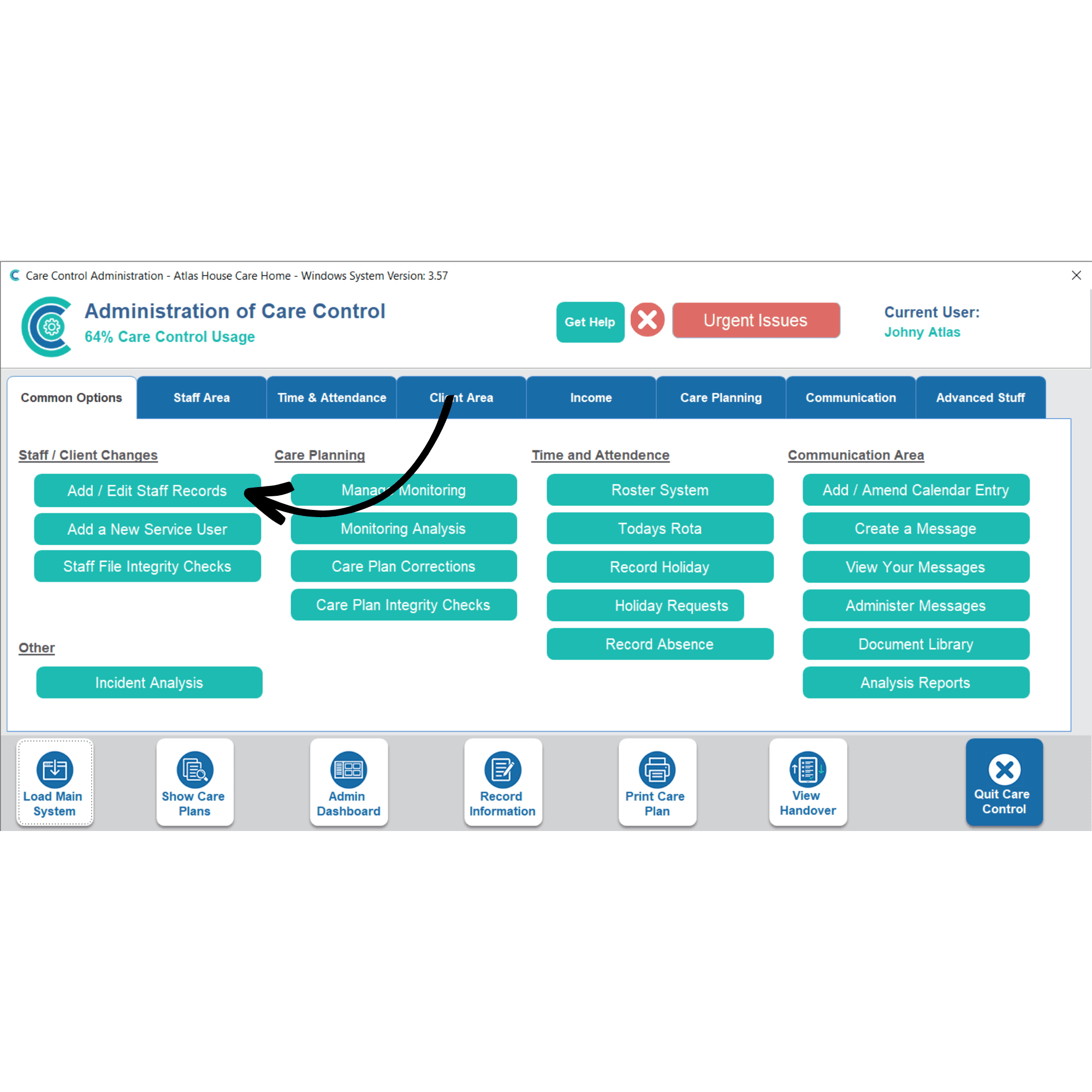
In order to solve this, another admin user will need to log in to CC Windows. After signing in, select Add / Edit Staff Records.
3
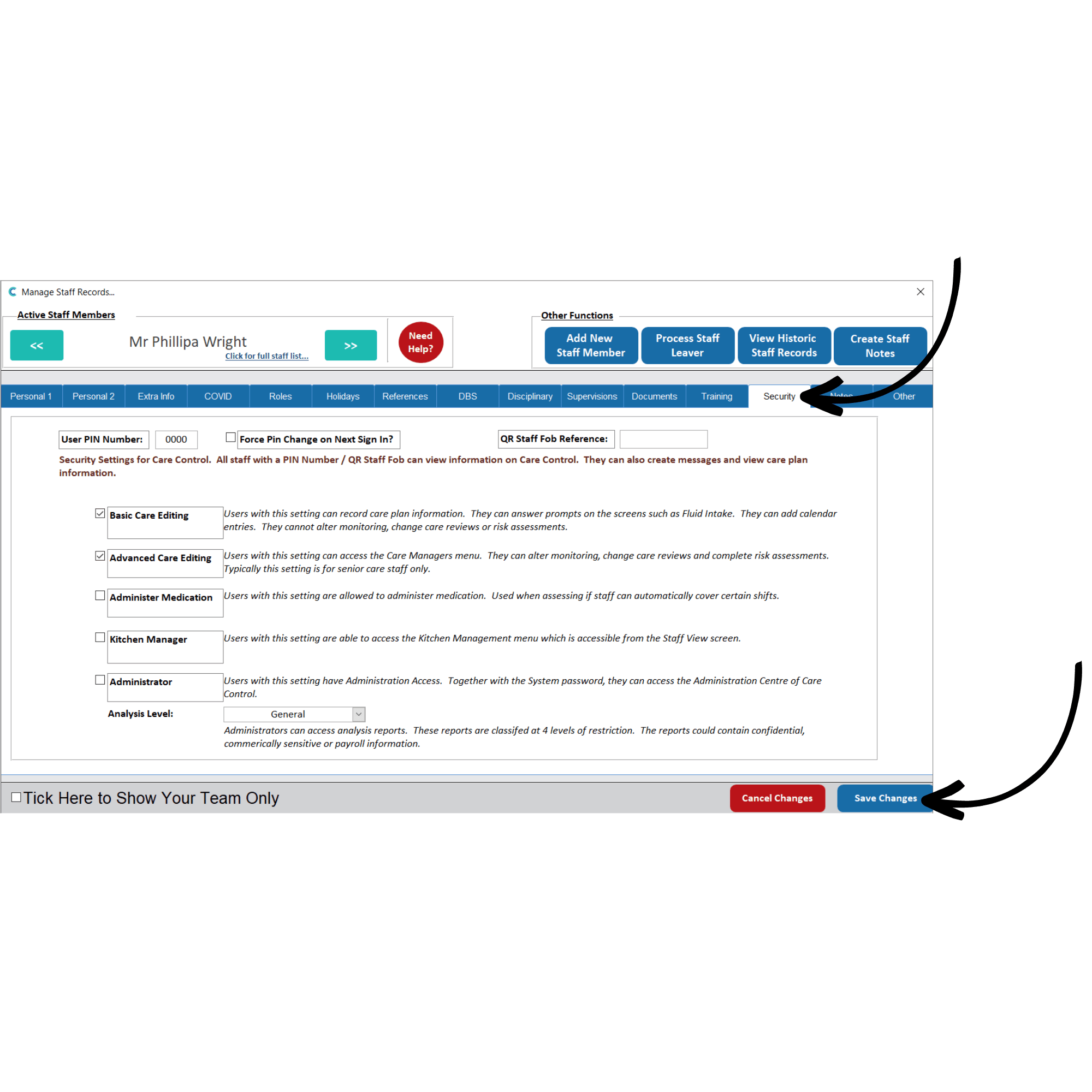
And the staff members record who needs admin access via the blue arrows or select to view the full staff list.
Within their record, under the Security tab, upgrade the service user’s access to Administrator. Make sure to Save Changes.
The staff member should now be able to sign in to Care Control Windows.