This guide will cover how to add individual staff members to the Care Control Cloud system. This is completed within the Organisational Management tool on Care Control Windows.
1
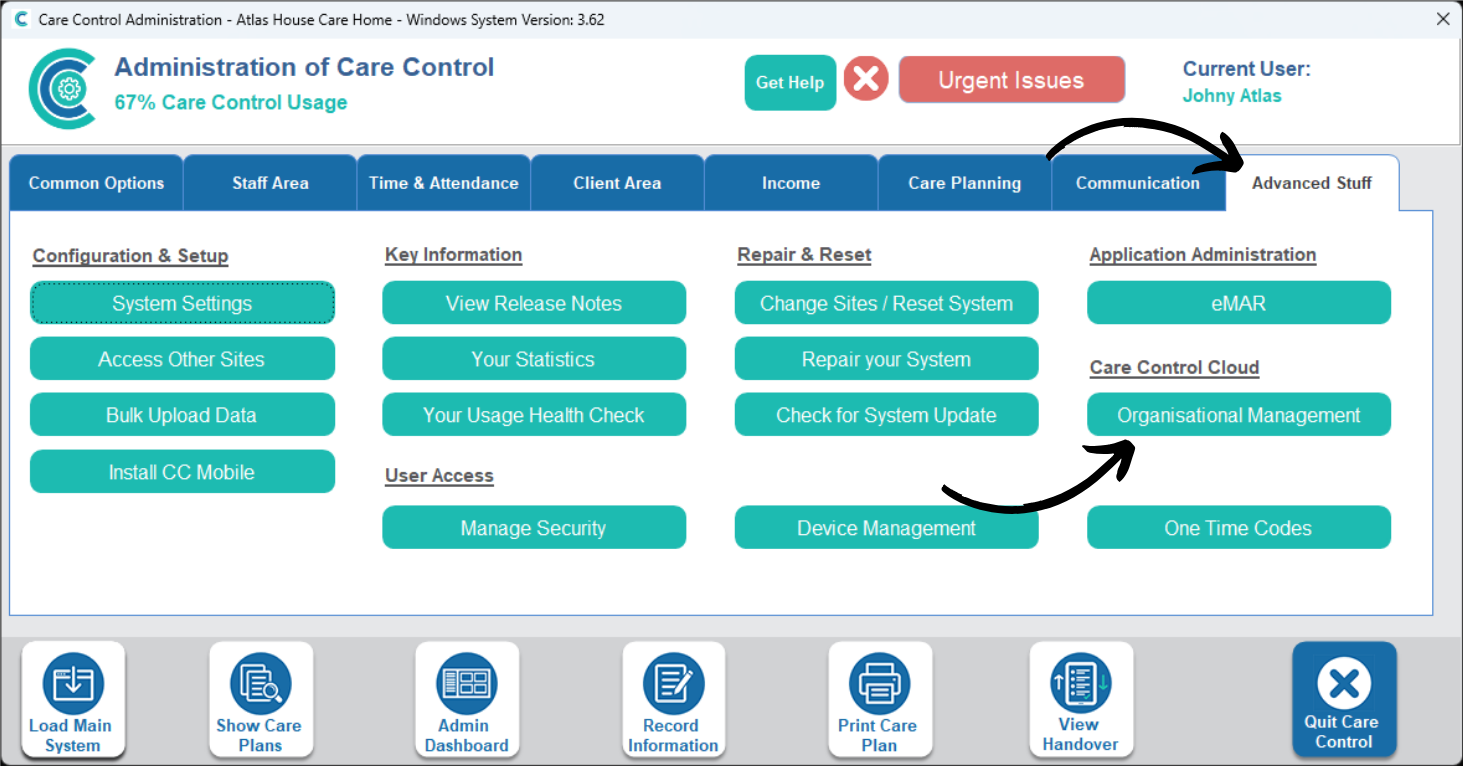
In the Administration of Care Control Windows, navigate to the Organisational Management tool, which can be found under the Advanced Stuff tab.
2
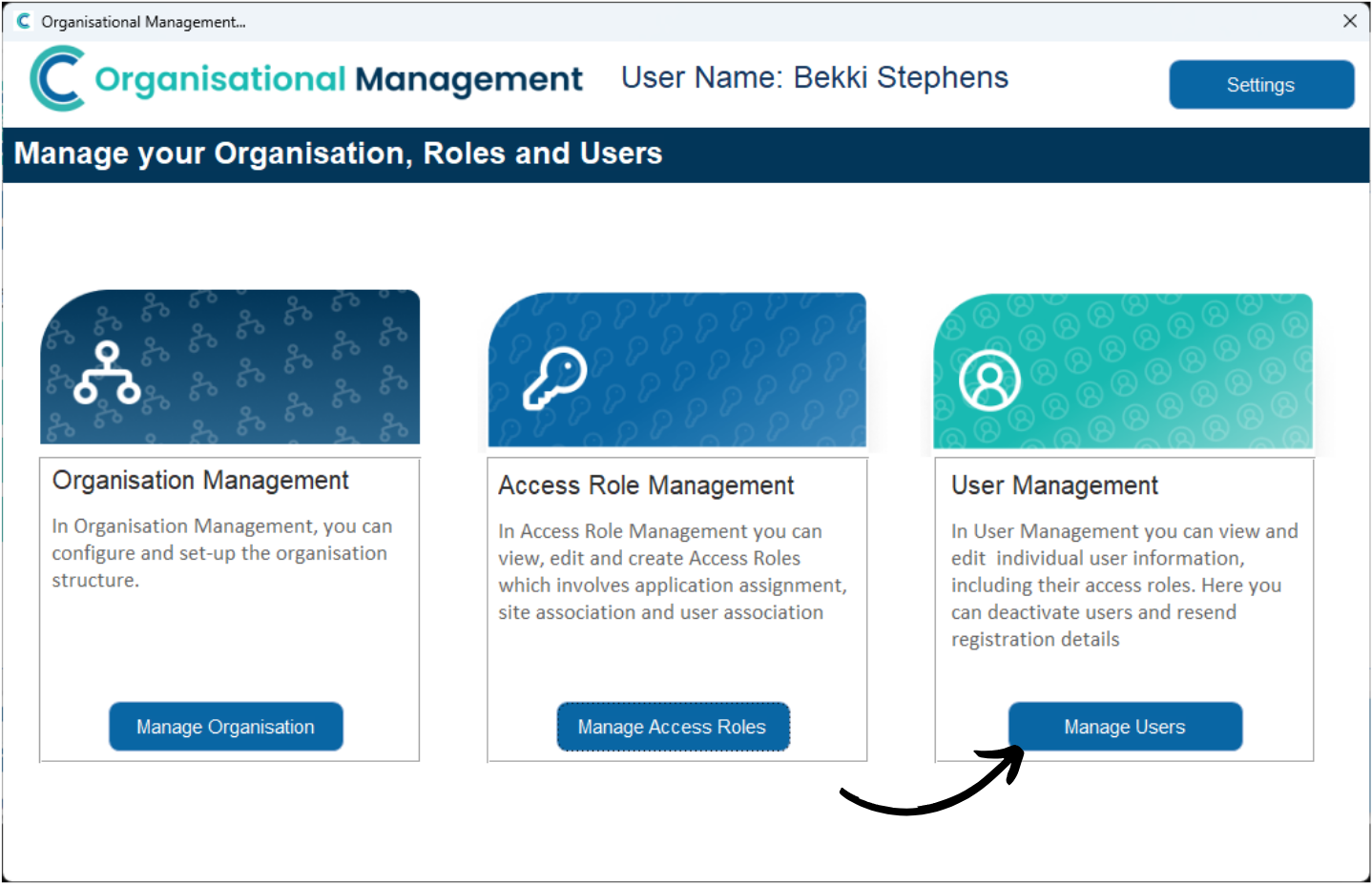
Here, select Manage Users.
3
A list of staff members with Cloud access will be displayed. To add a new one, simply press Add New User.
4
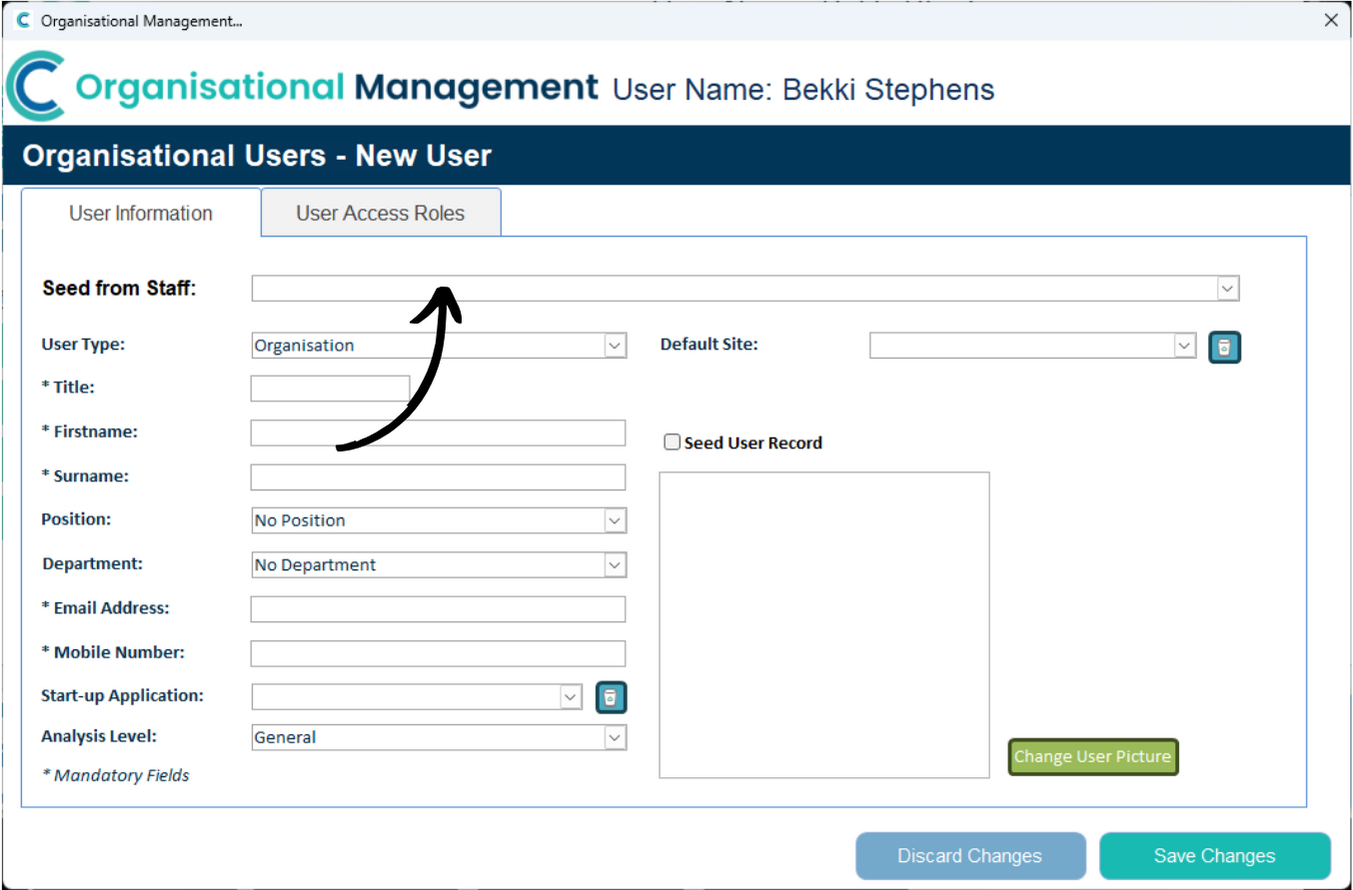
You can choose to Seed from Staff – this essentially auto-populates the form with an existing staff members details.
Alternatively, you can complete the form manually. Make sure to complete all fields marked with a ‘*‘.
5
It is advised that all fields of the form are completed, regardless of whether they are mandatory or not.
The Position and Department options can be changed to match the current Category & Role titles used on your Care Control Windows system. To do this, please view Steps 15-20 in the following guide:
Next, select the User Access Roles tab. This controls what the staff member will have access to when using Cloud. The SuperAdmin role is an all-access-pass to the system and should therefore be reserved for a handful of administrator staff.
Simply select the Access Roles from the left and press Add Role to move them into the right hand list.
After doing so, press Save Changes.
7
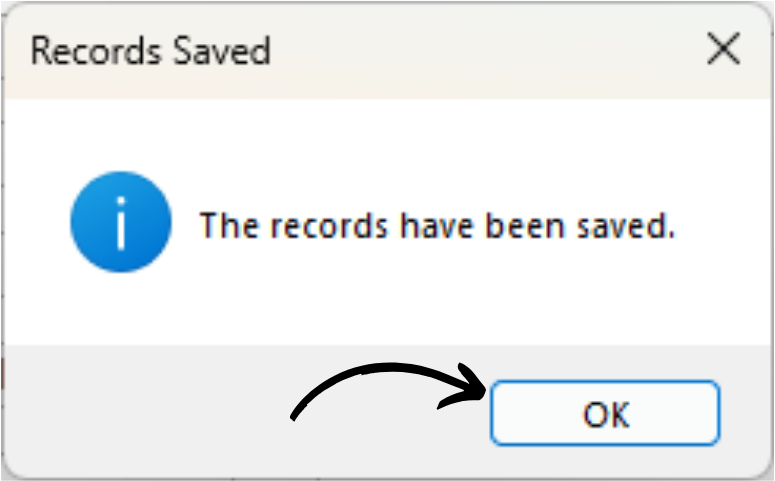
You will receive a confirmation message. Press OK.
The staff member will be emailed with a registration link to Care Control Cloud.