To make creating multiple week rotas easier, you can copy the shifts to other weeks.
Step 1:
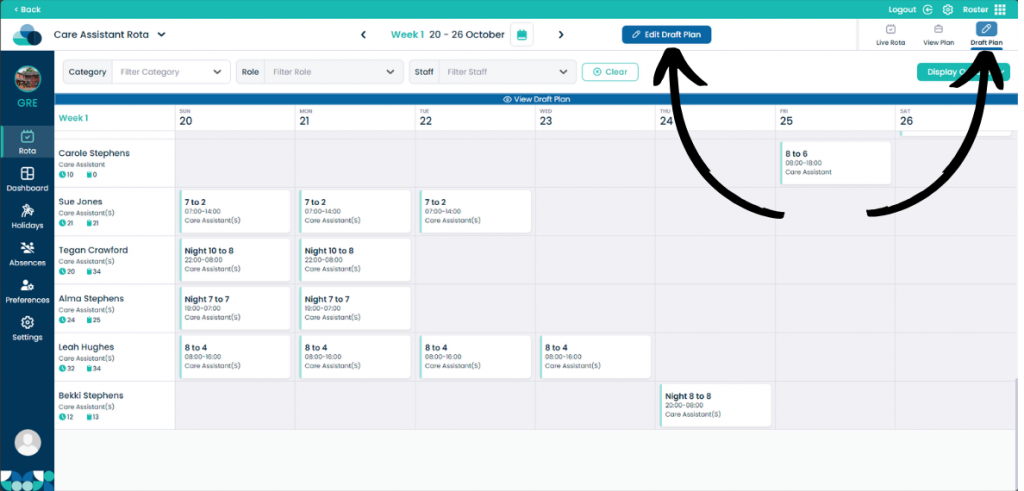
On the Rota page, navigate to Draft Plan and then select Edit Draft Plan.
Step 2:
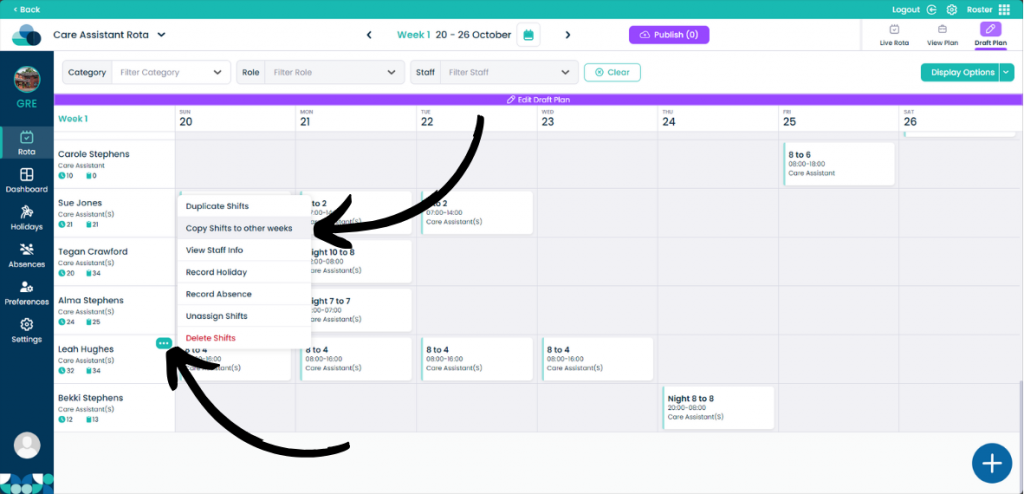
When your mouse is over a staff member, select the three dots in the top right corner of the staff member’s name. Then select Copy Shifts to other weeks.
Step 3:
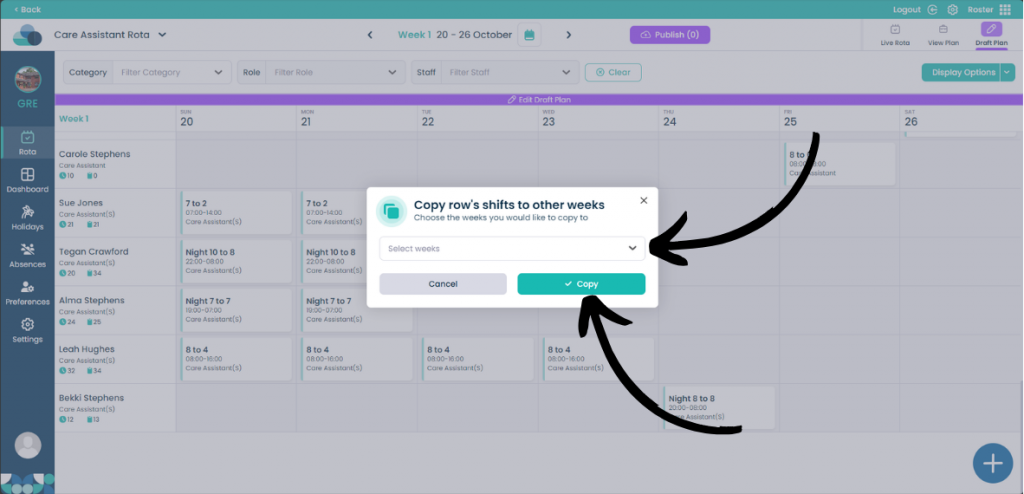
You can then select the week you wish to copy the shifts to. Once you have decided on the weeks, click Copy to copy the shifts.