This guide will cover how to record fluid intake monitoring on Care Control Cloud. Whether its a cup of tea or glass of juice, it can be recorded here and tracked throughout the day to ensure your service users are staying hydrated.
1
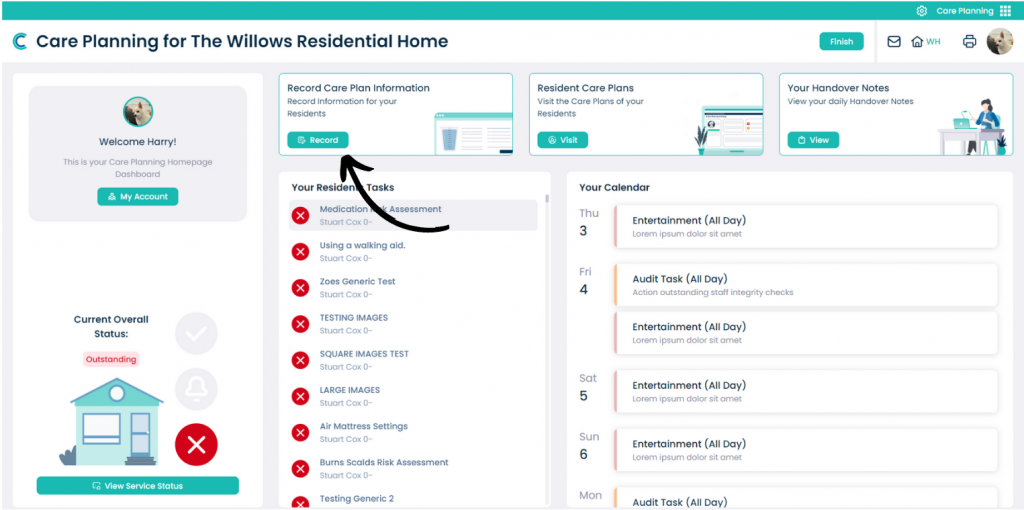
In the Care Planning application on Care Control Cloud, select Record Care Plan Information.
2
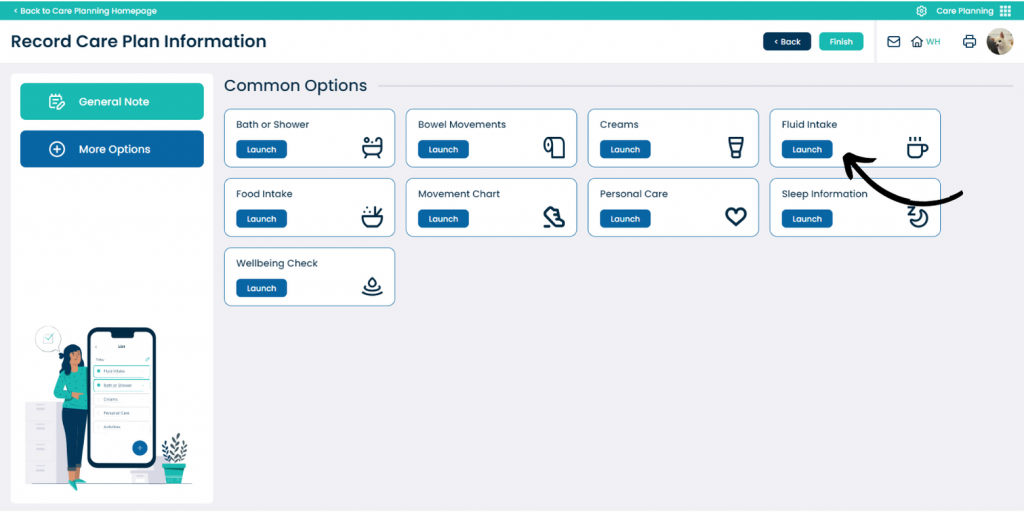
A list of common recording options will be displayed. Here, select Fluid Intake.
3
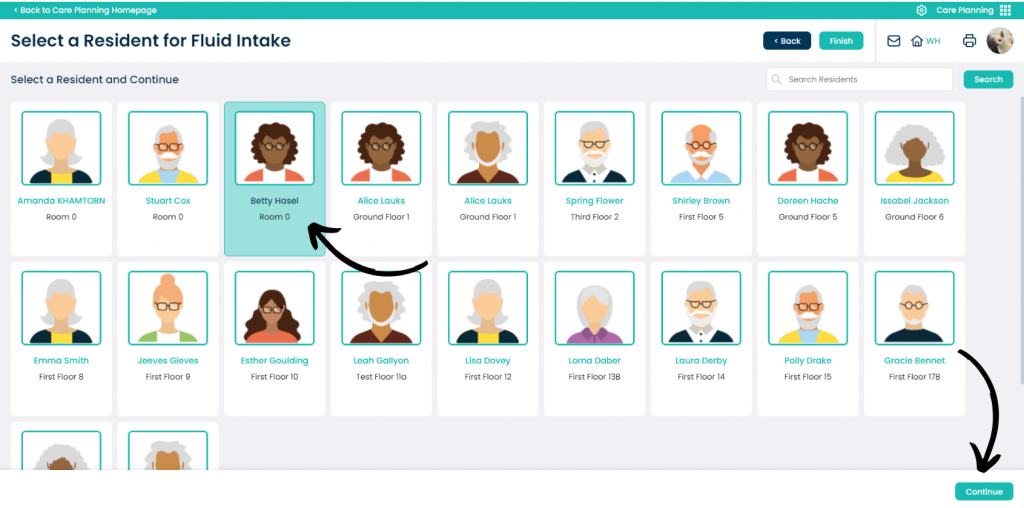
Next, select the service user you wish to record for and press Continue.
4
The fluid intake recording screen will open. First, enter the amount of fluid consumed – this can be done by tapping a level in or next to the glass, or, by entering an amount in the Total Intake box on the right hand side.
Then, select a drink type and delivery method as well as a comment if required.