How to Add and Modify Impairments
This guide explains how to add, update and remove resident impairments and support adjustments. Keeping impairment records accurate helps ensure staff understand a resident's needs and any reasonable adjustments required to provide safe, person-centred care.
Takes 5 minutes
For: Care Staff
Updated: 8th June 2026
Introduction
The Impairments section allows you to record a resident's physical, sensory or cognitive impairments, along with any support adjustments that may be required. These records help ensure staff are aware of individual needs and can provide appropriate care and support.
In this guide you'll learn how to:
- Add a new impairment record
- Assign support adjustments and requirements
- Edit existing impairment information
- Remove and restore impairment records
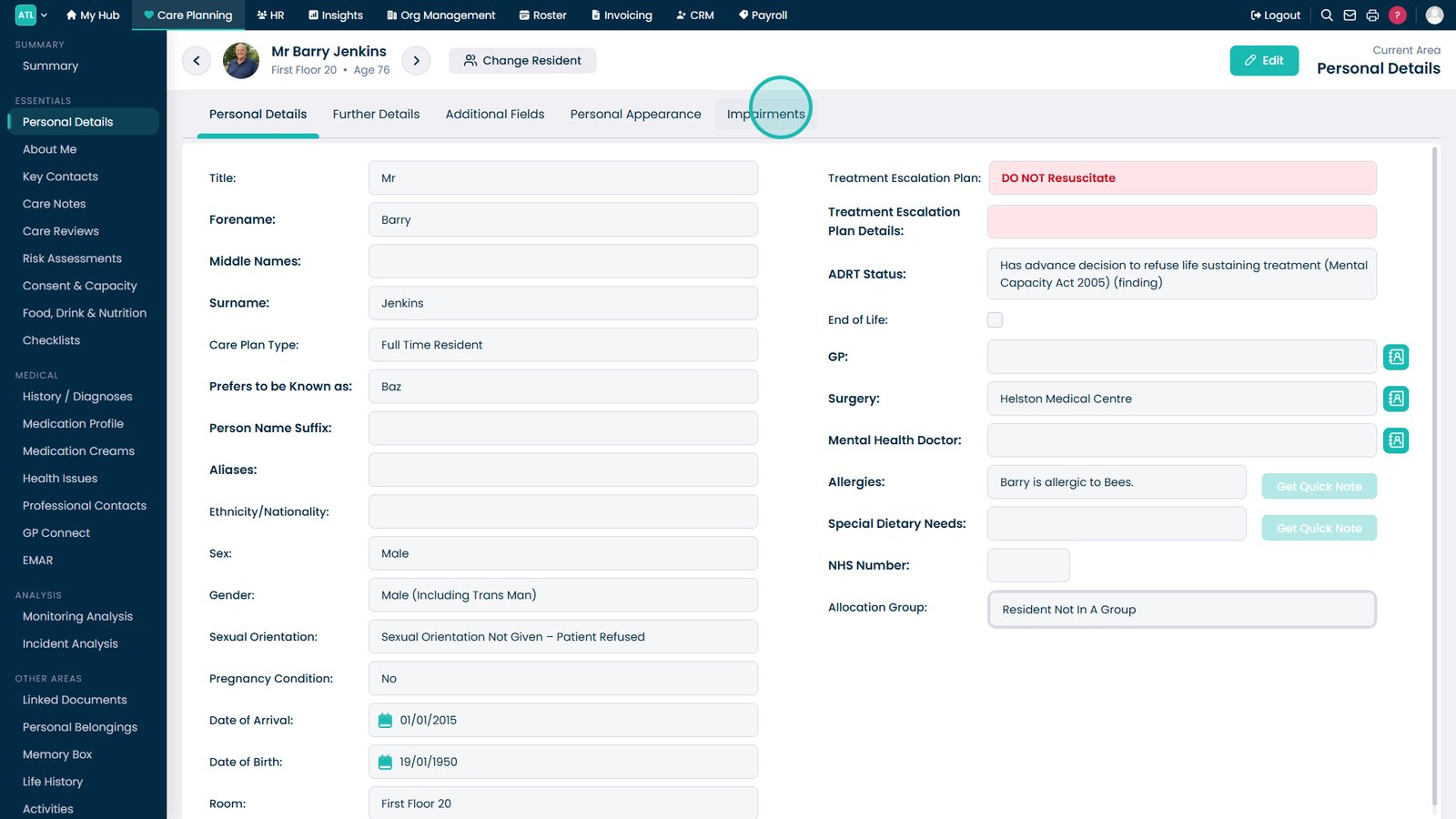
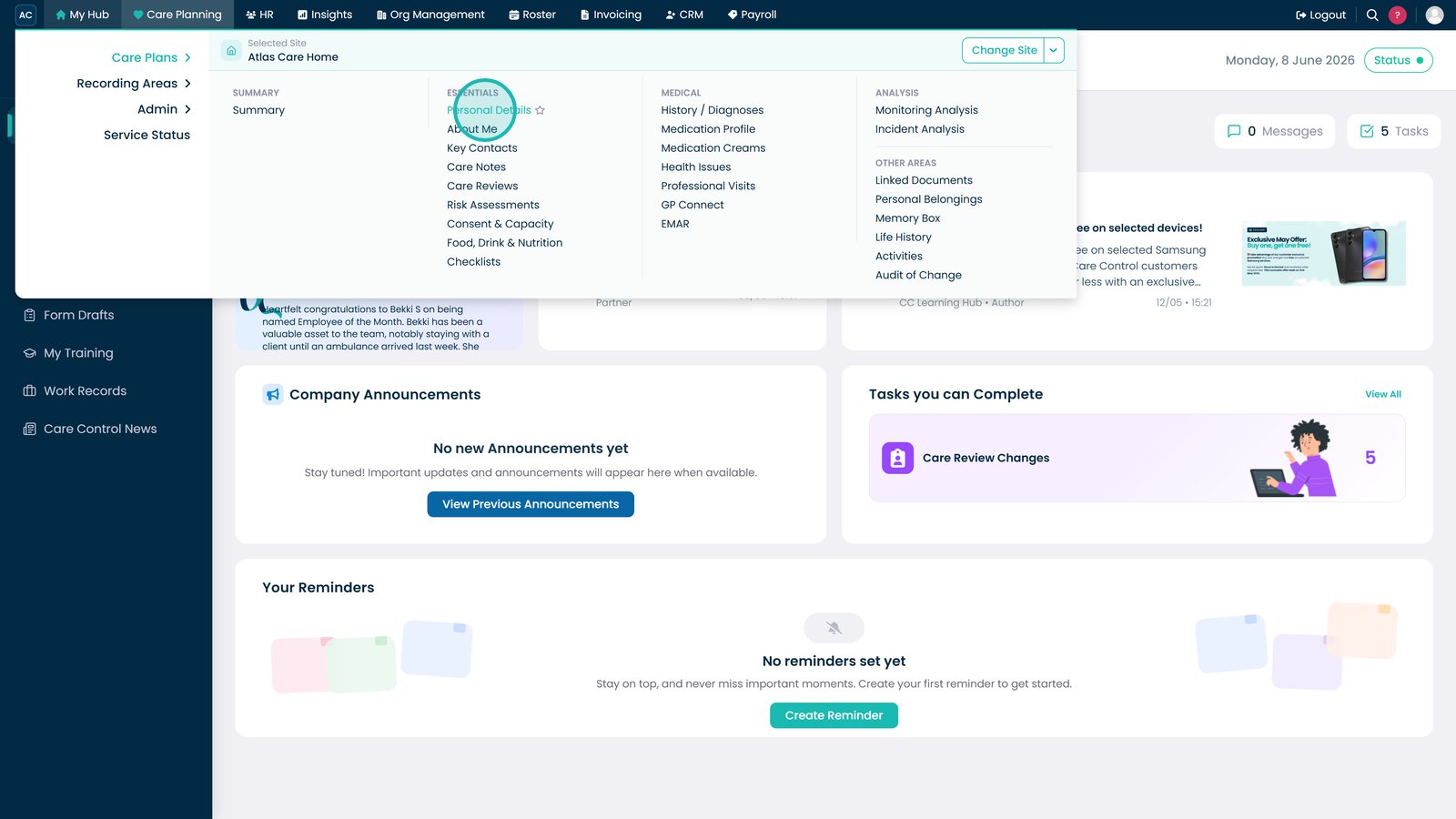
Open Personal Details to access resident profile information.

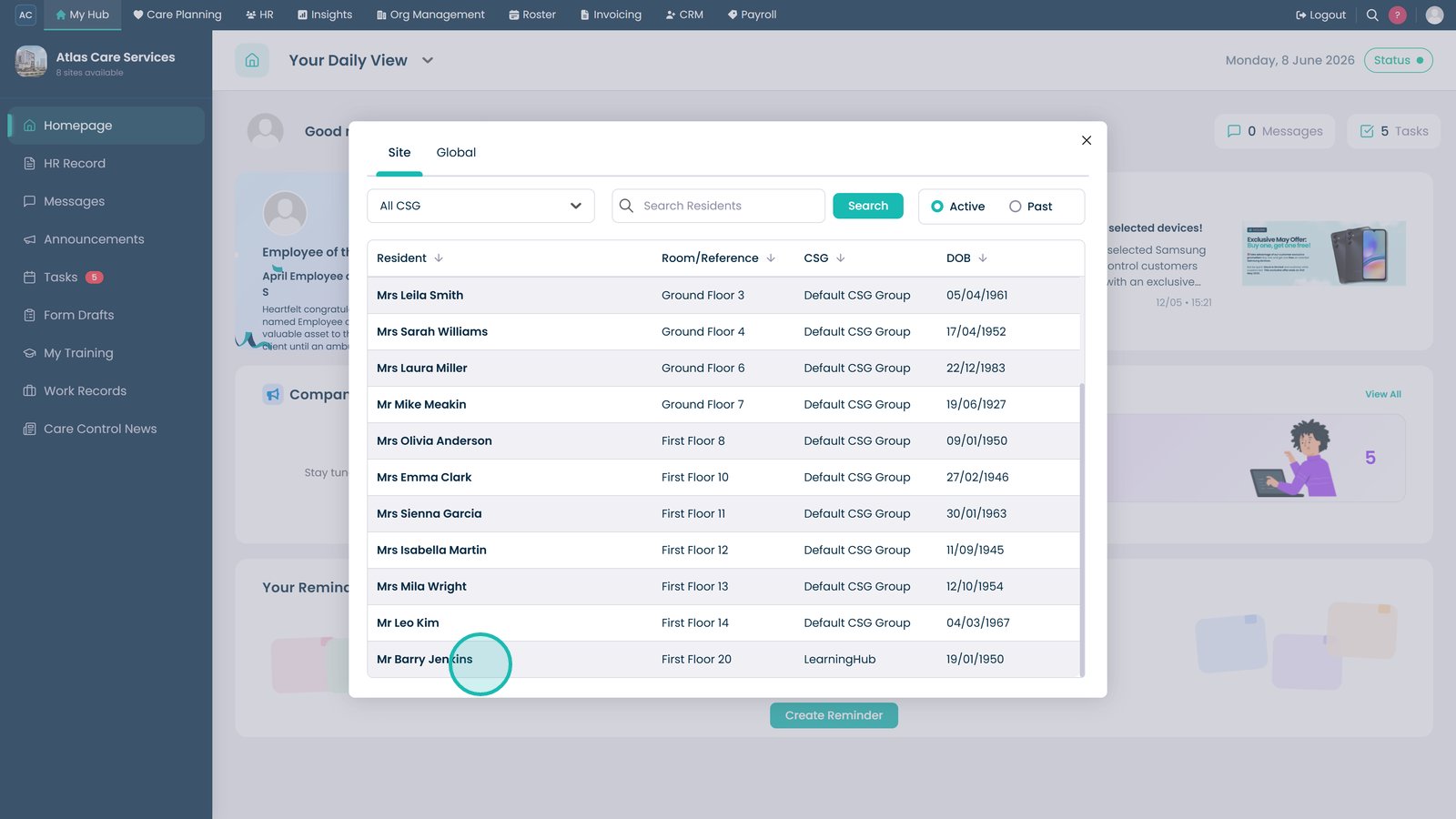
Select the resident whose impairment records you want to manage.

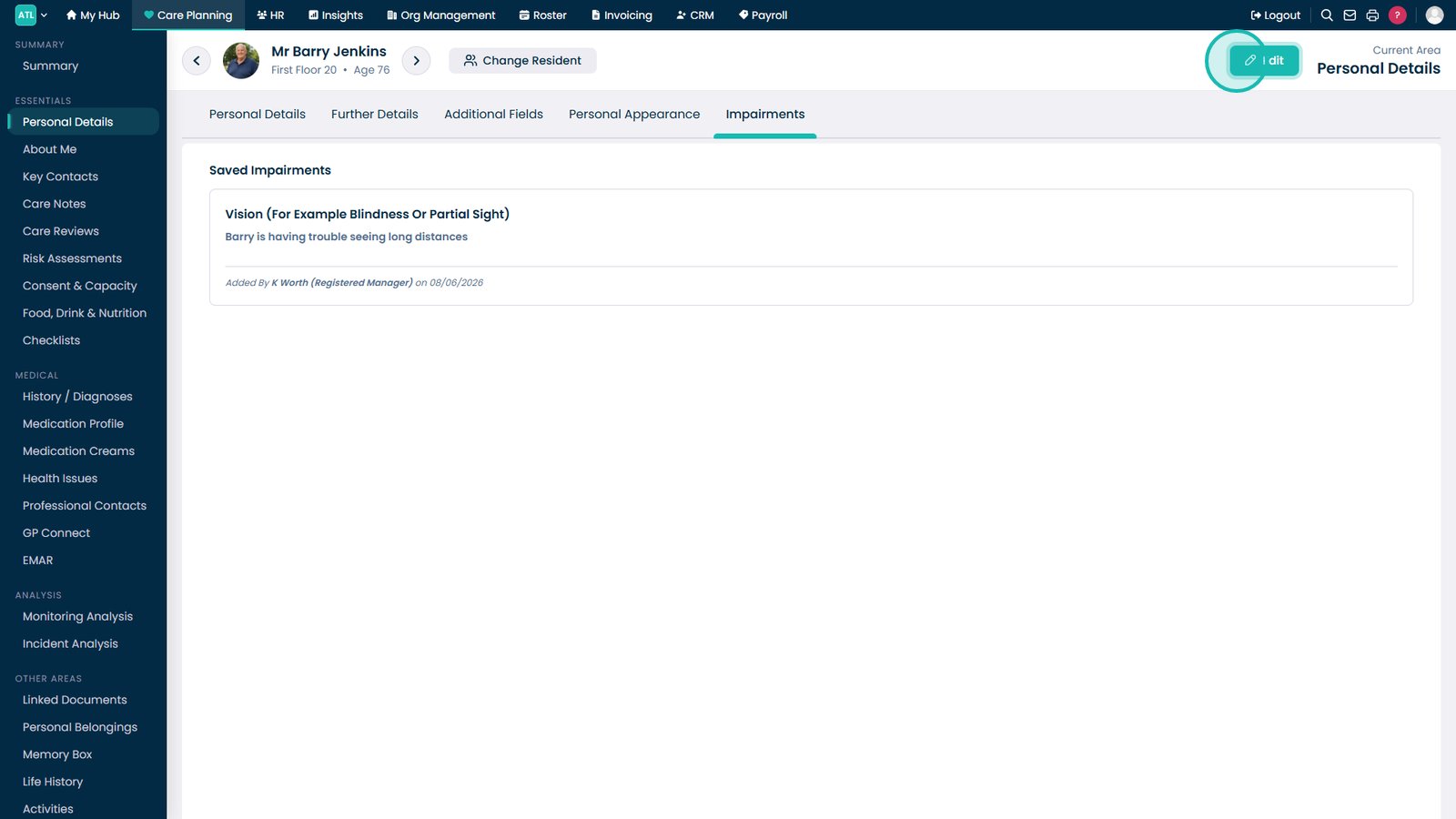
Open the Impairments tab to view existing impairment records.

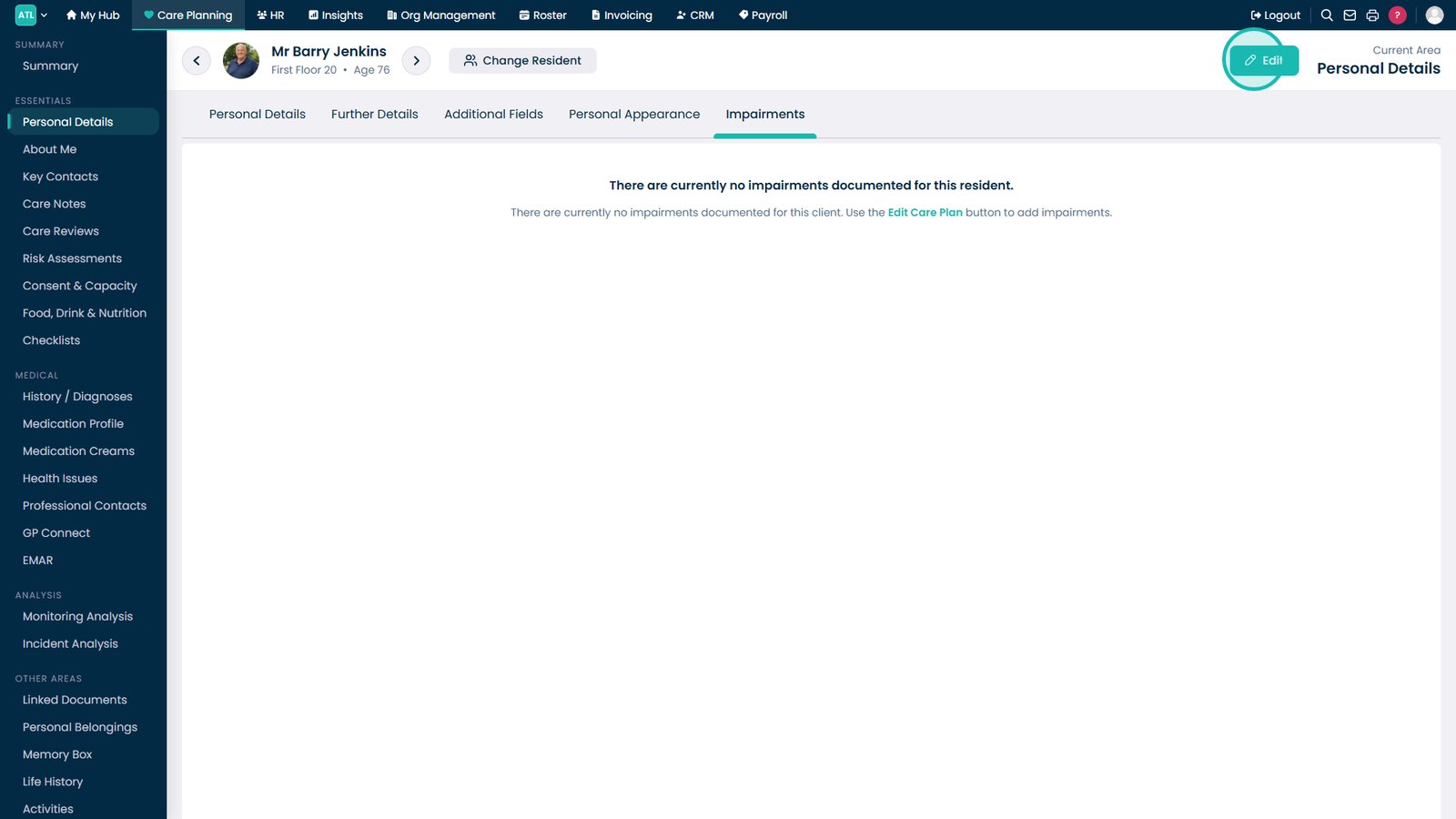
Click Edit to begin adding or updating impairment information.

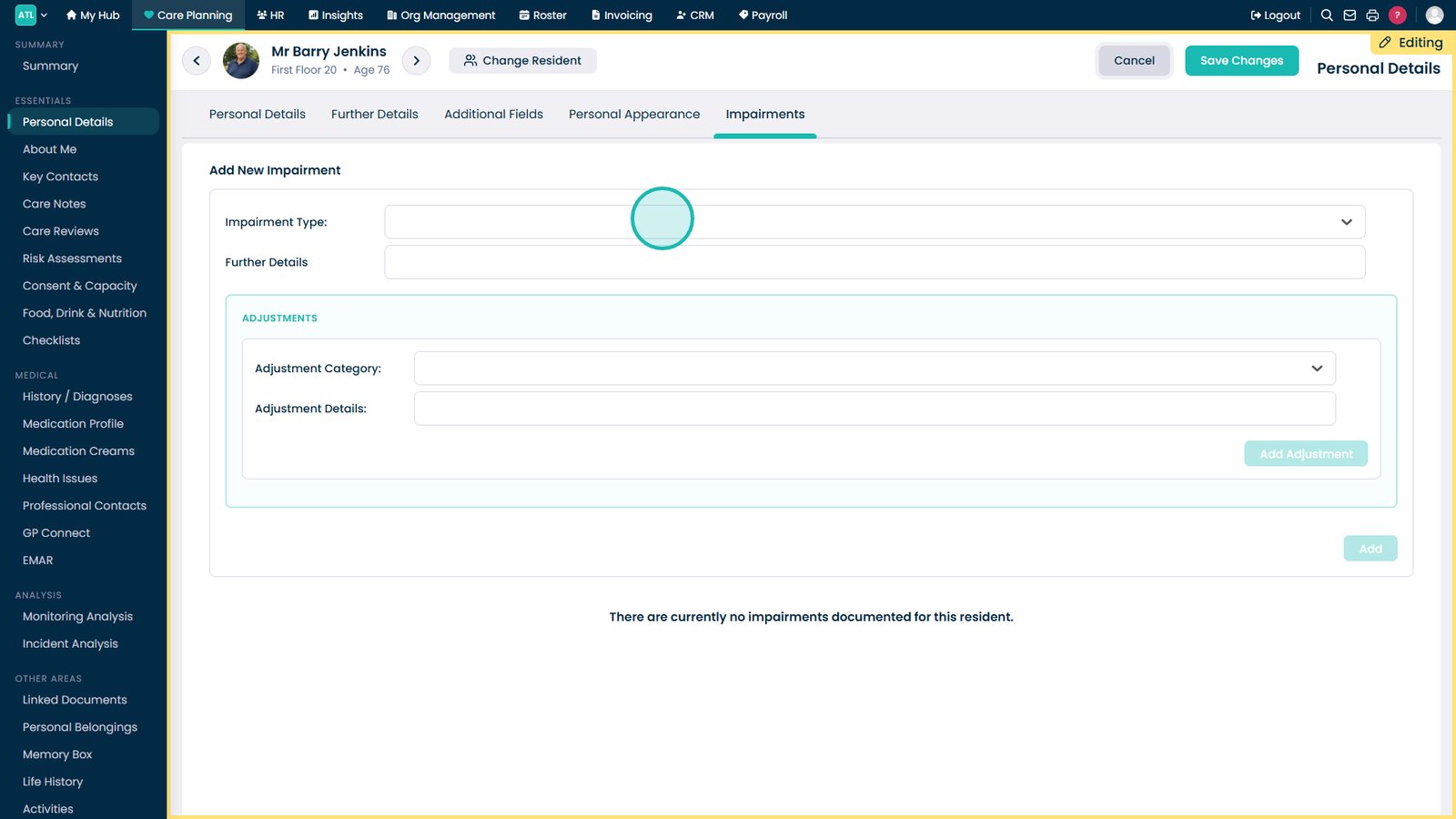
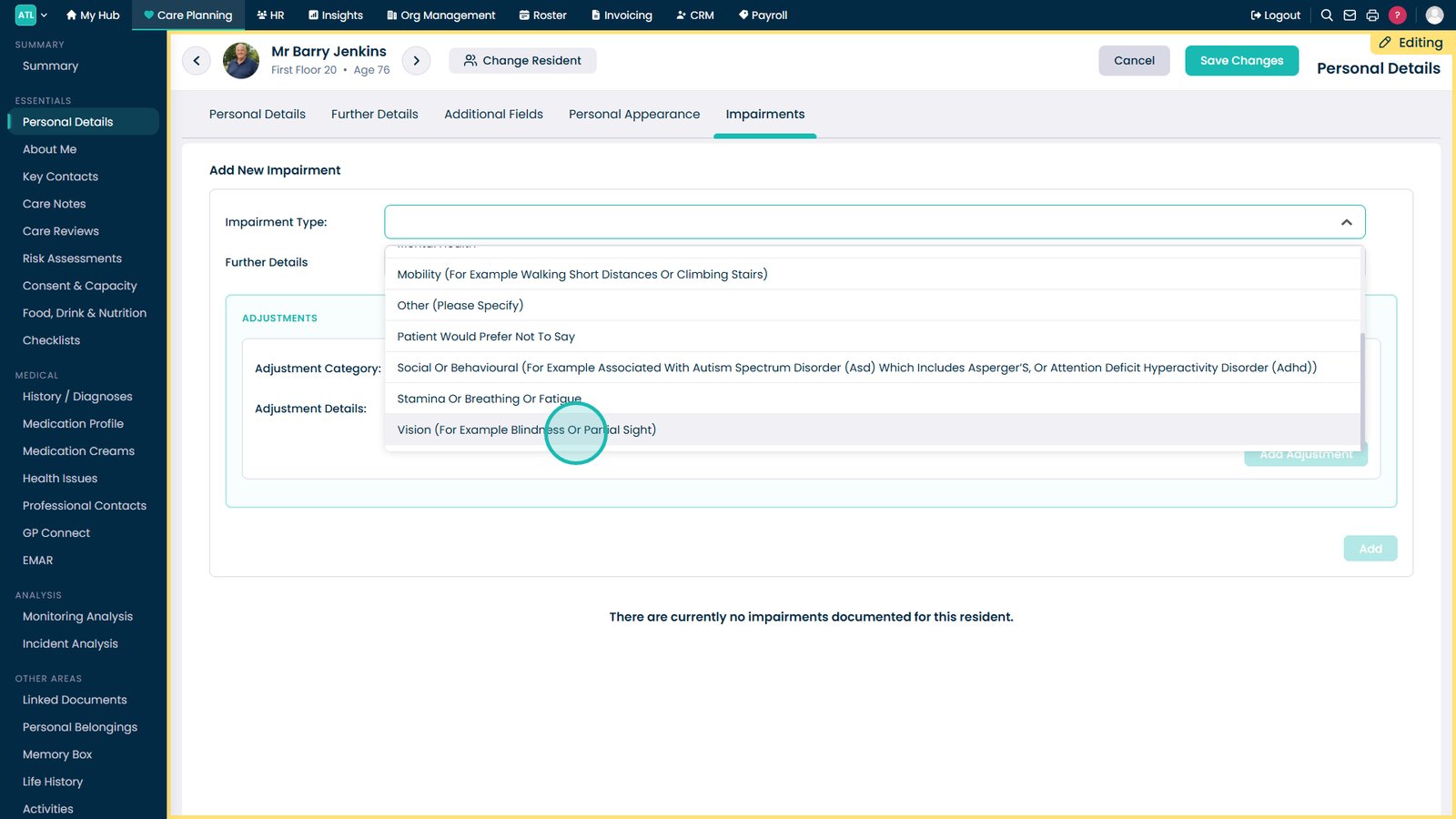
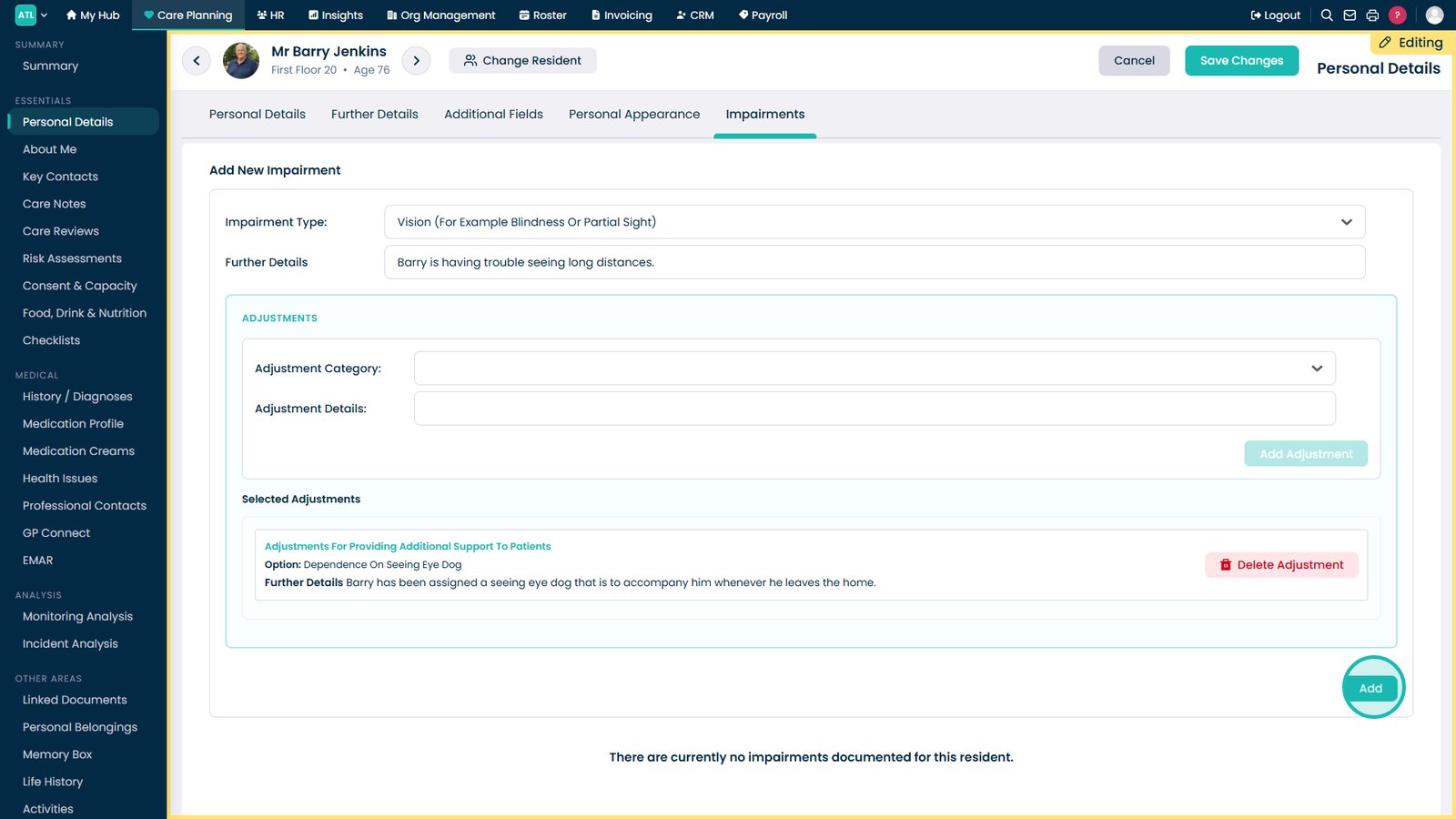
Select the Impairment Type that applies to the resident.

Choose the specific impairment from the available options.

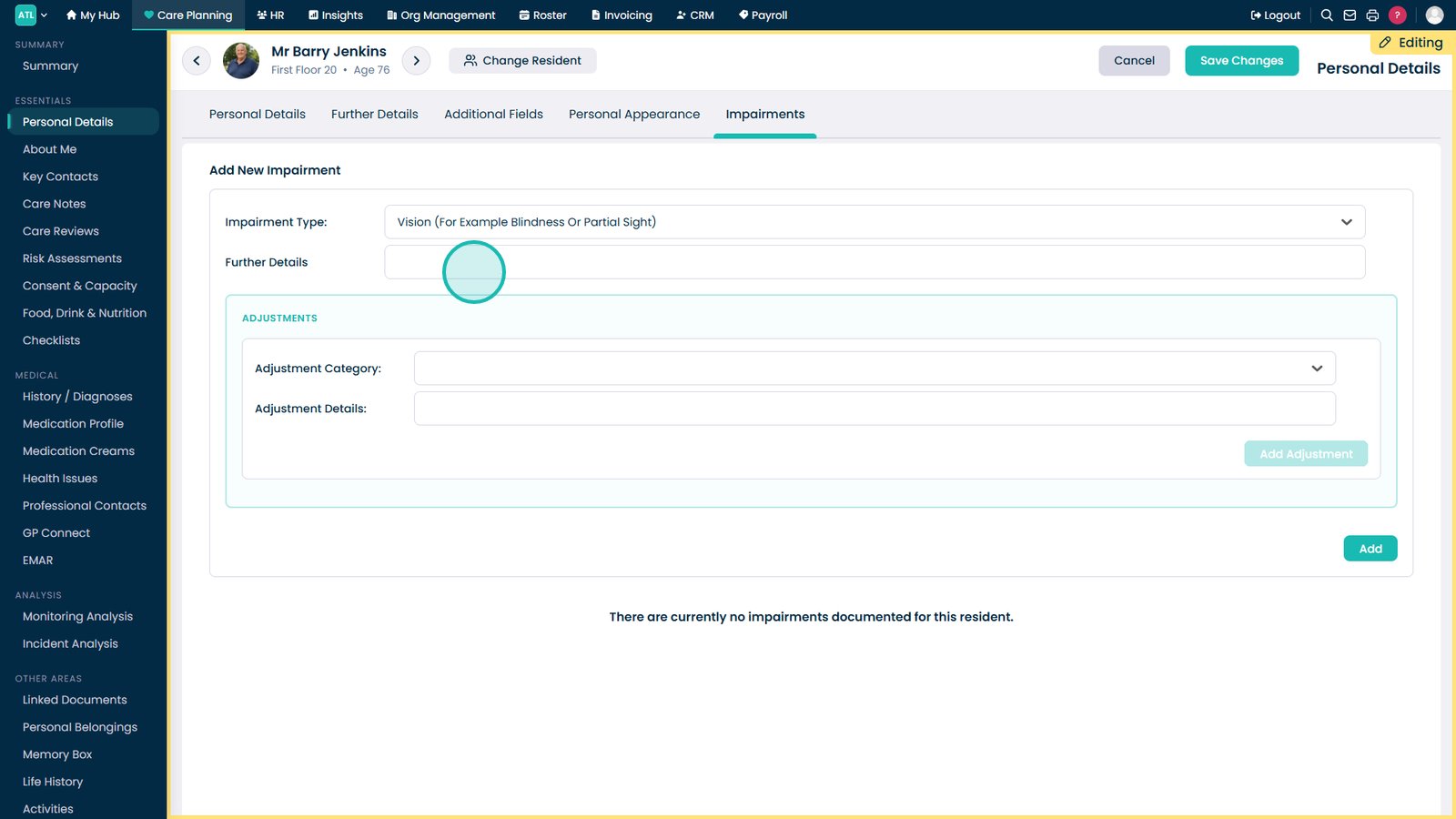
Add any additional information that may help staff understand the impairment.

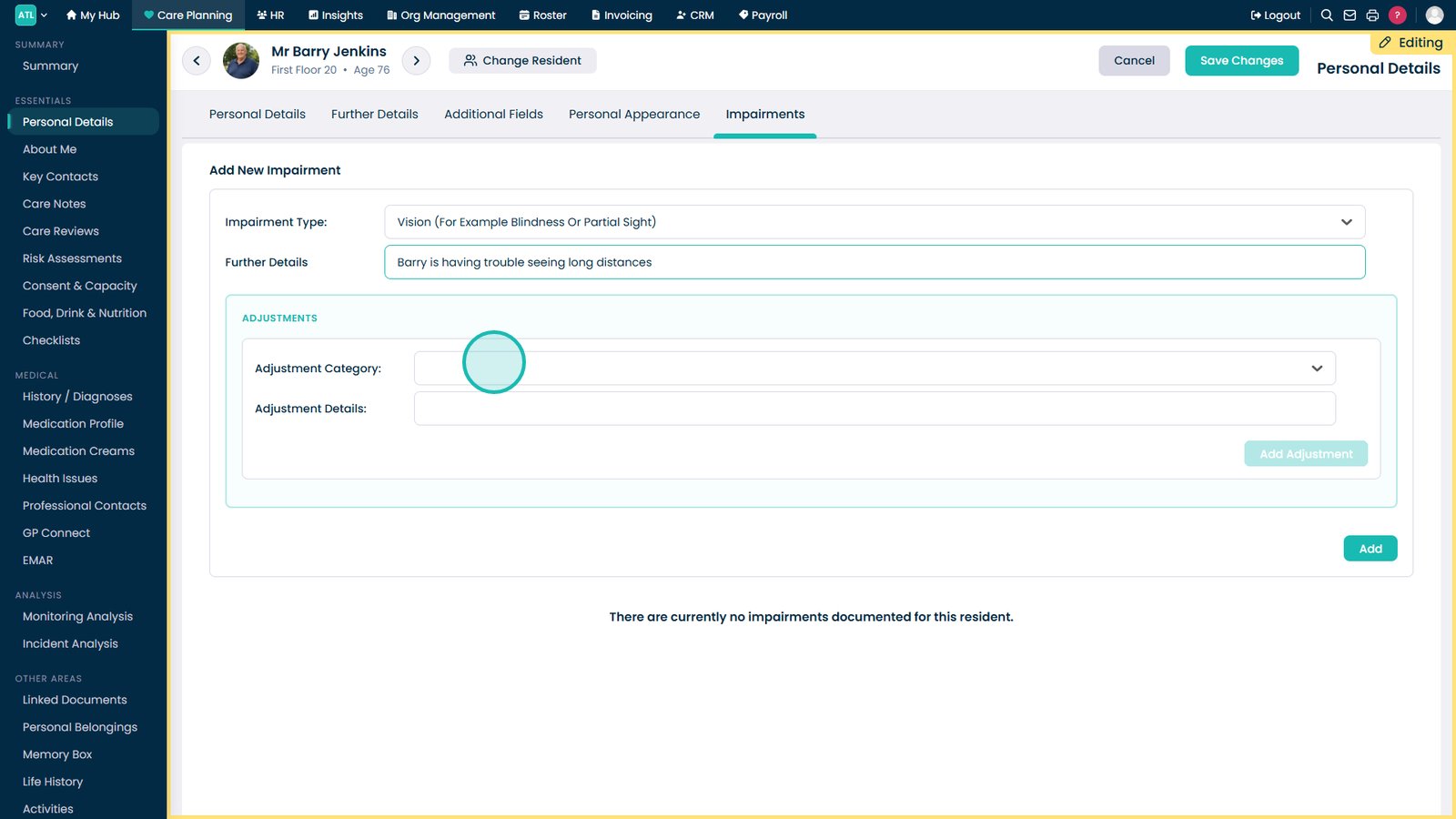
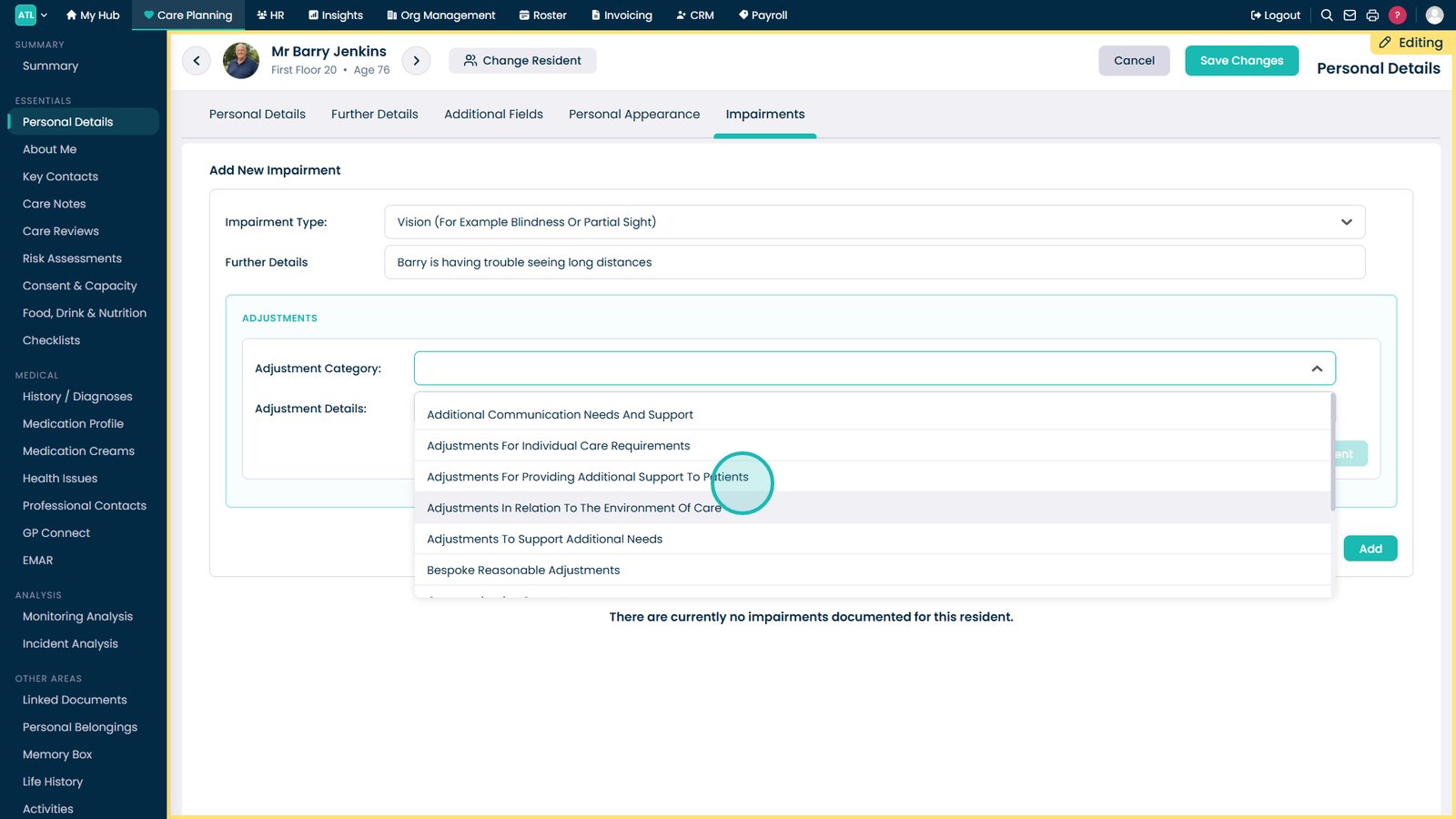
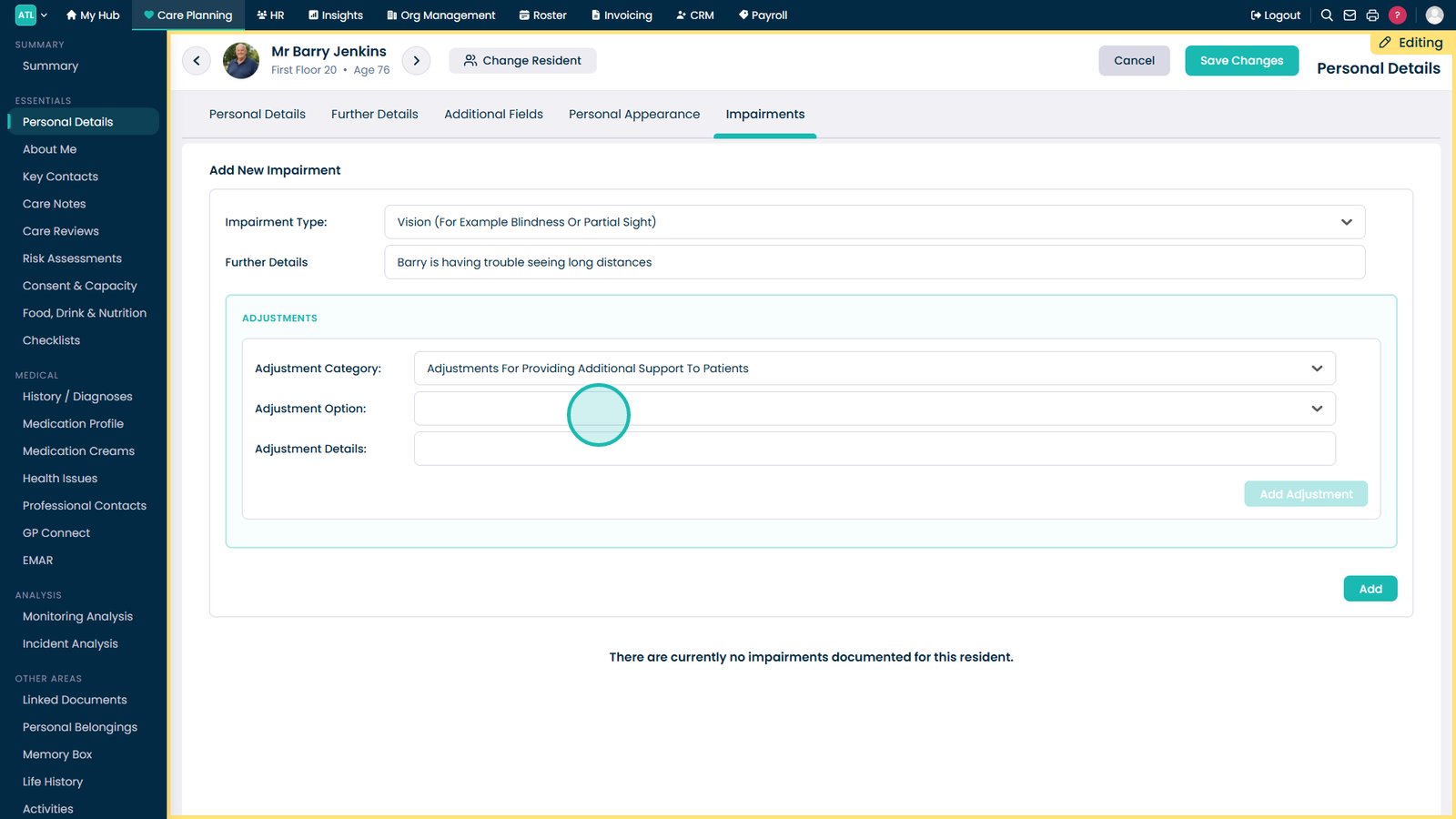
Select an Adjustment Category to record any support requirements.

Choose the support category most relevant to the resident's needs.

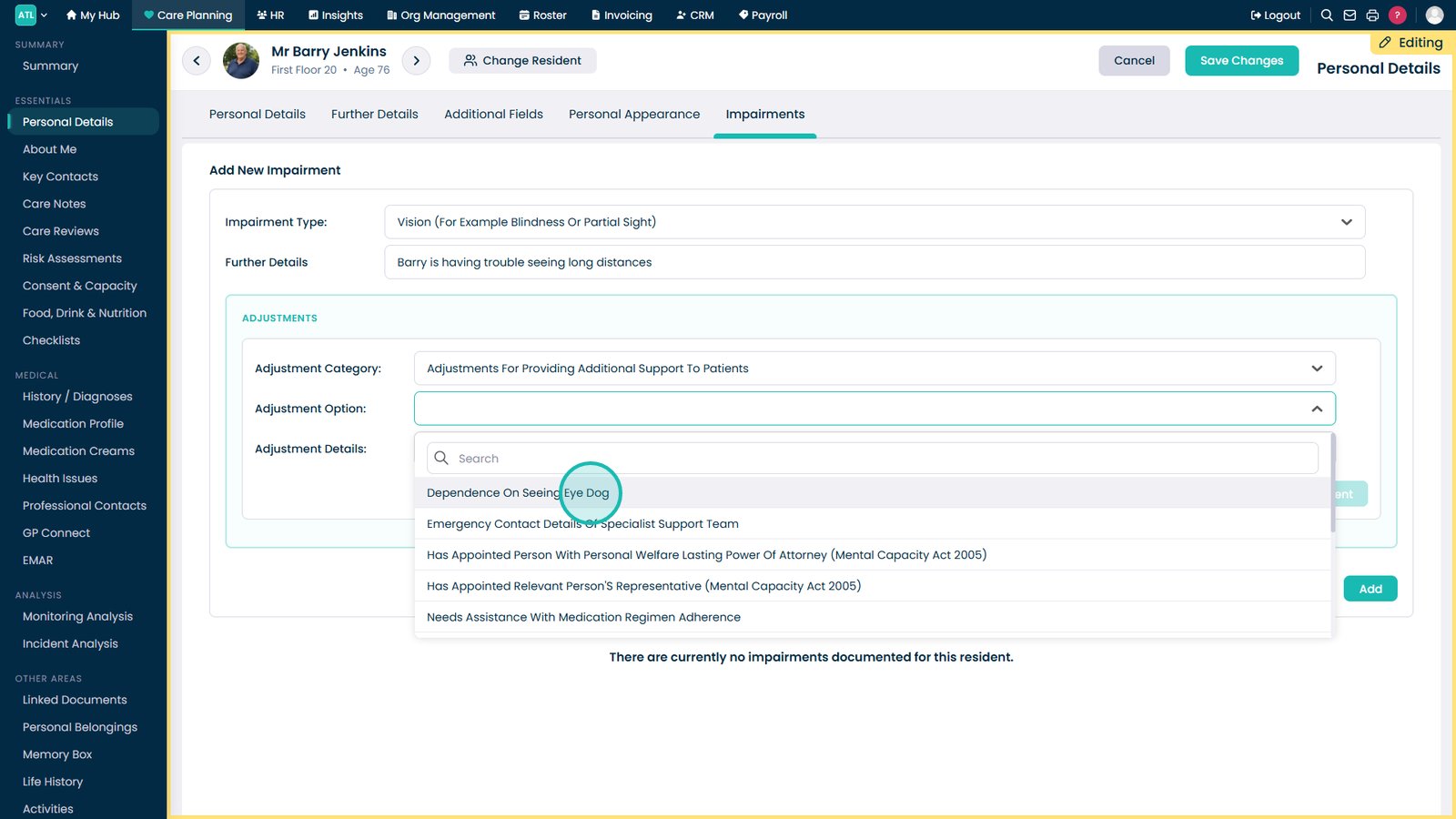
Select an Adjustment Option to define the support required.

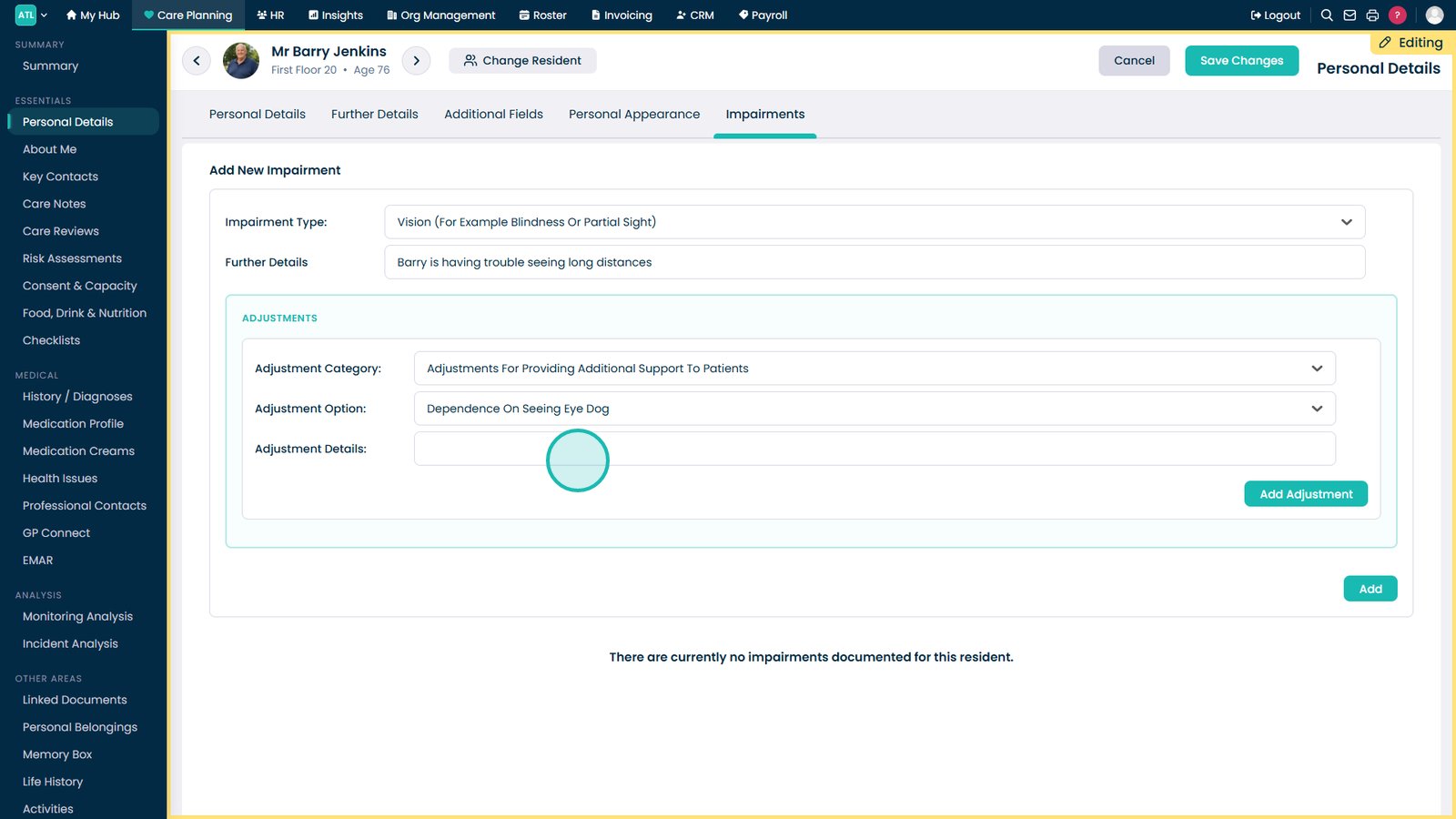
Choose the specific adjustment that applies to the resident.

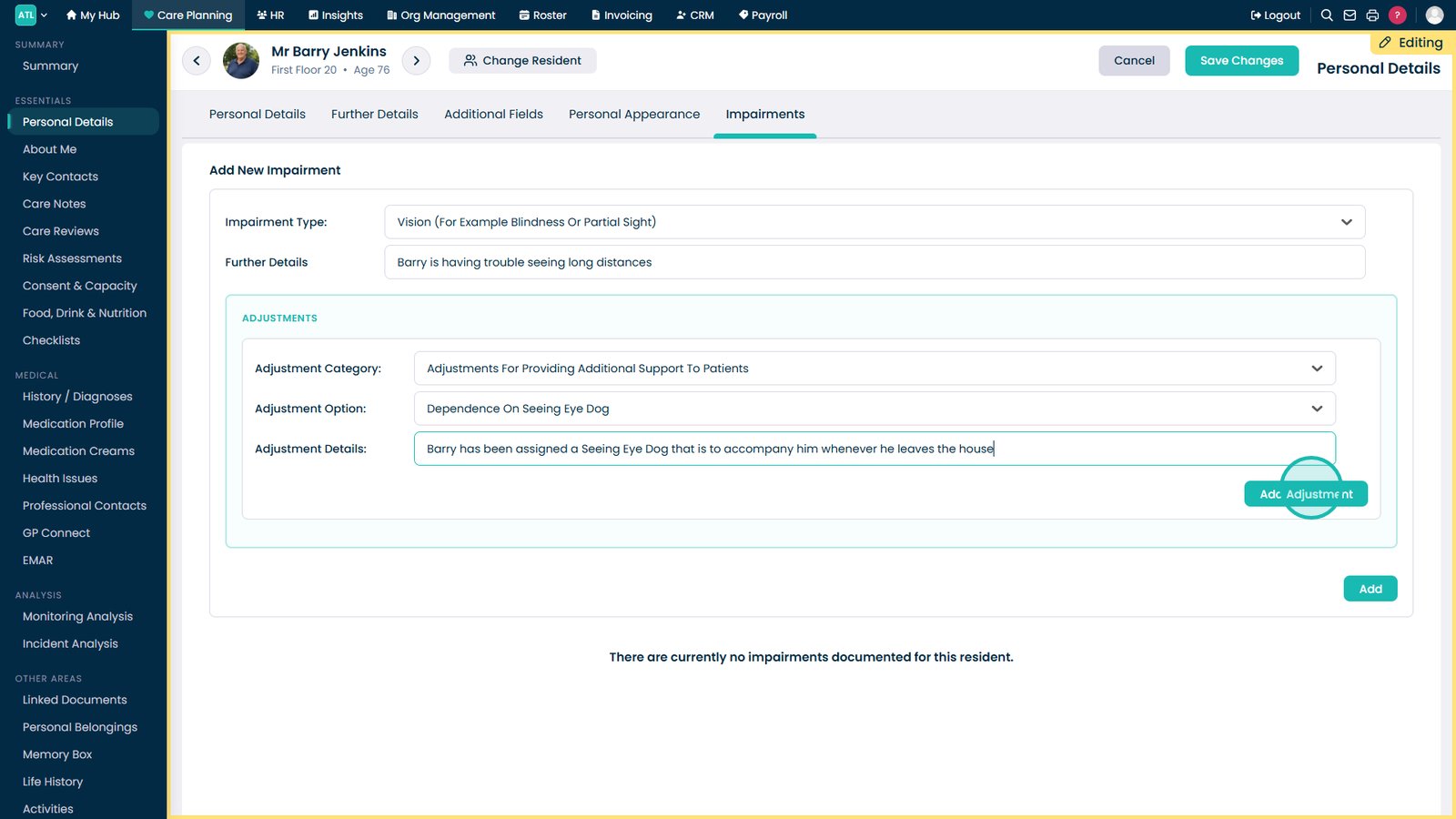
Add any notes explaining the support or adjustment required.

Click Add Adjustment to attach the support requirement to the impairment.

Select Add to save the impairment and adjustment record.

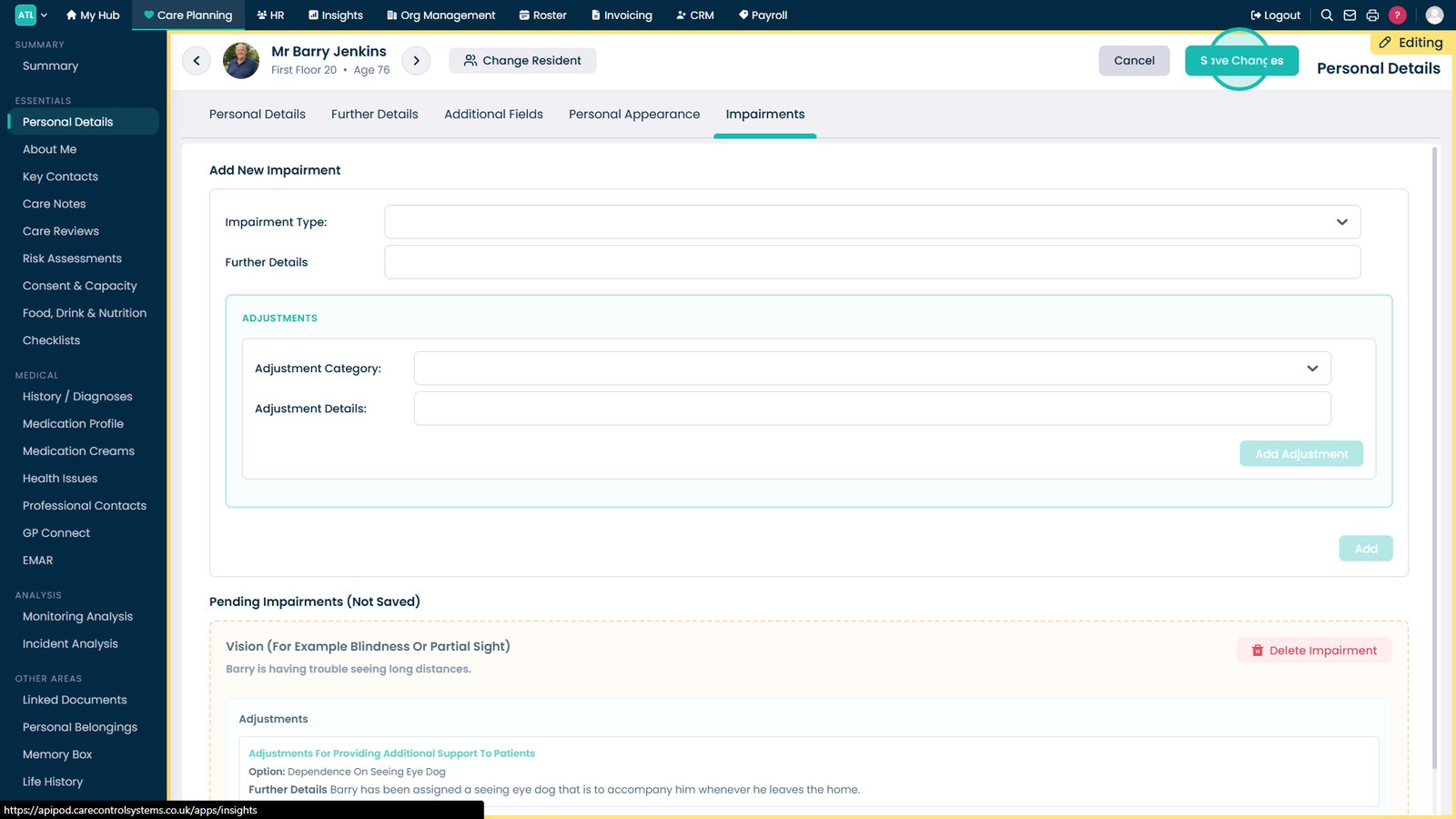
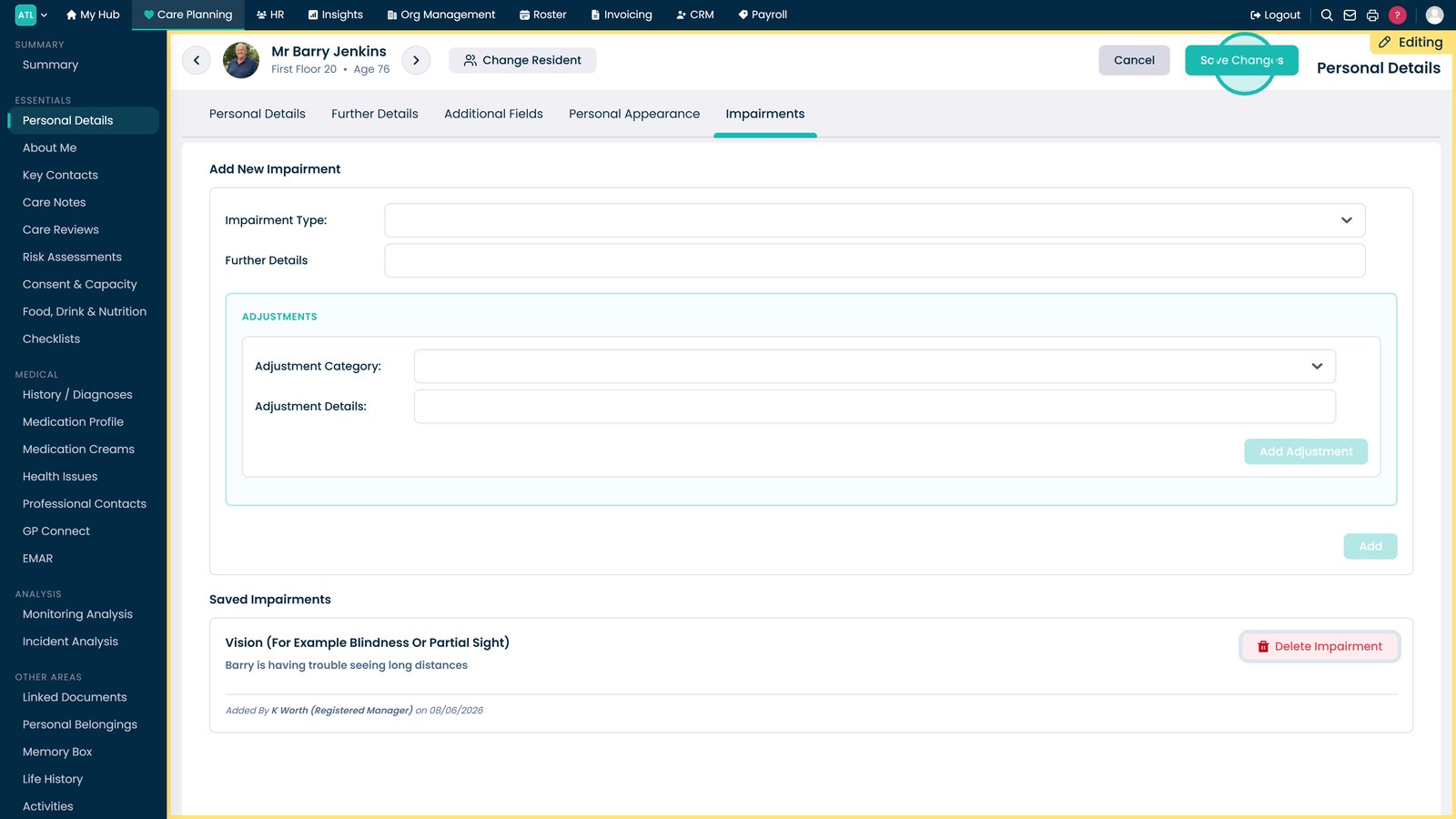
Click Save Changes to store the new impairment information.

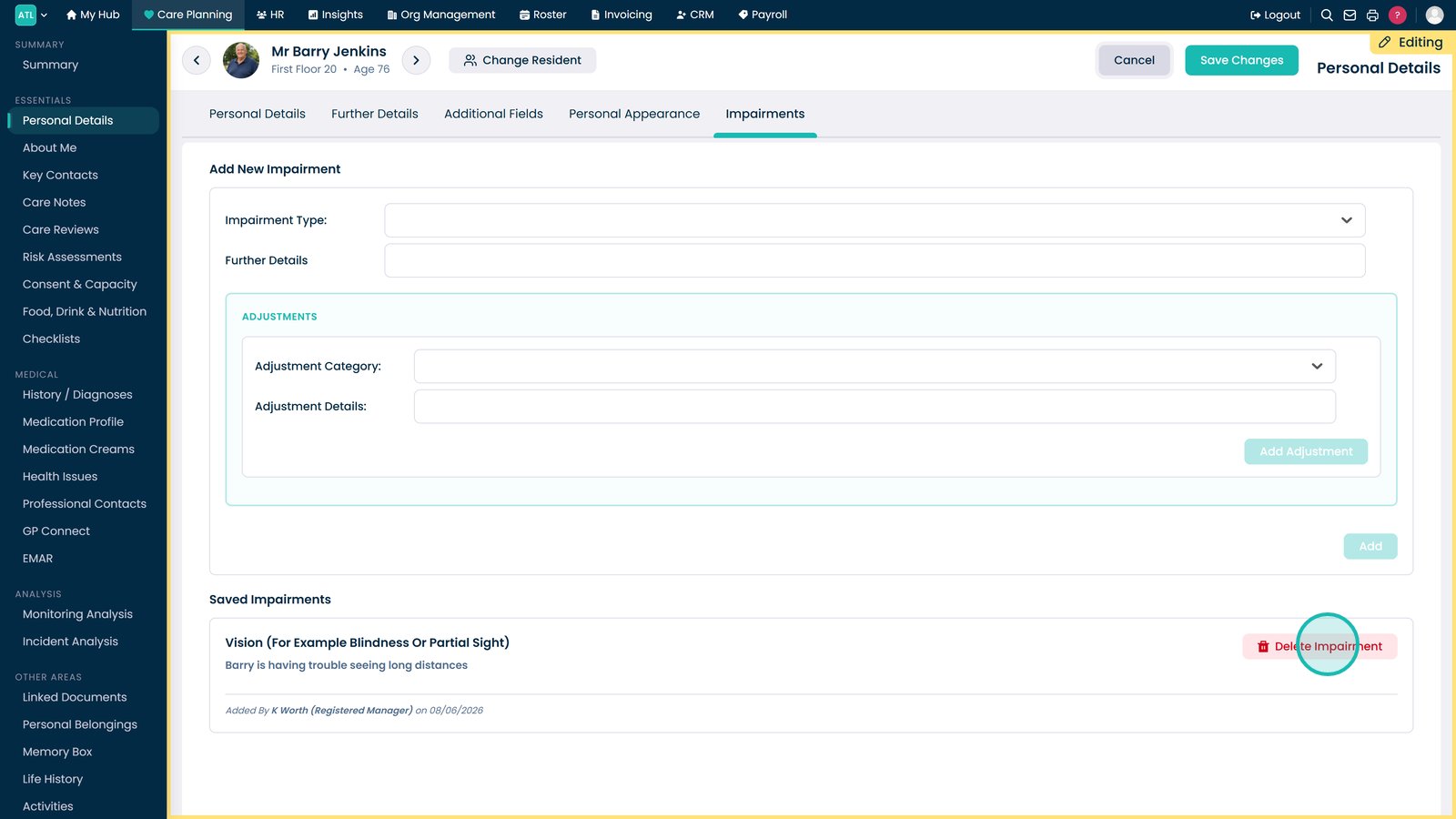
To edit or remove an existing impairment, click Edit again.

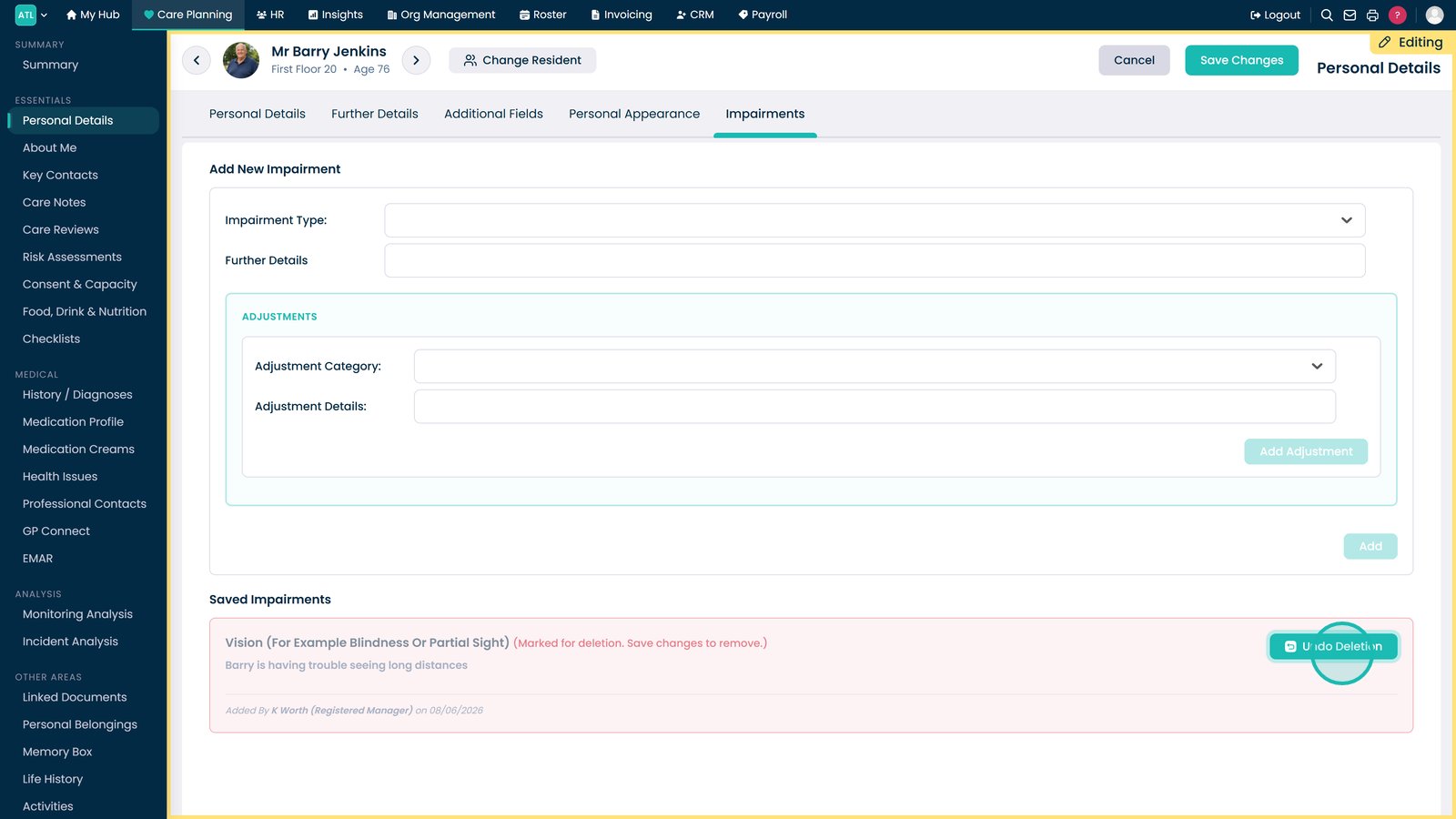
Select Delete Impairment if the record is no longer required.

If removed by mistake, use Undo Deletion to restore the impairment record.

Click Save Changes to apply and store any updates.

Top tip
Use the adjustment details fields to record any specific support requirements so staff can quickly understand how best to assist the resident.
Need more help?
Can't find what you're looking for? Our support team is here to help.
Contact SupportOr call us on