View Categories

How to Enable Intelligent Care Review

Learn how to turn Intelligent Care Review on or off for your organisation from System Settings.

Takes 1 minute
For: Administrators
Updated: 5th Oct 2026

Introduction

Intelligent Care Review can be enabled or disabled from System Settings.

This setting controls whether your organisation can use the Intelligent Care Review functionality within Care Planning.

In this guide you'll learn how to:

  • Open System Settings
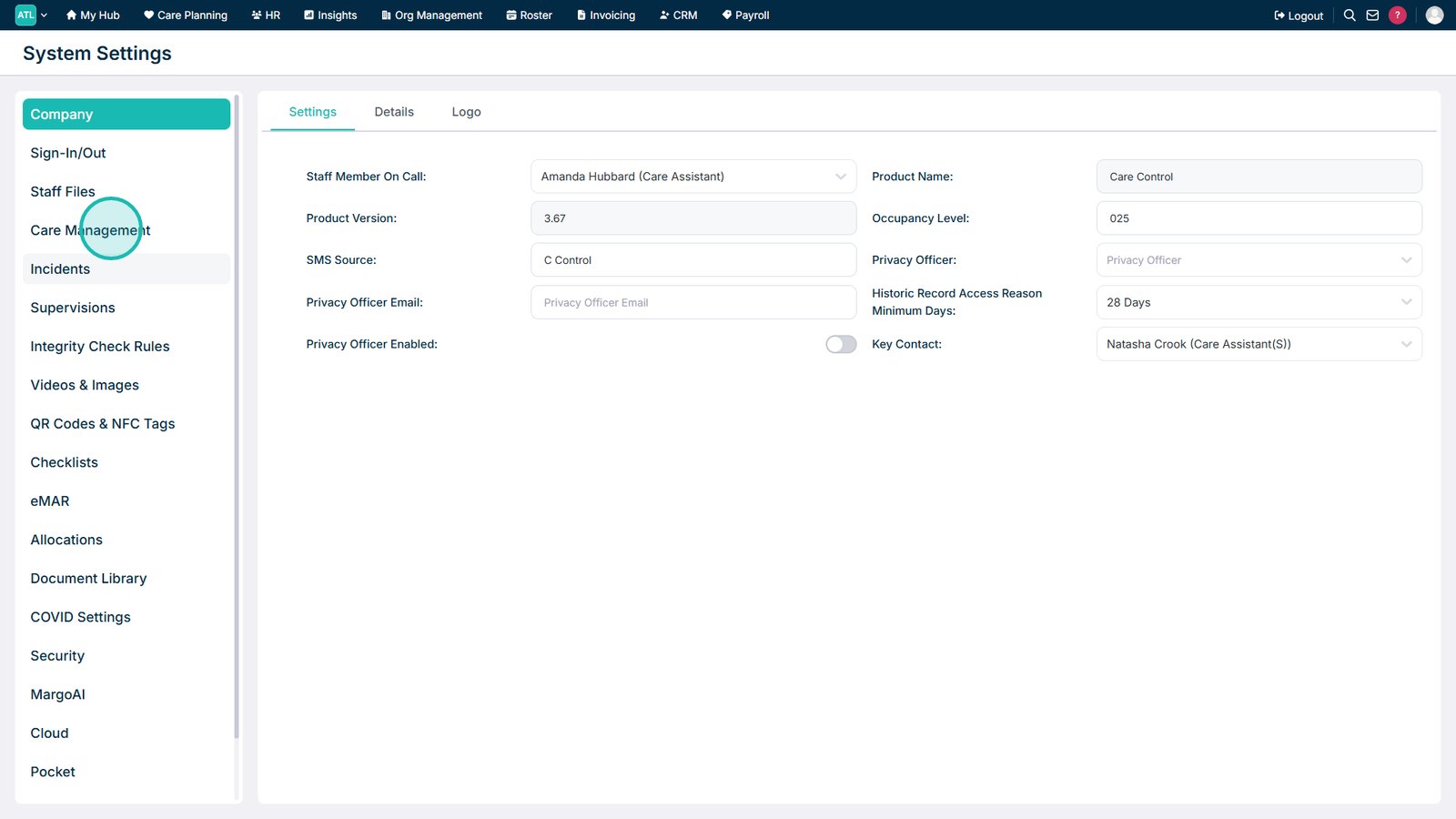
  • Navigate to Care Management
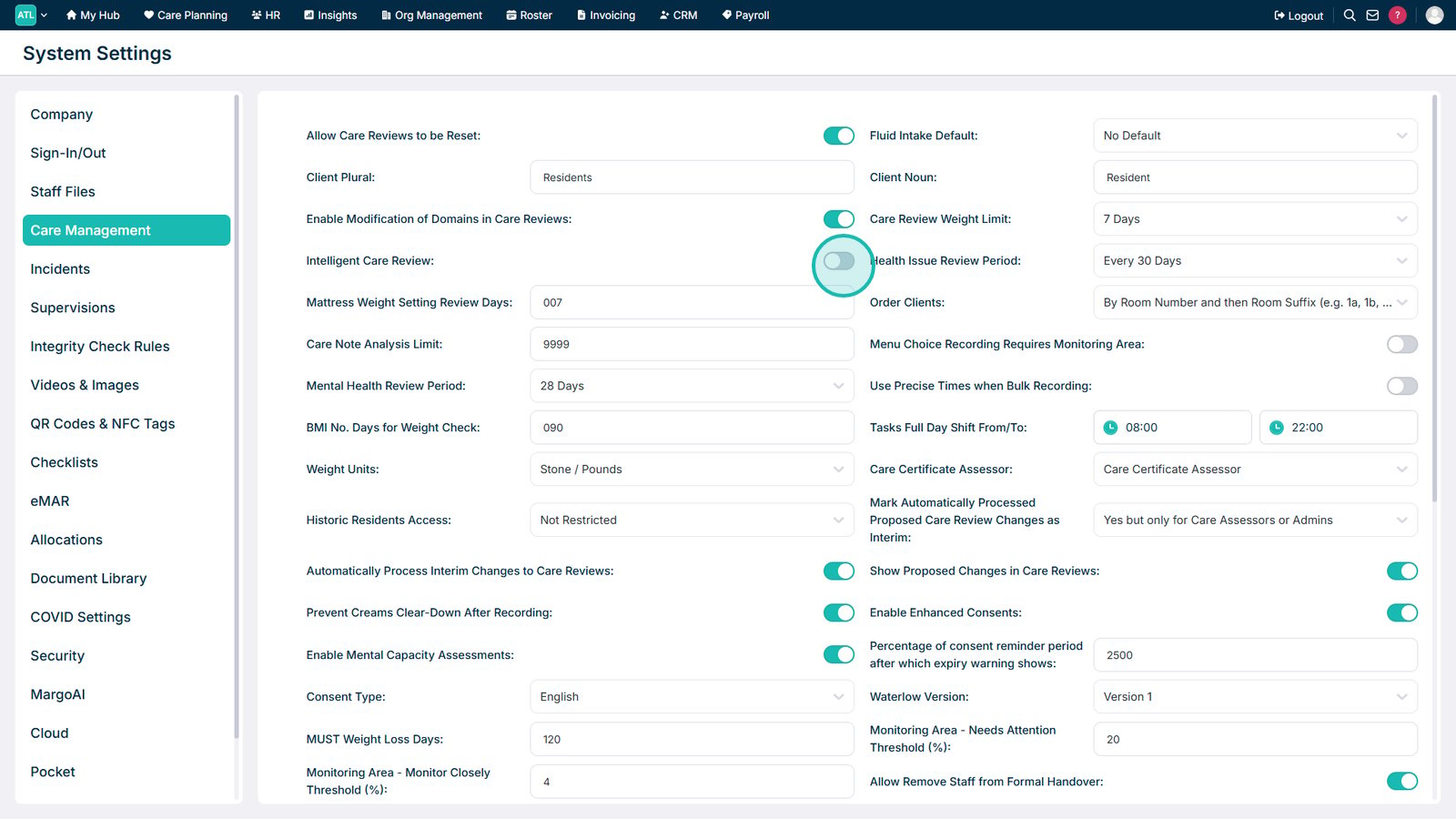
  • Enable or disable Intelligent Care Review

Open System Settings from the Advanced section.

Select Care Management.

Use the Intelligent Care Review setting to enable or disable the feature.

Top tip

Only enable Intelligent Care Review when your organisation is ready to use the enhanced Care Review process.

Was this guide helpful?

Need more help?

Can't find what you're looking for? Our support team is here to help.

Contact Support

Or call us on

On this page