This guide explains how to propose updates to an existing care review.
Takes 5 minutes
For: Care Staff
Updated: 26th June 2026
Introduction
Care Reviews allow you to review existing care plans and propose updates as a service user's needs change. Proposed changes are highlighted for easy review and can either be approved immediately by authorised users or submitted for approval.
In this guide you'll learn how to:
Open a service user's latest care review
Review an individual care plan section
Propose changes to the care plan
Submit or approve the proposed changes
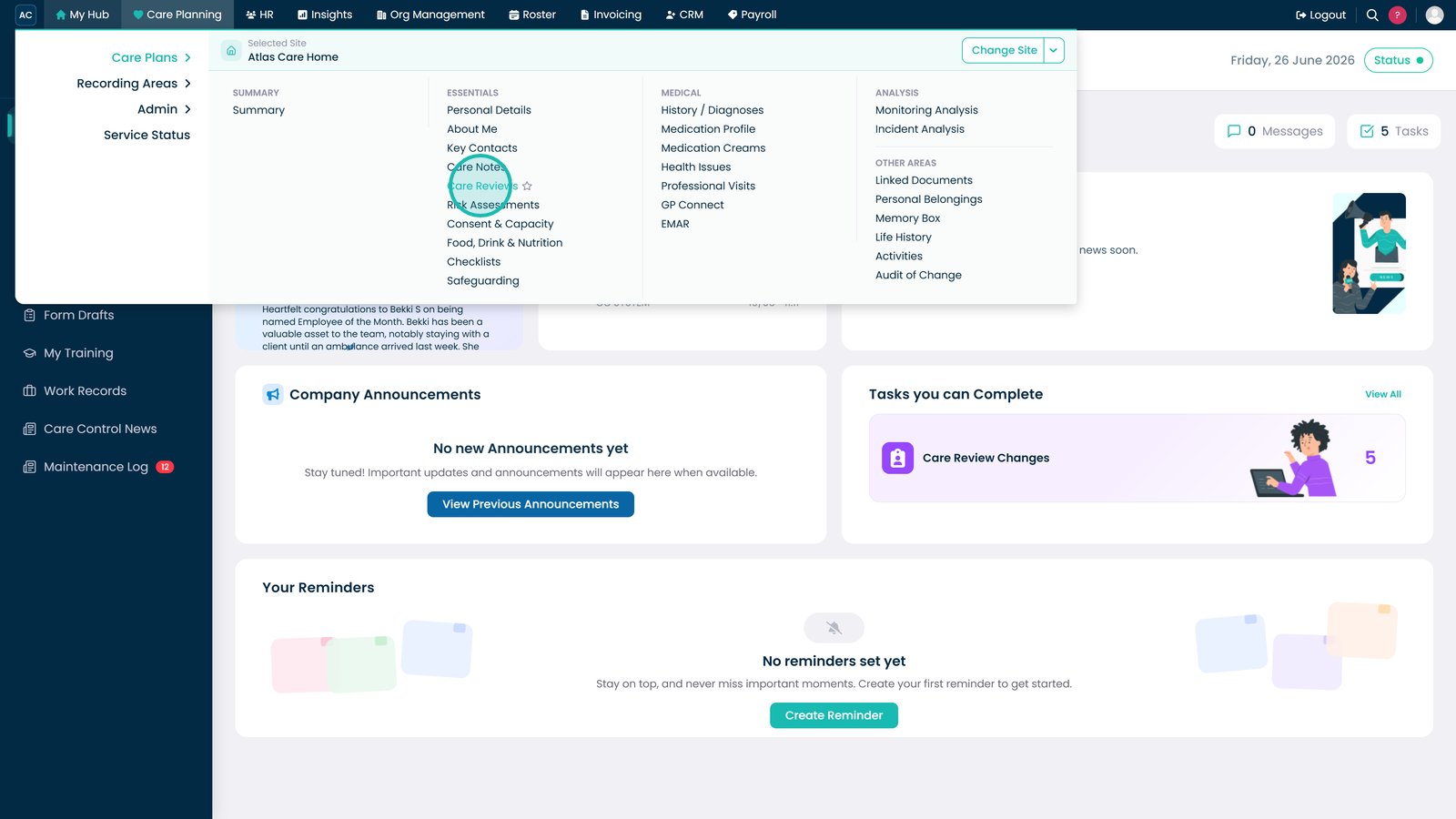
Open Care Reviews from the Care Plans menu.
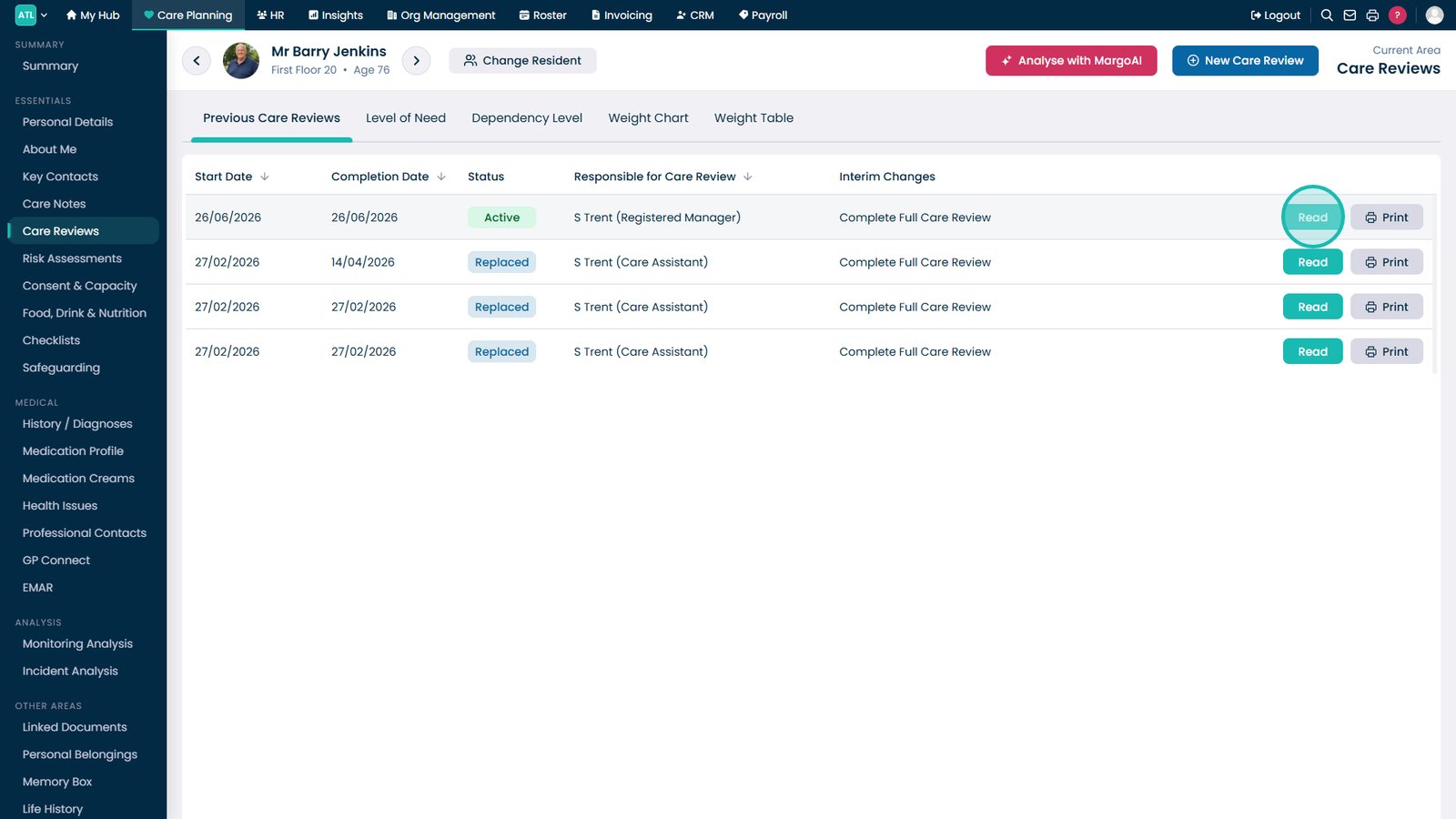
Select the service user whose care review you want to access.
Select Read to open the latest care review.
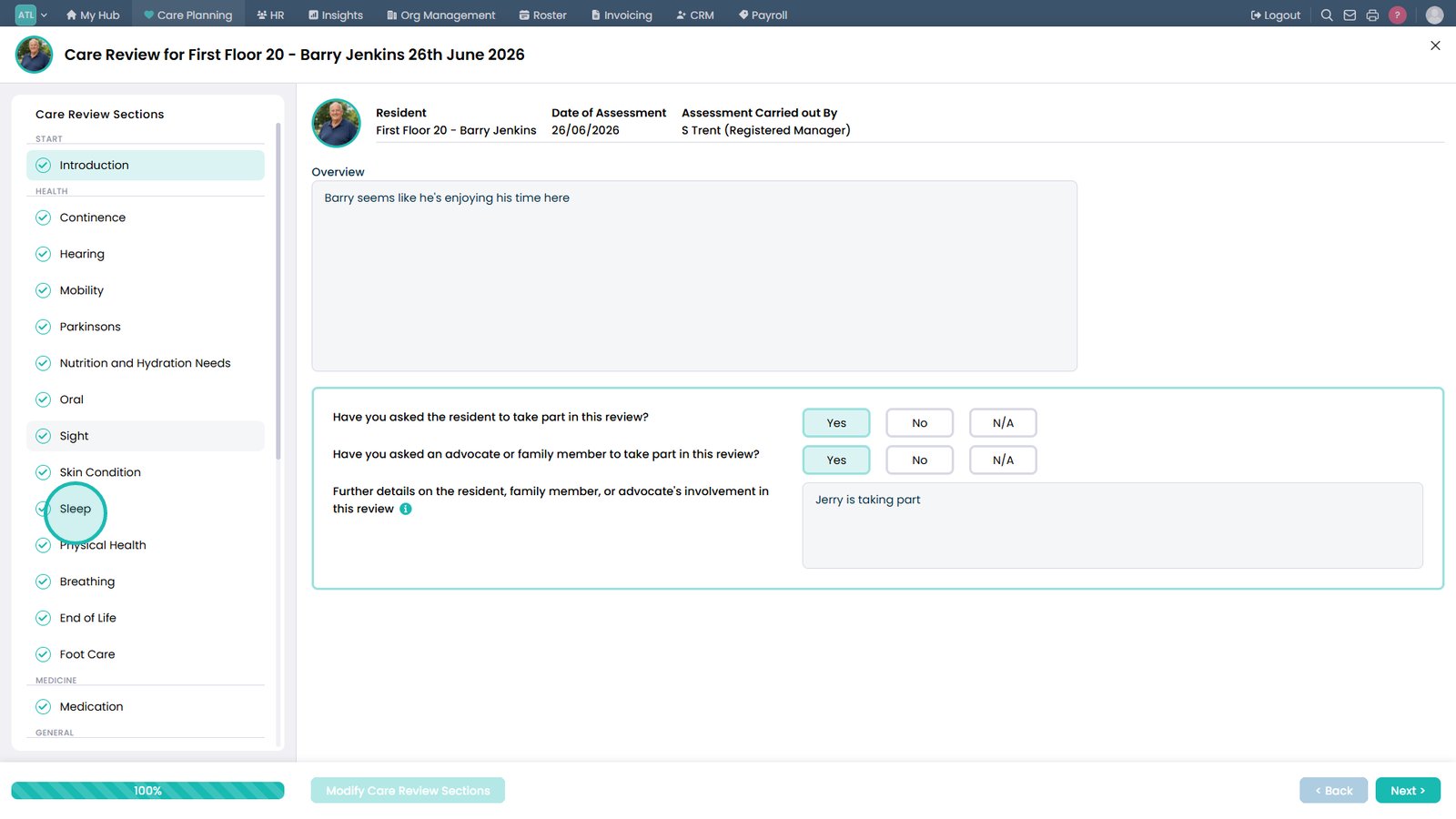
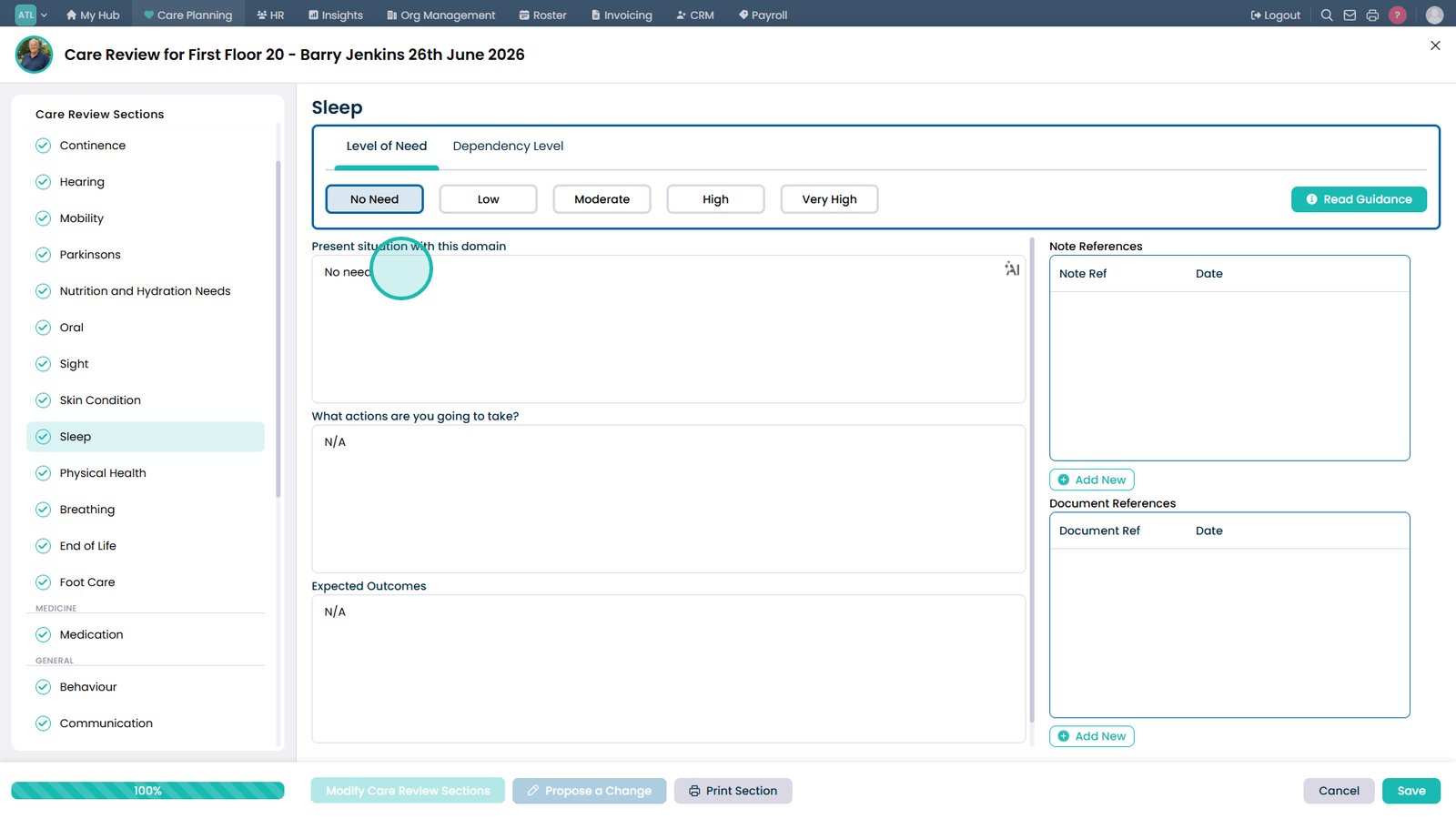
Select the care plan section you want to review.
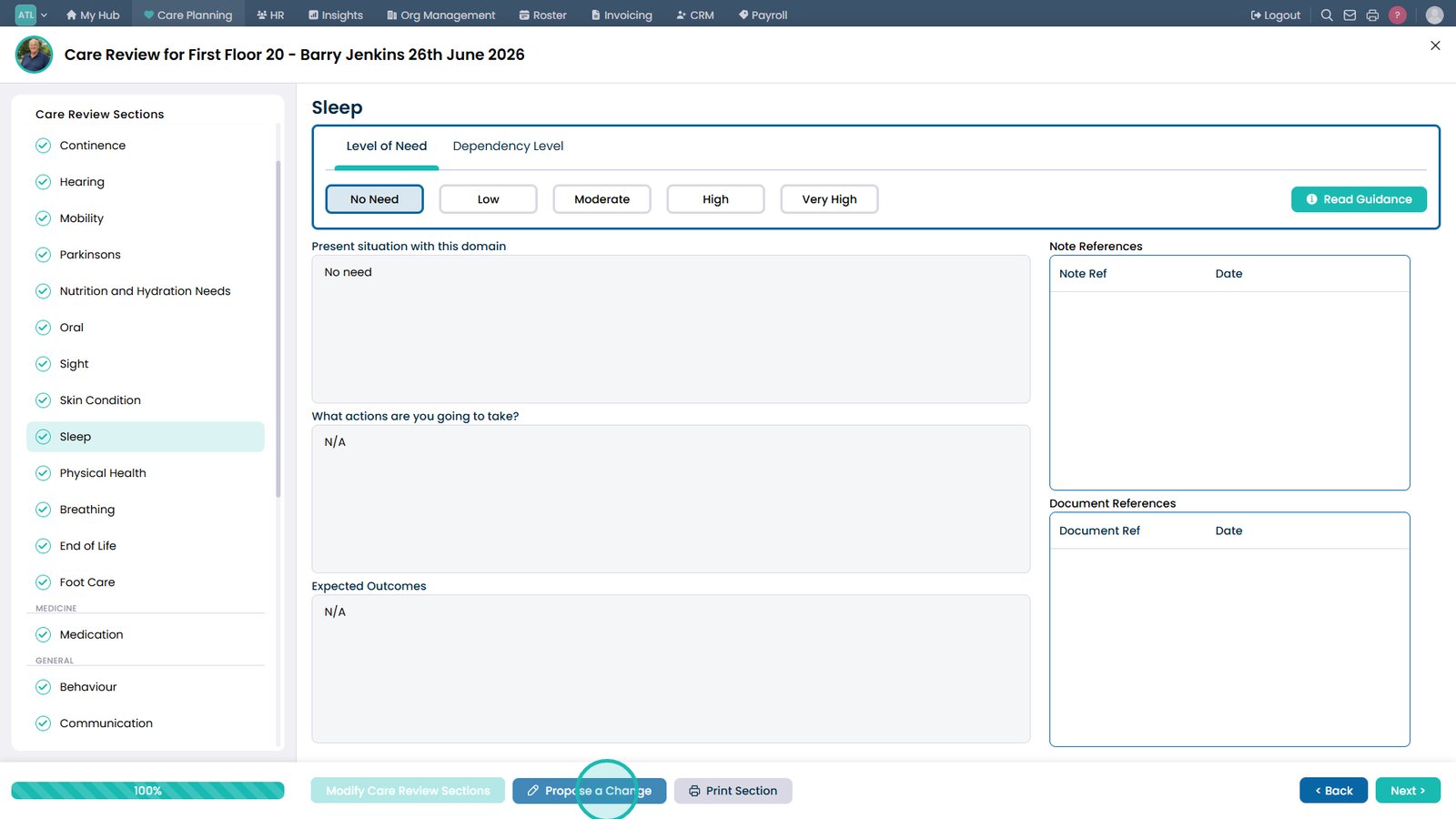
Select Propose a Change.
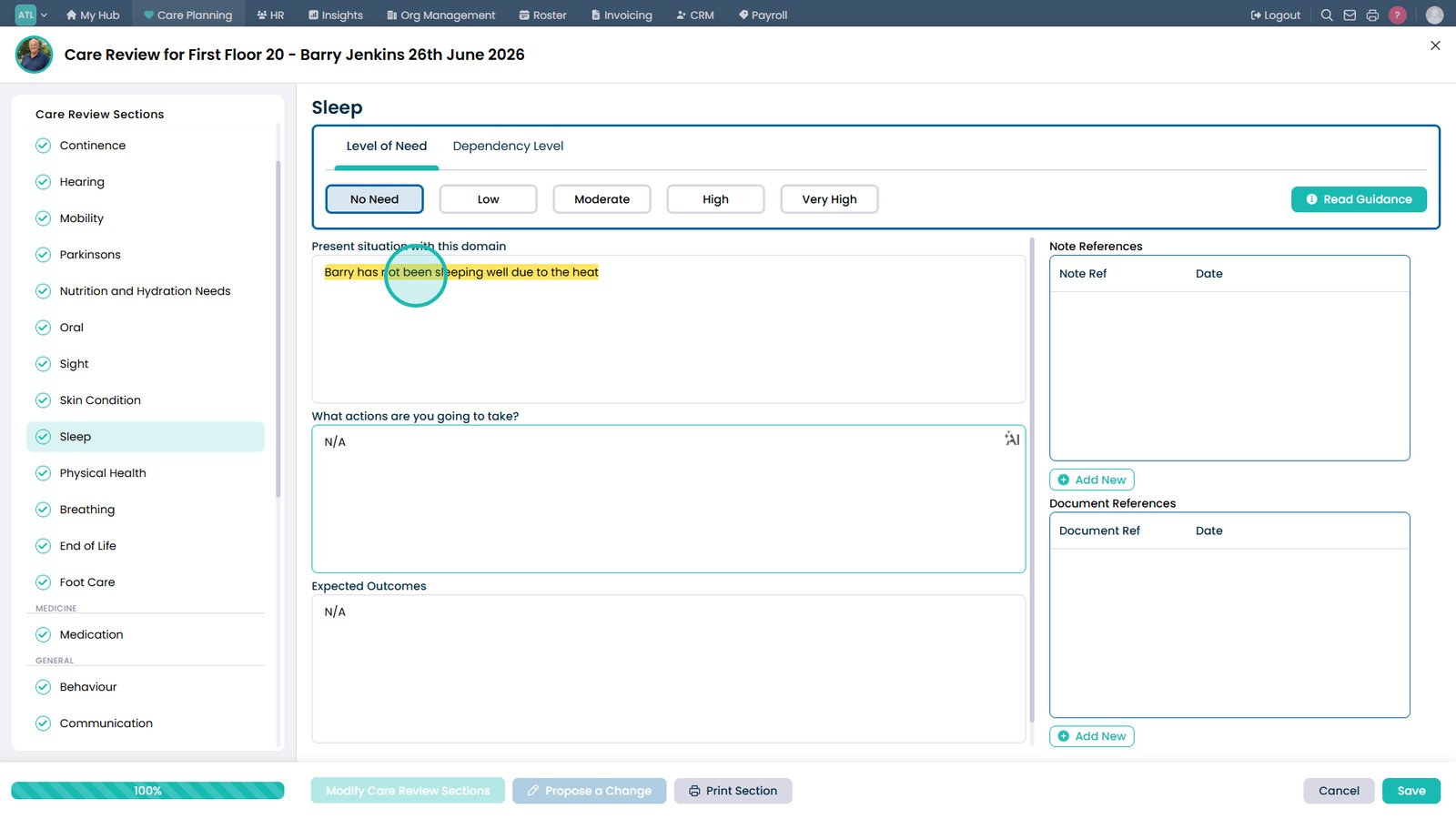
Enter the changes you want to propose.
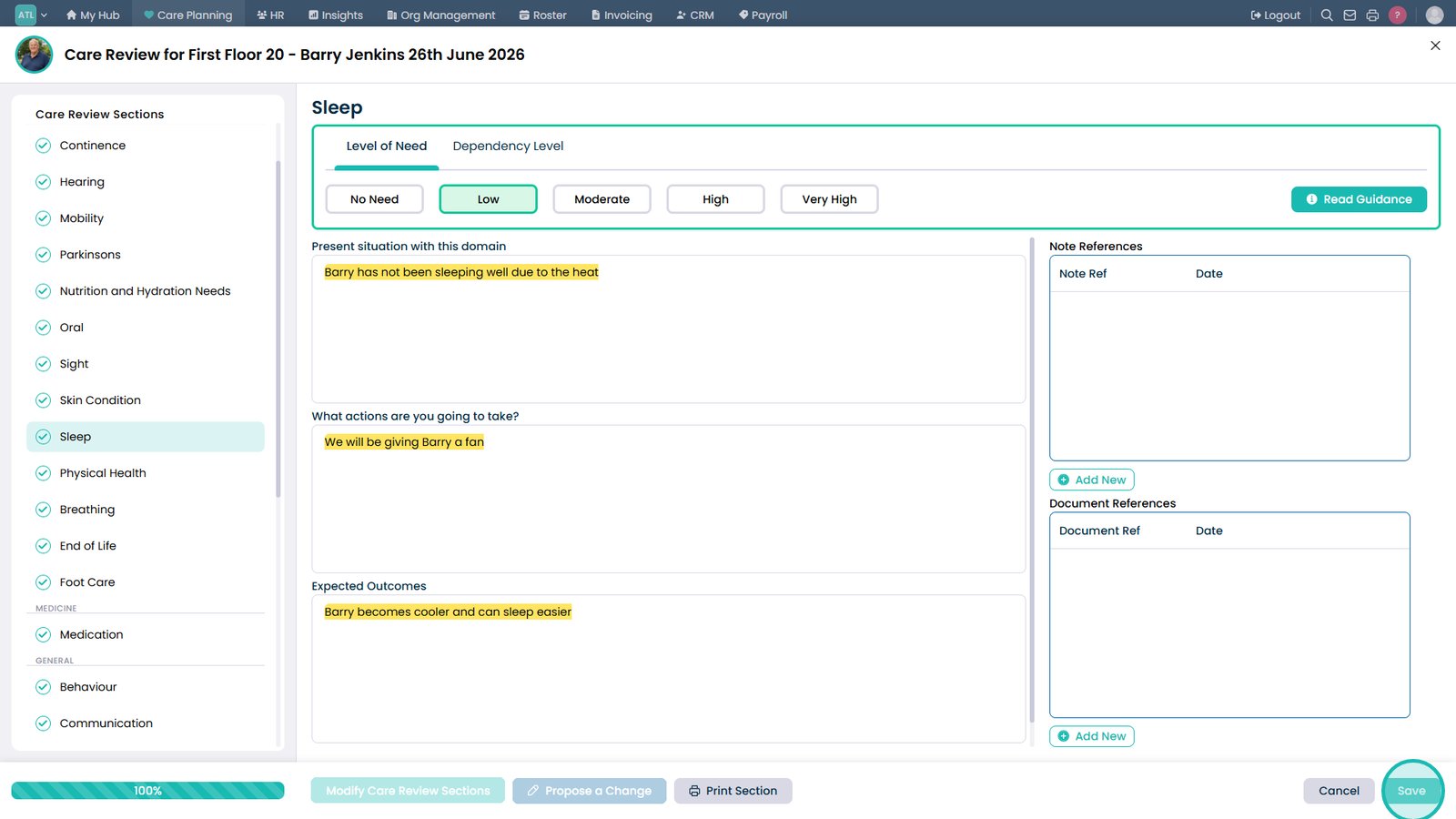
Review the highlighted proposed changes before saving.
Select Save to submit the proposed changes.
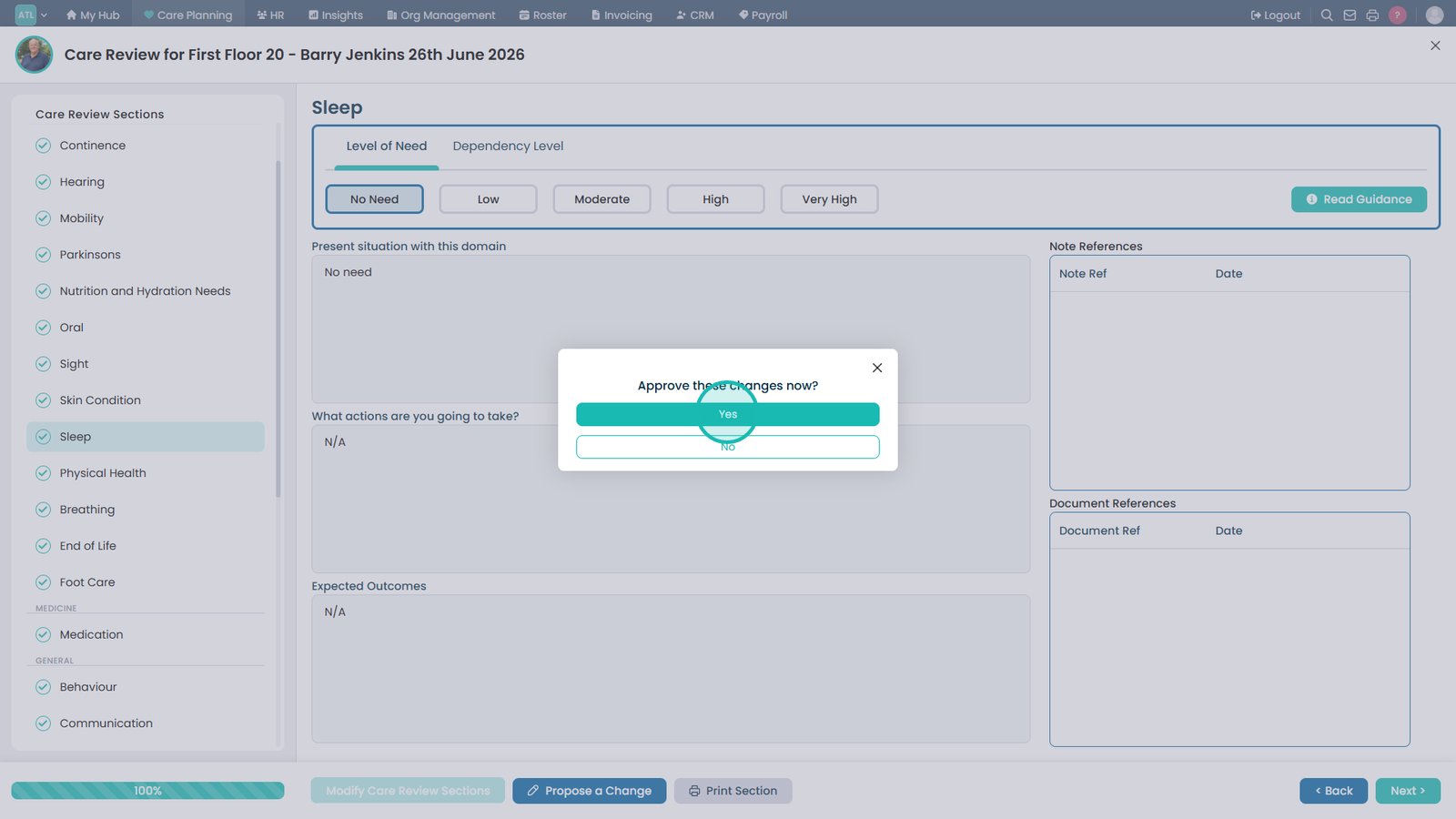
If you have permission, approve the changes immediately; otherwise, submit them for review.
Top tip
Proposed changes are highlighted in yellow, making it easy to compare the new content with the existing care plan before approval.