🚀 UPCOMING WEBINAR: See Payroll in Care Control Cloud in action on Thursday 18th June and discover how to manage payroll more efficiently from one connected system. Click here to find out more!

View Categories

How to Record a PURPOSE-T Assessment

This guide will walk you through completing a PURPOSE-T Assessment within Care Control Cloud.

Takes 10 minutes
For: Everyone
Updated: 26th May 2026

Introduction

The PURPOSE-T Assessment is a pressure ulcer risk assessment tool used to identify residents who may be at risk of developing pressure damage. It helps care teams assess mobility, skin condition, nutrition, moisture exposure, and other key risk factors, ensuring appropriate preventative care can be put in place.

In this guide you'll learn how to:

  • Complete a PURPOSE-T assessment
  • Record pressure ulcer risk factors
  • Carry out a skin assessment
  • Review the assessment outcome
  • Save and flag assessments

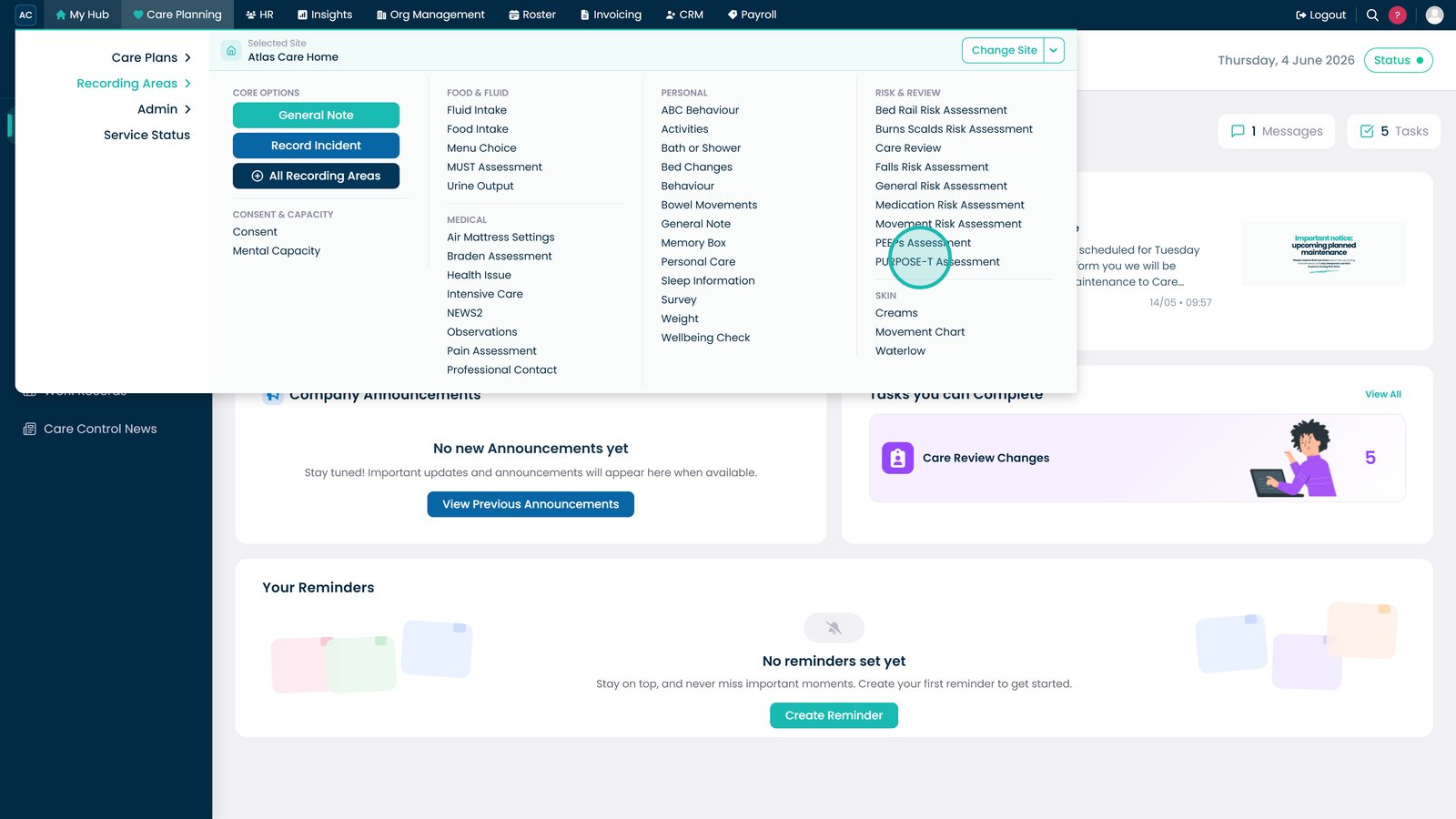
Open the PURPOSE-T Assessment from the Care Planning menu.

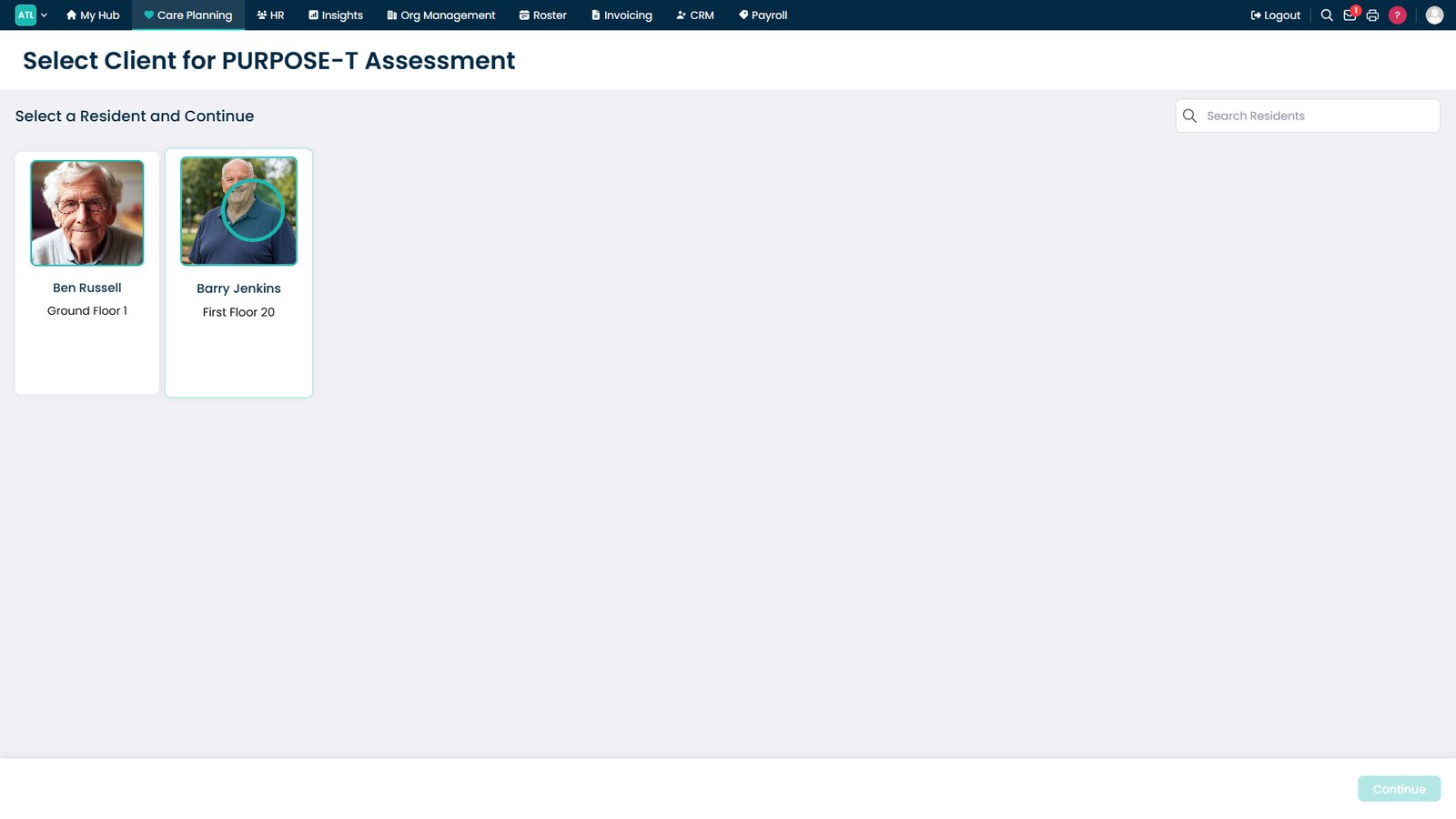
Select the resident you want to assess.

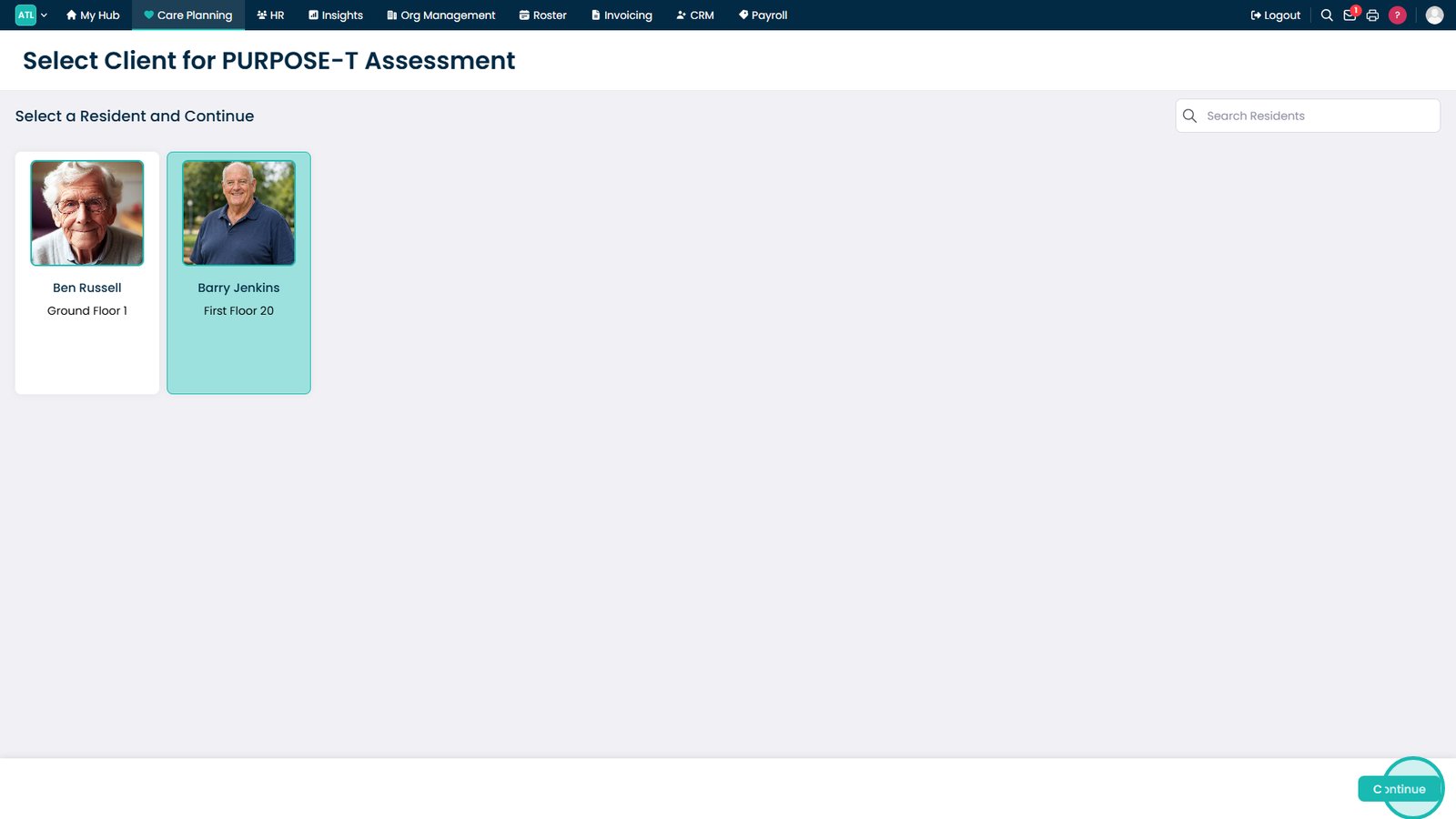
Click Continue to open the assessment form.

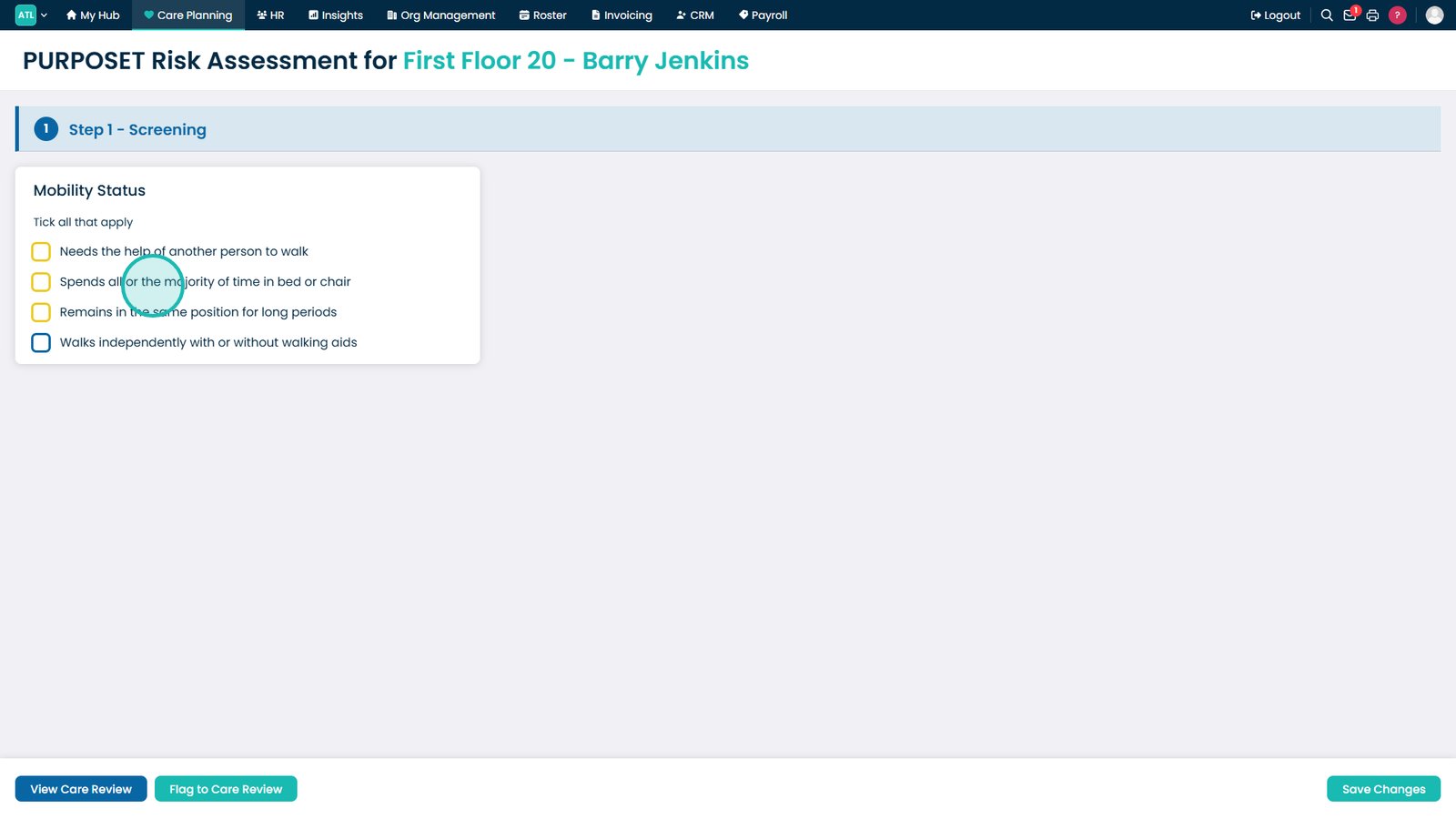
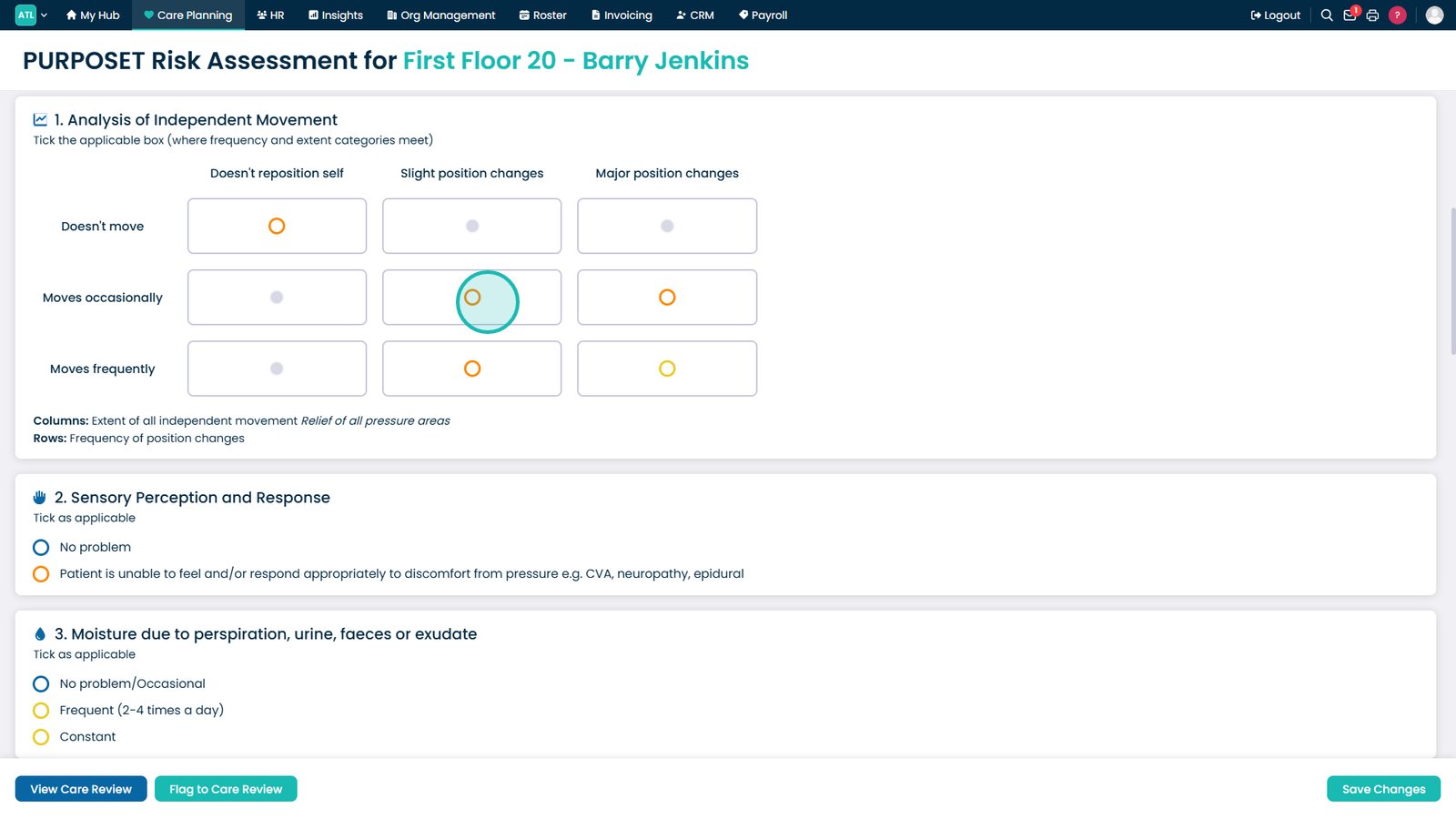
Record the resident's current mobility level.

Select how frequently the resident moves independently.

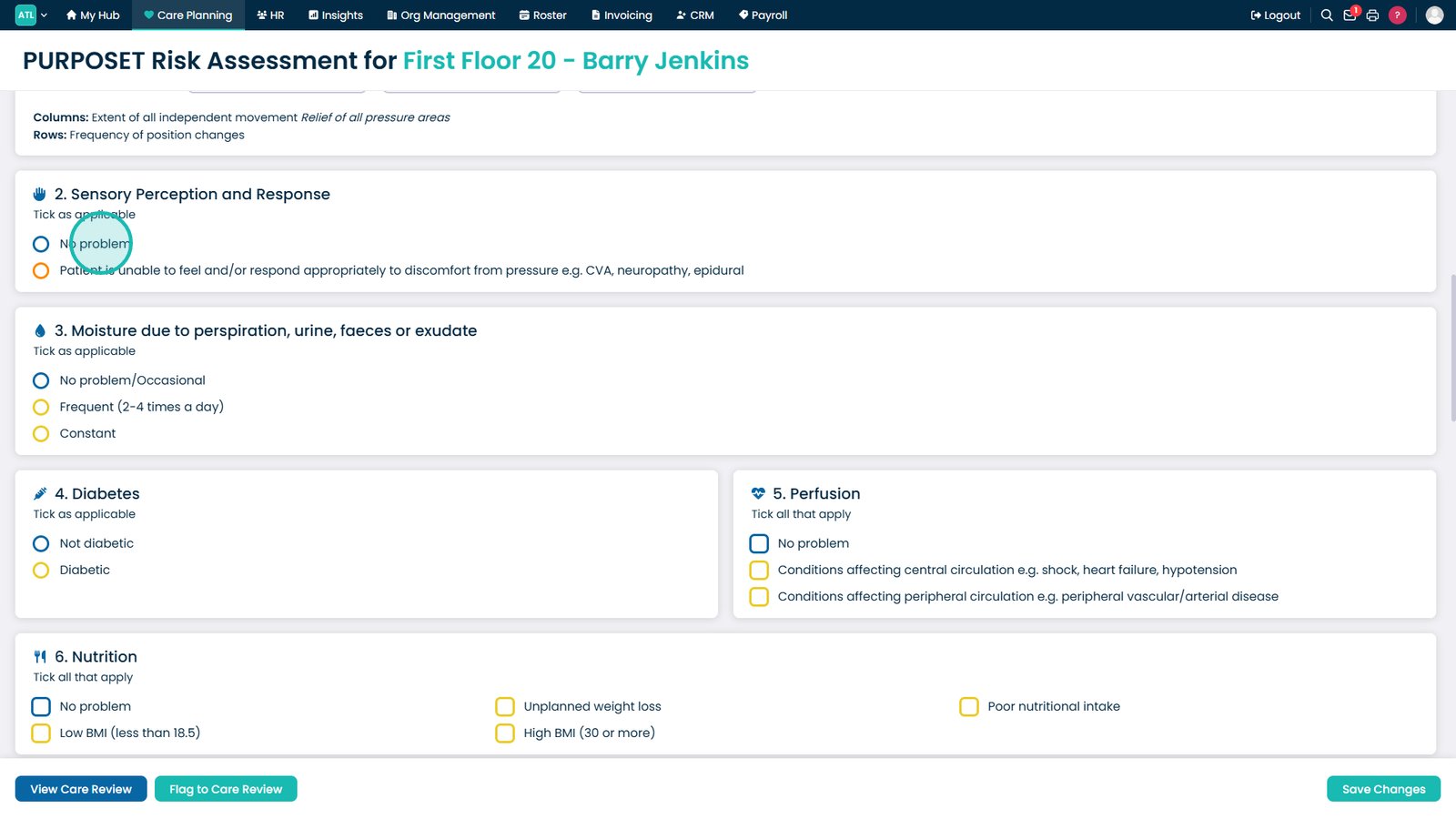
Record the resident's sensory perception and responsiveness.

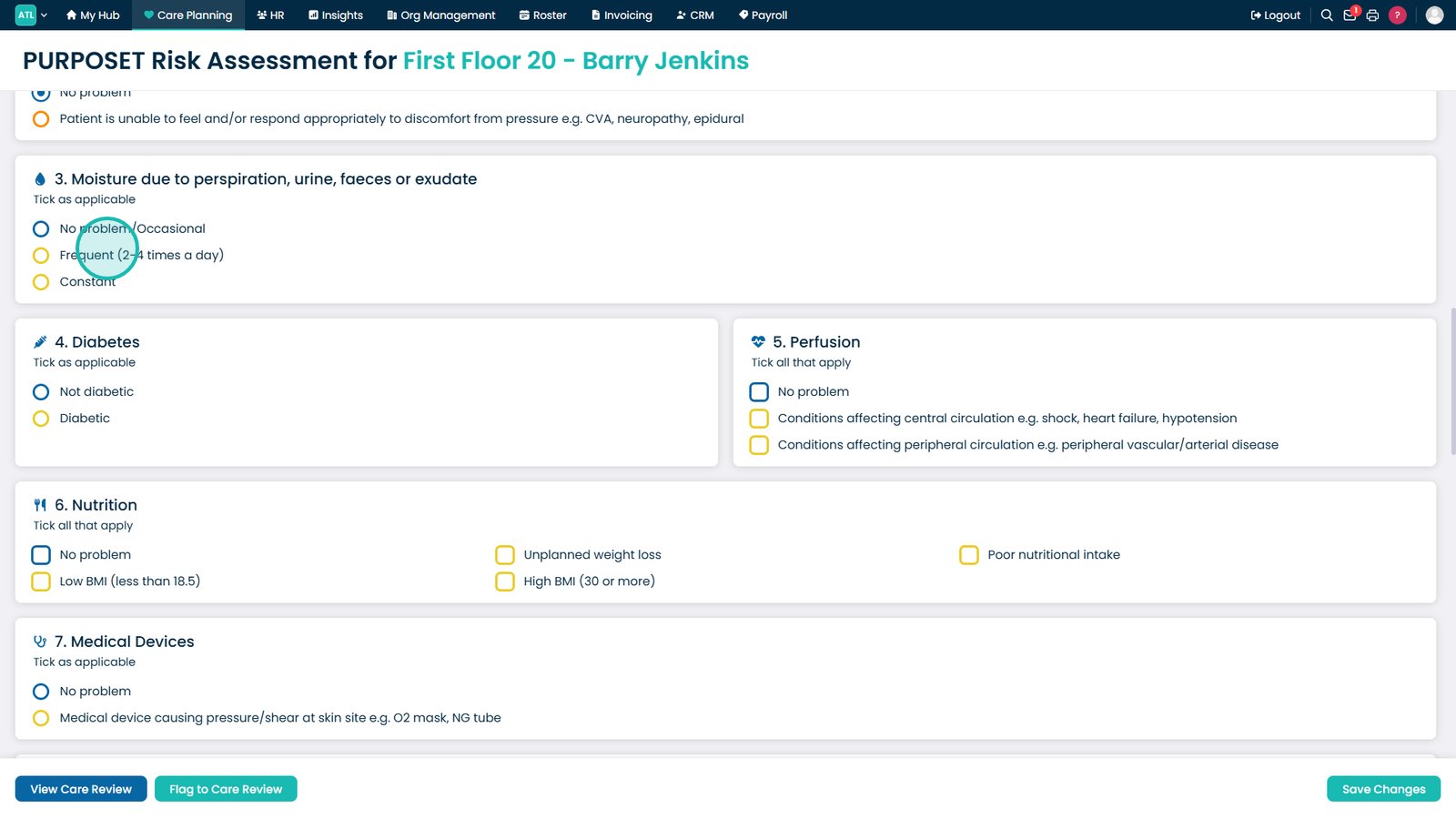
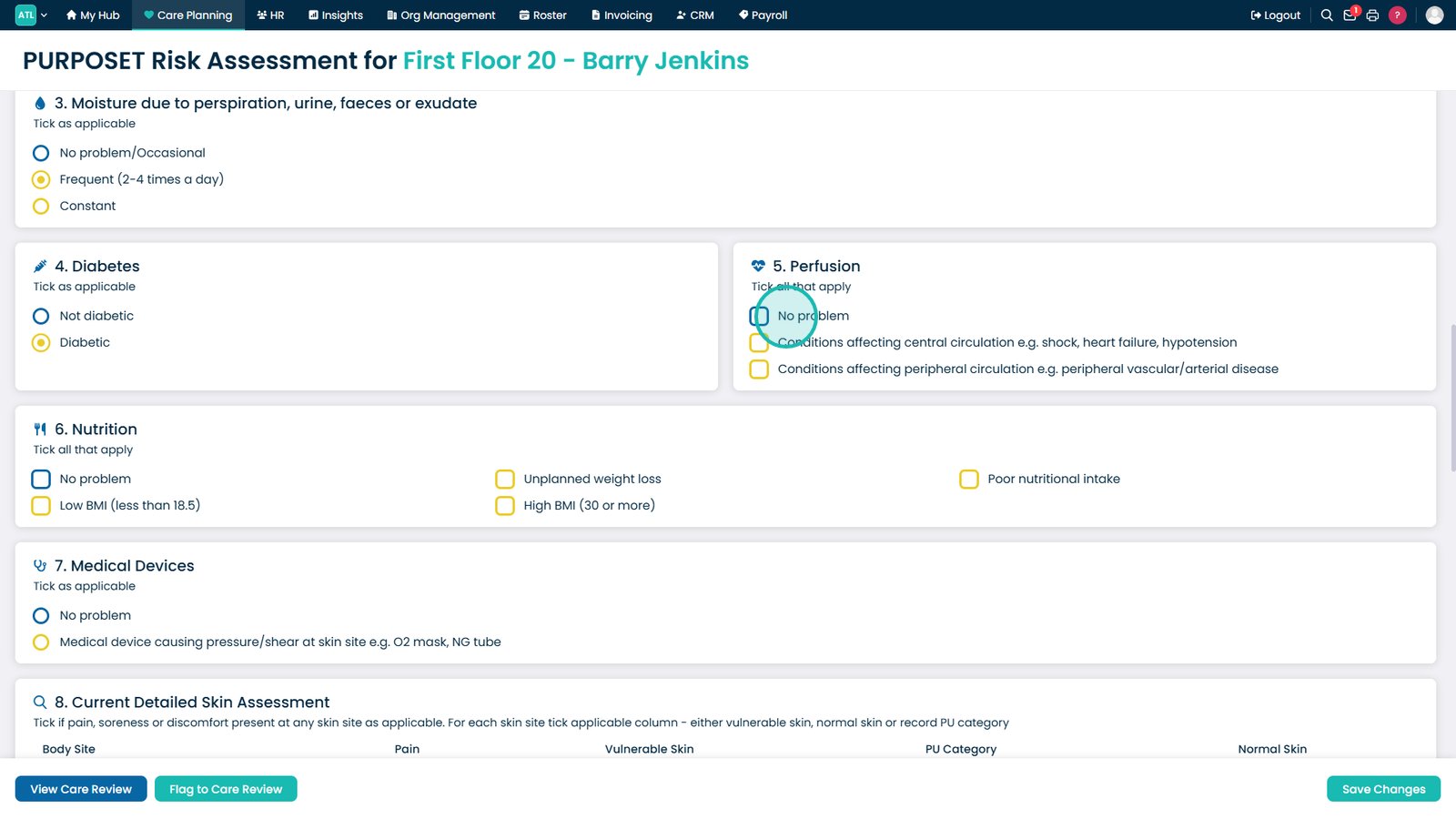
Indicate how often the resident is exposed to moisture.

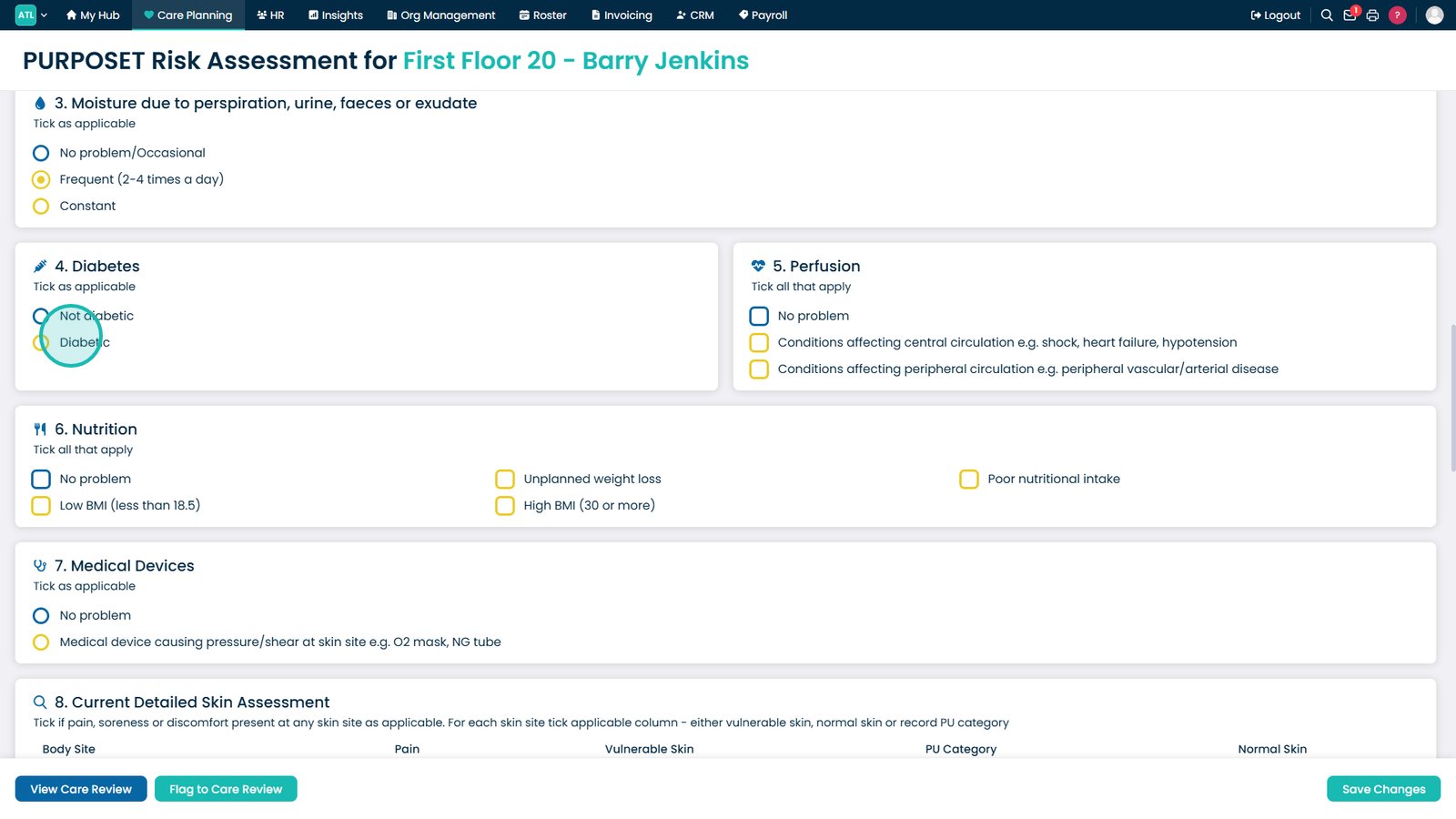
Record whether the resident has diabetes.

Identify any perfusion or circulation concerns.

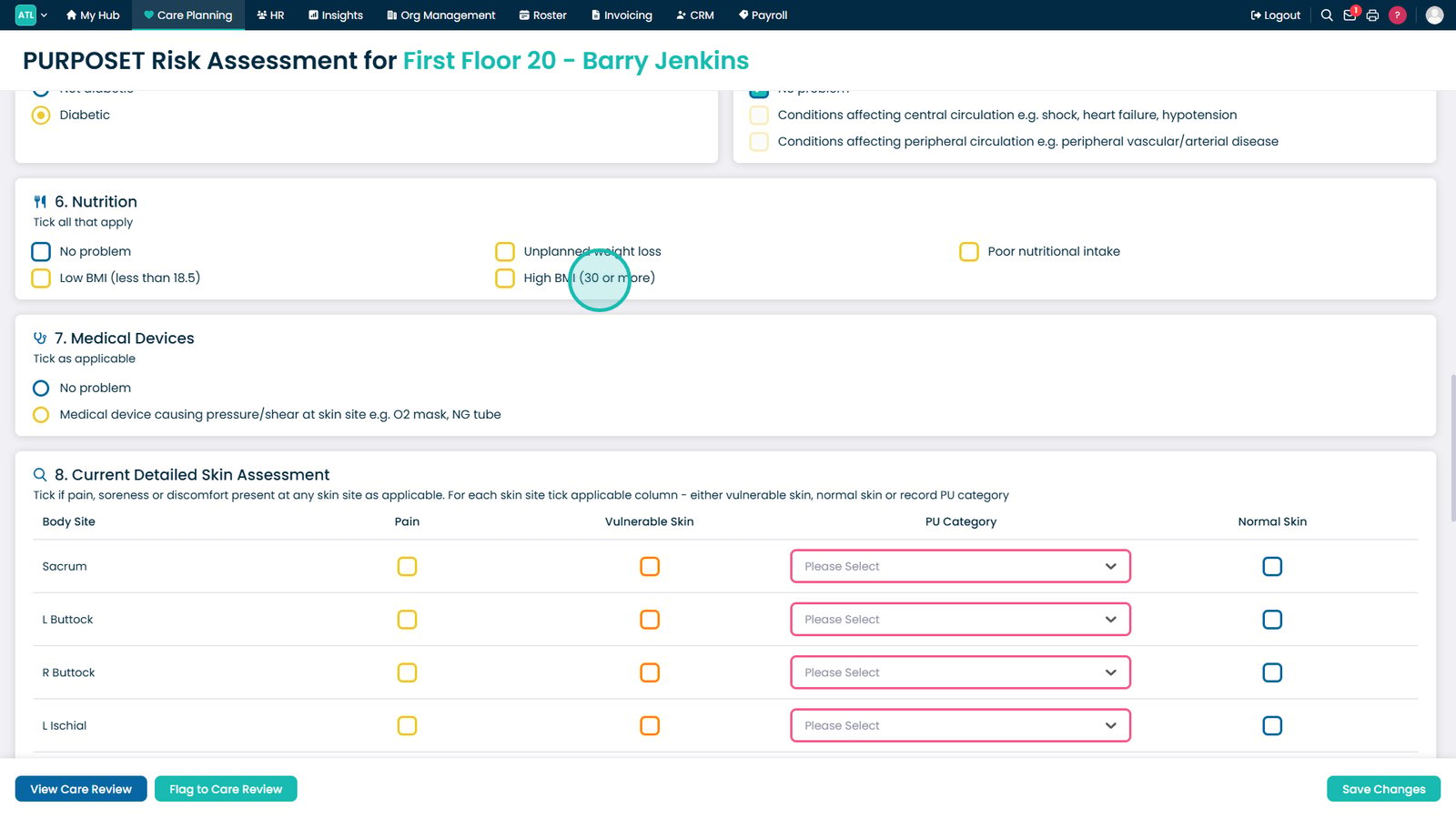
Record the resident's nutritional status.

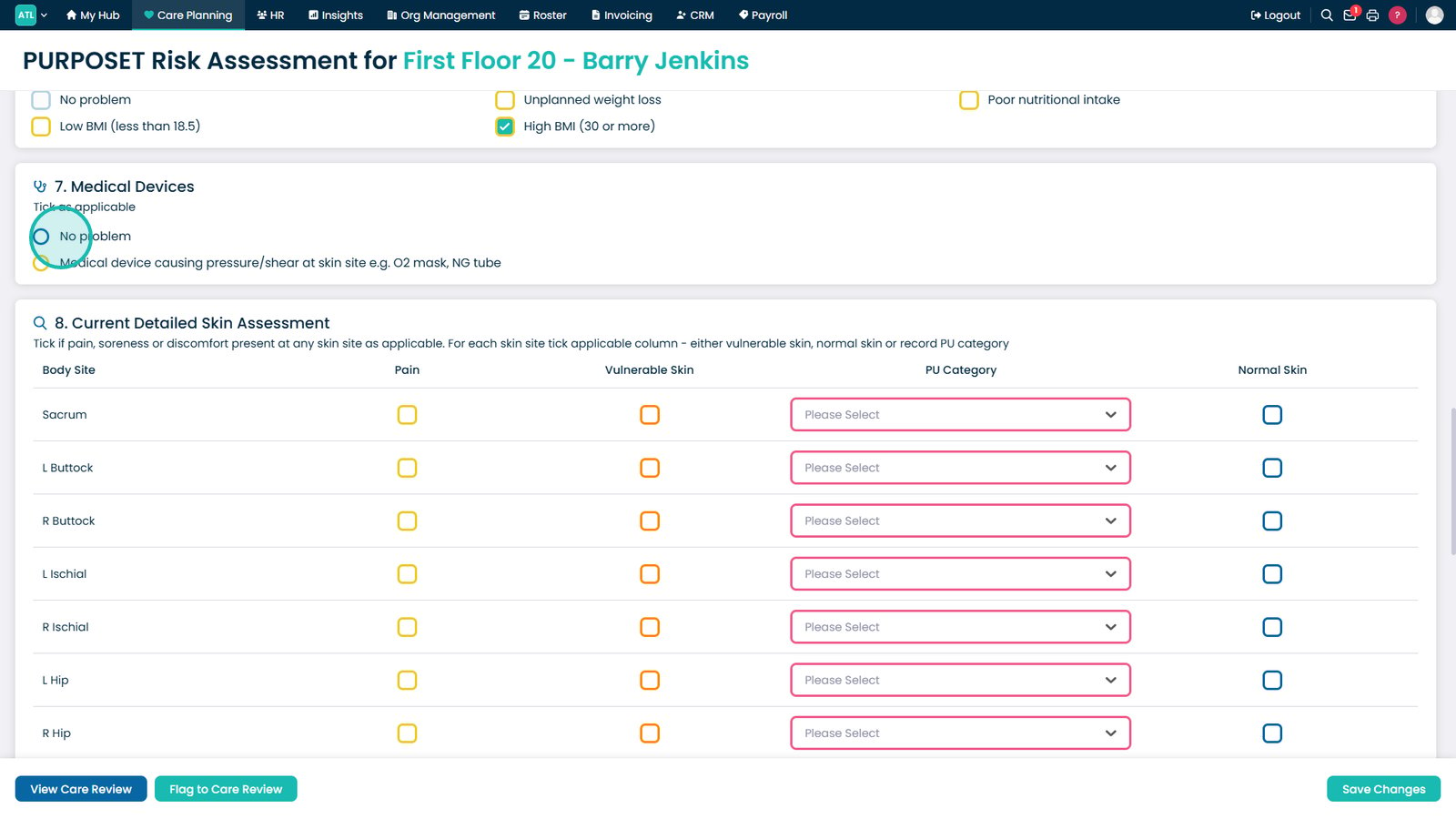
Indicate whether any medical devices are present.

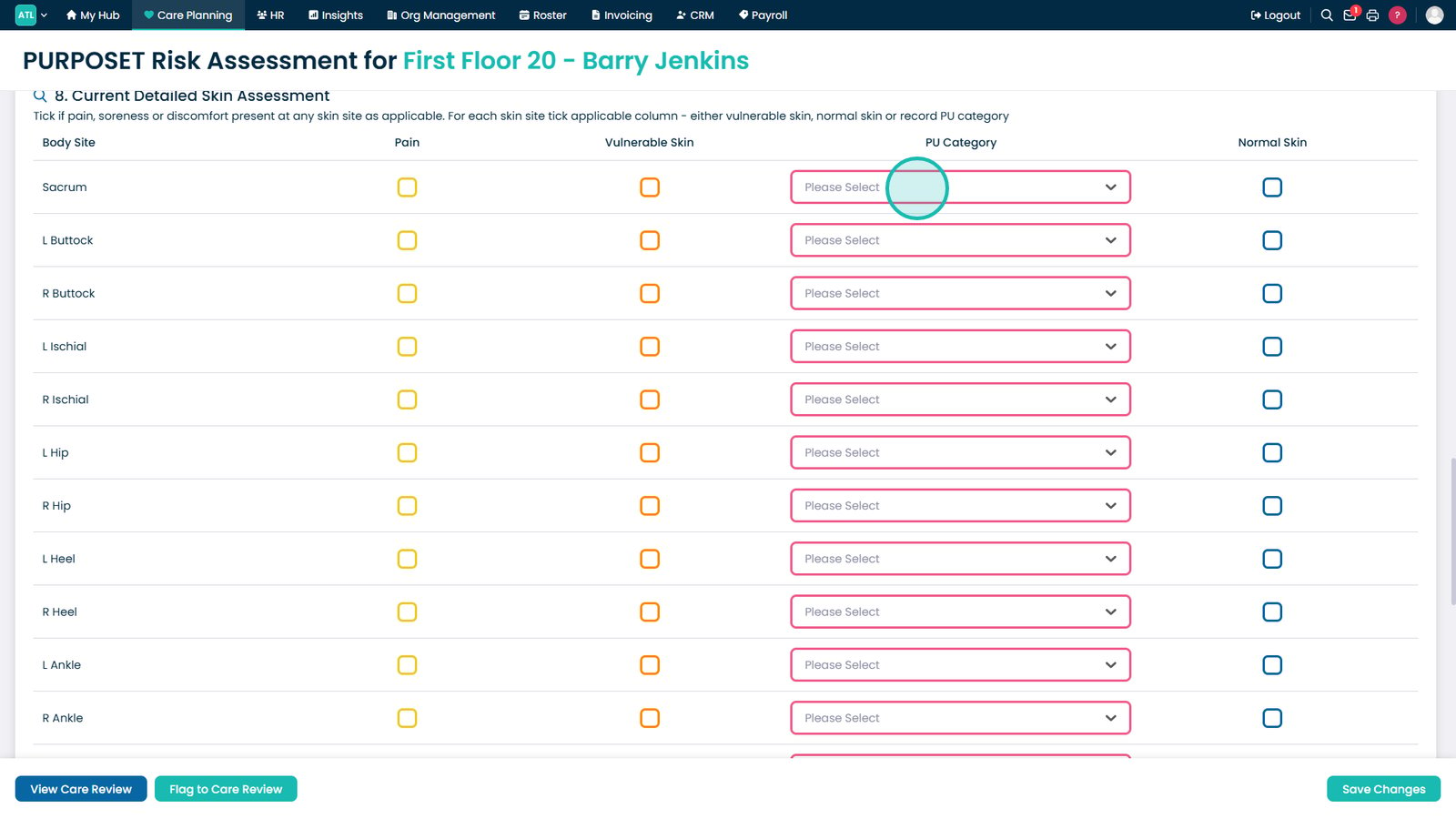
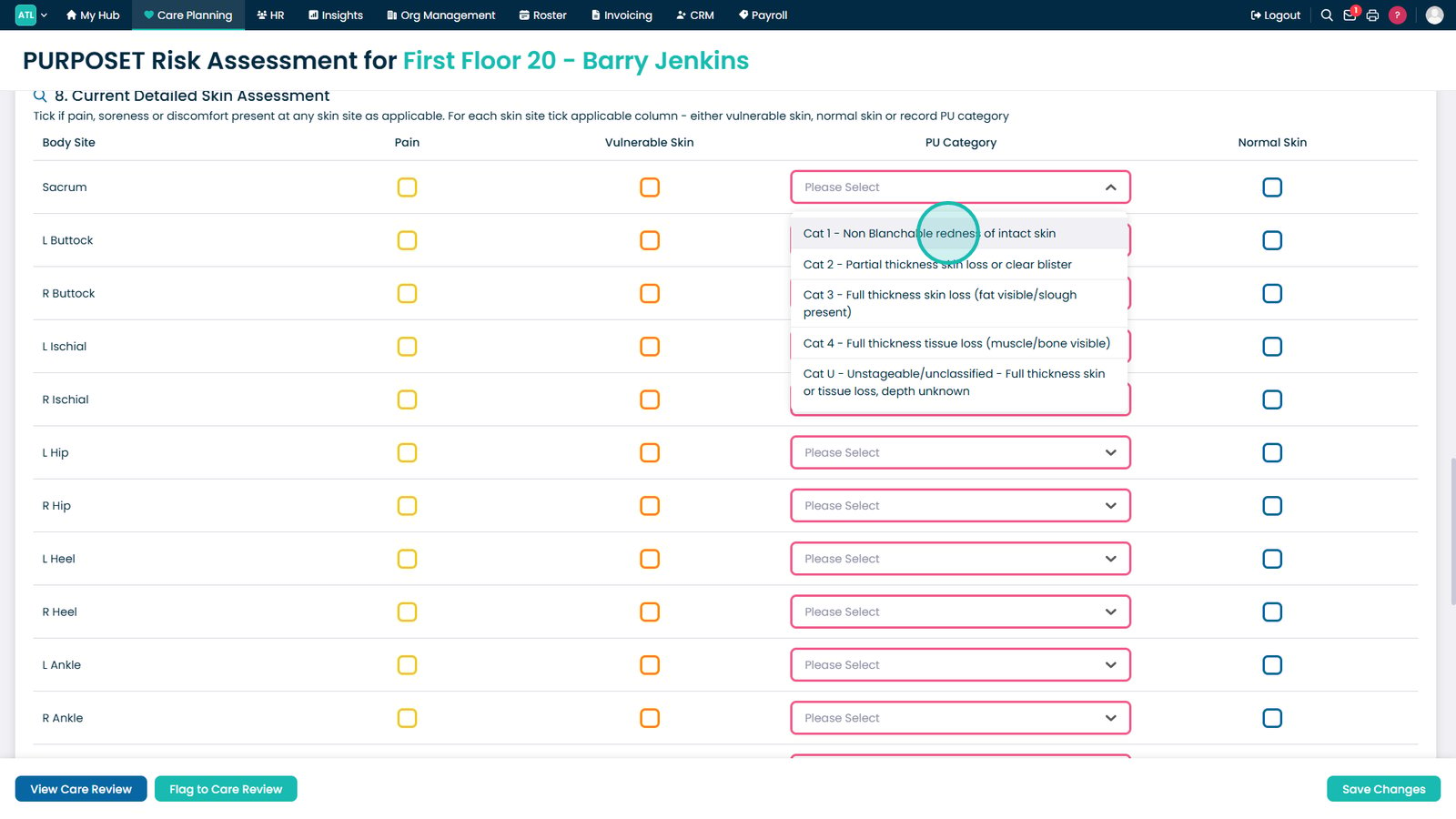
Select the appropriate pressure ulcer category.

Choose the category that best matches the resident's condition.

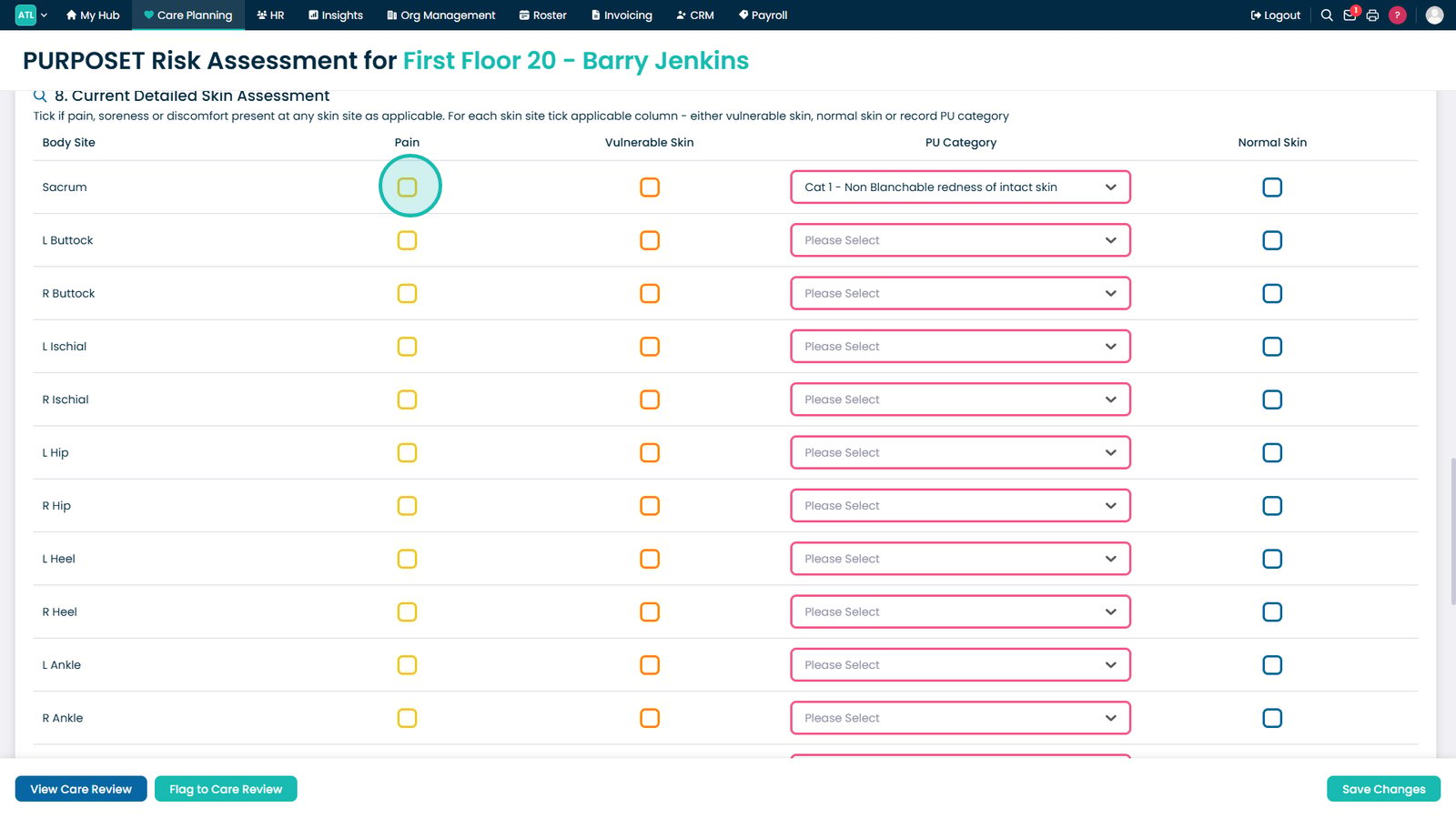
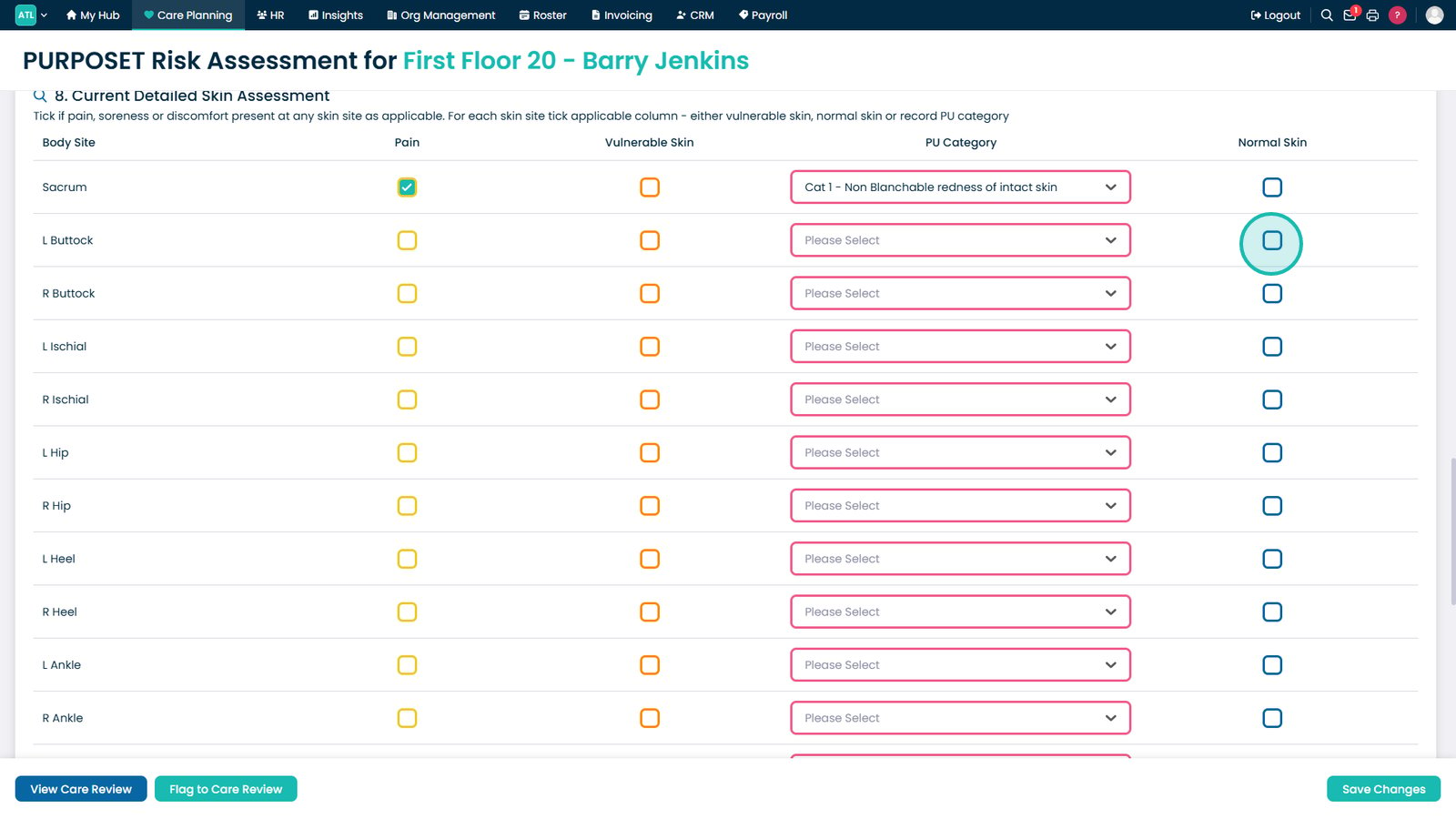
Record any pain, discomfort, or vulnerable skin areas.

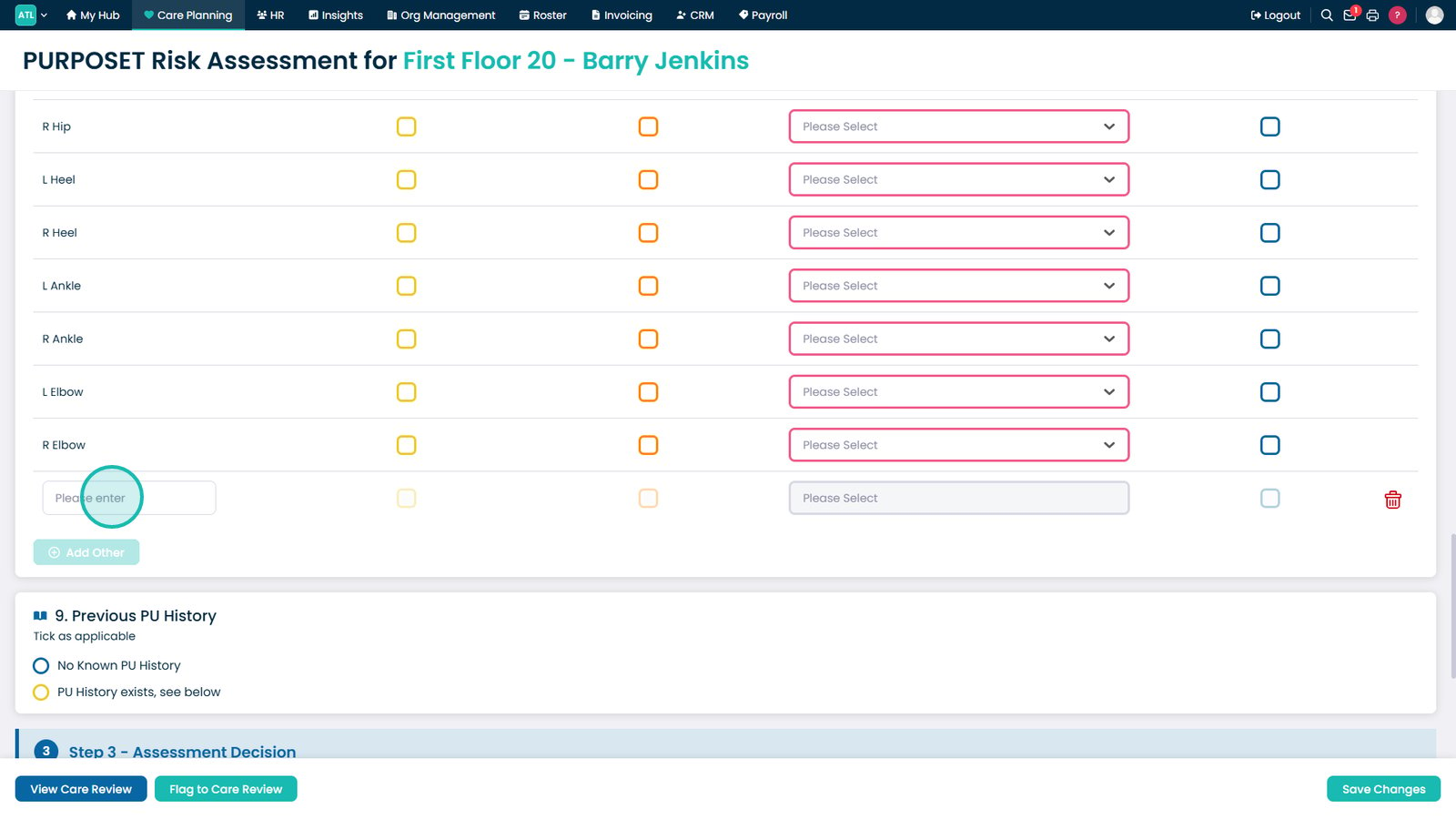
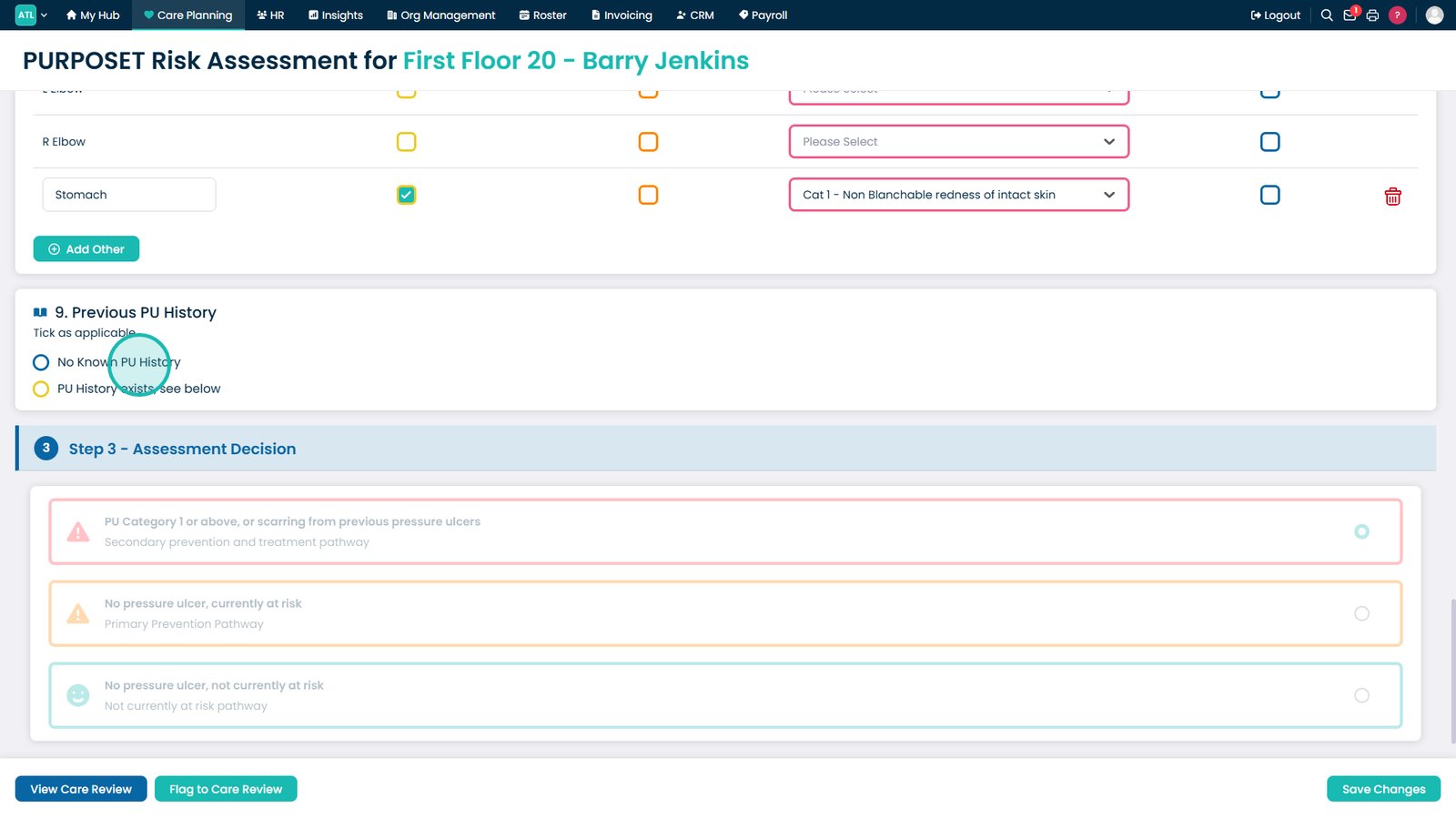
Complete the detailed skin assessment for each relevant body area.

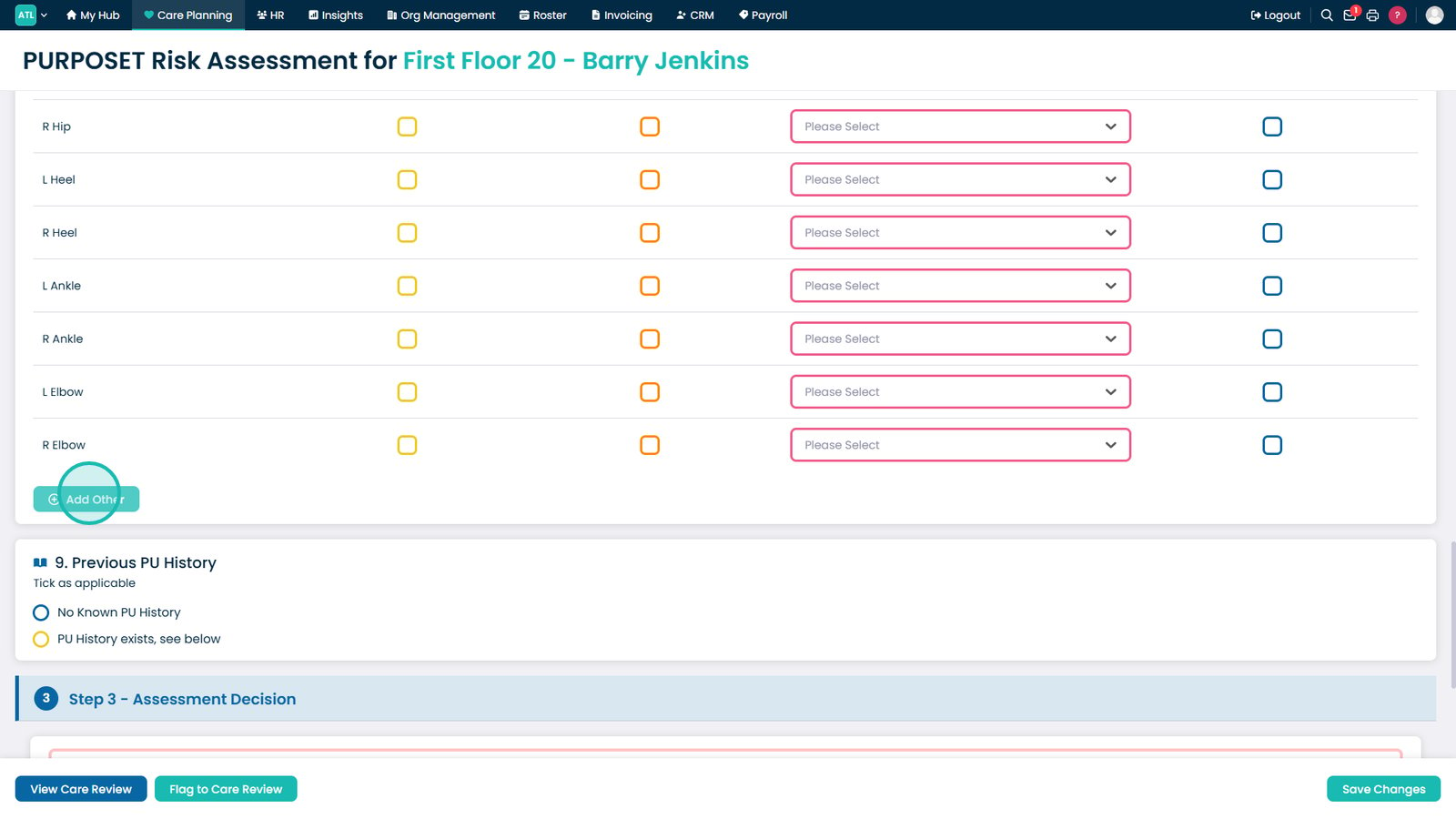
Add a custom body area if it is not listed.

Enter the body area and complete the assessment as normal.

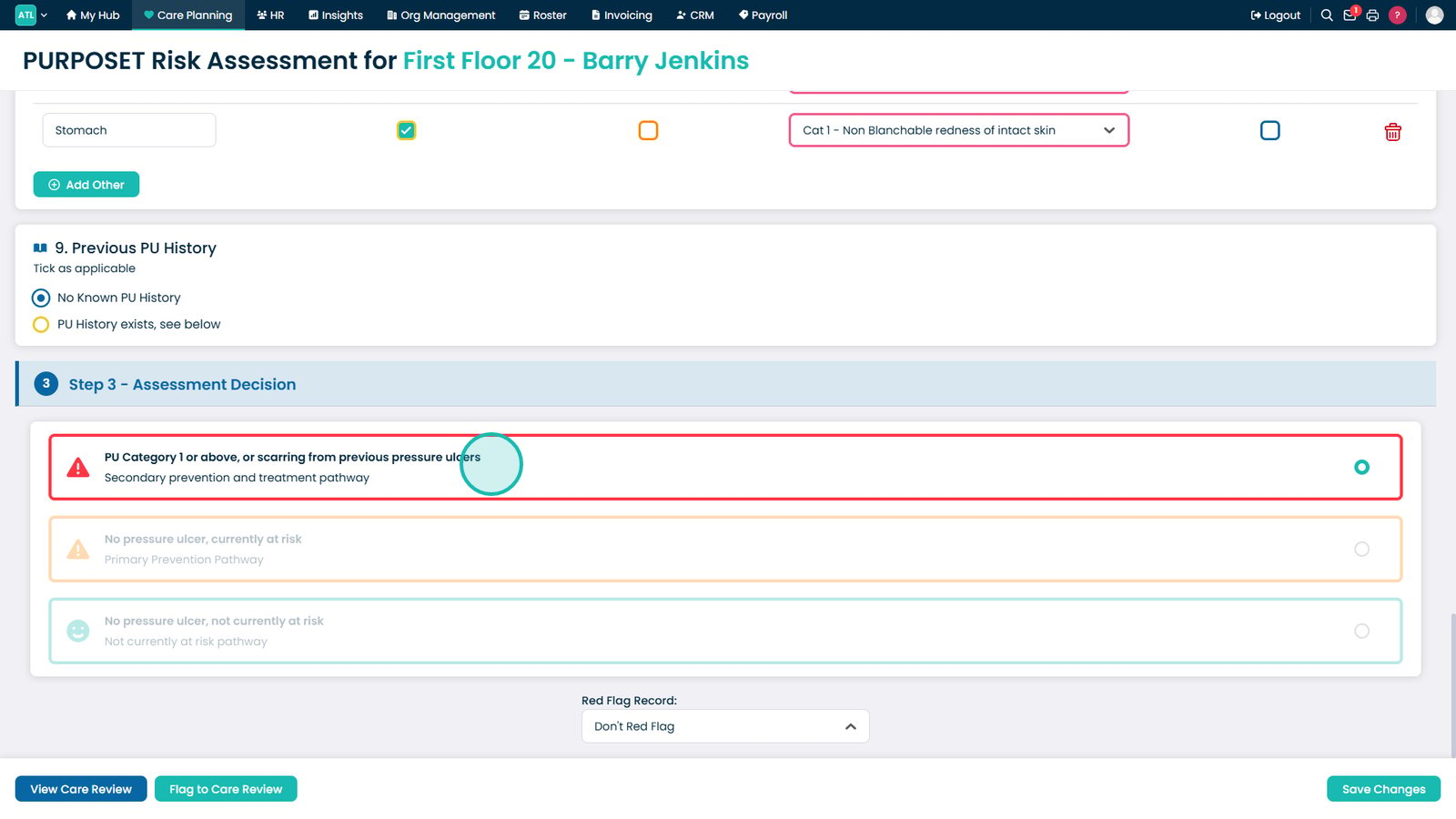
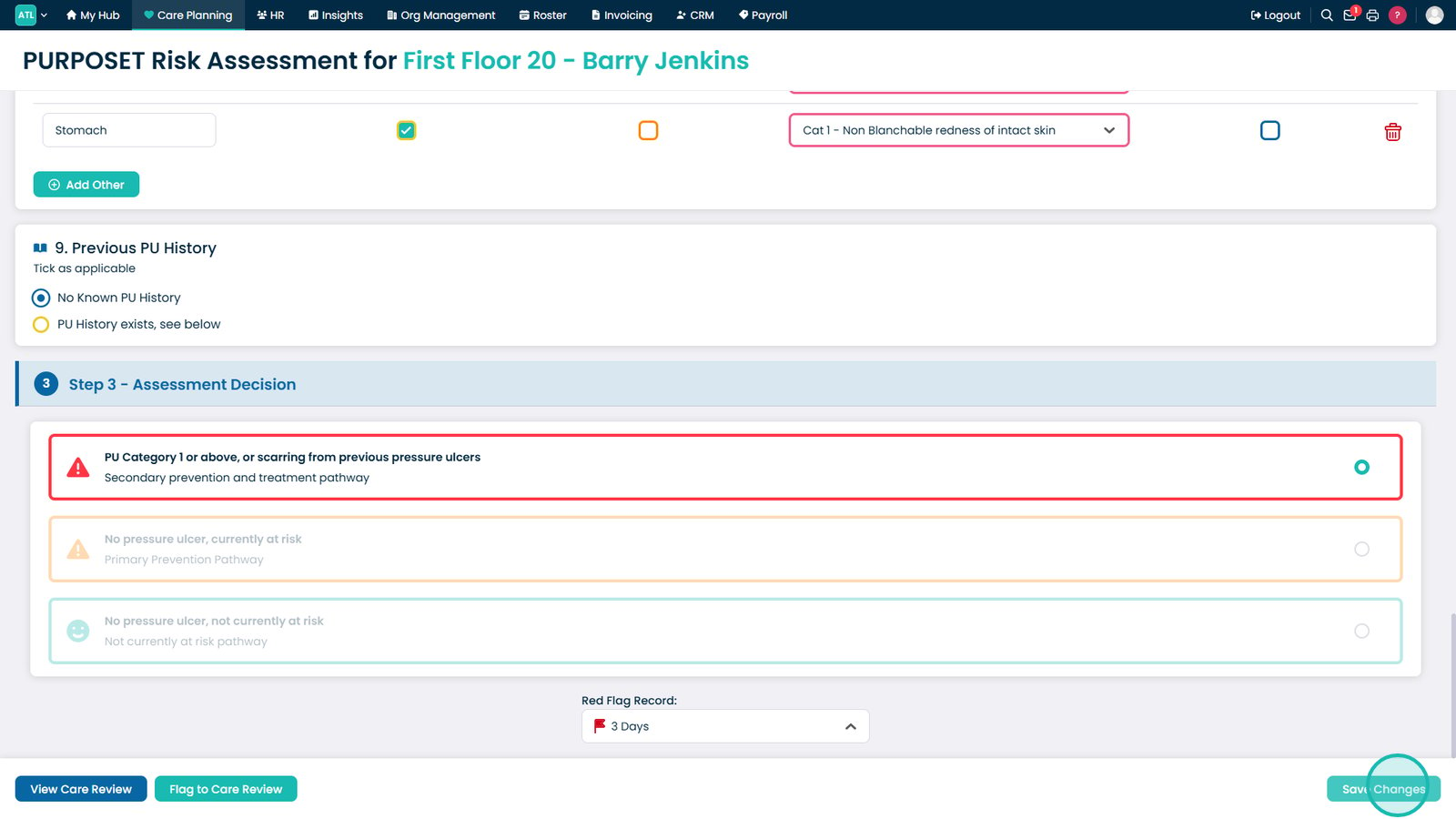
Record any previous pressure ulcer history.

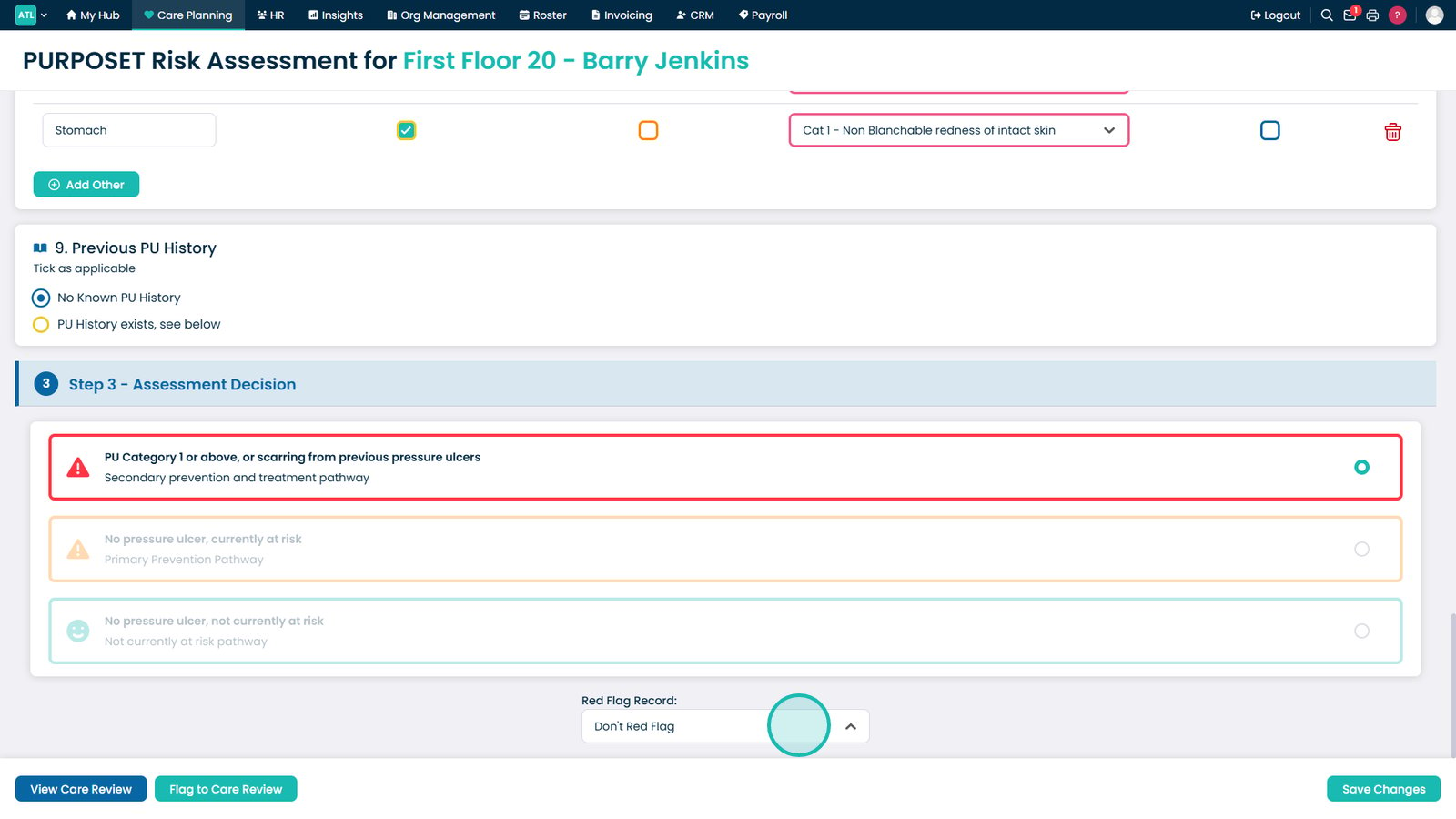
Review the automatically generated assessment outcome.

Apply a red flag if the assessment needs highlighting.

Save the completed PURPOSE-T assessment.

Top tip

Complete the assessment using the resident's current presentation and clinical condition to ensure the resulting risk level accurately reflects their needs.

Was this guide helpful?

Need more help?

Can't find what you're looking for? Our support team is here to help.

Contact Support

Or call us on

On this page