Bank Holiday Closure Notice:  We will be closed on the 3rd April for the Easter bank holiday, so our customer service team will not be available on this day. If you need to get in touch, you can still use our customer contact form and we will get back to you as soon as possible. Even better, Margo will still be available on our phone lines to help with your queries whenever you need support. We hope you have a lovely Easter weekend 🐣

View Categories

How to Set and Reset Supervision Passwords in Cloud

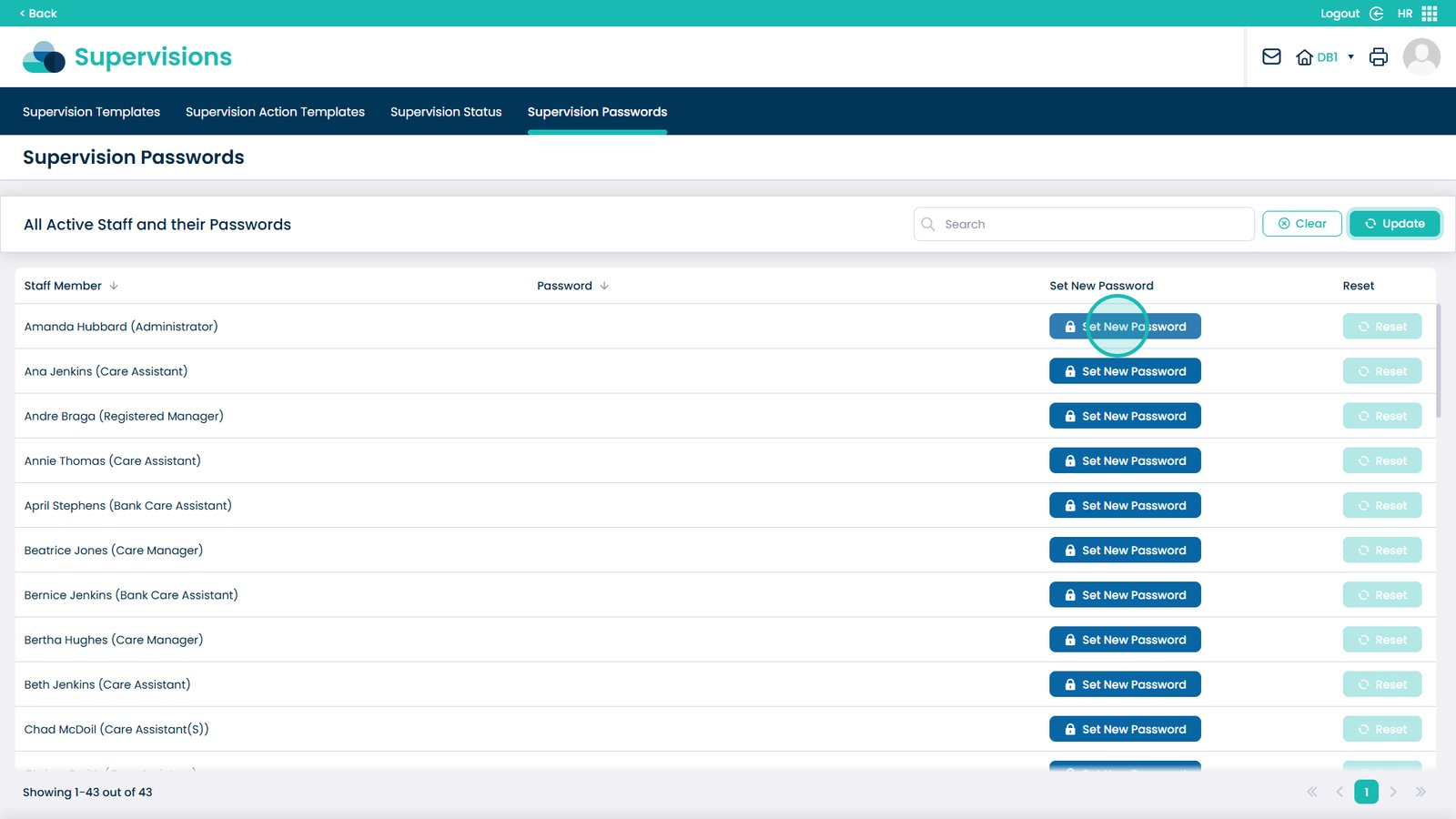
The Supervision Passwords section in the Care Control HR App allows managers and administrators to securely manage passwords for staff involved in the supervision process. From this screen, you can set new passwords, reset existing ones, and verify staff login details to ensure smooth access to supervision records. This feature is especially useful for maintaining system security, confidentiality, and controlled access to sensitive HR data. It also helps prevent login issues, ensuring that staff can access and complete their supervisions without disruption.

Interactive Guide

Text based guide

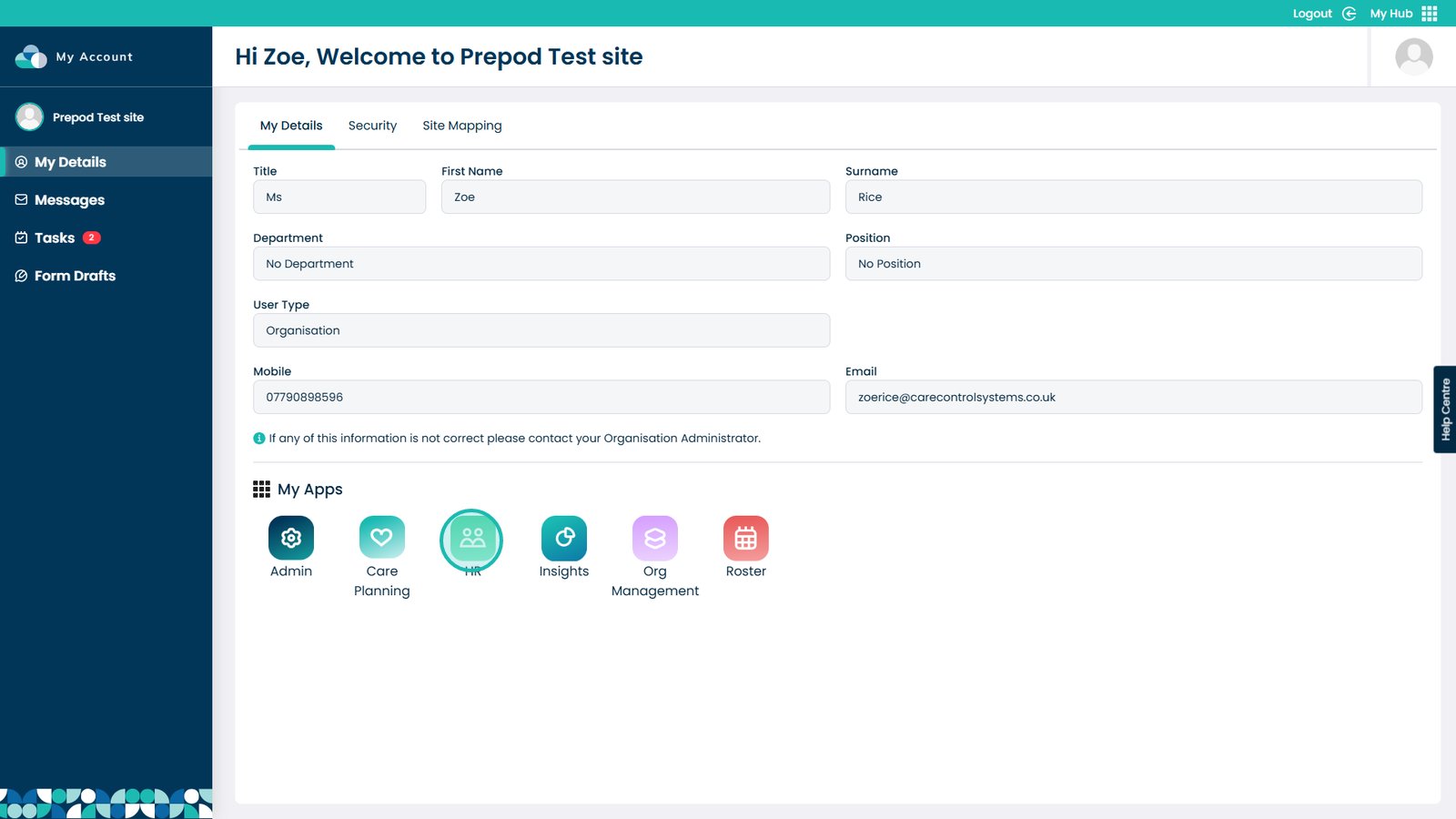
Enter the HR App


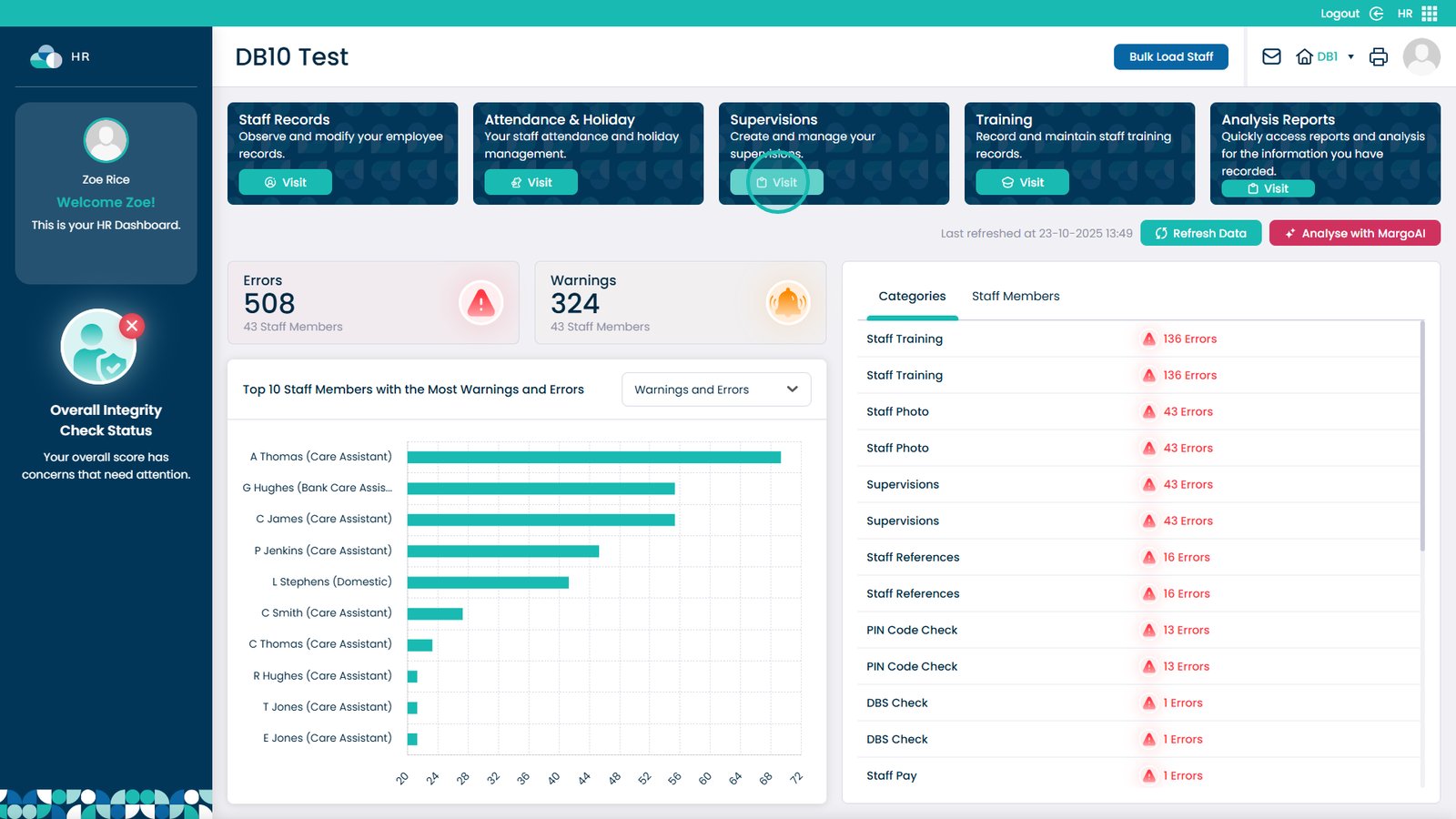
Pick Visit in the Supervisions box


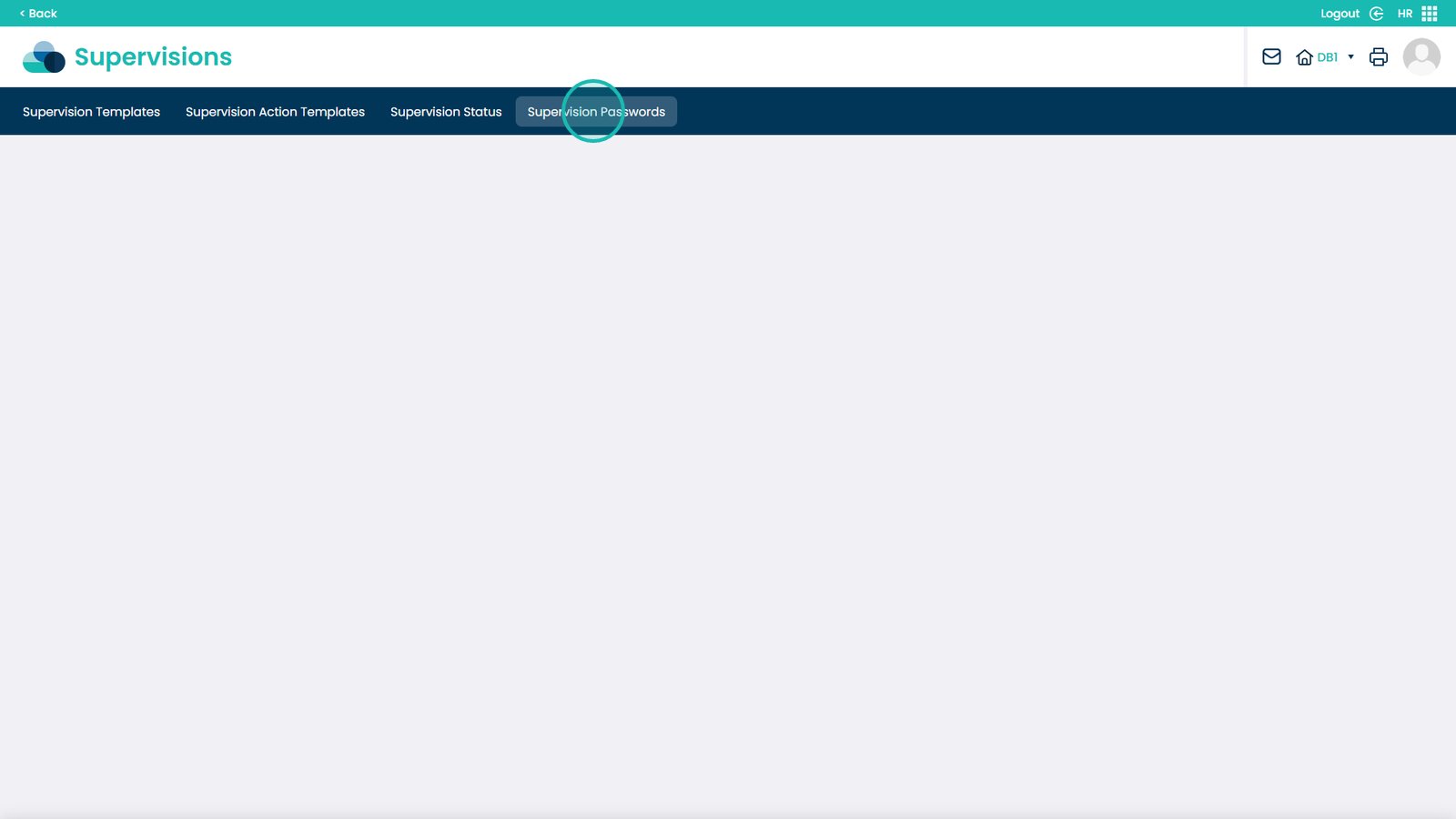
Choose Supervision Passwords from the menu


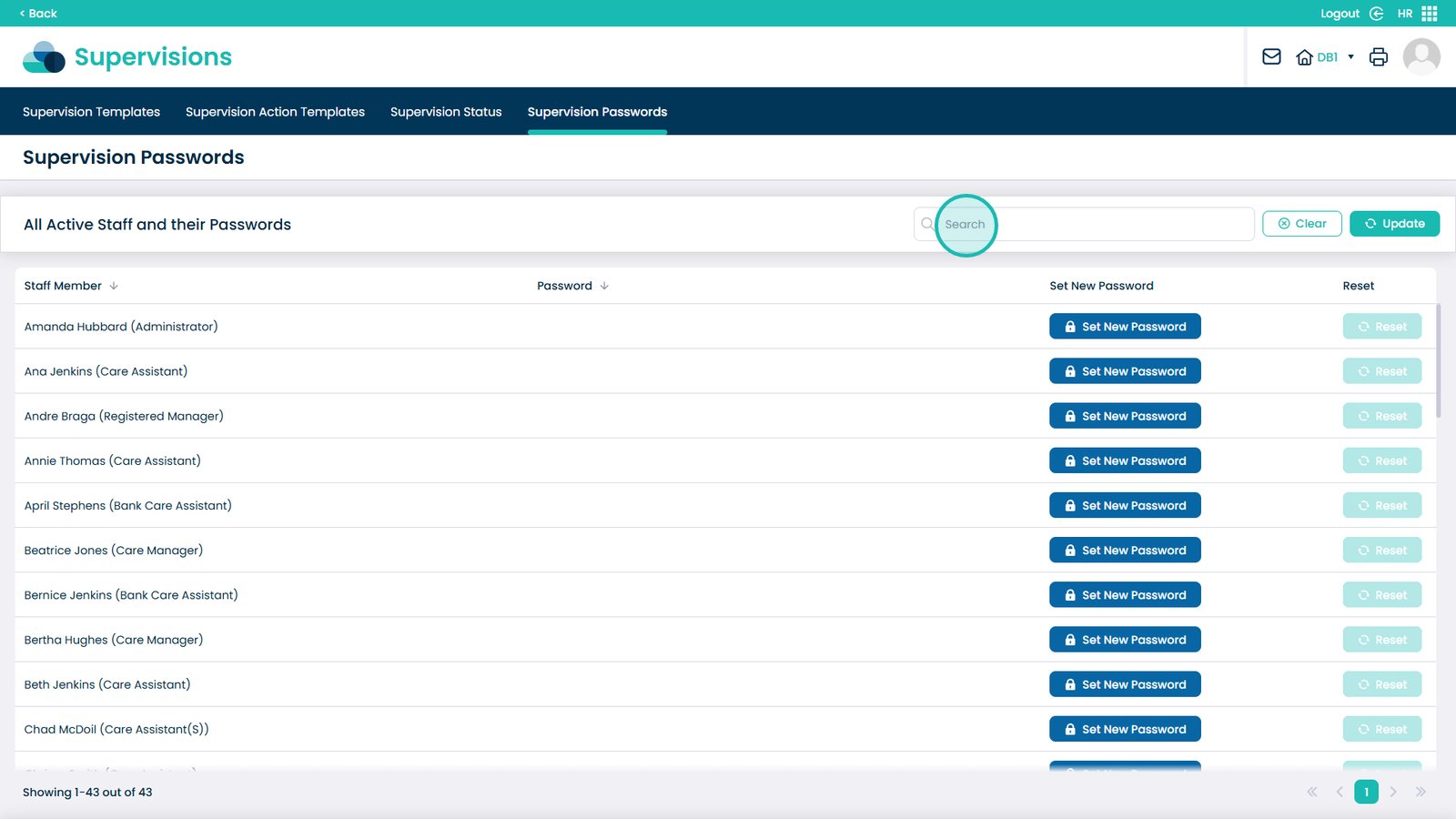
Search to find a specific staff member


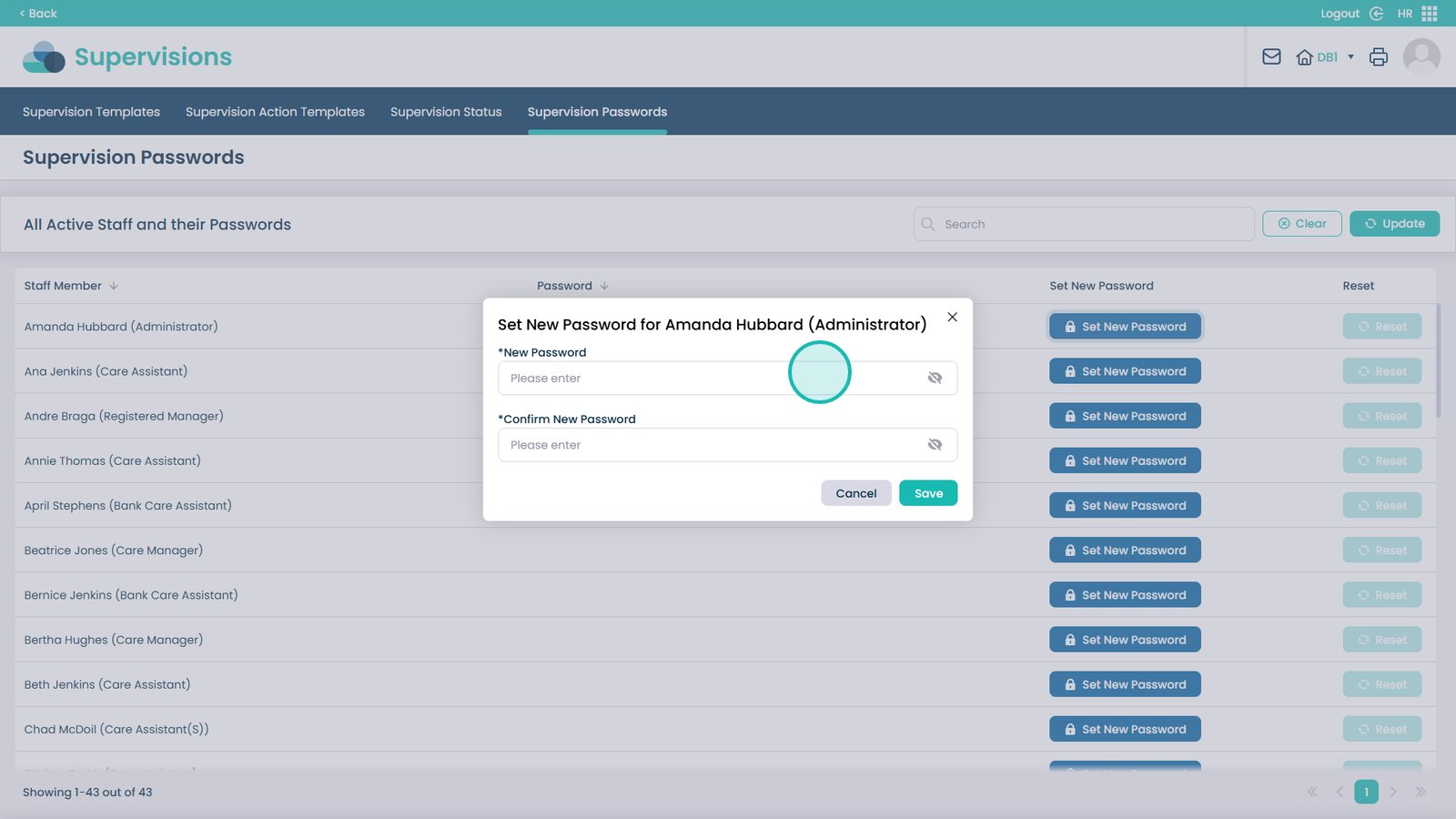
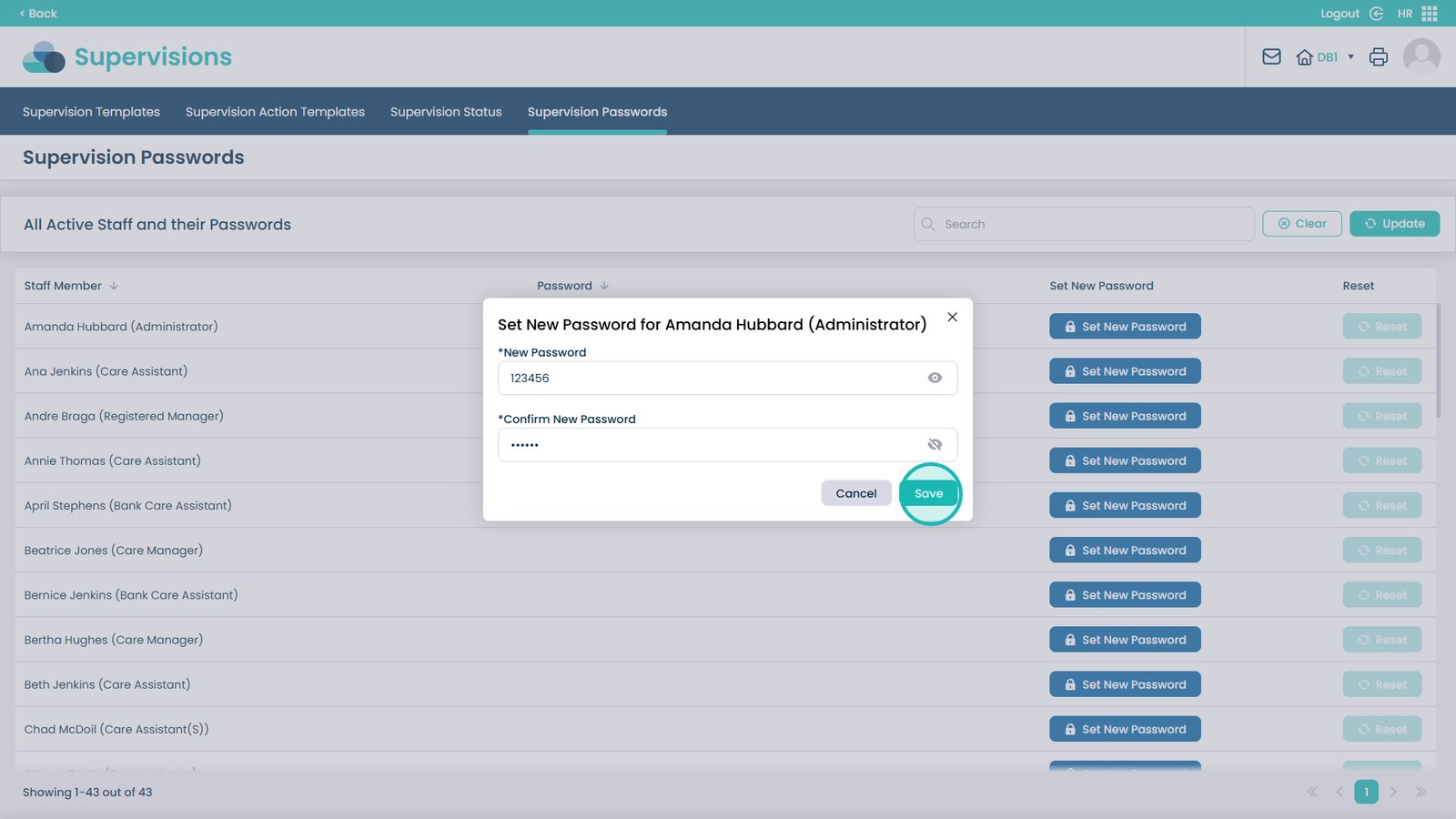
On the staff member, click Set New Password


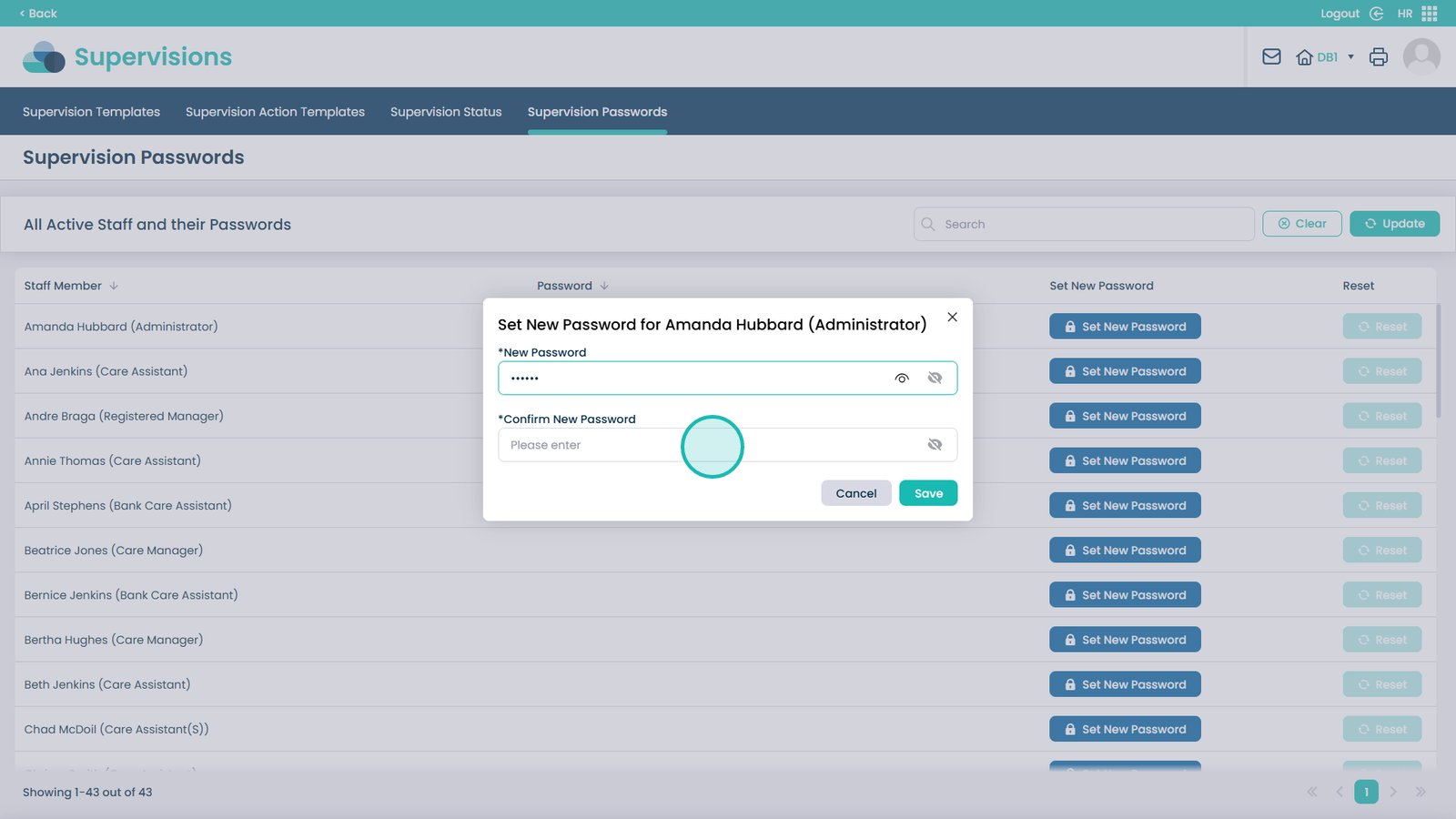
Enter the new password


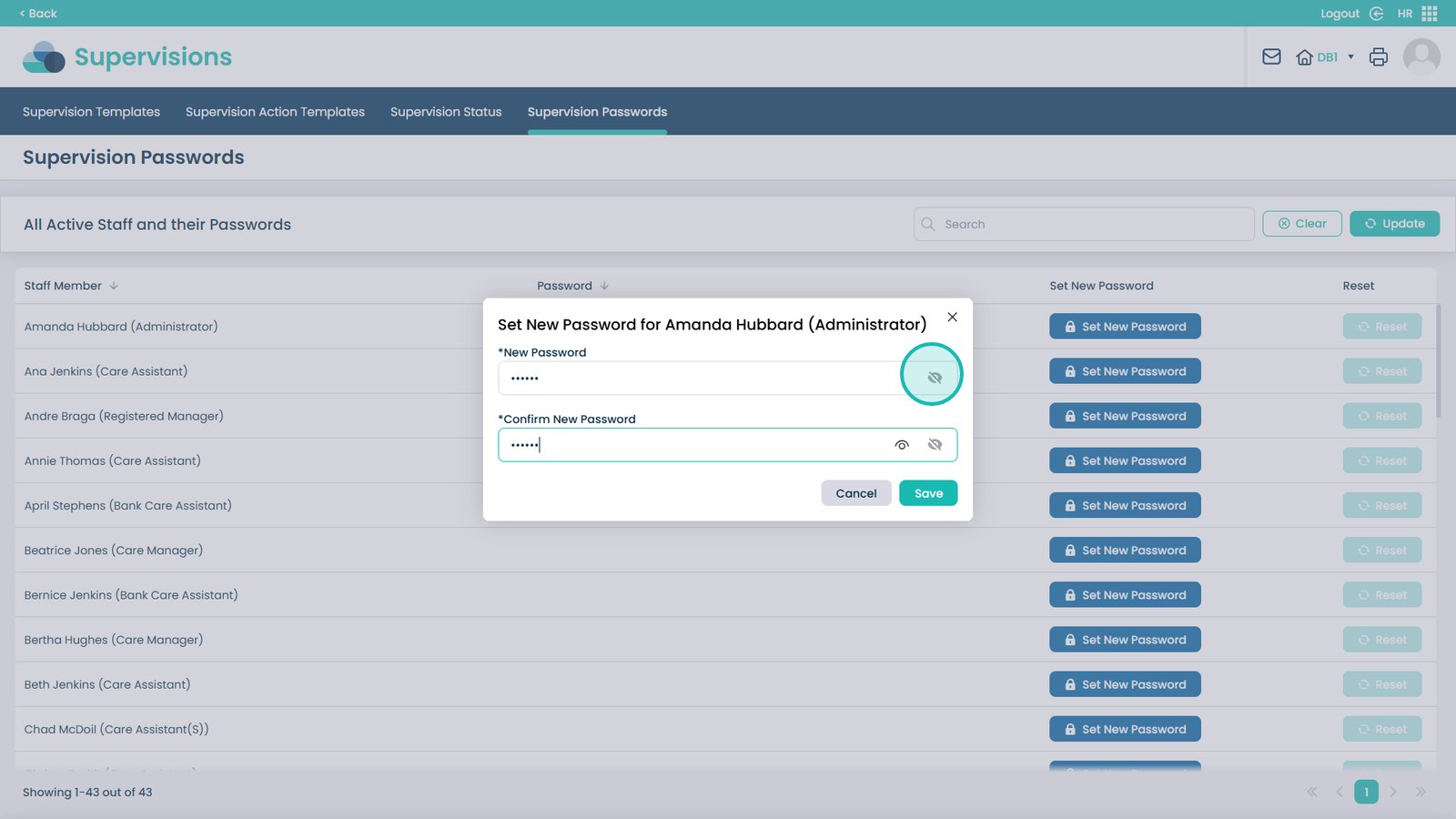
Confirm the password (at least 6 characters)


Use the eye icon to preview the password


Click Save


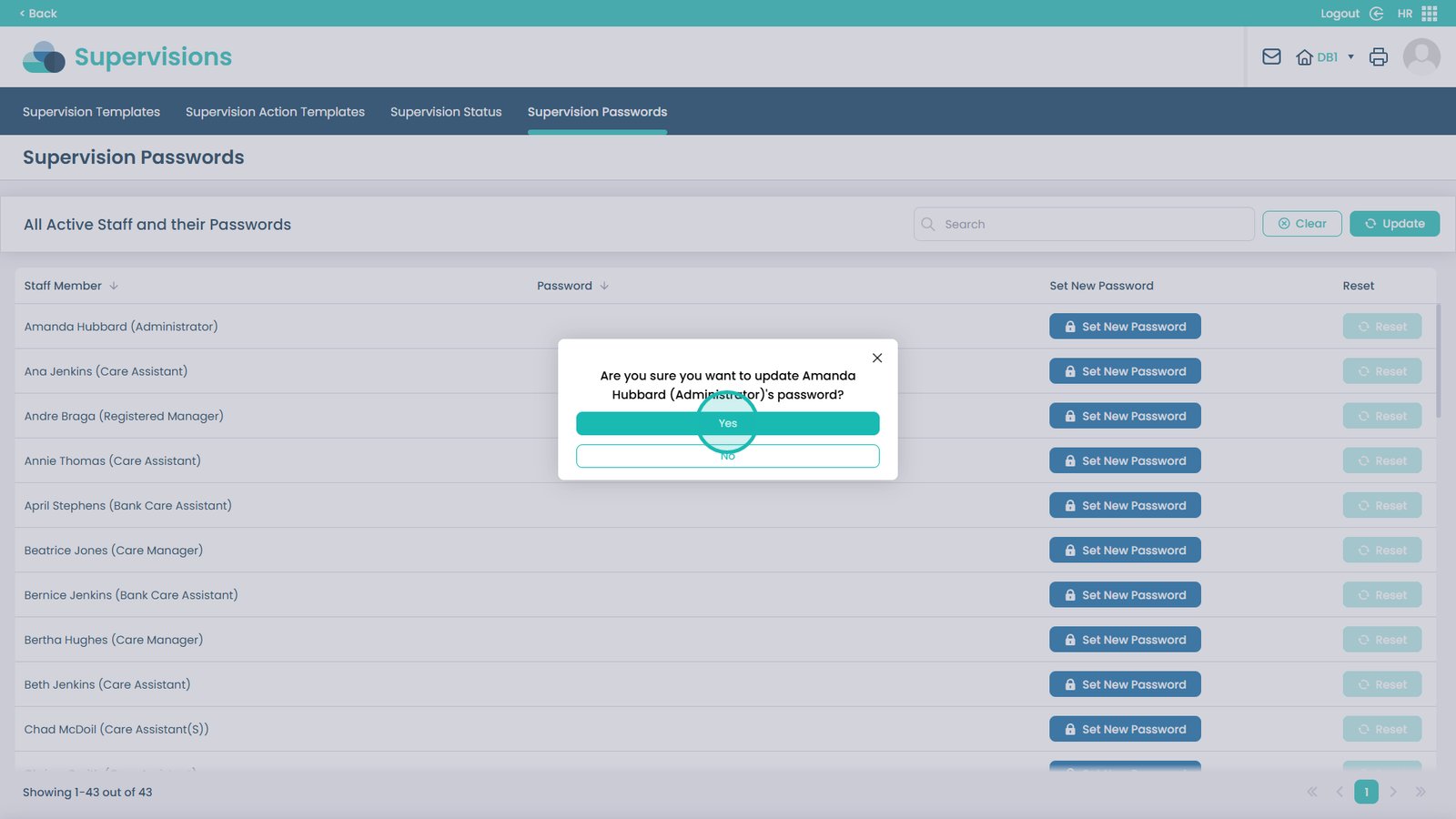
Confirm the change by selecting Yes


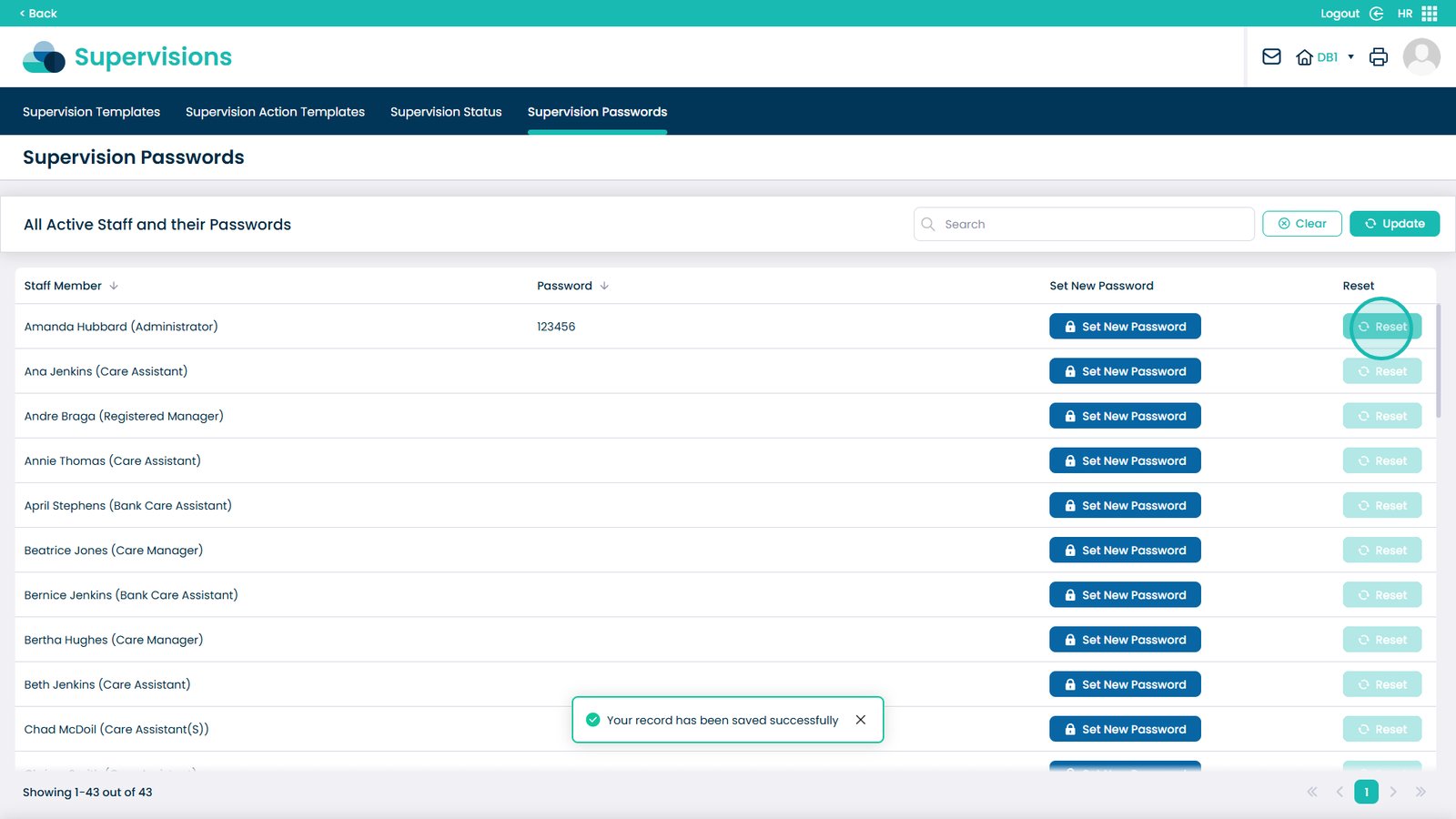
To reset a password, click Reset next to the staff member


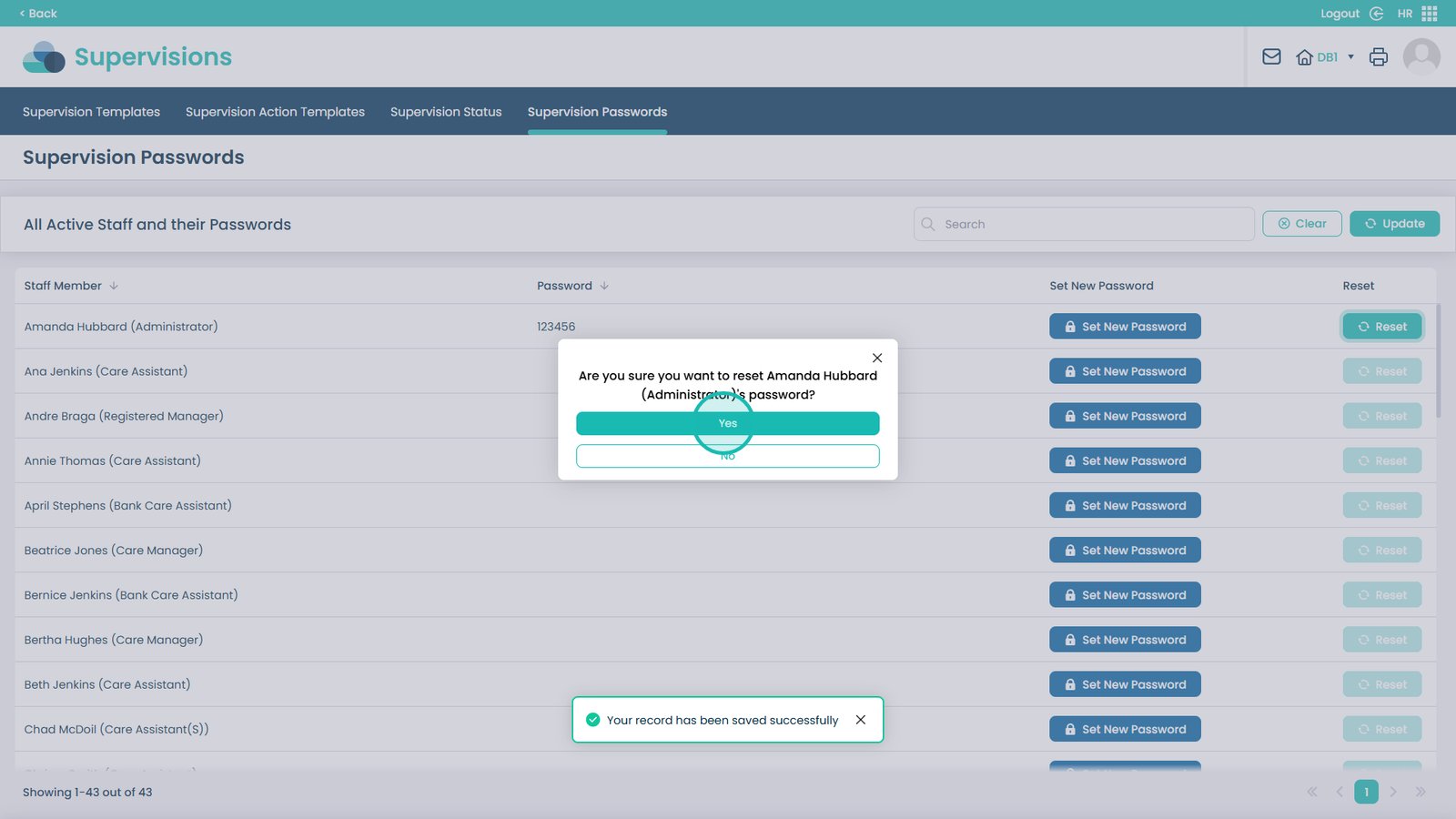
Confirm the reset by selecting Yes

Was it helpful ?
Table of Contents
↑ Top