This guide explains how to review a resident's Care Notes
Takes 1 minute
For: Care Staff
Updated: 19th June 2026
Introduction
Care Notes provide a complete record of daily observations, care interventions, and significant events recorded for a resident. You can filter notes by date range, review detailed entries, and access any supporting attachments linked to individual records.
In this guide you'll learn how to:
Access a resident's Care Notes
Filter notes by date range
View detailed note information
Access attachments linked to a note
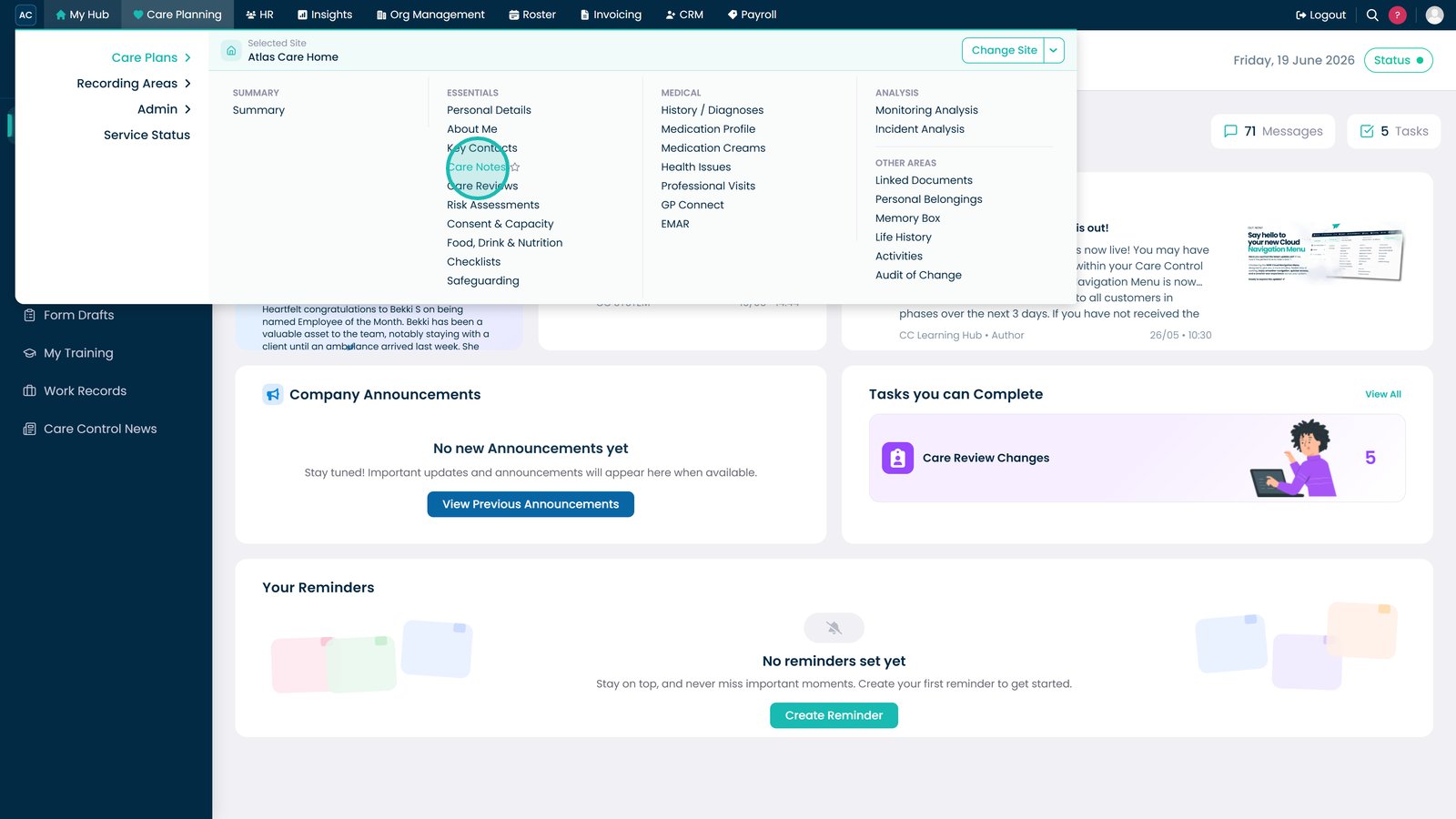
Open Care Notes from the Essentials menu.
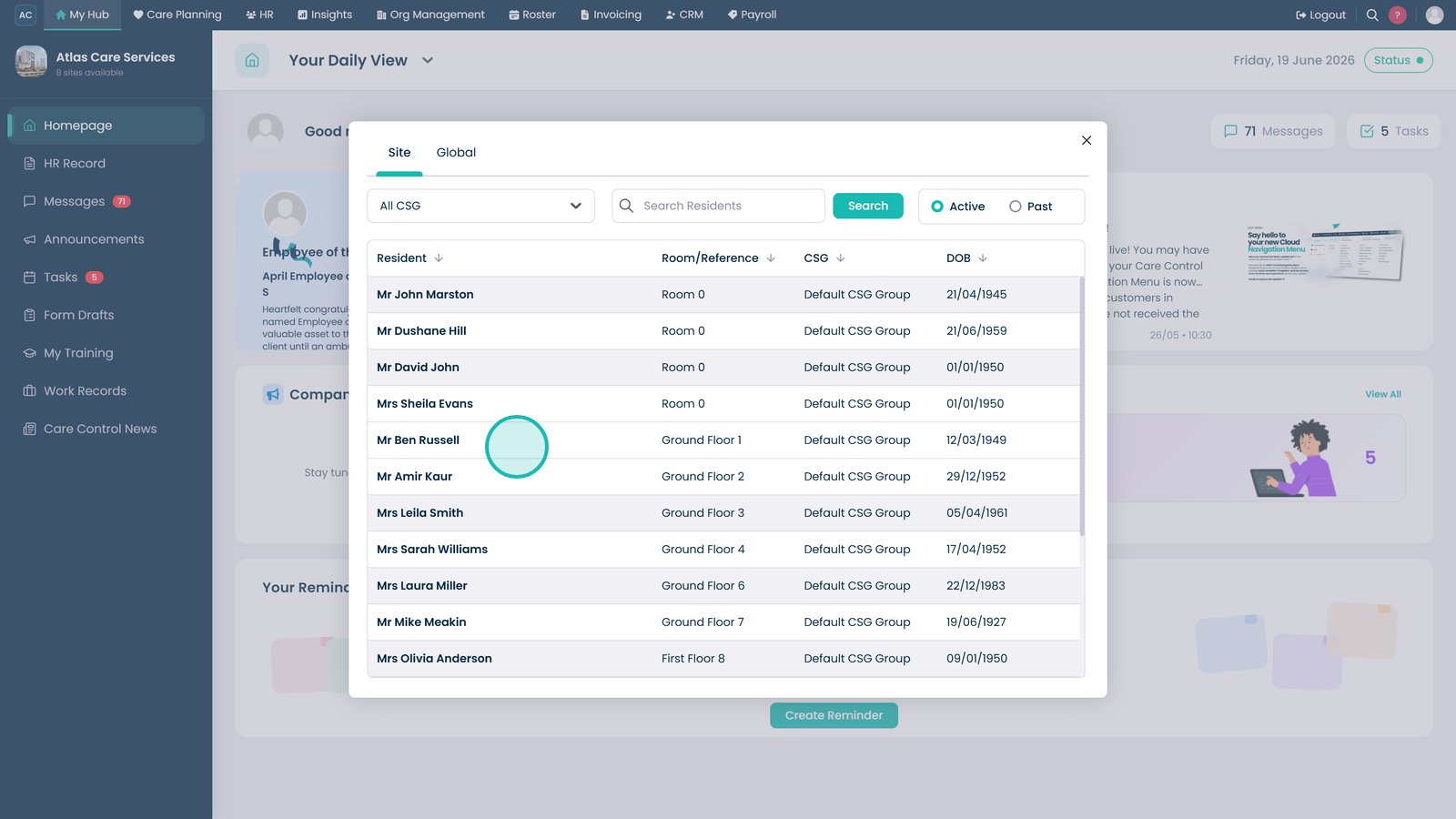
Select the resident whose care notes you want to review.
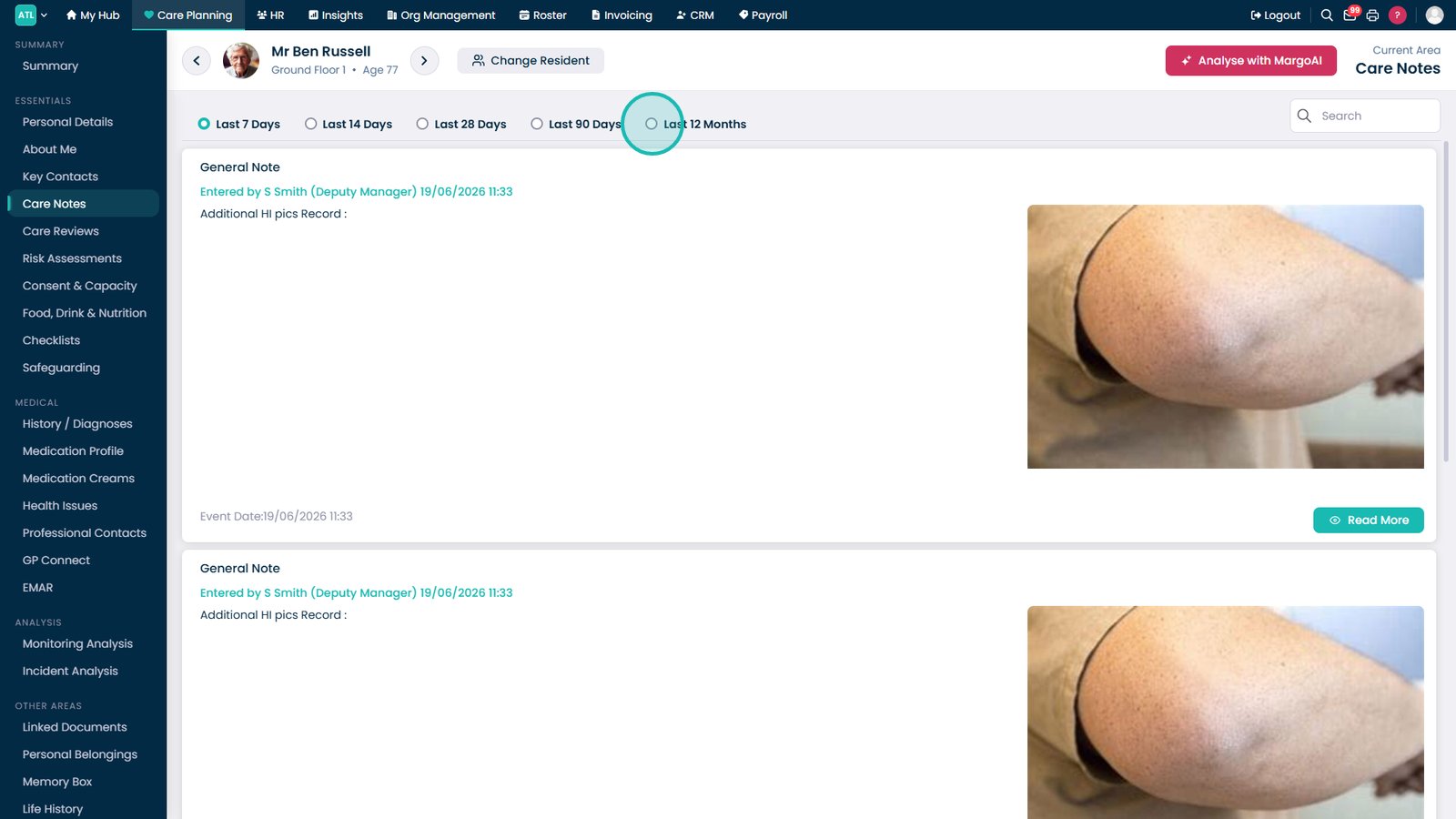
Use the date filter to display notes from a specific time period.
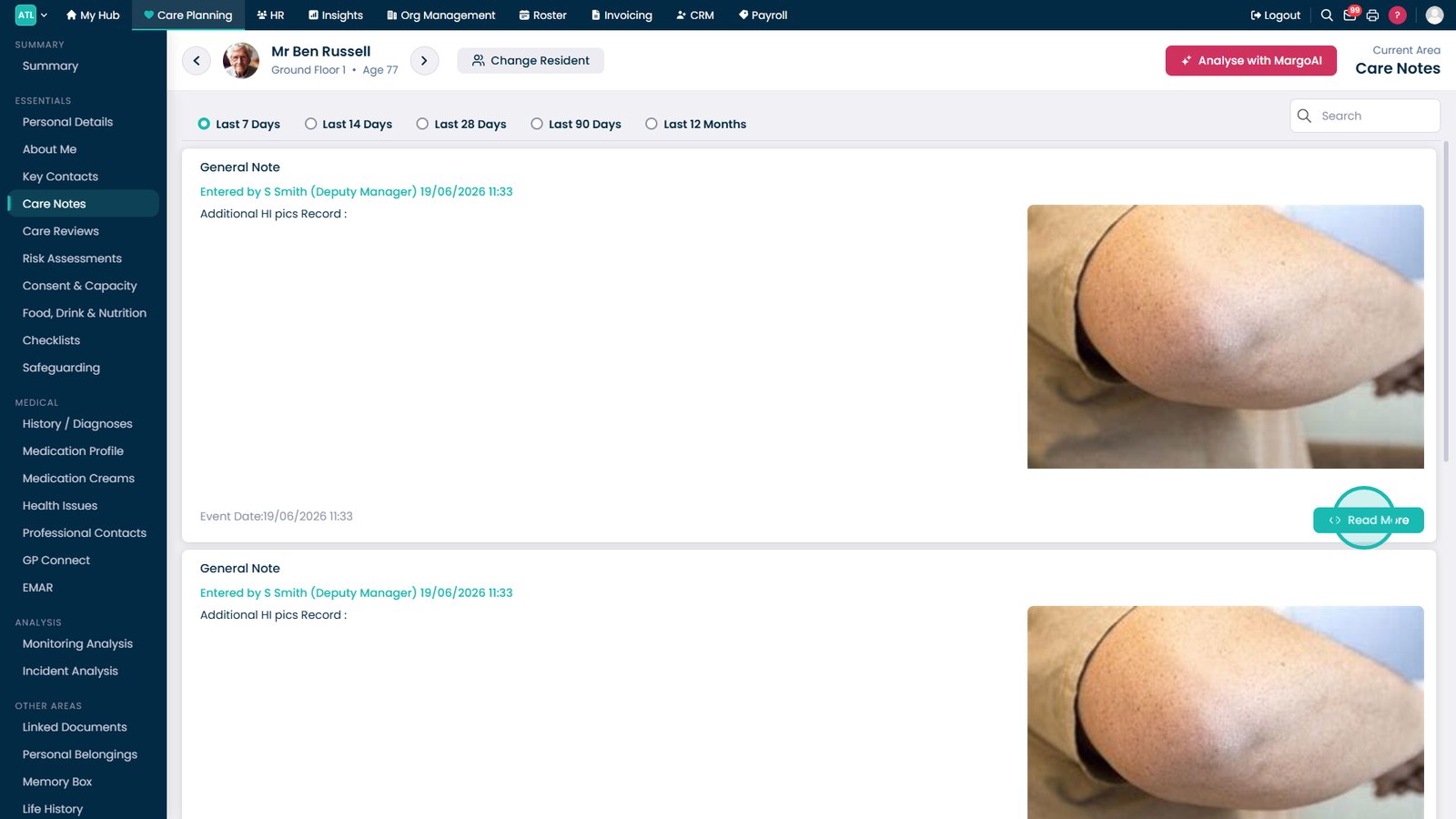
Click Read More to view the full details of a care note.
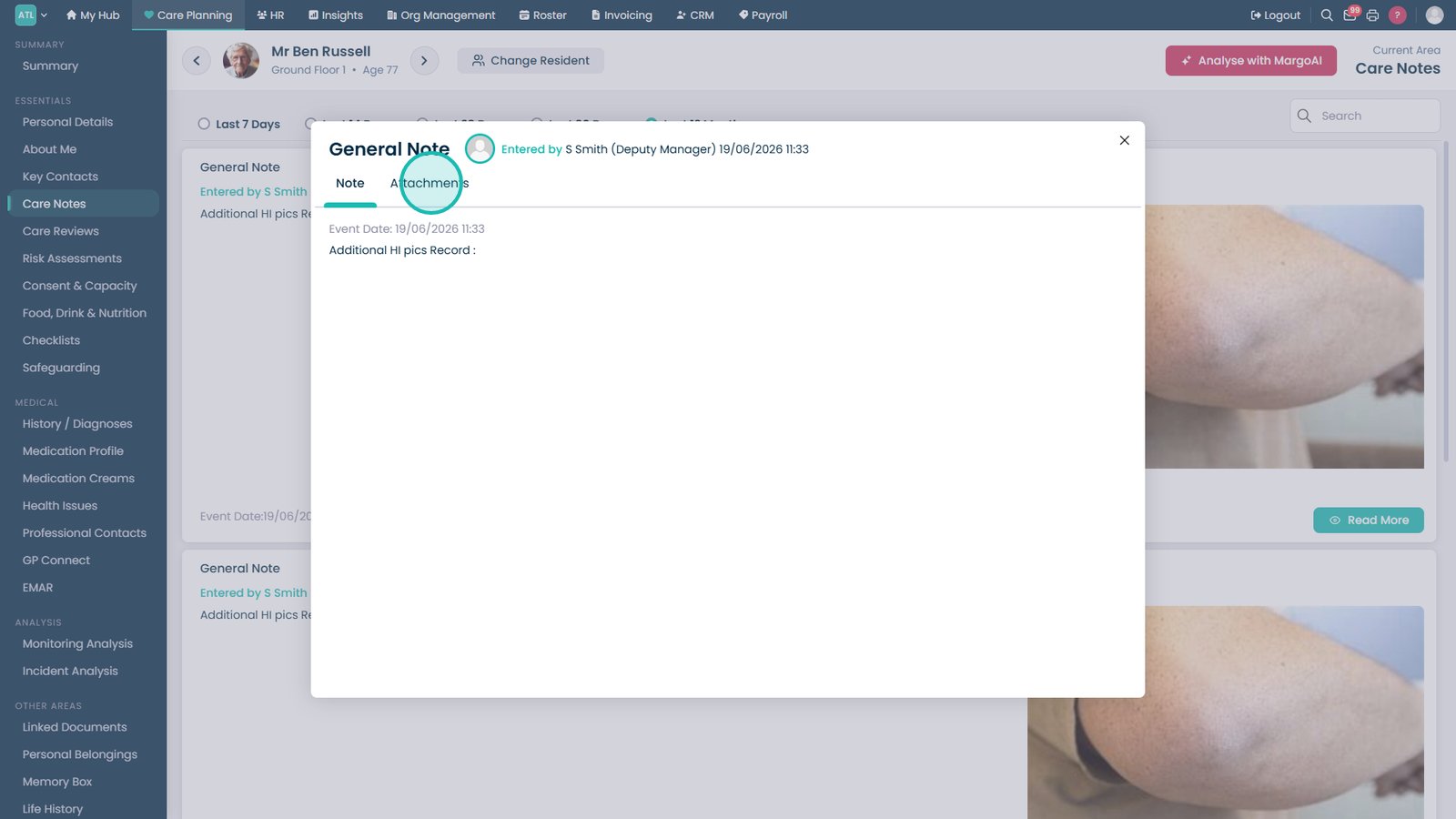
Select the Attachments tab to view any files linked to the care note.
Top tip
Use MargoAI to help analyse care notes for greater understanding of service user needs.