This guide explains how to access and review GP Connect records for a service user.
Takes 2 minutes
For: Seniors
Updated: 23rd June 2026
Introduction
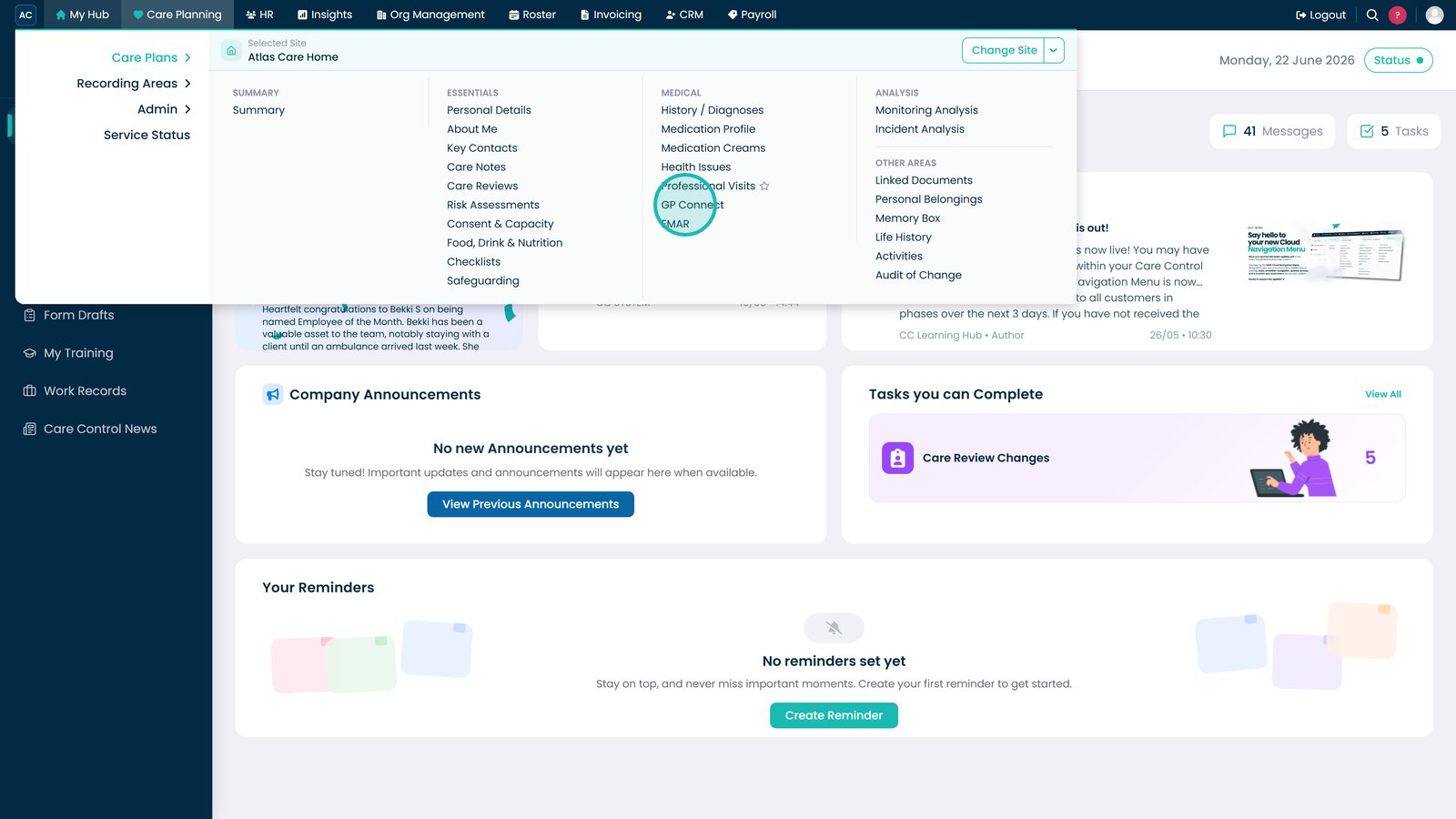
GP Connect allows authorised users to view key information from a resident's GP record directly within Care Control. This helps staff access up-to-date clinical information, medication records, allergies, referrals, immunisations, and other important healthcare data.
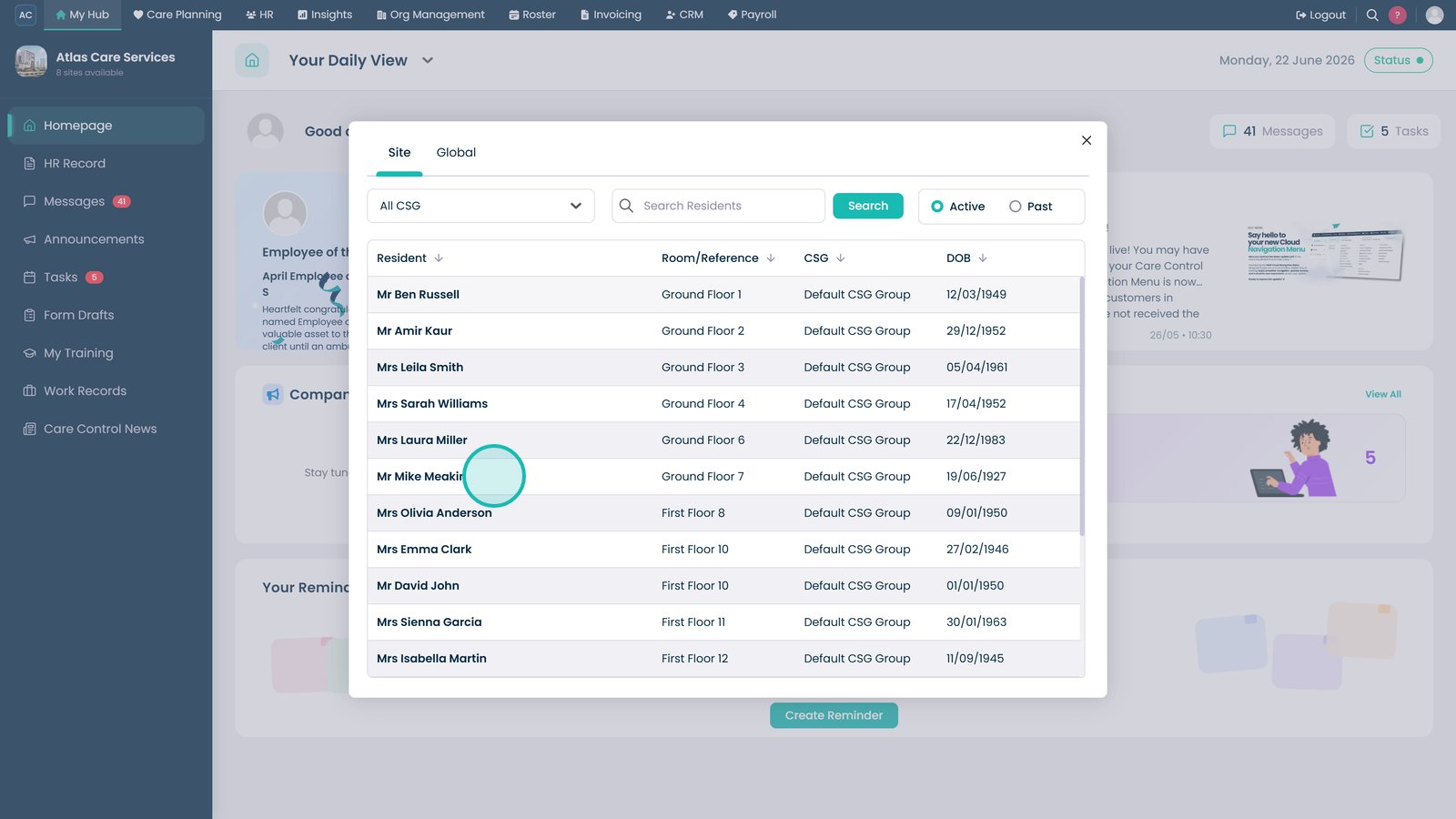
Search for and select the resident whose GP record you want to review.
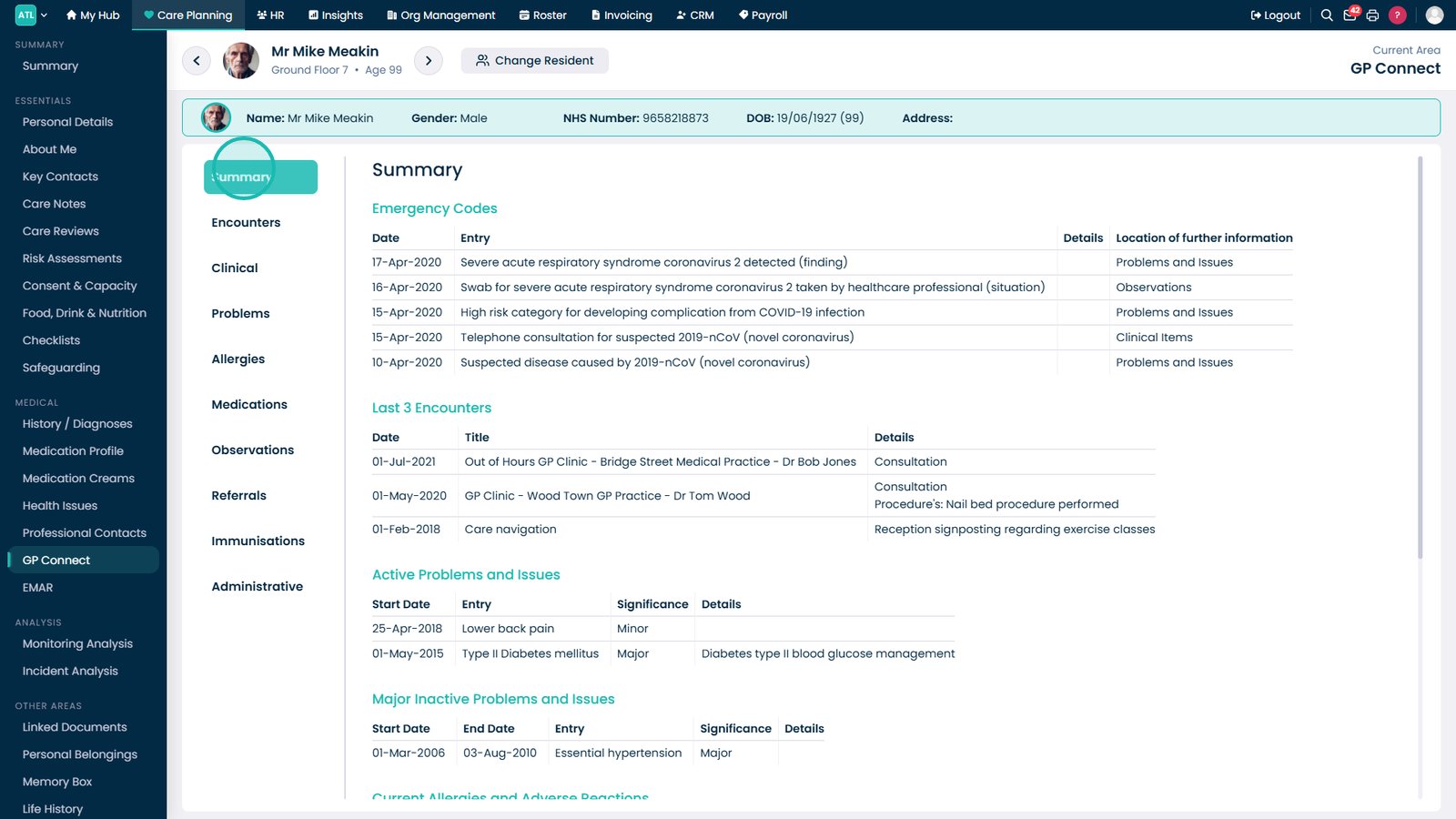
Open the Summary tab to review key information from the resident's GP record.
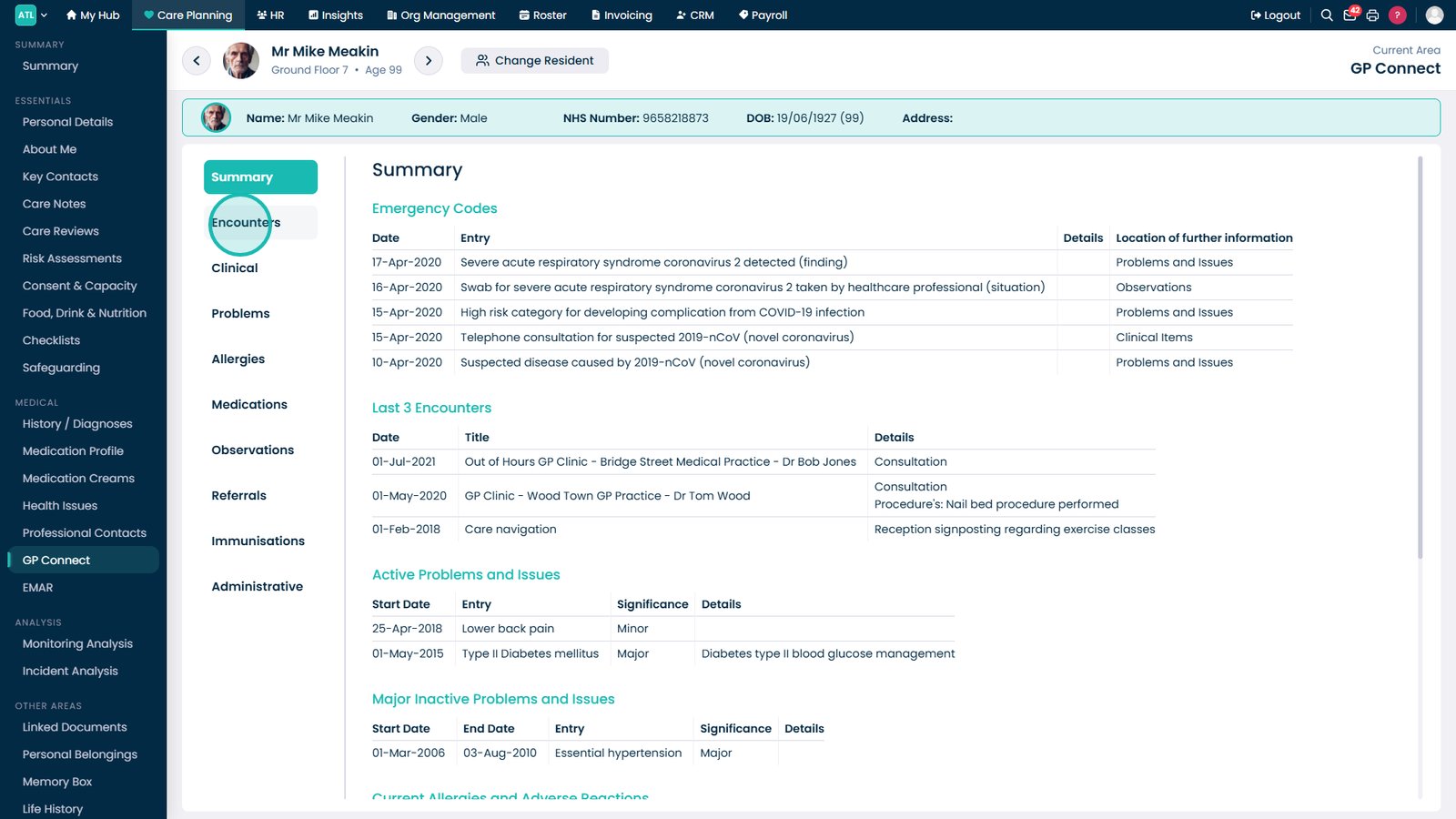
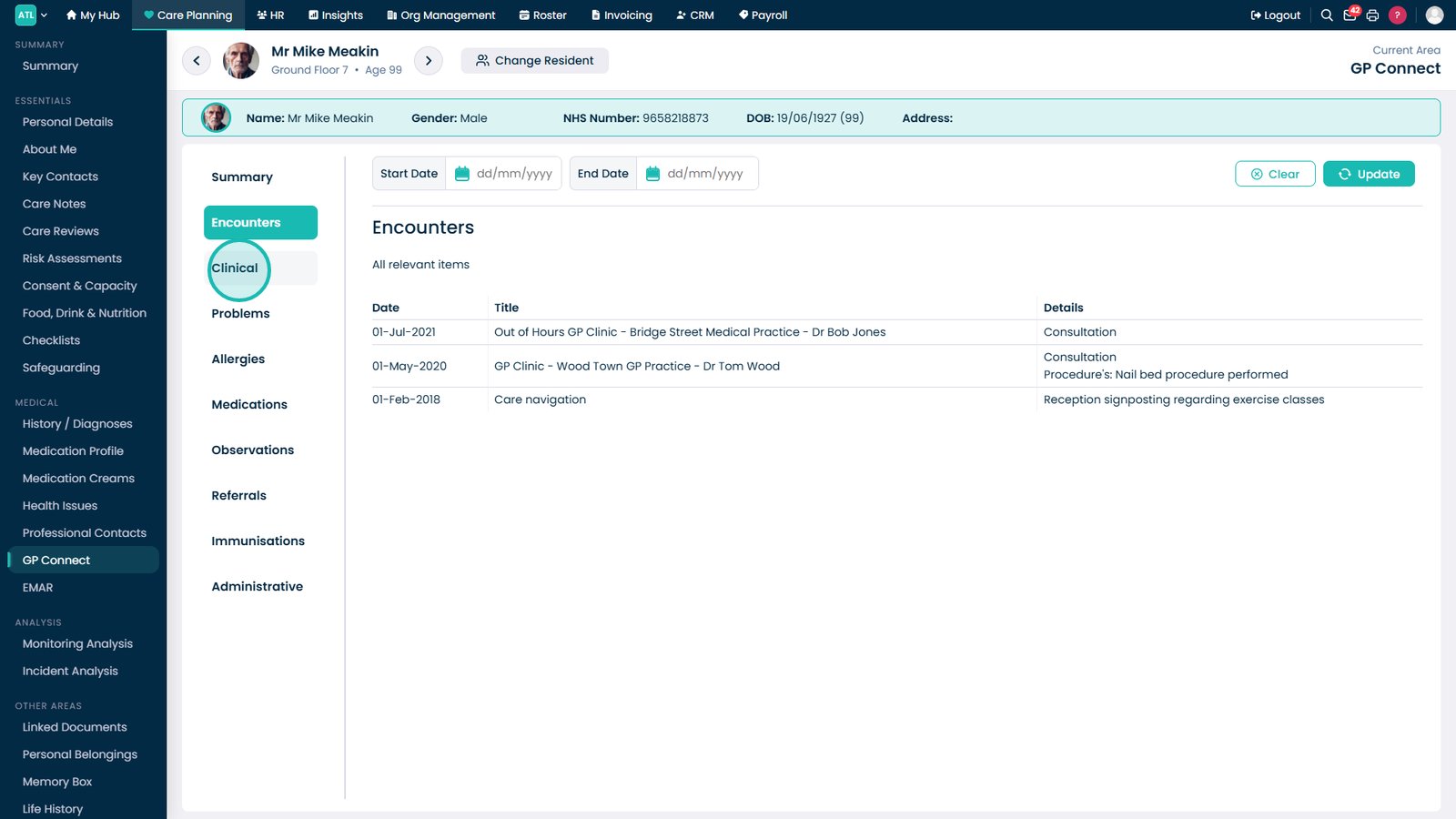
Select Encounters to review clinical visits and recent interactions.
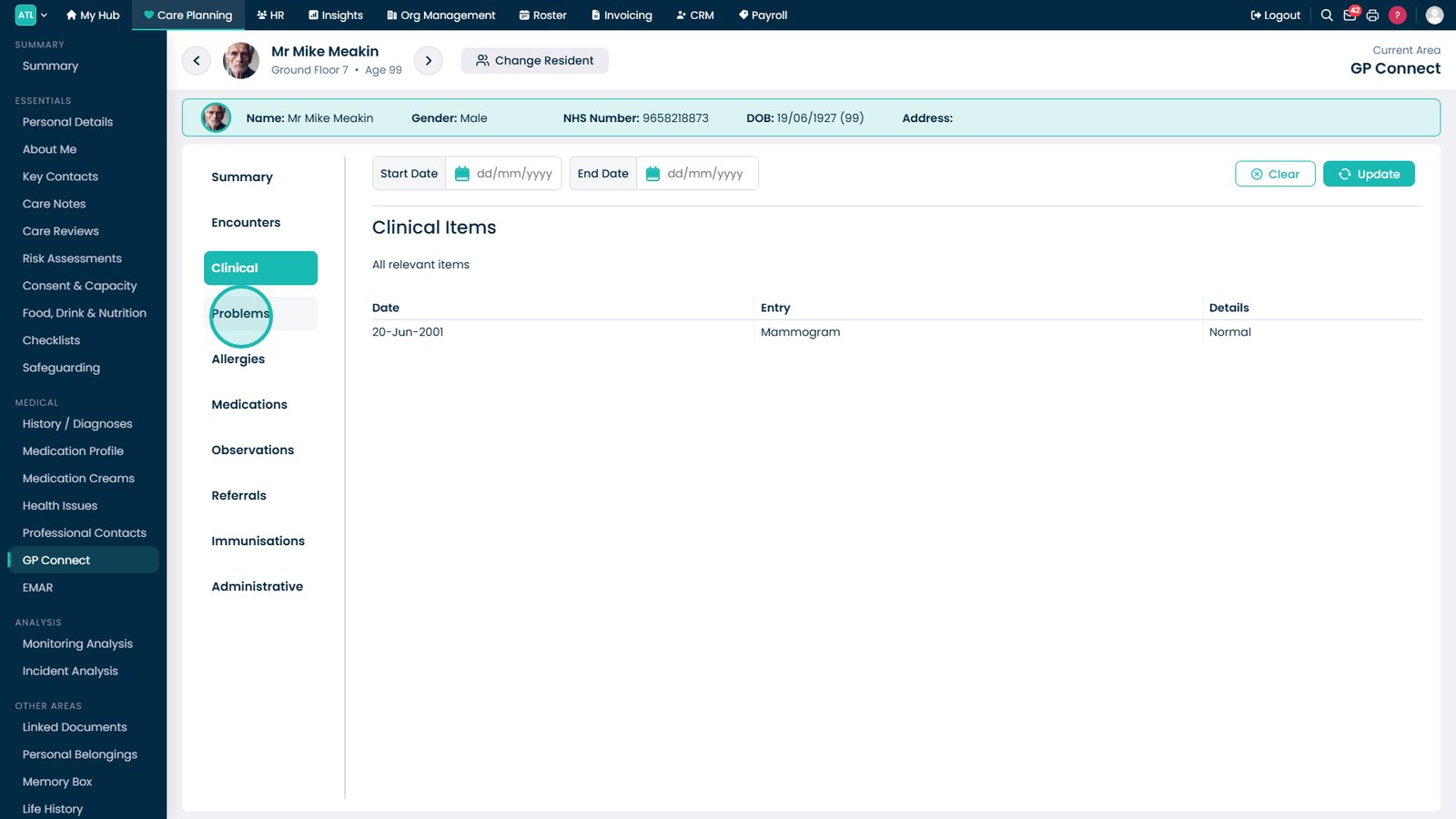
Open Clinical to view diagnoses, procedures, and other clinical records.
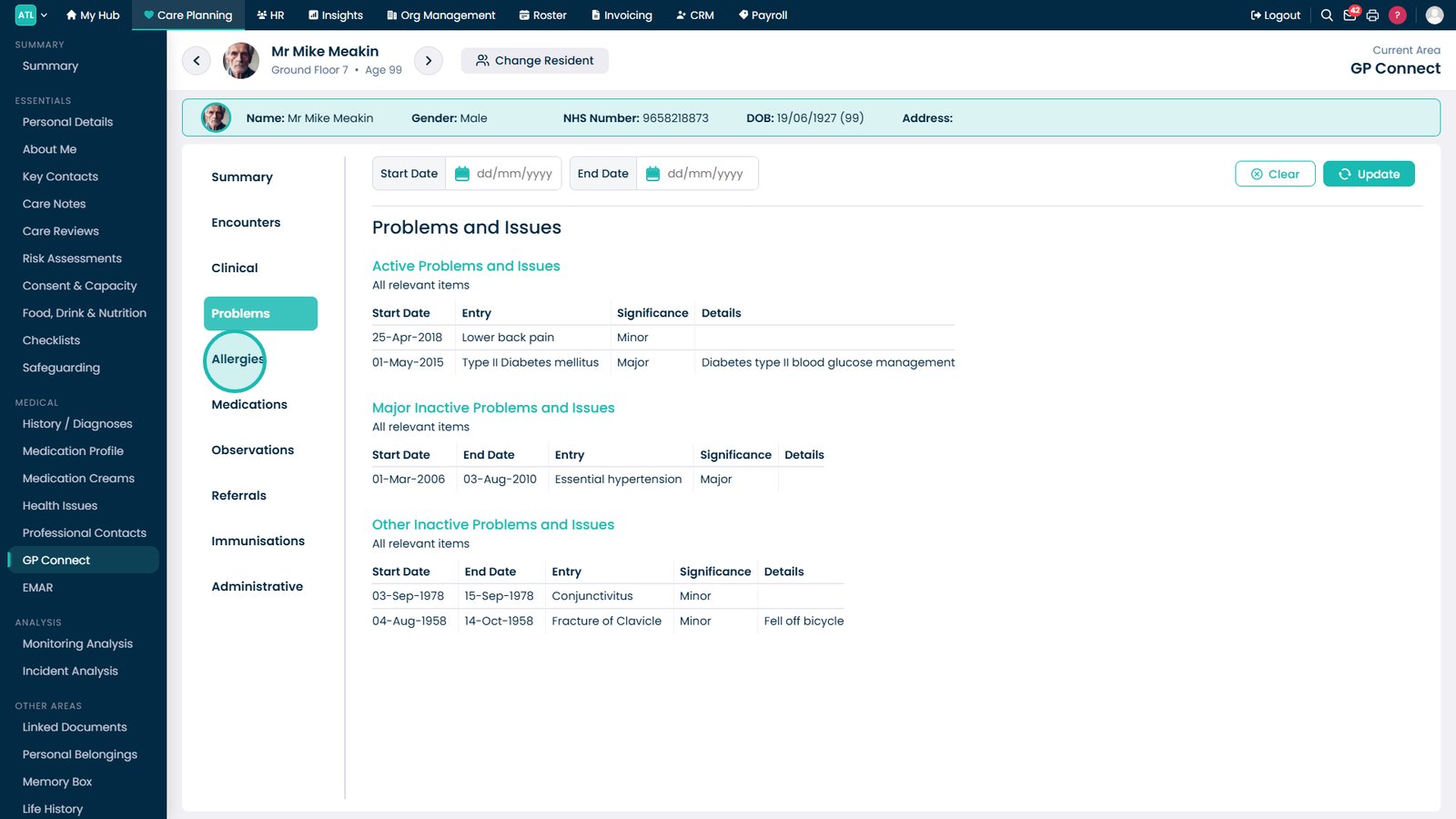
Select Problems to review active and historical health conditions.
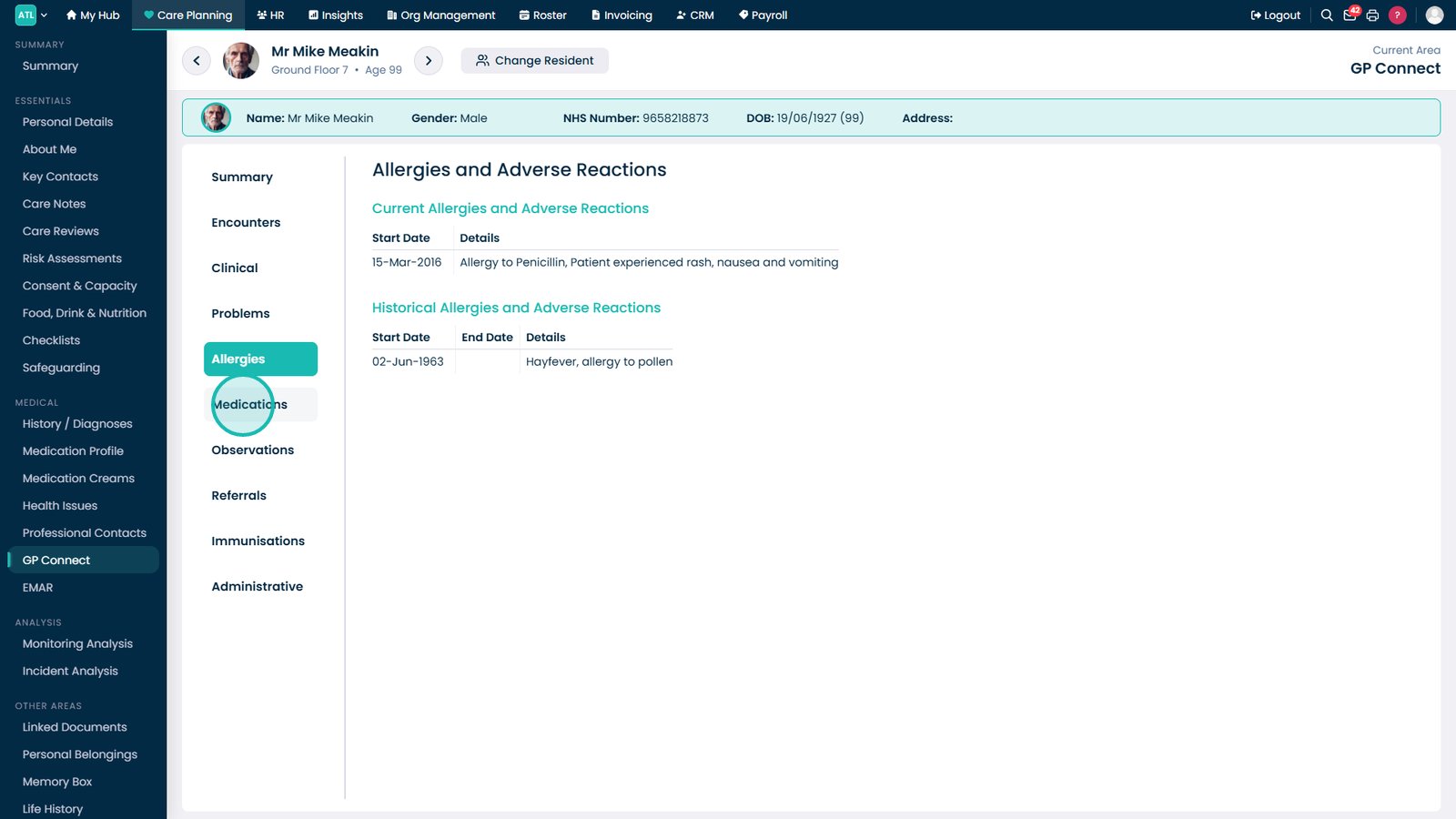
Open Allergies to view known allergies and adverse reactions.
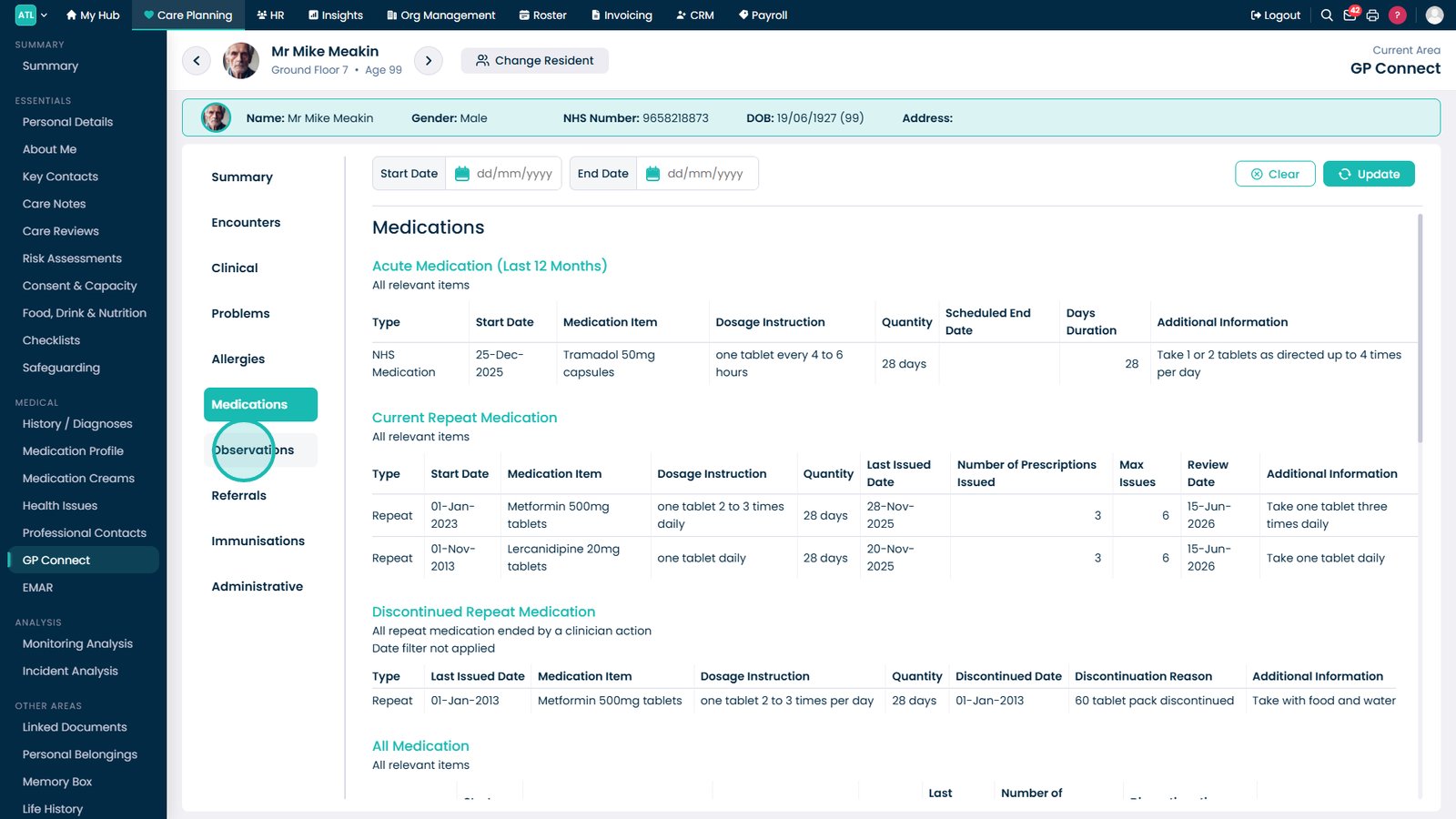
Select Medications to review current and historical prescriptions.
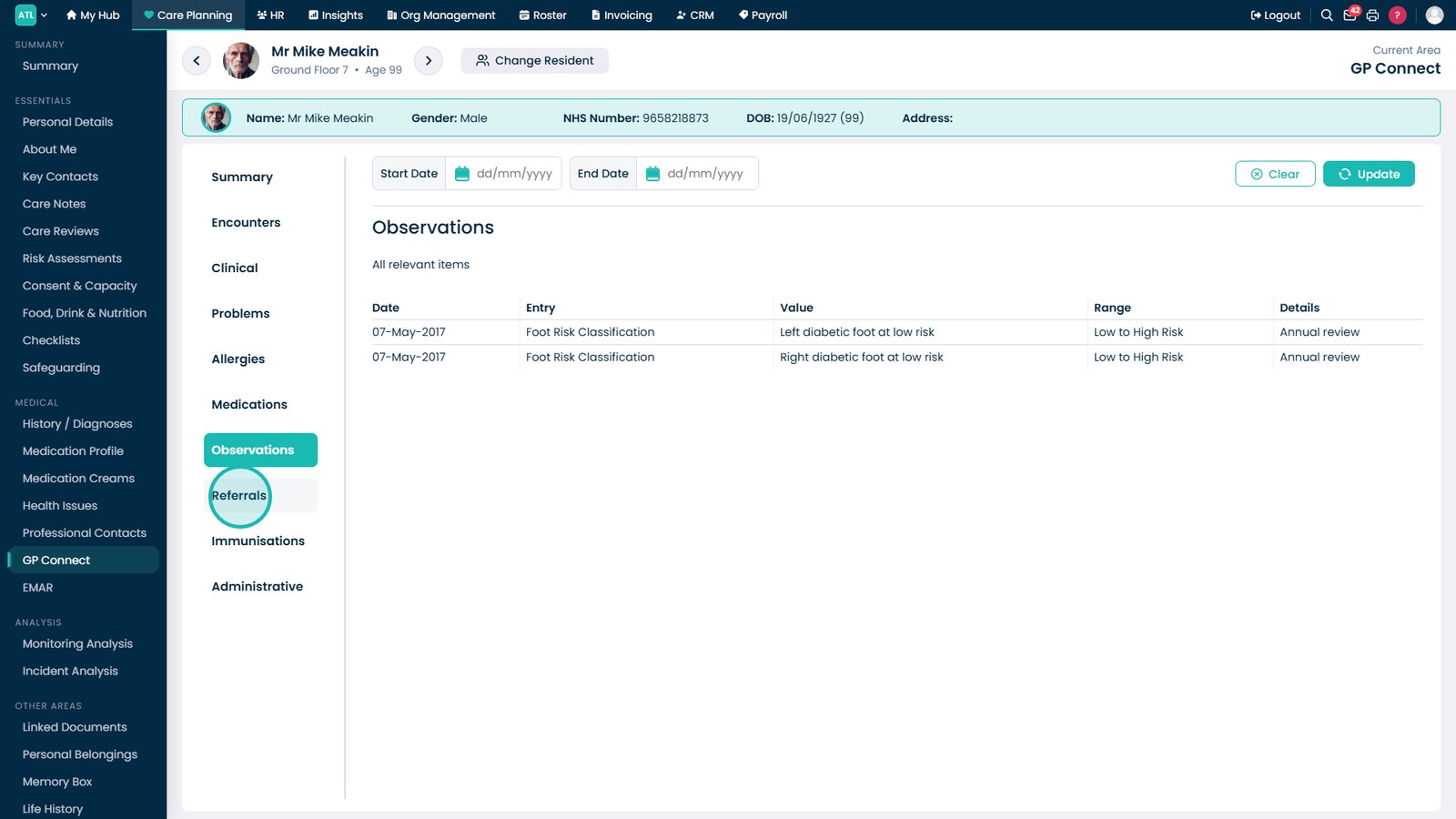
Open Observations to review vital signs and clinical measurements.
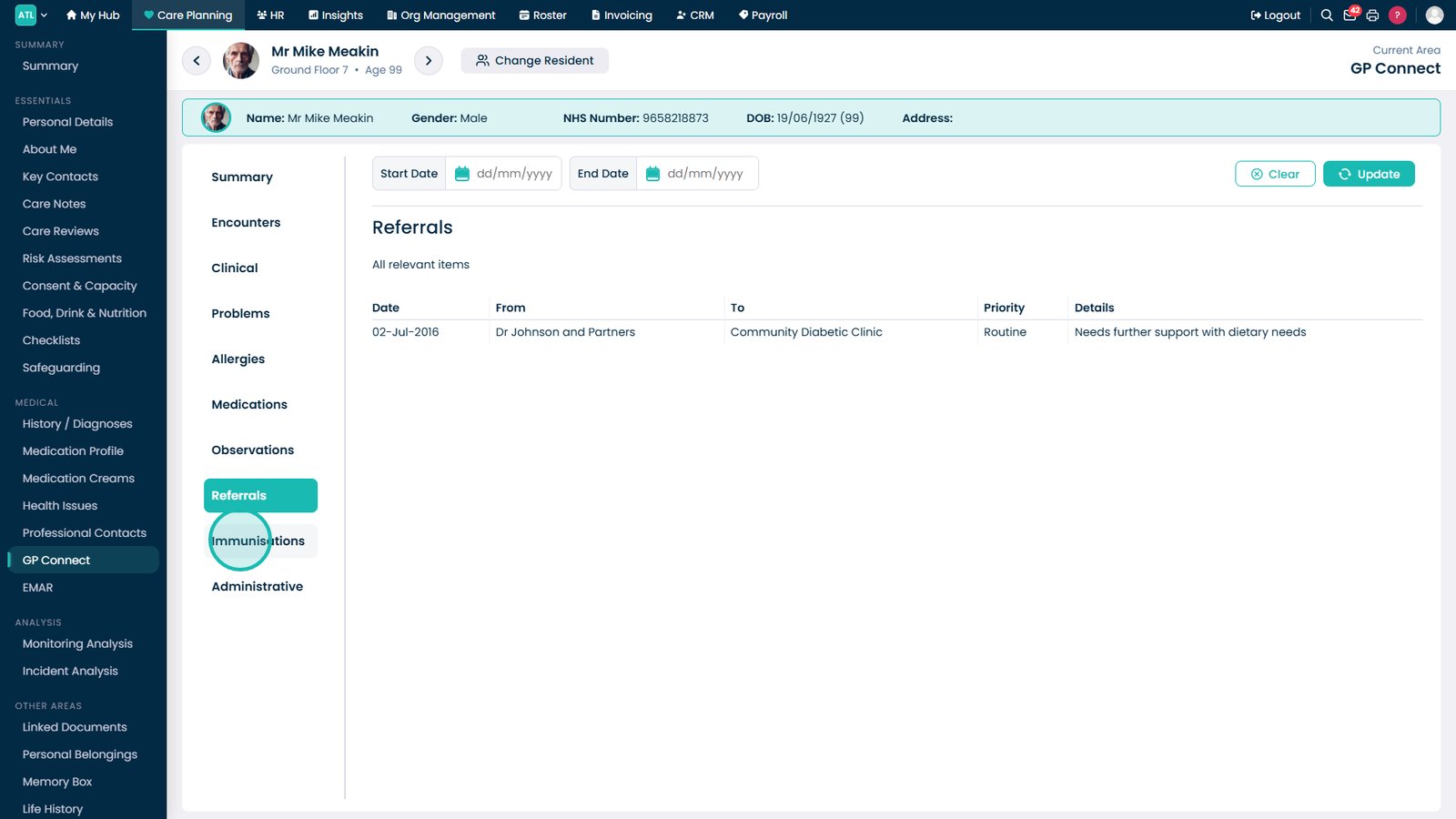
Select Referrals to review specialist and service referrals.
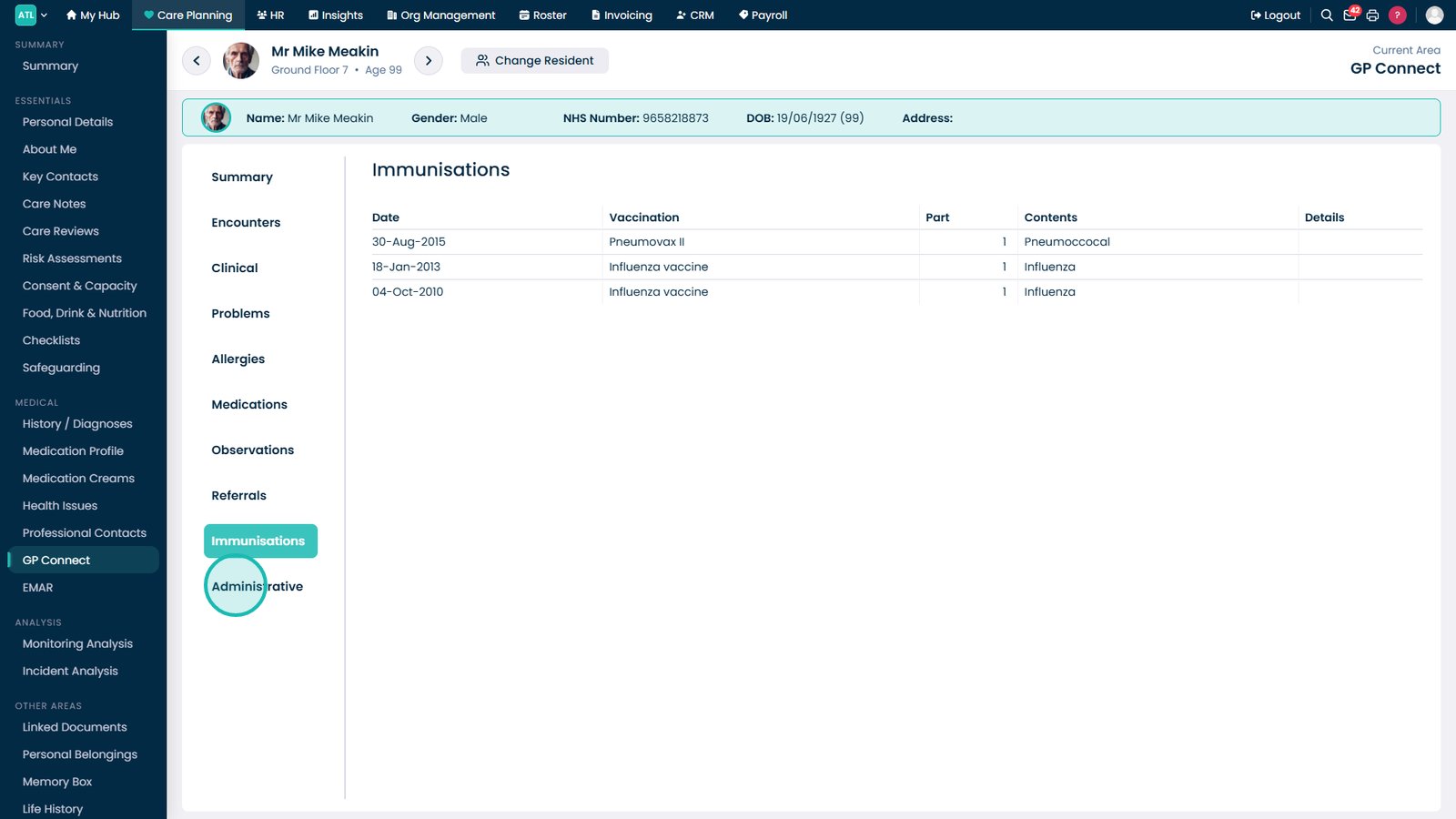
Open Immunisations to review recorded vaccinations.
Select Administrative to view letters, documents, and other administrative records.
Top tip
Use the different GP Connect tabs to quickly navigate between clinical records, medications, allergies, and observations without needing to leave the resident's profile.