If you experience any issues with the system, or require support from our Customer Service team, please let us know by submitting our Customer Contact Form and we’ll be happy to help. Click here to access the form.
View Categories
How to View Professional Visits
This guide explains how to review professional visit records for a resident.
Takes 2 minutes
For: Everyone
Updated: 8th June 2026
Introduction
The Professional Visits section stores a history of all professional contacts recorded against a resident. This allows staff to quickly review discussions, appointments, recommendations and follow-up actions from healthcare professionals and external services.
In this guide you'll learn how to:
Access professional visit records
Locate records for a specific resident
Search through professional contacts
Review visit details, outcomes and actions
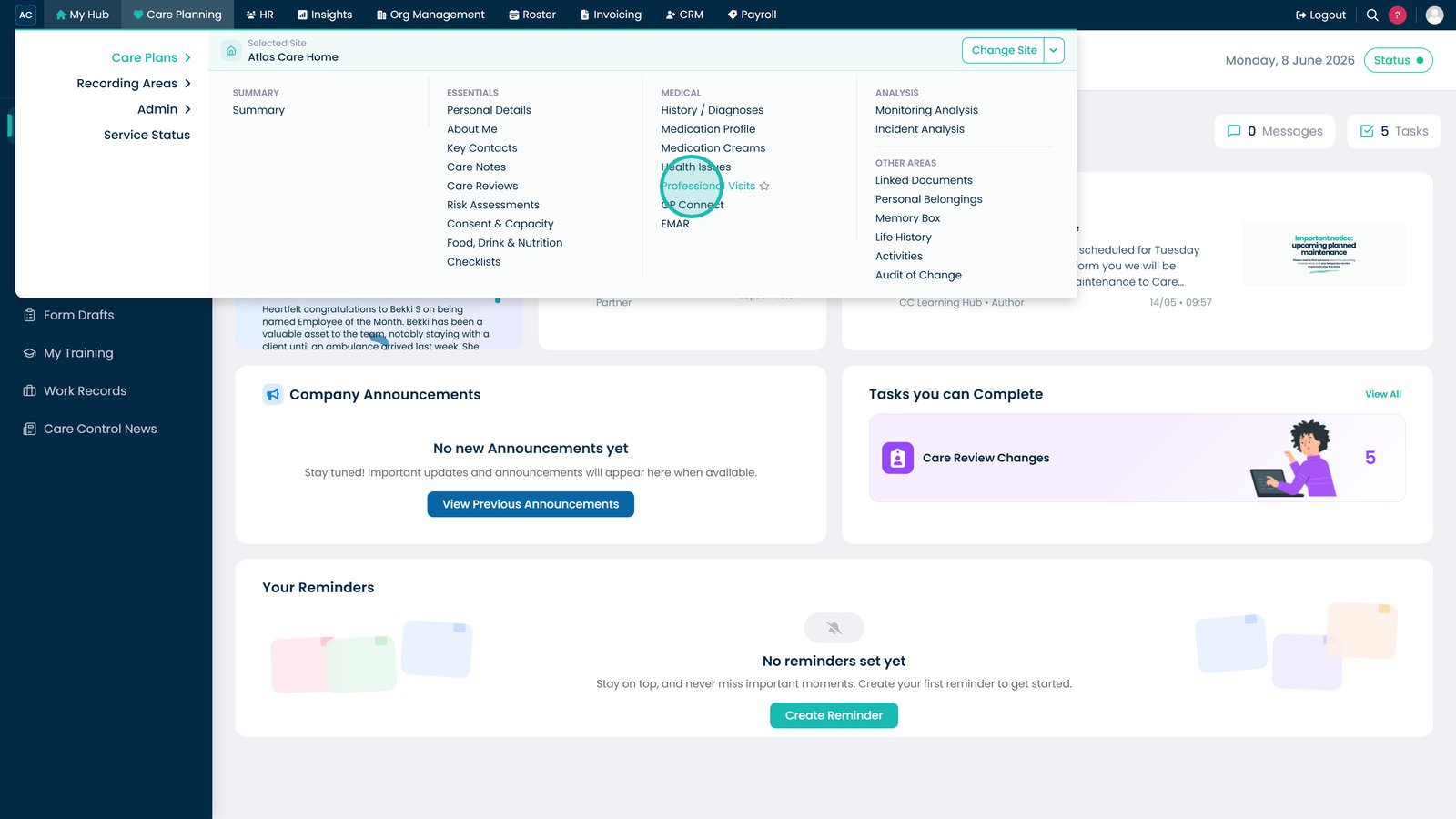
Open Professional Visits to access resident contact records.
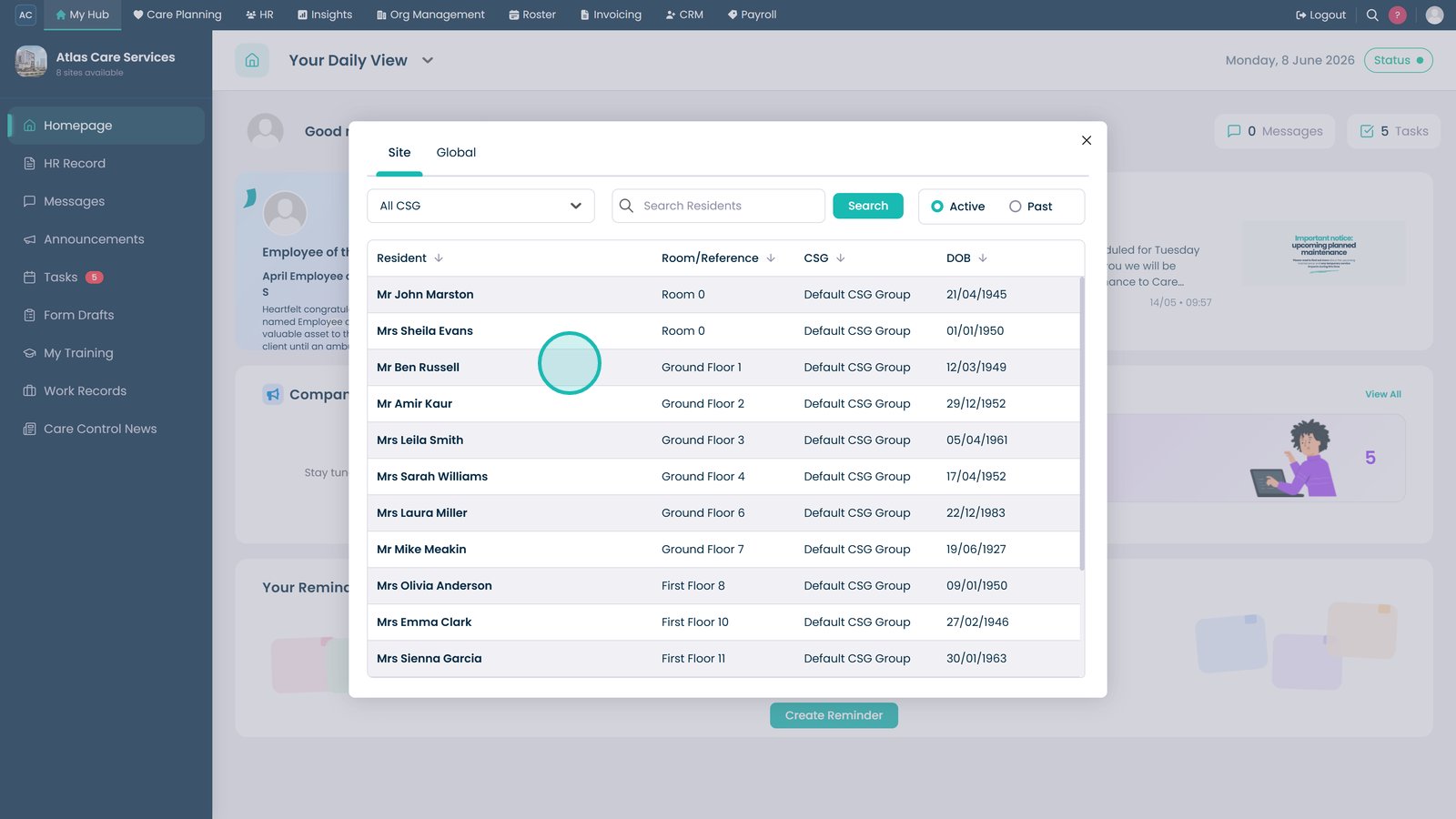
Select the resident whose professional visit records you want to review.
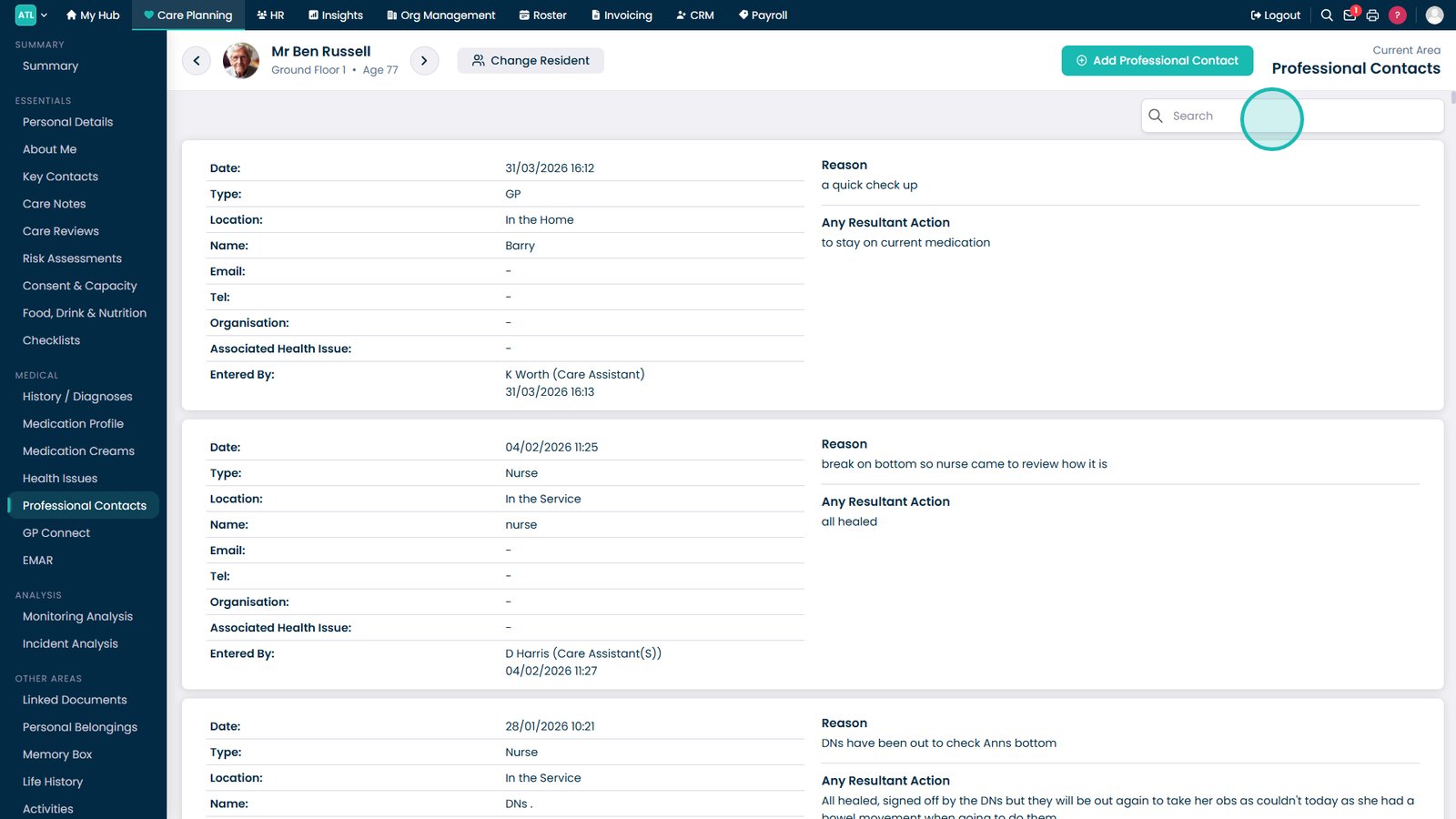
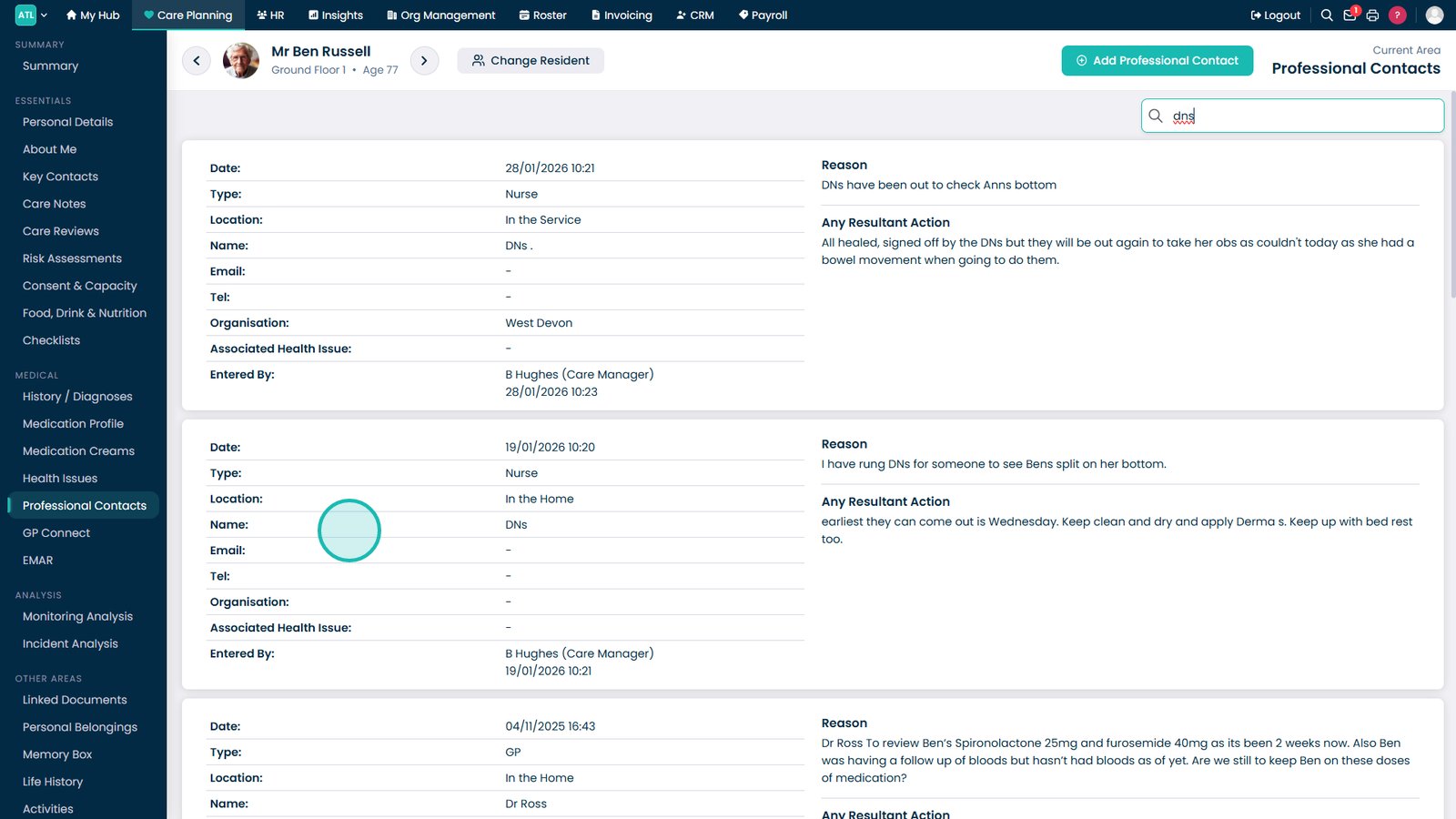
Use the search box to find specific contacts, visits or professionals.
Review the full visit record, including the reason for contact, professional advice and any resulting actions.
Top tip
Use the search bar when reviewing residents with a large number of professional contacts to quickly find specific visits or healthcare professionals.